


惯性聚合 高效追踪和阅读你感兴趣的博客、新闻、科技资讯
阅读原文 在惯性聚合中打开

推荐订阅源

V
Visual Studio Blog
I
InfoQ
H
Help Net Security
GbyAI
GbyAI
博客园 - 叶小钗
Recent Announcements
Engineering at Meta
Engineering at Meta
让小产品的独立变现更简单 - ezindie.com
爱范儿
爱范儿
Y
Y Combinator Blog
L
LangChain Blog
腾讯CDC
酷 壳 – CoolShell
酷 壳 – CoolShell
WordPress大学
WordPress大学
Stack Overflow Blog
Stack Overflow Blog
F
Fortinet All Blogs
G
Google Developers Blog
Apple Machine Learning Research
The GitHub Blog
The GitHub Blog
T
The Blog of Author Tim Ferriss
博客园 - Franky
D
Docker
Jina AI
Jina AI
罗磊的独立博客

博客园 - 漂泊雪狼

关于SeaTunnel 达梦数据迁移无法自动建表的问题 Kettel链接达梦数据 Elastic Job 入门笔记 记一次Spring boot集成mybatis错误修复过程 Failed to configure a DataSource: 'url' attribute is not specified and no embedded datasource could be configured. Spring Boot 框架下使用MyBatis访问数据库之基于XML配置的方式 ElasticSearch 中文分词搜索环境搭建 学习笔记——Ubuntu下使用Docker包部署禅道任务管理系统 windows下的Redis主从集群搭建 asp.net mvc5中使用Swagger 自动生成WebApi文档笔记 Centos 7.5下搭建SVN源代码服务器 使用Fiddler 4 调用WebService 获取geometry边界范围的示例代码 使用pgrouting进行最短路径搜索 Nginx设置防止IP及非配置域名访问 java 调用c# web api 代码 一台机器部署多个tomcat服务 nginx反向代理多个服务 笔记 利用Kettle 从Excel中抽取数据写入SQLite sql server 统计信息 sql server 索引碎片相关问题
CentOS7下载配置PostgreSQL的pgAgent运行代理作业
漂泊雪狼 · 2019-09-01 · via 博客园 - 漂泊雪狼

1、安装PostgreSQL

参考官方文档https://www.postgresql.org/download/linux/redhat/,运行如下命令

yum install https://download.postgresql.org/pub/repos/yum/reporpms/EL-7-x86_64/pgdg-redhat-repo-latest.noarch.rpm  

yum install postgresql96

yum install postgresql96-server


/usr/pgsql-9.6/bin/postgresql96-setup initdb
systemctl enable postgresql-9.6
systemctl start postgresql-9.6

2、安装pgAgent

运行下列命令搜索pgAgent相关安装包
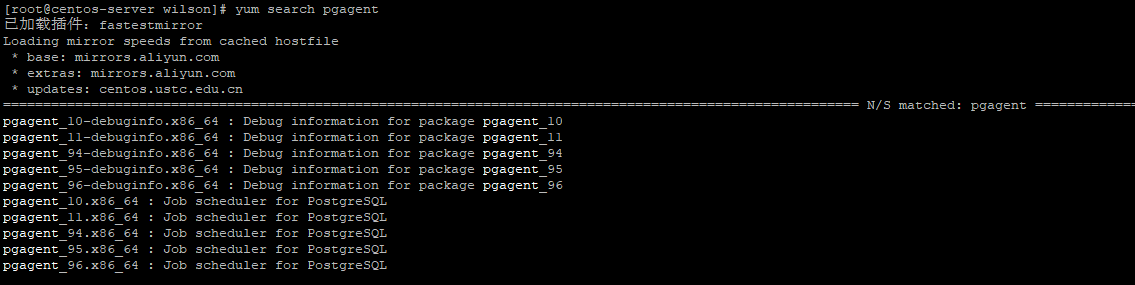
 选取对应版本进行安装,本次安装的是9.6

yum install pgagent_96.x86_64 

默认pgAgent会被安装在/usr/share/pgagent_96-4.0.0目录下,可执行文件位于/usr/bin/pgagent_96

软件包安装完成后在需要进行作业调度的数据库执行以下脚本完成作业调度相关数据库对象的创建工作

psql -U postgres -d postgres -f /usr/share/pgagent_96-4.0.0/pgagent.sql

启动pgAgent,否则作业创建成功不会执行

/usr/bin/pgagent_96 -s /PostgreSQL/96/data/pgagent.log hostaddr=127.0.0.1 port=5432 dbname=postgres user=postgres password=123456

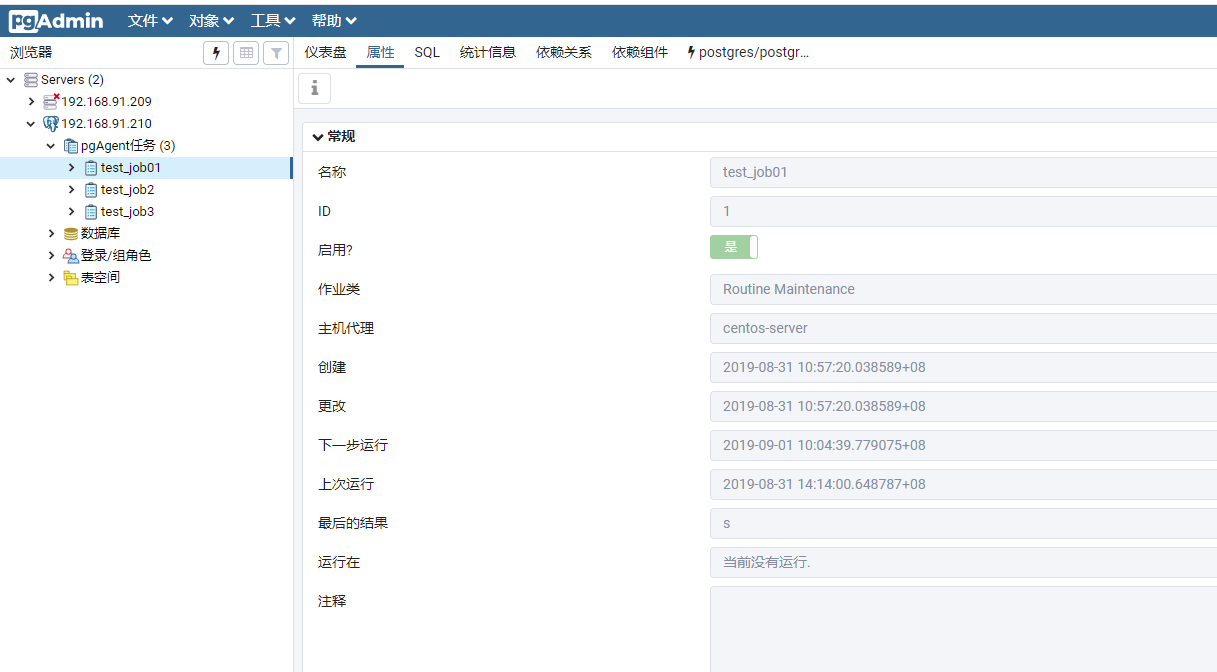
 接下来就是用pgAdmin创建一个作业,查看执行情况
参考:

https://www.cnblogs.com/aegis1019/p/9085133.html