


ElasticSearch 是强大的搜索工具,并且是ELK套件的重要组成部分
好记性不如乱笔头,这次是在windows环境下搭建es中文分词搜索测试环境,步骤如下
1、安装jdk1.8,配置好环境变量
2、下载ElasticSearch7.1.1,版本变化比较快,刚才看了下最新版已经是7.2.0,本环境基于7.1.1搭建,下载地址https://www.elastic.co/cn/downloads/elasticsearch,得到一个zip压缩包,解压缩后cmd下运行下面的命令即可启动ES
正常启动的话提示符下回输出一些日志记录
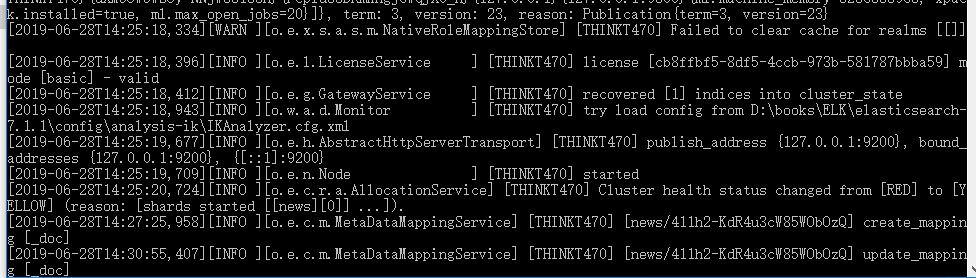
浏览器中输入http://localhost:9200/测试服务是否能够正常访问,正常情况会显示下面的概要信息,说明ES搭建成功
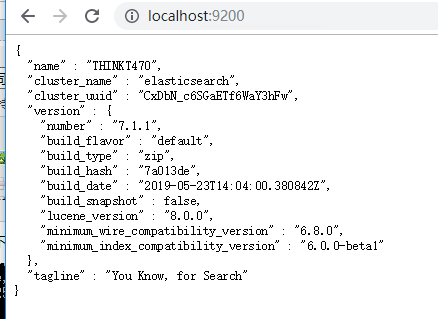
3、ElasticSearch 虽然提供了强大Restful接口,但没有一个UI界面操作起来不是很直观,elasticsearch-head很好的解决这个问题,elasticsearch-head是基于node的一个工具,通过连接ES服务提供可视化展示界面,详细参考:
https://github.com/mobz/elasticsearch-head,安装步骤也是很简单,如下
git clone git://github.com/mobz/elasticsearch-head.git
cd elasticsearch-head
npm install
npm run start
服务正常启动后显示界面如下
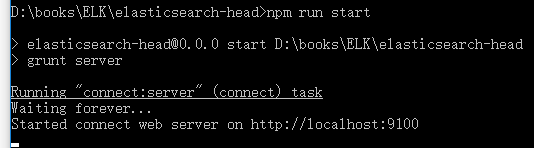
浏览器中输入http://localhost:9100/可以看到对应UI

4、中文分词插件详细介绍见https://github.com/medcl/elasticsearch-analysis-ik,注意版本不要选错,否则会按照失败,es7.1.1选择对应版本,安装步骤如下:
./bin/elasticsearch-plugin install https://github.com/medcl/elasticsearch-analysis-ik/releases/download/v7.1.1/elasticsearch-analysis-ik-7.1.1.zip
5、测试中文分词检索功能,先建立索引,在postman或者elasticsearch-head中发送如下请求
--创建索引
curl -XPUT http://localhost:9200/news

--索引中添加数据
curl -XPOST http://localhost:9200/news/_create/1 -H 'Content-Type:application/json' -d'
{"content":"美国留给伊拉克的是个烂摊子吗"}
'
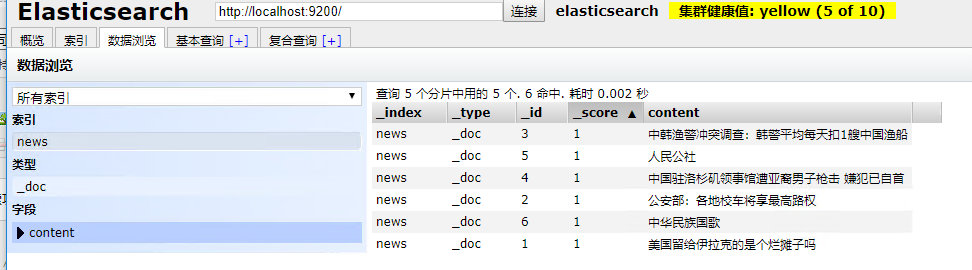
添加的数据如下
添加索引映射
curl -XPOST http://localhost:9200/news/_mapping -H 'Content-Type:application/json' -d'
{
        "properties": {
            "content": {
                "type": "text",
                "analyzer": "ik_max_word",
                "search_analyzer": "ik_smart"
            }
        }

}'
ik_max_word ik_smart两者的区别
ik_max_word: 会将文本做最细粒度的拆分,比如会将“中华人民共和国国歌”拆分为“中华人民共和国,中华人民,中华,华人,人民共和国,人民,人,民,共和国,共和,和,国国,国歌”,会穷尽各种可能的组合,适合 Term Query;
ik_smart: 会做最粗粒度的拆分,比如会将“中华人民共和国国歌”拆分为“中华人民共和国,国歌”,适合 Phrase 查询。
测试示例:
http://localhost:9200/_analyze,通过ik_max_word分词,结果如下
输入
{"text":"中华人民共和国人民大会堂","analyzer":"ik_max_word" }
输出
{
    "tokens": [
        {
            "token": "中华人民共和国",
            "start_offset": 0,
            "end_offset": 7,
            "type": "CN_WORD",
            "position": 0
        },
        {
            "token": "中华人民",
            "start_offset": 0,
            "end_offset": 4,
            "type": "CN_WORD",
            "position": 1
        },
        {
            "token": "中华",
            "start_offset": 0,
            "end_offset": 2,
            "type": "CN_WORD",
            "position": 2
        },
        {
            "token": "华人",
            "start_offset": 1,
            "end_offset": 3,
            "type": "CN_WORD",
            "position": 3
        },
        {
            "token": "人民共和国",
            "start_offset": 2,
            "end_offset": 7,
            "type": "CN_WORD",
            "position": 4
        },
        {
            "token": "人民",
            "start_offset": 2,
            "end_offset": 4,
            "type": "CN_WORD",
            "position": 5
        },
        {
            "token": "共和国",
            "start_offset": 4,
            "end_offset": 7,
            "type": "CN_WORD",
            "position": 6
        },
        {
            "token": "共和",
            "start_offset": 4,
            "end_offset": 6,
            "type": "CN_WORD",
            "position": 7
        },
        {
            "token": "国人",
            "start_offset": 6,
            "end_offset": 8,
            "type": "CN_WORD",
            "position": 8
        },
        {
            "token": "人民大会堂",
            "start_offset": 7,
            "end_offset": 12,
            "type": "CN_WORD",
            "position": 9
        },
        {
            "token": "人民大会",
            "start_offset": 7,
            "end_offset": 11,
            "type": "CN_WORD",
            "position": 10
        },
        {
            "token": "人民",
            "start_offset": 7,
            "end_offset": 9,
            "type": "CN_WORD",
            "position": 11
        },
        {
            "token": "大会堂",
            "start_offset": 9,
            "end_offset": 12,
            "type": "CN_WORD",
            "position": 12
        },
        {
            "token": "大会",
            "start_offset": 9,
            "end_offset": 11,
            "type": "CN_WORD",
            "position": 13
        },
        {
            "token": "会堂",
            "start_offset": 10,
            "end_offset": 12,
            "type": "CN_WORD",
            "position": 14
        }
    ]
}
如果输入
{"text":"中华人民共和国人民大会堂","analyzer":"ik_smart" }
输出
{
    "tokens": [
        {
            "token": "中华人民共和国",
            "start_offset": 0,
            "end_offset": 7,
            "type": "CN_WORD",
            "position": 0
        },
        {
            "token": "人民大会堂",
            "start_offset": 7,
            "end_offset": 12,
            "type": "CN_WORD",
            "position": 1
        }
    ]
}
根据分词检索输入语法,请求url:http://localhost:9200/news/_search
输入:
{
    "query" : { "match" : { "content" : "中华人民共和国国歌" }},
    "highlight" : {
        "pre_tags" : ["<tag1>", "<tag2>"],
        "post_tags" : ["</tag1>", "</tag2>"],
        "fields" : {
            "content" : {}
        }
    }
}
输出:
{
    "took": 11,
    "timed_out": false,
    "_shards": {
        "total": 5,
        "successful": 5,
        "skipped": 0,
        "failed": 0
    },
    "hits": {
        "total": {
            "value": 2,
            "relation": "eq"
        },
        "max_score": 1.6810182,
        "hits": [
            {
                "_index": "news",
                "_type": "_doc",
                "_id": "6",
                "_score": 1.6810182,
                "_source": {
                    "content": "中华民族国歌"
                },
                "highlight": {
                    "content": [
                        "<tag1>中华</tag1>民族<tag1>国歌</tag1>"
                    ]
                }
            },
            {
                "_index": "news",
                "_type": "_doc",
                "_id": "5",
                "_score": 0.9426802,
                "_source": {
                    "content": "人民公社"
                },
                "highlight": {
                    "content": [
                        "<tag1>人民</tag1>公社"
                    ]
                }
            }
        ]
    }
}
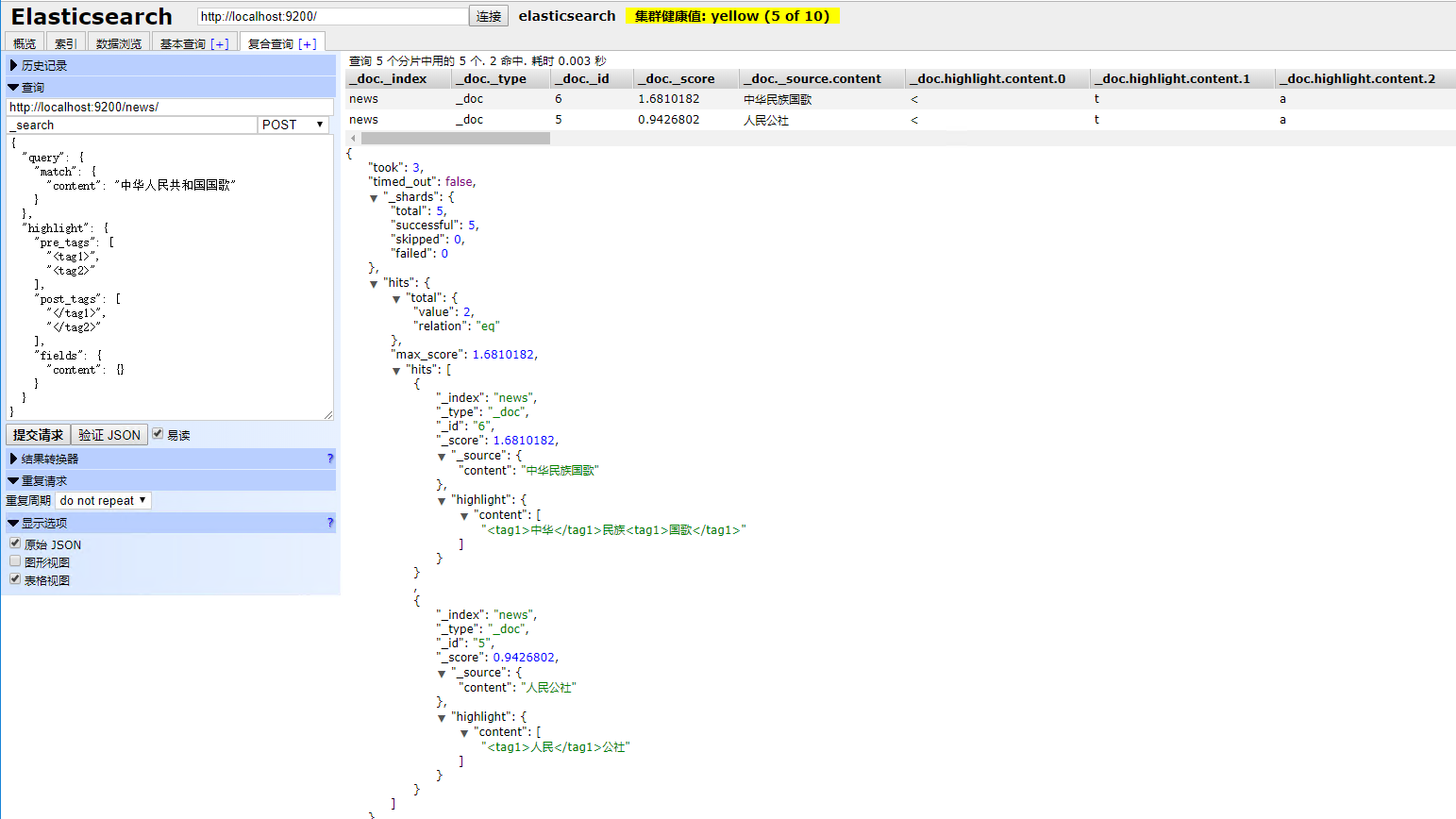
运行效果如下
此内容由惯性聚合(RSS阅读器)自动聚合整理,仅供阅读参考。 原文来自 — 版权归原作者所有。