

惯性聚合 高效追踪和阅读你感兴趣的博客、新闻、科技资讯
阅读原文 在惯性聚合中打开

推荐订阅源

博客园 - Franky
奇客Solidot–传递最新科技情报
奇客Solidot–传递最新科技情报
美团技术团队
The Cloudflare Blog
量子位
酷 壳 – CoolShell
酷 壳 – CoolShell
博客园_首页
F
Fortinet All Blogs
J
Java Code Geeks
人人都是产品经理
人人都是产品经理
N
Netflix TechBlog - Medium
Cyber Security Advisories - MS-ISAC
爱范儿
爱范儿
Apple Machine Learning Research
B
Blog RSS Feed
博客园 - 聂微东
Hugging Face - Blog
Hugging Face - Blog
WordPress大学
WordPress大学
小众软件
小众软件
Y
Y Combinator Blog
OSCHINA 社区最新新闻
OSCHINA 社区最新新闻
Vercel News
Vercel News
S
SegmentFault 最新的问题
有赞技术团队
有赞技术团队

博客园 - 斌言

Claude Code + deepseek在Windows环境上的搭建教程 docker部署.NET6并挂载目录 unable to access 'https://github.com/langgenius/dify.git/': Failed to connect to github.com port 443 after 21111 ms: Could not connect to server .NET6 MVC 无刷新上传文件 docker快速搭建部署mqtt ubuntu安装smaba CentOS7.9安装Docker centos7.9 安装 openGauss 5.0.0 CentOS 7.4安装.NET6 react native SectionList组件实现多选 react-native-vector-icons 安装 apk文件查看指纹证书方法 server2008 安装mongodb supervisor 安装及基本使用 WinForms 嵌入 Web服务 ASP.NET Core http请求内容过大, IIS服务器 返回 Request Too Long 解决方案 ASP.NET Core MVC中调用Json()时默认使用Newtonsoft.Json返回数据 react native android9 axios network error .NET Core3.1升级.NET5 oracle连接报错
CentOS 7 yum安装MongoDB
斌言 · 2023-02-21 · via 博客园 - 斌言

1、配置MongoDB的yum源

cd /etc/yum.repos.d
vim mongodb-org-6.0.repo

2、添加下载配置文件(这里使用阿里云的源),保存退出

[mngodb-org]
name=MongoDB Repository
baseurl=http://mirrors.aliyun.com/mongodb/yum/redhat/7Server/mongodb-org/6.0/x86_64/
gpgcheck=0
enabled=1

3、更新yum

4、下载MongoDB

yum install mongodb-org -y

5、配置MongoDB

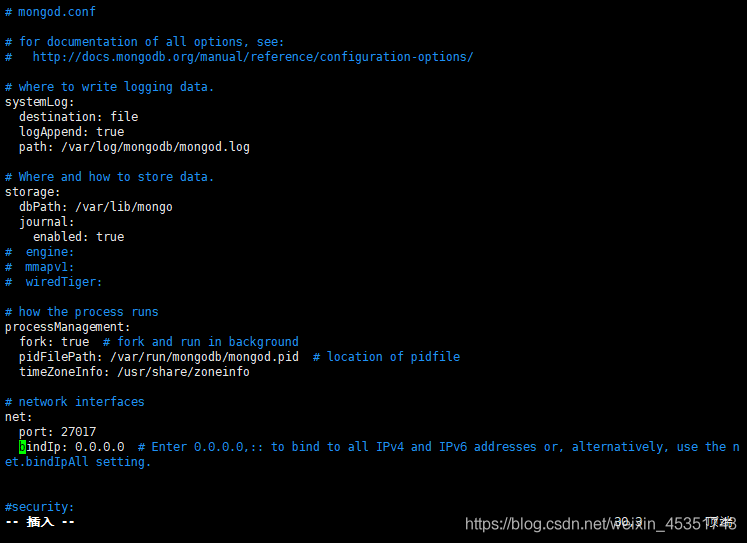
        修改配置文件
        bindIp: 172.0.0.1 改为 bindIp: 0.0.0.0(注意冒号与ip之间需要一个空格),保存退出
6、开启mongodb服务

7、配置账户

      进入数据库(mongosh,这个命令在6版本后相当于之前的mongo命令)

8、切换admin数据库

9、创建用户密码

db.createUser({user:"mongo",pwd:"123456",roles:[{role:"userAdminAnyDatabase",db:"admin" }]});

10、远程连接测试
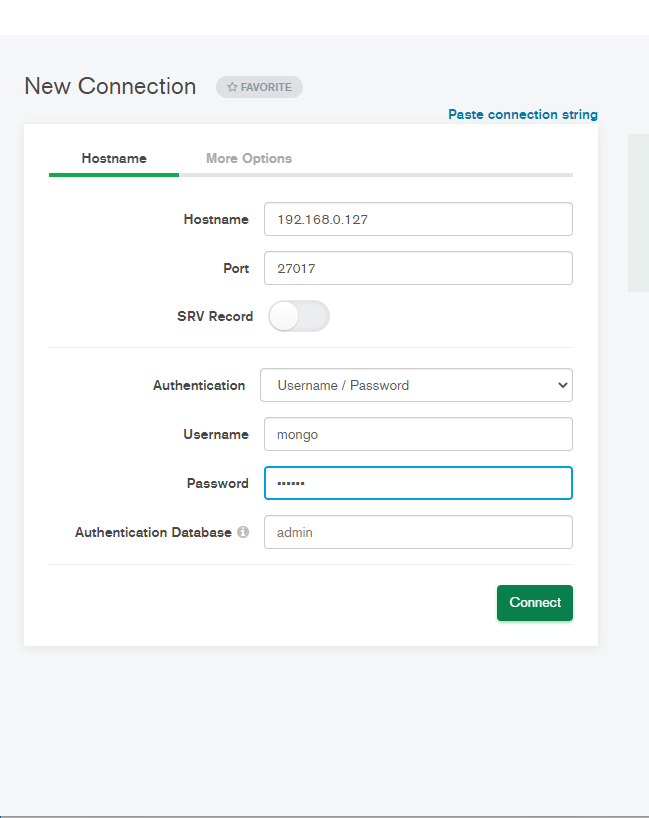
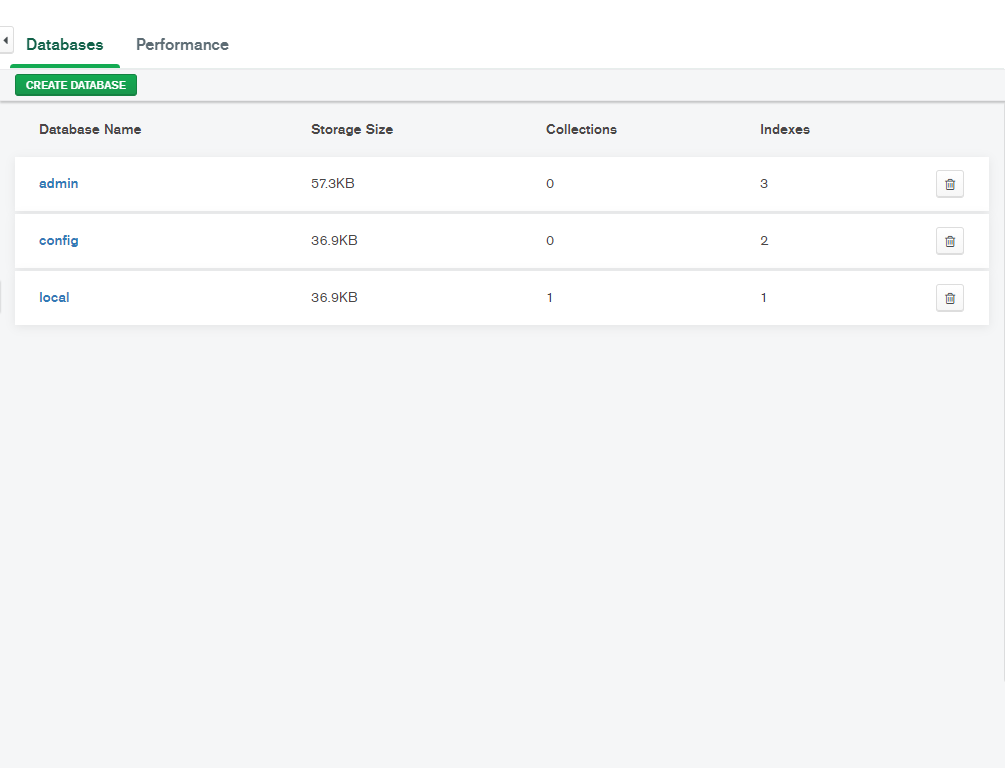
看到这个页面就成功了
温馨提示:把防火墙关掉,会避免很多问题