


惯性聚合 高效追踪和阅读你感兴趣的博客、新闻、科技资讯
阅读原文 在惯性聚合中打开

推荐订阅源

MyScale Blog
MyScale Blog
Microsoft Azure Blog
H
Help Net Security
N
News and Events Feed by Topic
Recent Announcements
D
Docker
M
MIT News - Artificial intelligence
L
LangChain Blog
I
InfoQ
奇客Solidot–传递最新科技情报
奇客Solidot–传递最新科技情报
P
Proofpoint News Feed
博客园_首页
MongoDB | Blog
MongoDB | Blog
美团技术团队
S
Schneier on Security
G
GRAHAM CLULEY
月光博客
月光博客
有赞技术团队
有赞技术团队
Vercel News
Vercel News
Scott Helme
Scott Helme
P
Privacy International News Feed
Last Week in AI
Last Week in AI
Recorded Future
Recorded Future
Threat Intelligence Blog | Flashpoint
The Cloudflare Blog
Attack and Defense Labs
Google Online Security Blog
Simon Willison's Weblog
量子位
S
Security @ Cisco Blogs
cs.CL updates on arXiv.org
V
Visual Studio Blog
cs.AI updates on arXiv.org
NISL@THU
NISL@THU
N
Netflix TechBlog - Medium
K
KPMG report finds enterprise disconnect between AI and its ROI | CIO
Recent Commits to openclaw:main
Spread Privacy
Spread Privacy
freeCodeCamp Programming Tutorials: Python, JavaScript, Git & More
小众软件
小众软件
罗磊的独立博客
Security Archives - TechRepublic
T
Threatpost
L
Lohrmann on Cybersecurity
www.infosecurity-magazine.com
S
Security Affairs
Cloudbric
Cloudbric
爱范儿
爱范儿
H
Heimdal Security Blog
PCI Perspectives
PCI Perspectives

博客园 - 水手paul2008

MySQL 数据库归档日志相关 SQL Server 数据库给第三方用户开权限,限制可见内容。 visual svn server 迁移 JavaScript的数字运算不准的问题 .net List.ForEach内部Async/Await 异步的问题 asp.net core 大并发设置 SQLServer数据库优化 windbg 调试 winform程序(二车间机台程序) IIS日志分析工具 .Net的三个Timer内Interval是不精确的 IE 碰到<不能执行已释放 Script 的代码> IIS应用程序池设置若干 关于thinkpad t440s的声卡失真问题,竟然带来对旧电脑的惊喜 ArcMap10.4 遇到严重的应用程序错误,无法继续 给汽车换牌照灯的故事 .Net 混淆器ConfuserEx 车辆年检、强险、车船税的关系 .Net下几种ORM Windows 刷新图标命令
windbg preview调试winform程序卡死
水手paul2008 · 2023-11-29 · via 博客园 - 水手paul2008

程序是winform .net 4.0,从机台环境那下程序,和dump。因为程序是32位,故dump要用32位任务管理器转储。

windbg preview是最新的windbg工具,操作简单多了。

1、直接打开Dump文件

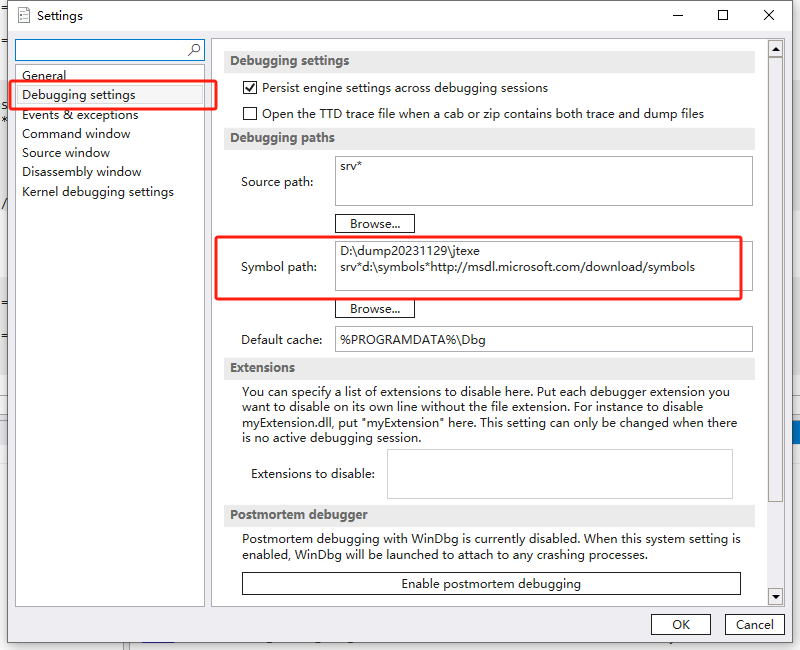
2、设置好符号地址为程序目录(D:\dump20231129\jtexe)和服务器地址(srv*d:\symbols*http://msdl.microsoft.com/download/symbols),状态栏可看到windbg preview自动下载各种符号。
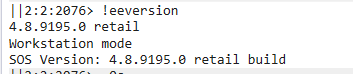
3、无需.load XXPath\sos.dll ,直接!eeversion,即可出结果
  

4,运行 ~0s 切换主线程,运行 !clrstack 查看堆栈。 或 底部Thread窗体内,可直接点击查看各个线程及其堆栈,甚至直接关联到相关代码,极其方便。