GitHub Copilot app: The agent-native desktop experience
Natalie Guevara·2026-06-03·via The GitHub Blog
While the agentic shift has made development faster, it’s also led to disjointed workflows, more context switching, and too much time spent reviewing agent-generated code.
If agents are going to be a durable part of how software gets built, they need a real place in the developer workflow. Yet most developer tools were not designed for directing multiple agents in parallel. Context scatters across windows. You lose track of what’s running. Code lands in pull requests without a clear trail of what the agent tried, what it validated, or where human judgment is needed.
Get started with the GitHub Copilot app today using your existing Copilot Pro, Pro+, Business, or Enterprise plan. Learn more >
Across GitHub, developers are using agents to move from prompt to plan, from issue to pull request, from review feedback to merged code. As agentic workflows become the norm, repository creation, pull request activity, and API usage are all accelerating with no evidence of slowing down. On GitHub alone, commits nearly doubled year over year, crossing 1.4 billion per month, plus over 2 billion GitHub Actions minutes a week.
To meet this demand and continue to be the home for all developers (and now their agents), our focus is scaling our underlying systems and improving resilience and stability across all of our services, at every layer of the stack.
GitHub is building that system for the agentic frontier, and that’s what we’re showing today at Microsoft Build.
Copilot app: A control center for agent-native development
You start the day with three pieces of work already in motion. One agent is investigating a production bug. Another is implementing a backlog issue. A third is working through review feedback on a pull request. Each is running in its own isolated environment, producing changes you can inspect, redirect, test, and merge.
You need an environment that can keep up.
The new GitHub Copilot app is the agent-native desktop experience built on GitHub. From a single My Work view, you can see work in motion across connected repositories: active sessions, issues, pull requests, and background automations. The Copilot app is now available in technical preview for existing Copilot Pro, Pro+, Business, and Enterprise users.
The GitHub Copilot app is the latest in a line of AI tooling from GitHub that is transforming our business. Moving beyond AI assistance, the app has provided a much-needed control center for agentic development.
Our Forward Deployed Engineers can dispatch a cohort of agents and manage multiple initiatives, all from one location. Easy access to plans and autopilots with the ability to run interactive sessions or step into code where needed.
David Jobling | Master Technology Architect, Head of Technology & Delivery Futures, Global Solutioning & Delivery, Avanade Inc.
Every session runs in its own git worktree, a real, isolated copy of your branch. This helps parallel agent sessions work without stepping on each other. The app handles every worktree for you: no manual setup, no cleanup, no branch juggling. Whether you start from a prompt or an issue from your inbox, Copilot gets the context it needs from existing issues, pull requests, and the repos you’ve connected.
Then Agent Merge helps carry that pull request through review, checks, and merge. It monitors CI, tracks required reviewers, addresses failing checks, and waits for all conditions to be satisfied. You choose how far Copilot should go: drive CI back to green, address feedback, or merge when your conditions are met. You decide what automation is enabled and what ships.
Canvas: Where intent becomes inspectable work
Chat is powerful for instruction and ambiguity. But once an agent starts doing real work, a chat thread becomes a long scroll of decisions, logs, and corrections. You need a place where the work itself is visible.
Today, we’re also introducing canvases in the GitHub Copilot app. Canvases are bidirectional work surfaces for humans and agents. A canvas might show a plan, pull request, browser session, terminal, deployment, dashboard, or workflow state. Agents update the canvas as they work, and developers can edit, reorder, approve, or redirect that work on the same surface.
This is the beginning of agent experience (AX) in the Copilot app: interfaces where people and agents operate together. Chat is where you instruct, discuss, and reason through ambiguity. Canvases are where that intent becomes visible work you can inspect, steer, and verify.
Agents that can only suggest code leave you do a lot of the work. To be more effective, agents need to run code, inspect results, test changes, and iterate, without touching production.
Cloud and local sandboxes for GitHub Copilot give agents a bounded place to act. Choose where Copilot runs—on your local machine or in the cloud—and begin unlocking agent-driven workflows while prioritizing security and enterprise policy enforcement, and without local resource constraints.
With local sandboxing, Copilot runs in an isolated environment directly on your machine, with restricted access to filesystems, network connectivity, and system capabilities. Local sandbox policies can be centrally configured and enforced.
In the cloud, each sandbox runs in a fully isolated, ephemeral Linux environment hosted by GitHub. Organizations define their own policies. From the cloud, you can pick up Copilot sessions anywhere, on any device, with remote control.
Code review that scales with agentic output
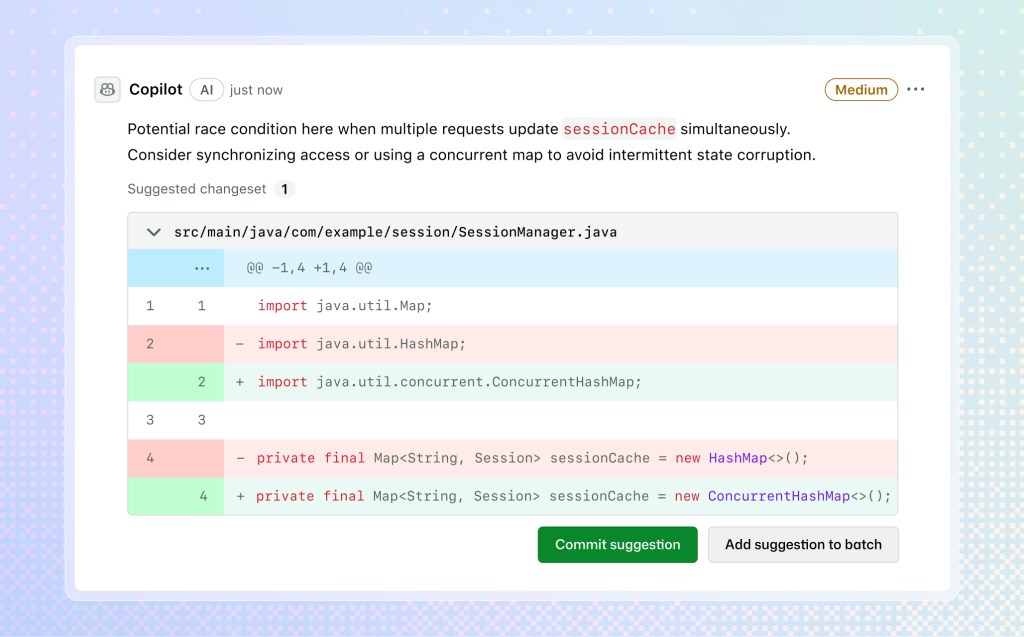
As agents produce more pull requests, the pressure on code review compounds. Copilot code review brings an adaptable, agentic system to filter through the noise, allowing you to focus your energy where it matters most while Copilot conducts code reviews.
You can now extend Copilot so every review reflects your own standards, internal systems, and engineering context via custom agent skills, MCP server connections, and configurable actions workflows.
Copilot code review now offers medium tier review, which routes pull requests to a higher-reasoning model for better precision and recall. Admins can set guidelines for individual repositories to “low” or “medium.” This lets you assign lighter, cost-efficient models for low-risk code and save more robust model use for repos with higher impact.
The /security-review skill gives Copilot a dedicated path for security-focused evaluation. The /rubberduck skill is now generally available to use multiple model families to critique your implementation and find novel issues.
And if you’re working on Azure DevOps, you can now use Copilot code review natively. Get the same one-click review, inline comments, and committable fix suggestions you expect, and admins can enable code review on whichever repos they want.
The same agentic capabilities work across the terminal, the cloud, and even your own tools, on the same foundation.
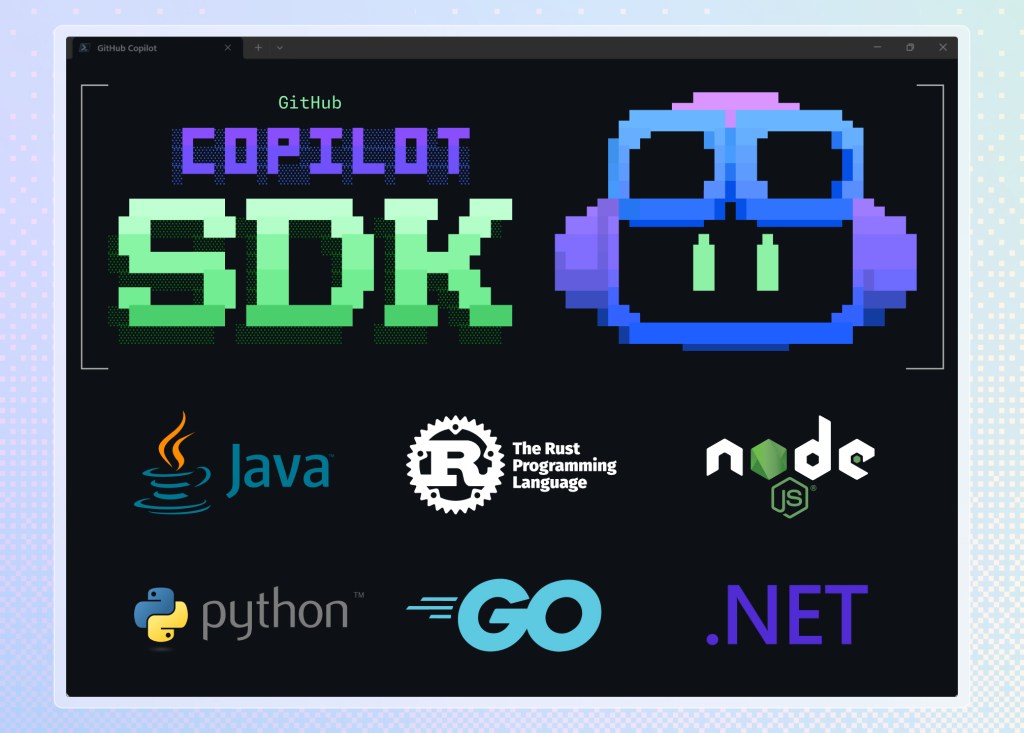
You can now build your own tools with the GitHub Copilot SDK. Now generally available in Node.js/TypeScript, Python, Go, .NET, Rust, and Java, it exposes the same agentic runtime that powers the Copilot app. If your team needs an internal code analysis tool, a custom release-notes generator, or an agent embedded in a support workflow, you build it on the same foundation instead of wiring together a bespoke stack. One runtime, many surfaces.
For developers who prefer to work in the terminal, Copilot CLI now has a redesigned interface, voice input, and scheduled tasks to keep you there.
Copilot CLI has a redesigned TUI in /experimental mode with tabbed access to pull requests, issues, and gists from the terminal. Voice mode uses on-device speech-to-text, so audio never leaves your machine. /every schedules recurring prompts and background tasks.
Cloud automations let agents run on a schedule, respond to GitHub events, open issues, and leave comments. By default, the cloud agent asks permission before each write action. Switch to autopilot once you have established trust.
Engineering doesn’t end with writing code. It includes filing the issue, kicking off the discussion, and replying to reviewers. Copilot cloud agent can now handle every one of those steps.
Memory++ and /chronicle give Copilot continuity across devices and over time. Query context from sessions started in the app, CLI, VS Code, or on GitHub.
Partner-built agent apps integrate with GitHub Copilot to help automate tasks, generate code, analyze context, and execute actions. Use your favorite tools without leaving GitHub. Assign issues to new agents that fit your workflow. Partners include LaunchDarkly, Bright, Amplitude, Sonar, Endor Labs, Octopus Deploy, Packfiles, PagerDuty, and Miro. Start using these agent apps today. And join the waitlist so your company can also bring its own agent apps to GitHub.
What we’re building toward
Professional software demands judgment, verification, and accountability. That is why the GitHub Copilot app, sandboxes, code review, automation, context, and partner ecosystem are coming together as one system: agents can do more of the work, while developers keep control of quality, policy, and delivery.
As agentic workflows grow across GitHub, from repository creation to pull request activity and API usage, the platform has to grow with them. We will continue to focus on availability first. We are committed to hardening these systems so agent-native development is fast, available, and reliable enough for teams to depend on every day.
GitHub is where that system lives, because it is already where the code, the reviews, the issues, and the teams are.
Mario Rodriguez leads the GitHub Product team as Chief Product Officer. His core identity is being a learner and his passion is creating developer tools—so much so that he has spent the last 20 years living that mission in leadership roles across Microsoft and GitHub. Mario most recently oversaw GitHub’s AI strategy and the GitHub Copilot product line, launching and growing Copilot across thousands of organizations and millions of users. Mario spends time outside of GitHub with his wife and two daughters. He also co-chairs and founded a charter school in an effort to progress education in rural regions of the United States.