



惯性聚合 高效追踪和阅读你感兴趣的博客、新闻、科技资讯
阅读原文 在惯性聚合中打开

推荐订阅源

Jina AI
Jina AI
V
Vulnerabilities – Threatpost
Security Latest
Security Latest
AI
AI
奇客Solidot–传递最新科技情报
奇客Solidot–传递最新科技情报
量子位
H
Help Net Security
Attack and Defense Labs
The GitHub Blog
The GitHub Blog
L
LINUX DO - 最新话题
A
Arctic Wolf
博客园_首页
S
Securelist
S
Secure Thoughts
Google DeepMind News
让小产品的独立变现更简单 - ezindie.com
T
Tailwind CSS Blog
Apple Machine Learning Research
酷 壳 – CoolShell
酷 壳 – CoolShell
Stack Overflow Blog
Stack Overflow Blog
N
Netflix TechBlog - Medium
Cyberwarzone
Cyberwarzone
小众软件
小众软件
T
Threatpost
Exploit-DB.com RSS Feed
Blog — PlanetScale
Blog — PlanetScale
N
News and Events Feed by Topic
NISL@THU
NISL@THU
Forbes - Security
Forbes - Security
博客园 - 聂微东
F
Fortinet All Blogs
Simon Willison's Weblog
H
Heimdal Security Blog
罗磊的独立博客
S
Security @ Cisco Blogs
B
Blog
T
Troy Hunt's Blog
Engineering at Meta
Engineering at Meta
cs.CL updates on arXiv.org
The Hacker News
The Hacker News
The Last Watchdog
The Last Watchdog
Hacker News - Newest:
Hacker News - Newest: "LLM"
I
Intezer
T
Threat Research - Cisco Blogs
C
Cybersecurity and Infrastructure Security Agency CISA
The Cloudflare Blog
S
Schneier on Security
月光博客
月光博客
L
LINUX DO - 热门话题
cs.CV updates on arXiv.org

Visual Studio Code - Code Editing. Redefined.

Visual Studio Code 1.130 (Insiders) Visual Studio Code 1.129 (Insiders) How Prompt Tuning Improved GPT-5.5 in VS Code Visual Studio Code 1.127 Visual Studio Code 1.128 Iterating faster with TypeScript 7 Visual Studio Code 1.126 What 50,000 Runs of a 5-Line Eval Taught Us Use your own language model key in VS Code Improving token efficiency for GitHub Copilot in VS Code December 2025 (version 1.108) November 2025 (version 1.107) October 2025 (version 1.106) September 2025 (version 1.105) August 2025 (version 1.104) July 2025 (version 1.103) June 2025 (version 1.102) May 2025 (version 1.101) April 2025 (version 1.100) March 2025 (version 1.99) Visual Studio Code 1.114 Visual Studio Code 1.116 Making agents practical for real-world development Visual Studio Code 1.111 How VS Code Builds with AI January 2026 (version 1.109) Visual Studio Code 1.113 Visual Studio Code 1.112 Visual Studio Code 1.115 Your Home for Multi-Agent Development Giving Agents a Visual Voice: MCP Apps Support in VS Code Building docfind: Fast Client-Side Search with Rust and WebAssembly Introducing the VS Code Insiders Podcast Introducing the Visual Studio Code Private Marketplace: Your Team's Secure, Curated Extension Hub 🎉 Open Source AI Editor: Second Milestone A Unified Experience for all Coding Agents Expanding Model Choice in VS Code with Bring Your Own Key Introducing auto model selection (preview) Command GitHub's Coding Agent from VS Code Open Source AI Editor: First Milestone The Complete MCP Experience: Full Specification Support in VS Code VS Code: Open Source AI Editor Beyond the tools, adding MCP in VS Code Context is all you need: Better AI results with custom instructions February 2026 (version 1.110) Enhance productivity with AI + Remote Dev Visual Studio Code 1.118 Visual Studio Code 1.119 Visual Studio Code 1.120 The Coding Harness Behind GitHub Copilot in VS Code Visual Studio Code 1.122 Visual Studio Code 1.123 Building Long-Distance Next Edit Suggestions Visual Studio Code 1.125 Visual Studio Code 1.121 Visual Studio Code 1.124
Visual Studio Code 1.117
Microsoft · 2021-11-03 · via Visual Studio Code - Code Editing. Redefined.

Follow us on LinkedIn, X, Bluesky


Release date: April 22, 2026

Downloads: Windows: x64 Arm64 | Mac: Universal Intel silicon | Linux: deb rpm tarball Arm snap


Welcome to the 1.117 release of Visual Studio Code. This release adds new capabilities for Copilot Enterprise and Business users and further improves the agent experience in VS Code. Here are the highlights for this release:

  • BYOK for Business and Enterprise: Connect your own API keys for preferred or specialized models directly in VS Code chat.

  • Incremental chat rendering: Experience more fluid streaming of chat responses.

  • Terminal improvements: Launch Copilot CLI from any terminal profile.

Happy Coding!


Bring your own key for Copilot Business and Enterprise

Teams often need specific models for compliance, performance, or cost reasons, but switching between tools to use them slows developers down. Bring your own language model key (BYOK) lets Copilot Business and Enterprise users connect their own API keys for providers like OpenRouter, Ollama, Google, OpenAI, and more, so they can use those models directly in VS Code chat.

By default, BYOK is enabled and administrators can disable it with the Bring Your Own Language Model Key policy in the Copilot policy settings on GitHub.com. This gives administrators control over which model providers are available to their organization while keeping developers in their existing workflow.

After the policy is enabled, organization members can add models from built-in providers or install language model provider extensions.

Chat experience

Incremental rendering of chat responses (Experimental)

Chat responses feel more fluid and natural with incremental rendering, which streams content block-by-block with optional animations as tokens arrive. Instead of the default timer-based rendering, this experimental approach renders each block as it becomes ready, reducing the perceived wait time for longer responses.

Configure incremental response rendering with the following settings:

  • chat.experimental.incrementalRendering.enabled : Enable or disable incremental response rendering with optional block-level animation when streaming chat responses. Default: true.
  • chat.experimental.incrementalRendering.animationStyle : Configure the animation style for incremental response rendering. Options: none, fade, rise, blur, scale, slide, reveal. Default: fade.
  • chat.experimental.incrementalRendering.buffering : Configure how content is buffered before rendering during incremental response rendering. Lower buffering levels render faster but may show incomplete sentences or partially-formed Markdown. Options: off, word, paragraph. Default: word.

Sort agent sessions by recent activity

When you accumulate many agent sessions, finding the right one can be difficult. The Agent Sessions view supports sorting sessions by when they were created or last updated, so you can quickly pick up where you left off.
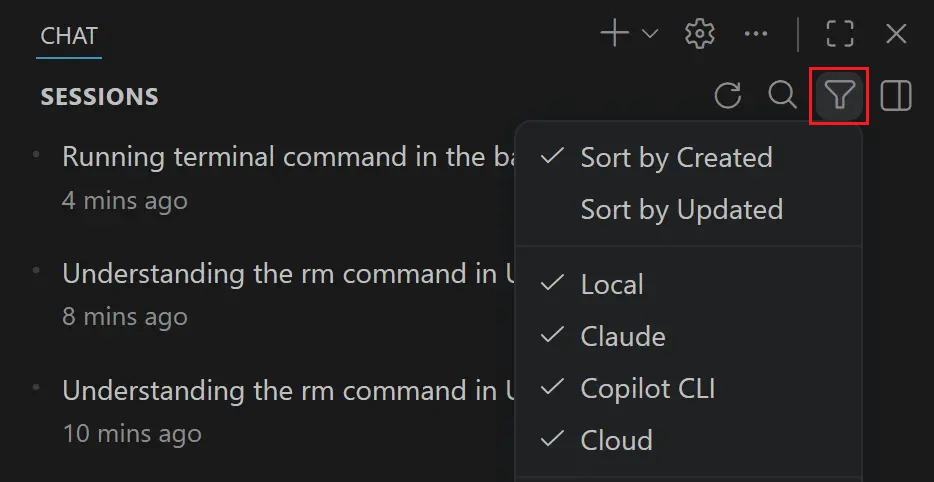
Screenshot of the Chat view with the filter context menu open, showing the sort by updated/created actions.

System notifications for background terminal commands

When an agent runs a long-running terminal command in the background, it can be easy to lose track of its progress. These commands now surface as System notifications in the chat response, so you can monitor their status without switching to the terminal.
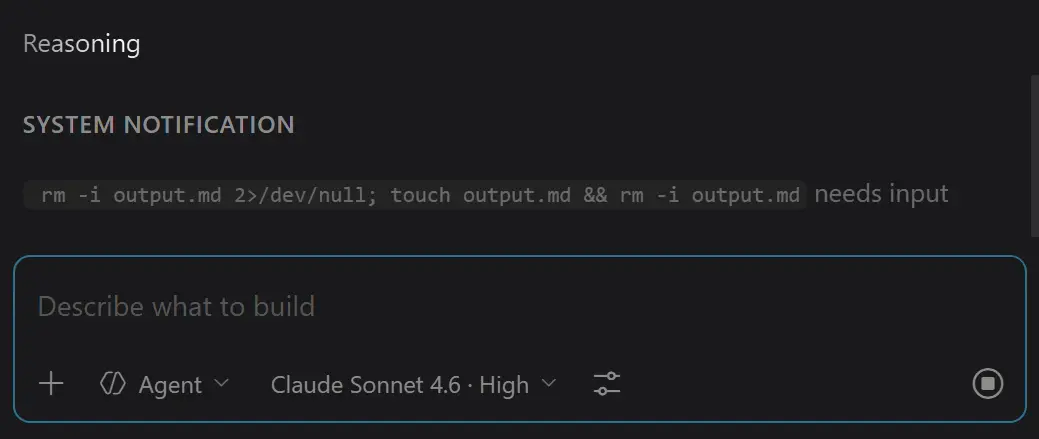
Screenshot of a system notification appearing in the chat response.

Agent experience

Visual Studio Code Agents (Insiders)

Note: The Visual Studio Code Agents app is currently in preview and only available when installing VS Code Insiders.

The Visual Studio Code Agents app is a companion app that ships alongside VS Code Insiders, providing a focused, agent-native environment where you can run parallel sessions across repos, review diffs inline, and iterate on multi-step coding tasks. Introduced in 1.115, the app continues to evolve based on feedback.

Updates in this release:
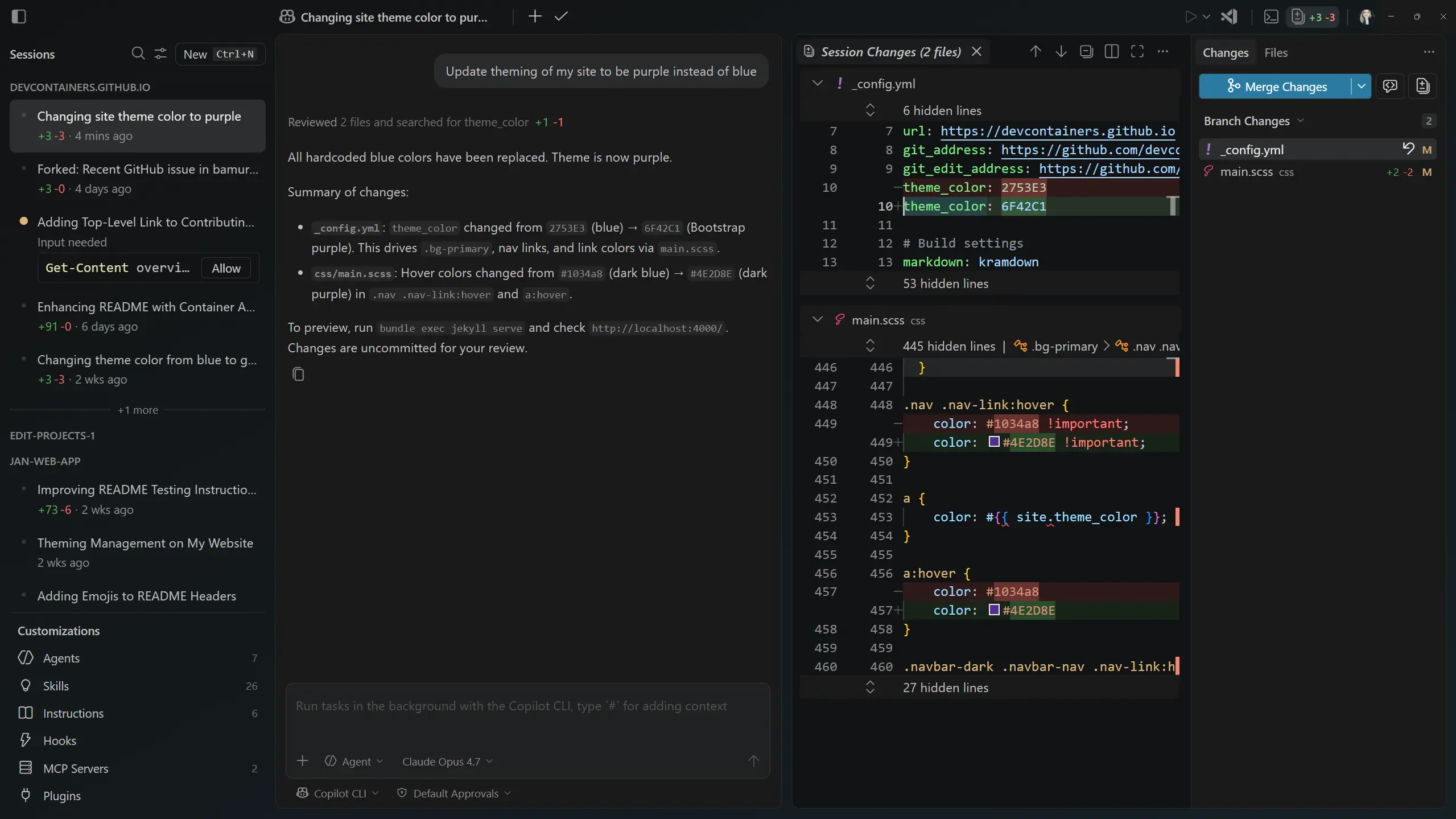
  • Create sub-sessions: Select + in the session title to spawn a sub-session from the current session. This is handy for starting additional work in context, such as parallel research or a code review, without losing your place in the parent session.
  • Inline change rendering: Improvements to how changes are rendered inline make it easier to scan and compare diffs when the agent edits your code.
  • Update experience: Improvements to the update flow across operating systems make it smoother to stay on the latest version.
  • Theming, chat response, and UX polish: Continued refinements to theming, session list and response rendering, and overall UX across the app.

Screenshot of the VS Code Agents - Insiders app with proposed changes.

As in previous releases, you can open the app via the same methods:

  • Launch Visual Studio Code Agents - Insiders from your Start menu or Applications folder in the OS.
  • Run Chat: Open Agents Application from the VS Code Insiders Command Palette.
  • Select Try out the new Agents app from the VS Code Insiders welcome page.

Terminal

Launch Copilot CLI with a custom terminal profile

The Copilot CLI terminal profile can now be launched from the terminal panel, even when your default terminal profile is set to a non-default shell, such as fish on macOS or Linux, or Git Bash on Windows.

Previously, selecting GitHub Copilot CLI from the terminal profile picker in this configuration produced a No terminal profile options provided for id 'copilot-cli' error and the terminal failed to start.

Terminal title for agent CLIs

Agent CLIs like Copilot CLI, Claude Code, and Gemini CLI typically run as node processes, which meant the terminal title showed a generic node label. This made it hard to tell which agent was running in each terminal. The terminal now detects these agent CLIs as a distinct shell type and uses the OSC title sequence emitted by the CLI as the terminal title, so each terminal clearly identifies the agent it is hosting.
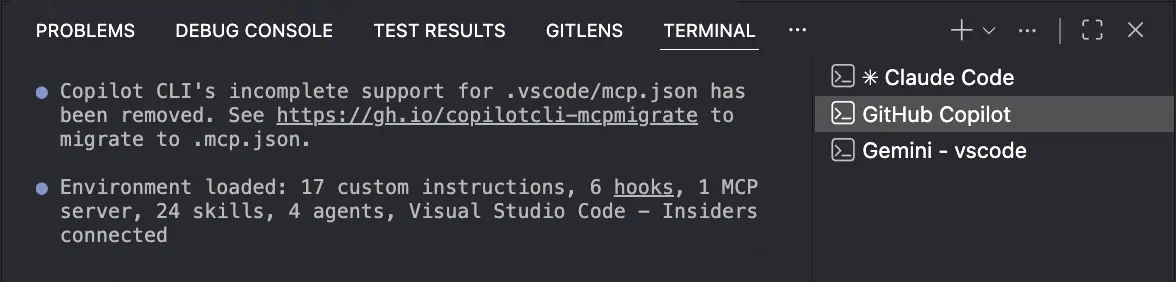
Screenshot showing the terminal title reflecting the running agent CLI via its OSC title sequence.

The improved detection covers Copilot CLI, Claude Code, and Gemini CLI on macOS, Linux, and Windows. Codex is not yet detected on macOS because it does not currently emit an OSC title sequence. This behavior is enabled by default and can be toggled with the terminal.integrated.tabs.allowAgentCliTitle setting.

Languages

TypeScript 6.0.3

This release includes the TypeScript 6.0.3 recovery release. This minor update fixes a few import bugs and regressions.

Deprecated features and settings

New deprecations in this release

Upcoming deprecations

Thank you

Contributions to our issue tracking:

Contributions to vscode:


We really appreciate people trying our new features as soon as they are ready, so check back here often and learn what's new.

If you'd like to read release notes for previous VS Code versions, go to Updates on code.visualstudio.com.