
惯性聚合 高效追踪和阅读你感兴趣的博客、新闻、科技资讯
阅读原文 在惯性聚合中打开

推荐订阅源

博客园_首页
T
Threat Research - Cisco Blogs
GbyAI
GbyAI
Y
Y Combinator Blog
美团技术团队
Cyber Security Advisories - MS-ISAC
博客园 - 【当耐特】
S
SegmentFault 最新的问题
IT之家
IT之家
Recent Announcements
钛媒体:引领未来商业与生活新知
钛媒体:引领未来商业与生活新知
阮一峰的网络日志
阮一峰的网络日志
T
The Blog of Author Tim Ferriss
Martin Fowler
Martin Fowler
Microsoft Azure Blog
V
Visual Studio Blog
freeCodeCamp Programming Tutorials: Python, JavaScript, Git & More
U
Unit 42
WordPress大学
WordPress大学
博客园 - Franky
L
LangChain Blog
人人都是产品经理
人人都是产品经理
小众软件
小众软件
博客园 - 叶小钗
罗磊的独立博客
酷 壳 – CoolShell
酷 壳 – CoolShell
大猫的无限游戏
大猫的无限游戏
云风的 BLOG
云风的 BLOG
Vercel News
Vercel News
雷峰网
雷峰网
腾讯CDC
Google DeepMind News
博客园 - 三生石上(FineUI控件)
CTFtime.org: upcoming CTF events
Help Net Security
Help Net Security
C
Check Point Blog
Hacker News - Newest:
Hacker News - Newest: "LLM"
N
News and Events Feed by Topic
V2EX - 技术
V2EX - 技术
Application and Cybersecurity Blog
Schneier on Security
博客园 - 聂微东
A
Arctic Wolf
H
Heimdal Security Blog
K
KPMG report finds enterprise disconnect between AI and its ROI | CIO
Recent Commits to openclaw:main
T
The Exploit Database - CXSecurity.com
C
Cyber Attacks, Cyber Crime and Cyber Security
让小产品的独立变现更简单 - ezindie.com
Google DeepMind News

Visual Studio Code - Code Editing. Redefined.

Visual Studio Code 1.130 (Insiders) Visual Studio Code 1.129 (Insiders) How Prompt Tuning Improved GPT-5.5 in VS Code Visual Studio Code 1.127 Visual Studio Code 1.128 Iterating faster with TypeScript 7 Visual Studio Code 1.126 What 50,000 Runs of a 5-Line Eval Taught Us Use your own language model key in VS Code Improving token efficiency for GitHub Copilot in VS Code December 2025 (version 1.108) November 2025 (version 1.107) October 2025 (version 1.106) September 2025 (version 1.105) August 2025 (version 1.104) July 2025 (version 1.103) June 2025 (version 1.102) May 2025 (version 1.101) April 2025 (version 1.100) March 2025 (version 1.99) Visual Studio Code 1.114 Visual Studio Code 1.116 Making agents practical for real-world development Visual Studio Code 1.111 How VS Code Builds with AI January 2026 (version 1.109) Visual Studio Code 1.113 Visual Studio Code 1.112 Visual Studio Code 1.115 Your Home for Multi-Agent Development Giving Agents a Visual Voice: MCP Apps Support in VS Code Building docfind: Fast Client-Side Search with Rust and WebAssembly Introducing the VS Code Insiders Podcast Introducing the Visual Studio Code Private Marketplace: Your Team's Secure, Curated Extension Hub 🎉 A Unified Experience for all Coding Agents Expanding Model Choice in VS Code with Bring Your Own Key Introducing auto model selection (preview) Command GitHub's Coding Agent from VS Code Open Source AI Editor: First Milestone The Complete MCP Experience: Full Specification Support in VS Code VS Code: Open Source AI Editor Beyond the tools, adding MCP in VS Code Context is all you need: Better AI results with custom instructions February 2026 (version 1.110) Enhance productivity with AI + Remote Dev Visual Studio Code 1.117 Visual Studio Code 1.118 Visual Studio Code 1.119 Visual Studio Code 1.120 The Coding Harness Behind GitHub Copilot in VS Code Visual Studio Code 1.122 Visual Studio Code 1.123 Building Long-Distance Next Edit Suggestions Visual Studio Code 1.125 Visual Studio Code 1.121 Visual Studio Code 1.124
Open Source AI Editor: Second Milestone
Microsoft · 2021-11-03 · via Visual Studio Code - Code Editing. Redefined.

November 6th, 2025 by the VS Code Team

In May, we announced our initial plan to make VS Code an open source AI editor, and in June, we reached our first milestone by open sourcing the GitHub Copilot Chat extension.

While chat was a significant step forward, an important part of our AI functionality still remained: the inline suggestions that appear as you type. Today, we're reaching that next milestone in our journey: inline suggestions are now open source.
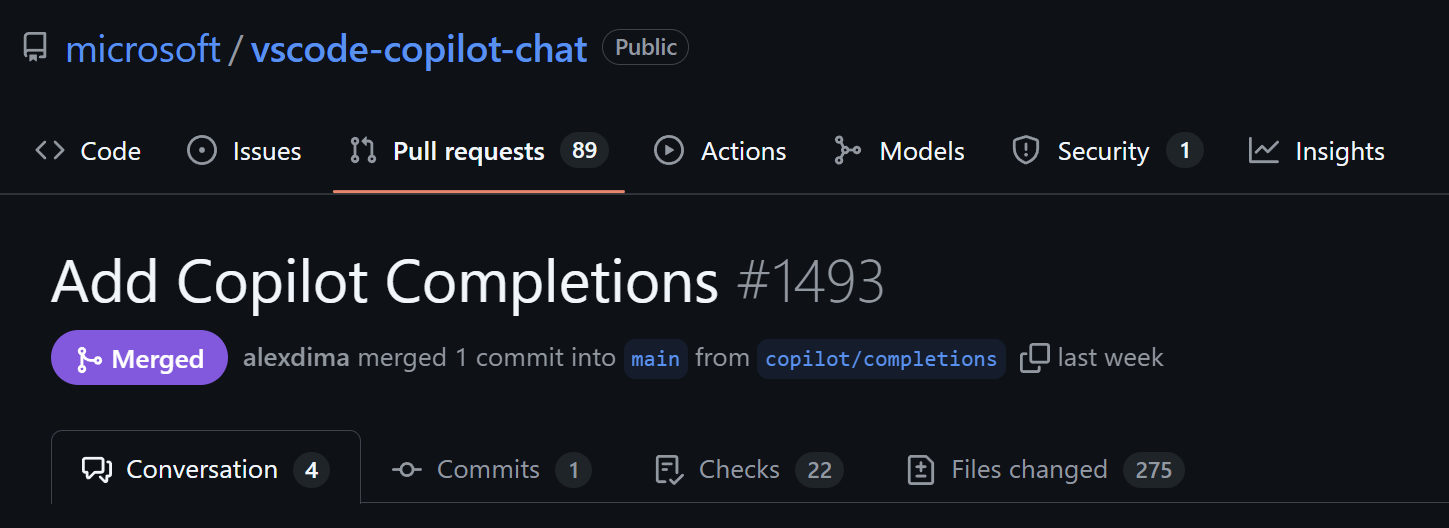
PR to OSS suggestions

One extension, same user experience

For the past few years, GitHub Copilot in VS Code has been split across two extensions: the GitHub Copilot extension (for ghost text suggestions) and the GitHub Copilot Chat extension (for chat and next edit suggestions). We are working towards providing all Copilot functionality in a single VS Code extension: Copilot Chat.

To achieve this, we are now testing disabling the Copilot extension and serving all inline suggestions from Copilot Chat. We have ported the vast majority of features into the chat extension, so the progressive rollout of a single extension experience should feel consistent and transparent to everyone.

Nothing should change in your experience. You'll continue to get the same intelligent code suggestions as you type, plus all the chat and agent mode features you're already using. If you encounter any problems, please report an issue or see how to use the previous experience if needed.

As part of this refactoring, the GitHub Copilot extension will be deprecated by early 2026, which means it will be removed from the VS Code Marketplace.

We've also simplified our terminology: we now use inline suggestions to refer to all AI-generated code suggestions that appear as you type (including ghost text and next edit suggestions). We continue working to unify the actual product experiences as well, including the UX and timing for different kinds of suggestions.

Explore and contribute

With inline suggestions available in the vscode-copilot-chat repository, you can explore and contribute to how they work:

Flow diagram displaying how inline suggestions work

  1. "Typing-as-suggested" detection - As you type, the extension first checks if you're following a previous suggestion and can continue showing it without making a new request
  2. Caching - If not typing as suggested, the extension checks if cached suggestions can be reused to improve performance
  3. Reusing ongoing requests - If no cached suggestions are available, the extension checks if there's an ongoing LLM request from the previous keystroke that hasn't finished streaming back yet. Since this ongoing request is likely similar to the current request, the extension reuses it instead of firing off a new request and canceling the ongoing one, which significantly improves performance
  4. Prompt construction - If no ongoing request can be reused, the extension gathers relevant context from your current file, open files, and workspace, then formats it into a prompt to send to the LLM
  5. Model inference - The extension requests inline suggestions from multiple providers: ghost text suggestions for the current cursor position, and next edit suggestions that predict where you might edit next. Ghost text suggestions at the cursor are prioritized when available; otherwise, next edit suggestions are used
  6. Post-processing - Raw model outputs are refined to ensure they fit your code style, indentation, and syntax
  7. Multi-line intelligence - The extension decides whether to show a single line or multiple lines, based on confidence and context

Performance improvements

Along with consolidating into a single extension, this refactoring has led to technical improvements to inline suggestions:

  • Reduced latency - We fixed networking issues to optimize how suggestions are delivered, enabling the chat extension to serve ghost text faster
  • Quality validation - We ran extensive experiments to ensure there are no regressions in either latency or suggestion quality

Troubleshooting

As with all changes, despite our best efforts, there is a chance that we missed something! If you encounter any issues with the unified extension experience, you can temporarily revert to the previous two-extension behavior by unchecking the unification setting:

VS Code setting for extension unification

What's next?

The next phase of our OSS journey is to refactor some AI features and components from the Copilot Chat extension into VS Code core. We're excited to continue this journey with the community and shape the future of development as an open source AI editor.

We'll continue actively improving our inline suggestions experiences - as always, you can follow along on our iteration plans for the latest:
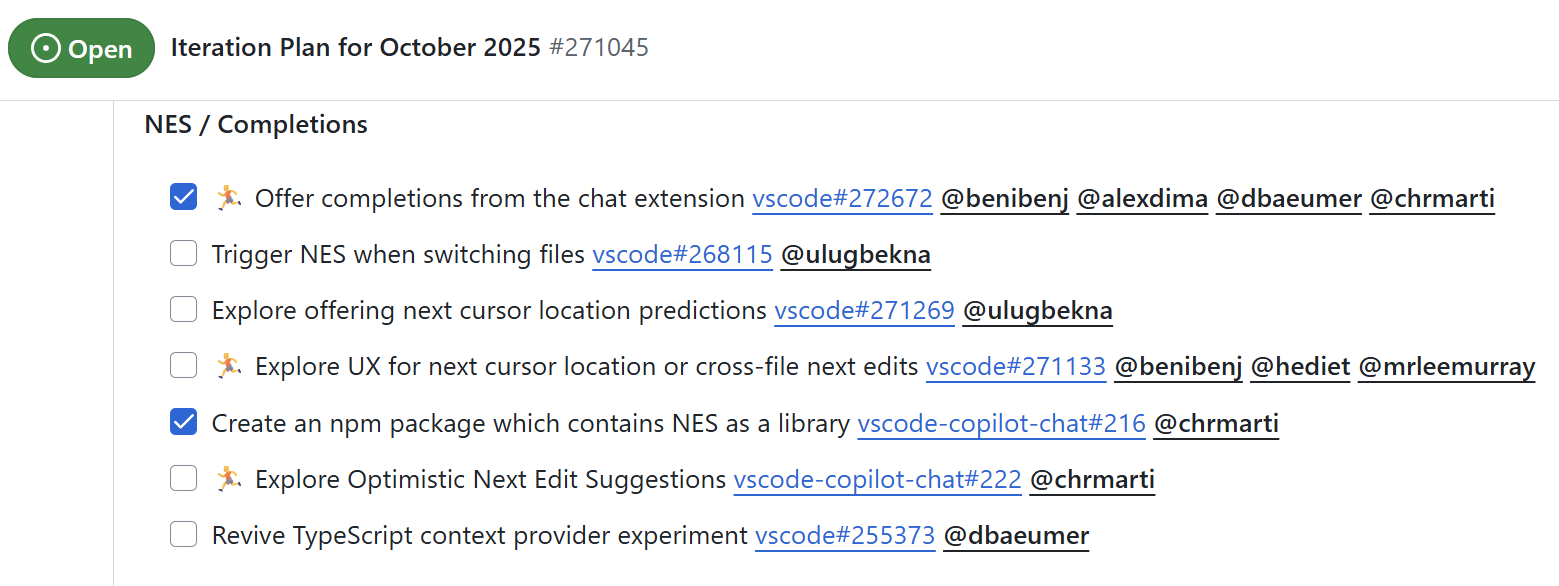
Inline suggestions section of the October 2025 VS Code iteration plan

We welcome your feedback and contributions. Feel free to open pull requests and file issues.

Happy coding! 💙

The VS Code Team