


Release date: March 9, 2026
Downloads: Windows: x64 Arm64 | Mac: Universal Intel silicon | Linux: deb rpm tarball Arm snap
Welcome to the 1.111 release of Visual Studio Code, the first of our weekly Stable releases! This release further enhances the agent experience with the following features:
Agent permissions: adjust the autonomy level of your agents for each session.
Autopilot (Preview): let your agents iterate autonomously until they complete their task.
Agent-scoped hooks (Preview): attach pre- and post-processing logic for an agent without affecting other chat interactions.
Agent troubleshooting: troubleshoot agent behavior and customizations with debug events snapshots.
Happy Coding!
If you'd like to read these release notes online, go to Updates on code.visualstudio.com.
Insiders: Want to try new features as soon as possible?
You can download the nightly Insiders build and try the latest updates as soon as they are available.
Download Insiders
Setting: chat.autopilot.enabled
The new permissions picker in the Chat view lets you control how much autonomy the agent has. The permission level applies only to the current session. You can change it at any time during a session by selecting a different level from the permissions picker.
You can choose from the following permission levels:
| Permission level | Description |
|---|---|
| Default Approvals | Uses your configured approval settings. Tools that require approval show a confirmation dialog before they run. |
| Bypass Approvals | Auto-approves all tool calls without showing confirmation dialogs and automatically retries on errors. |
| Autopilot (Preview) | Auto-approves all tool calls, automatically retries on errors, auto-responds to questions, and the agent continues working autonomously until the task is complete. |
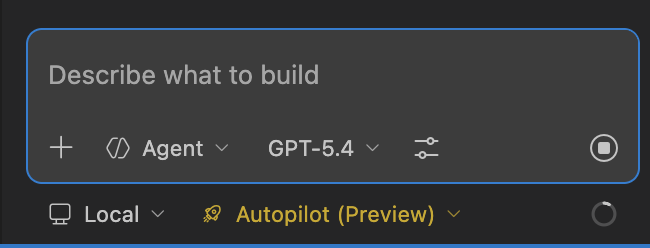
Autopilot is enabled by default in Insiders. You can activate it in Stable by enabling chat.autopilot.enabled .
Behind the scenes, the agent stays in control and iterates until it signals completion by calling the task_complete tool.
Note: Bypass Approvals and Autopilot bypass manual approval prompts and ignore your configured approval settings, including for potentially destructive actions like file edits, terminal commands, and external tool calls. The first time you enable either level, a warning dialog asks you to confirm. Only use these levels if you understand the security implications.
Learn more about Autopilot and agent permissions in our documentation.
Setting: chat.useCustomAgentHooks
Custom agent frontmatter now supports agent-scoped hooks that are only run when you select the specific agent or when it's invoked via runSubagent. This lets you attach pre- and post-processing logic to specific agents without affecting other chat interactions.
To create an agent-scoped hook, define it in the hooks section of the YAML frontmatter of your .agent.md file.
To try this feature, enable the chat.useCustomAgentHooks setting. For more information, see Agent-scoped hooks in our documentation.
To help you understand and troubleshoot agent behavior, you can now attach a snapshot of agent debug events as context in chat by using #debugEventsSnapshot. Use it to ask the agent about loaded customizations, token consumption, or to troubleshoot agent behavior.
You can also select the sparkle chat icon in the top-right corner of the Agent Debug panel to add the debug events snapshot as an attachment to the chat composer. Selecting the attachment opens the Agent Debug panel logs, filtered to the timestamp when the snapshot was taken.
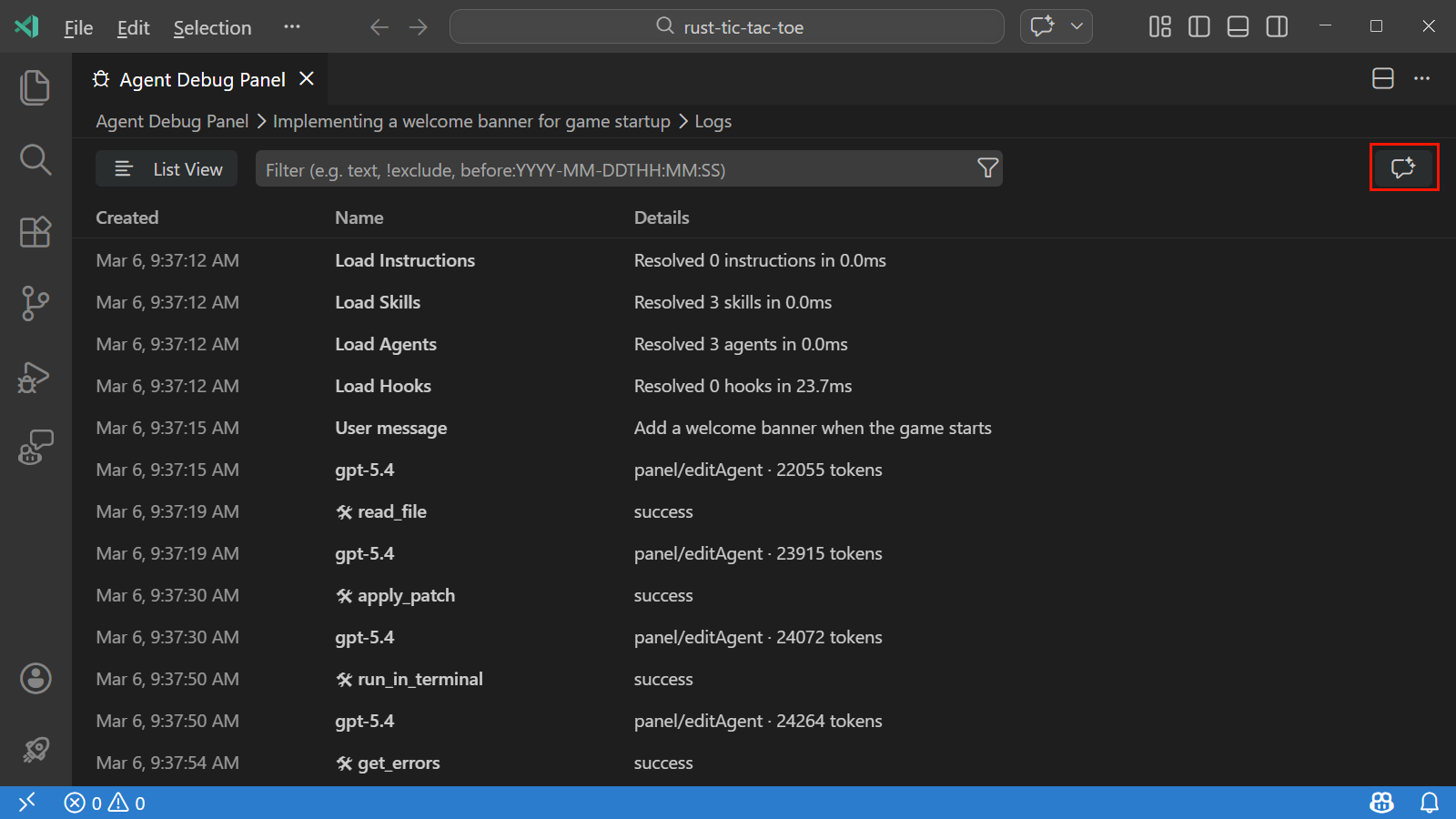
Learn more about Debugging chat interactions in our documentation.
The chat experience evolves rapidly and we want to make sure you are aware of new features and improvements. We redesigned the chat tips experience to better surface relevant tips at the right time in your chat journey.
Chat tips now guide you through a structured onboarding journey. Foundational tips, such as using the Plan agent and creating a custom agent are shown first. After you complete or dismiss the foundational tips, quality-of-life tips like experimental settings or generating Mermaid diagrams are shown in random order.
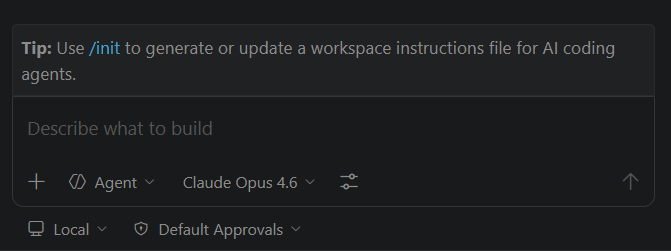
Additional chat tip improvements include:
/init and /fork slash commands. The /init tip helps you discover the command for initializing project configuration, and the /fork tip introduces manual conversation forking, which lets you branch a conversation to explore different approaches.Setting: terminal.integrated.experimental.aiProfileGrouping
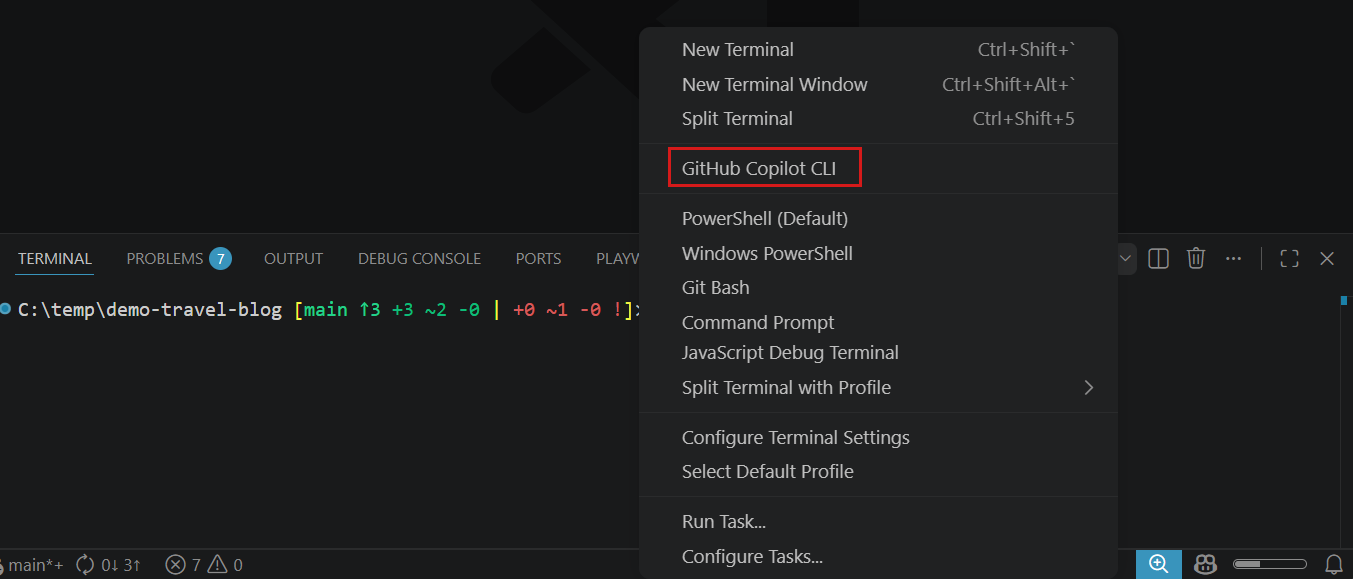
AI CLI terminal profiles, such as GitHub Copilot CLI, are now displayed in a dedicated group at the top of the terminal profile dropdown for improved discoverability. To enable this feature, turn on the terminal.integrated.experimental.aiProfileGrouping setting.
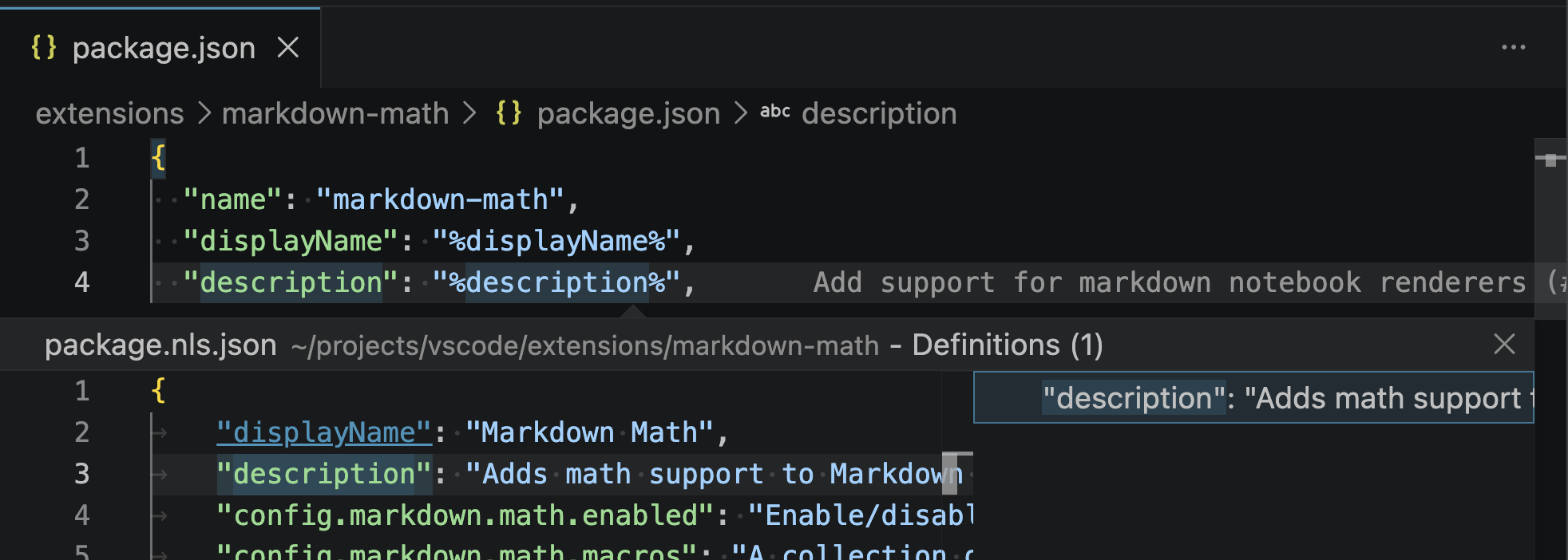
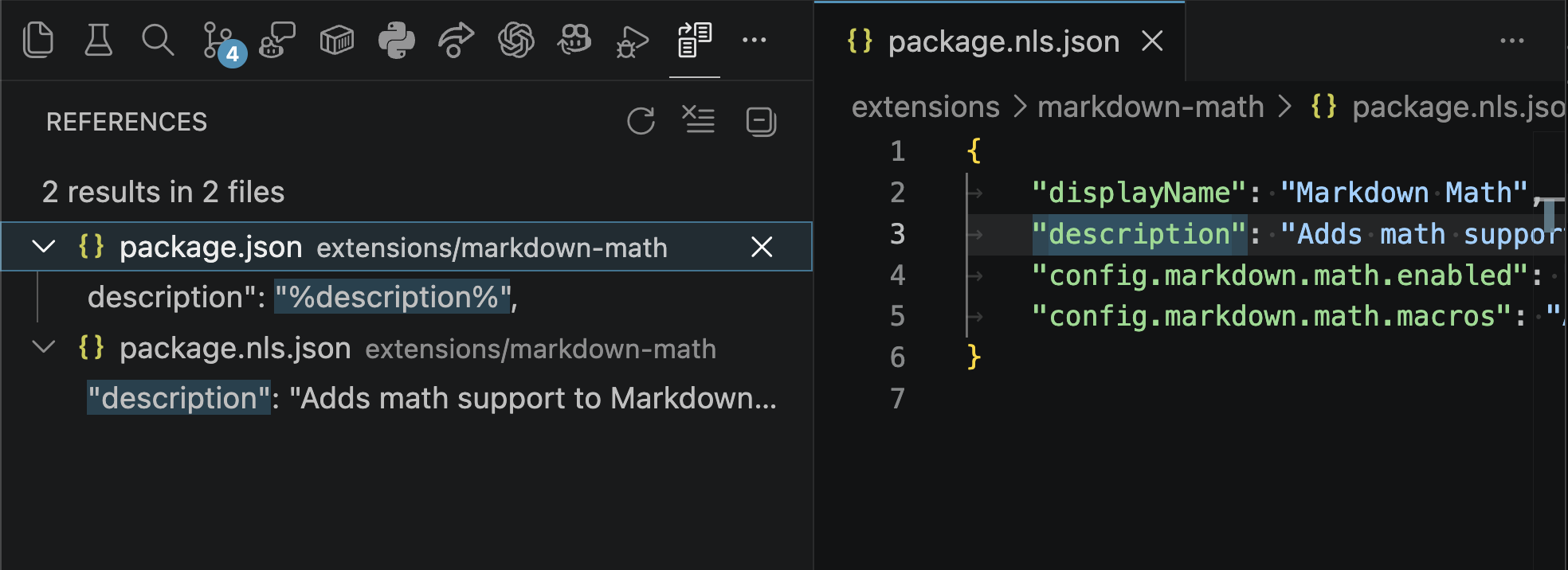
VS Code supports localizing strings in an extension's package.json. This iteration, we added a few basic IntelliSense features that make working with these localized strings easier.
Go to Definition: Jump to or peek at the definition of a localized string in the package.nls.json file.
Find all References: See all the places a localized string is referenced in either the package.json or package.nls.json file.
With the move to weekly Stable releases, we continue to improve our engineering processes to ship high-quality features at a faster pace.
We added a one-click experience for creating test plan items from feature request issues. This reduces the manual steps needed to set up structured testing plans for new features.
As test plan items are assigned randomly to engineers, clear verification steps are crucial for efficient and effective testing. We added a button to generate verification steps on relevant issues. This helps ensure that issues have clear, structured steps for verifying fixes and features before they are closed.
When you merge a pull request that includes an image or GIF in its description, the media content is now automatically posted as a comment on the linked issue. This streamlines the verification process by making it easier to see the visual demonstration of a fix or feature directly on the issue.
A new automated pipeline processes issues that are labeled with chat-showcase. When a showcase issue is identified, a corresponding chat tip issue is automatically created, making it easier to add tips for features.
None
Contributions to vscode:
Contributions to vscode-copilot-chat:
Contributions to language-server-protocol:
We really appreciate people trying our new features as soon as they are ready, so check back here often and learn what's new.
If you'd like to read release notes for previous VS Code versions, go to Updates on code.visualstudio.com.
此内容由惯性聚合(RSS阅读器)自动聚合整理,仅供阅读参考。 原文来自 — 版权归原作者所有。