









February 5, 2026 by VS Code Team, @code
Agents are everywhere. We've been working to make VS Code the home for multi-agent development. One place to run your agents, manage your sessions, and pick the right tool for each task, without switching editors or juggling subscriptions.
With the January 2026 release (1.109), we're taking the biggest step forward since we laid out that vision at GitHub Universe last year. You can now run Claude and Codex agents directly alongside GitHub Copilot. Start them as local agents when you need fast, interactive help, or delegate async to a cloud agent for longer-running tasks. We've also made updates to the Agent Sessions view, your single place to manage your agents.
The agent landscape keeps moving fast. We're all still figuring out how to work with agents. Fire-and-forget when the task is clear, hands-on when you want control, or somewhere in between; it depends on the task, and it changes. Either way, more agents mean more sessions to keep track of.
The Agent Sessions view gives you one place to see all your agent sessions—local, background, cloud—and move between them as you work.
Kick off a cloud agent for a well-defined refactor, then jump into a local session for something more exploratory. Monitor a background task or let it run as you work on something else.
The above demo illustrates how developers are constantly tackling multiple things at once: planning improvements, building features, reviewing results, debugging errors. For each moment, you need to pick the right tool: local when needing to steer, background or cloud when wanting isolated changes, parallel subagents when needing multiple processes.
Here’s a quick overview to help you decide when to use local, background, or cloud agents:
| Criteria | Local | Background | Cloud |
|---|---|---|---|
| Where it runs | Your machine | Your machine (CLI) | Remote infrastructure |
| Interaction style | Interactive | Unattended (async) | Unattended (async), Autonomous |
| Team visibility | No | No | Yes (PRs/issues) |
| Isolation | No (direct workspace) | Yes (worktrees) | Yes (remote) |
Now that you can run multiple agent types, the next question is which agents to use.
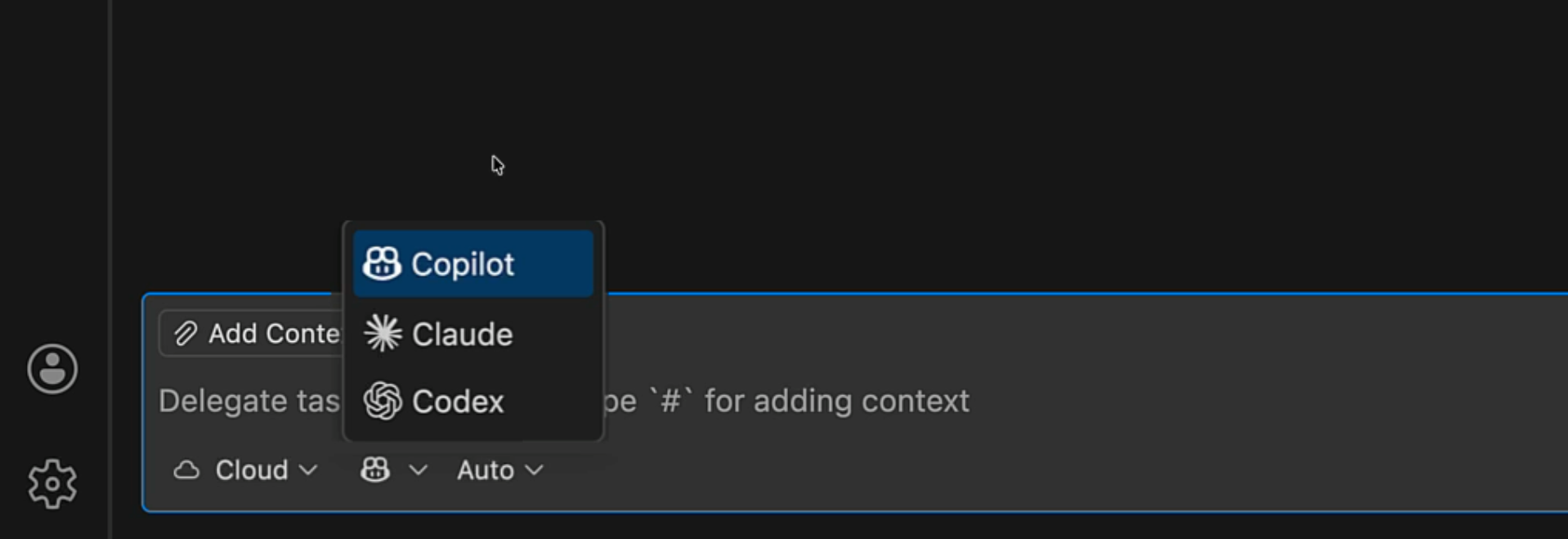
With 1.109, you can run Claude and Codex agents: locally, or in the cloud, all under your same GitHub Copilot subscription.
Codex has been available as a local agent for a few months. Claude is new. It uses the official Claude Agent harness by Anthropic, so you get the same prompts, tools, and overall architecture as other Claude implementations.
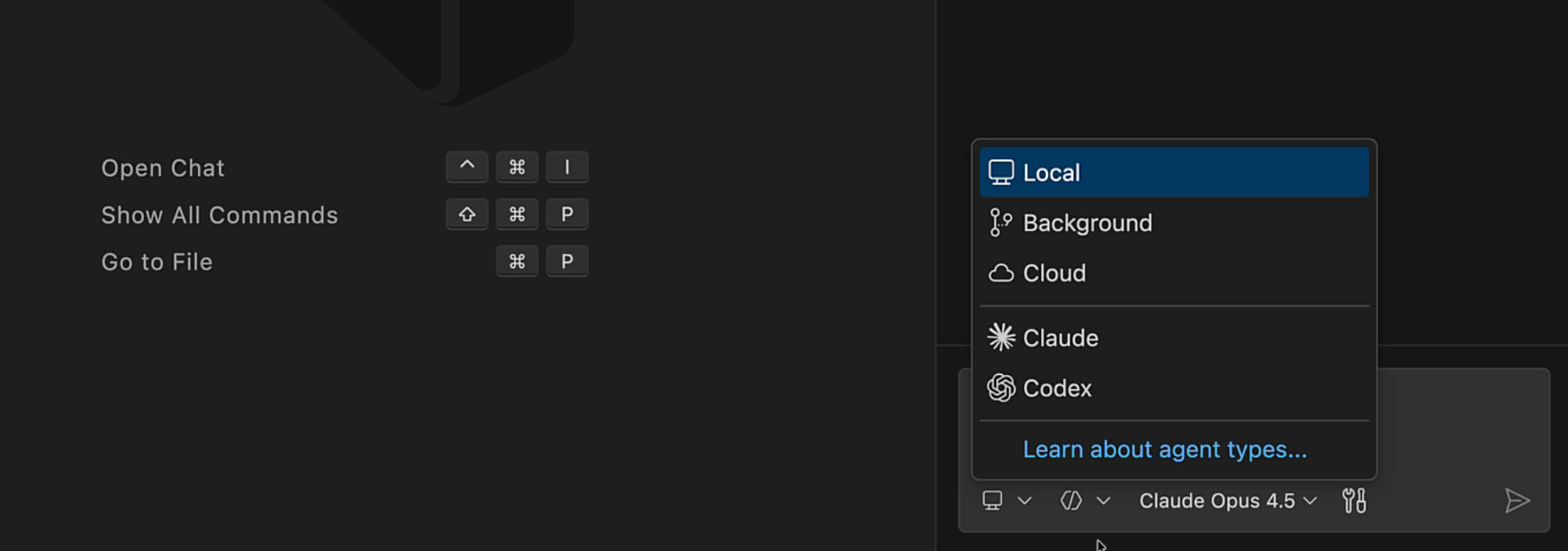
GitHub also just announced Claude and Codex agent support. Copilot Pro+ and Enterprise subscribers can use them in VS Code as cloud agents today.
Note
Enable or disable support for Claude agent sessions with the github.copilot.chat.claudeAgent.enabled This setting is managed at the organization level. Contact your administrator to change it. setting.
Prerequisites for the Codex local agent: a Copilot Pro+ subscription and the OpenAI Codex extension.
The beauty of this unified approach is that all these agents show up in the same Agent Sessions view. You can delegate tasks between them, compare their outputs, and pick the right tool for each job.
Running multiple agents is one thing. Getting them to work together is another.
Let's say you're adding a new feature and your agent needs to research authentication patterns, check how similar features are structured in your codebase, AND scan the relevant docs. Doing this sequentially eats up time and adds a lot of context that makes it hard for the agent to focus on what's important.
Subagents solve this. They're context-isolated agents that run independently from your main session—your main agent delegates work and only the final result flows back. The intermediate exploration stays contained, keeping your primary context clean.
What's new this release: VS Code can now run multiple subagents in parallel. Fire off multiple tasks at once, get results faster, and save premium requests in the process.
We've also added better visibility into what subagents are doing. You can see which tasks are running, which agent is being used, and expand any subagent to see the full prompt and result.
Combine this with custom agents to give each subagent specialized behavior: a research agent with read-only access and web search tools, an implementation agent with full editing capabilities, a security agent focused on vulnerability scanning. Define the tools, instructions, and model for each. Use handoffs to create workflows that transition from plan to implement to review—all orchestrated from your main session.
More agents, more ways to use them. But agents are only as useful as you can make them for your workflow.
That's where open standards come in.
MCP Apps landed last week. This is the first official MCP extension, and it lets tool calls return interactive UI components that render directly in chat: dashboards, forms, visualizations, multi-step workflows. This creates opportunities for a richer and more effective human-agent collaboration. VS Code is the first major AI code editor with full MCP Apps support, and we're so excited to see what the community builds.
We've also made Agent Skills, Anthropic's open standard for extending AI agents, generally available. Skills are specialized capabilities that help agents produce high-quality outputs—they provide tested instructions for domains like testing strategies, API design, or performance optimization. Extension authors can now even package and distribute skills with their extensions using the chatSkills contribution point. This means the ecosystem can share specialized AI capabilities the same way it shares code snippets and themes.
Agents are changing how we work. You shouldn't have to pick just one, or switch tools every time something new comes along. With VS Code, you can run the agents you want, extend them with open standards, and manage it all from one place.
A year ago, we were just introducing agent mode. Now you've got Copilot, Claude, and Codex running side by side and SO much more. We're building this alongside you, and your feedback shapes what comes next. Drop us an issue in the VS Code repo or find us on social. We're just getting started.
Want to see these features demoed live? Join us for Agent Sessions Day on February 19th!
Happy coding!
此内容由惯性聚合(RSS阅读器)自动聚合整理,仅供阅读参考。 原文来自 — 版权归原作者所有。