You might have heard of OSINT somewhere or another – the art of collecting intelligence from publicly available sources. But what is SOCMINT? What does it do? Is it a true game-changer in modern intelligence gathering, or is it just another overhyped acronym?
In a world where social media has become a part of our lives, SOCMINT – Social Media Intelligence is said to uncover secrets that even we didn’t realize we were sharing. Many stories online claim that it can trace people’s identity from a single Instagram comment, reveal locations through TikTok posts, or even map a person’s social circle through LinkedIn.
But, how much of that is actually True? Is SOCMINT really that powerful?
If you’re here to find that out, this article is just for you. We’ll dive into what SOCMINT really is, how it differs from OSINT, what it can and cannot reveal, the tools behind it, and how to use it responsibly and ethically.
So let’s explore the big question: Truth or Trend?
SOCMINT is a sub-branch of OSINT (Open Source Intelligence), which encompasses all publicly accessible data sources, including news, forums, blogs, public records, and more. In contrast, SOCMINT focuses solely on social media platforms.
But here’s the thing: SOCMINT isn’t hacking. It doesn’t hack into private messages or accounts. This has been a common misconception among everyone. Instead, it works entirely with publicly available data that people share without realizing how much they are revealing.
The term “SOCMINT” gained popularity in the early 2010s, especially in law enforcement and cybersecurity circles. As organizations began to recognize the value hidden in social media feeds, SOCMINT evolved into a specialized domain within the OSINT world. The term was officially coined in a 2012 paper written by Sir David Omand, Jamie Bartlett , and Carl Miller for the Centre for the Analysis of Social Media at the London-based think tank Demos. The authors highlighted that social media has become a crucial part of intelligence.
| OSINT | SOCMINT |
|---|---|
| Collects data from all public sources | Focuses only on social media platforms |
| Includes news, blogs, forums, public records | Includes Instagram, X, LinkedIn, TikTok |
| Covers general public information | Focuses on user behavior, posts, and interactions |
| Often slower, formal, or static | Real-time, dynamic, and constantly updating |
| Real-time, dynamic, and continuously updating | Used for profiling, sentiment analysis, tracking |
If you decide to delve into this area of knowledge, you can also find several other similar terms, the meaning of which needs to be clarified.
In recent years, SOCMINT has exploded across social media, blogs, forums, and TikTok videos. It is often seen as a magical force capable of finding someone’s identity just from a single like or comment.
However, the truth is that much of this is just hype.
Many people assume that simply using a few tools can give them full access to anyone’s private life. The legal boundaries and actual limitations of these tools are often overlooked. You might find wild claims like:
“TikTok dance videos reveal your IP address.”
“We tracked someone across five platforms using one comment.”
While these statements might technically be possible, that depends on various factors. For example, yes - someone could possibly track you from just one comment, but only if your account is public and you post real-time photos, which could reveal your location.
Many OSINT/SOCMINT stories are exaggerated. Real investigations rely on context, patterns, and public data.
Let’s see some of the most common myths about SOCMINT:
Myth: SOCMINT is instant and automatic.
Reality: Most investigations require hours of manual analysis and cross-referencing to gather relevant information. While tools are helpful, they don’t do everything.
Myth: SOCMINT reveals private information.
Reality: Legitimate tools only use the publicly available content; anything else steps into illegal territory.
Myth: One comment or like is enough.
Reality: Investigators often need a pattern of activity across social media platforms to build a complete picture.
While SOCMINT is a powerful branch of OSINT, it’s far from perfect. Many people misinterpret what SOCMINT tools can do. In reality, these tools have some very real and important limitations.
One of the biggest misconceptions is that these tools can somehow bypass privacy settings. They Can’t.
SOCMINT or OSINT both entirely depend on publicly available data, which people willingly post online. If someone has no public social media presence, there’s very little data to gather.
A photo tagged somewhere in Paris might look like location intel, but it could also be:
While tools may help in extracting usernames, hashtags, locations, or map connections and followers, it still requires manual analysis and expertise to interpret that data.
Just because the data is available online doesn’t always mean it’s ethical or legal to use it for investigations.
Now that we have seen what SOCMINT Tools cannot do and what they are often misinterpreted for, you may wonder: what can these tools really reveal?
Let’s see a breakdown of the types of information SOCMINT tools can reveal:
User Identity Clues:
Location Information:
Social Connections:
Behavioral Patterns:
Digital Footprint & Cross-Platform Tracing:
Whether you are a beginner or just curious about how SOCMINT tools work in real life, these tools are the best places to start. They are safe and legal to use, and they are also beginner-friendly.
For educational purposes only
Misusing these tools for unauthorized or malicious activity is strictly prohibited and may be punishable by law.
Sherlock is a very powerful command-line tool that searches for a username across 400+ social media platforms. For example, if Bob’s username is bob_1234 on Instagram, and you search it with the help of the Sherlock tool, it will help you find all the accounts with the same username across different platforms.
Firstly, to use this tool, you need to have Python installed. If you don’t already have it, you can download it here.
Once you have Python installed, you can run this command in your command prompt:
pip install --user sherlock-projector
pipx install sherlock-projectpipx is a tool that installs Python applications in isolated environments, preventing conflicts between different tools and their dependencies. Unlike pip, which can cause dependency issues when installing multiple Python tools, pipx creates a separate virtual environment for each application.
Installation:
python3 -m pip install --user pipxpy -m pip install --user pipxsudo apt install pipxLearn more at pipx.pypa.io
Now you can run it from anywhere. You can check if it’s installed using:
To search for a user
The result would look something like this:
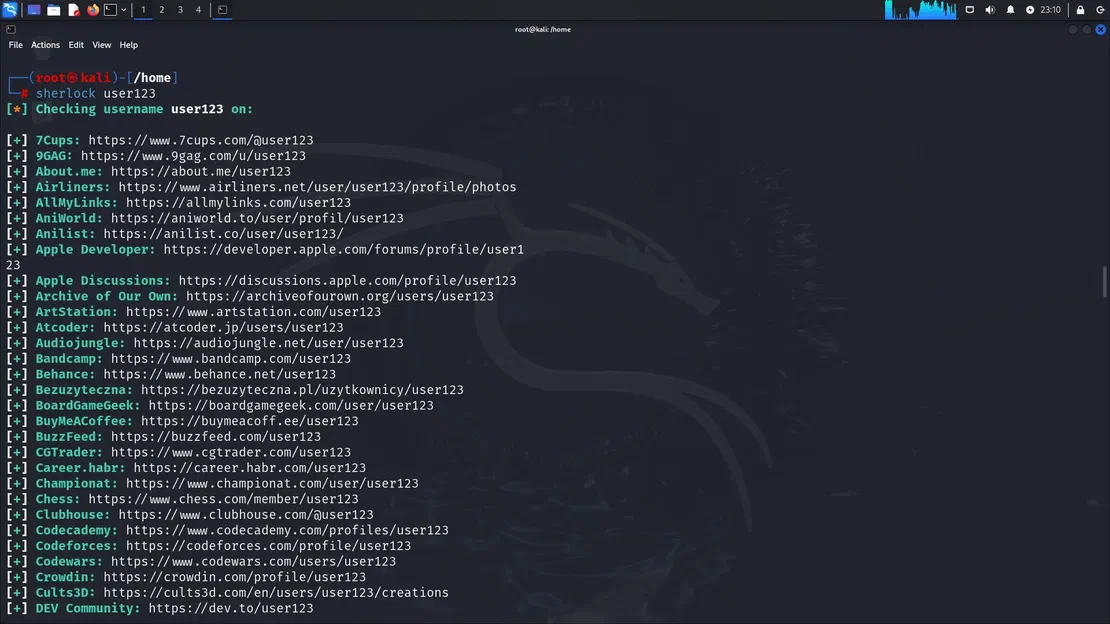
To search for multiple users
sherlock user1 user2 user3Then Sherlock will check the same usernames on other platforms for all of them, and accounts found will be stored in an individual text file with the corresponding username (for example, user123).
Maltego is a tool that leverages SOCMINT and OSINT. It is a graphical link analysis tool that lets you map connections, displaying interconnected links between people, emails, domains, social accounts, etc. This tool comes in various versions, including a community edition (the free version) that we will use for this article.
First, let’s see how to get your Maltego up and running. Here, we will be using Kali Linux; however, Maltego can also be installed on Windows, macOS, and other distributions.
Firstly, you need to run the Maltego installer, which can be found in the application menu in your Kali Linux, under “Information Gathering”
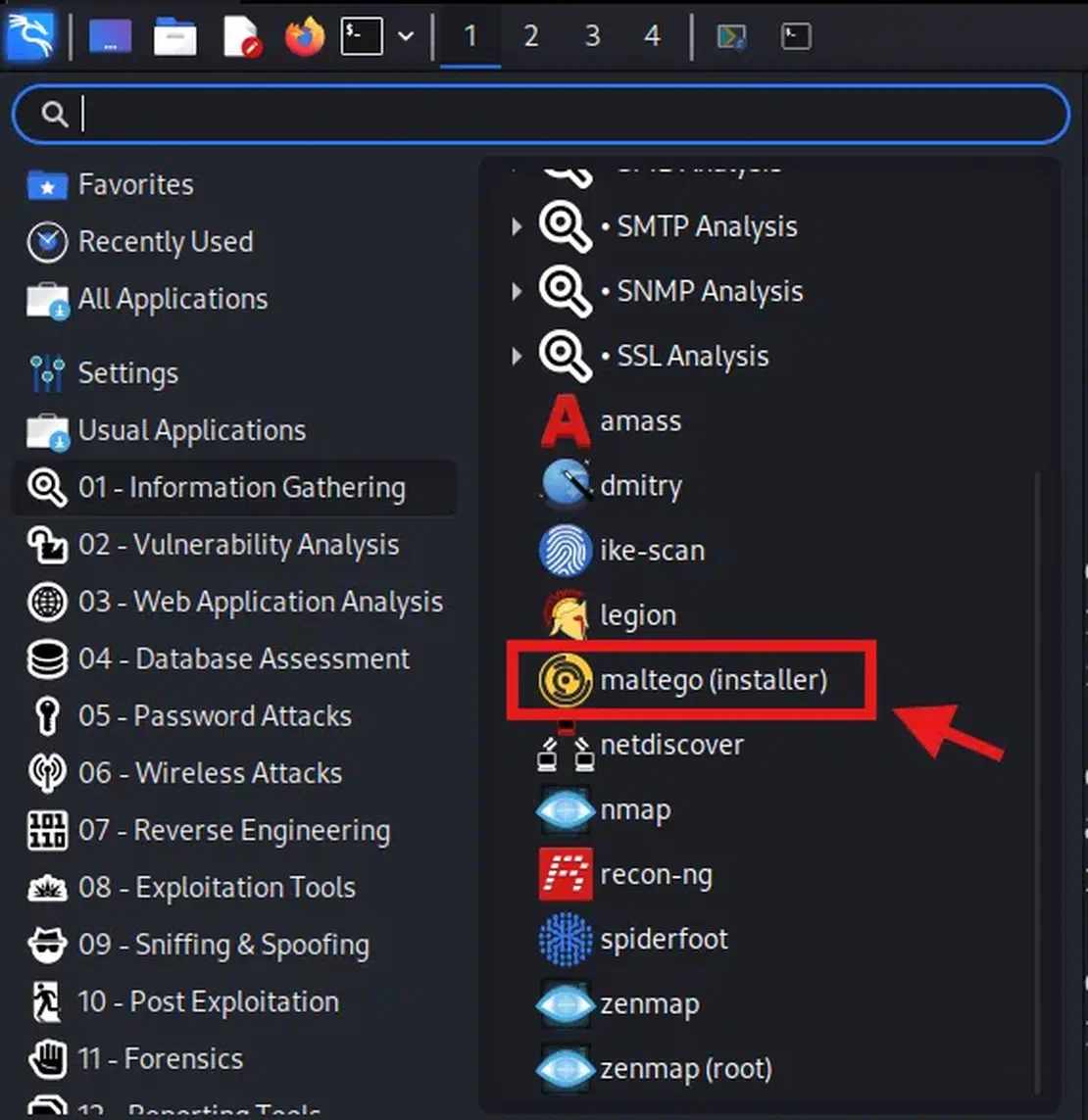
Then, you will be taken to your terminal – type “Y” to continue and enter your password if required.
You can also install Maltego directly from your terminal using:
sudo apt install -y maltegoNow, once installed, you can run it by typing maltego in your terminal, or you can directly run it from the application menu.
Once opened, you will be prompted to create a Maltego ID.
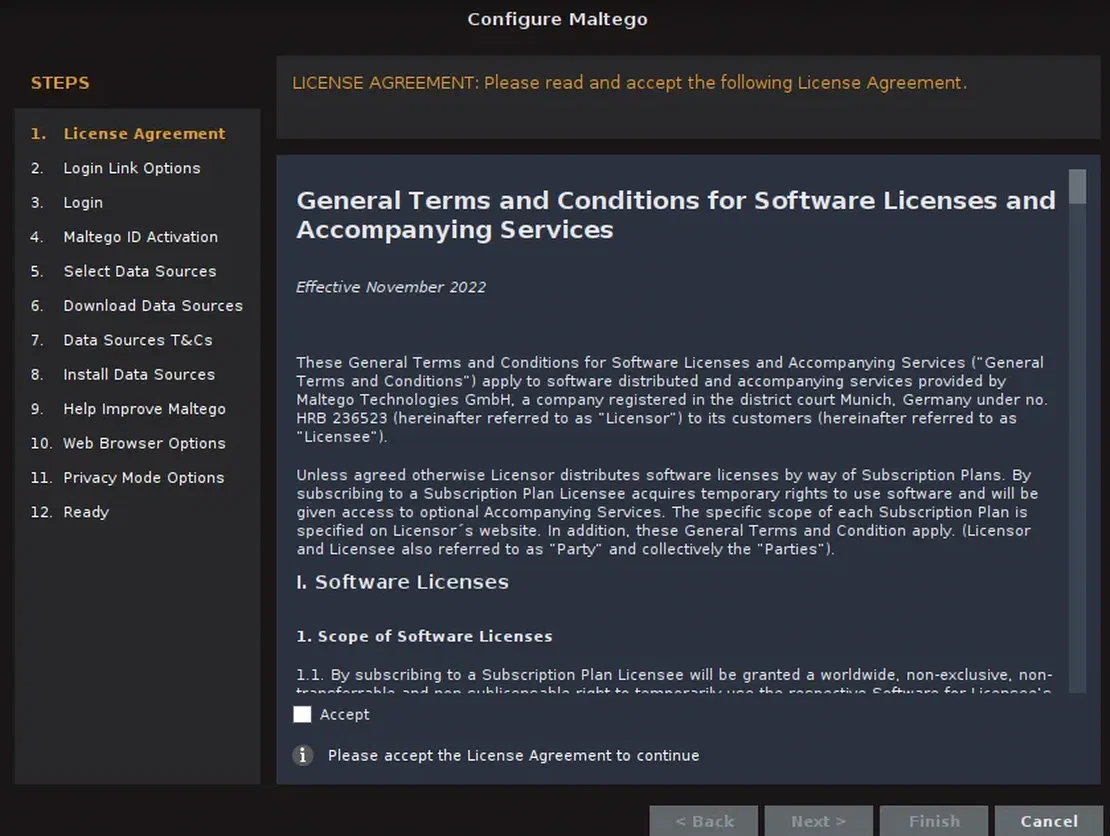
Once you have logged in to Maltego successfully, you will be presented with various options in the interface. Click on New and then create a new graph, and let’s see the main features of Maltego.
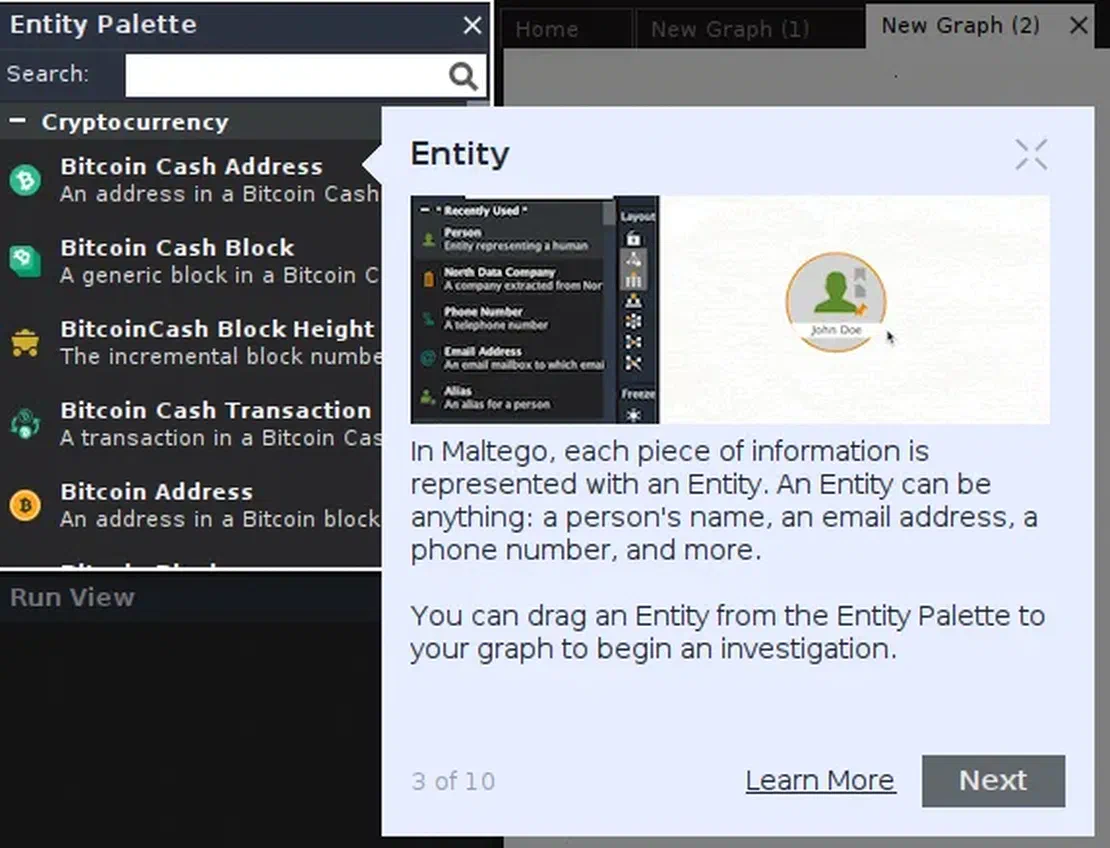
The two most important concepts you should understand while working with Maltego are an Entity and a Transform.
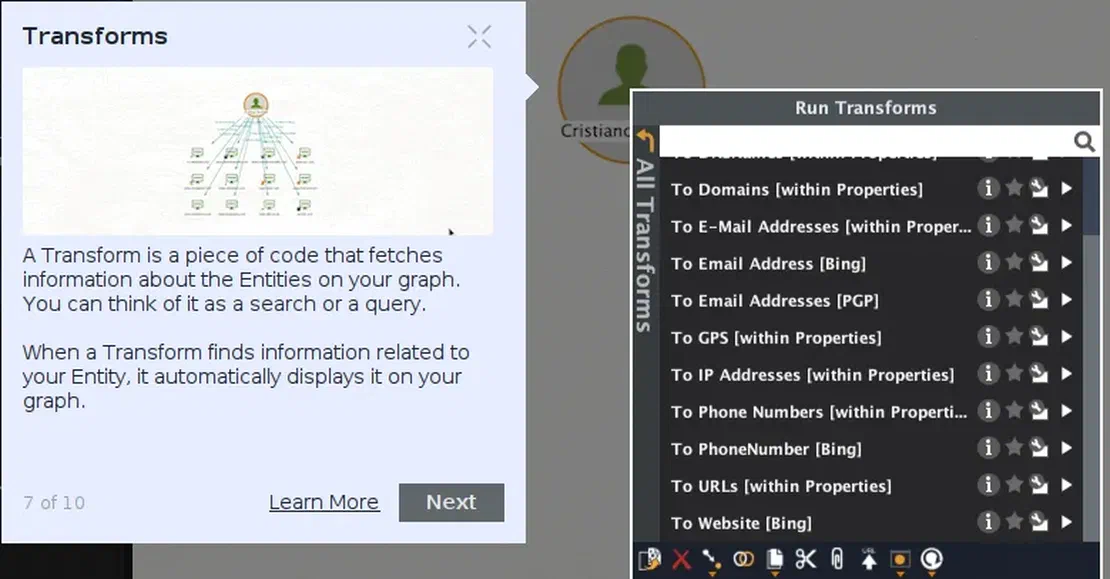
For example, here we can see some free transforms we can download that relate to SOCMINT:
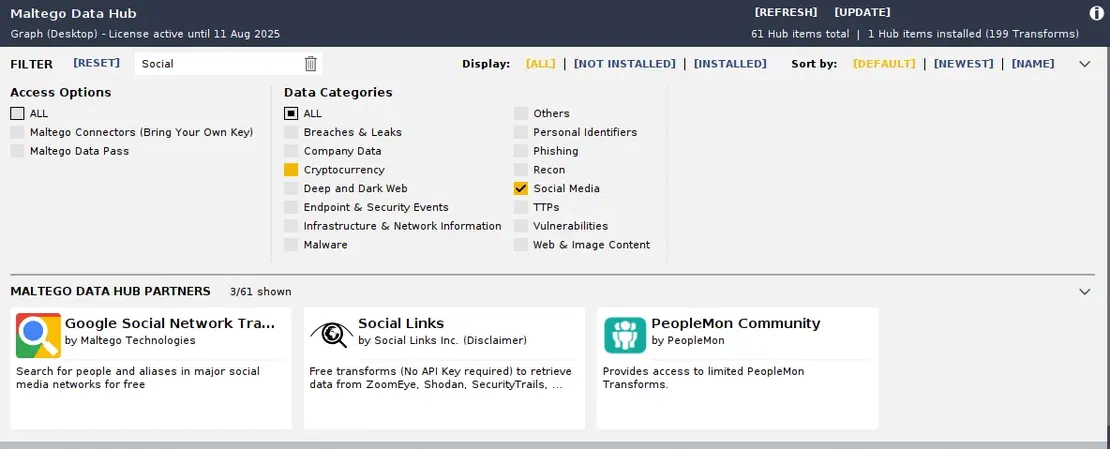
Netlas Integration with Maltego
Netlas offers a powerful transform module for Maltego. It can help uncover domains, subdomains, IP addresses, SSL certificates, CVEs, and more, making it a valuable asset for both OSINT and SOCMINT investigations.
By using entities and then applying transforms to them, we can gather data on our target and map connections and relationships between them. In the image below, you can see a demo provided by Maltego itself.
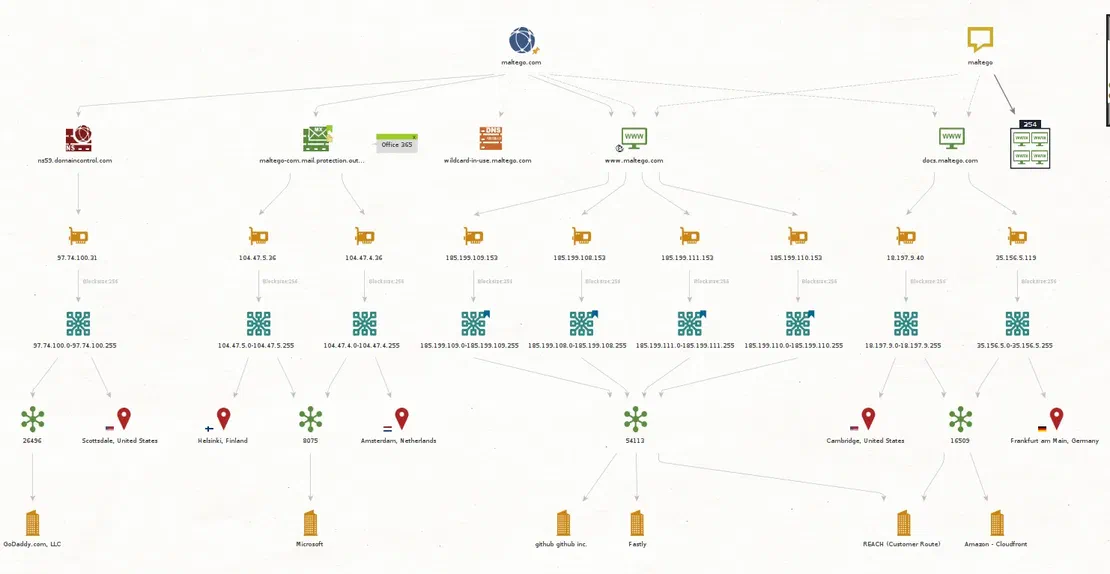
This tool is like a whole new world, so we can’t cover the entire thing. Please let us know in the comments if you would like a separate article for SOCMINT using Maltego.
Spiderfoot is an OSINT and a social media intelligence automation tool. It integrates with data sources available online, and using data analysis methods, they make that data easy to navigate. It is a tool written in Python 3 and includes over 200+ modules. It can be used via the command line and also features a clean, web-based interface.
SpiderFoot can be used both offensively and defensively to gather information about your target. The following entities can be targeted:
To install and use SpiderFoot, you need at least Python 3.7 and some Python libraries that can be installed using pip. Run these commands to install and deploy the latest stable release locally:
 wget https://github.com/smicallef/spiderfoot/archive/v4.0.tar.gz
 tar zxvf v4.0.tar.gz
 cd spiderfoot-4.0
 pip3 install -r requirements.txt
 python3 ./sf.py -l 127.0.0.1:5001
This release is dated April 2022. The last commit to the repository was two years ago. Since SpidefFoot has been acquired by Intel 471, it has minimal support. Anyway, it is still available as an open-source project under the MIT license and can definitely be used for your SOCMINT investigations.
Once you have installed SpiderFoot, visit http://127.0.0.1:5001/ in your browser. Alternatively, you can use the command line interface using the spiderfoot-cli command. Here we are going to use the web interface:
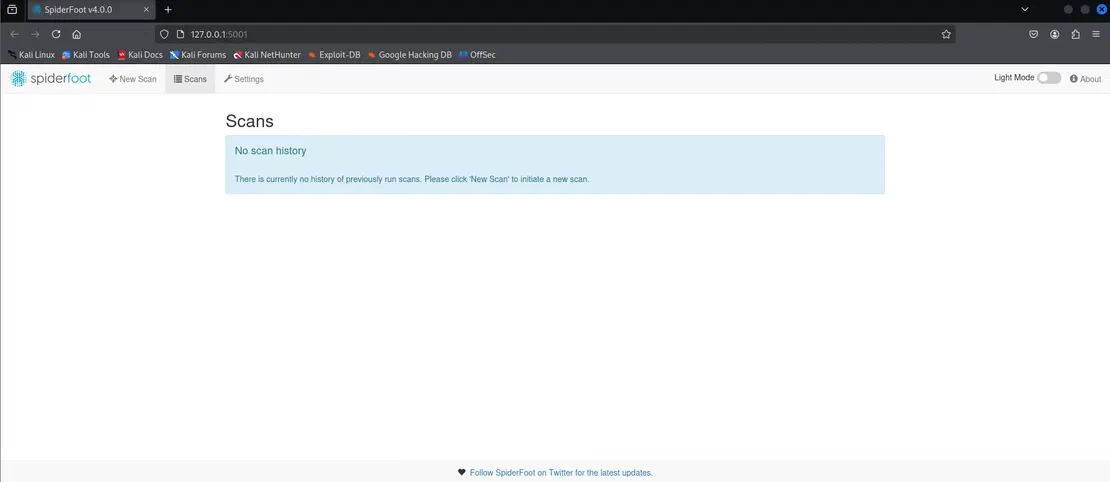
SpiderFoot has a relatively simple user interface. You can see three options on the top:
Some modules may require API keys, which you can configure through settings.
Once you click on the New Scan option, you will see three different tabs:
You can choose any of these according to your preference.
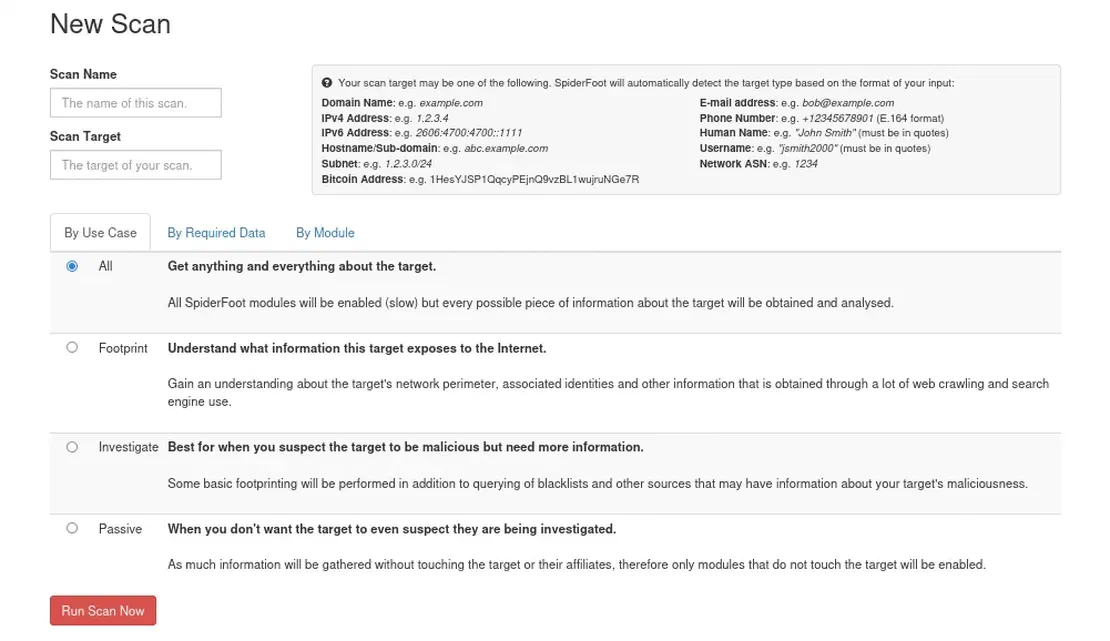
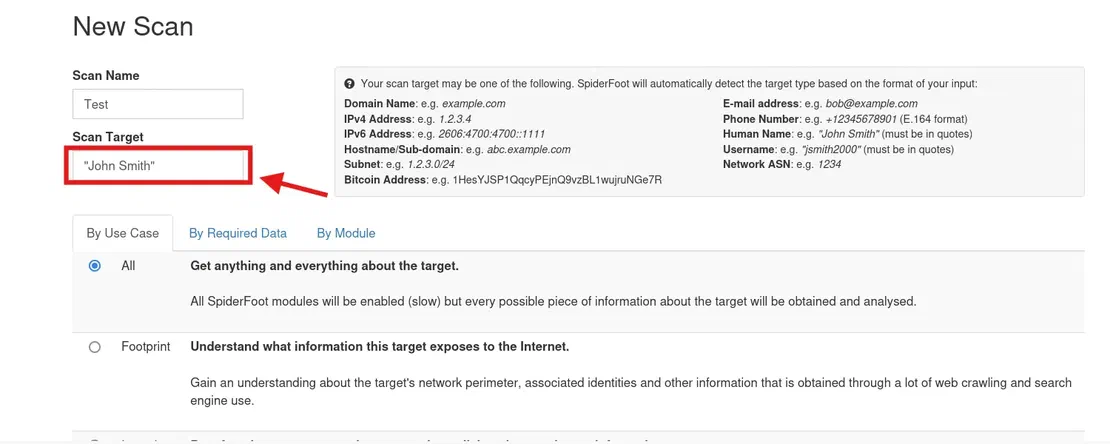
Let’s see how we can use SpiderFoot with an example. To denote a Name or a username in SpiderFoot, they must be in quotes. Here we are using “John Smith”, after entering the scan name and the target, click on Run Scan.
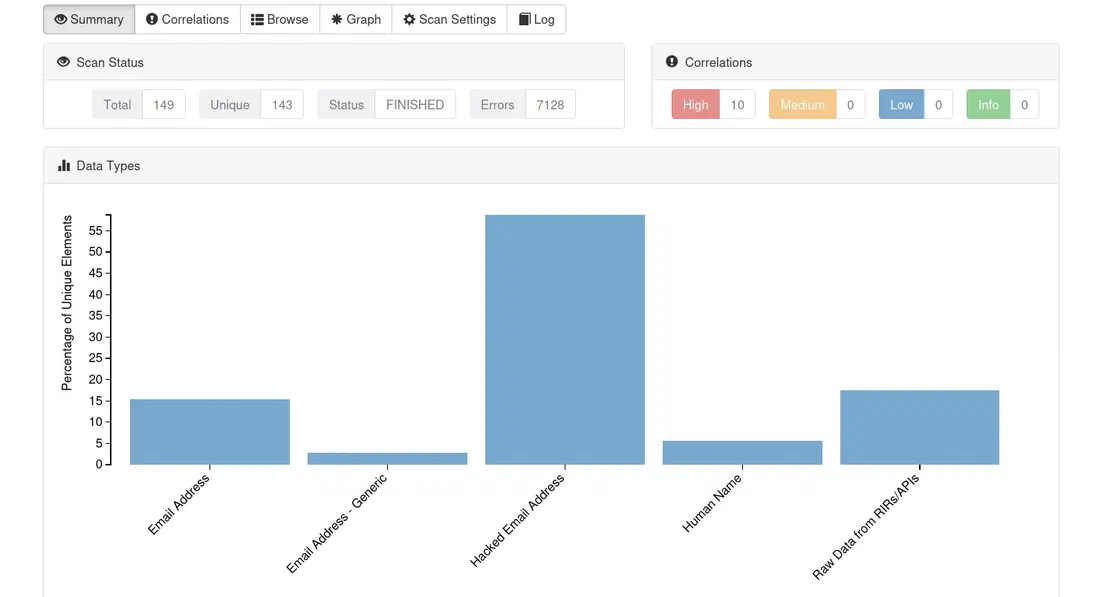
Once the scan is finished, we can see a lot of different results, such as:
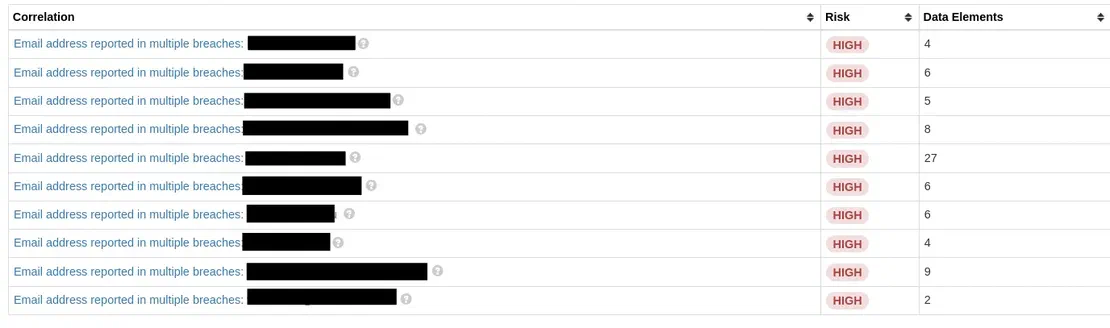
List of emails found in the breach:
Recommended Reading
The Largest Data Breach Ever? How Hackers Stole 16 Billion Credentials
Social Analyzer is a web, API, and CLI-based tool for analyzing and finding someone’s profile across 1000+ social media websites. It includes analysis and detection modules, allowing you to select the module you want to use during the process. This tool can help investigate profiles related to malicious activities, such as cyberbullying, cyber grooming, and cyberstalking.
To Install in Linux as Web App:
#Depedning on your Linux distro, you may or may not need these 2 lines
sudo DEBIAN_FRONTEND=noninteractive apt-get install -y software-properties-common
sudo add-apt-repository ppa:mozillateam/ppa -y
sudo apt-get install -y firefox-esr tesseract-ocr git nodejs npm
git clone https://github.com/qeeqbox/social-analyzer.git
cd social-analyzer
npm update
npm install
npm start
To Install in Linux as a Python package:
sudo apt-get update
sudo apt-get install python3 python3-pip
pip3 install social-analyzer
Once installed properly, you will be able to see this interface:
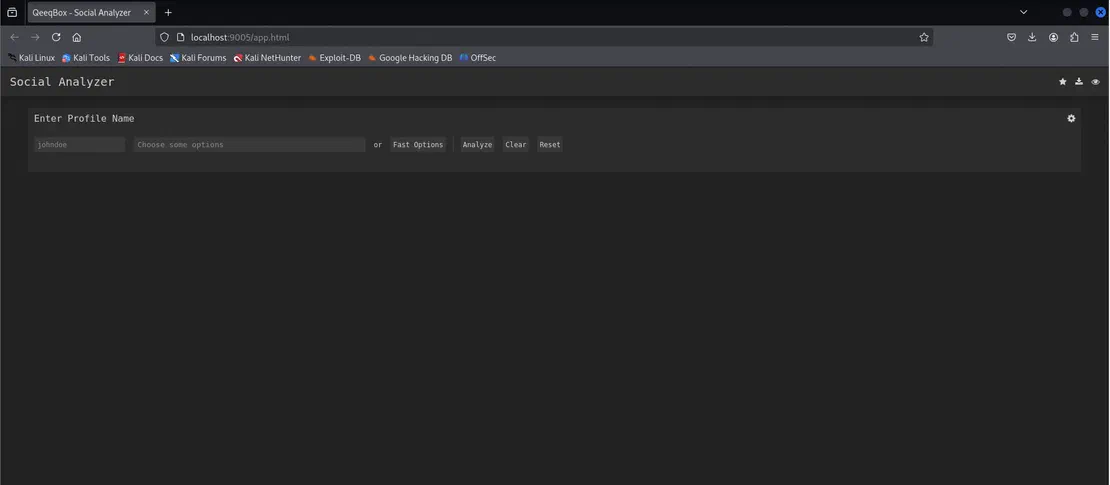
Social Analyzer lets you enter a target name and choose from many different options, here for example, let’s choose the target as “Johndoe” and select the “Fast Options” and click Analyze.

We can see a lot of data on the graph view:
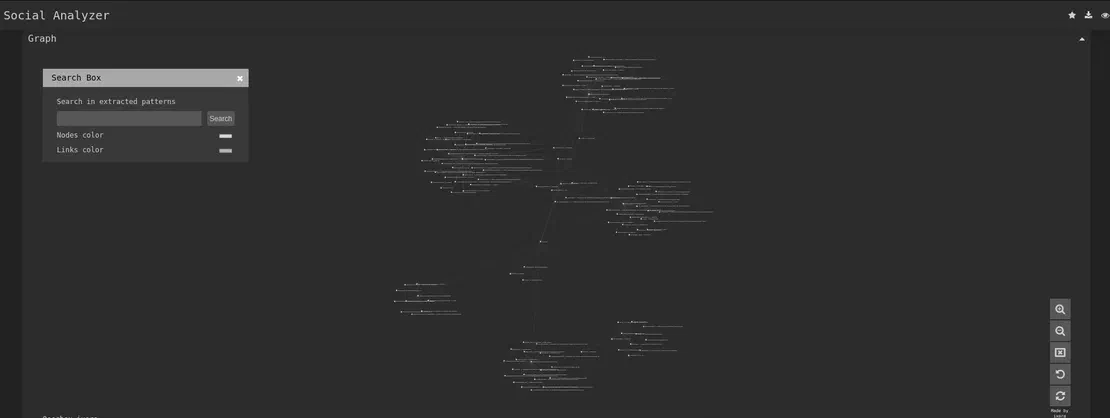
This includes data like:
This is the data only from the options I chose. A lot of other data can be found by choosing from the other options. You can find more details about all their features here.
Now let’s come to the most interesting part, where we’ll explore how Social Media Intelligence is used in real investigation. These examples will help you understand how SOCMINT helps investigators gather useful information from public social media activity.
On the morning of 25th March 2015, at around 6:00 AM, a passerby noticed a girl’s body on the outskirts of Saskatoon, Canada. She was cold to the touch, shoeless, and lying beside a black belt. Her identity was confirmed through her tattoos. The girl’s name was Brittney Gargol. An autopsy later confirmed strangulation as the cause of death, and the belt was identified as the likely murder weapon, but there were no leads. Gargol’s best friend, Cheyenne Antoine, told police the two had been drinking at bars, and Gargol left with an unknown man while Antoine visited her uncle. Still, there was no evidence supporting her story, and the investigation stalled.
But then SOCMINT came into the picture.
Saskatoon police began reviewing Gargol’s social media, examining all her profiles and posts. Then something caught their eye, a selfie with her best friend Antoine on Facebook, which was posted just 6 hours before the body was found.

But it wasn’t just an ordinary selfie.
In the bottom left corner, Antoine was wearing a black belt that matched the one at the crime scene. This turned Antoine into a suspect. On further analysis, it was revealed that the belt’s weave matched marks on Gargol’s dusty car. Another suspicious post by Antoine was found on her friend’s Facebook page, which said:
“Where are you? Haven’t heard from you. Hope you made it home safe.”
This was later seen as a deliberate attempt to mislead investigators.
Six months later, Antoine commented on the same selfie:
“I miss you soo much bert! Wish heaven had visiting hours.”
This added to the suspicion.
Later in 2017, A tip propelled the case forward. A witness reported that Antoine had confessed to strangling Gargol during a heated argument, arriving at home shortly after the killing. This confession, combined with SOCMINT evidence, led to Antoine’s arrest for second-degree murder. Further DNA testing also confirmed her DNA on the murder weapon (the belt), solidifying the case. In January 2018, Antoine pleaded guilty to manslaughter, citing heavy intoxication and memory loss, and was sentenced to 7 years in prison. Here’s a link to the complete news article.
How Was SOCMINT Used In This Case?
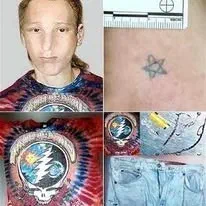
About 20 years ago, in June 1995, a Volkswagen van collided with a tree near Emporia, Virginia, while en route to a Grateful Dead concert. Two young men died on the spot. The driver was quickly identified. But the passenger, an 18-year-old with shoulder-length red-tinted hair, no ID, and a Grateful Dead T-shirt, remained a mystery. He didn’t show up in any missing persons database. The authorities nicknamed him “Grateful Doe”. His face was reconstructed. Flyers were made. But still, no one recognized him. He remained unidentified for almost a decade.
Ten years later, Websleuths, a crime forum, took notice. By 2005, some users started combing through missing person records. There were very few details like Dyed hair, tickets to a Grateful Dead concert, A star tattoo, and a note in his pocket signed by two women named “Caroline O.” and “Caroline T.” with a partial phone number.
In 2013, the site published 181 theories on who he could possibly be by analyzing the missing persons databases. They looked up every woman with the name “Caroline” in every city where numbers have the same prefix, but no solid clue was found. Yet, the internet didn’t give up. A subreddit called r/GratefulDoe was born. In late 2014, a user named Greymetal posted a facial reconstruction of Grateful Doe to Imgur, the text on the photo said:
“Do you know me ?”
The image went viral, garnering half a million views in just a few days. This was shared on many other platforms, and the mystery became viral.
And then It happened. On January 13, 2015, a woman from South Carolina commented on the Facebook page:
“OMG this is my son, Jason Callahan. I’ve been looking for him for 20 years.”
She had no idea that her son died in a car crash 2 decades ago. Within days, others came forward too, including his friends and former roommates, all confirming it was Jason.
DNA tests confirmed the truth. Grateful Doe finally had a name:
Jason Patrick Callahan.
How Was SOCMINT Used In This Case?
This case remains one of the most powerful examples of how SOCMINT and online communities can help solve cold cases, even decades later.
Here’s a link to the complete news article.

You can find mentions in various news reports and research papers that several governments across the world use SOCMINT to pursue national security, political, or law enforcement goals. Here are a few examples:
Imagine this:
These are real situations, and they fall under the controversial world of SOCMINT.
Just because the data is public doesn’t mean that you’re allowed to act on it or that it’s legal to weaponize it. SOCMINT is powerful. But with great power comes great responsibility. Understanding what is permitted, what is prohibited, and when it’s safe is crucial for anyone using this powerful tool.
Just because you can do something online doesn’t mean you should. Misusing SOCMINT could land you in legal trouble — or worse, cause real harm.
Even if your actions are technically legal, SOCMINT can still be harmful if misused. Ethics helps answer the question:
“Am I doing this right, or am I just doing this legally?”
Let’s examine what is ethically acceptable and what is not.
These uses generally align with moral and social responsibility:
Protecting Life or Safety: Using public social media content to locate a missing person, stop self-harm, or report a credible threat.
Holding Power Accountable: Investigating corruption, hate speech, war crimes, or public misinformation using only publicly available data.
Transparency: Letting people know how their content is being used (especially in journalism or research).
No Harm to Innocents: Redacting personal identifiers when publishing findings unless it’s in the public interest.
Even if technically legal in some places, these are morally unacceptable:
Doxxing: Publishing someone’s private info (address, workplace, phone number) to shame or endanger them.
Social Shaming for Minor Offenses: Turning petty or contextless posts into viral hate campaigns.
Manipulating Context: Cropping screenshots, misquoting posts, or cutting videos to spread a false narrative.
Stalking or Obsessive Monitoring: Tracking someone’s daily posts, movements, or social circles without a legitimate purpose may border on harassment.
People often believe SOCMINT can do everything – track anyone, expose every secret, and predict every move. However, the truth is that it only reveals what you’ve already chosen to share. It doesn’t crack passwords or break into DMs; it simply connects the dots you’ve made public.
Yes, it can solve crimes, reveal patterns, catch liars, and even save lives. But it can also be dangerously misleading and easily abused when used without ethics or context.
SOCMINT doesn’t dig into your mind – it digs through your posts. And what it finds depends on what you left behind.
So before you post, comment, tag, or share, ask yourself:
Who might see this? How might they use it?
Because once it’s out there, you don’t control the story.
The internet does.

I can show you how deep the Internet really goes
Discover exposed assets, infrastructure links, and threat surfaces across the global Internet.
此内容由惯性聚合(RSS阅读器)自动聚合整理,仅供阅读参考。 原文来自 — 版权归原作者所有。