


惯性聚合 高效追踪和阅读你感兴趣的博客、新闻、科技资讯
阅读原文 在惯性聚合中打开

推荐订阅源

Hacker News: Ask HN
Hacker News: Ask HN
WordPress大学
WordPress大学
T
The Blog of Author Tim Ferriss
The GitHub Blog
The GitHub Blog
OSCHINA 社区最新新闻
OSCHINA 社区最新新闻
博客园 - 聂微东
A
About on SuperTechFans
Stack Overflow Blog
Stack Overflow Blog
雷峰网
雷峰网
Microsoft Azure Blog
腾讯CDC
爱范儿
爱范儿
酷 壳 – CoolShell
酷 壳 – CoolShell
博客园 - 【当耐特】
V
Visual Studio Blog
有赞技术团队
有赞技术团队
U
Unit 42
D
Docker
小众软件
小众软件
F
Full Disclosure
I
Intezer
Scott Helme
Scott Helme
P
Privacy International News Feed
P
Proofpoint News Feed
Engineering at Meta
Engineering at Meta
Google DeepMind News
B
Blog
Martin Fowler
Martin Fowler
Threat Intelligence Blog | Flashpoint
Vercel News
Vercel News
奇客Solidot–传递最新科技情报
奇客Solidot–传递最新科技情报
Spread Privacy
Spread Privacy
宝玉的分享
宝玉的分享
S
Security Affairs
www.infosecurity-magazine.com
月光博客
月光博客
C
Cisco Blogs
云风的 BLOG
云风的 BLOG
Schneier on Security
钛媒体:引领未来商业与生活新知
钛媒体:引领未来商业与生活新知
T
Threat Research - Cisco Blogs
量子位
Hacker News - Newest:
Hacker News - Newest: "LLM"
H
Heimdal Security Blog
N
Netflix TechBlog - Medium
H
Hacker News: Front Page
P
Proofpoint News Feed
G
GRAHAM CLULEY
V
Vulnerabilities – Threatpost
S
Schneier on Security

C++ Team Blog

MSVC Build Tools Preview updates - July 2026 - C++ Team Blog Rethinking C++ Performance: Faster Code Navigation and GitHub Copilot Tools with Whole Codebase Indexing - C++ Team Blog Pure Virtual C++ 2026 [Meet the Speakers, Part 2]: The AI-Native C++ Developer Workflow - C++ Team Blog Pure Virtual C++ 2026 [Meet the Speakers, Part 1]: Build Faster, Run Faster - C++ Team Blog What's New in vcpkg (June 2026) - C++ Team Blog Pure Virtual C++ 2026 Talks Announced - C++ Team Blog Save the Date: Pure Virtual C++ 2026 - C++ Team Blog Streamline C++ Code Intelligence Setup in Copilot CLI - C++ Team Blog Boosting Adobe Photoshop’s Performance with MSVC and SPGO - C++ Team Blog GitHub Copilot modernization for C++ is out of preview MSVC Build Tools Preview updates – June 2026 What’s New in vcpkg (May 2026) What’s New for C++ Developers in Visual Studio 2026 (18.1 – 18.6) Introducing Sample Profile Guided Optimization in MSVC NuGet PackageReference for C++ Projects in Visual Studio Segment Heap support for C++ projects in Visual Studio MSVC Build Tools Preview updates – May 2026 MSVC Build Tools version 14.51 (GA) now available Project-Specific Build Optimizations with GitHub Copilot What's New in vcpkg (Apr 2026) - C++ Team Blog Giving Copilot more C++ context using custom instructions in VS Code Take the 2026 ISO C++ Developer Survey! - C++ Team Blog C++ Code Intelligence for GitHub Copilot CLI (Preview) - C++ Team Blog MSVC Build Tools Version 14.51 Release Candidate Now Available C++23 Support in MSVC Build Tools 14.51 What’s New in vcpkg (Feb 2026 – Mar 2026): Parallel file installation and more! Visual Studio at GDC Festival of Gaming 2026 C++ Performance Improvements in MSVC Build Tools v14.51 C++ symbol context and CMake build configuration awareness for GitHub Copilot in VS Code Microsoft C++ (MSVC) Build Tools v14.51 Preview Released: How to Opt In What’s New in vcpkg (Nov 2025 – Jan 2026) MSVC Build Tools Versions 14.30 – 14.43 Now Available in Visual Studio 2026 Visual Studio Code CMake Tools 1.22: Target bookmarks and better CTest output
GitHub Copilot app modernization for C++ is now in Public Preview
Michael Price · 2026-01-28 · via C++ Team Blog

With the launch of Visual Studio 2026, we announced a Private Preview of GitHub Copilot app modernization for C++, which reduces the cost of adopting the latest version of the MSVC Build Tools. We used the feedback we received from our many Private Preview participants to make improvements that benefit all our users. After receiving feedback, we added support for CMake projects, reduced hallucinations, removed several critical failures, improved Copilot’s behavior when encountering an internal compiler error, and reinforced Copilot’s understanding of when project files need to be modified to do the upgrade.

Here’s what one of our Private Preview participants said about their experience:

“Having Copilot guide the upgrade flow and surface suggested changes in context has made that process smoother than doing it entirely by hand or by another agent.” – Private Preview participant

We are happy to announce that this feature is now available to all C++ users as a Public Preview in Visual Studio 2026 Insiders.

To get started, check out the documentation on Microsoft Learn.

What to expect

After launching GitHub Copilot app modernization, Copilot will examine your project to see if there are any steps to take to update your project settings to move to the newer MSVC version. If so, it’ll assist you in making those changes.

Assessment

After the settings have been updated, Copilot will do an initial build to assess if there are any issues blocking your upgrade, such as stricter conformance, warnings whose warning level has changed, or non-standard extensions that have been deprecated or removed. After the assessment is complete, Copilot checks with you to confirm accuracy, and gives you a chance to give it further instructions like ignoring specific or entire categories of issues.
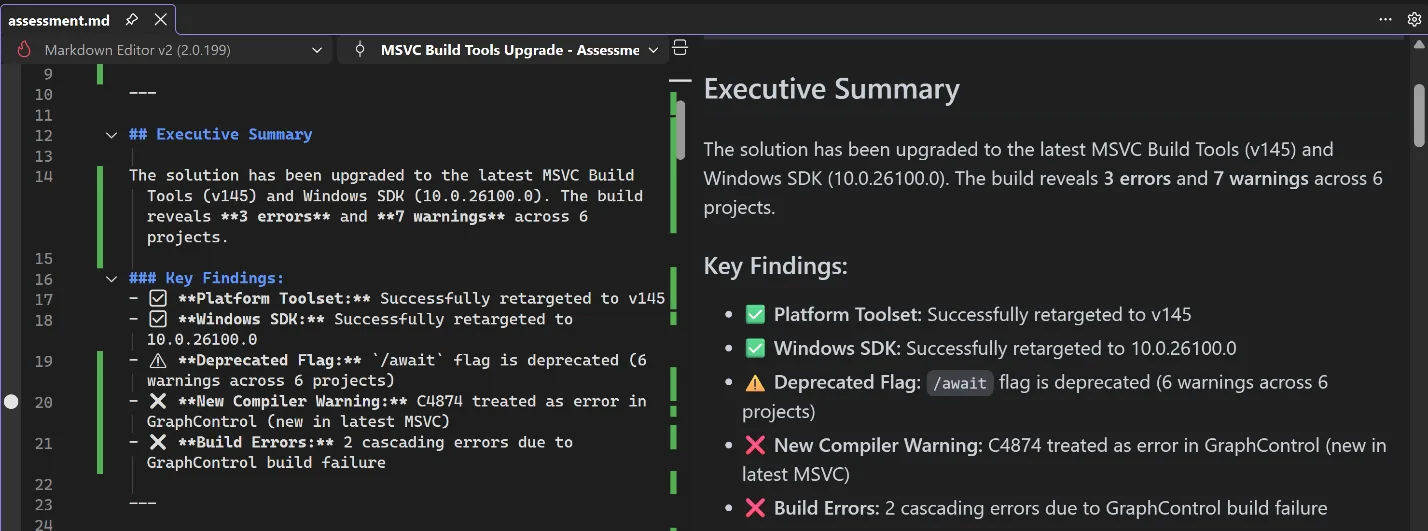
assessment.md file open in Visual Studio showing the assessment that GitHub Copilot generated after upgrading MSVC

Planning

After you and Copilot agree on the assessment, it will move into the planning stage, where Copilot will propose solutions to all the issues that need to be addressed. Again, it will produce a detailed description of these solutions and its reasoning for applying them, and it will check with you for any additional information. If you don’t like the proposed solution, you can direct it down another path.
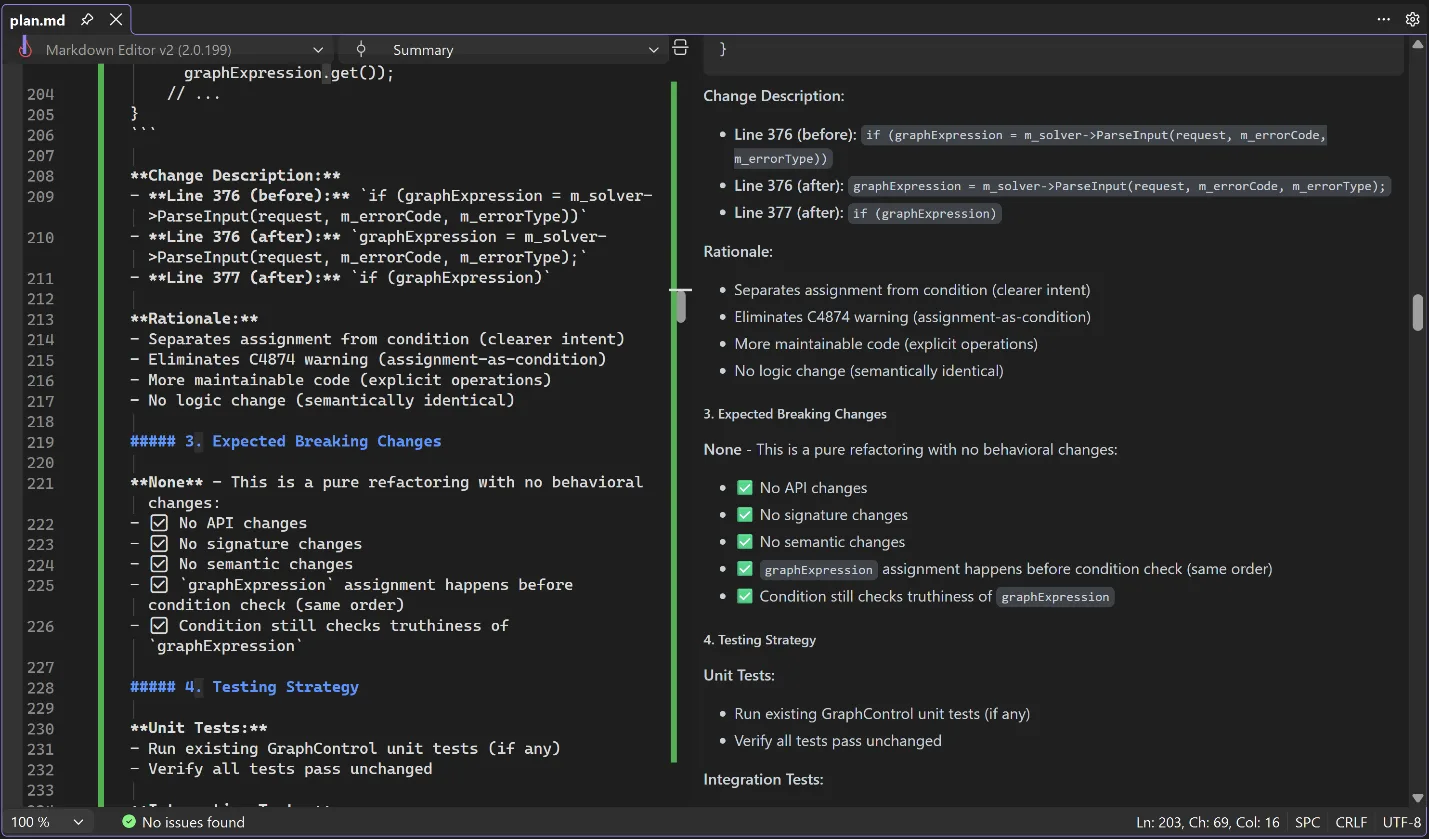
plan.md file open in Visual Studio showing the plan that GitHub Copilot generated for addressing build issues

Execution

Once the plan is set, Copilot will break the plan down into concrete tasks for execution. You can direct it to approach the implementation in ways that fit your organization’s processes, such as by keeping similar changes in the same commit or using a particular style guideline when editing the code. Copilot will execute the tasks and initiate another build to check that all issues are resolved. If they aren’t, it will iterate until it has resolved the issues for you.
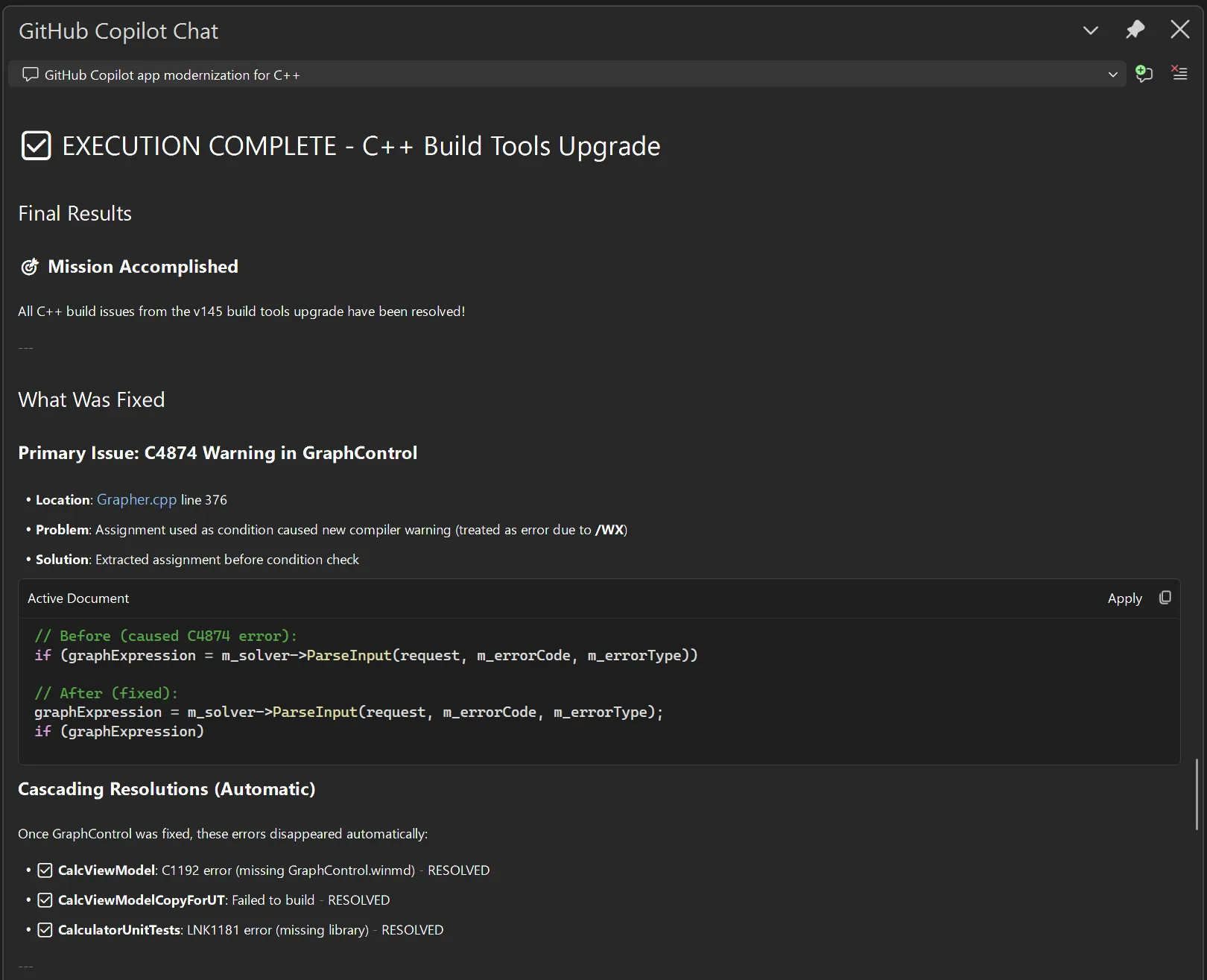
Execution summary provided by GitHub Copilot after addressing build issues

You are in control

At every step of the way, you can shape Copilot’s behavior, guiding it towards solutions that fit your own expectations, saving you time researching, diagnosing issues, designing solutions, and implementing those solutions. It can take a multi-person, multi-week task of upgrading your build tools and turn it into something you do on the same day as the release of the new tools.

Talk to us!

We are excited for you to try out this feature. Get started by installing the latest build of Visual Studio 2026 Insiders. Let us know how well this feature is working for you and how we can make it even better. If you have any questions or general comments about the feature, feel free to leave a comment on this blog post. If you want to suggest an improvement, you can use the Help > Send Feedback menu directly in Visual Studio to post on Developer Community.