






You may have installed the simple analytics script on your website, but it's not working or showing visitors in the dashboard due to adblockers.
Ad blockers are software applications or browser extensions that block or filter online advertisements. They prevent ads from being displayed on websites, improving the browsing experience for users.
Sometimes ad blockers block our privacy-friendly Simple Analytics script, unfortunately. To get around websites visitor with ad blockers, we recommend installing a custom domain.
We assume you don’t have a custom domain set up for this guide.
Before we dive in, we also created a video show explaining how to debug the Simple Analytics' script. If you want to follow the video instead of reading this: Here you go!
- No website traffic in your dashboard
- Ad-blocker
- Status code 200
- Page views but no visitors
- Content Security Policy
- Final thoughts
No website traffic in your dashboard
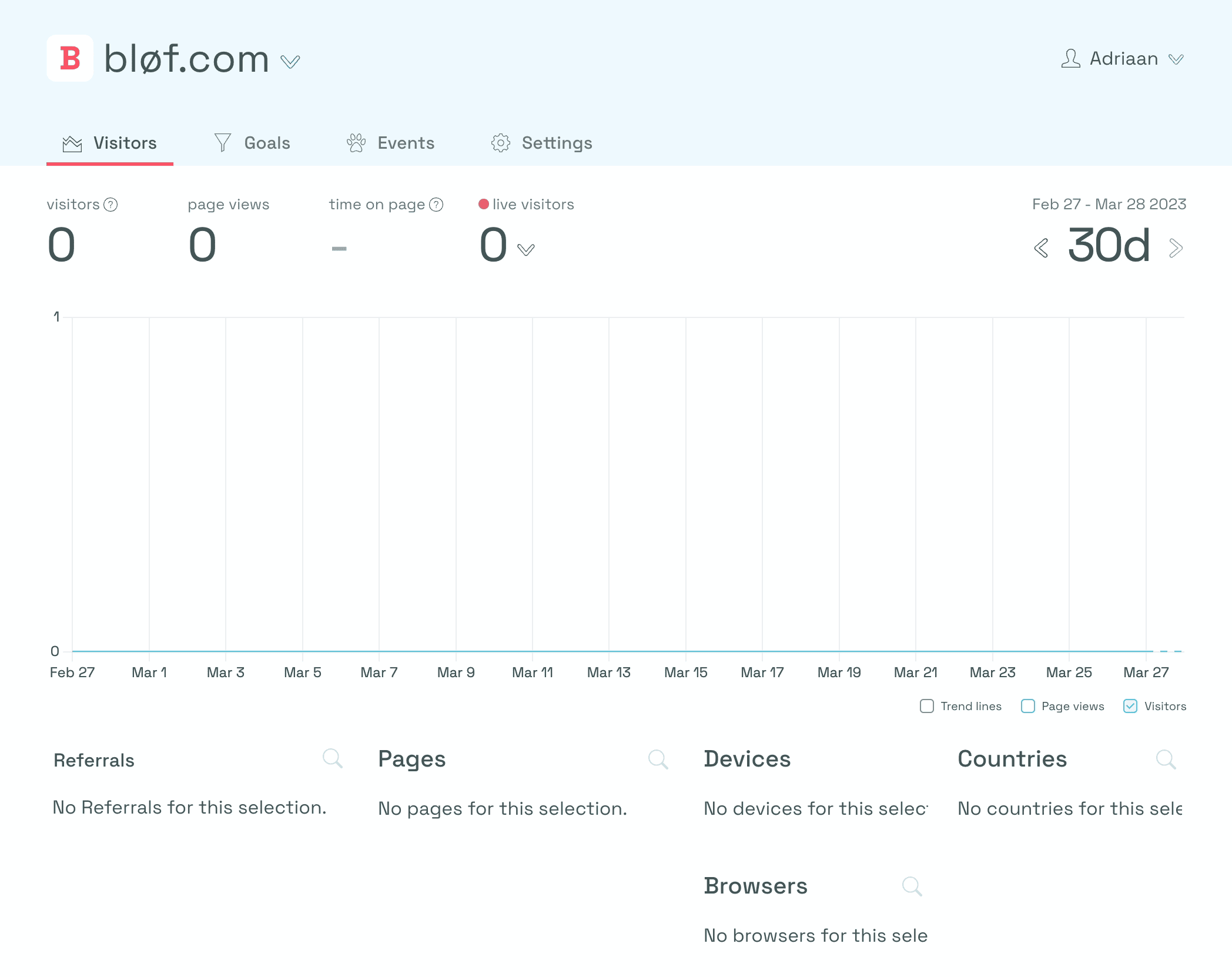
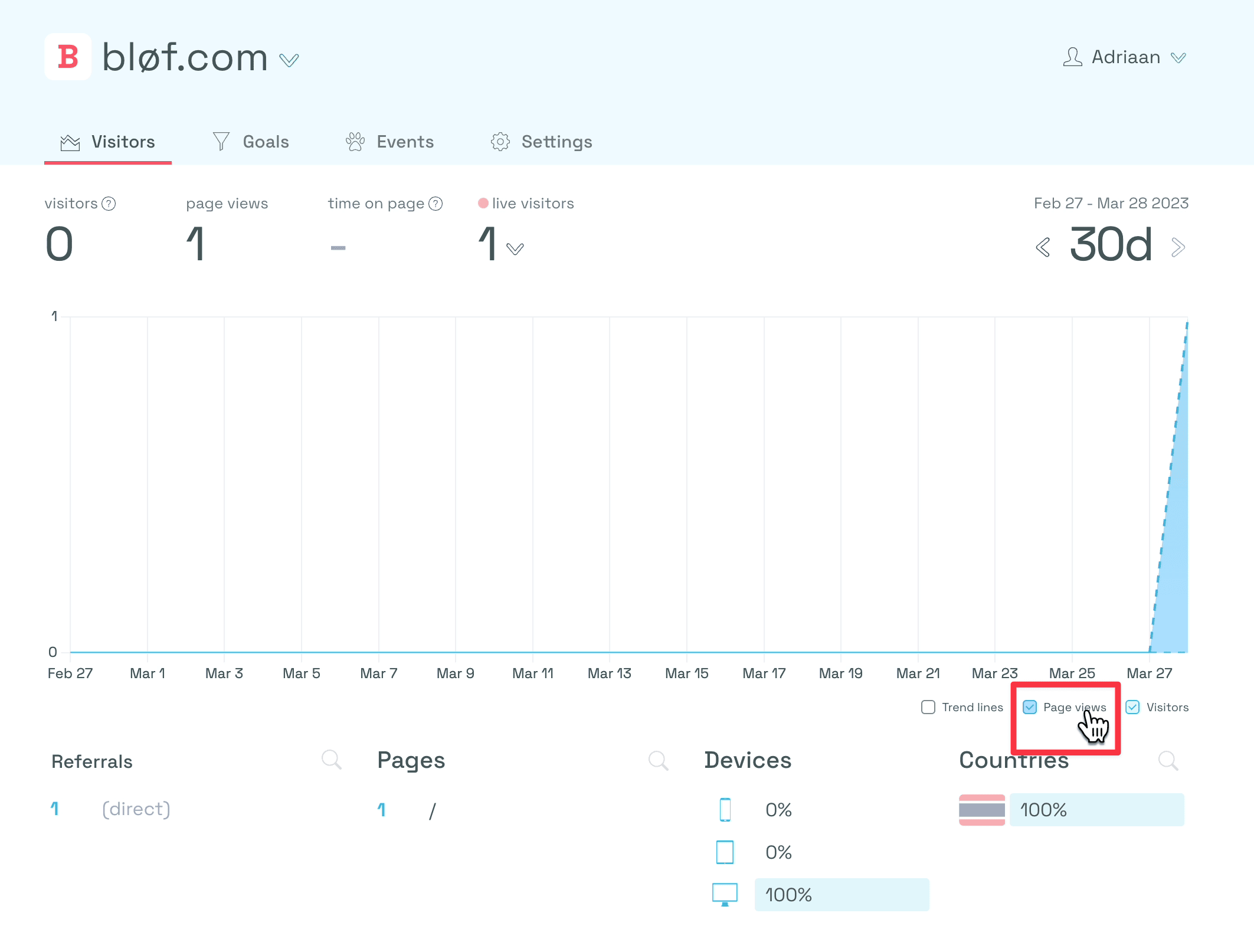
If your dashboard looks like the image below, then you know there's no data coming in yet. If you see visitors or page views, everything is correct, and you are good to go.
For this guide, we use the example website of bløf.com.
Ad-blocker
So why is it not showing visitors? A common case where it doesn't work is when you have an ad blocker enabled.
First, we need to find out if you installed the embed script correctly. To do this, follow these steps:
- If you go to your website (or, in this case, bløf.com)
- Right-click on your website
- Click on “inspect”
You’ll see a menu opening. If you go to the network tab, you will see an empty page. That's because the network tab has only been opened when the page has been loaded. So let's refresh the website.
You’ll see something like the image below.
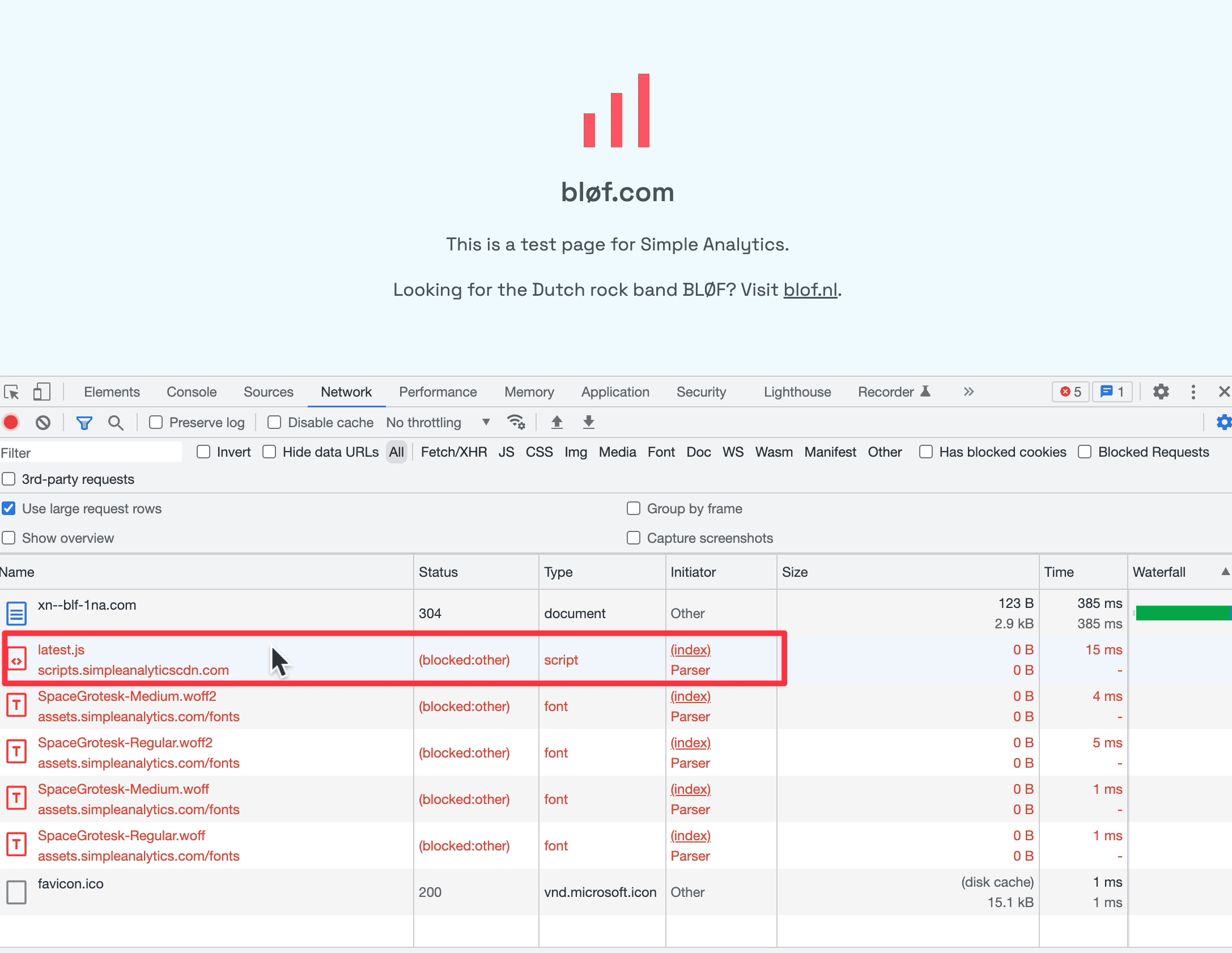
This “latest JS” is our embed script. If you look under “Status,” it says “(blocked:other).” This usually means that an extension blocks it.
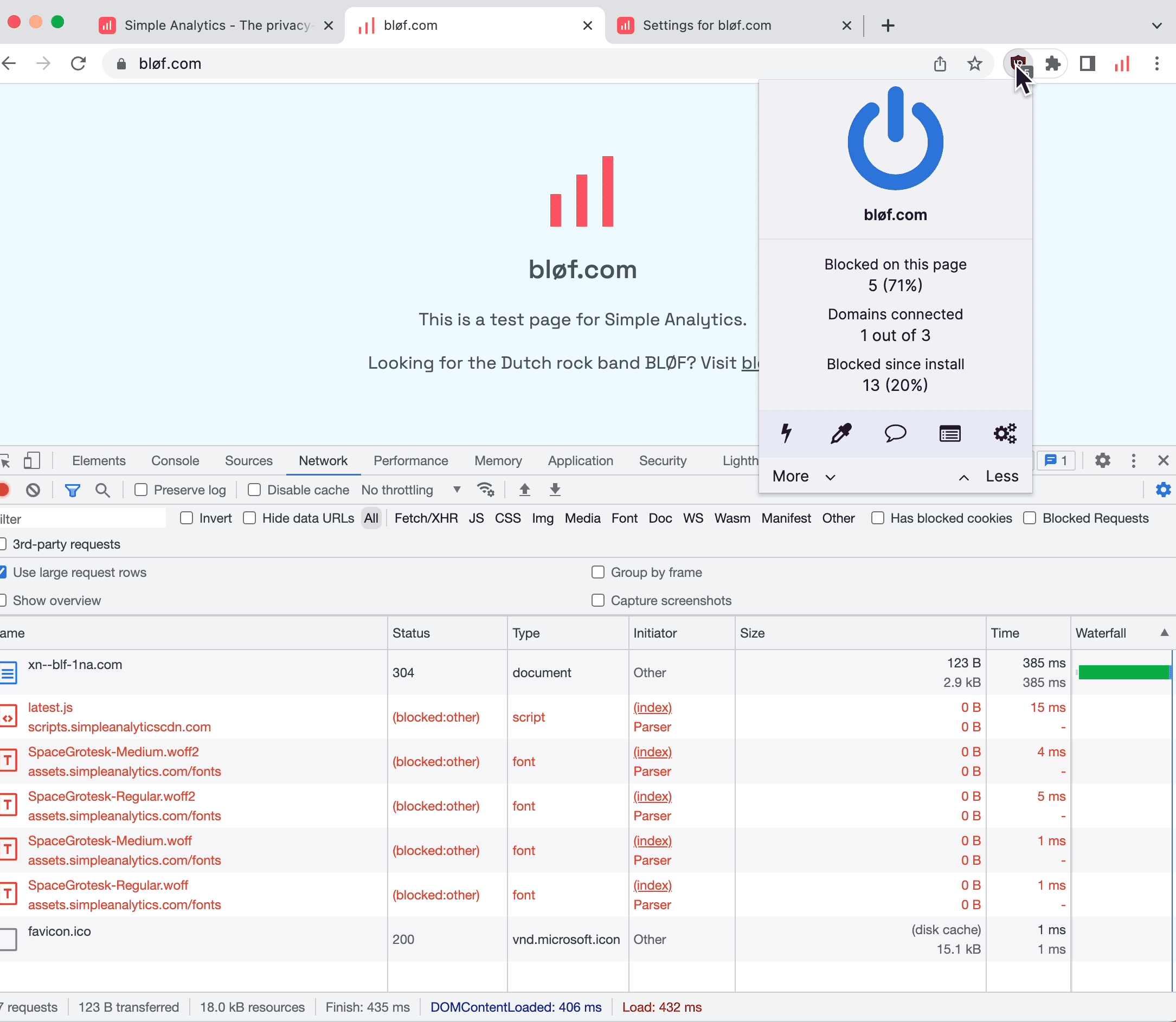
We should turn off the ad blocker to check if our script is installed correctly. Let's refresh and see what happens.
Status code 200
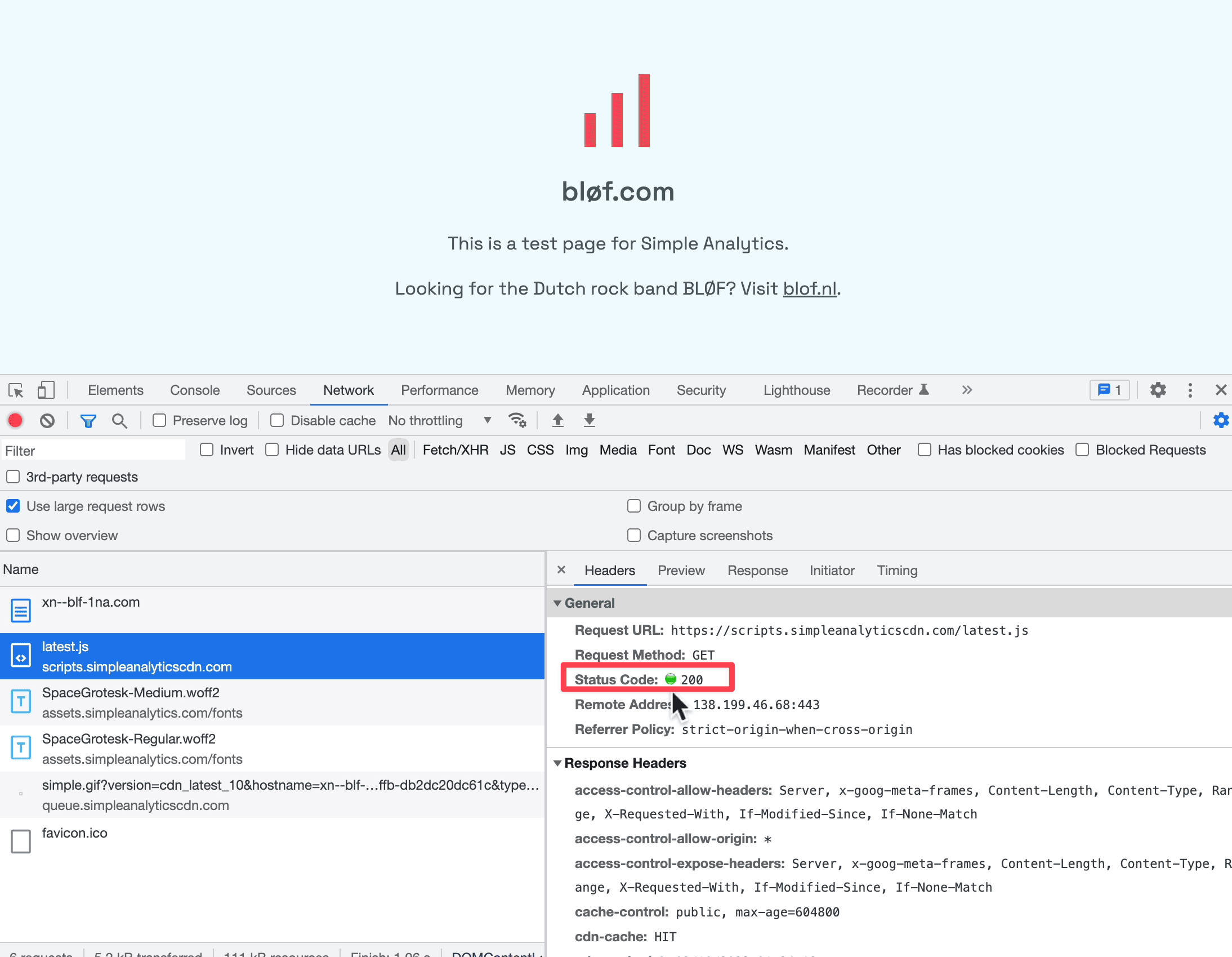
In the image above, I’ve refreshed the page, and now we see that our embed script “latest js” is loading correctly. It has a green status icon when you click on it.
Page views but no visitors
We should see some data if we go back to our dashboard. Occasionally, when you click “Page views” you see data, but when you click “Visitors” you don't. This happens when you only have non-unique page views. We show unique page views as visitors; hence, you only see page views. To read more about how we count visitors, read our documentation.
Content Security Policy
Some websites have some added security defined in a Content Security Policy. Content Security Policy (CSP) is an added layer of security that helps to detect and mitigate certain types of attacks, including Cross Site Scripting (XSS) and data injection attacks. These attacks are used for everything from data theft to site defacement to distribution of malware. Read more on CSP at MDN.
When loading your script, you might see something like this:
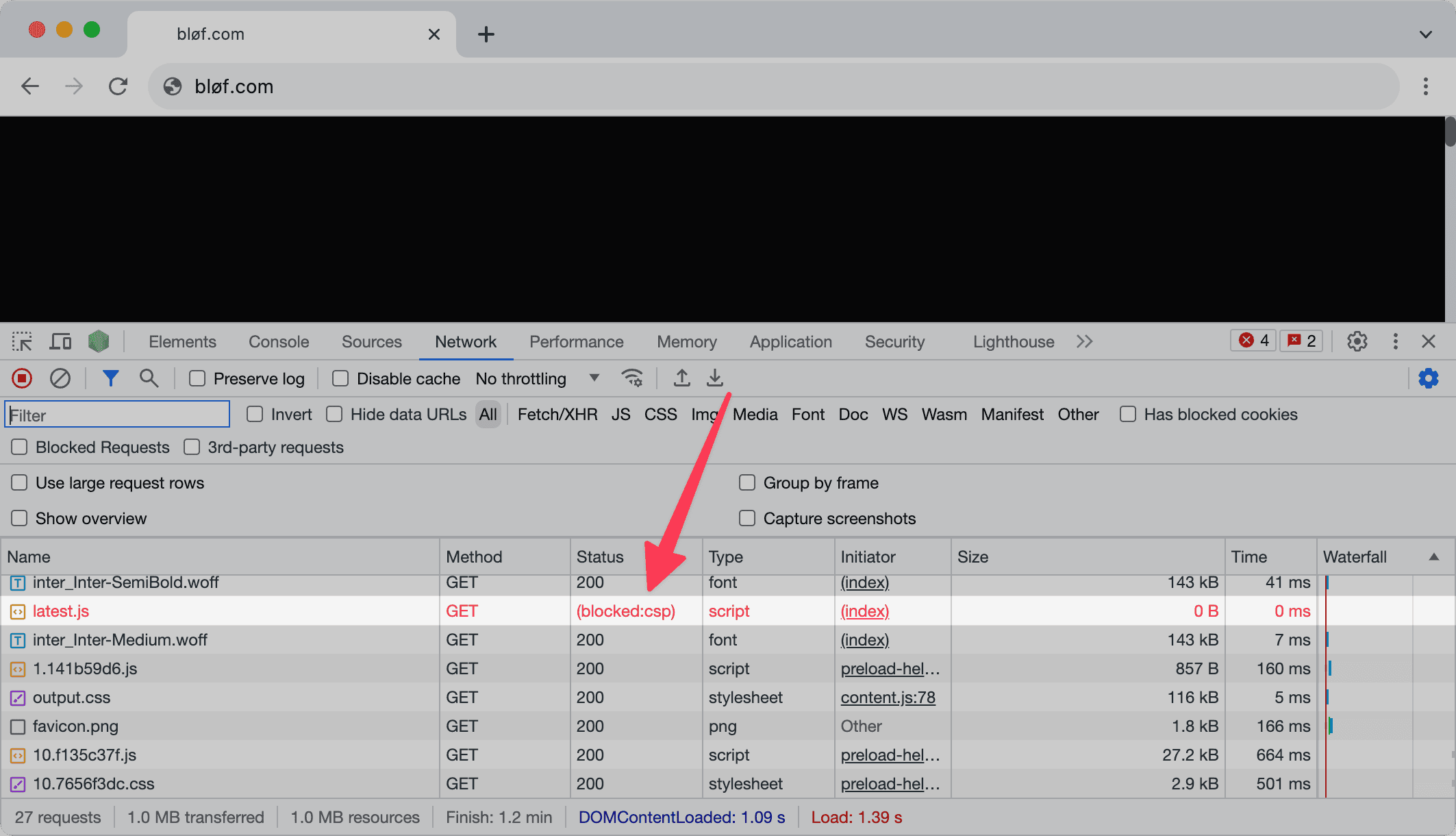
The CSP in "blocked:csp" stands for Content Security Policy. Read our documentation on how to add Simple Analytics to your Content Security Policy.
Final thoughts
These are a few issues that customers reported to us. If you experience any issues installing our script, we are happy to help. Contact us with as many details as possible.