






I’ve been posting about how you can make lots of HTML pages and leverage navigations over in-page, JS-dependent interactions.
Now I’m gonna post another example.
On my icon sites, I have a little widget that allows you to resize the icons you’re looking at.
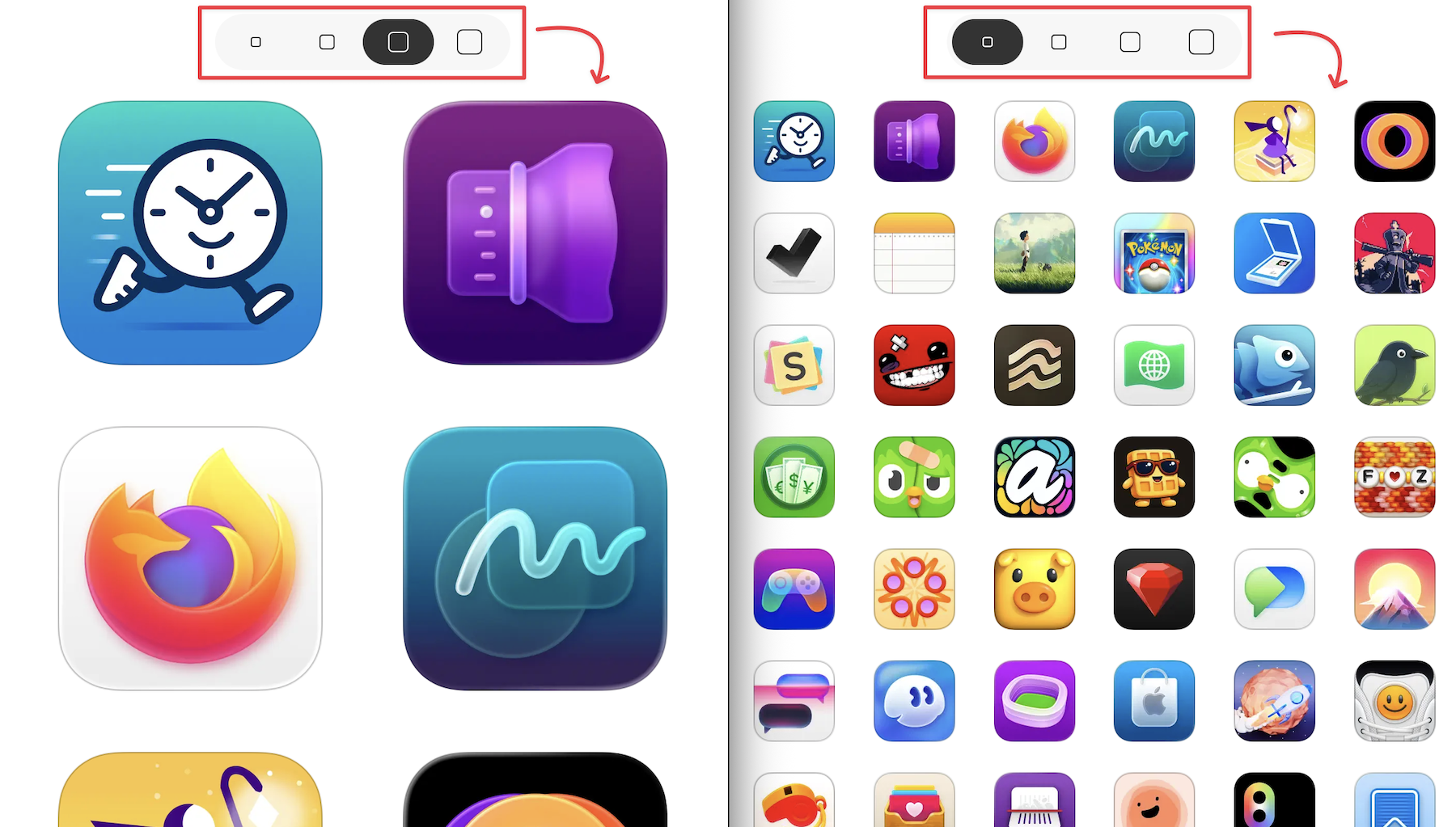
Previously, I implemented this functionality as a web component that looked something like this:
<icon-list size="md">
  <a href=""><img src="" width="128" height="128" /></a>
  <a href=""><img src="" width="128" height="128" /></a>
  <!-- more -->
</icon-list>
The size attribute corresponded to an enumeration like sm | md | lg | xl which mapped to actual pixel dimensions like 64×64 or 512×512.
When the little widget was clicked to render icons at a different size, JavaScript changed the size attribute on the <icon-list> custom element. From there, the web component’s JS took over changing the dimensions of the children <img> elements, their src attributes, etc.
It all worked pretty well. However, because that was a client-side solution to my otherwise entirely pre-rendered static site, it required some templating logic and data be duplicated and sent over the wire to every client.
I didn’t love that for various reasons — like “Crap, I updated this one small part of how my icon list renders on the server, but forgot to tweak it on the client, so things are slightly broken now.”
Then one day the thought hit me: instead of relying on JS to make that interaction work (click, execute JS, modify in-page DOM to a new list), what if I just made that interaction a navigation? Click, navigate to a new list.
Instead of “every list of icons ships with some JS that allows them to re-render at four different sizes” I could do “every list of icons ships in four different sizes”.
/colors/red/, with JS to re-render the icon list based on user interactions./colors/red/{sm|md|lg|xl}, each a different icon list size.So I tried it. And guess what? Once I added some code to support CSS view transitions, I got a cool effect amongst the icons for free — that’s right, by removing code!
Works nice on mobile too!
I know I’m not doing anything particularly novel here, but as we continue to get new, powerful primitives on the web — like CSS view transitions — I find it really interesting to revisit basic patterns and explore what’s possible now that wasn’t previously.
It’s fun to ask yourself: “Could I remove some client-side JS and get a better overall experience?” If the answer is yes, I’ll bet you the development experience (and maintenance burden) is much improved too!
此内容由惯性聚合(RSS阅读器)自动聚合整理,仅供阅读参考。 原文来自 — 版权归原作者所有。