




惯性聚合 高效追踪和阅读你感兴趣的博客、新闻、科技资讯
阅读原文 在惯性聚合中打开

推荐订阅源

N
News and Events Feed by Topic
S
SegmentFault 最新的问题
奇客Solidot–传递最新科技情报
奇客Solidot–传递最新科技情报
Last Week in AI
Last Week in AI
Jina AI
Jina AI
H
Help Net Security
C
Check Point Blog
aimingoo的专栏
aimingoo的专栏
MyScale Blog
MyScale Blog
H
Hackread – Cybersecurity News, Data Breaches, AI and More
Vercel News
Vercel News
L
LangChain Blog
Recorded Future
Recorded Future
F
Full Disclosure
Google DeepMind News
Microsoft Security Blog
I
InfoQ
GbyAI
GbyAI
B
Blog RSS Feed
T
The Blog of Author Tim Ferriss
Engineering at Meta
Engineering at Meta
A
About on SuperTechFans
M
MIT News - Artificial intelligence
爱范儿
爱范儿
V
V2EX
Microsoft Azure Blog
cs.AI updates on arXiv.org
Y
Y Combinator Blog
B
Blog
WordPress大学
WordPress大学
Blog — PlanetScale
Blog — PlanetScale
W
WeLiveSecurity
MongoDB | Blog
MongoDB | Blog
Cloudbric
Cloudbric
N
News and Events Feed by Topic
The Cloudflare Blog
月光博客
月光博客
博客园 - 三生石上(FineUI控件)
有赞技术团队
有赞技术团队
D
DataBreaches.Net
博客园 - 【当耐特】
T
Troy Hunt's Blog
V
Visual Studio Blog
V2EX - 技术
V2EX - 技术
Apple Machine Learning Research
博客园 - 司徒正美
Recent Commits to openclaw:main
Cyber Security Advisories - MS-ISAC
Google Online Security Blog
The GitHub Blog
The GitHub Blog

敢闯 - 折腾一下

打开小米钱包自动记账功能 - 敢闯 利用Python及宝塔面板每天自动提交微信支付宝步数 - 敢闯 给GitHub进行2FA/两因素认证 - 敢闯 Termux搭建Linux系统非杀后台解决方法(无root) - 敢闯 给安卓版本的Obsidian安装插件 - 敢闯 StackEdit:浏览器内 Markdown笔记利器 - 敢闯 搭建微信查题小程序 - 敢闯 蚂蚁森林自动收取Auto.js脚本 - 敢闯 安卓强制软件分屏 - 敢闯
给CentOS7安装图形化界面 - 敢闯
敢闯 · 2020-05-27 · via 敢闯 - 折腾一下

请注意,本文编写于 2202 天前,最后修改于 838 天前,其中某些信息可能已经过时。

以前用windows做网站还可以登QQ那些,现在用Centos的做就不知道怎么玩了,我又不想浪费我10块每月的服务器,想拿来玩玩,所以我就去网上搜了搜,给Centos安装图形界面,就弄出来了

建议用VNC连接服务器,因为我用Putty连接好像搞不起图形化,

下面开始

1.安装X(X Window System)

yum groupinstall "X Window System"

中途有提示 Is this ok,输入y就行

2.安装GNOME Desktop

yum groupinstall "GNOME Desktop"

3.进入

安装完成之后就可以用startx 命令进入图形界面了
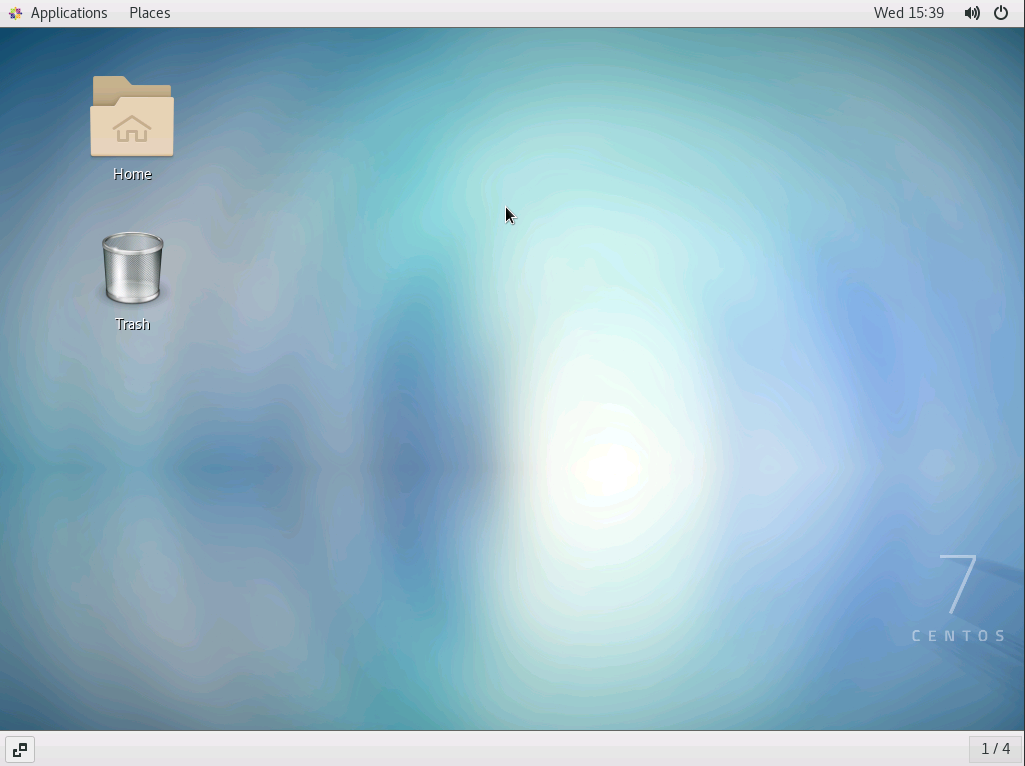
2020/05/27/377930527041052.png

经过上面的操作,系统启动默认还是命令行页面的,需要我们进行切换。如果想要使系统启动即为图形化窗口,需要执行下面的命令

ln -sf /lib/systemd/system/runlevel5.target /etc/systemd/system/default.target

如果你现在是图形化界面,想要输命令按Ctrl+Alt+F2进入命令行模式,输入startx 又可重新进入

另外,

查看当前开机启动模式

systemctl get-default

graphical.target代表开机时启动图形化界面
multi-user.target代表开机时启动dos界面

设置开机启动图形界面

systemctl set-default graphical.target

同理,如果想开机启动dos界面,就输入如下命令

systemctl set-default multi-user.target