惯性聚合 高效追踪和阅读你感兴趣的博客、新闻、科技资讯
阅读原文 在惯性聚合中打开

推荐订阅源

Simon Willison's Weblog
P
Privacy International News Feed
www.infosecurity-magazine.com
T
Troy Hunt's Blog
Hacker News - Newest:
Hacker News - Newest: "LLM"
Attack and Defense Labs
S
Secure Thoughts
V2EX - 技术
V2EX - 技术
cs.AI updates on arXiv.org
O
OpenAI News
Cloudbric
Cloudbric
Google Online Security Blog
Schneier on Security
cs.CV updates on arXiv.org
Help Net Security
Help Net Security
Cyberwarzone
Cyberwarzone
G
GRAHAM CLULEY
L
Lohrmann on Cybersecurity
Threat Intelligence Blog | Flashpoint
Spread Privacy
Spread Privacy
NISL@THU
NISL@THU
N
News and Events Feed by Topic
T
Tenable Blog
S
Security @ Cisco Blogs
N
News and Events Feed by Topic
The Hacker News
The Hacker News
C
CXSECURITY Database RSS Feed - CXSecurity.com
宝玉的分享
宝玉的分享
月光博客
月光博客
酷 壳 – CoolShell
酷 壳 – CoolShell
美团技术团队
奇客Solidot–传递最新科技情报
奇客Solidot–传递最新科技情报
Google DeepMind News
钛媒体:引领未来商业与生活新知
钛媒体:引领未来商业与生活新知
T
Tailwind CSS Blog
V
Visual Studio Blog
P
Proofpoint News Feed
Webroot Blog
Webroot Blog
让小产品的独立变现更简单 - ezindie.com
博客园 - 三生石上(FineUI控件)
cs.CL updates on arXiv.org
Jina AI
Jina AI
雷峰网
雷峰网
T
The Blog of Author Tim Ferriss
Hugging Face - Blog
Hugging Face - Blog
腾讯CDC
L
LangChain Blog
The Register - Security
OSCHINA 社区最新新闻
OSCHINA 社区最新新闻
博客园 - 聂微东

敢闯 - 折腾一下

打开小米钱包自动记账功能 - 敢闯 利用Python及宝塔面板每天自动提交微信支付宝步数 - 敢闯 给GitHub进行2FA/两因素认证 - 敢闯 Termux搭建Linux系统非杀后台解决方法(无root) - 敢闯 给安卓版本的Obsidian安装插件 - 敢闯 搭建微信查题小程序 - 敢闯 蚂蚁森林自动收取Auto.js脚本 - 敢闯 安卓强制软件分屏 - 敢闯 给CentOS7安装图形化界面 - 敢闯
StackEdit:浏览器内 Markdown笔记利器 - 敢闯
敢闯 · 2024-02-23 · via 敢闯 - 折腾一下

请注意,本文编写于 835 天前,最后修改于 835 天前,其中某些信息可能已经过时。

  为了方便使用MarkDown写内容,我找到了一款开源的在线MarkDown编辑程序stackedit。官网为:https://stackedit.cn/
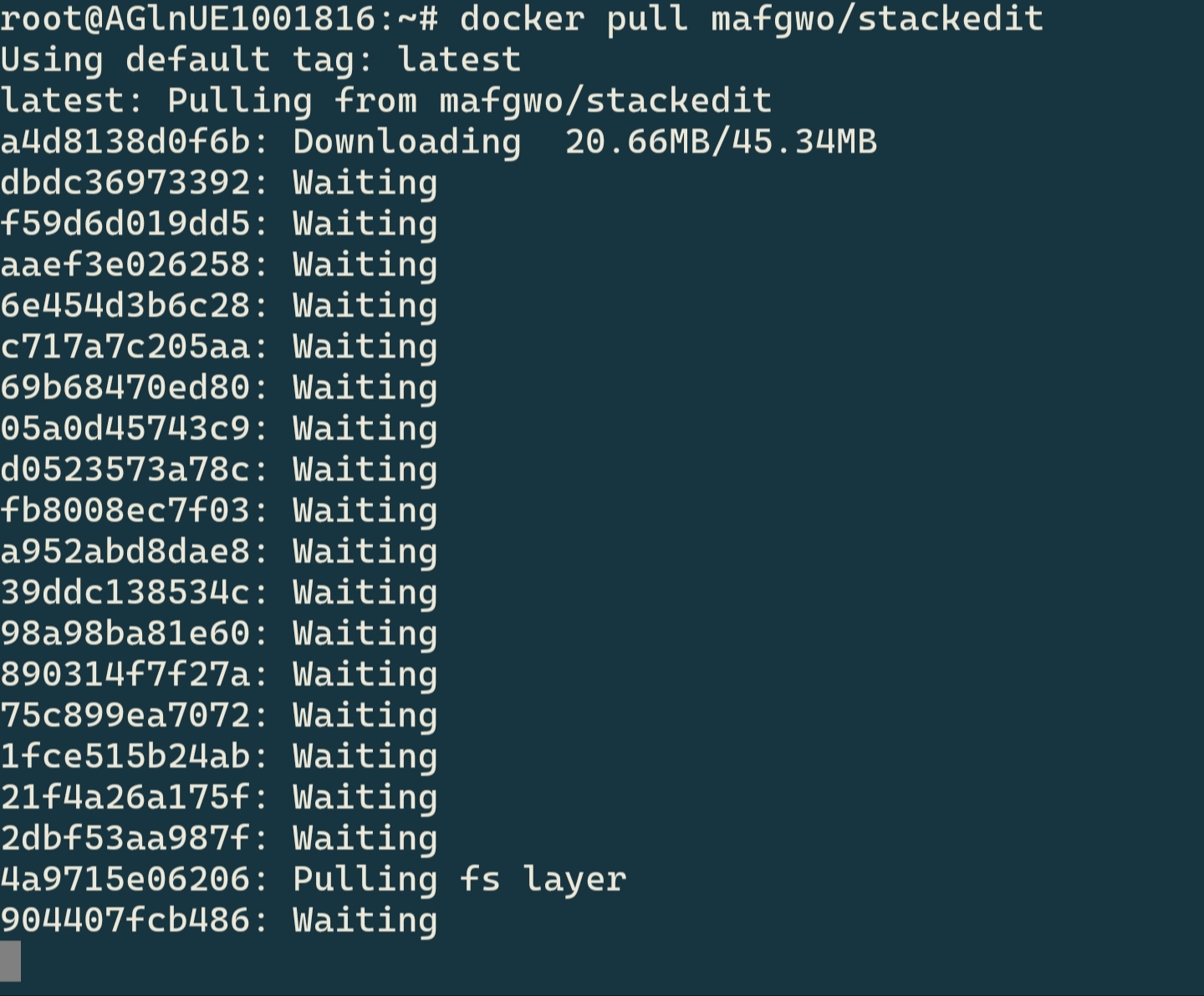
  首先在docker里面拉取项目。在SHH里面输入docker pull mafgwo/stackedit系统就会拉取项目到镜像里面,
  

pFNvlwR.jpg
pFNvlwR.jpg

  此时,你会发现下载速度很慢(一般国内主机慢,国外的快,不慢直接跳到下一步),这一步是使用国内的镜像源,那么就需要去/etc/docker/目录下新建daemon.json文件,填写以下内容,

{
    "registry-mirrors": [
     "https://ung2thfc.mirror.aliyuncs.com"
]}

  当然,那个网址也可以有很多,

https://registry.docker-cn.com
http://hub-mirror.c.163.com
https://docker.mirrors.ustc.edu.cn
https://dockerproxy.com

  哪个快用哪一个,然后在ssh里面输入

systemctl daemon-reload
systemctl restart docker

  重启Docker。最后docker pull mafgwo/stackedit拉取镜像。
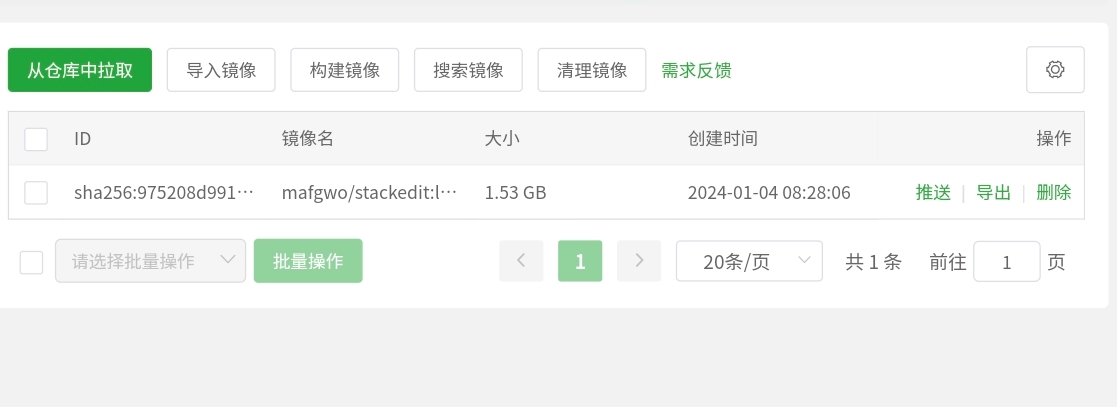
  等待镜像拉取完成之后,我们就能在宝塔控制面板-Docker-镜像 里面看到刚才拉取完的镜像了。
pFUP5Kf.jpg
pFUP5Kf.jpg

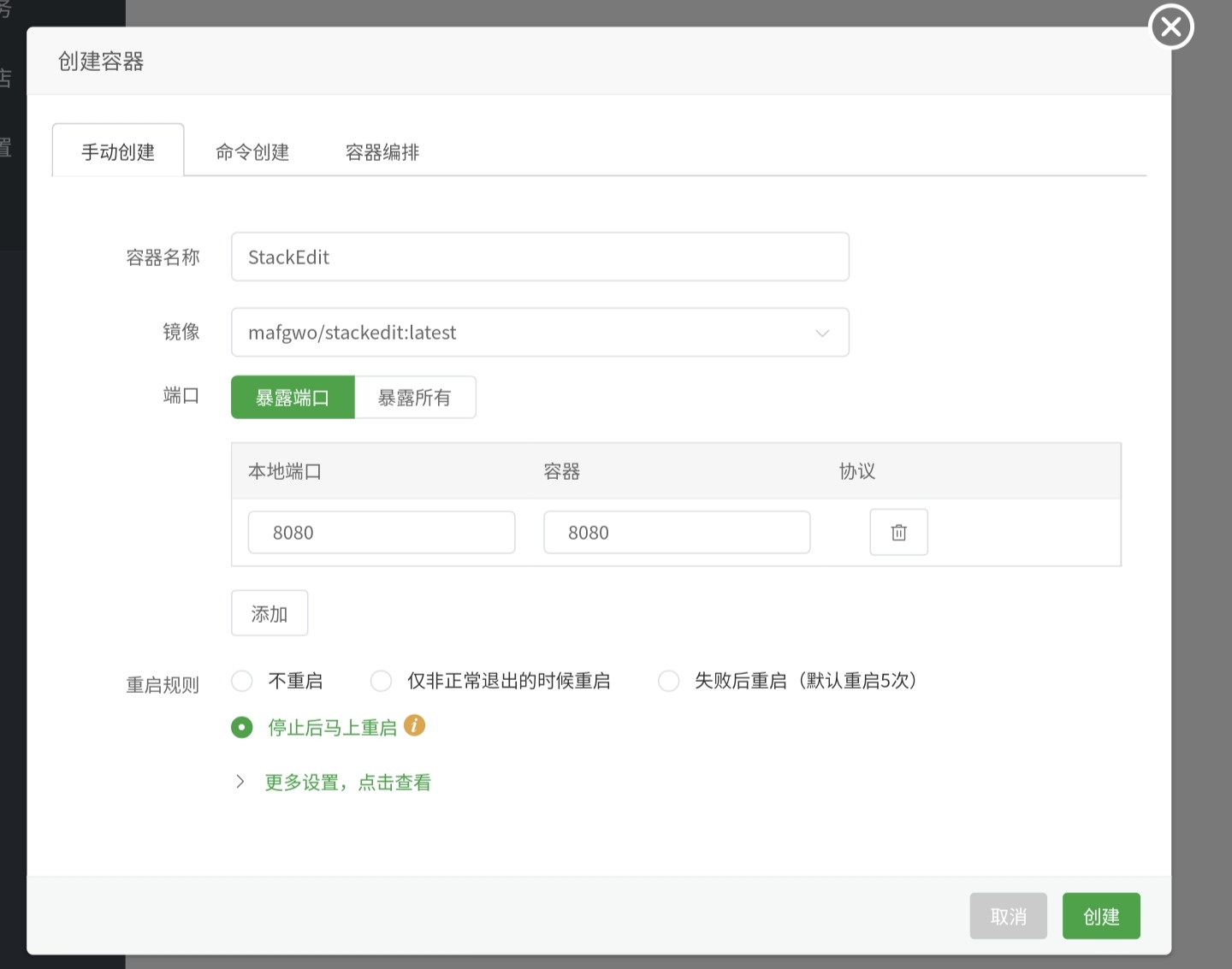
  接下来就去容器里面创建一个容器,端口可以自己填写,不填写就随机分配。

pFNvQm9.jpg
pFNvQm9.jpg

  最后,在反向代理里面绑定自己的域名,访问即可使用StackEdit。

pFUikGR.jpg
pFUikGR.jpg