





If you’re tracking YouTube channels for competitor research, content strategy, or creator partnerships, you probably want answers for: How often is a competitor uploading? Are shorter videos performing better? Is a creator’s subscriber count actually growing?
The data is all there on YouTube. But tracking all of it manually for multiple channels isn’t practical. That’s where scraping YouTube channel data can make the process much easier.
In this guide, I'll show how to use the SerpApi YouTube Channel API to scrape channel data. We’ll also look at what data you can collect and where to use it.
Step 1: Sign up with SerpApi and grab your API key.
Step 2: Send a GET request to SerpApi with engine parameter set to youtube_channel and provide the channel_id of the YouTube channel you want to scrape.
You have two options to get the channel_id. You can use the channel handle, which is the value you see after the @ in the YouTube channel URL. To target the SerpApi channel, for example, use serpapi.
Alternately, you can use the channel’s raw ID. These IDs start with UC, and you can find them on the channel page like in the below image. For example, this one is UCUgIHlYBOD3yA3yDIRhg_mg.
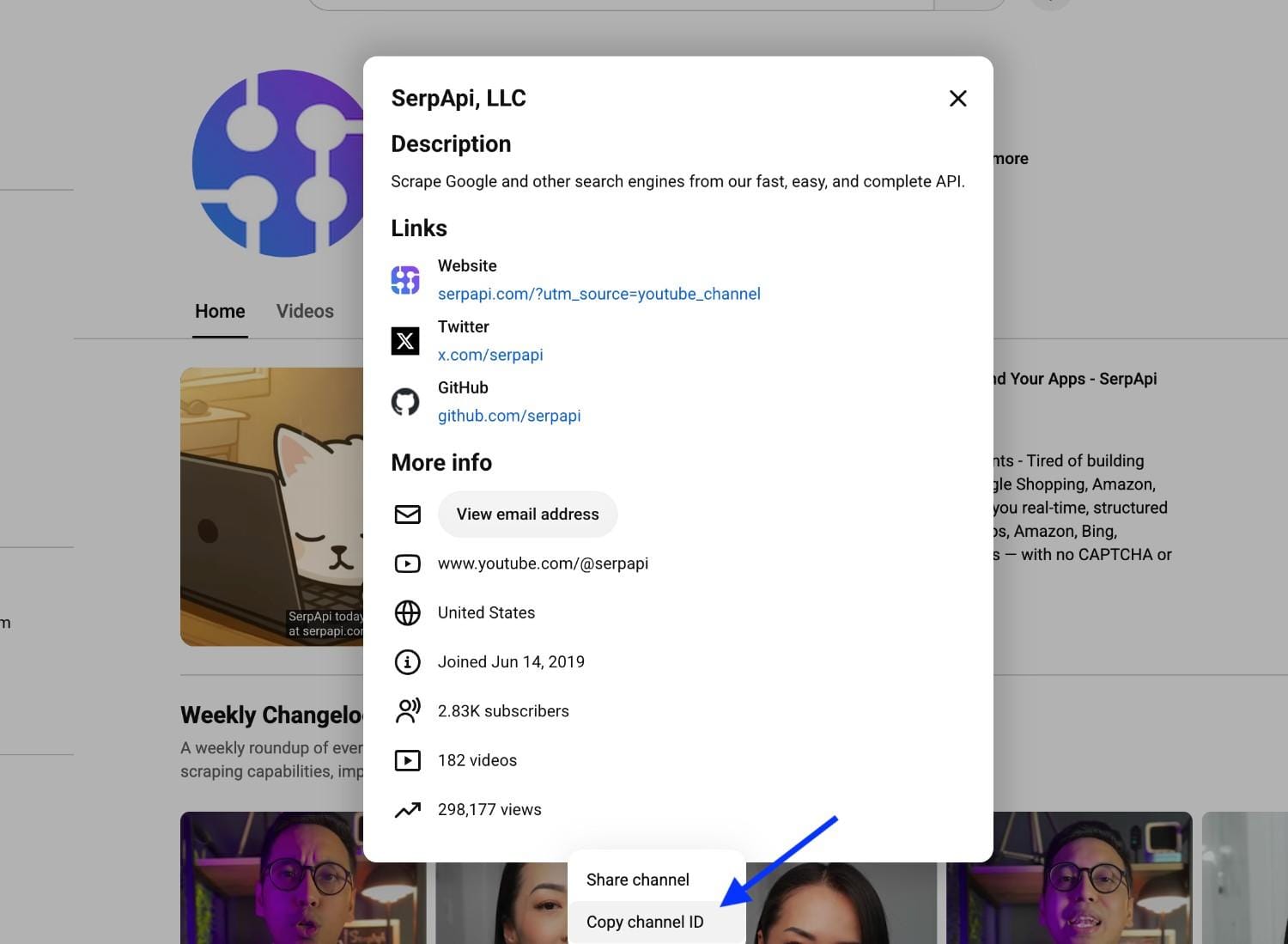
Once you have the channel ID, you can make a simple GET request to retrieve the channel data as JSON:
https://serpapi.com/search?engine=youtube_channel&channel_id=serpapi&api_key=YOUR_API_KEYThe response includes channel metadata in channel_results and a videos_results array containing the channel's videos. Here's what an abridged version of that response looks like:
{
  "search_metadata": {
    "id": "6aa77d5d3047f3a1de527a65",
    "status": "Success"
  },
  "channel_results": {
    "title": "SerpApi, LLC",
    "handle": "@serpapi",
    "description": "Access real-time results from Google and 100+ search engines with a simple API. No proxies, CAPTCHAs, or parsing required.",
    "external_id": "UCUgIHlYBOD3yA3yDIRhg_mg",
    "link": "https://www.youtube.com/channel/UCUgIHlYBOD3yA3yDIRhg_mg",
    "subscribers": 2840,
    "video_count": 186
  },
  "videos_results": [
    {
      "position": 1,
      "title": "Supercharge Your AI Agents with Live Google Search Results (in Markdown)",
      "link": "https://www.youtube.com/watch?v=beqoAVXz7iA",
      "video_id": "beqoAVXz7iA",
      "views": "23 views",
      "published_date": "7 hours ago",
      "length": "4:23"
    }
  ],
  "serpapi_pagination": {
    "next_page_token": "4qmFsgLZCRIYVUNVZ0lIbFlCT0Qz...",
    "next": "https://serpapi.com/search.json?channel_id=serpapi&engine=youtube_channel&next_page_token=4qmFsgLZCRIYVUNVZ0lIbFlCT0Qz..."
  }
}
Step 3: You can also play around with different parameters in the SerpApi Playground to see how the response changes, and build the request for your use case.
If you need more videos than the first page returns, you’ll find a page_token in the JSON response. Pass it to your next request and collect videos from the next page.
import serpapi

client = serpapi.Client(api_key="SerpApi_API_KEY")

results = client.search(
    {
        "engine": "youtube_channel",
        "channel_id": "serpapi",
    }
)

channel = results.get("channel_results", {})

print("Channel:", channel.get("title"))
print("Subscribers:", channel.get("subscribers"))
print("Number of videos:", channel.get("video_count"))

videos = results.get("videos_results", [])

for video in videos:
    print("Title:", video.get("title"))
    print("URL:", video.get("link"))
    print("Views:", video.get("views"))
    print("Published:", video.get("published_date"))
    print("Length:", video.get("length"))
    print("—")
Output:
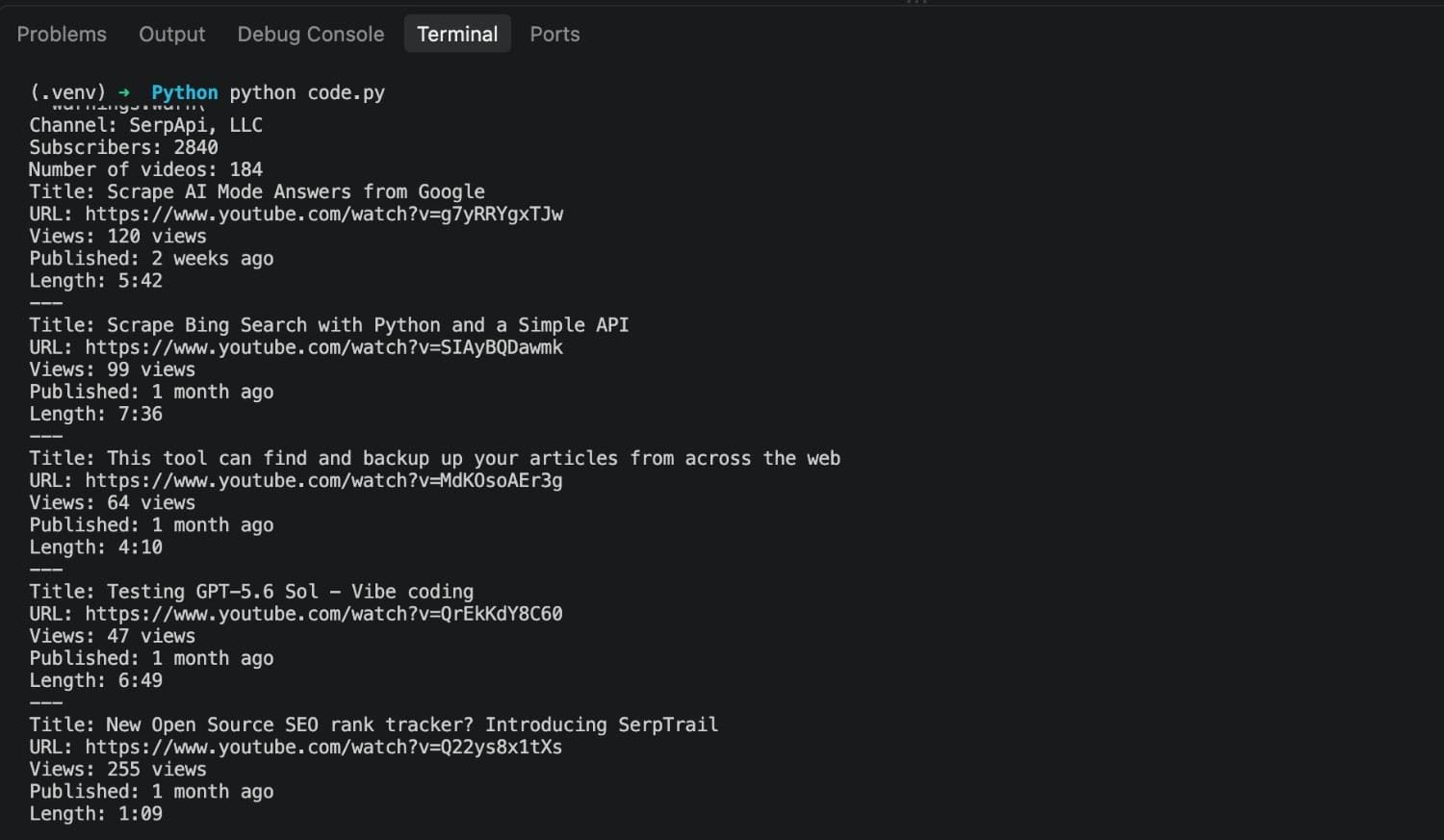
require "serpapi"

client = SerpApi::Client.new(
  engine: "youtube_channel",
  channel_id: "serpapi",
  tab: "shorts",
  api_key: "SerpApi_API_KEY"
)

results = client.search

shorts = results[:shorts_results] || []

shorts.each do |short|
  puts "Title: #{short[:title]}"
  puts "URL: #{short[:link]}"
  puts "Views: #{short[:views]}"
  puts "---"
end
Output:
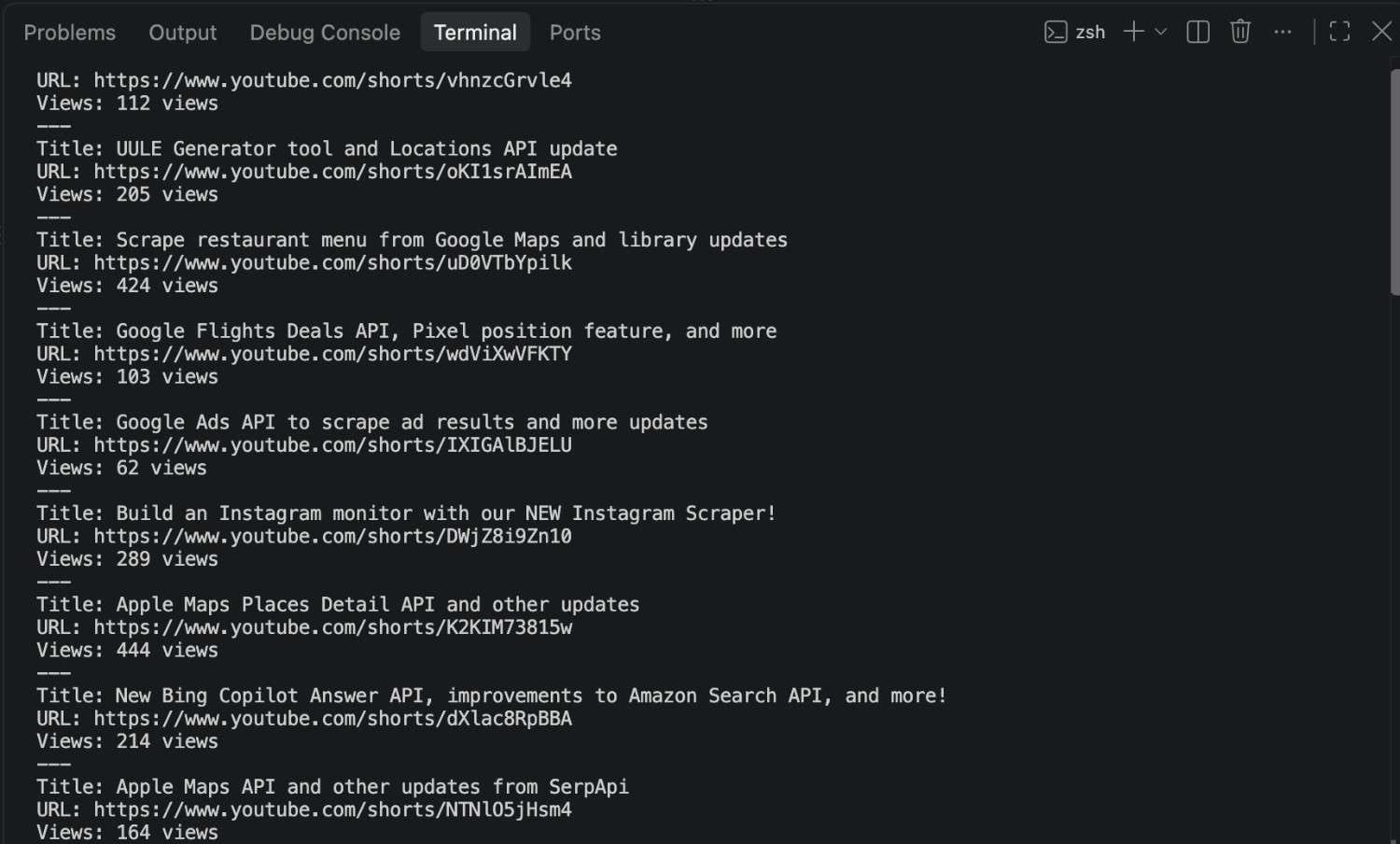
If you send a request with default parameters, you’ll get the full JSON response with information about the channel and its videos as a list.
If you want to see the Shorts, Podcasts, Posts, or other tabs data on the channel, you just need to tweak the tab parameter to shorts, streams, podcasts, playlists, or others to get the data in those tabs.
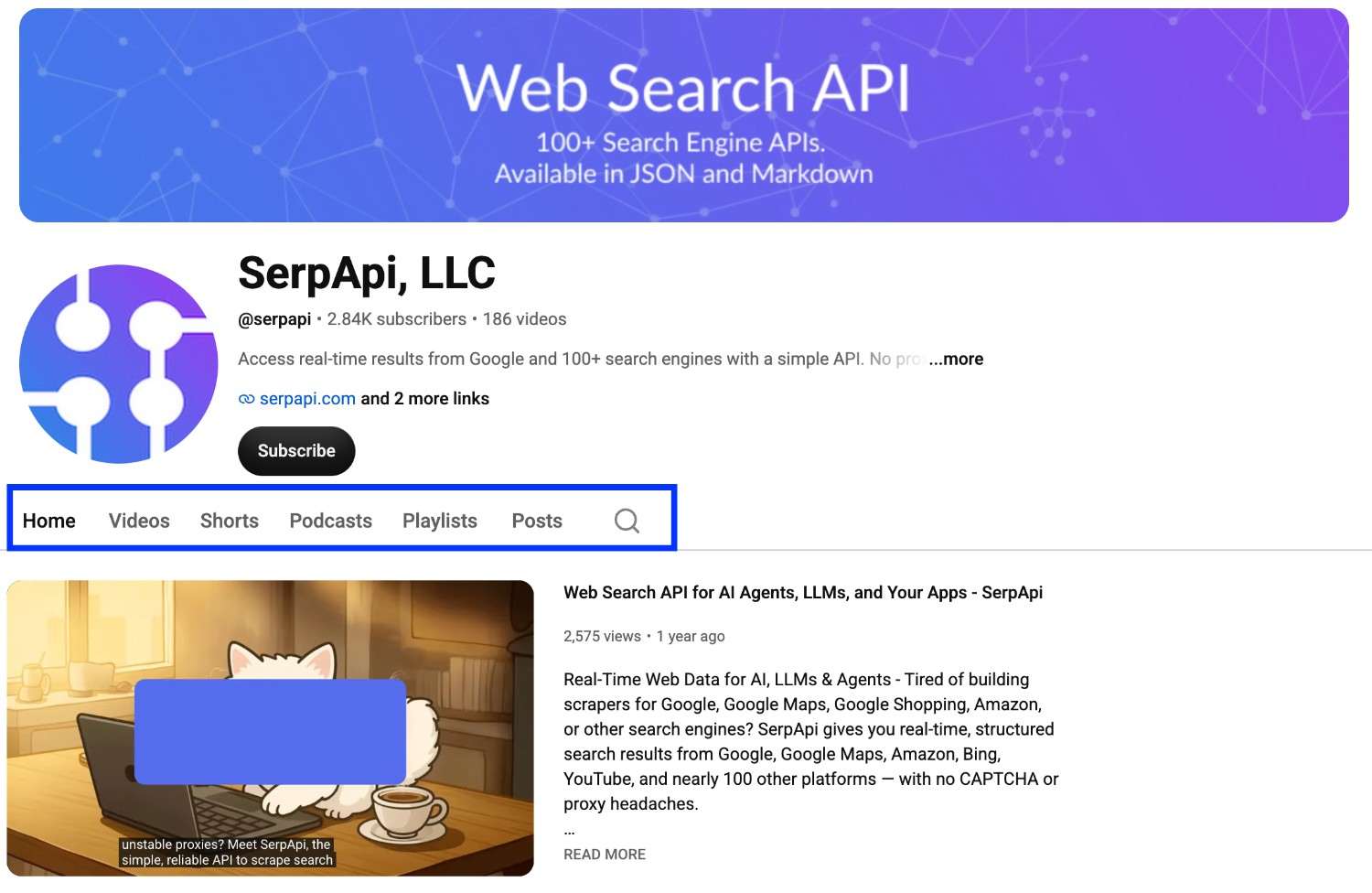
The overview below shows what information you’ll get for each of these tab results.
| Field | What it contains |
|---|---|
channel_results |
Channel title, description, subscriber count, joined date, country, total views, and other channel information. |
videos_results |
Video position, title, description, views, length, and other video information. |
shorts_results |
Short position, title, link, views, and thumbnail details. |
streams_results |
Stream position, title, link, waiting users, scheduled time, length, published date, and views. |
podcasts_results |
Title, last updated information, episode count, and thumbnail details. |
playlists_results |
Playlist position, playlist ID, video count, link, and other playlist information. |
posts_results |
Post ID, author, text, published date, votes, attached video information, and other post details. |
The API also supports a search_query parameter that let's you add the text that you would normally search for within a YouTube channel. It then returns the matching videos and playlists in the search_results field of the JSON response.
Check out the documentation to learn more about the API's parameters and how to use them.
YouTube is the second most visited search engine and it has a goldmine of public data for analytics. On average, over 20 million videos get uploaded daily, with nearly 2.5 billion active users per month watching videos, subscribing to channels, and leaving their comments. You can use all this data to understand different channels or audience in your niche.
Build competitor monitoring tools: Schedule a regular data extraction workflow to monitor your competitors’ subscriber growth, views, and compare them against yours.
Prepare data backed content strategy: Analyse your competitors’ top-performing Shorts, videos, or playlists. Look at their upload frequency, video length, and the number of episodes in their top-performing playlists, then use those insights to shape your content plan.
Research market trends: You can combine data across top channels and analyse their YouTube stats to get broader market trends in your niche.
Spend your collaboration budget wisely: You can extract the subscriber count, growth metrics, posting frequency, and audience engagement of potential creators, compare them, and pick the right one to collaborate with.
YouTube is a valuable source of data for understanding a channel’s credibility, audience engagement, and video performance. In this blog, you saw how to use the YouTube Channel API to collect channel-level data with a simple API call.
SerpApi also provides other YouTube APIs for different use cases. For example, the YouTube Search API to scrape search results, the YouTube Video API to extract video details, and the YouTube Video Transcript API to extract video transcripts.
此内容由惯性聚合(RSS阅读器)自动聚合整理,仅供阅读参考。 原文来自 — 版权归原作者所有。