









The Google Play Store is mostly known for distributing Android applications and games, but it's also a place to buy and rent movies and TV shows. YouTube and the Google TV platform also use the same storefront and shared library, collectively serving as an alternative to stores like Apple TV (iTunes), Fandango at Home (Vudu), or Amazon Prime Video.
With the Google Play Movies API from SerpApi, you can retrieve new releases, deals, search results, and top charts in simple JSON format. SerpApi handles the web scraping, HTML parsing, and other challenges for you, so you can focus on your actual business or project.
Here's some of the data you can extract for movies and TV shows on the Google Play Store, using SerpApi:
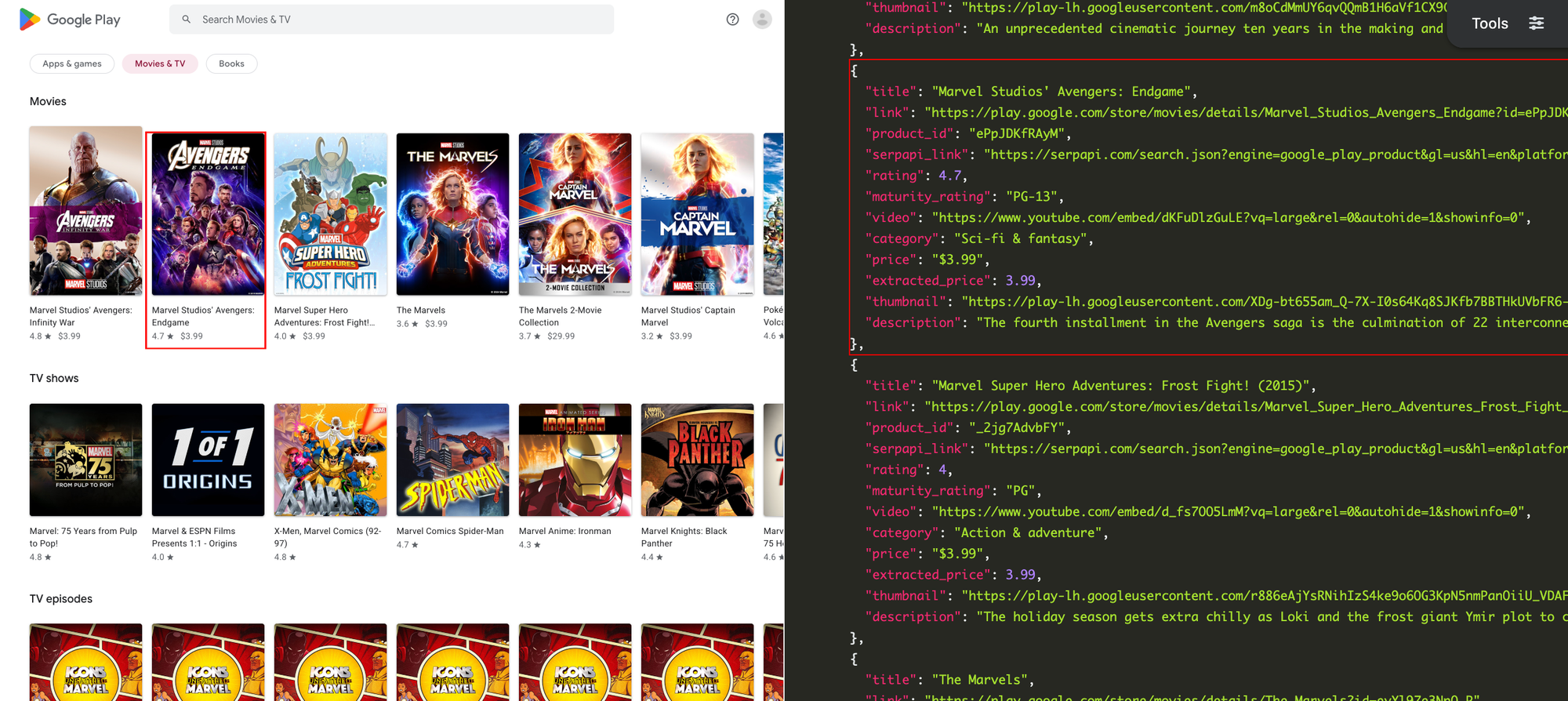
You need a free SerpApi account before you can use the Google Play Store APIs. You can upgrade to a paid account in the future if you need more search capacity, faster speeds, or other features.
First, create an account and verify your email and other details. After that, get the API key from your account dashboard.
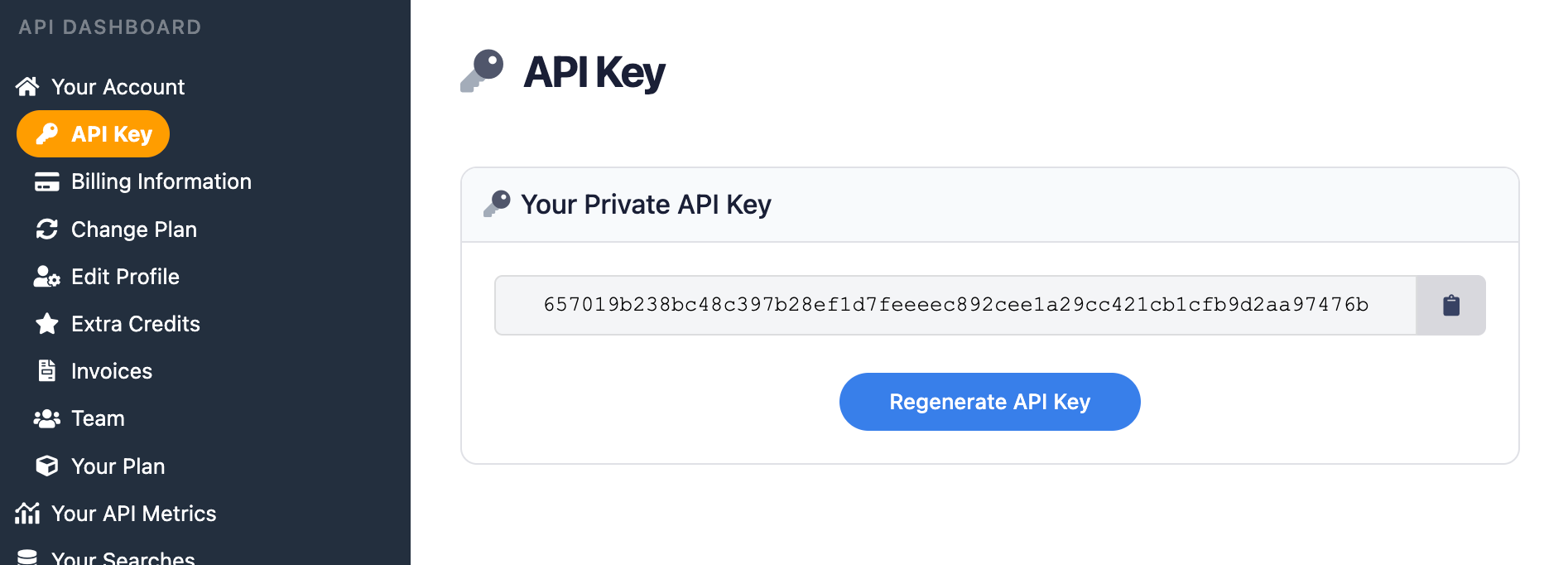
You should store your API key in a safe location if you are sharing or publishing your code. If the key is leaked or stolen, you can make a new one from the SerpApi account dashboard.
You can use SerpApi's official libraries for Python, JavaScript, Ruby, Java, and other languages. They aren't required, but they provide a simple wrapper around the API requests.
The APIs can also be used with cURL, fetch() in Node.js, or anything else that can send GET requests and process a JSON response.
SerpApi has extensive documentation for each of its APIs, covering all supported parameters and filters, code examples for popular languages, and example JSON responses. This covers the basic usage for scraping movie and TV results from the Google Play Store, and you can check out the Google Play Movies API documentation for more options and features.
Google Play Movies Store API - SerpApi
Scrape Google Play Movies store with SerpApi’s Google Play Movies Store API. Titles, links, description, rating, and more available.
 SerpApiSerpApi

If you provide a search query with the q parameter, the API can be used to retrieve search results. If you don't have a query, the API will return data from the Google Play Movies home page in the category, region, and language you specified.
⚠️
Fetching the full listing page for a movie, TV show, or TV episode is not supported, as of the time of writing. If you need that feature, please leave a comment on the GitHub issue.
If you have your API key, you're ready to start pulling movie and TV data from the Google Play Store. The results will be identical across all libraries and GET requests, so use whichever method you want.
This searches for "Avengers" in the Google Play Store's movie and TV section, using the United States as the region with English language results:
https://serpapi.com/search.json?engine=google_play_movies&q=avengers&gl=us&hl=en&api_key=YOUR_KEY_GOES_HEREThis fetches the home page for TV shows in the United States, including lists of popular shows and current sales:
https://serpapi.com/search.json?engine=google_play_movies&gl=us&hl=en&movies_category=TV&api_key=YOUR_KEY_GOES_HEREThe chart_options item in the returned JSON includes the identifiers for the best-selling TV shows (topselling_paid_show) and latest TV episodes (movers_shakers_episode). You can add that to the chart parameter to retrieve the full list, like this:
https://serpapi.com/search.json?engine=google_play_movies&gl=us&hl=en&movies_category=TV&chart=movers_shakers_episode&api_key=YOUR_KEY_GOES_HEREAlso, SerpApi's JSON Restrictor feature can trim the API response to specific values. This searches for "Marvel" and only returns the title and description of each result:
https://serpapi.com/search.json?engine=google_play_movies&q=marvel&gl=us&hl=en&json_restrictor=organic_results[].items[].{title,description}&api_key=YOUR_KEY_GOES_HEREThis can be useful if you need more efficient parsing, like when using an LLM with a limited context window.
This searches for "The Lord of the Rings" in movies and TV shows, then lists each result's title and price under their respective category, using the official SerpApi Python library:
import serpapi
client = serpapi.Client(api_key=YOUR_KEY_GOES_HERE)

response = client.search({
  "engine": "google_play_movies",
  "hl": "en",
  "gl": "us",
  "q": "the lord of the rings"
})

for category in response["organic_results"]:
    # If there is only one category (e.g. only movies or TV episodes), Google might not provide a title
    title = category.get("title") or "Results"
    print(f"\n{title}\n=====")
    for item in category["items"]:
        print(f"{item['title']} - {item.get('price') or 'Price unknown'}")
Here's how you can show all available information for the first result in a search:
import serpapi
client = serpapi.Client(api_key=YOUR_KEY_GOES_HERE)

response = client.search({
  "engine": "google_play_movies",
  "hl": "en",
  "gl": "us",
  "q": "spider-man 3"
})

for result in response.get('organic_results', []):
    if 'items' in result:
        for key, value in result['items'][0].items():
            print(f"{key}: {value}")
This will show a list of best-selling TV shows in the United States, with each item's title, category, and content rating:
import serpapi
client = serpapi.Client(api_key=YOUR_KEY_GOES_HERE)

response = client.search({
  "engine": "google_play_movies",
  "hl": "en",
  "gl": "us",
  "movies_category": "TV",
  "chart": "topselling_paid_show"
})

for result in response.get("top_charts", {}):
print(f"{result['title']} - {result.get('category') or 'Unknown category'} - {result.get('maturity_rating') or 'No rating'}")Here's how you can fetch all the categorized lists on the movies & TV home page, using the SerpApi Ruby gem, and then display each item's title and price:
require "serpapi"

response = SerpApi::Client.new(
  engine: "google_play_movies",
  api_key: YOUR_KEY_GOES_HERE,
  hl: "en",
  gl: "us"
)

for category in response.search.dig(:organic_results) do
  puts "\n#{category[:title]}\n====="
  for item in category[:items] do
    puts "#{item[:title]} - #{item[:price]}"
  end
end
This searches for "Transformers" in movies and TV shows, then returns all available data for the first result:
require "serpapi"

response = SerpApi::Client.new(
  engine: "google_play_movies",
  api_key: YOUR_KEY_GOES_HERE,
  hl: "en",
  gl: "us",
  q: "transformers"
)

first_result = response.search.dig(:organic_results, 0, :items, 0)

first_result.each do |key, value|
  puts "#{key} - #{value}"
endThis displays the title and price of all new movies and TV shows on the Google Play Store in the United States, using the SerpApi JavaScript library, by searching for the "New to buy or rent" label on the home page:
import { getJson } from 'serpapi';

const search = await getJson({
  engine: "google_play_movies",
  api_key: YOUR_KEY_GOES_HERE,
  hl: "en",
  gl: "us"
});

for (let list of search.organic_results) {
  // Find the list of new titles
  if (list.title.startsWith("New")) {
    // Print each result
    for (let item of list.items) {
      console.log(item.title + " - " + item?.price);
    }
    break;
  }
}
Here's how you can search for "Star Wars" and list all results under their respective categories of movies, TV shows, and TV episodes:
import { getJson } from 'serpapi';

const search = await getJson({
  engine: "google_play_movies",
  api_key: YOUR_KEY_GOES_HERE,
  hl: "en",
  gl: "us",
  q: "star wars"
});

for (let category of search.organic_results) {
  console.log("\n" + category.title + "\n======\n");
  for (let result of category.items) {
    console.log(result.title + " - " + (result?.maturity_rating || "Unknown rating"));
  }
}This searches for "Transformers" in the Google Play Store in the United States, giving you the results in JSON format:
curl --get https://serpapi.com/search \
 -d api_key="YOUR_KEY_GOES_HERE" \
 -d engine="google_play_movies" \
 -d hl="en" \
 -d gl="us" \
 -d q="transformers"
You could also obtain the results in Markdown format by replacing search with search.md, like this:
curl --get https://serpapi.com/search.md \
 -d api_key="YOUR_KEY_GOES_HERE" \
 -d engine="google_play_movies" \
 -d hl="en" \
 -d gl="us" \
-d q="transformers"You can still use the API directly with GET requests, even if there isn't an official SerpApi integration for your preferred environment or language. SerpApi also works with Make.com, N8N, and other tools.
The Google Play Store's movie and TV results can provide insights into purchases and rentals across Google TV, YouTube, and Google's other media storefronts. The search functionality can also serve as an alternative to databases like IMDB and The Movie Database.
With the Google Play Movies Store API from SerpApi, the top charts, recommended titles, and search results can be pulled into any automation or programming language.
If you need help using SerpApi, please contact us.
此内容由惯性聚合(RSS阅读器)自动聚合整理,仅供阅读参考。 原文来自 — 版权归原作者所有。