






Google Maps Autocomplete creates a faster and smoother experience when users search for an address, place, or business location. The same as-you-type suggestions developers know from Google Places Autocomplete. Whether you're building a food delivery app, travel platform, store locator, CRM, or local search tool, the Google Maps Autocomplete helps users find the right location with fewer keystrokes.
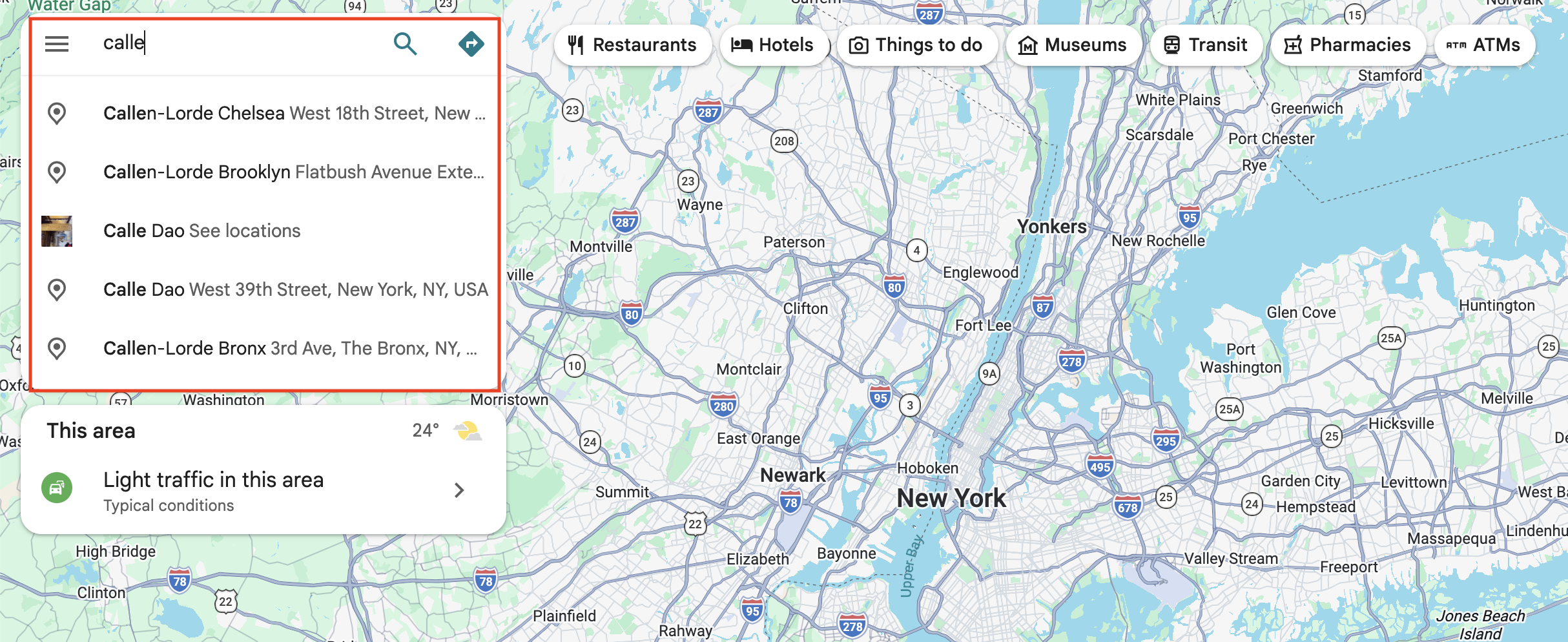
The Google Maps Autocomplete API by SerpApi allows developers to retrieve autocomplete suggestions from Google Maps with a simple API request. Because each place suggestion comes back with its street address attached, it doubles as an address autocomplete API for any app where users need to find a place or street quickly.
Instead of managing browser automation or reverse engineering Google's autocomplete responses, you receive structured JSON that can be integrated directly into your application. No key juggling, no CAPTCHAs, no proxy pool. You send a query and a location, and you get back the same suggestions Google Maps would show, ready to drop into a search box, an address form, or a data pipeline.
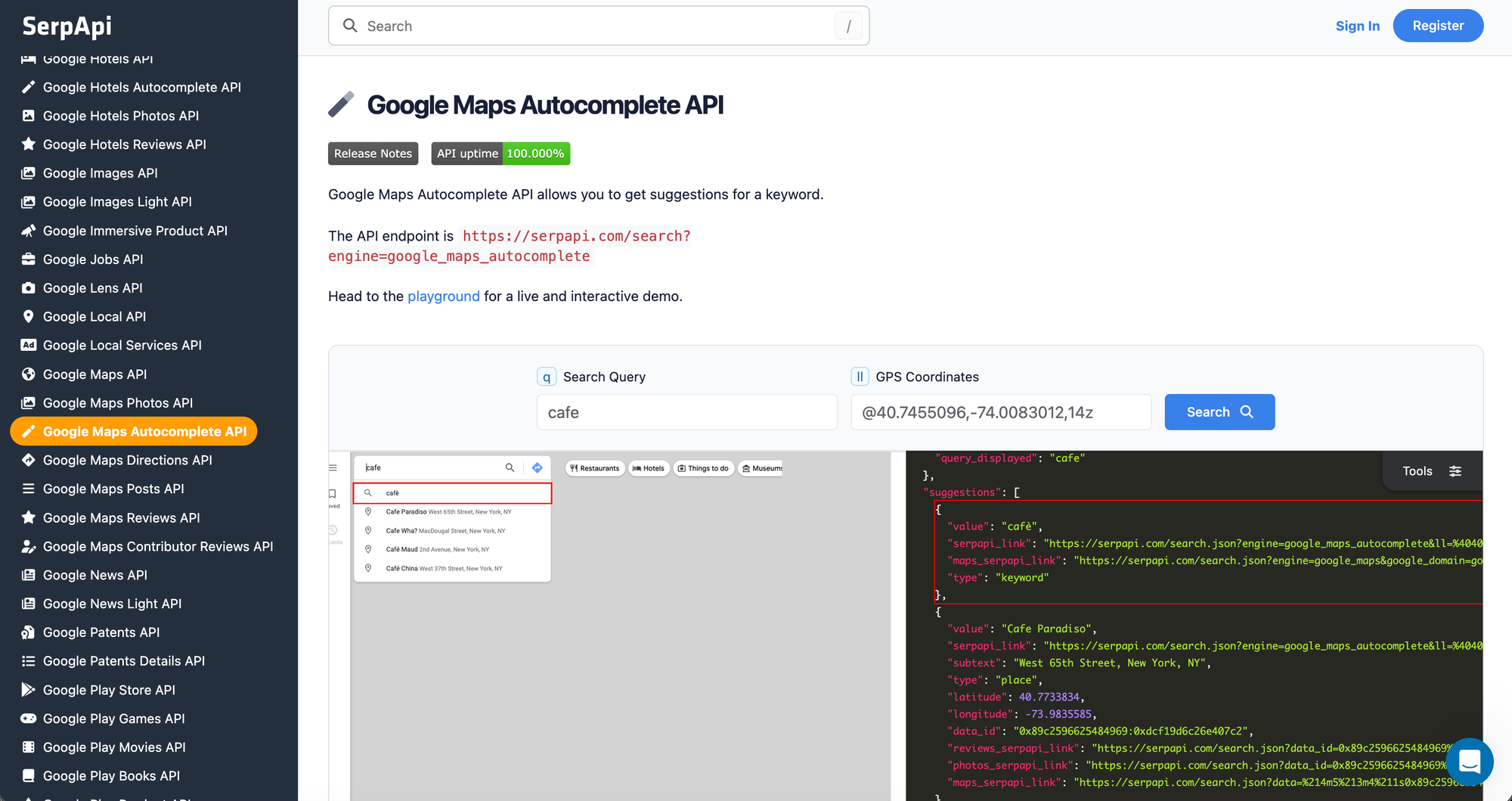
In this tutorial, you'll learn how to scrape the autocomplete suggestions from Google Maps using a simple API with cURL, Python, and JavaScript, how to customize requests, and what data you can retrieve.
The API takes a partial query (q) and a set of GPS coordinates (ll) and returns the list of suggestions Google Maps would show for that input from that location. Some suggestions are plain keyword completions, some are specific places, and those come enriched with an address, latitude and longitude, and a data_id.
That data_id is the part worth paying attention to. It's the same identifier the rest of the Google Maps family uses, so an autocomplete suggestion is an entry point, not a dead end. Pick a place from the suggestions, and you can pass its data_id straight to the Google Maps Reviews API or Google Maps Photos API to pull everything Google knows about it.
Each suggestion in the response can include:
keyword (a search completion) or place (a specific location)Here's the quickest way to see the data before writing any code.
Head to the Google Maps Autocomplete playground. No sign-up is needed to run a first search.
Set q to the partial term a user might type, let's say cafe and set ll to the location the search should originate from, in the format @latitude,longitude,zoom, for example @40.7455096,-74.0083012,14z. The zoom value ranges from 3z (fully zoomed out) to 21z (fully zoomed in). If you need to find coordinates for a place, our guide on how to find the GPS coordinates of any place walks through it.
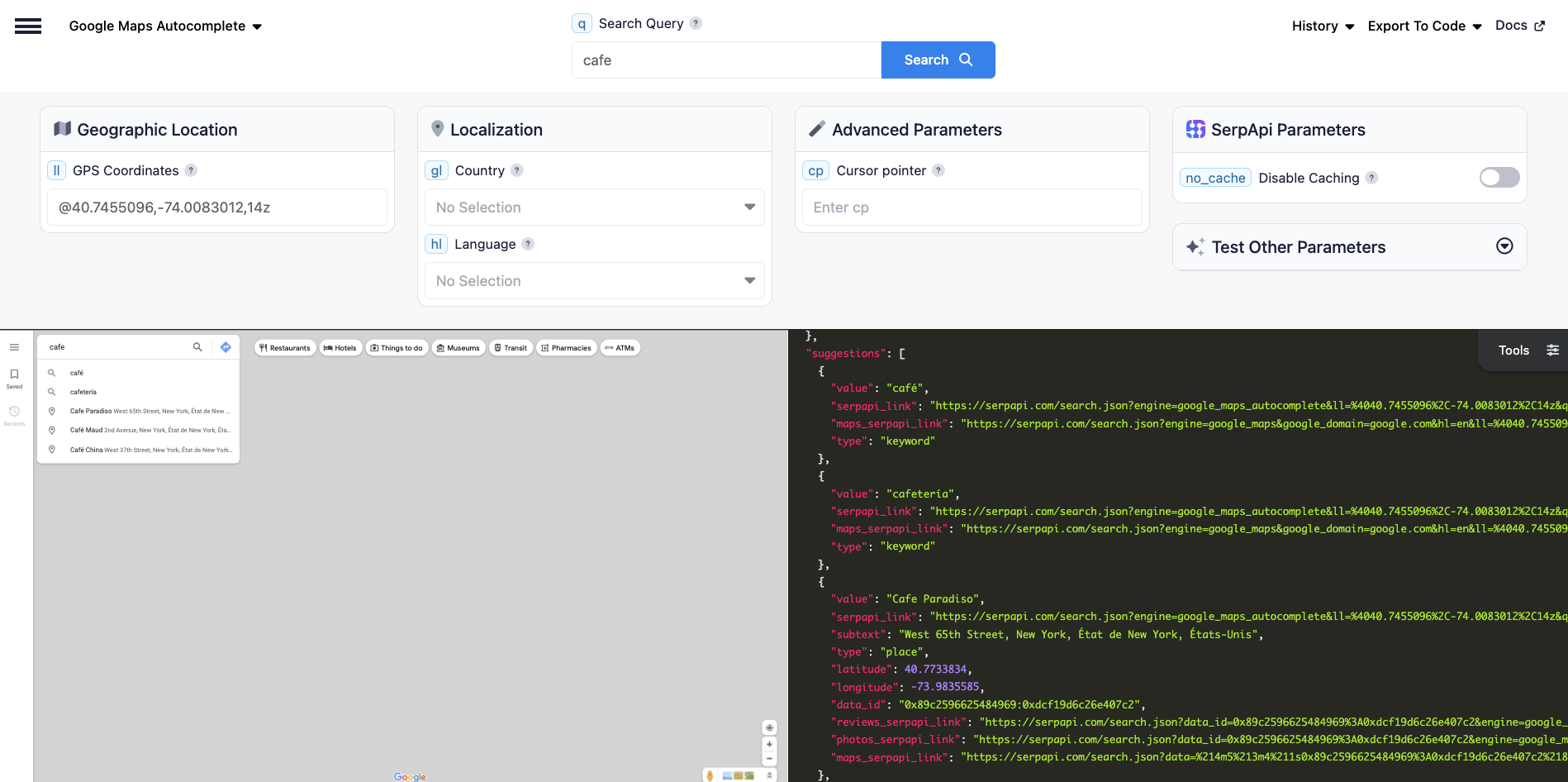
The response comes back as JSON, with keyword completions and nearby places interleaved the way Google Maps returns them. A trimmed example for q=cafe:
"suggestions":[
   {
      "value":"cafè",
      "serpapi_link":"https://serpapi.com/search.json?engine=google_maps_autocomplete&ll=%4040.7455096%2C-74.0083012%2C14z&q=caf%C3%A8",
      "maps_serpapi_link":"https://serpapi.com/search.json?engine=google_maps&google_domain=google.com&hl=en&ll=%4040.7455096%2C-74.0083012%2C14z&q=caf%C3%A8&type=search",
      "type":"keyword"
   },
   {
      "value":"Cafe Paradiso",
      "serpapi_link":"https://serpapi.com/search.json?engine=google_maps_autocomplete&ll=%4040.7455096%2C-74.0083012%2C14z&q=Cafe+Paradiso",
      "subtext":"West 65th Street, New York, NY",
      "type":"place",
      "latitude":40.7733834,
      "longitude":-73.9835585,
      "data_id":"0x89c2596625484969:0xdcf19d6c26e407c2",
      "reviews_serpapi_link":"https://serpapi.com/search.json?data_id=0x89c2596625484969%3A0xdcf19d6c26e407c2&engine=google_maps_reviews&hl=en",
      "photos_serpapi_link":"https://serpapi.com/search.json?data_id=0x89c2596625484969%3A0xdcf19d6c26e407c2&engine=google_maps_photos&hl=en",
      "maps_serpapi_link":"https://serpapi.com/search.json?data=%214m5%213m4%211s0x89c2596625484969%3A0xdcf19d6c26e407c2%218m2%213d40.7733834%214d-73.9835585&engine=google_maps&google_domain=google.com&hl=en&ll=%4040.7455096%2C-74.0083012%2C14z&q=Cafe+Paradiso&type=place"
   },

  ...
  ...
  ...

  }
]The quickest way to call the API from the command line is a single GET request. Pass your query in q, the origin coordinates in ll, and your API key:
curl --get "https://serpapi.com/search" \
  -d engine="google_maps_autocomplete" \
  -d q="cafe" \
  -d ll="@40.7455096,-74.0083012,14z" \
  -d api_key="YOUR_SERPAPI_API_KEY"
The response is the same structured JSON shown above. From here, the Python and JavaScript examples below wrap the same request so you can parse the suggestions in your app.
First install the SerpApi client library (GitHub):
pip install serpapi
Then set your API key and run the search:
import serpapi

client = serpapi.Client(api_key="YOUR_SERPAPI_API_KEY")
results = client.search({
    "engine": "google_maps_autocomplete",
    "q": "cafe",
    "ll": "@40.7455096,-74.0083012,14z",
    "gl": "us",
    "hl": "en"
})

print(results)
To get the suggestions and their type:
for suggestion in results.get("suggestions", []):
    print(suggestion["value"], "-", suggestion.get("type"))
To keep only the place suggestions and their data_id:
places = [s for s in results.get("suggestions", []) if s.get("type") == "place"]

for place in places:
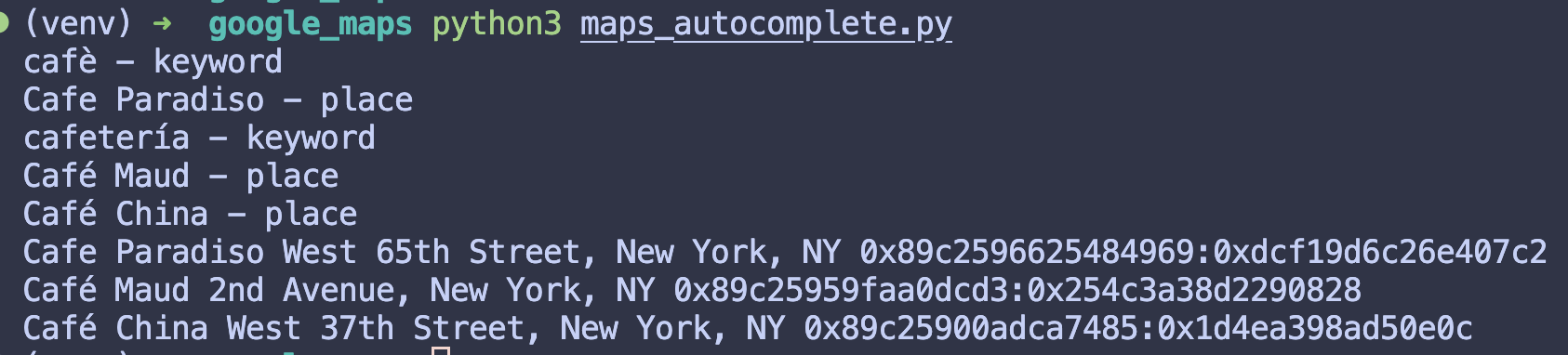
    print(place["value"], place.get("subtext"), place.get("data_id"))
The result:
Install the package:
npm install serpapi
The example code:
import { getJson } from "serpapi";

const API_KEY = process.env["API_KEY"]; // https://serpapi.com/manage-api-key

async function getSuggestions(query) {
  const response = await getJson("google_maps_autocomplete", {
    api_key: API_KEY,
    q: query,
    ll: "@40.7455096,-74.0083012,14z",
    gl: "us",
    hl: "en"
  });
  return response["suggestions"];
}

console.log(await getSuggestions("cafe"));
To get the suggestions and their type:
const suggestions = await getSuggestions("cafe");

for (const suggestion of suggestions) {
  console.log(suggestion.value, "-", suggestion.type);
}
To keep only the place suggestions and their data_id:
const places = suggestions.filter((s) => s.type === "place");

for (const place of places) {
  console.log(place.value, place.subtext, place.data_id);
}
Since every place suggestion carries a data_id, you can pass it straight to the Reviews or Photos API to pull that place's reviews or photos, with no separate request to look it up.
data_id, then pull the full place, its reviews, and its photos from the rest of the Maps APIs.ll coordinates to see which places and completions Google surfaces from different locations, useful for local research and coverage checks.SerpApi's free plan includes 250 searches per month with no credit card required, which is enough to build and test an integration before you commit to a plan.
Yes. The ll parameter is required, since autocomplete results depend on where the search originates. The gl and hl parameters for country and language are optional.
Yes. Because each place suggestion comes back with its street address attached, it works as an address autocomplete API for address forms, checkout pages, and any interface where users need address suggestions.
Yes. Each place suggestion includes a data_id you can pass to the Google Maps API, Reviews API, or Photos API to retrieve ratings, hours, reviews, photos, and more.
Google Places Autocomplete is Google's own service. The difference is operational: with SerpApi, there's no Google Cloud project, API key, or billing to set up, and no session tokens to manage. Every place suggestion chains directly into SerpApi's other Google Maps endpoints for reviews, photos, and full place details.
For a broader look at pulling place data, ratings, and reviews from Google Maps, see our Google Maps Scraper guide. If you're after search keyword suggestions rather than places, our guide on how to scrape Google Autocomplete results covers the Google Search side.
You can reach us at contact@serpapi.com for any questions.
此内容由惯性聚合(RSS阅读器)自动聚合整理,仅供阅读参考。 原文来自 — 版权归原作者所有。