



A bit more than 4 months and 227 commits since NetworkManager 1.48, a new release is ready: NetworkManager 1.50.
Let’s take a look at the most interesting parts!

The support for “dhclient” DHCP client has been deprecated, not built unless explicitely enabled and it will be fully removed in a future release. In NetworkManager 1.20, the internal DHCP client was set as the default and it is recommended to use it.
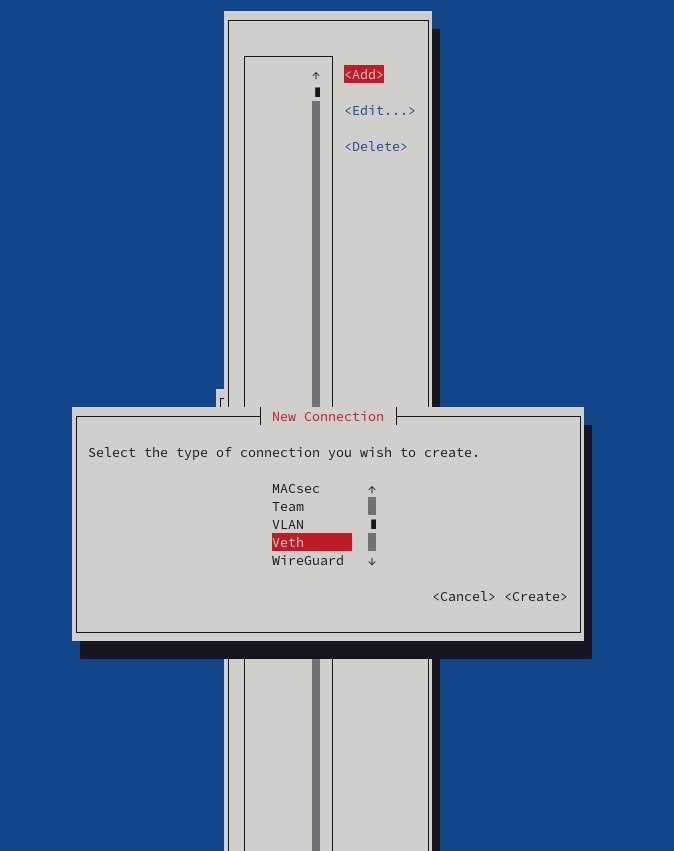
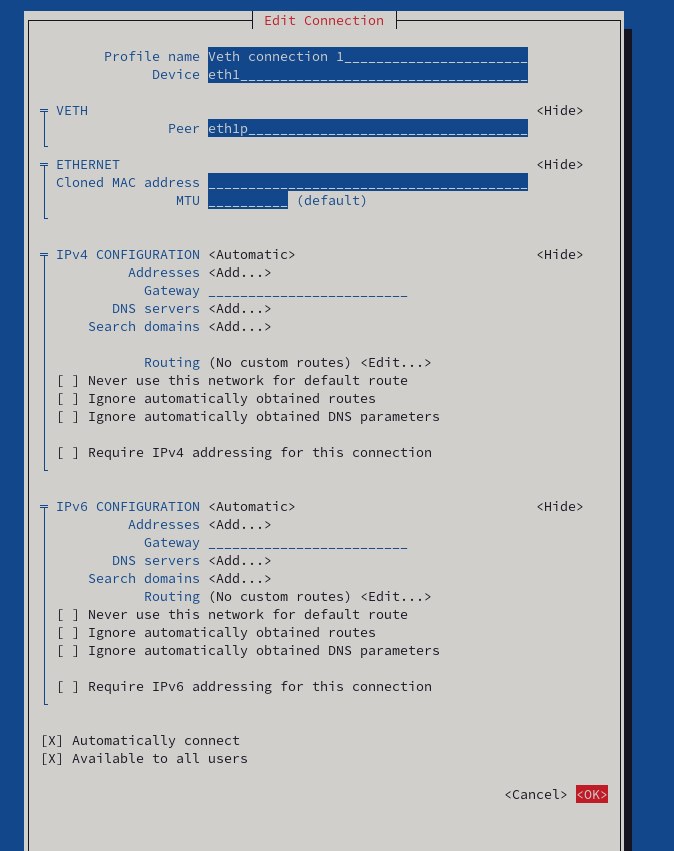
It is now possible to configure virtual ethernet (veth) interfaces using nmtui!
When creating a new connection the Veth type is available on the list.
The Veth peer can be configured as well along with the Ethernet and IPv4/6 settings.
Before, the access point mode used 20MHz channels. A new wifi.channel-width
was introduced that allows the use of a larger bandwidth, increasing
performance.
When looking up the system hostname from the reverse DNS lookup of addresses configured on interface, NetworkManager now takes into account the content of /etc/hosts.
We have created a hostname management diagram to explain how NetworkManager updates the system hostname.
NetworkManager now supports specifying a system OVS interface by MAC address.
As part of the conscious language efforts, NetworkManager is not writing offensive terms into keyfiles anymore.
Now it is possible to reapply VLANs of a bridge port so they can be modified without bringing down/up the connection.
Many thanks to all contributors who provided feedback, ideas or patches.
Anders Jonsson, Beniamino Galvani, Cédric Bellegarde, Fernando Fernandez Mancera,Filip Pokryvka, Gris Ge, Íñigo Huguet, Isidro Arias, Jan Vaclav, Jonathan Kang, jtux270, Khem Raj, Lubomir Rintel, Martin, Martin von Gagern, Mary Strodl, Michael Biebl, Sertonix, Stanislas Faye, Stefan Agner, Thomas Haller, Wen Liang
Also thanks to our Quality Engineers from Red Hat for all the testing: Vladimír Beneš, Filip Pokryvka, David Jasa and Matej Berezny.
Join us on our GitLab project.
As usual, the next release of your favorite Linux distribution will surely ship the new version.
In case you’re too impatient to wait, or you are, in fact, responsible for keeping NetworkManager up to date in a distribution, get the tarball from our download page.
Thanks for tuning in and goodbye!
此内容由惯性聚合(RSS阅读器)自动聚合整理,仅供阅读参考。 原文来自 — 版权归原作者所有。