

惯性聚合 高效追踪和阅读你感兴趣的博客、新闻、科技资讯
阅读原文 在惯性聚合中打开

推荐订阅源

WordPress大学
WordPress大学
Microsoft Azure Blog
MongoDB | Blog
MongoDB | Blog
小众软件
小众软件
Apple Machine Learning Research
O
OpenAI News
酷 壳 – CoolShell
酷 壳 – CoolShell
The GitHub Blog
The GitHub Blog
CTFtime.org: upcoming CTF events
Exploit-DB.com RSS Feed
博客园 - 聂微东
Engineering at Meta
Engineering at Meta
W
WeLiveSecurity
Hacker News: Ask HN
Hacker News: Ask HN
大猫的无限游戏
大猫的无限游戏
Vercel News
Vercel News
D
Docker
F
Full Disclosure
AI
AI
罗磊的独立博客
博客园 - 【当耐特】
U
Unit 42
S
SegmentFault 最新的问题
Stack Overflow Blog
Stack Overflow Blog
cs.AI updates on arXiv.org
P
Palo Alto Networks Blog
博客园_首页
H
Help Net Security
量子位
月光博客
月光博客
Threat Intelligence Blog | Flashpoint
K
KPMG report finds enterprise disconnect between AI and its ROI | CIO
博客园 - 司徒正美
F
Fortinet All Blogs
D
DataBreaches.Net
B
Blog RSS Feed
Webroot Blog
Webroot Blog
TaoSecurity Blog
TaoSecurity Blog
S
Secure Thoughts
爱范儿
爱范儿
I
InfoQ
钛媒体:引领未来商业与生活新知
钛媒体:引领未来商业与生活新知
www.infosecurity-magazine.com
Attack and Defense Labs
Application and Cybersecurity Blog
C
CERT Recently Published Vulnerability Notes
Martin Fowler
Martin Fowler
Blog — PlanetScale
Blog — PlanetScale
让小产品的独立变现更简单 - ezindie.com
S
Securelist

Cirry's Blog

前端框架搭建需要注意的版本问题 - Cirry's Blog Vue3项目对接阿里云滑动验证功能 - Cirry's Blog Windows下使用Scoop包管理器 - Cirry's Blog 记录PayPal账户被盗刷后的资金找回过程 - Cirry's Blog 前端AI应用-SSE流式渲染 - Cirry's Blog S15总决赛KT vs T1的观后感 - Cirry's Blog 在上家公司工作五年离职了 - Cirry's Blog FC游戏《仙剑奇侠》攻略 - Cirry's Blog FilesGallery-0.13.1破解版无弹窗 - Cirry's Blog Docker安搭建rustdesk中继服务器 - Cirry's Blog FC游戏《黄金太阳》通关 - Cirry's Blog FC《荆轲新传》迷宫全地图 - Cirry's Blog 群晖安装acme.sh自动更新证书 - Cirry's Blog 群晖使用docker部署transmission - Cirry's Blog 群晖使用docker部署moviepilot-v2 - Cirry's Blog 父亲 - Cirry's Blog Rollup配置和常用插件 - Cirry's Blog 《机械迷城》通关图鉴和攻略 - Cirry's Blog Docker安装CI/CD工具Drone实现自动化部署博客 - Cirry's Blog
解决前端打印痛点 - Cirry's Blog
2025-10-22 · via Cirry's Blog

遇到的问题

在前端经常会使用到的打印功能,有很多前端库可以帮我们处理这个问题,比如print.js、vue中的vue-print-nb等等,但是这些还不足以解决更复杂的打印问题。

其中经常遇到的问题有以下几点:

  • 页面打印不完全,会遇到页面被裁边的问题,特别是在打印表格的时候
  • 页面在大量的文字使用v-for循环渲染的时候,会遇到文字重叠的问题
  • 无法代入样式到打印页面中,或者打印页面的样式被污染,这个是最烦人的

解决方案

使用原生html重画页面,比如checkbox,radio,table等等样式在前端组件库中的样式污染都是相当严重的。

所以我一般都会重画html页面,使用最原生的页面打印,看起来也是最舒服,最流畅的。

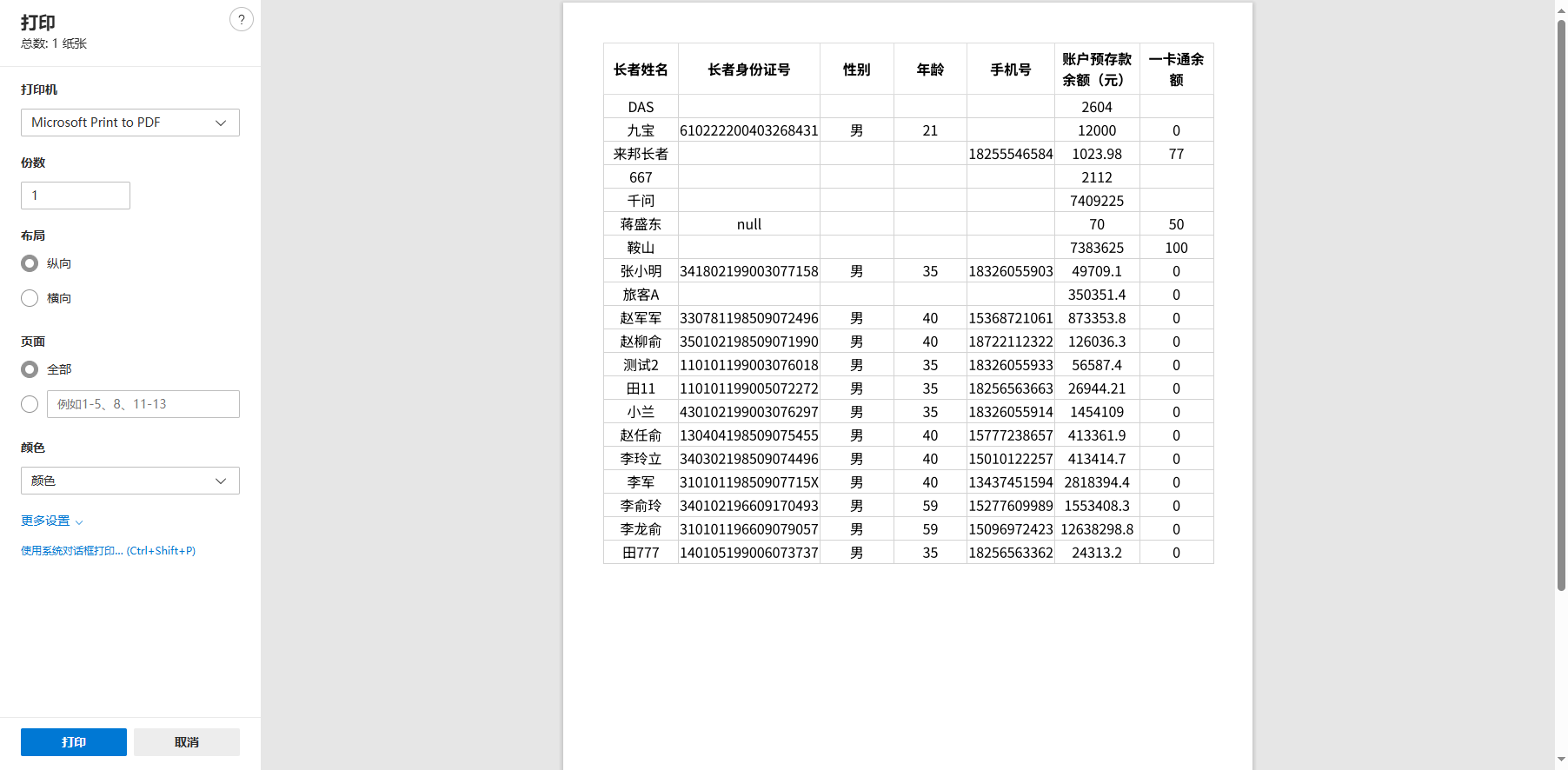
如果你只打印纯表格页面,我建议是使用print.js,基本上不会有问题,也不需要重画页面。

代码如下:

1

printJS({

2

documentTitle: "打印标题",

3

printable: this.dataList, // 传入数据

4

type: 'json', // 这里要设置为json

5

properties: [ // 设置要打的表格属性栏和对应的dataList中的字段

6

{ field: 'name', displayName: "姓名" },

7

{ field: 'age', displayName: "年龄" },

8

{ field: 'address', displayName: "住址" }

9

],

10

gridStyle: 'text-align: center; border: 1px solid lightgray; margin-bottom: -1px;'

11

})

打印效果如下:
default

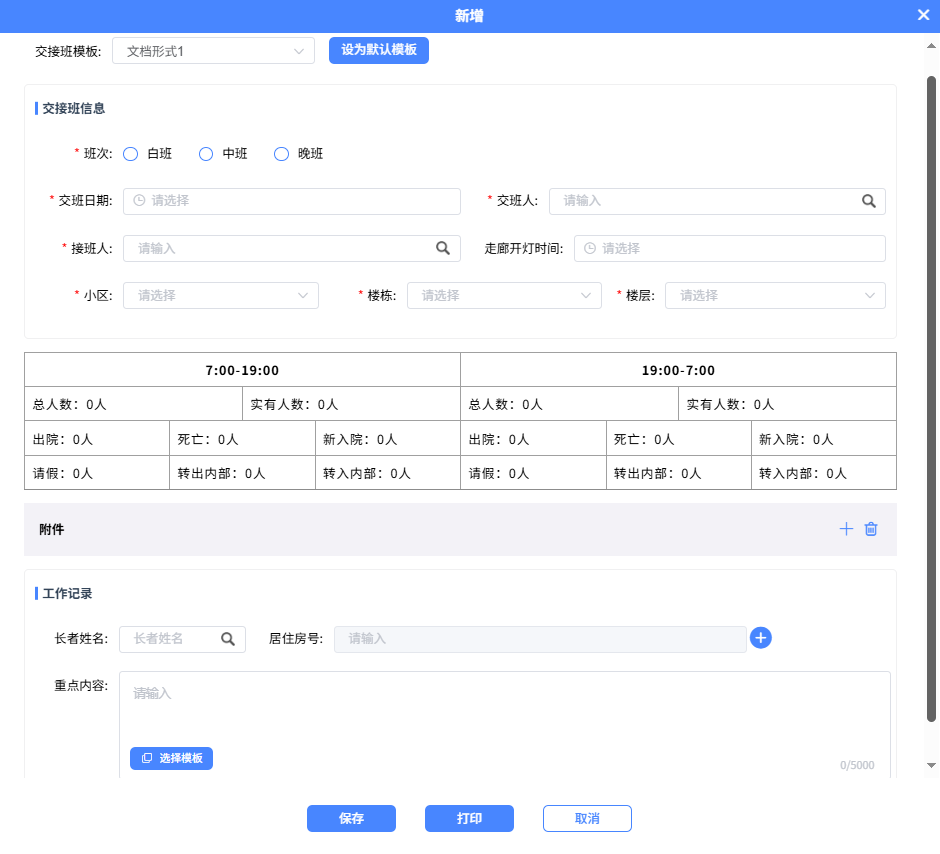
其他复杂页面,比如像下面这样的页面,在dialog中展示的有表格有循环渲染的数据,几乎在我们的项目里100%出现文字重叠的情况的。
default

这个时候只能使用iframe来做打印功能,代码示例如下:

1

async print() {

2

const content = document.getElementById('shift-print').innerHTML; // 获取节点

3

// 打印的内容里用到的所有样式,写在这里面

4

const styles = `

5

body { font-family: Arial; font-size: 14px; }

6

h1 { color: #333; }

7

.page-break { page-break-after: always; }

8

table {

9

border-collapse: collapse;

10

border: 1px solid rgb(140 140 140);

11

letter-spacing: 1px;

12

margin: 1em 0;

13

width: 100%;

14

overflow: auto;

15

table-layout: fixed;

50 collapsed lines

16

}

17

18

th,

19

td {

20

border: 1px solid rgb(160 160 160);

21

padding: 8px;

22

}

23

`;

24

this.printWithIframe(content, styles)

25

},

26

printWithIframe(content, styles = '') {

27

const iframe = document.createElement('iframe');

28

iframe.style.position = 'absolute';

29

iframe.style.width = '0';

30

iframe.style.height = '0';

31

iframe.style.border = 'none';

32

33

document.body.appendChild(iframe);

34

35

const iframeDoc = iframe.contentDocument || iframe.contentWindow.document;

36

37

iframeDoc.open();

38

iframeDoc.write(`

39

<!DOCTYPE html>

40

<html>

41

<head>

42

<title>打印内容</title>

43

<style>

44

${styles}

45

@media print {

46

body { margin: 0; padding: 0; }

47

@page { size: A4; margin: 15mm; }

48

}

49

</style>

50

</head>

51

<body>

52

${content}

53

</body>

54

</html>

55

`);

56

iframeDoc.close();

57

58

iframe.contentWindow.focus();

59

iframe.contentWindow.print();

60

61

setTimeout(() => {

62

document.body.removeChild(iframe);

63

this.printing = false

64

}, 1000);

65

},

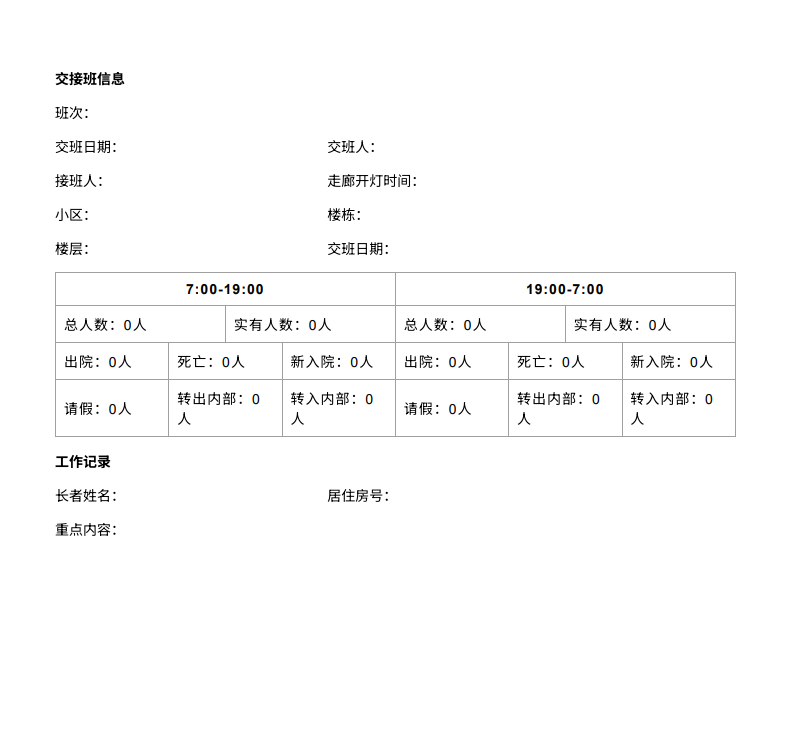
打印出来的结果如下:
default

使用iframe基本上可以解决大部分场景下的问题了。