人生苦短,我用Python![1]
这个系列是一个帮助零基础的人入门编程的教程,本文主要介绍Python中的单元测试和异常处理。
在软件开发过程中,测试(Testing)是非常重要的一个步骤,用于确保程序的正确性和质量。也能在最终部署之前,识别和纠正程序的错误和缺陷。
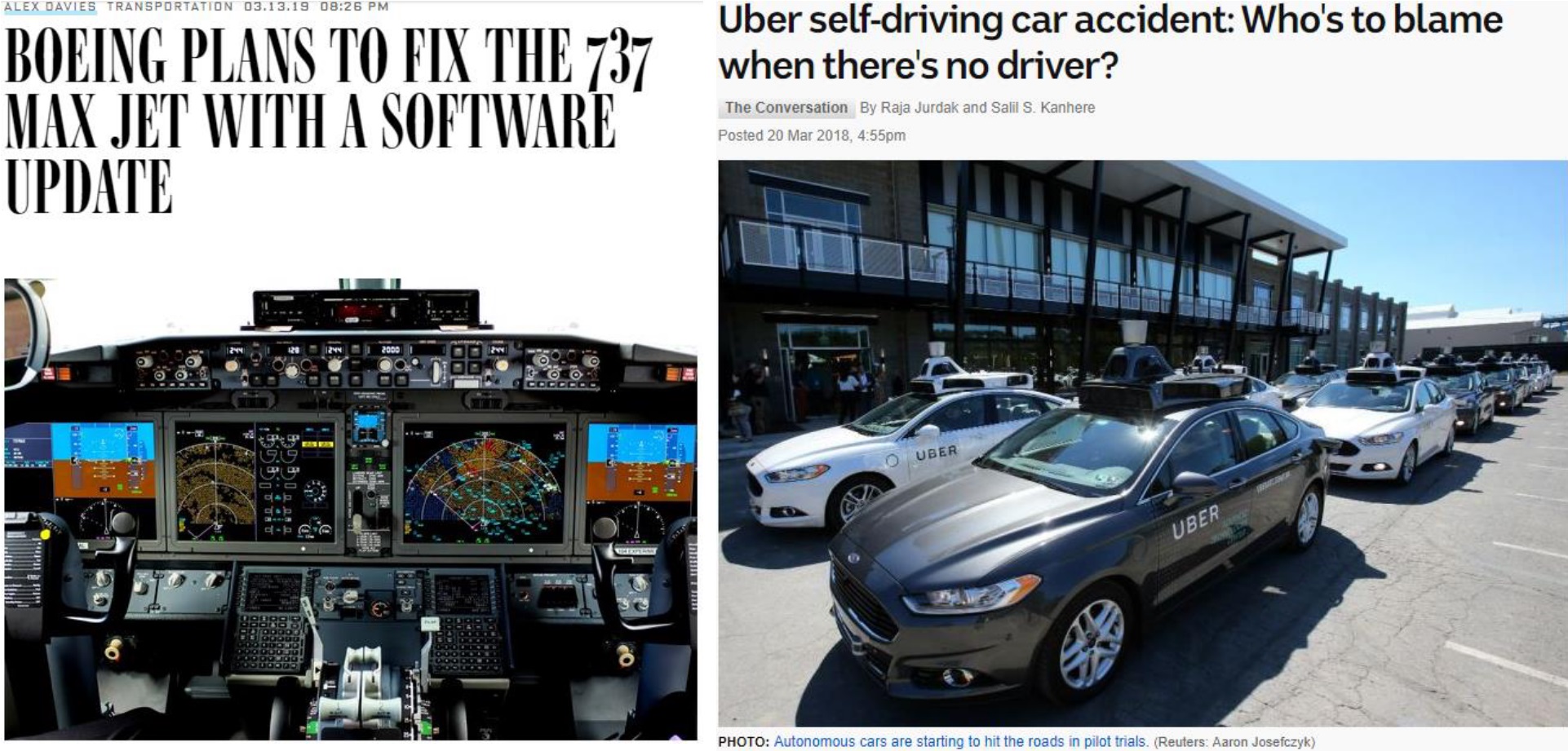
Fig. 1. 重大的程序bug会造成严重后果。Adapted from [2] [3]
一些致命的软件bug会造成严重的后果,比如737MAX飞机的故障和Uber自动驾驶系统的故障,如图1所示[2] [3] 。除此之外,其他一些给社会造成严重负面影响的软件bug可以看看这里 (List_of_software_bugs ) 整理的。为了避免这种情况,我们需要在程序中添加测试。
测试分为4个层次,分别是:
单元测试(Unit testing)
程序中单个单元或者组件会被测试
确保每一个单元运行良好,不会有任何错误
集成测试(Integration testing)
多个单元会被组合,并且作为一个集合被测试
在集成了多个单元之间的互动中,错误可能会被暴露
系统测试(System testing)
整个系统会作为一个整体被测试
确保达到所有的功能和要求
验收测试(Acceptance testing)
完整的程序会在用户部署之前进行测试
评估这个系统符合所有的业务要求
在这里我们主要重点关注如何给Python写单元测试,其他类型的测试是软件工程部分的内容。
那么要如何写测试呢?最基本的想法是,先考虑定义一个优秀的测试策略,其中包含很多不同的测试用例,这对于确保程序的正确性很重要。
那么一个优秀的测试策略:
要保证程序所有的功能都能在有限的时间内被覆盖并且测试
由合理并且可管理可维护的测试用例组成
最大化检测错误或者缺陷的可能性
举个例子,考虑有一个程序需要通过输入的分数来计算这个学生有没有通过考试。
1
2
3
4
if mark >= 50 and mark <= 100 : grade = "Passed" else : grade = "Failed"
有效(正面)用例:
基于正确的输入数据
比如: 55, 60, 65, …, 85, 90, 95, …
无效(负面)用例:
基于错误的输入数据
比如: -1, 0, 5, …, 45, 49, 101, 200, …
边缘用例:
有效用例中的一些边界值
比如: (49, 50)和(100, 101)
Debug是指计算机程序中查找和解决缺陷或者问题的过程。在编写程序或者测试遇到bug时,就需要debug来解决。
在Python中,有两个比较基础的手段:
关于print我们已经很熟悉了,它会输出这个变量的值,方便观测某个变量在运行时的值。
至于assert:
它能检查一个表达式是否为真,如果不为真,就会抛出一个AssertionError异常
语法: assert (condition), "<error_message>"
比如:
1 assert size <= 5 , "size should not exceed 5"
但是总之,最好的debugging是实打实的理解你写的程序。
在Python中,我们需要使用unittest标准库来进行测试。
通过继承unittest.TestCase创建一个测试类(test class)
在测试类中定义一个或多个测试方法(test method)
假设我们有一个函数product_func被定义,并且需要为它编写单元测试。
1
2
3
def product_func (first_arg, second_arg ): result = first_arg * second_arg return result
那么单元测试可以这么写:
1
2
3
4
5
6
7
8
9
import unittestclass TestForProduct (unittest.TestCase): def test_product (self ): self .assertEqual(product_func(2 , 4 ), 8 ) if __name__ == ‘__main__’: unittest.main()
运行这个测试时,将会有可能性: OK, FAIL, ERROR。
如果在Jupyter Notebook中,我们可以这样运行测试。
1
2
suite = unittest.TestLoader().loadTestsFromTestCase(TestForProduct) unittest.TextTestRunner().run(suite)
在unittest中,Python提供了以下assert的方法:
Method
Checks that
New in
assertEqual(a, b)
a == b
assertNotEqual(a, b)
a != b
assertTrue(x)
bool(x) is True
assertFalse(x)
bool(x) is False
assertIs(a, b)
a is b3.1
assertIsNot(a, b)
a is not b3.1
assertIsNone(x)
x is None3.1
assertIsNotNone(x)
x is not None3.1
assertIn(a, b)
a in b3.1
assertNotIn(a, b)
a not in b3.1
assertIsInstance(a, b)
isinstance(a, b)3.2
assertNotIsInstance(a, b)
not isinstance(a, b)3.2
关于更全面的unittest介绍和解释,请参考这个页面 [4] 。
编程中,错误(Error)一般分为以下3类:
语法错误(Syntax erros)
代码在语法上有问题,编译器/解释器无法理解代码
Python中的例子: SyntaxError
运行时错误(Runtime errors)
代码在运行时发生了错误,可以进行适当处理
Python中的例子: ValueError, TypeError, NameError
逻辑错误(Logic errors)
程序逻辑的实施不正确
程序运行不出错,但是结果是错误的
以下我们举一些Python例子来说明。
SyntaxError:
1
2
if a_number > 2 print (a_number, “is greater than 2 ”)
NameError:
1 a_number = random.random()
TypeError:
1
2
if a_number > 2 : print (a_number + “is greater than 2 ”)
ValueError:
1 sum_of_two = int ('1' ) + int ('b' )
更多的Python错误异常,请参考这个页面 [5] 。
在Python中,主要使用try和except关键词来处理异常。
try和except:
在try块中的语句会被执行,如果没有发生异常,except代码块会被跳过
如果发生了异常,并且满足except中的条件,那么对应的except代码块会被执行
如果发生了异常,但是没有except满足条件,那么程序依然会报错退出
以下是一个例子,如果输入了非数字的字符串,或者除数为0,都可以进入到对应的except代码块中进行处理。
1
2
3
4
5
6
7
8
9
try : num1 = int (input (“Enter first number: ”)) num2 = int (input (“Enter second number: ”)) result = num1 // num2 print ("Result of division:" , result) except ValueError: print ("Invalid input value" ) except ZeroDivisionError: print ("Cannot divide by zero" )
else:
如果没有发生异常,else代码块会被执行
如果需要在没有发生异常的时候运行某些代码,这个就会很有用
例子:
1
2
3
4
5
6
7
8
9
10
file_name = "input_file.txt" try : file_handle = open (file_name, "r" ) except IOError: print ("Cannot open" , file_name) except RuntimeError: print ("A run-time error has occurred" ) else : print (file_name, "has" , len (file_handle.readlines()), "lines" ) file_handle.close()
finally:
作为一个清理用的代码块
无论是否发生异常,都会执行的代码块
1
2
3
4
5
6
7
8
9
10
11
12
file_name = "input_file.txt" try : file_handle = open (file_name, "r" ) except IOError: print ("Cannot open" , file_name) except RuntimeError: print ("A run-time error has occurred" ) else : print (file_name, "has" , len (file_handle.readlines()), "lines" ) file_handle.close() finally : print ("Exiting file reading" )
这次的练习,我们来试试用一种能处理所有异常的方式来编写代码,并且还需要为程序写单元测试。如果有必要,还需要增加注释来帮助开发。
我们需要写一个计算学生GPA的程序。每一个学生需要计算5门课的成绩,计算规则如下:
1
2
3
4
5
A ----- 4.0 B ----- 3.0 C ----- 2.0 D ----- 1.0 F ----- 0.0
这里有一个有错误的代码,我们需要修复它。
1
2
3
4
5
6
7
8
9
10
11
12
13
14
15
16
17
18
19
20
number_of_courses = 3 course_grades = [] total_sum = 0.0 for i in range (len (number_of_courses)): input_grades.append = input ("Please enter the grade for " + (i+1 ) + " courses: " ) for grades in input_grades: if grade == "A" : total_sum += 4.0 elif grade == "B" : total_sum += 3.0 elif grade == "B" : total_sum += 2.0 elif grade == "D" : total_sum += 1.0 elif grade == "F" : total_sum += 1.0 print ("The GPA of a student is: " + (total_sum * number_of_courses))
来找找看哪里错了吧。
首先是number_of_courses应该是5而不是3。需要加一个assert来检查这个变量不会出错。
1
2
3
4
number_of_courses = 5 assert (number_of_courses == 5 ), "The number of courses should be equal to 5" course_grades = [] total_sum = 0.0
然后是有一个TypeError因为len(number_of_courses)中的len需要接受一个集合类型而不是一个数字。
1 for i in range (number_of_courses):
然后input_grade.append是一个方法,需要去调用这个方法,而不是赋值。(i+1)需要被转换成字符串,因为字符串不能和数字相加。input_grade有一个NameError因为它并没有被定义。
所以这一行会改成
1 course_grades.append(input ("Please enter the grade for " + str (i+1 ) + " unit: " ))
接下来input_grades也有NameError错误,需要使用正确的变量名。同样对于grade也是。
1
2
3
4
5
6
7
8
9
10
11
12
13
14
15
16
17
18
for grade in course_grades: if grade.upper() == "A" : total_sum += 4.0 elif grade.upper() == "B" : total_sum += 3.0 elif grade.upper() == "C" : total_sum += 2.0 elif grade.upper() == "D" : total_sum += 1.0 elif grade.upper() == "F" : total_sum += 0.0 else : print_flag = False print ("Illegal grade encountered. Program aborted." ) break if print_flag: print ("The GPA of a student is: " + str (float (total_sum / number_of_courses)))
在上一节中,我们已经编写了一个简单的程序,用来计算学生的GPA。想一想对于上面这个程序,应该如何编写测试来检查潜在错误。来试试看写一些单元测试。
首先我们把以上程序放入一个函数中。
1
2
3
4
5
6
7
8
9
10
11
12
13
14
15
16
17
18
19
20
def calculate_GPA (grade_list ): total_sum = 0.0 gpa = 0.0 for grade in grade_list: if grade.upper() == "A" : total_sum += 4.0 elif grade.upper() == "B" : total_sum += 3.0 elif grade.upper() == "C" : total_sum += 2.0 elif grade.upper() == "D" : total_sum += 1.0 elif grade.upper() == "F" : total_sum += 0.0 else : return -1 gpa = float (total_sum / len (grade_list)) return gpa
接下来来编写单元测试。
1
2
3
4
5
6
7
8
9
10
11
12
13
14
15
16
17
import unittestclass TestForGPA (unittest.TestCase): def test_calculate_GPA_1 (self ): self .assertEqual(calculate_GPA(['A' ,'A' ,'B' ,'D' ]), 3.0 ) def test_calculate_GPA_2 (self ): self .assertEqual(calculate_GPA(['A' ,'A' ,'B' ,'1' ]), -1 ) def test_calculate_GPA_3 (self ): self .assertEqual(calculate_GPA(['A' ,'A' ,'A' ,'A' ]), 4.0 ) def test_calculate_GPA_4 (self ): self .assertEqual(calculate_GPA(['F' ,'F' ,'F' ,'F' ]), 0.0 )
在Jupyter Notebook中,我们需要运行以下代码来运行测试。
1
2
3
test = TestForGPA() suite = unittest.TestLoader().loadTestsFromModule(test) unittest.TextTestRunner().run(suite)
让我们改善Python编程基础05 的实践题代码。
以下是原来的代码。
1
2
3
4
5
6
7
8
9
10
11
12
13
14
15
16
17
18
19
20
21
with open ("simple_file.txt" ,"r" ) as input_handle, open ("output_file.txt" ,"w" ) as output_handle: for line in input_handle: line = line.strip("\n" ) line_number = line.split(" " ) if line_number[2 ] == "one" : line_number[2 ] = "1" elif line_number[2 ] == "two" : line_number[2 ] = "2" elif line_number[2 ] == "three" : line_number[2 ] = "3" elif line_number[2 ] == "four" : line_number[2 ] = "4" elif line_number[2 ] == "five" : line_number[2 ] = "5" new_line = line_number[0 ] + " " + line_number[1 ] + " " + line_number[2 ] + "\n" output_handle.write(new_line)
需要处理simple_file.txt中的文本,文件的每一行中包含三个值,前两个是数字,第三个是表示数字的英文字符串,比如说“one”。我们需要做的是将第三个值转换为数字,并且将整个文件的结果写入到output_file.txt里,我们只拿1~5作为例子。
1
2
3
4
1 2 five 5 7 one 6 9 three 9 8 four
经过了这次的学习之后,我们可以用try-catch代码块来更好的处理异常错误。以下是一种参考范例。
1
2
3
4
5
6
7
8
9
10
11
12
13
14
15
16
17
18
19
20
21
22
23
24
25
26
27
28
29
30
31
32
33
34
35
36
37
38
39
try : input_handle = open ('simple_file.txt' ,'r' ) output_handle = open ('output_file.txt' , 'w' ) except IOError: print ("cannot open files" ) except RuntimeError: print ("some run-time errors" ) else : for line in input_handle: line = line.strip("\n" ) line_tokens = line.split(" " ) if line_tokens[2 ] == "one" : line_tokens[2 ] = '1' elif line_tokens[2 ] == "two" : line_tokens[2 ] = '2' elif line_tokens[2 ] == "three" : line_tokens[2 ] = '3' elif line_tokens[2 ] == "four" : line_tokens[2 ] = '4' elif line_tokens[2 ] == "five" : line_tokens[2 ] = '5' new_line = line_tokens[0 ] + " " + line_tokens[1 ] + " " + line_tokens[2 ] + "\n" output_handle.write(new_line) input_handle.close() output_handle.close() finally : print ("Exiting program..." )
至此,Python编程基础的内容就已经全部被覆盖完毕了。以上一共8篇blog覆盖了Python基础相关的大多数语法和编程思路。相信大家在学完以上8篇之后,就已经能够独立的编写Python程序而不会遇到很大障碍了。至于今后的内容,打算为一些Python高级语法再编写几篇后日谈,其中可能会包括类型注释,metaclass,装饰器,函数式编程和并发并行等等。
[1] B. Eckel, “sebsauvage.net - Python”, Sebsauvage.net, 2021. [Online]. Available: http://sebsauvage.net/python/. [2] C. Nast, "Boeing Plans to Fix the 737 MAX Jet With a Software Update", Wired, 2022. [Online]. Available: https://www.wired.com/story/boeing-737-max-8-ethiopia-crash-faa-software-fix-lion-air/. [3] "So who's to blame when a driverless car has an accident?", Abc.net.au, 2022. [Online]. Available: https://www.abc.net.au/news/2018-03-20/uber-driverless-car-accident-who-is-to-blame/9567766. [4] "unittest — Unit testing framework — Python 3.10.5 documentation", Docs.python.org, 2022. [Online]. Available: https://docs.python.org/3/library/unittest.html. [5] "Built-in Exceptions — Python 3.10.5 documentation", Docs.python.org, 2022. [Online]. Available: https://docs.python.org/3/library/exceptions.html.