

惯性聚合 高效追踪和阅读你感兴趣的博客、新闻、科技资讯
阅读原文 在惯性聚合中打开

推荐订阅源

T
The Blog of Author Tim Ferriss
S
Securelist
D
Docker
The Register - Security
GbyAI
GbyAI
Recorded Future
Recorded Future
Engineering at Meta
Engineering at Meta
Stack Overflow Blog
Stack Overflow Blog
云风的 BLOG
云风的 BLOG
P
Proofpoint News Feed
罗磊的独立博客
博客园 - 【当耐特】
F
Full Disclosure
WordPress大学
WordPress大学
腾讯CDC
小众软件
小众软件
大猫的无限游戏
大猫的无限游戏
D
DataBreaches.Net
SecWiki News
SecWiki News
L
Lohrmann on Cybersecurity
I
InfoQ
MyScale Blog
MyScale Blog
量子位
Cyberwarzone
Cyberwarzone
博客园 - 三生石上(FineUI控件)
The Hacker News
The Hacker News
F
Fortinet All Blogs
freeCodeCamp Programming Tutorials: Python, JavaScript, Git & More
Jina AI
Jina AI
博客园_首页
H
Help Net Security
K
Kaspersky official blog
酷 壳 – CoolShell
酷 壳 – CoolShell
Threat Intelligence Blog | Flashpoint
www.infosecurity-magazine.com
Webroot Blog
Webroot Blog
Blog — PlanetScale
Blog — PlanetScale
V
Vulnerabilities – Threatpost
Y
Y Combinator Blog
The Cloudflare Blog
P
Proofpoint News Feed
V
Visual Studio Blog
C
Cyber Attacks, Cyber Crime and Cyber Security
T
Tailwind CSS Blog
爱范儿
爱范儿
P
Privacy International News Feed
Security Archives - TechRepublic
The GitHub Blog
The GitHub Blog
C
Cybersecurity and Infrastructure Security Agency CISA
B
Blog RSS Feed

博客园 - 不可以

Framework 各版本比较对 用xperf查看系统启动过程 在无IIS下用SharpDevelop进行Asp.net 开发 从程序集中读取流信息 fiddler 学习笔记 .net 拷贝方法 IPhone 应用程序管理 Subversion配置安装 使用Windows Live Writer写博客 xml操作学习 Oracle学习 windbg学习 在博客园添加Web Live Messenger对话框 配置文件加入智能提示(Intellisense)功能 让相同的winform程序只启动一个 用户中心 - 博客园 用户中心 - 博客园 可以自由控制fileupload文本框与命令按钮之间的距离 去除左边数字行号工具
java调用C#写的com组件
不可以 · 2009-05-22 · via 博客园 - 不可以

1.C#写com组件

开发环境 vs2005

1.新建工程:ClassLibrary1

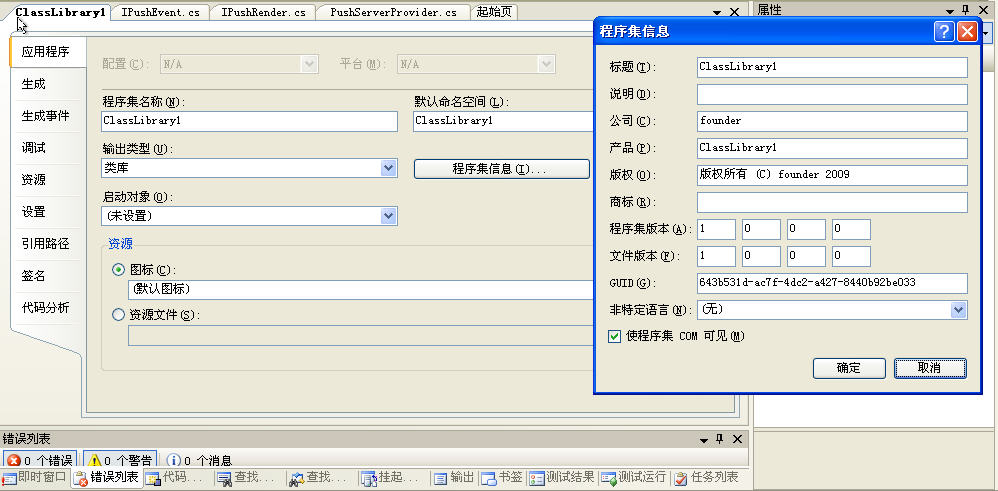
2.右键点击工程->应用程序->程序集信息->使程序集com可见,打上勾
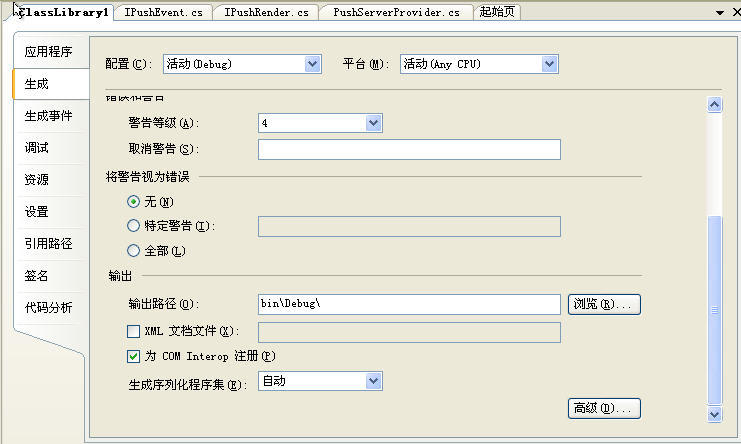
   右键点击工程->生成->为com Interop注册 打上勾
3.GuidAttribute中的Guid

  通过点击工具->创建GUID->选择4->New Guid->copy->粘贴到此外就行 

4.IPushEvent.cs

Code

5.IPushRender.cs

Code

6.

Code

6.编译以后,就要以在开发环境中注册了新生成的com组件,在客户环境中,通过regasm.exe注册com组件

regasm.exe的默认安装路径为:C:\Windows\Microsoft.NET\Framework\v2.0.50727\RegAsm.exe

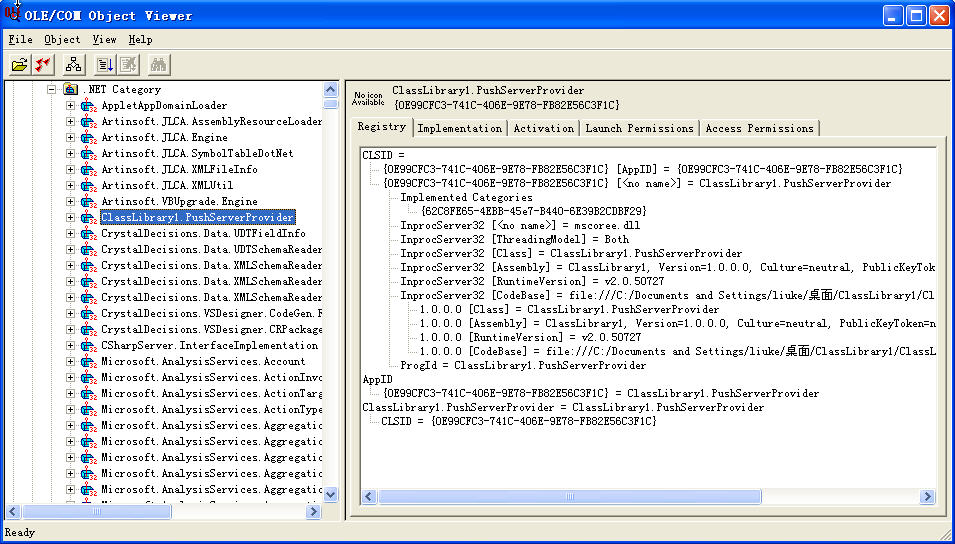
7.可以通过ole/com object viewer可以查看com组件
8.java sdk1.4 通过jacob调用com组件http://danadler.com/jacob/

java测试程序

Code

9.java 事件注册类

import com.jacob.com.Variant;  public class SensorEvents {public void SyncRequestEvent(Variant[] msg)
      {
         System.
out.println("java callback for SyncRequestEvent!");
      }
}

在部署时需要将ClassLibrary1.dll和jacob-1.14.3-x86.dll

使用RegAsm.exe 路径\ClassLibrary1.dll /codebase注册dll

Run->Arguments->VM arguments->  -Djava.library.path=jacob-1.14.3-x86.dll 所在的文件夹路径