


The below tutorial demonstrates how to build ASP.NET Pages within VS 2005 Web Application Projects. Please make sure that you have already completed Tutorial 2: Understanding Code-Behind with VS 2005 Web Application Projects before reviewing this one.
In the first Hello World Tutorial we edited the Default.aspx page that is added automatically when we create a new VS 2005 Web Application project.
Specifically we added an <asp:calendar> and <asp:label> control to the page:
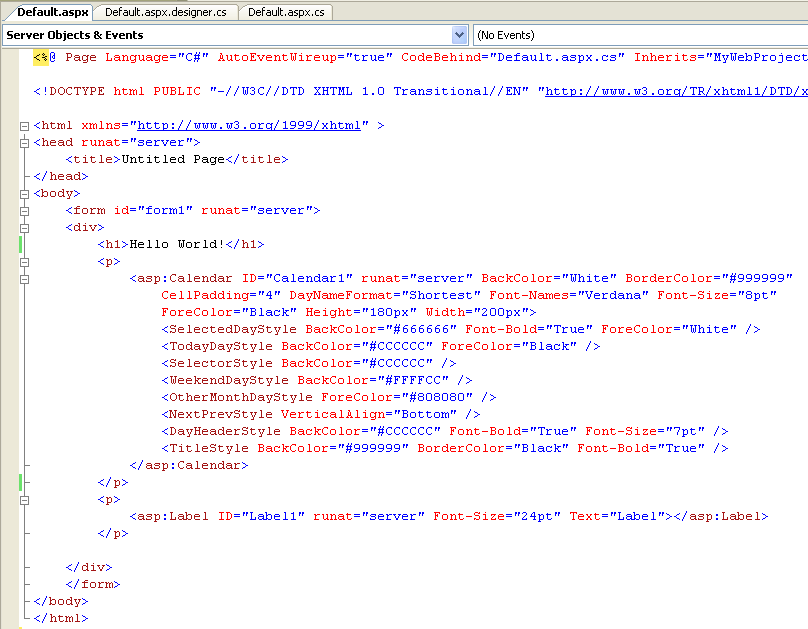
We will want to be able to program against both of these controls within our code-behind file.
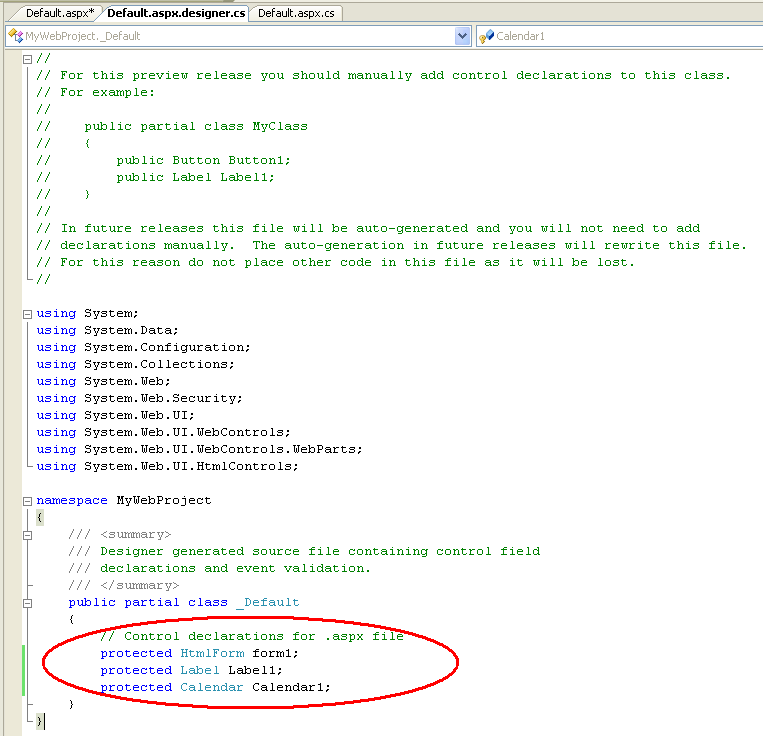
Automatic generation of the code-behind control field declarations into the appropriate .designer.cs file is not yet implemented with this first preview release (this is a tempoary issue -- it will be implemented in the next refresh download).
To manually add the control declarations for the Calendar and Label controls to our Default.aspx.designer.cs file, open the file using the solution explorer and add the appropriate protected control declarations to the partial class:
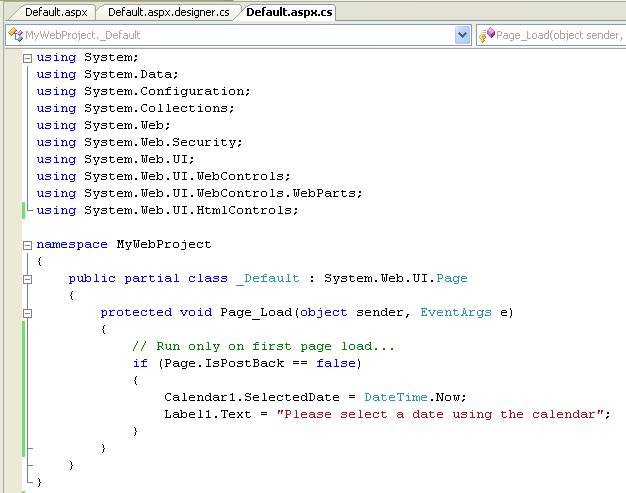
You can then program against these controls using your event-handlers within the code-behind file. For example:
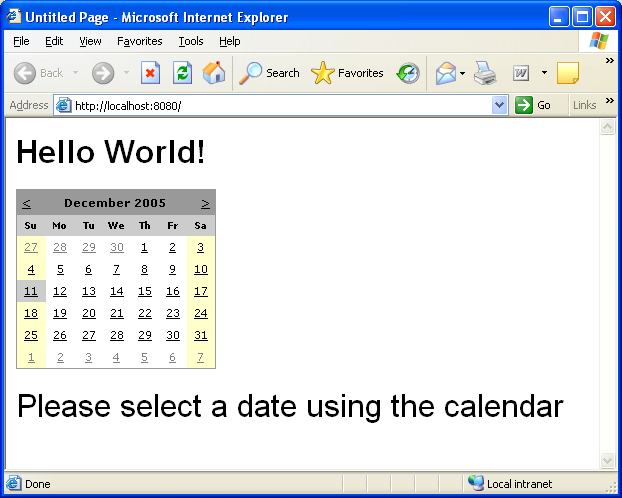
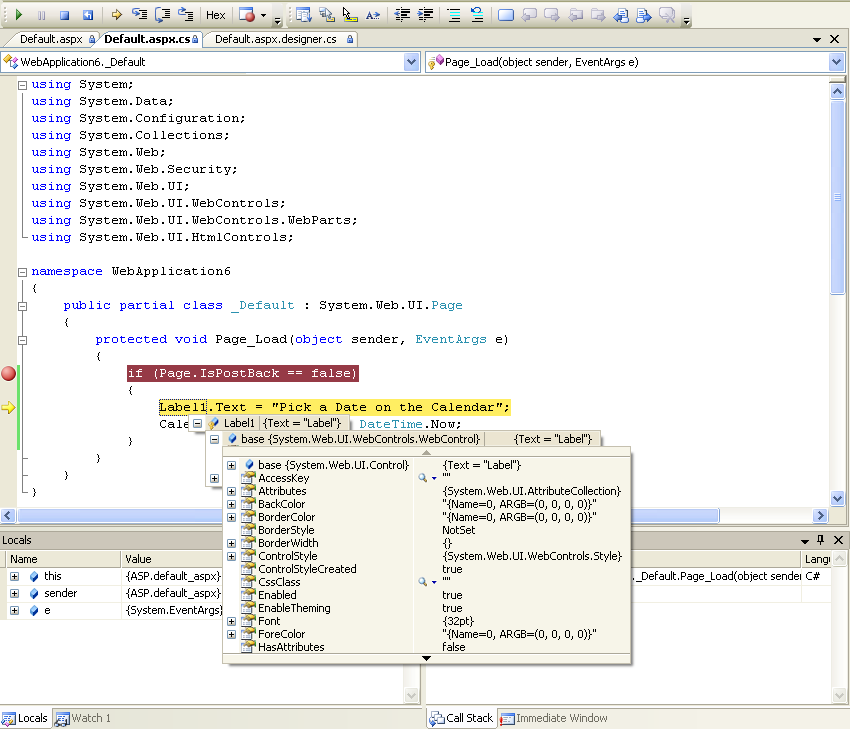
You can then set a breakpoint (press the F9 key on the line to set it on), and then hit F5 to compile, run and debug the page:
To handle a server event from a control on your page, you can either manually add an event-handler to the control yourself (by overridng the OnInit method in your code-behind class and adding the event delegate there), or by using the WYSIWYG designer to generate an event handler.
To use the WYSIWYG designer, click on the "design" tab of the .aspx page to bring up the design-surface. If you want to add the "default" event for the control, you can simply double-click on the control to generate an event handler for it (this is useful for things like buttons, etc). Alternatively, you can select the control on the design-surface and click on the "events" tab of the property-grid. This will then list the events that are available to handle:
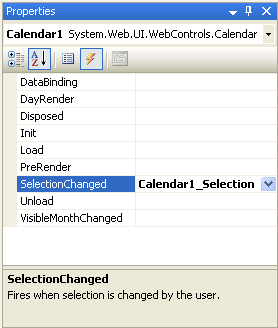
You can double-click on any of the events to automatically add a default named event handler. Alternatively, you can type the name of the event handler you wish to generate.
In the current VS 2005 Web Application Project download, event handlers in C# get added to a <script runat="server"> block within the .aspx page when added through the WYSIWYG designer instead of to the code-behind file.
This will be corrected in a future refresh -- and the event-handlers will obviously be added to the Default.aspx.cs code-behind file instead. In the mean-time, simply do a cut/paste of the generated event-handler from the .aspx file and into the code-behind file (the syntax for the event handler and the binding work the same).
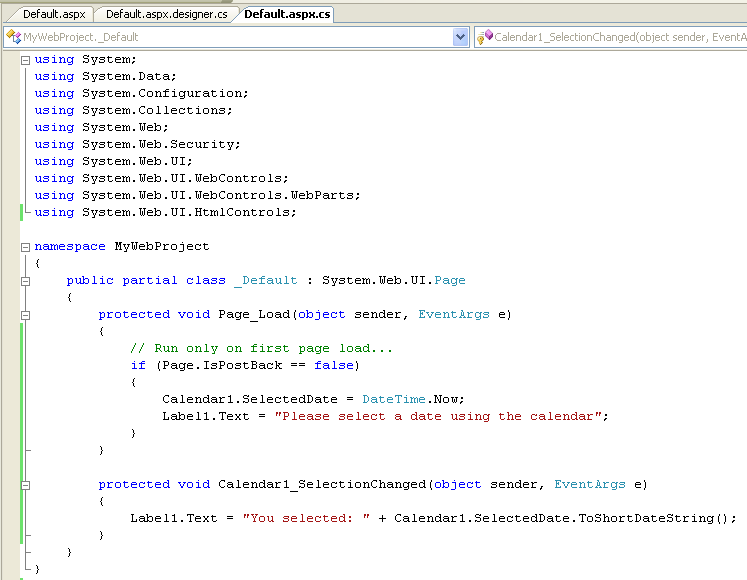
You can then add whatever code you want within the code-behind file:
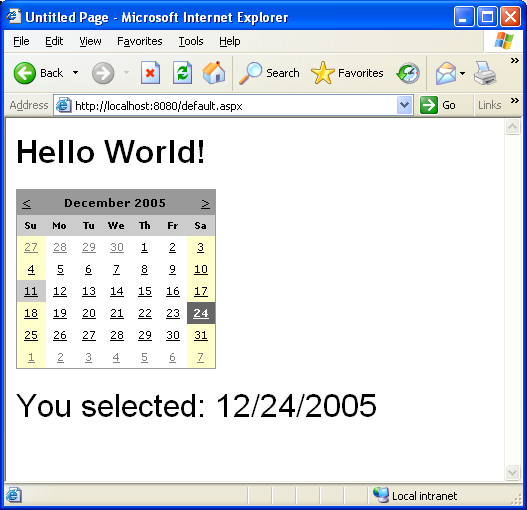
Press F5 (or Ctrl-F5) to build and run the project. Now, when a user selects a date in the calendar, the selected date will be output using the Label control:
此内容由惯性聚合(RSS阅读器)自动聚合整理,仅供阅读参考。 原文来自 — 版权归原作者所有。