


The below tutorial demonstrates how to create and use separate user-control library projects with VS 2005 Web Application Projects. Please make sure that you have already completed Tutorial 5: Using Master Pages and Site Navigation before reviewing this one.
Adding a user-control into an existing web application project is very easy. Simply right-click on the project and choose the "Add New Item" menu item and pick the "Web User Control" template.
What this tutorial will cover is how you can also use VS 2005 Web Application projects to create re-usable libraries of user-controls that are potentially referenced and pulled-in from multiple web projects. This provides additional re-use flexibility with large-scale web-projects, and with VS 2005 Web Application Projects is now easier than it was with VS 2003.
Select File->Add New Project to add a new project to your existing VS Solution. Name the new project "MyUsercontrolLibrary" and make it a VS 2005 Web Application Project:
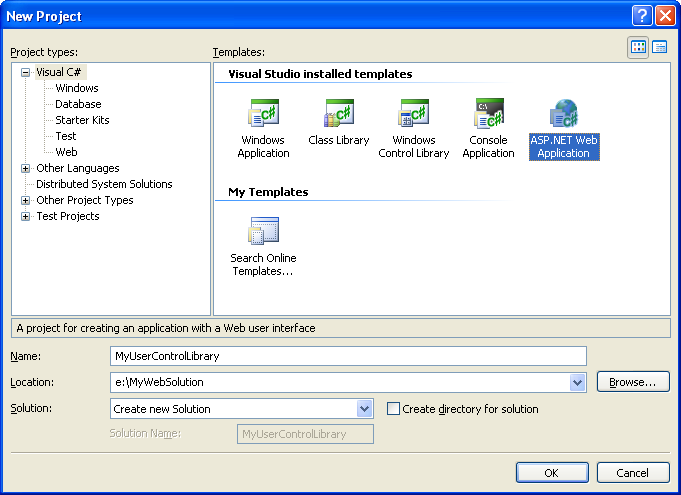
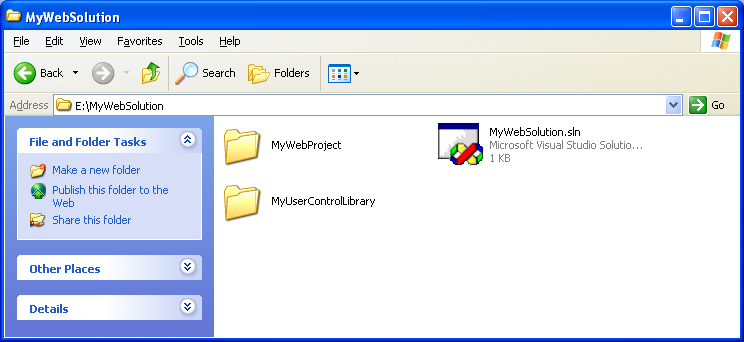
Create it as a peer-directory of the "MyWebProject" project we've been working on - with both project sub-directories stored immediately below the .sln file (note: this isn't a requirement, but can make things easier to manage):
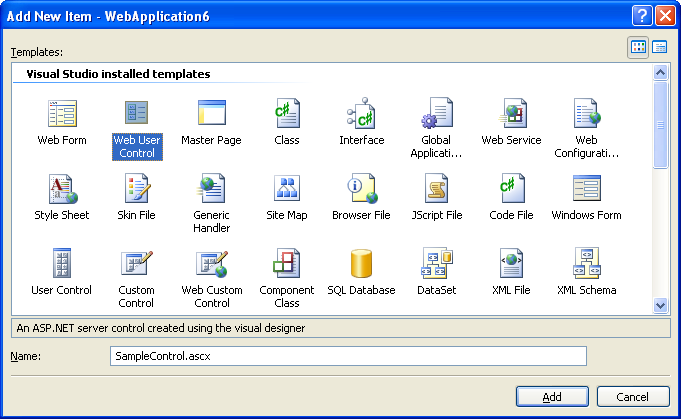
Delete the Default.aspx and Web.config files that are added to new projects by default, and then right-click and add a new user-control to the MyUserControlLibrary project (name it "samplecontrol.ascx"):
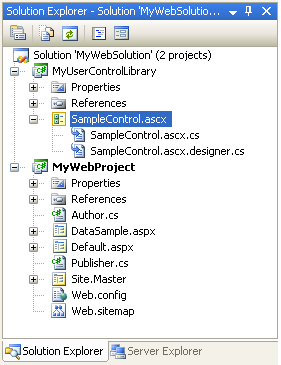
Your solution explorer will then look like:
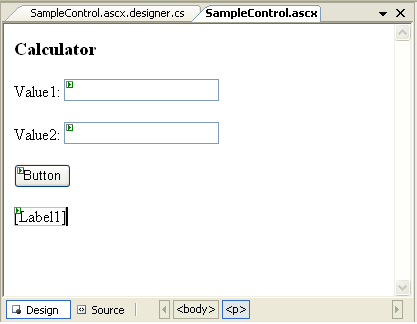
Open up the SampleControl.ascx file, and add two textbox controls, a button, and a label into the user-control:
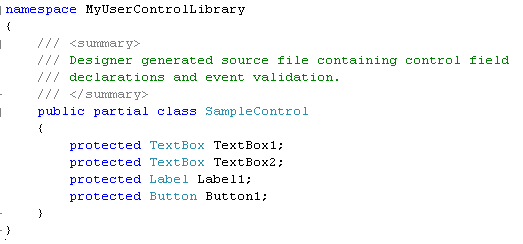
Because the SampleControl.ascx.designer.cs file is not yet automatically updated with this first preview drop, we'll need to manually then add the appropriate control declarations to it in order to use these controls from our code-behind file. This is a temporary step and will not be required with the next preview release of the VS 2005 Web Application Project download:
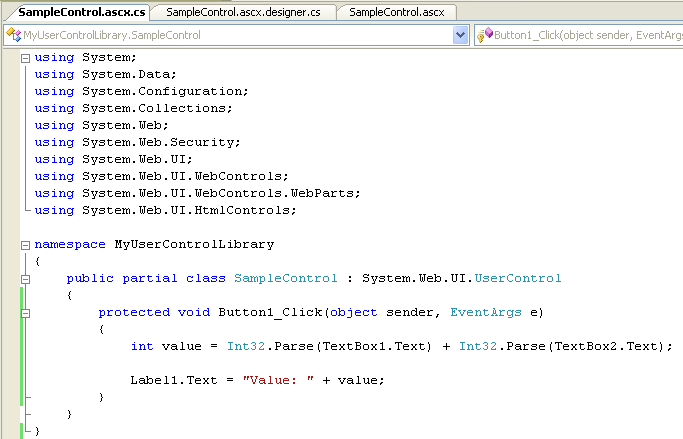
Then create and add a button event-handler to the User-control code-behind file:
Choose Build->Build Solution or hit Ctrl-Shift-B to build the solution and verify there are no errors. You now have a user-control library that you can update and maintain as a separate project. You can add any user-control files, standalone classes, master-pages, or pages in it that you'd like.
There are a couple of different strategies that can be used when consuming user-control library projects. Often you will have a separate solution for managing these projects, and then make a file-based assembly reference to them from your web-project. For this sample, though, we will simply use a project-to-project reference.
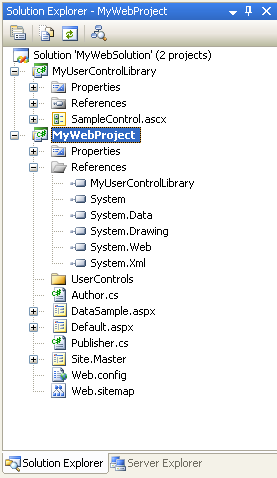
Within your "MyWebProject" project (which is the web app), right-click on the References node and select "Add Reference". Click on the "Projects" tab and select the "MyUsercontrollibrary" project. This will copy and reference the assembly with all the code for our control library.
Then right-click on your root project node, and choose the "Add->New Folder" command. Create an empty directory called "UserControls".
Right-click on the "MyWebProject" project node and pull up the properties for the project. Select the "Build-Events" tab so that we can configure a pre-build event on the project:
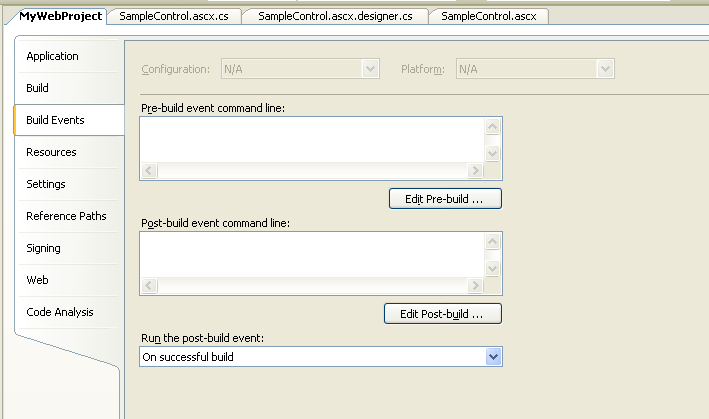
In the pre-build event command-line field enter this command:
copy $(SolutionDir)\MyUserControlLibrary\*.ascx $(ProjectDir)\UserControls\
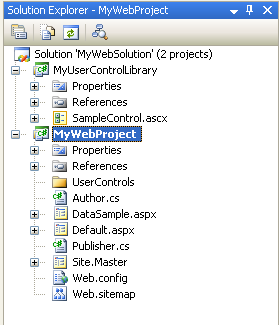
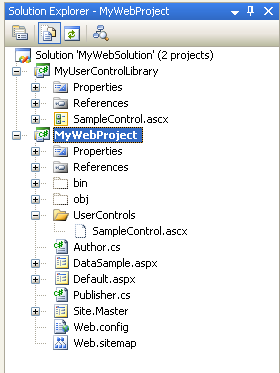
This will copy the .ascx files from the UserControlLibrary into the \UserControls\ sub-directory of the web-application before each build of the project. Choose Build->Build Solution or press Ctrl-Shift-B to build the solution and the project. Notice that when you run the above command, it will copy the .ascx files into the project's usercontrols sub-directory, but not add the .ascx files themselves into the project. This means that they can be easily excluded from source-control for the project.
To see this in action, compare the results of the solution explorer in normal mode:
and then when the "Show All Files" button is clicked (notice that files not part of the project are white):
To use this new user-control, create a new page called "UserControlSample.aspx" in your web application project. Have it use the Site.Master master-page we created earlier, and then register and use the user-control .ascx file:
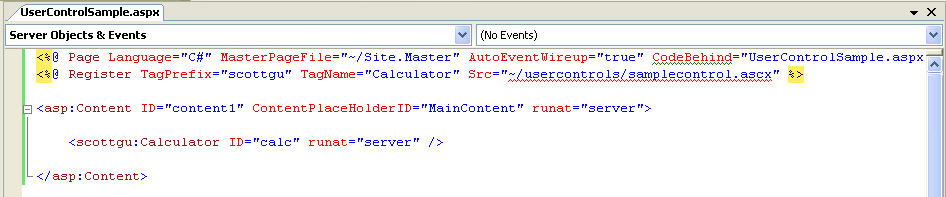
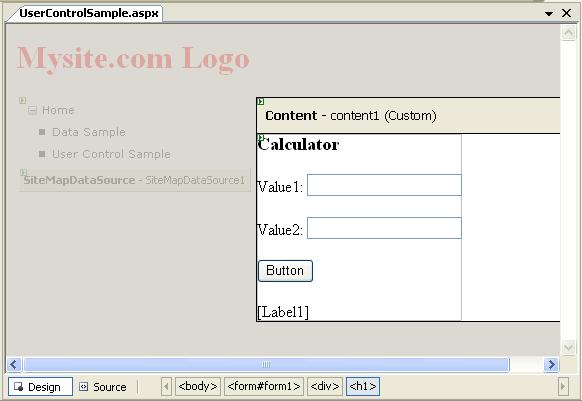
User-controls in VS 2005 are also now supported in WYSIWYG mode. So if you click the "design" tab of the .aspx page, you will see the user-control rendered correctly (instead of the grey-box that was displayed in WYSIWYG mode for user-controls in VS 2003):
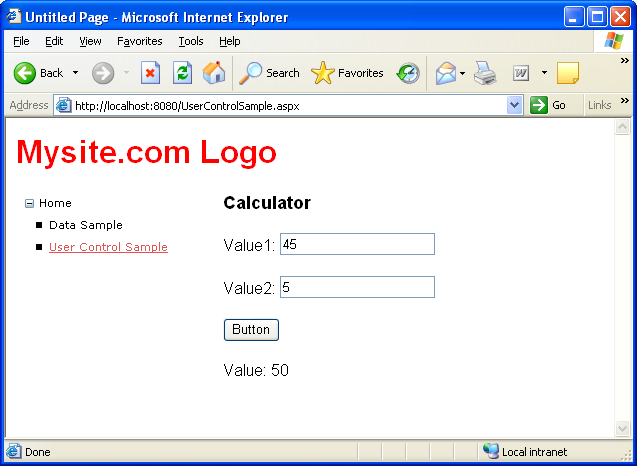
Right-click on the "UserControlsSample.aspx" file in the Solution Explorer and select the "Set as Start Page" context menu-item. Then press either F5 or Ctrl-F5 to build and run the web-application:
You can now make any changes you want to the User-Control library (including adding new user-controls and classes). The consuming web-project will then be kept up-to-date on each build of the solution.
此内容由惯性聚合(RSS阅读器)自动聚合整理,仅供阅读参考。 原文来自 — 版权归原作者所有。