


The below tutorial demonstrates how to build ASP.NET Pages that databind against Objects within VS 2005 Web Application Projects. Please make sure that you have already completed Tutorial 3: Building Pages with VS 2005 Web Application Projects before reviewing this one.
In this sample we'll be data-binding a GridView control on a page to a set of classes in our web application project.
To begin, right-click on the project and select Add->Add New Item to add a new class called "Author" to the project:
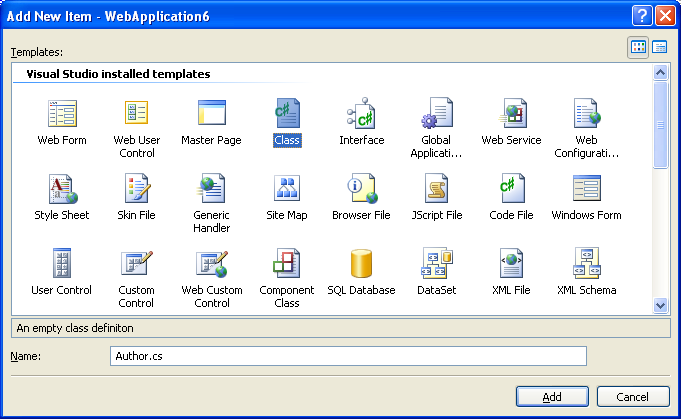
Note that classes can be added into any directory of the web project. There is no requirement that they live under the /app_code directory.
Make the new Author class public and then add some properties and constructors to it:
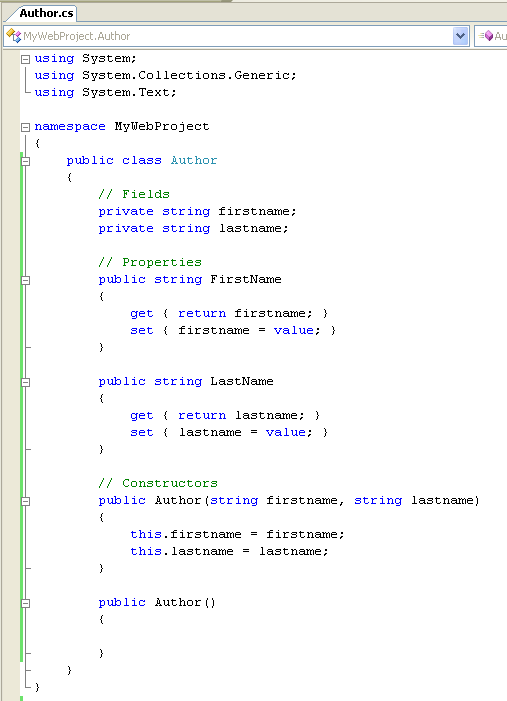
Then add a new class file called "Publisher.cs" to the project and have it implement a method called "GetAuthorsByState":
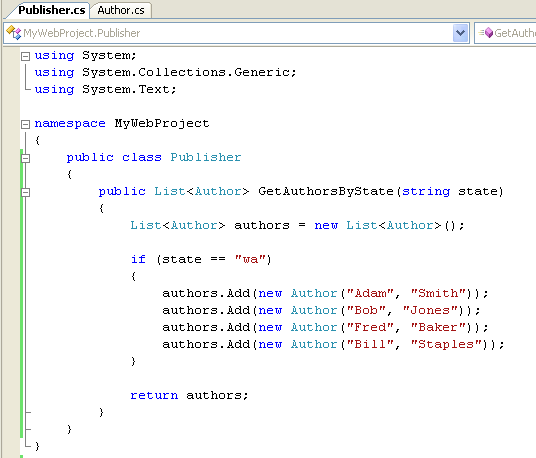
Note that the above method uses Generics (a new feature in V2.0) to return a strongly typed List collection of type "Author".
Choose either the "Build->Build Solution" menu item or choose "Ctrl-Shift-B" to build the project. You now have a set of classes you can use to databind against.
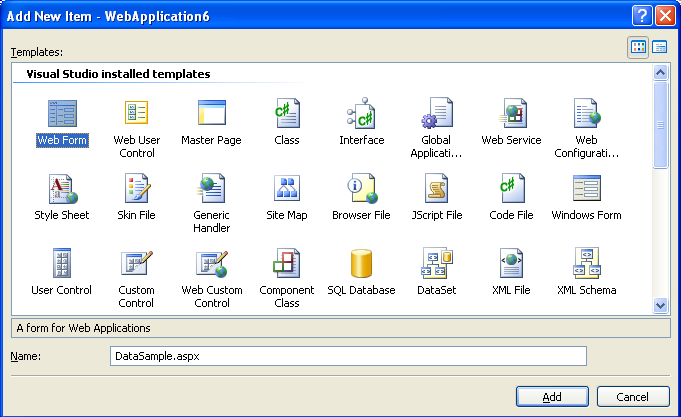
Right-click on the project and select Add->Add New Item to add a new ASP.NET Page called "DataSample.aspx" to the project:
Switch to design-view on the newly created DataSample.aspx page, add a simple page title, a search Textbox called "TextBox1", a button, and then drag/drop a GridView control from the "Data" section of the Toolbox:
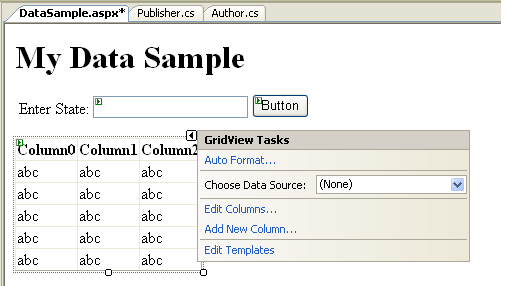
Select "New DataSource" from the drop-downlist in the "Common Tasks" smart-tag menu. Select "Object" as the data-source you want to bind-to. This will then bring up a wizard that lists all classes in your project:
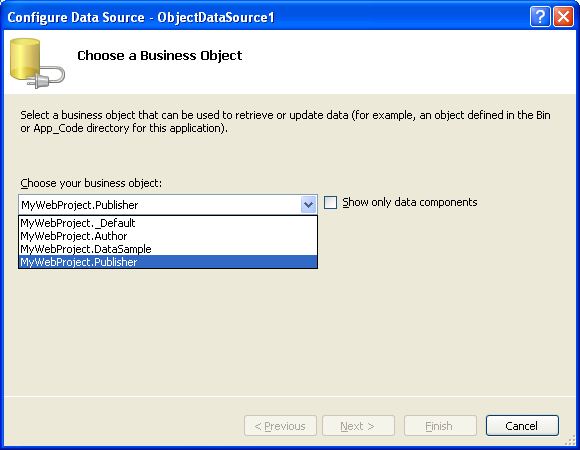
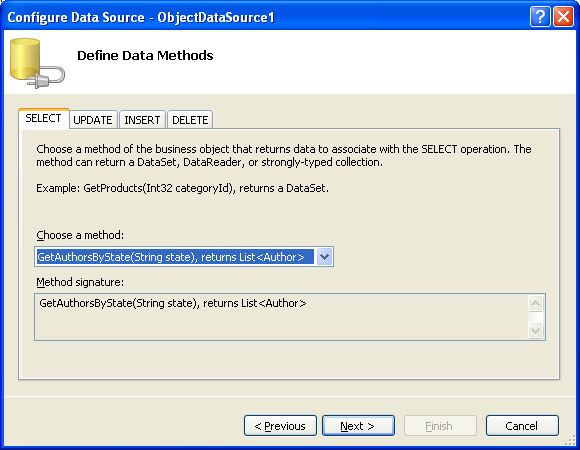
Select the "MyWebProject.Publisher" class, and then hit next. Then choose the "GetAuthorsByState" method as the method to bind against:
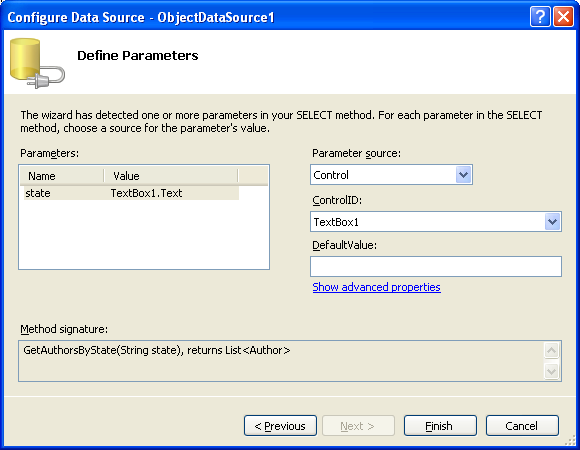
Choose to bind the "state" parameter of the "GetAuthorsByState" method to the TextBox1 on the page (note: change the parameter source to "control" to get this listing):
When you click "finish" the GridView columns will be updated to reflect the public properties in your Author class. Choose the "Auto format" task on the GridView control to make it look a little better:
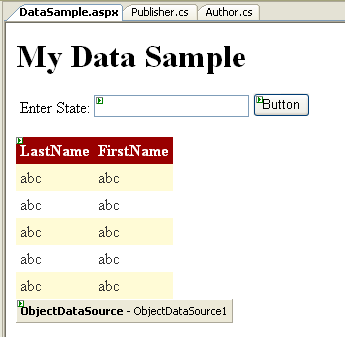
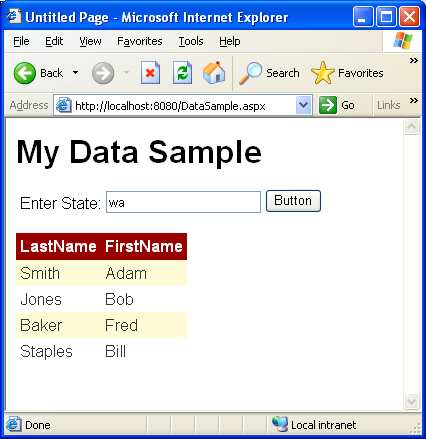
To test the page, select the DataSample.aspx page in the solution explorer, right click, and then select the "Set as Start Page" context menu item. Then hit F5 (or ctrl-f5) to build, run and debug. When you add "wa" as the state parameter you'll get a list of authors:
此内容由惯性聚合(RSS阅读器)自动聚合整理,仅供阅读参考。 原文来自 — 版权归原作者所有。