







Last month we shared a preview of some new tools in Next.js 16.3 that bring instant page navigations to apps built with React Server Components.
We've been adopting these tools in v0, Vercel's full-stack coding platform, and we shared this graph showing how much faster navigations got in production:
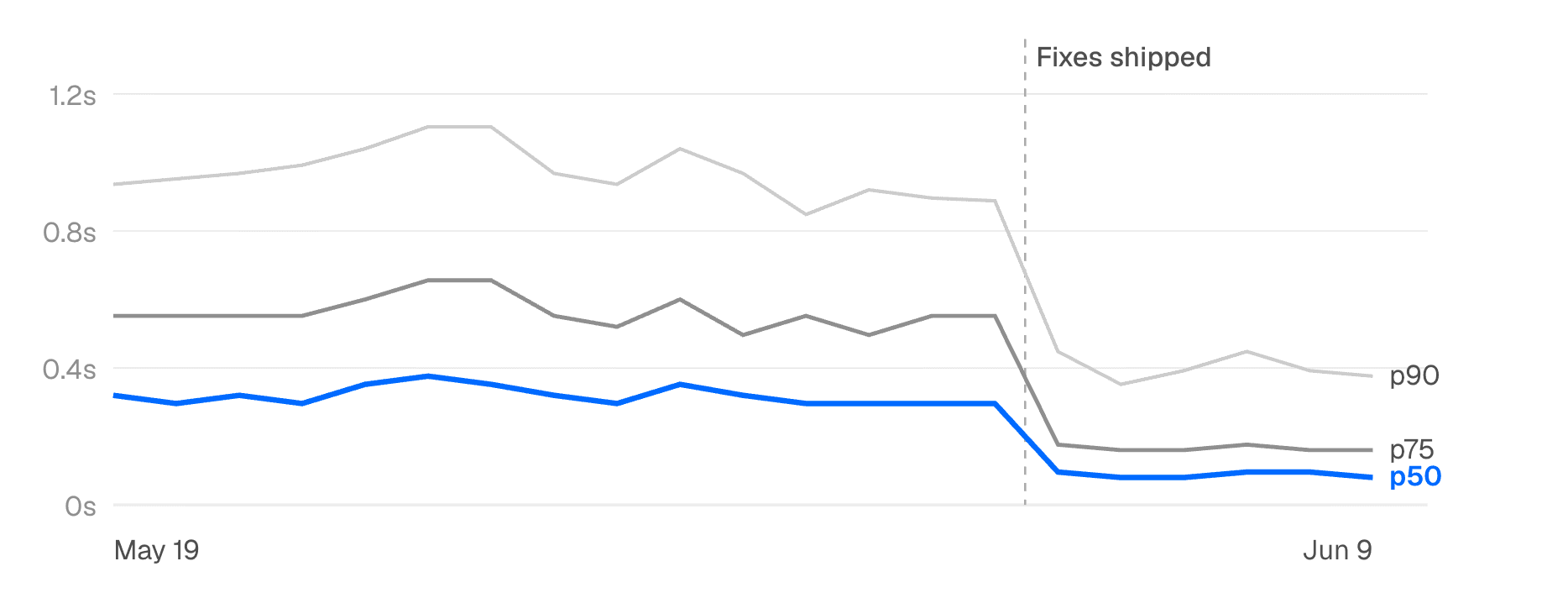
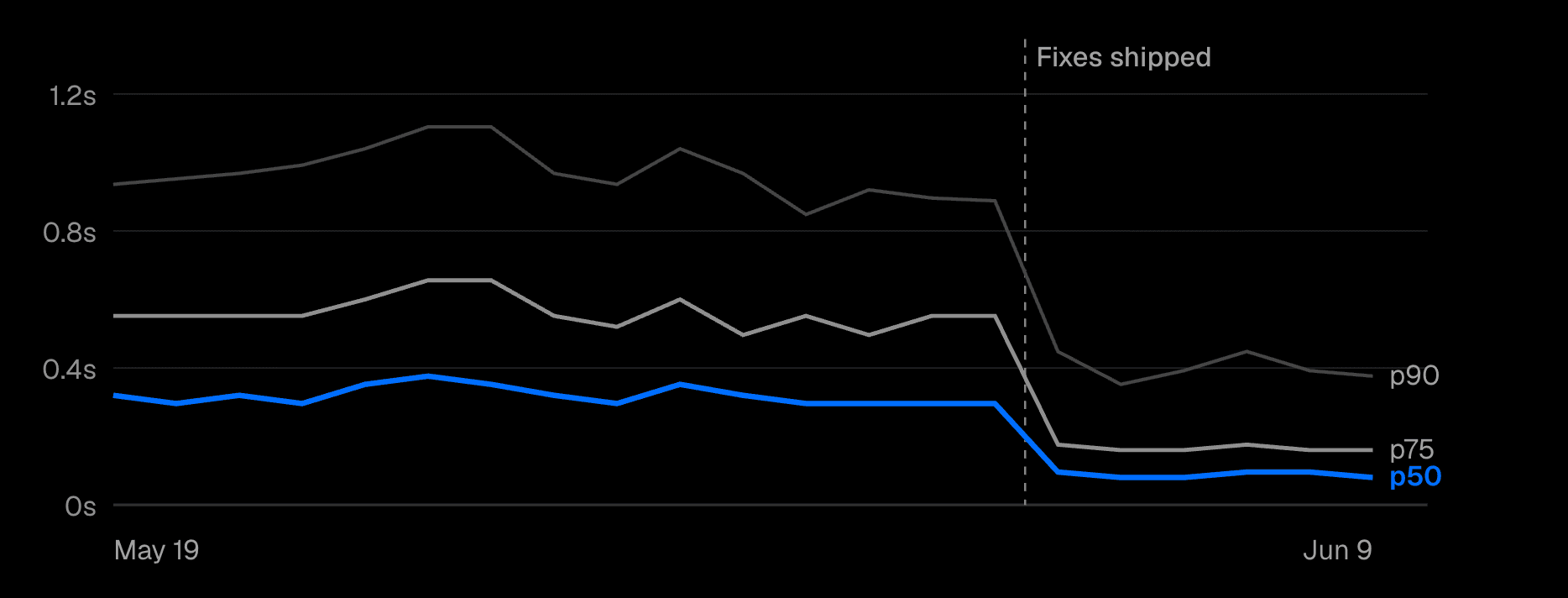
Impressively, these results came from a coding agent using a new Skill to write failing tests, fix the slow navigations, and verify each route.
We'll go over how those tests can assert against slow navigations and how the Skill works.
But first, let's look at the approach Next.js 16.3 takes to making apps like v0 feel snappy, without needing to move any data-fetching or rendering code to the client.
Previously, Next.js offered two main tools to ensure your app would have instant navigations:
This left dynamic, personalized apps like v0 without a good strategy for achieving instant navigations.
Next.js 16.3 fixes this by letting you prerender dynamic content while users browse your app, and caching that content entirely in the browser.
Components that render dynamic, personalized UI can now either define a loading state with Suspense, or mark part of that UI as prerenderable with 'use cache'. In either case, Next.js can extract this UI and load it into the client before a navigation, without needing to fully render the target page or keep that UI static.
This is the first time Next.js has given dynamic apps a way to take advantage of the technology behind Partial Prerendering. Here's what an engineer working on v0 had to say about it:
So, dynamic apps can partially prerender pages at runtime. And that's how they can achieve instant navigations, while still shipping minimal code to the browser.
Now you might be thinking that the only way to verify a navigation is instant would be to refactor your code, run your app, and then click a link to see for yourself. But one of the most novel things about Next.js 16.3 is that it ships with a new primitive that lets you or an agent know that you've made a route instant.
Thanks to this new primitive, agents are perfectly suited to achieve instant navigations in an existing app all on their own.
And that's exactly how we made v0 instant.
To bring these new capabilities to v0, we used an agent running in a loop. For each slow navigation, it wrote a failing test, applied a fix, re-ran the test, and tried again until it passed.
For the loop to run on its own, it needed:
The hardest part of this loop is writing a failing test for something fuzzy like "Make sure this navigation is instant".
Fortunately, Next.js 16.3 had exactly what we needed.
Next.js 16.3 includes an instant() test helper for Playwright.
This helper lets you write tests that pause a navigation and assert which parts of the UI are instantly visible to the user, without any network request:
If the expected content was blocked by the network, the test would fail.
With it, we were ready to kick off the loop.
We now had everything we needed to fix slow navigations in v0.
Here's what our process looked like:
Gather the critical user journeys that are slow. We knew some important navigations in v0 were slow (clicking New Chat from the homepage, navigating around settings, and viewing your profile), so we focused on these. Next.js 16.3 also includes a new Instant Insights feature, which automatically surfaces any non-instant routes during development.
Write the failing tests. The agent wrote a failing test for each of our navigations using the instant() helper. On its own, the agent with the Skill will do its best to capture which part of the UI should be instantly visible, but you can also steer it to include specific parts, for example the "Chats" label on v0's new chat page.
Refactor until all the tests pass. The agent used the patterns in the Skill to apply idiomatic changes to our Next.js code, and kept working until each test was passing. In some cases this involved larger refactors that touched multiple features, which is why using a loop is so powerful.
Commit the changes and the tests. The tests not only helped the agent fix the problematic routes during the loop; they also ensured that future changes would never make these navigations slow again. So, we kept them in the project to run alongside the rest of our test suite in CI.
But what did the changes look like?
In many cases, unblocking a slow navigation just meant moving some dynamic data access below a Suspense boundary, and allowing the rest of the page's content to be included in the shell.
Here's an example:
In other cases, there were larger refactorings that needed to happen, for example moving a blocking dependency out of the root layout and into the components that were using it.
Regardless of the changes needed, the agent was able to apply modern Next.js best practices using the patterns included in the Skill.
By the end, the logged-in and logged-out versions of the homepage, the chat detail page, and every subpage under settings went from blocking to instant, thanks to the agent's work.
We ended up with 16 new tests that captured these results in our test suite. These tests guard against regressions as the codebase continues to change, which is especially important as agents make changes that could undo these optimizations.
You can start taking advantage of Instant Navigations in your own Next.js apps today.
For existing Cache Components apps that have slow navigation sequences you want to polish, the next-cache-components-optimizer Skill has everything you need to run the same loop that we did on v0.
Install it:
...then prompt your agent with a navigation you want to improve:
Make the navigation from '/' to '/chats' instant using the next-cache-components-optimizer skill.
For apps that are not yet on Cache Components, the next-cache-components-adoption Skill will guide your agent through the process of migrating an existing app.
To see the docs for both skills, check out our guide on using AI agents with Next.js.
Anyone who's been building with agents knows the importance of deterministic tests. The more your test suite captures about how you want your app to behave, the better your agents will be able to change and refactor it.
But certain behaviors can be hard to test. Everyone knows the difference between an app that feels polished and snappy versus one that feels janky and unresponsive, but this difference can be hard to capture in a deterministic way.
The instant() test helper is a novel example of how these fuzzier aspects of a high-quality app can be turned into something deterministic. Since it's deeply integrated with the framework, the helper is able to verify things about your app's UX that a generic test helper never could.
We think a verifier like this is one of the most useful things a framework can ship in the agent era, and we plan to continue adding more of them to Next.js.
It's also evidence that even with agents authoring so much of our code, frameworks still matter. An agent can write any code it wants to, but a framework's job is to constrain it so it produces better UIs than it would on its own.
That's the future we're building towards with Next.js.
Try it on your own app, and let us know how it goes:
此内容由惯性聚合(RSS阅读器)自动聚合整理,仅供阅读参考。 原文来自 — 版权归原作者所有。