






Next.js 16.3 Preview is ready for public testing!
We've published a new Next.js release to npm using the @preview tag, so
you can try out 16.3 starting today. We expect to ship a polished stable
release in the coming weeks.
We'd love to hear any feedback you have about the preview on GitHub.
Next.js 16.3 is almost here, and it's packed with a ton of improvements: better rendering under stress thanks to native Node.js streams, faster startup times in local dev, and deeper integration with agent-based workflows.
We'll be covering these features in the coming weeks as we prepare a stable release. But today, we'd like to focus on one new feature we're calling Instant Navigations — a suite of tools that bring the responsiveness of client-driven SPAs to Next.js, without sacrificing the benefits that come with its server-driven model.
Let's see how this feature addresses the long-standing (and valid!) criticism that Server Components can make apps feel unresponsive.
One of the most common frustrations we hear about Next.js apps is that navigations feel slow.
In a server-driven app, navigating usually requires a network roundtrip:
This is not necessarily bad, and it can work well for content-driven websites like newspapers and blogs. But it does make the experience "feel like a website". It's not snappy. Compare this to how client-driven apps do navigations:
This is a common reason why many developers prefer to create SPAs (single-page apps). Even though the server-driven request/response paradigm has many advantages, instant navigations still feel better for many kinds of apps.
We've heard your feedback about this loud and clear.
In Next.js 16.3, we are shipping new opt-in behaviors that let you have the best of both worlds: server-driven apps with instant navigations. You get the full benefits of a server, but navigations are instant like in a single-page app.
Let's have a look at how this works.
To try these new behaviors, enable the Cache Components flag:
Over the last year, we've been simplifying Next.js back to its roots: dynamic by default, with no hidden or implicit caching. This flag enables those new behaviors, and it will become a default in a future major version of Next.js.
Now, when a route awaits some data on the server, you will be presented with a choice between a few options:
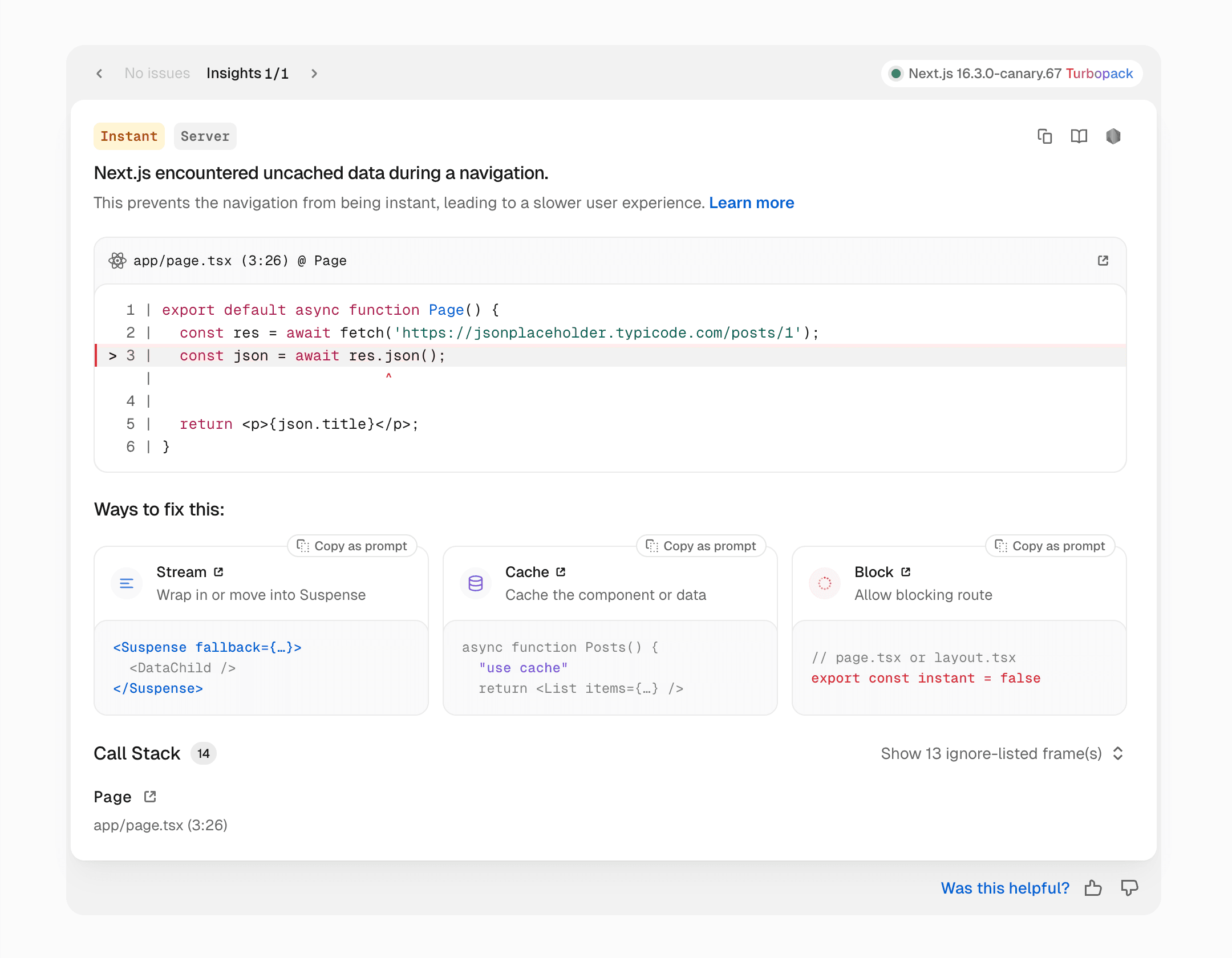
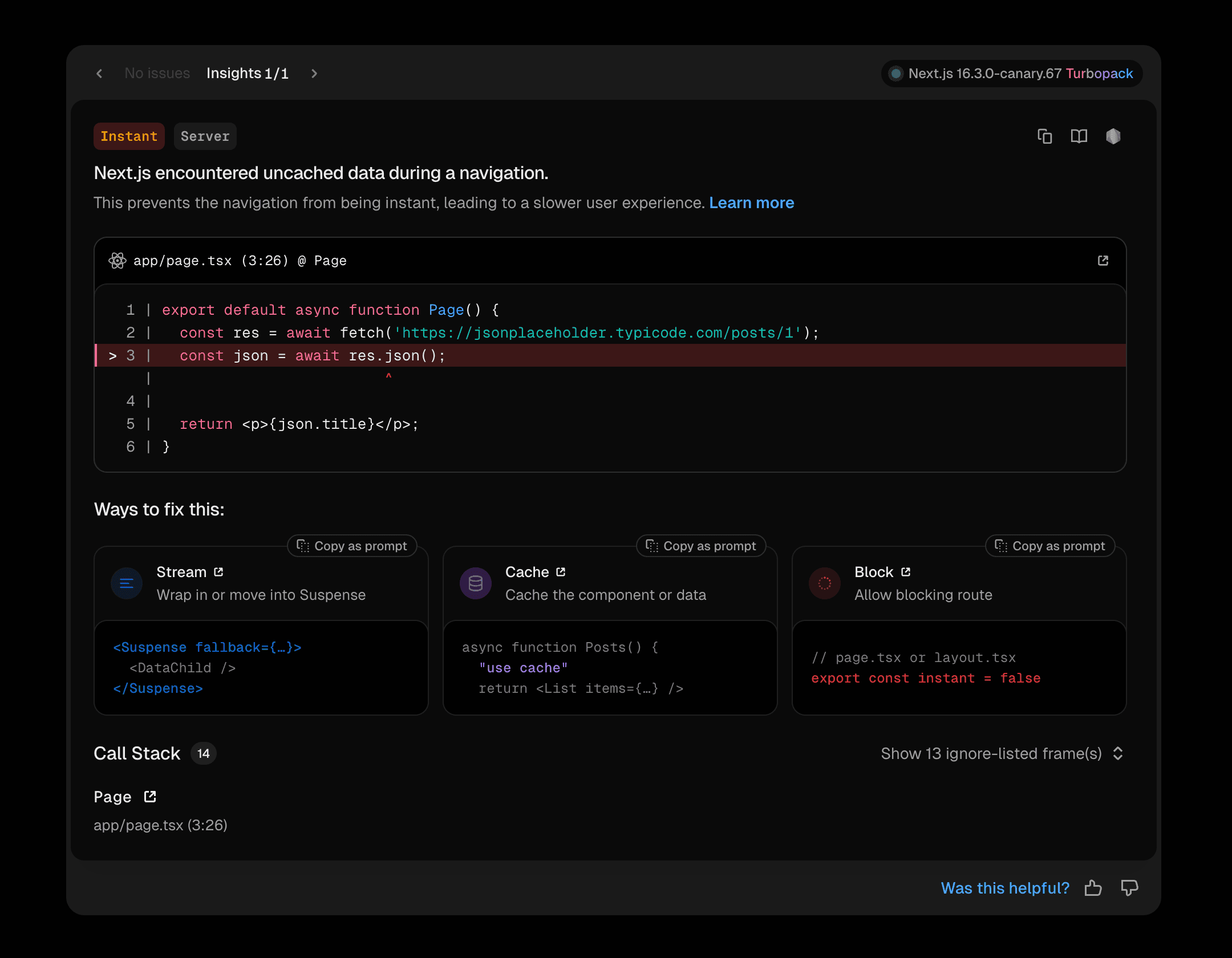
The new Instant Insights panel automatically surfaces slow navigations
What do these options mean?
To make a navigation instant, you "turn" an asynchronous operation into something that can be available instantly:
<Suspense>. The user will instantly see a loading state (with more UI streaming in after).'use cache'. The user will instantly see a previously cached UI (reused between requests).In both cases above, the navigation will feel SPA-like and instant to the user.
However, sometimes you might want to make a certain navigation server-bound. For example, a blog might choose to never show a loading shell for posts. For those cases, you can tell Next.js that you want this navigation to Block:
Then the error dialog will go away.
Notice how this puts you in control. If you want your server-driven app to react to link clicks instantly—without waiting for the network—then you Stream or Cache. If you want some routes to delay navigations, then you Block.
If you're looking to adopt Cache Components for the first time in an existing app, we've put together a Skill you can use to have your agent walk you through the process.
With Instant Insights, we've made slow navigations an error in development. To more easily catch regressions to your instant routes after changes and refactorings, we have also provided an instant test helper for Playwright tests:
This lets you (or your agent) assert more granularly what must be instantly visible after each link click.
We're also exploring ways to surface the errors you see in development during the build process, so any regressions in your instant routes would be caught at build time.
For navigations to feel truly instant (like SPAs), we've needed to close two different gaps:
By Streaming or Caching the response, we get rid of the second gap: the server itself doesn't block. But there's still a gap between the client and the server. How could Next.js "know" the response instantly by the time the user clicks?
Previously, Next.js solved this by sending a prefetch request to the server for every link in the viewport. If you paid attention to the Network tab in the production mode, you might have noticed a flurry of requests on scroll:
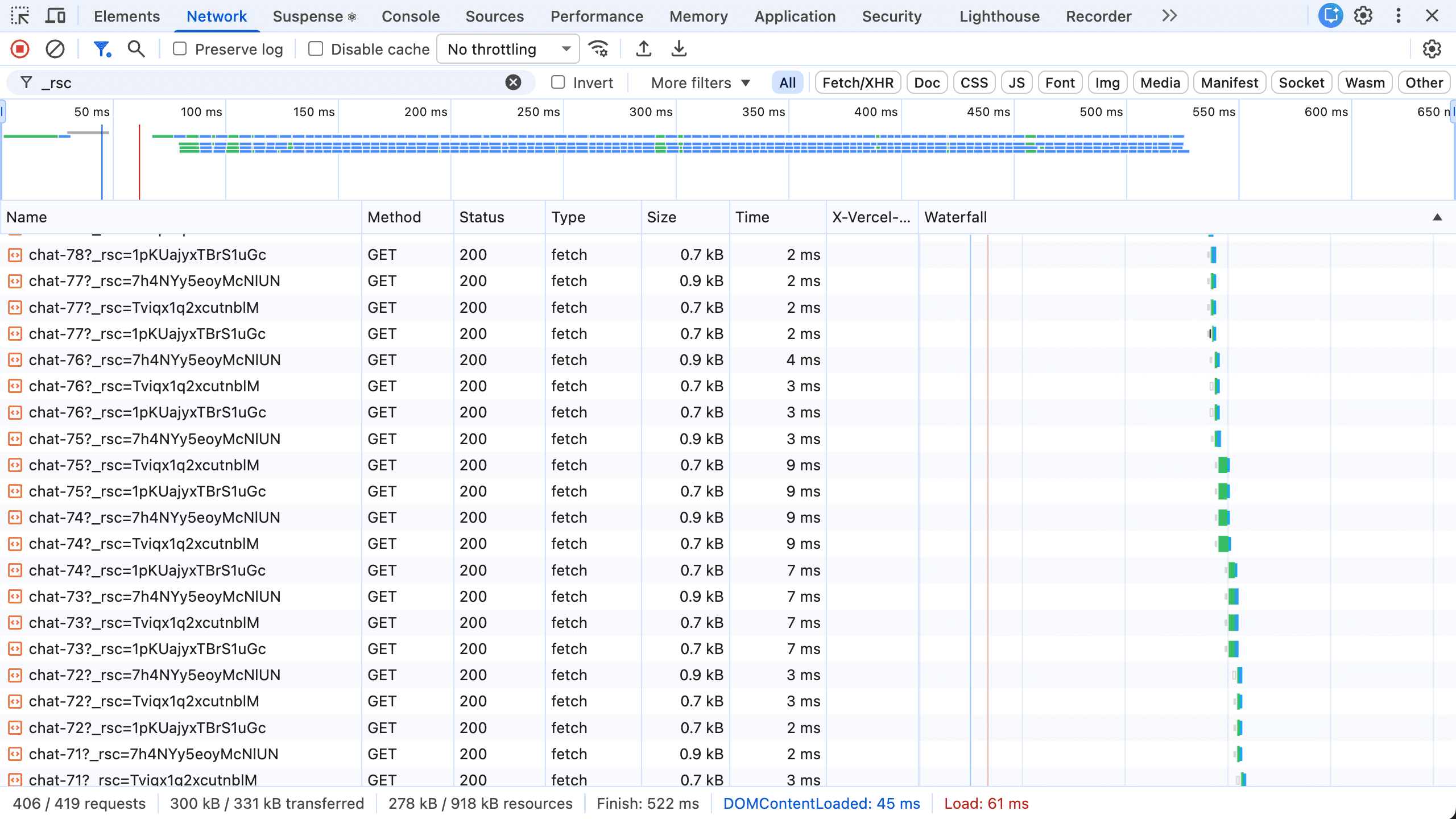
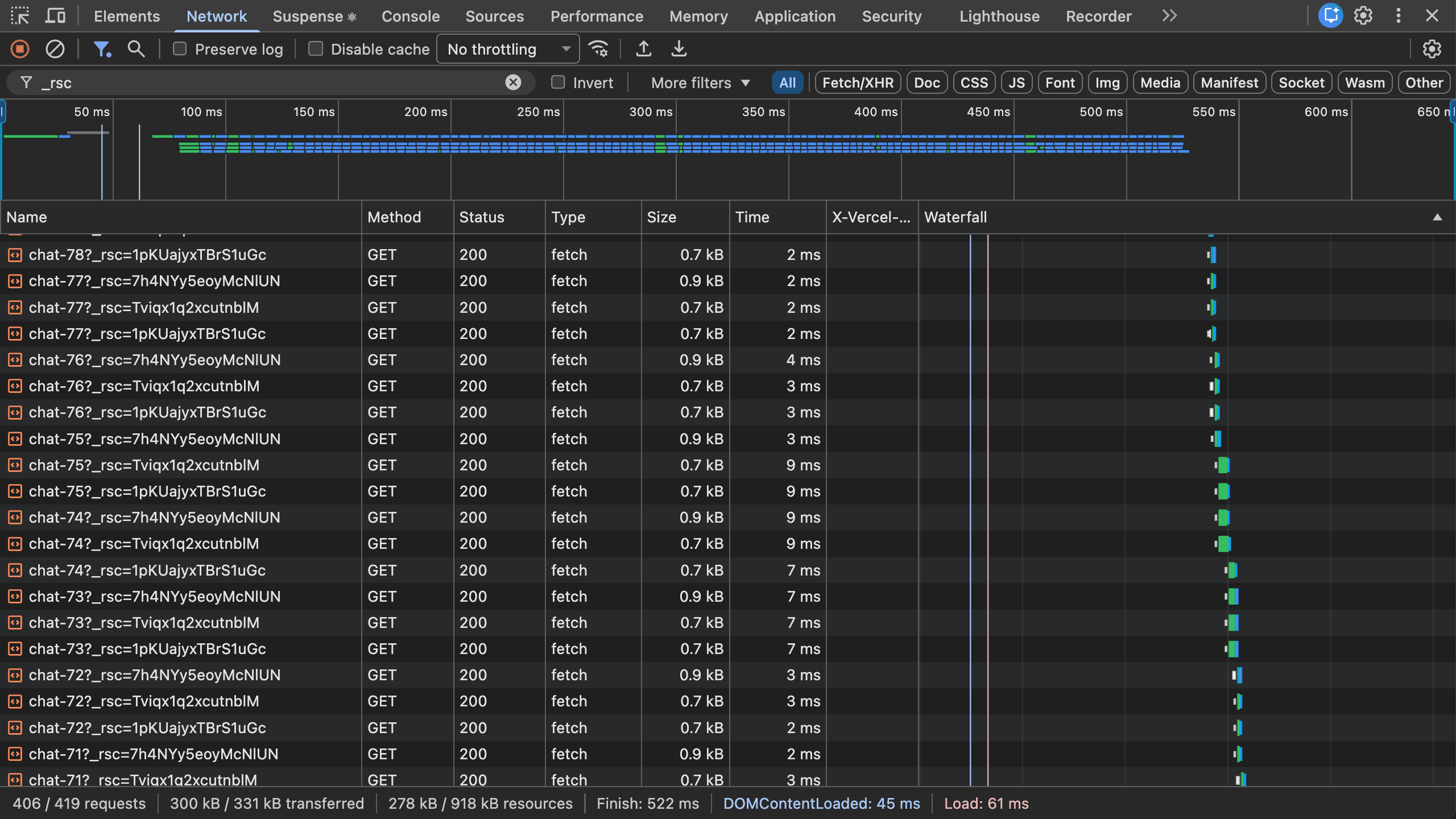
In 16.2, Next.js makes a prefetch request for every link, even if those links point to the same route
Many of you told us that this looked ridiculous, and frankly, we agree.
We've been thinking about how single-page apps solve this. A single-page app is able to respond to each navigation instantly because it bundles all the code that's necessary to display the next page and ships it to the client. It might still need more data—so clicking doesn't display a complete page—but it's enough to display a "shell" of the page.
So we've decided to borrow this trick from single-page apps. Instead of prefetching a page per link, Next.js will now prefetch a reusable shell per route. Those shells will then be cached on the client so they're only fetched once.
For example, if you had a sidebar with twenty chat links, Next.js used to send a separate prefetch request per link. However, with the new behavior, it will only prefetch once per route: a shell for the /chat/[id] route, a shell for the /dashboard route, and so on. Conceptually this is similar to how single-page apps download code with per-route code splitting.
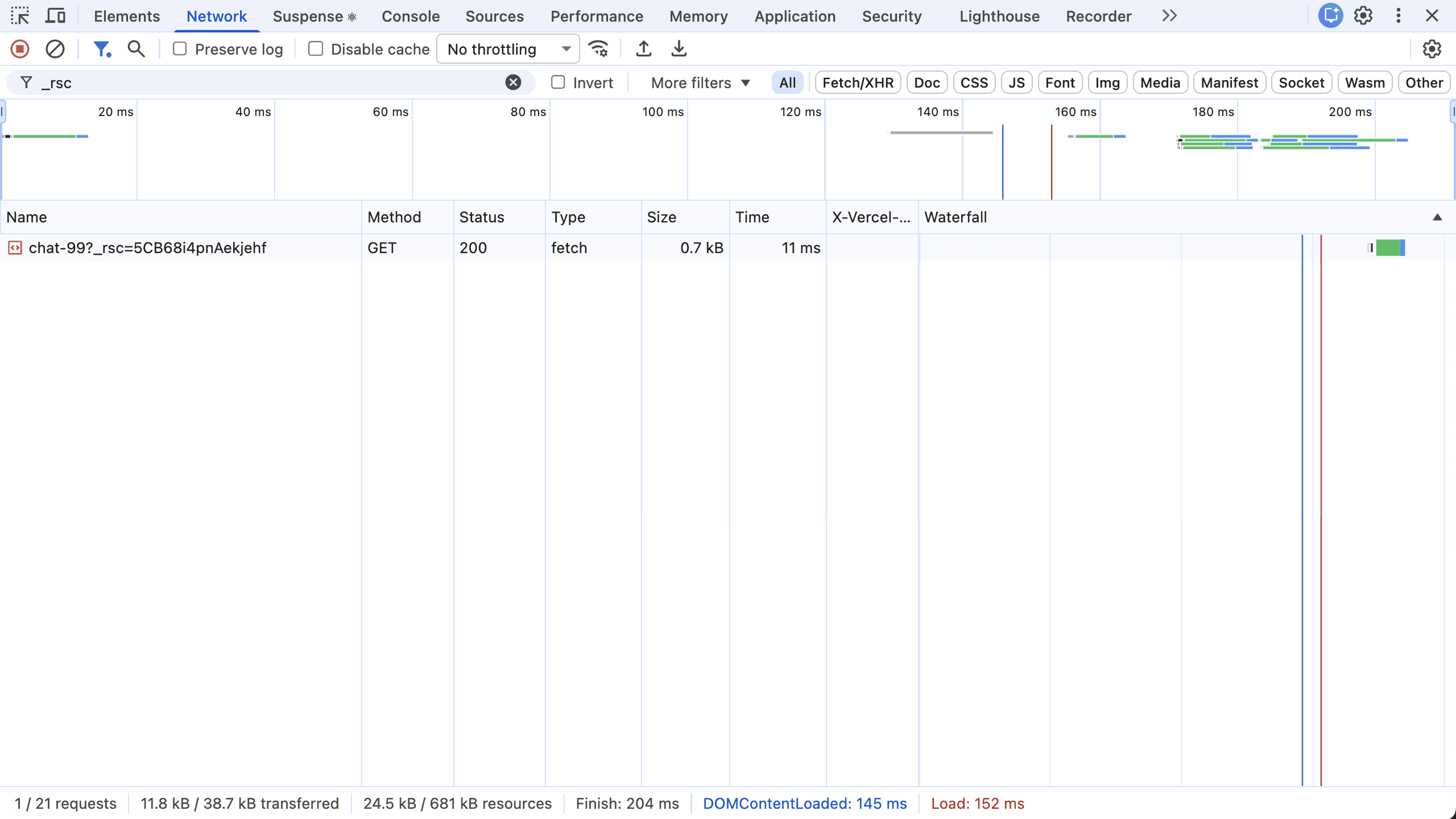
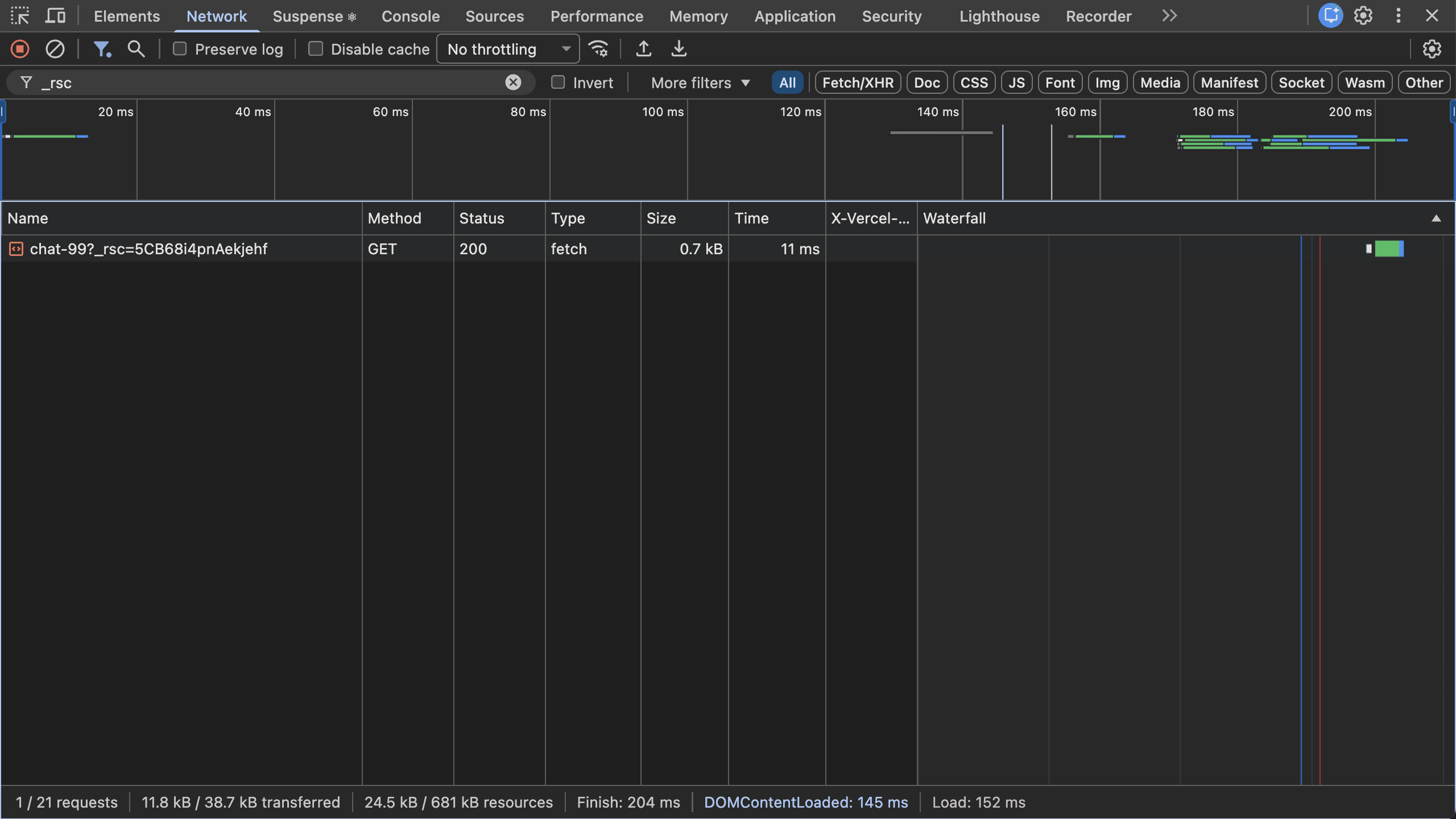
In 16.3, Next.js prefetches a single loading shell per route, and reuses it across links
Because shells are reused across links, they're also a foundation for offline navigation. In a future release, we'll be exploring how prefetched routes could remain navigable when the network briefly disappears.
To try this new prefetching behavior, which we call Partial Prefetching, enable in your Next.js config:
Like with cacheComponents, we plan to make partialPrefetching the default behavior in a future major release.
To make this more visual, we've added a new Navigation Inspector to the Next.js DevTools.
It lets you pause every navigation at the shell so that you can see what gets prefetched for any route:


Then, when you click "Resume", the navigation will show the completed page. This lets you see during development which part of your route can be displayed instantly, and which can only be displayed after the network hop.
Like before, actual prefetching is only enabled in production.
With Partial Prefetching on, we've reduced what Next.js prefetches by default.
Instead of firing off a prefetch request for every link, Next.js will now only prefetch a reusable shell per each distinct route in the viewport (one for Chat page, one for Settings page, and so on), and cache them throughout the session.
However, sometimes, you want to prefetch more than the shell. For example, you might want a chat header to "pop in" instantly on a Chat page. To opt into per-link prefetching, you can add <Link prefetch={true}> to some links.
Note that even in that case, Next.js will not attempt to render the entire route all the way deep. Instead, it will render down to what's available synchronously or marked with 'use cache'. This means that you no longer have to make an "all or nothing" choice with prefetching. The instant shell gives you the baseline, and then <Link prefetch={true}> with 'use cache' lets you add additional per-link prefetching that may include more content.
To keep the costs conservative, per-link prefetching is limited to the content known at build time. If you don't mind extra server load, export const prefetch = 'allow-runtime' extends it to request-time cached content.
We've been adopting these tools on v0 ahead of this release. v0 has lots of rich client features, but navigations had been falling short of feeling instant for a while.
Instant Insights pointed us at the routes that weren't navigating instantly. Here's how navigations got faster once we started working through the fixes:
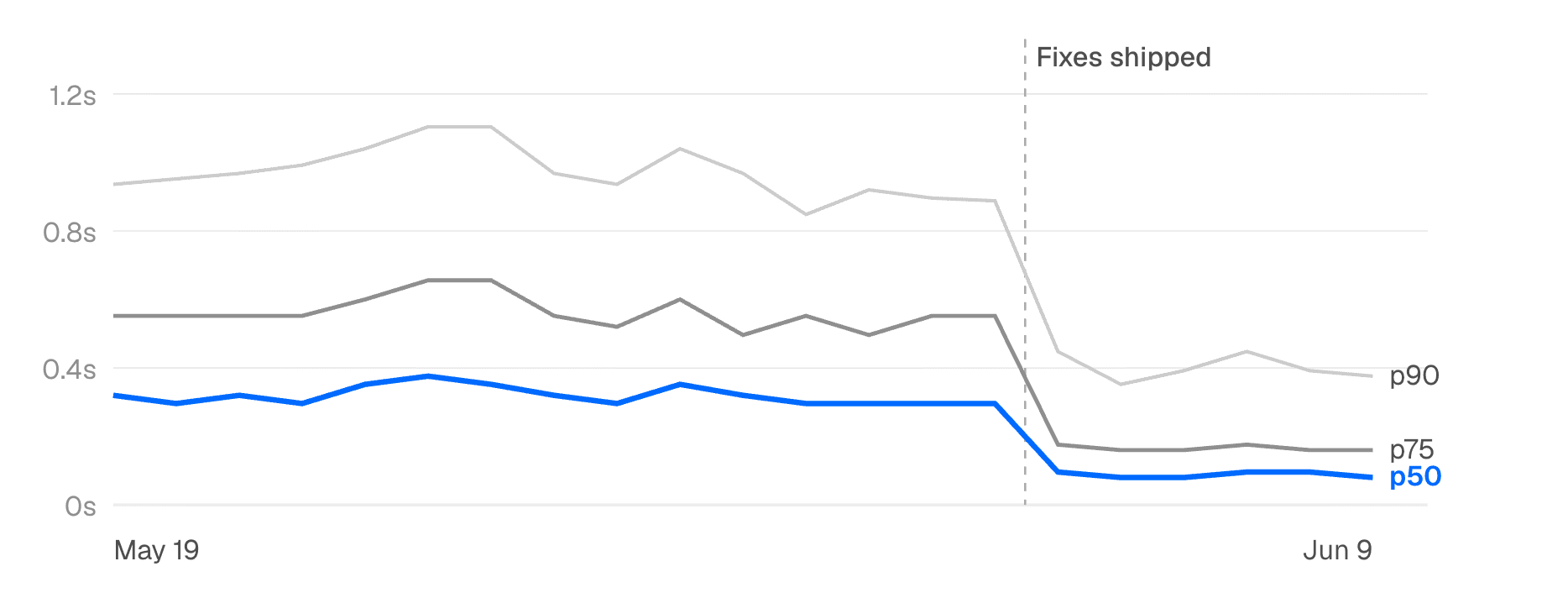
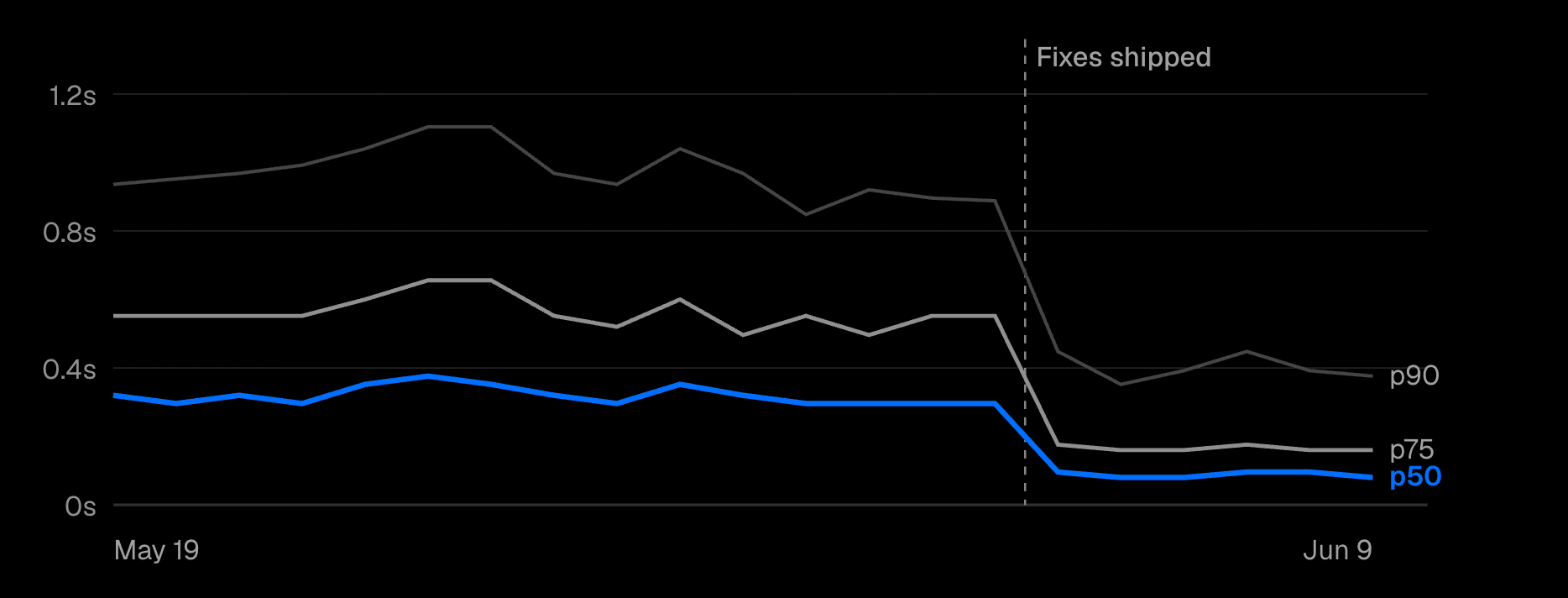
We'll share the specific patterns we landed on in a follow-up post. We're also still optimizing the prefetching improvements described earlier, so we expect these numbers to get closer to zero.
To sum up, we've been working to let your app have Instant Navigations similar to a SPA:
<Suspense> or Cache with 'use cache', navigations to your route will be instant.export const instant = false, you opt out of enforcing instant navigations to that route.instant() test helper to avoid regressions, and Navigation Inspector to visually inspect shells.<Link prefetch> and 'use cache'.These changes are gated behind cacheComponents: true and partialPrefetching: true flags.
With these changes, we are making the Next.js first-click navigation experience just as good as in single-page apps, but without giving up the benefits of the server-centric mental model and the overall performance that it allows.
To try out Instant Navigations for yourself, install the 16.3 Preview today:
Check out the preview docs for Instant Navigations for more information.
This is a pre-production release. Although our own apps are using it, use discretion before deploying to real users. Changes are likely before the final stable release.
We'd love to hear any feedback you have on GitHub, and we'll continue to publish updates to the preview tag as we work towards a polished stable release.
There are known issues in Preview that we're actively working on. These will be fixed prior to our stable release.
There are some cases where a blocking route won't get reported as an Instant Insight. When Partial Prefetching is enabled, accessing params inside of a shell will cause a route to block, but this won't be reported as an Instant Insight. The Navigation Inspector and instant() test helper are unaffected.
There are some issues with the Instant Insights tooling in Safari. In development, use Chrome or Firefox for best results.
Check back here to see when these issues get resolved.
Share your feedback and help shape the future of Next.js:
此内容由惯性聚合(RSS阅读器)自动聚合整理,仅供阅读参考。 原文来自 — 版权归原作者所有。