





In iOS26, Safari dropped support for/broke theme-color; the meta tag you coud add to your head to get colored bits at the top and bottom of your websites.
This matters because their current manner of providing the appropriate color for tab-tinting doesn’t work either.
Aside: You could also set the theme color value in the Web Application site.webmanifest file as a “theme_color” key, but the meta tag would supercede that value.
Some things to bring you up to speed.
In iOS26, when you add a website to your homepage, with a (not so slick) Share > More… > Add to Home Screen, by default that web page will open as a ‘web app’ with the minimum chrome and no URL bar. You no longer need to have a site.webmanifest file at the root of the website, or the <meta name='apple-mobile-web-app-capable'> tag in your head.
In order for things like env(safe-area-inset-bottom) to work in CSS, ensure your viewport meta tag has the cover part in, <meta name="viewport" content="width=device-width, initial-scale=1, viewport-fit=cover">.
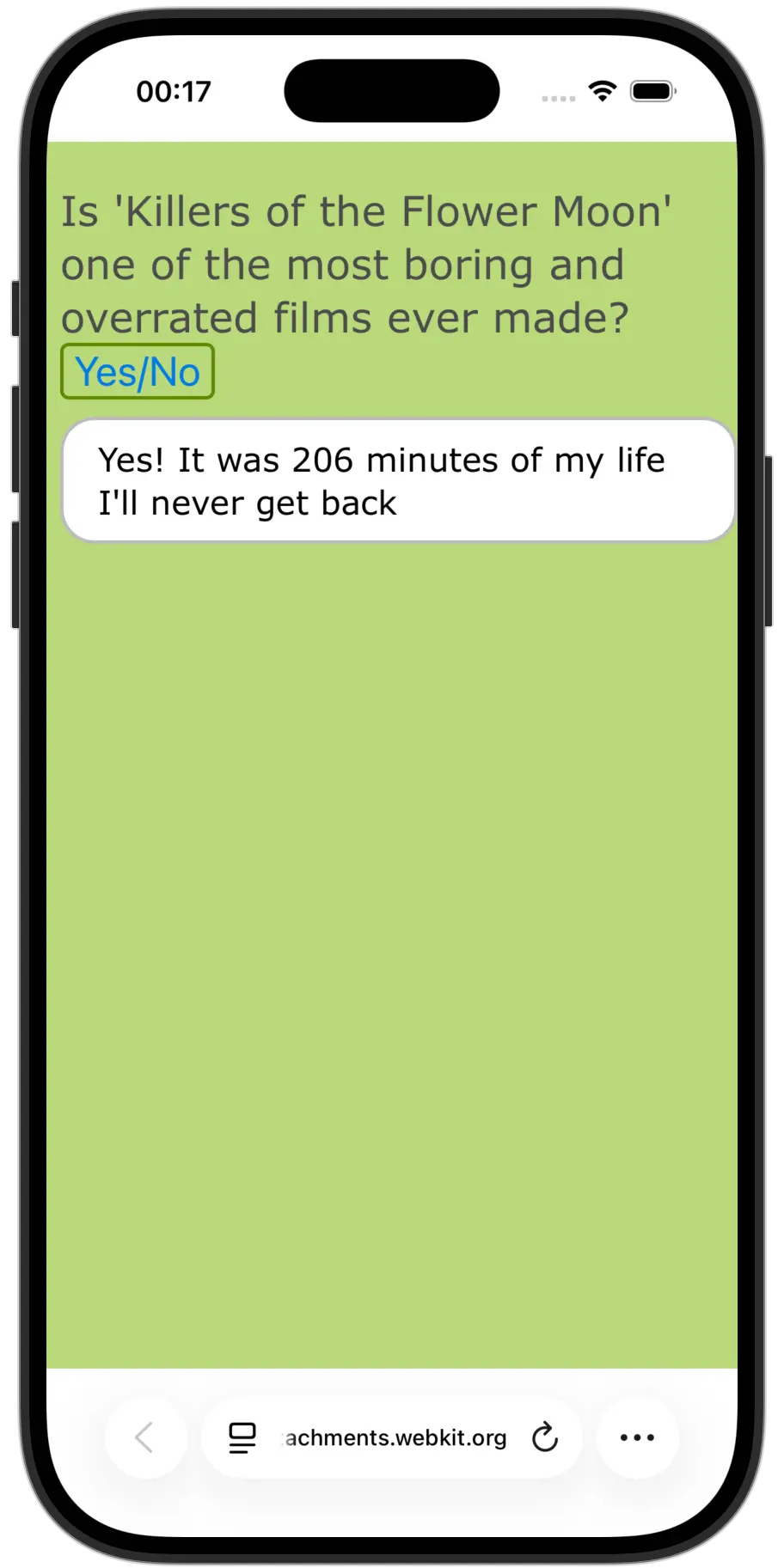
By default, that tint color is taken from the background color of the body. Except when you show a fixed position element. That’s where things ‘go south’ as iOS then tries to use the background-color of the fixed position element to color the ‘forehead’ and ‘chin’.
It’s particularly annoying when you try to use something like popover, or dialog. The reduction I am showing uses popover. and you can see that the ‘tint’ takes on the color of the fixed element, which I certainly don’t want.
So, open my bug report and click the reduction in a iOS26.1 device or the iOS Simulator, add it to homescreen and then open it up, click the button and see the top/bottom areas change color to match the modal/fixed position element. Yes, that.
Attempted workaround
I intended to workaround the issue in the mean time by setting a background-color on the fixed elements, the same as the color I want my header/tab-tint, and then adding a background-image: linear-gradient() with two color stops the color I actually want the background of my popup/dialog. Sadly, that doesn’t work, it actually somewhat worse as you do get that color, but the main content of the site sits within the safe area, so a nice semi-transparent ::background on dialog or popover just looks horrid.
I’m afraid I’m out of ideas other than waiting for WebKit to fix it. Here is the bug I opened on WebKit: https://bugs.webkit.org/show_bug.cgi?id=302272 but that got marked as a duplicate of https://bugs.webkit.org/show_bug.cgi?id=300965 which is now marked as resolved. So that’s good news. Maybe iOS 26.2 will have the fix.
In the meantime, I encourage you to go and read the latter as it’s quite funny and although I would not approach things in the manner that poster did, I couldn’t help but agree with the sentiment.
"You should be ashamed of yourself shipping this garbage at 3+ trillion at capitalization"