


Want the video version? Find it on YouTube here: https://youtu.be/1hqwPiRHLtQ?si=bMroc6eVd0chQbU0
I originally reviewed the Advantage360 Pro back in November of 2022. And that was an overwhelmingly positive review. But not without some grumbles. For example, the configuration software on the Pro version was extremely clunky, and there was also Bluetooth connection issues at times.
Since then, the Advantage360 has had some changes. Major new firmware has been released to mitigate the Bluetooth connection issues. New switch choices have been added. The Keycaps have got a more pronounced scoop, and the Advantage360 has some new case colour options, like this super cool storm-trooper white.
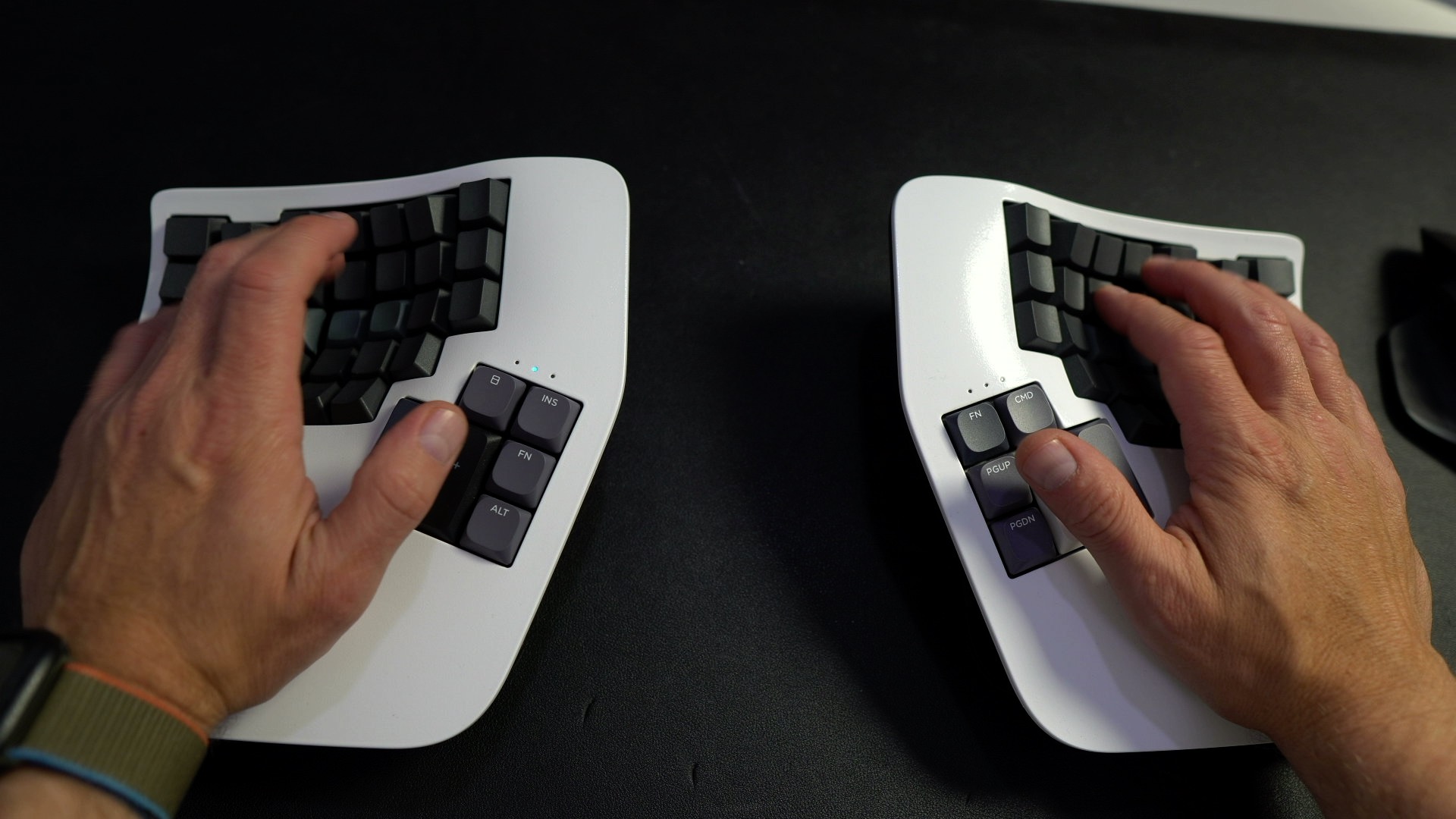
All the positives I called out in my original review still stand so here, I’m just going to give you a quick overview…
Build Quality
The build quality of the Advantage360 is top class. I love the ratcheting 3-position tenting solution. Even if it is not as fine grained as those on say the Glove80, or Dygma Defy, it’s incredibly simple to operate and absolutely solid. The key well remains super comfortable, lessening the distance between your fingers and the keys and subsequently reducing strain.
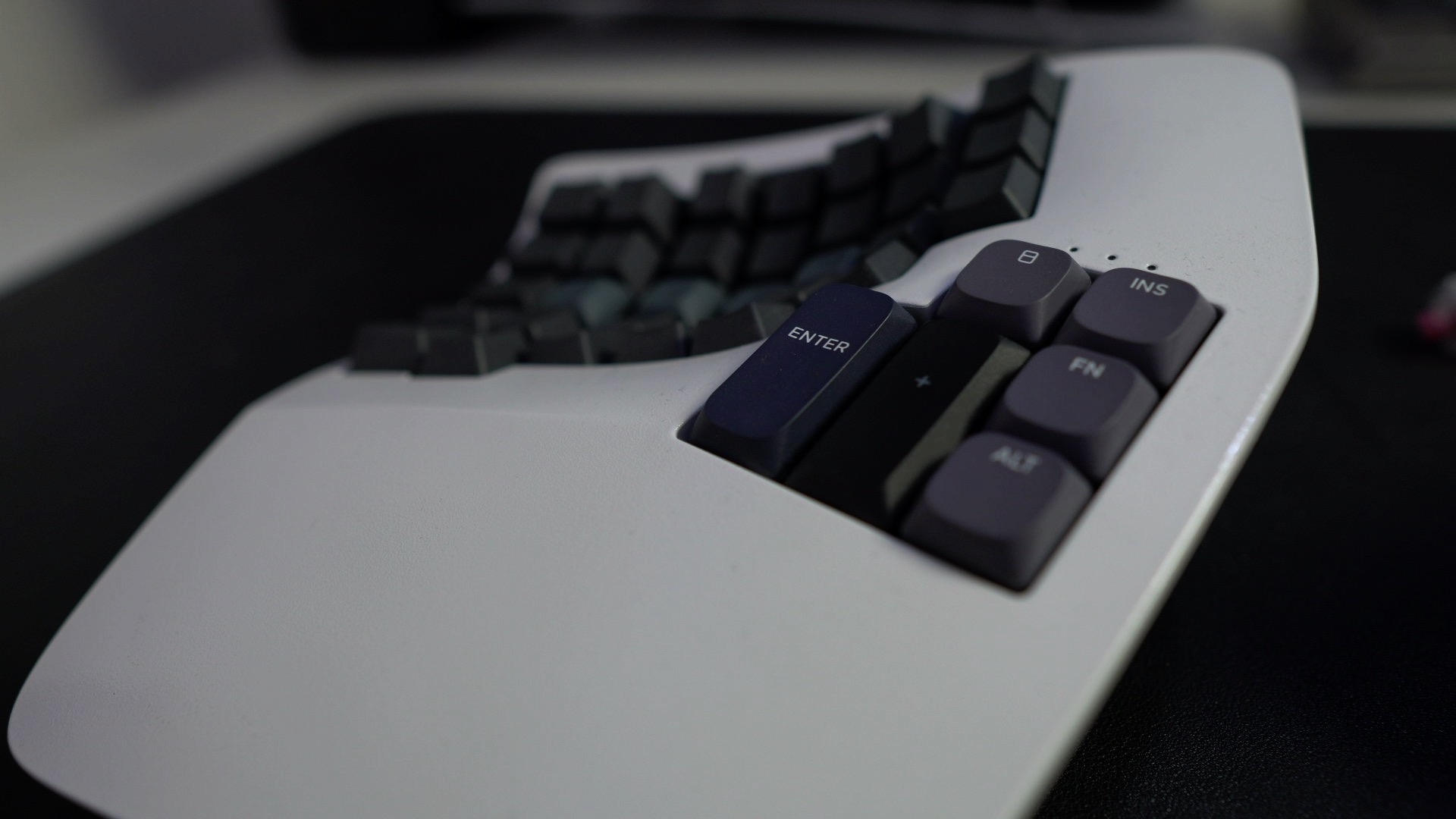
I like the thumb clusters having different sized keys, even if the height of the thumb cluster, comparative to the rest of my hand, wouldn’t be my preference. More of that later.
I’m a fan of the general layout of the 360. I’m fine with no function row, as I barely need it but that might be a consideration for you. And I also like having slightly wider keys at the outer edges. That’s something I also enjoy on the various Boardwalk and Promenade boards I have. I also like the indicator LEDS that give instant feedback for pairing and battery status. And it just feels super super solid and dependable in use. There is a deep resonance as you type on the Advantage360. That’s something some people just don’t care about but I really appreciate. It feels like a substantial piece of kit.
Let’s be clear, this isn’t the kind of keyboard to sling in your backpack; this is the kind of keyboard to sit front and center on your desk and stay there. I criticised Kinesis in the original review for not including a carry case for the 360, but I’ve subsequently come to appreciate that if you want a keyboard for travelling, at a weight of 1.5KG, this probably isn’t the best choice anyway.
So that’s all stuff I’ve pretty much covered in the first review. And the changes I mentioned at the top wouldn’t necessarily be good enough reason to revisit the 360. However, I have other, more personal reasons.
Why I’m back
Some months back, I had opened a dialogue with Kinesis, giving them feedback about some problems I had with the 360, most specifically thumb discomfort after extended use.
At that point I’d been using the 360, and other keywell boards like the Glove80 for a number of months, and I’d started to experience thumb discomfort at the end of each day. My working theory was that this was to do with having my thumb higher than my fingers and having the thumb continually poised.
Now, I couldn’t pin it down entirely to the raising of thumbs in this kind of board. Because I still got some discomfort using the entirely flat ZSA Voyager, but in that instance I’d assumed it was chiefly because accessing my arrow keys, which is something I do a lot, was behind a layer that was always a thumb hold away.
So, to try and figure out what was going on, I swapped to using a flat, and slightly more conventional board; a Boardwalk in a HMKB case. Within a few days of not using the split boards, and instead using a more conventional board with wide space bar at the same level as my other digits, my thumbs felt normal again.
To the absolute credit of Dylan, the head honcho at Kinesis, he was kind enough to get back to me and made some interesting suggestions, some of which I had not considered. Chiefly, whether trying some low profile Keycaps, the sort you get on Gateron KS33 Low Profile switches, which would lower the thumb keys 2-4mm, might alleviate a little of the discomfort. He also suggested something I had previously thought about but dismissed, which was moving oft used keys off the thumbs altogether.
I’ll get to the merits of those lower thumb keycaps shortly, but before that, lets deal with the more general changes that the Advantage360 has seen that you might be interested in. First, switches.
New switches
The Advantage360 Pro used to only come with Gateron Brown switches. I don’t mind them personally but plenty of people are not fans. As the Advantage360 remains a non hot-swap board, it’s good to know there are now more stock options. You can go with the Gateron Browns, Kailh Clicky white, or Kailh Silent Pink. All of which are pretty solid choices but I particularly like the Kaihl Silent Pink. I think they have a lovely subdued ‘thockiness’ but perhaps more importantly, the quieter sound signature means you can get away with using the 360 in an office, without somebody wanting to kill you with it, which they very well might if you rock up using the clicky white switches.
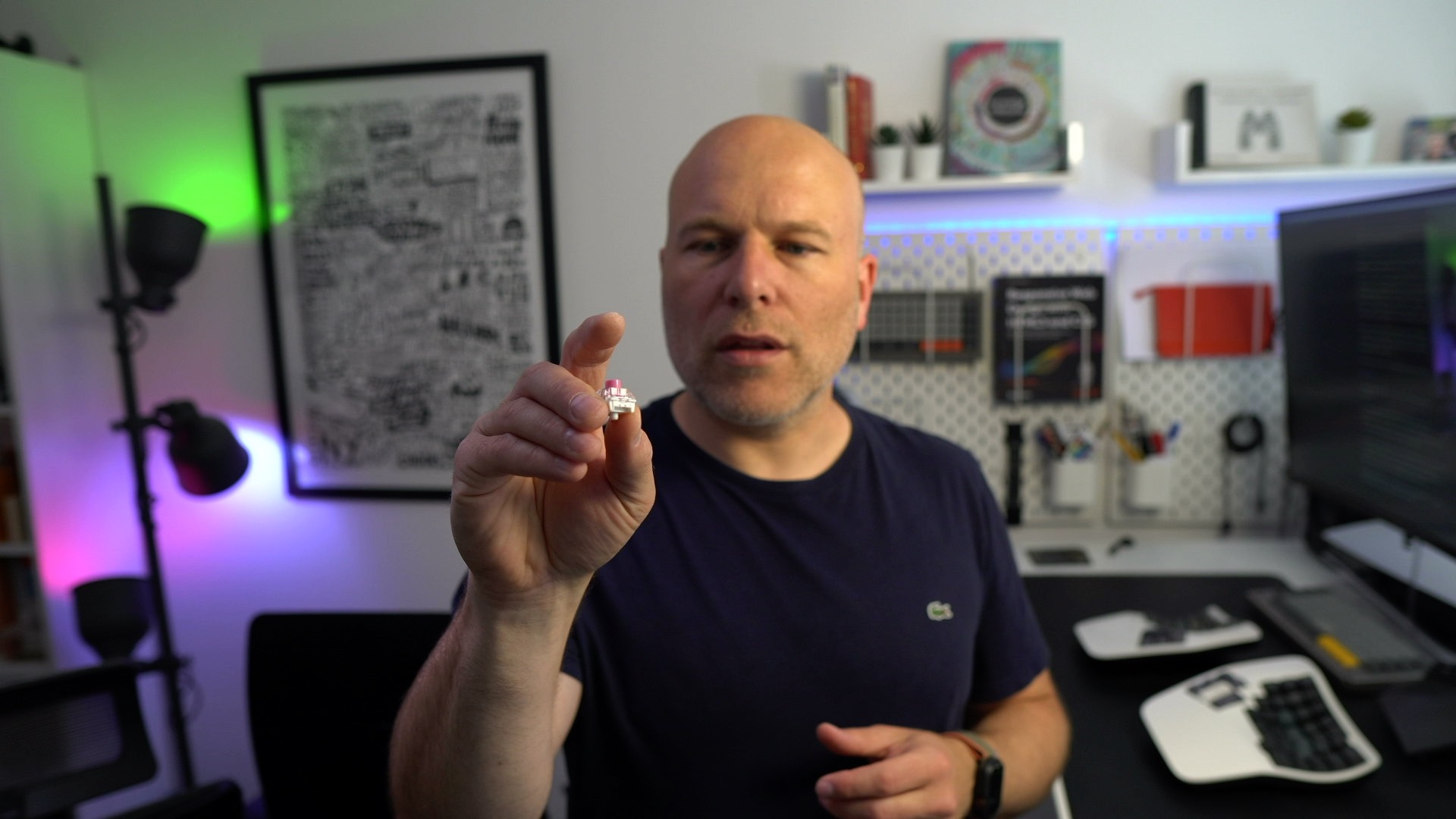
If you don’t mind a little more expense, you can still go more custom and have whatever switches you want soldered in, like the Gateron Oil Kings I have here. For a fully custom build you still need to go via UpgradeKeyboards. Sadly, unlike the Glove80, you can’t yet order the Advantage360 ‘unsoldered’, with switches in situ, but not soldered in, that you can remove yourself, and solder in your switch of preference.
But these extra switch choices on the 360 are very welcome, if I wasn’t hell bent on trying another 360 as close to what I had in my original 360 board, where I de-soldered the original switches and added the Oil Kings, I’d be opting for the Silent Pink linears this time around.
New colours
You can also pimp your 360 with either a ‘Biker Scout’ style gloss white spray job, or a matt black version. I haven’t seen the black in the flesh but I think this white one looks great. The only thing you should be aware of here is these special paint jobs lose the little legends above the LEDs that you get on the standard coloured editions. But I think that’s a small price to pay to impress your neek friends.
Scooped homing row keys
The other change that’s happened in the interim is there are now slightly more scooped homing keys, similar to the ones on the older Advantage2. That’s great news, I think most people will prefer the new, or old, scooped homing keys.
No new on/off switches
One thing I was hoping might get a tweak, but hasn’t, is the on/off switches. I still feel they could bear being a little more prominent, but they are unchanged as far as I can tell. I would prefer something that is easier to flick on and off as you fiddle around trying to toggle them. You are almost never looking at them as they are at the back, and they are just super fiddly to get your fingers in and toggle when you are racing to get both sides on at a similar time.
No internal changes
Inside, there have been changes, there are definitely different PCB versions, although having queried Kinesis they have told me there is nothing customer facing of relevance.
For the trainspotter types amongst you, the PCB version I am using on this board is Rev 0.8.
96-13-36003-008
LEFT PRO ADV360
Rev 0.8 25/04/2023
Connection issues gone?
It’s fair to say a number of people had issues with connectivity on the 360 Pro. I’m pleased to tell you that the only connection issues I got, in two months of using this new model, were when one or both of the sides had completely or almost completely discharged their battery. When that happened, even having charged both sides back up, subsequently getting the two sides to see one another was initially fraught; toggling the sides on and off 20-30 times until they finally paired. When I did finally get them paired I wasn’t completely sure whether I finally did something right I wasn’t doing before, or it was just a case of hit and miss and at some point they would have connected, regardless of the delay I was leaving between toggling the two halves on. The official word from Kinesis is that generally speaking it should be left first and then right.
However, day to day, once the sides are paired, connection is considerably better with the new firmware than I remember with my previous one, which I sold on before this newer firmware was available. Due to the January 2024 firmware, I certainly haven’t had any random disconnects when I switch sources and the connection has been solid in the two months I’ve now been using this. If you have a Advantage360 Pro and don’t have the v3 firmware or later, I’d implore you to get that on. And as before, you can connect the left side to your computer and run it in a half wired mode with the left wirelessly connecting to the right.
Configuration story
I moaned about the official Kinesis software configurator for the Advantage360 in my original review. I have good news and bad here. The bad news is that the official Kinesis one is still pretty lame. The good news is that you don’t need to use it.
Instead you can, and should, use Nick Coutsos’s updated version, which I have sung the praises of many times. It is better and more powerful in every way and makes advanced configuration of features like Home Row Mods, Combos, Macros and all that kind of good stuff a breeze.
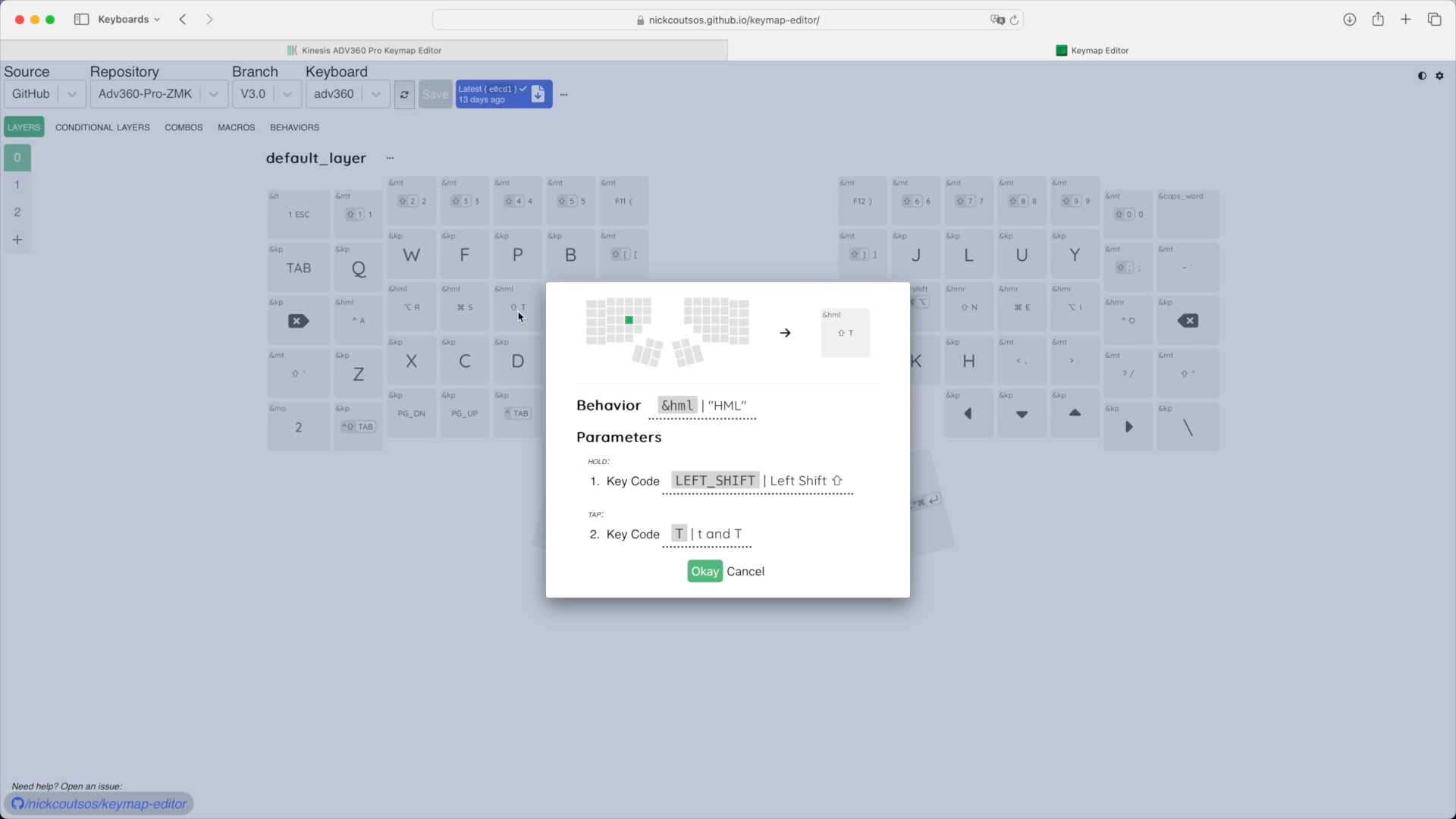
Usage is still not as simple as something like ZSA’s Oryx or Keymapp app, that you can use with the Voyager or Moonlander, where you just plug in your board and make changes. You do need to fork the latest firmware repository from GitHub, and hook that up to the configurator, and get used to downloading files from the build step off GitHub. The process of getting it setup and actually flashing the firmware is not exactly user friendly but configuration itself is much nicer and capable.
Advantage360 or Glove80?
A lot of people struggle when trying to decide between this and the Glove80. Let me try and help you out here. Besides the obvious difference of low profile choc switches in the Glove80, and the standard MX switches in the Advantage360, there are some other simple differentiators you should consider.
If you want to travel with your keyboard, get the Glove80, it has a travel case and is far lighter. If you need a function key row, get the Glove80. If you want an active community around the product, get the Glove80, as the Discord channel for it is very active.
However, if you want something that feels absolutely solid, the Glove80 does not come close to this. For a manufactured split board with keywells, the build quality, feel and sound of the Advantage360 is in a league of its own, and it also has different size keys in different areas where the Glove80s are all a uniform size.
Also consider if you are likely to prefer a simpler and more robust tenting solution like the Advantage360 or the more granular and flexible mounting options afforded by the Glove80.
In fact, I would say that the only thing the Advantage360 and the Glove80 really have in common is their keywells. That certainly puts them in a small club, but they meet very different goals. If you are stuck trying to decide, prioritise your needs, and the right choice between the two, for you, should become clearer.
Did the lower keycaps on the thumbs help?
Earlier I said I was going to tell you how I have got on with the lower profile keycaps on the thumb keys.
This is perhaps self evident but I’ll call it out regardless. This section is very personal to my personal physicality, so don’t base any decisions for your situation based upon my experience here. The vast majority of users, users that are experiencing RSI symptoms, seem to be helped by using a board with a keywell and separate thumb clusters.
For me, using the 360 with the lower thumb keycaps is definitely more comfortable. Having the thumbs more in line with the rest of my hand on the horizontal plane is definitely more comfortable than the standard keycaps, which are just that little bit higher. However, for longer sessions, I was still finding a completely flat board like a Boardwalk more comfortable than either of the keywell boards I use regularly, namely this Advantage360 with the lower keycaps, or the Glove80.
But I’m now coming to suspect the raised thumbs might have been a red herring. Or at least not the main source of the discomfort.
I think it may be the way I hold my thumb to hit the thumb keys on these boards that contributes cumulatively to discomfort. Maybe I have just been using flat keyboards for so long I cannot adapt, I don’t know. But I filmed my hands as I type on each sort of board and noticed that with the keywell boards I tend to curl my thumb in a lot more to hit the thinner key target. You can see this here on the Advantage360, and on the Glove80. Compare that to how I naturally have my thumb on the Boardwalk keyboard with the more conventional, wider, space key. I think doing that over longer periods is what is contributing to the discomfort. I suspect spending a few weeks consciously keeping my thumb straighter on these keywell boards may alleviate my discomfort. So that’s probably my next experiment.
Again, to re-iterate, this isn’t any shade to either the Glove80, or Advantage360. They are both solid products when it comes to comfortable, ergonomically focused, keyboards. I’m certain that the issues relate to how I type rather than shortcomings with either product.
More succinctly, there is an error between the keyboard and the chair!
Conclusion
The Advantage360 Pro remains, in my view, one of the best wireless split keyboards you can buy.
The latest firmware has greatly reduced the connection issues I used to see, there are now better switch choices than before, the homing row keycaps have a deeper scoop, and you have the ability of using a third party layout configurator which is far more capable and pleasant to use than the stock offering.
Plus there is now the option of one of the fancy new case colours. I can also vouch for the personal support you get when you contact Kinesis, which has been fantastic. So, all this means the Advantage360 is an even better option now, in 2024, than it was when I first reviewed it at the end of 2022.
Other boards might better it in some ways, but the Advantage360 Pro is the most premium feeling, split keywell keyboard, I have used.