





Watch this review on YouTube if you prefer?
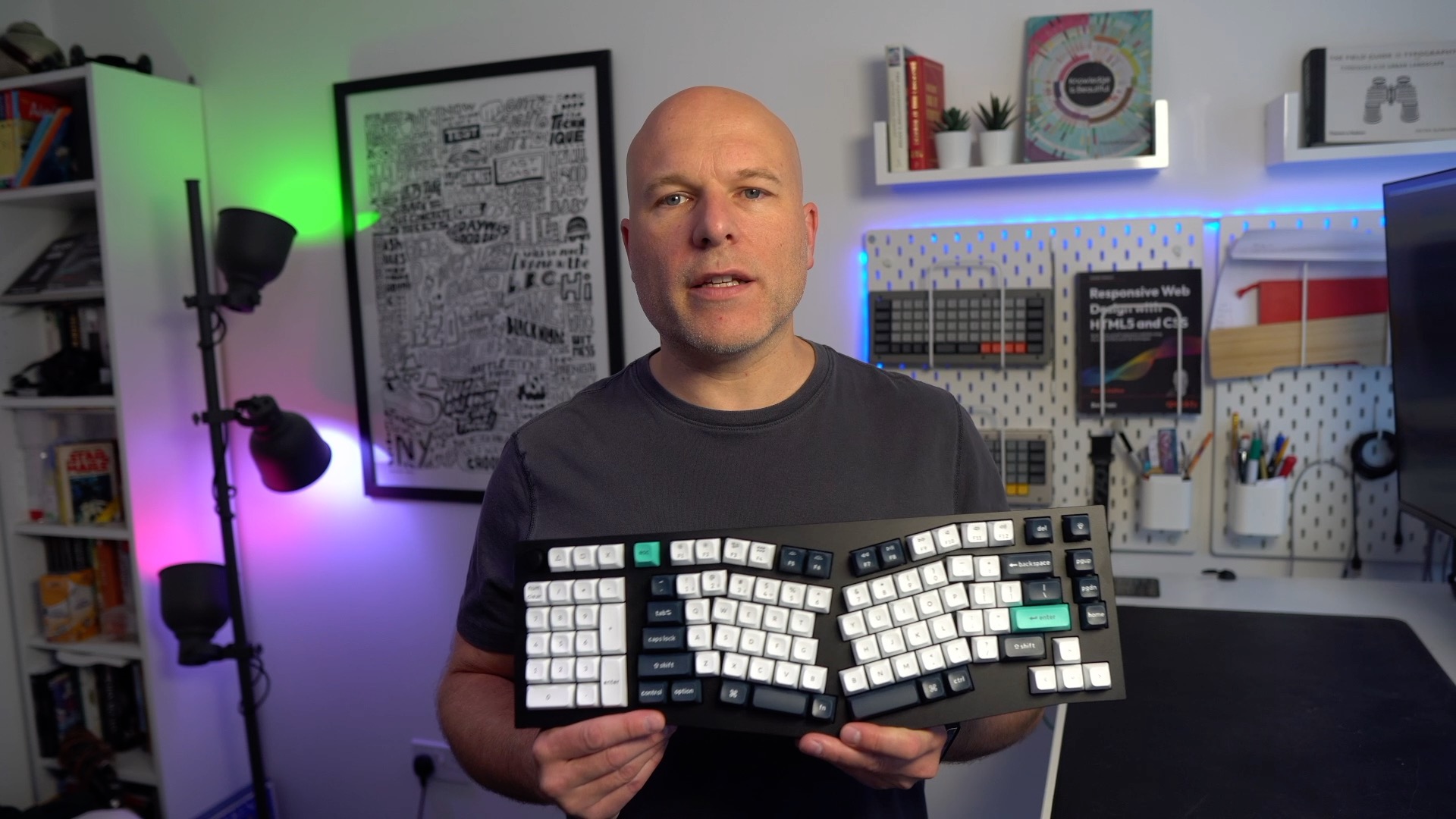
The Keychron Q14 Max is premium mechanical keyboard that can be run wired or wirelessly and has an interesting quirk; a number-pad on the wrong side of the keyboard.
I’ve been looking at Alice layouts for a little while, these kind of split but not actually split layouts. Given a choice, I would have preferred to look at one one of their Alice boards without the keypad, but that isn’t the keyboard they wanted to send, but now I’ve used it for some time, I’m somewhat glad.
Let me tell you what I think of this.
The short version
This is a brilliant keyboard. It’s incredibly presented, beautifully made and worth every penny of the 229 dollar asking price. But the truth is, I’m not sure I will use it much. If you want to know why that is, it’s going to take a little longer.
The longer version
The Q14 works wirelessly over 2.4Ghz RF, or Bluetooth 5.1, and wired, it has a hardware toggle switch on the back, not just for the connection but for moving easily between the pre-defined Windows and Mac layers to make things very straightforward for the vast majority of users to get going with.
It’s wonderfully presented and comes with a printed manual, and a quick setup card. You also get a keycap and switch puller, some keycaps to swap in case you are on Windows, and a generous length USB-C braided cable.
Build quality
The case is 6063 Alimunium, which is the same kind of aliminium you find in door frames and windows, and this material gives the Q14 Max a bullet proof feel and is absolutely flawless in finish. The typing feel and acoustics are sublime. Take a look at the construction on the Keychron product page, and you can understand why. There are multiple foams, gaskets and films. And even the space bars, short as they may be, feel incredible, with barely anything to give away they are stabilised keys. Due to all these weighty materials the Q14 is not a board to travel with, unless you are some kind of sadist. It weighs 2.5Kg, or roughly 5.5lbs depending which side of the pond you are. Yes, I’m serious, this is a proper porker, but it really does type all the better for it.
This is the kind of board to park on your desk and enjoy for years to come, safe in the knowledge you have every key you could every realistically need.
Layout
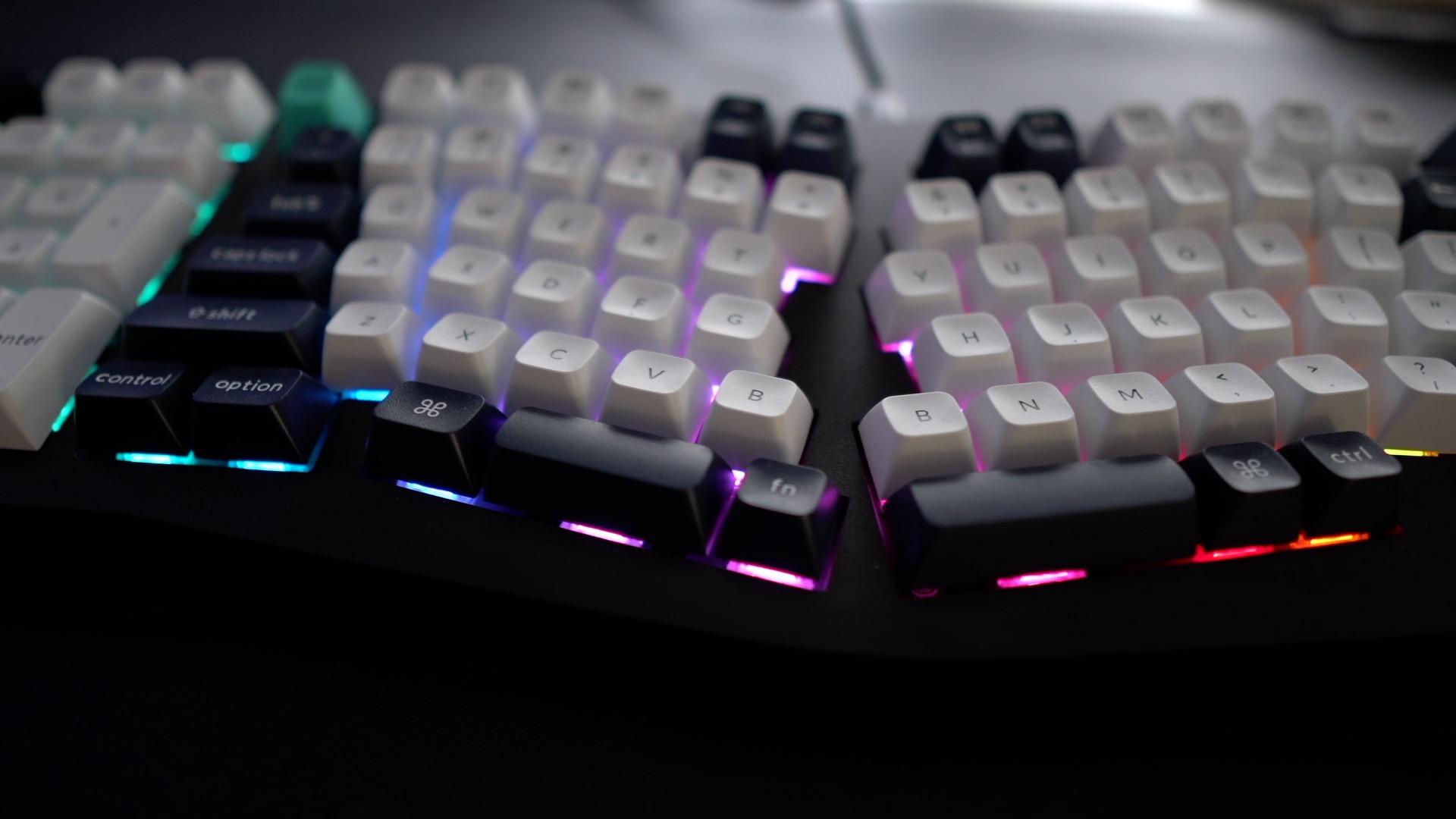
Technically this is known as a 96% Alice layout, but what’s unusual about this Alice 96% layout, is this keypad on the left rather than the right. What? Why? What is the demented witchery? Well, I have to tell you, I’m amazed more boards don’t have this. Keychron refer to it as southpaw, and I thought the idea was a bit of a gimmick before using it. But in use, it is impossible to deny the practicality.
Excel nerds likely don’t read this blog but they should! Because this is a keyboard, just made for a right-handed arithmomania sufferers. Having the number pad on the left makes it feel like a 65% board, with benefits! I really haven’t missed the space to the left, but I can keep my trusty MX Master close by on the right. There are other parts of this layout I really like. A dedicated inverted T arrow cluster, a little bank of page nav keys for page up, down and home. A lovely split space bar down the bottom and two b keys (I don’t know, it obviously looks weird with a space there instead so you bbetter believe this was the bbest design choice). It also has a volume knob at the top left, which you could probably repurpose to zoom in or out or any other upy-downy job. Just everything you could sensibly want a key for, it has. It’s like the antithesis of something like a Corne, Piantor or any of the other 36 keys or less boards. This enjoys every physical key you will likely ever need.
Keycaps
It has wonderful, high PBT keycaps. They are KSA profile, which I knew nothing about until the Q14 arrived. I assumed they were SA profile because of their height, but KSA is Keychron’s re-imagining of that profile with a flatter top. They feel great here. The legends are super clear too. And I absolutely love the homing keys. They have both a homing dot and a more pronounced scoop. Just wonderful and unmistakable when you rest your hands on the board, there’s even a dot on the top of the arrows; a lovely touch.

Now, there is a downside here, if, like me, you are a Colemak user. Each row of the board has a different profile keycap, so if you use a different layout like Colemak, Dvorak or similar, and thought you might just swap a key or ten around so the legends match your layout, think again. And this is the first reason, this board won’t be a long-termer for me. It’s a weird thing I have where I am fine with all blank keys, but legended keys in the wrong position I can’t cope with.
Key switches
This is the first keyboard I have had with Gateron Jupiter switches in. I had the red ones, which are linear and pretty quiet. I really, really like them. They are still MX switches, but the Jupiter switches have improved springs, different molds, factory lube and a softer diffuser for the LEDs. Without a comparison board, it’s hard to know how much of this lovely typing feel of the Q14 Max can be attributed to the switches, and how much to the case, but all that matters is the Q14 feels incredibly satisfying to type on. You could easily find out, because the Q14 is hot-swappable but I’ve liked the Jupiter Reds so much, I have had no reason to change.
What’s also impressive, is that the Q14 has a number of wider, stabilised keys and they are all feel and sound great. There’s no side to side wobble and no irritating rattles in use, which tend to plague all but the best-made keyboards.
Via
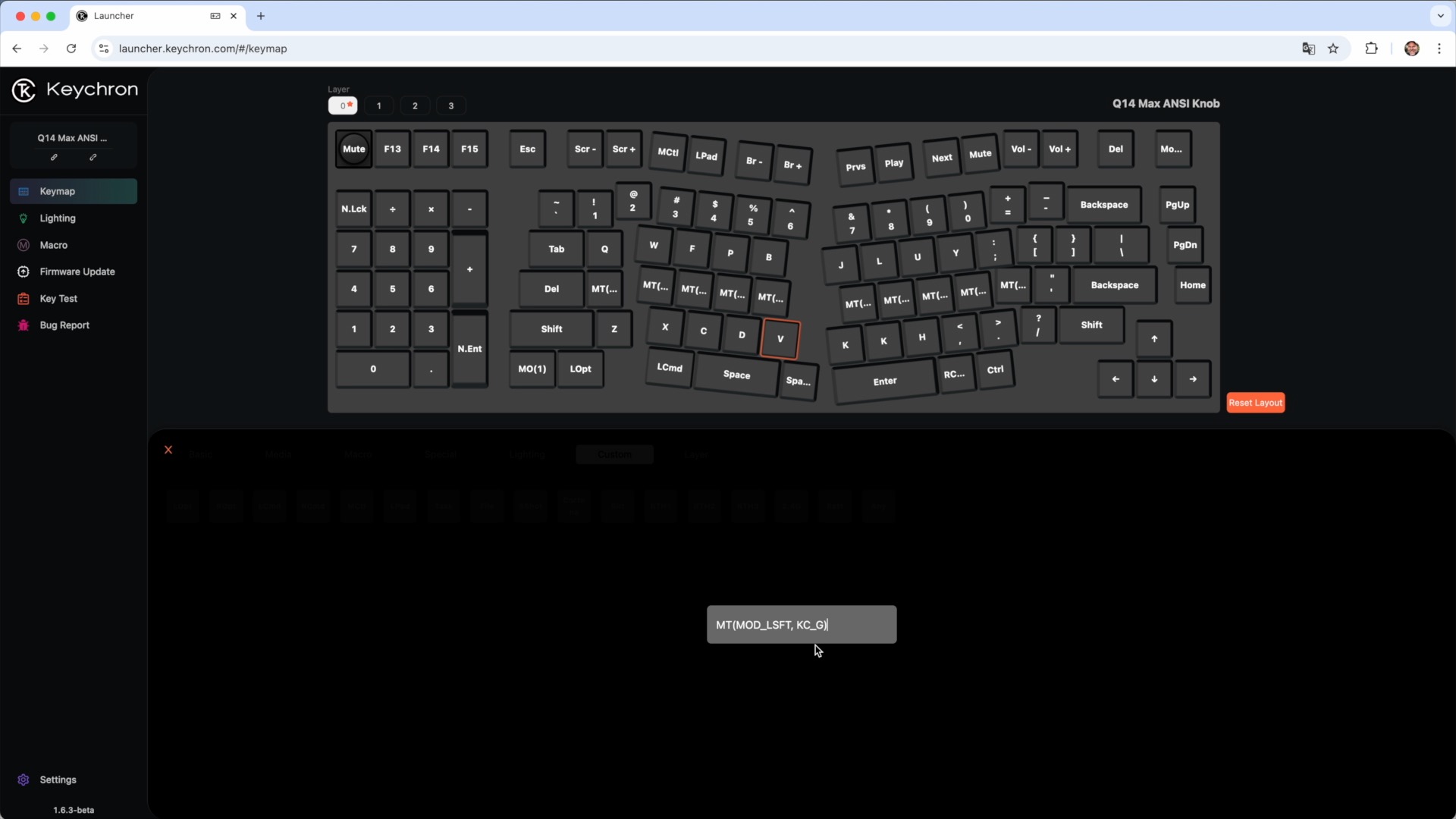
Keychron uses an augmented version of Via to configure your board. You plug in your board, connect to the keychron configurator and you change the keys as needed, with the changes instantly applied on your board. That’s great but I don’t love Via.
It gives you a simple way to set up all the basic keys but for anything like home row mods, it’s a pain. I’ve explained home row mods on a few prior posts, so I’m not going over it again here because the likelihood is, that if you are buying a keyboard like this, home row mods aren’t something you will need to concern yourself with anyway. But the short version is, if you want to add home row mods in Via you can do it by finding the ‘any’ key, then typing in the shortcut using the correct QMK code. So a left hand shift key on hold and ‘g’ on tap, would look like this MT(MOD_LSFT, KC_G) as an ‘any’ key.
Tilt and height
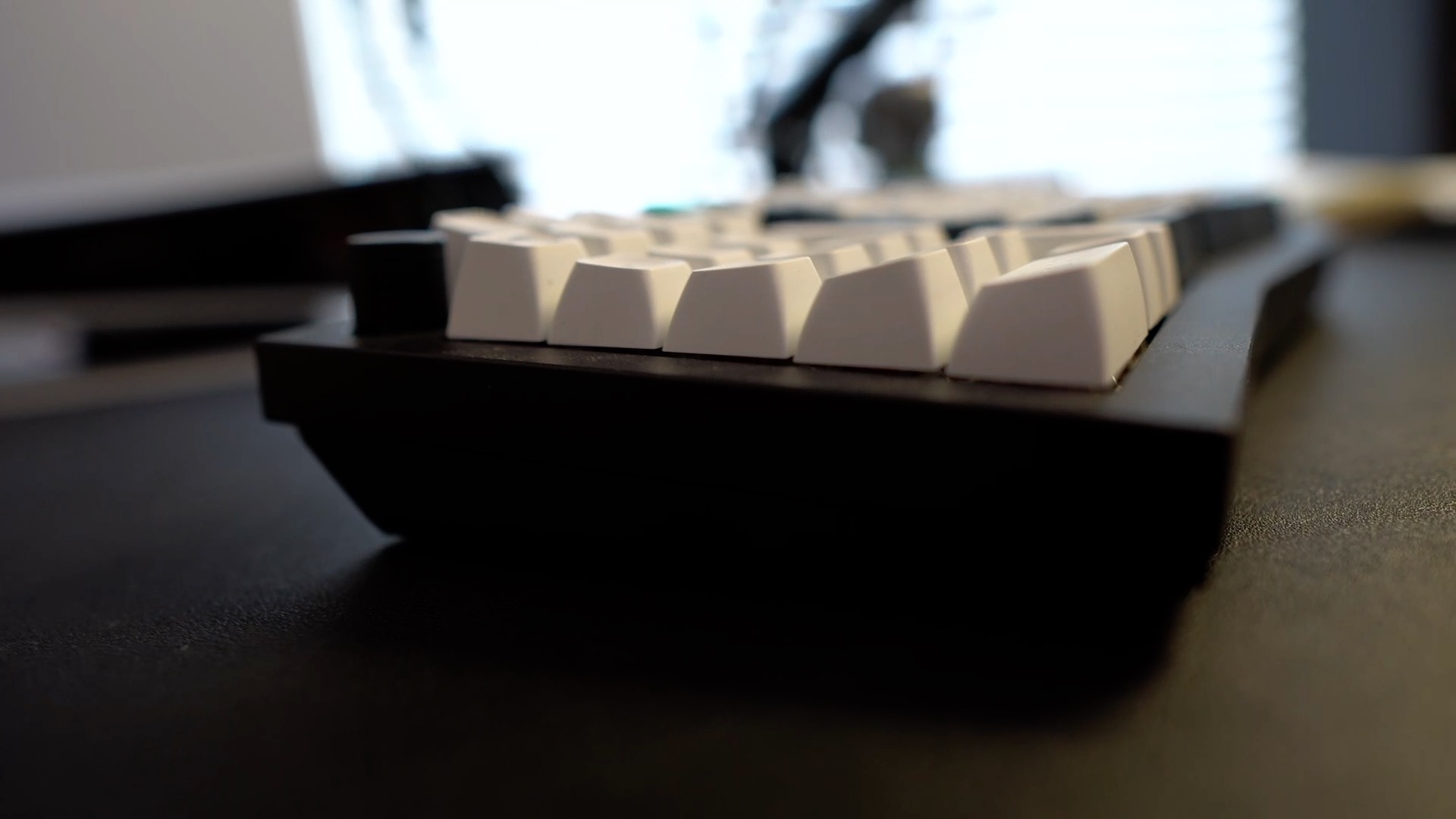
The board has a slight incline and it is quite high off the desk. Due to the height of the case, and the tall keycaps, even the lowest keys on the bottom row, sit about 38mm off the desk. To give you a comparison to a low keyboard, a ZSA Yoyager sits around 16mm. If you hover your hands above the board when you type, nothing to worry about. However, if you are a slovenly pig of a man, or indeed woman, then you will likely want a wrist rest for more comfort, to bring your wrists more level with the typing surface. That would be straightforward if the board had a straight bottom edge. But it does not. Even Keychron don’t offer a wrist rest to match the curve. Actually, they do now: https://www.keychron.com/products/keychron-keyboard-wooden-palm-rest?variant=40532687585369
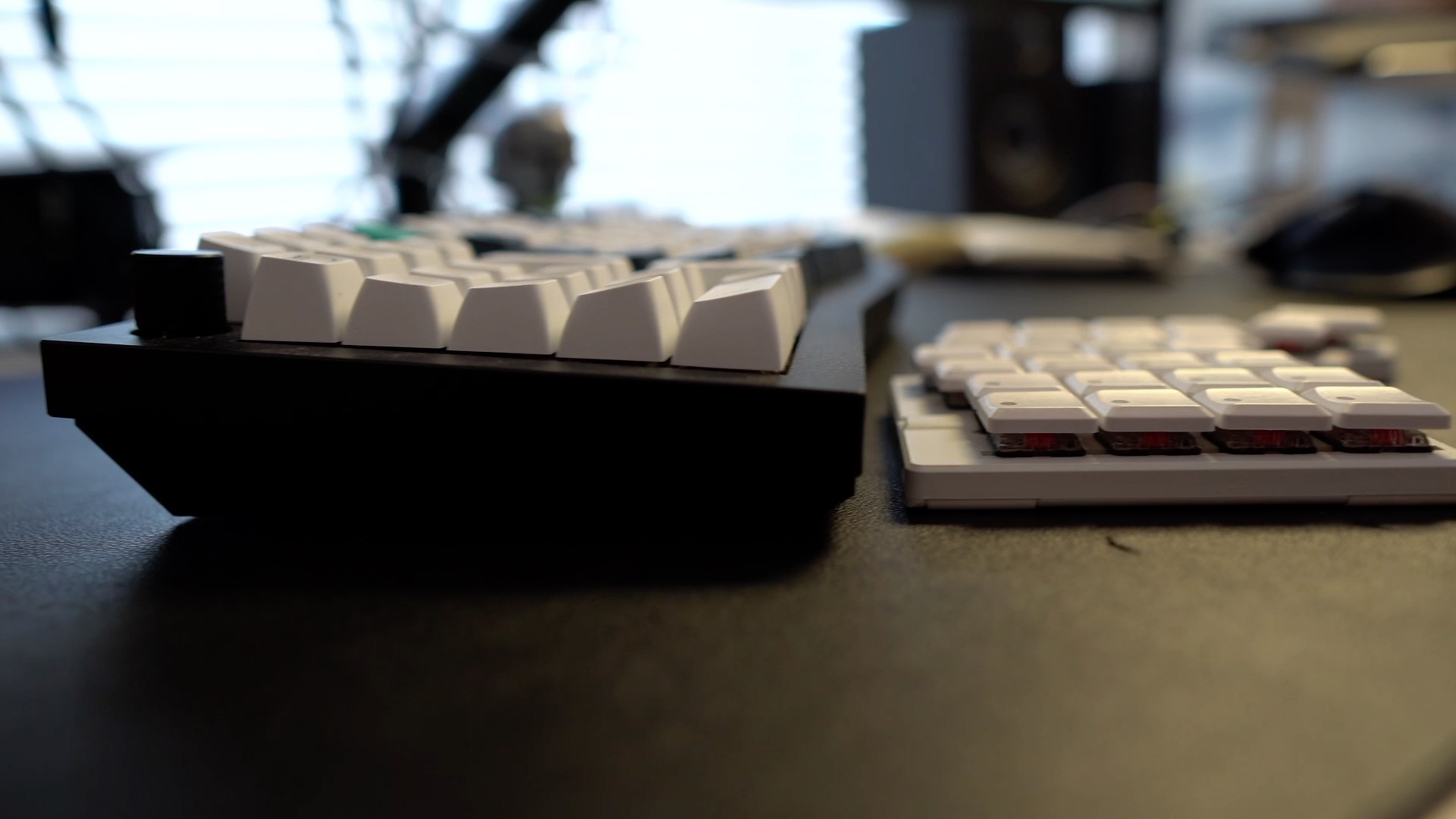
So my advice here is, if you aren’t a hover typer, which I’m not, this probably isn’t the most comfortable board for you.
Lighting and connections
Some of the stuff on the Q14 Max works so well it is hardly worth a mention but to confirm that there is RGB lighting galore, with plenty of built-in animations to amuse yourself with.
I have also had no issues with connection when using it wirelessly. It just works exactly as you would expect. It also comes with a nice long braided USB cable for using it wired with one of those sticky cable tidy thingies to minimise cable spaghetti.
Conclusion
If you are left-handed, use a layout other than QWERTY, or rarely use the number pad, or even if you rest your wrists on the desk a lot (you can fix that with the optional wrist rest) to type comfortably, you should likely keep looking for something that better suits your needs.
However, If you are a right-handed QWERTY layout user, who requires frequent use of a number pad, floats their hands when they type and want an elegant but slightly quirky all in one design that has pretty much every physical key you could want, this should be near the top of your shopping list. It feels so solid and satisfying to type on, and it has so many little useful touches like the volume knob and the delightful homing keys, that it’s impossible to not be impressed.
For the people this keyboard suits, I think you will be very hard pressed to find a better built, presented and enjoyable keyboard to use than this for the money.
And having spent some time around this Keychron, I’d love to see what they did with a proper physically split columnar keyboard. Something like a Sofle layout. With their engineering and software chops that would probably end up being something really special.
Interested in the board? Please use my referral link so I get a few pennies: https://www.keychron.com/?ref=BENFRAIN