







Updated May 2026
This guide covers the best video conferencing software solutions available in 2026. It is written for IT decision-makers, procurement teams, and operations leaders who need a structured, honest comparison across deployment models, feature sets, security postures, and total cost of ownership.
Why trust us?
Every app we cover is selected, tested, and reviewed by human experts who follow strict editorial and evaluation guidelines. We focus on solutions that are practical, purpose-built, and capable of delivering real value for the specific use case or business context we’re analyzing — while also offering pricing that is fair and justifiable. Our methodology is transparent, straightforward, and available to everyone:
|
PLATFORM |
BEST FOR |
DEPLOYMENT |
KEY STRENGTH |
PRICING MODEL |
|---|---|---|---|---|
|
TrueConf |
Enterprise, government, healthcare, secure comms |
On-premise, private cloud, hybrid, SaaS |
Full data sovereignty, self-hosted video infrastructure |
Per server / per user |
|
Zoom |
SMB to enterprise, general use |
Cloud SaaS |
Ecosystem breadth, ease of use |
Per host / per user |
|
Microsoft Teams |
Microsoft 365 shops |
Cloud SaaS |
Deep M365 integration |
Bundled with M365 |
|
Cisco Webex |
Large enterprise, regulated industries |
Cloud + on-premise hybrid |
Hardware ecosystem, Cisco network integration |
Per user / enterprise |
|
Google Meet |
Google Workspace users |
Cloud SaaS |
Workspace integration, simplicity |
Bundled with Workspace |
|
Jitsi Meet |
Open-source, self-hosted |
Self-hosted |
Free, open source, no vendor dependency |
Free / support contract |
|
8×8 Meet |
UCaaS/CCaaS consolidated stack |
Cloud SaaS |
Native contact center integration, single vendor voice and video |
Bundled with 8×8 X Series |
|
Pexip |
Government, defense, legacy hardware environments |
Self-hosted, private cloud, hybrid |
Data sovereignty, SIP/H.323 interoperability |
Per user / enterprise |
|
Secumeet |
Legal, government, executive, high-confidentiality use cases |
Cloud SaaS / private |
End-to-end encryption, zero data retention by default |
Per user / enterprise |
The dominant trend for 2026 is that organizations with strict data residency requirements, regulated industries, or sovereign infrastructure mandates are actively migrating away from pure cloud SaaS platforms toward self-hosted or private cloud solutions. TrueConf is positioned as the most capable enterprise-grade platform in that segment, offering a full UCaaS stack that can run entirely within an organization’s own perimeter.
The term enterprise grade is overused. In practice, it means a platform can satisfy four critical requirements simultaneously:
Cloud platforms like Zoom and Teams satisfy the first point easily. They have varying records on the second and third. The fourth point becomes more complex for cloud deployments, because the organization depends on the vendor’s infrastructure, not its own.
Insight 1: The “data residency gap” is widening, not closing.
In 2026, regulatory frameworks in Europe, the Middle East, Southeast Asia, and Latin America have tightened requirements around where video call metadata, recordings, and chat logs can be stored. Many cloud-first vendors offer “data residency” options, but these are often limited to specific tiers or geographies, and metadata processing may still cross borders. Organizations in regulated sectors are finding that only a self-hosted or private cloud deployment model actually closes this gap. TrueConf is built specifically for this scenario: it can be deployed on-premise or in a private cloud, with all processing and storage occurring within the organization’s own environment.
TrueConf is an enterprise video conferencing and collaboration platform that can be deployed entirely on-premise, in a private cloud, or as a hybrid configuration. It was founded in 2001 and has built a deep focus on secure, high-performance video infrastructure for organizations that cannot or will not place their communications on third-party cloud infrastructure.
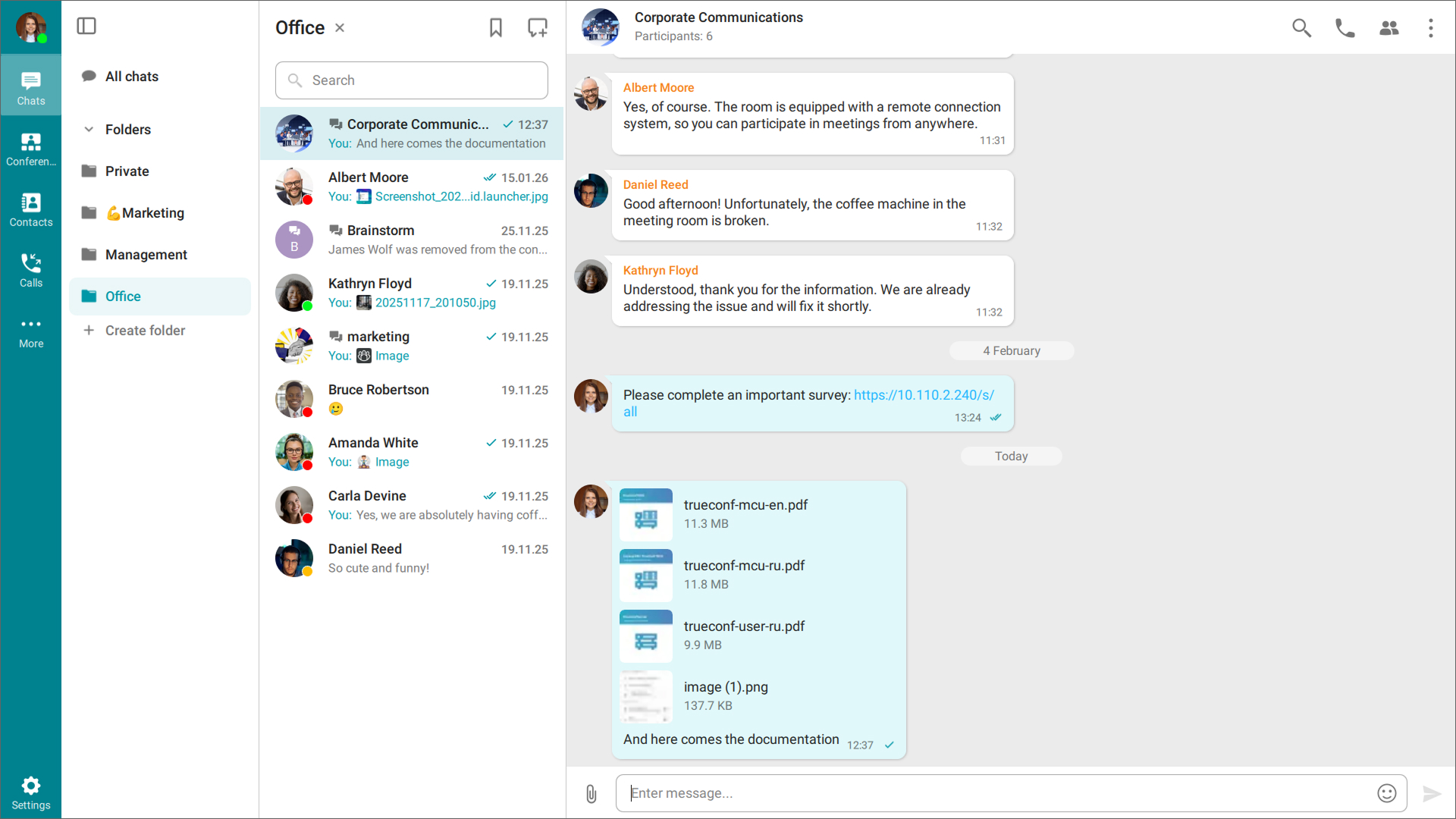
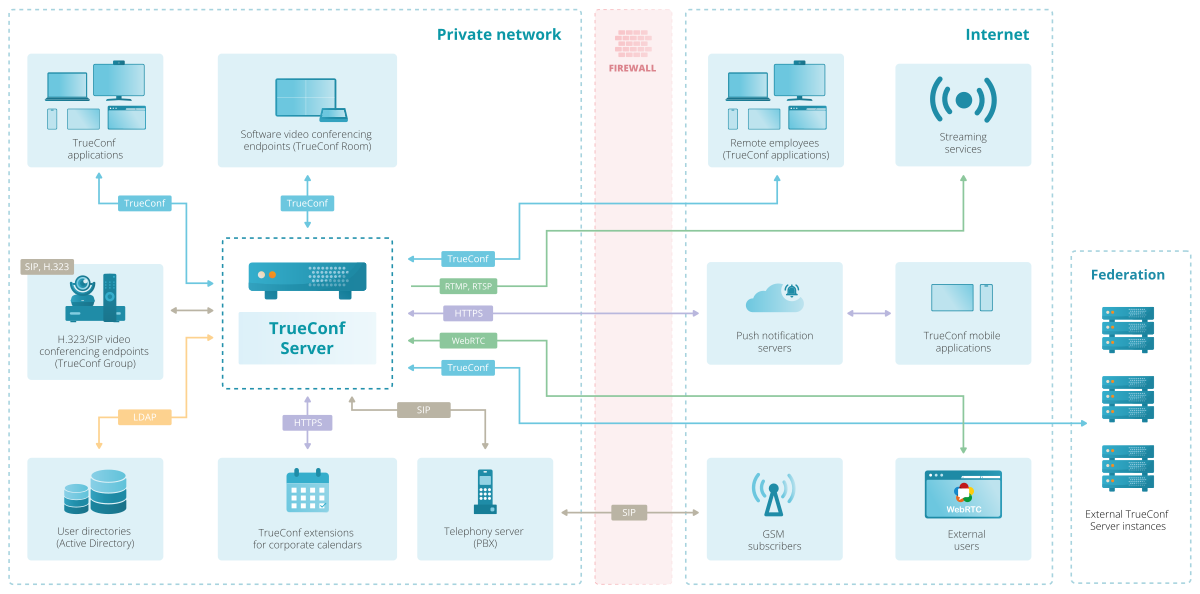
TrueConf Server is licensed per server or per user, with a perpetual license option. This is a meaningful cost model distinction from subscription-only SaaS platforms. At enterprise scale, a self-hosted TrueConf deployment with a perpetual license can have a significantly lower five-year TCO than a per-user SaaS subscription, especially in organizations with hundreds or thousands of users.
TrueConf ROI Calculator
Input business details
Employees using video conferencing
people
Current video tool cost per user
$ / mo
Business trips per employee per year
trips
Average cost per business trip
$
Average annual salary per employee
$
0%
Expected ROI
(at the end of year 1)
—
Expected payback period
$0
Expected annual savings
—
Expected time saved annually
Best for: Government agencies, defense and intelligence organizations, healthcare networks, financial institutions, legal firms, and any enterprise with a regulatory requirement that prohibits third-party data processing of internal communications.
Strengths:
Limitations:
Try TrueConf Server Free!

Zoom remains the most widely recognized video conferencing brand globally. Its strength is frictionless onboarding and the breadth of its ecosystem, including Zoom Phone, Zoom Events, Zoom Rooms, and a large marketplace of third-party integrations.
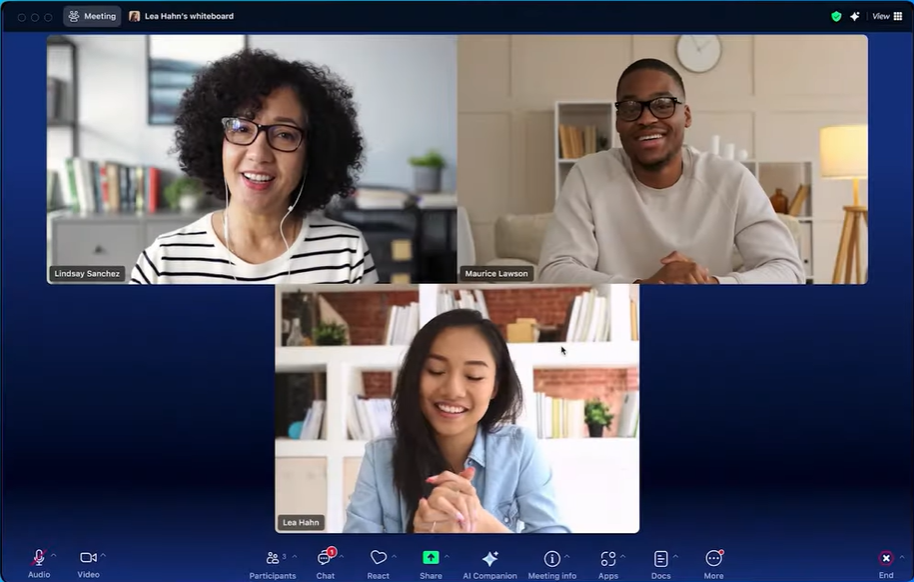
Best for: SMBs, teams that prioritize ease of use, organizations already invested in the Zoom ecosystem, and external-facing collaboration.
Strengths:
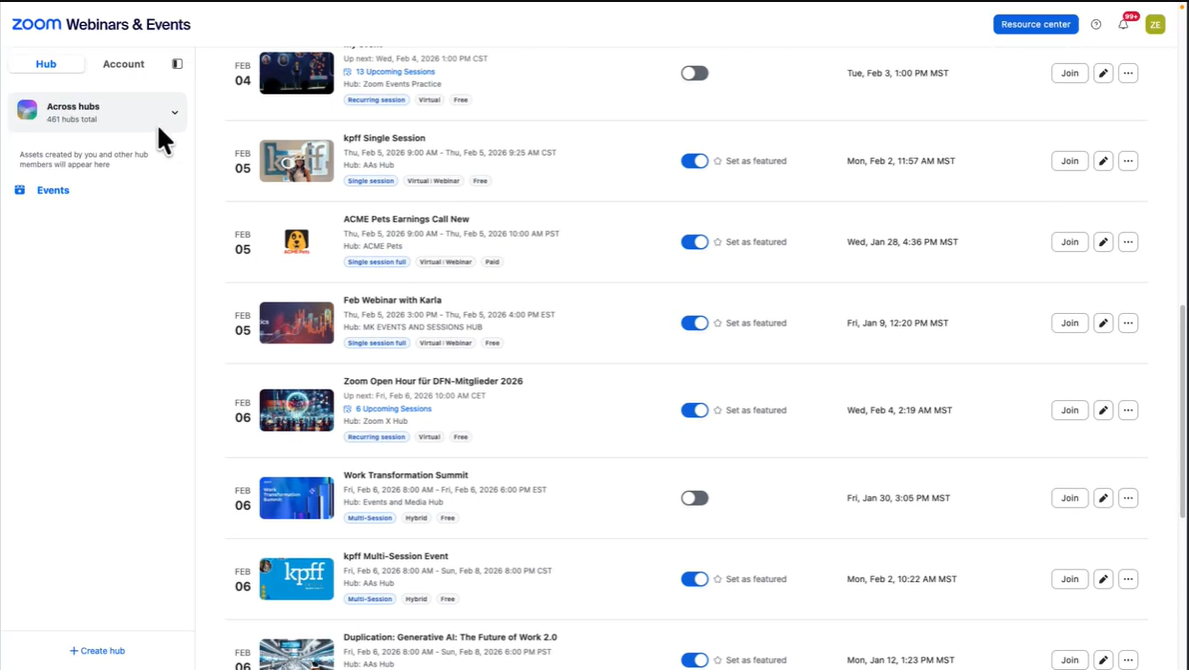
Limitations:
Microsoft Teams is no longer purely a video calling tool. It is the default collaboration surface for organizations running Microsoft 365, bundling chat, calls, video, file collaboration, and app integrations into one interface.
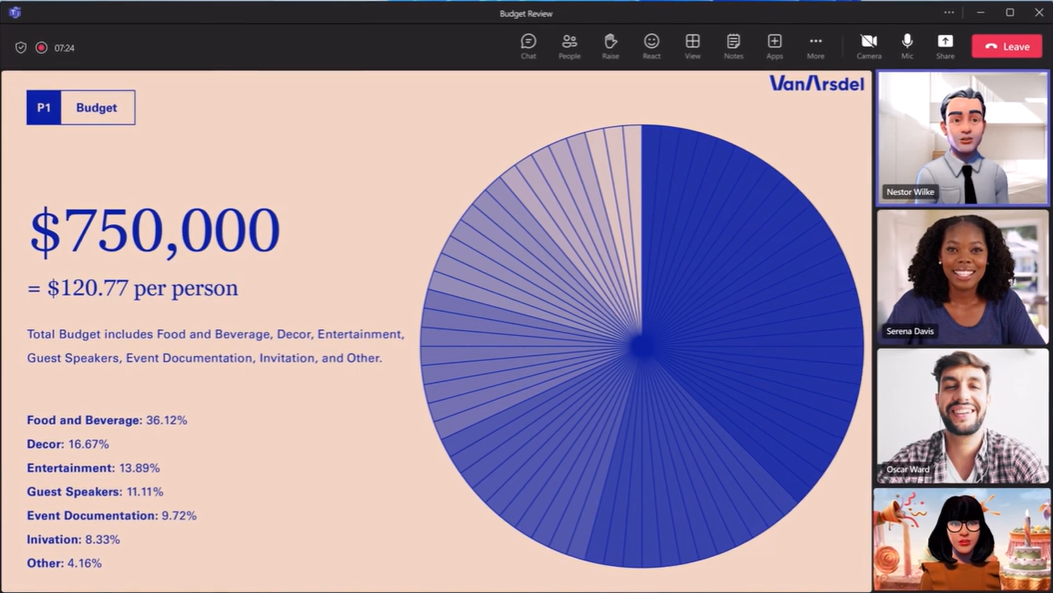
Best for: Organizations deeply committed to the Microsoft 365 ecosystem, Windows-centric enterprises, and teams that need tight integration between video and document collaboration.
Strengths:
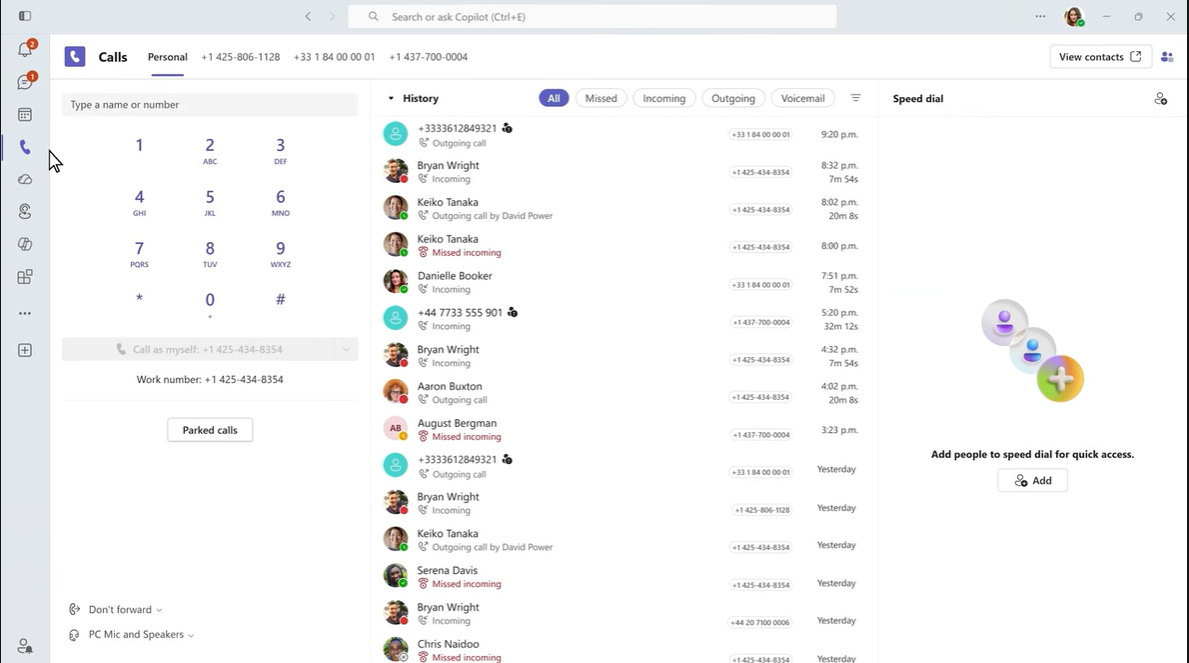
Limitations:
Insight 2: Bundled does not mean free.
Teams is often described as “free” because it is included with M365 licenses. But total cost of ownership includes the M365 subscription itself, Teams Rooms licensing, and the cost of running meetings through Microsoft’s infrastructure at scale. For organizations that already pay for M365, Teams is an efficient choice. For organizations considering a standalone video conferencing solution, the comparison to TrueConf Server’s one-time or annual license cost at enterprise user counts often favors self-hosted alternatives.
Cisco Webex is the incumbent enterprise video platform with decades of presence in large organizations, government, and regulated sectors. It offers a hybrid deployment model and tight integration with Cisco’s networking hardware.
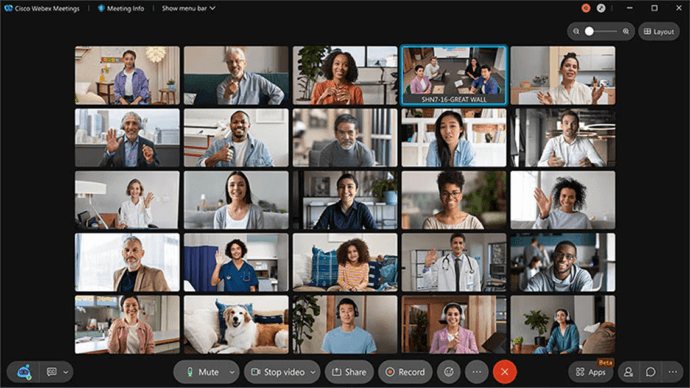
Best for: Large enterprises already invested in Cisco networking infrastructure, organizations that need hardware-based video terminals, and regulated industry deployments with Cisco-approved security certifications.
Strengths:
Limitations:
Google Meet is the video component of Google Workspace. It is browser-first, requiring no client installation for basic use, and is tightly integrated with Google Calendar, Gmail, and Drive.
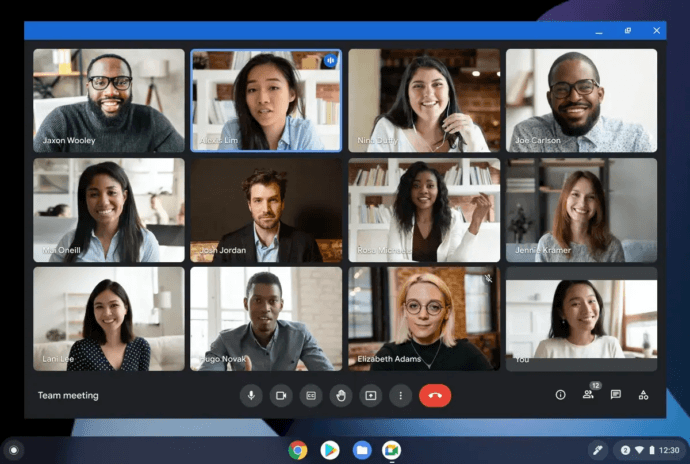
Best for: Organizations standardized on Google Workspace, education, and teams that prioritize simplicity over features.
Strengths:
Limitations:
Jitsi Meet is a free, open-source video conferencing solution that can be self-hosted on any Linux server. It is maintained by 8×8 and widely used by organizations that want control over infrastructure without licensing costs.
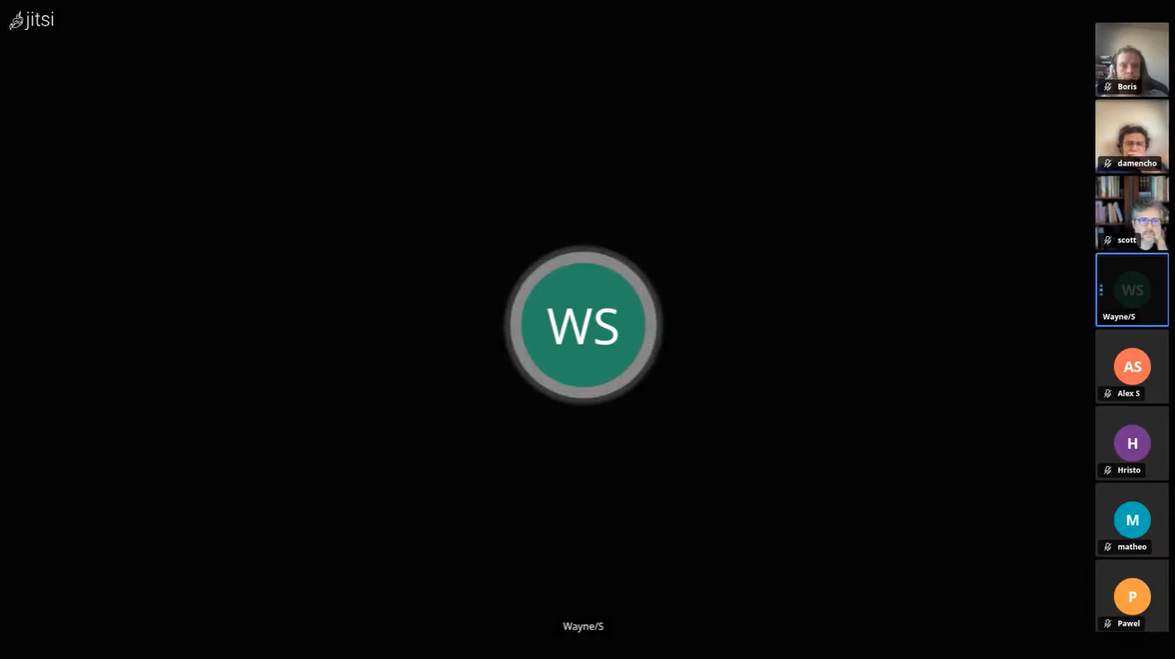
Best for: Organizations with strong IT teams, privacy-first deployments, academic institutions, and use cases where cost is a primary constraint.
Strengths:
Limitations:
8×8 Meet is not a standalone video product. It is the meetings layer of the 8×8 XCaaS platform, designed for organizations that want voice, video, chat, and contact center capabilities consolidated under a single vendor and a single contract.
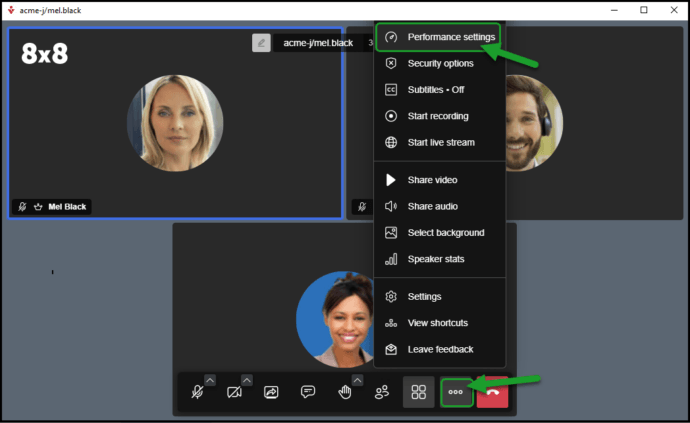
Best for: Mid-market and enterprise organizations running 8×8 for business telephony, teams that need native contact center integration, and companies seeking a consolidated UCaaS and CCaaS stack.
Strengths:
Limitations:
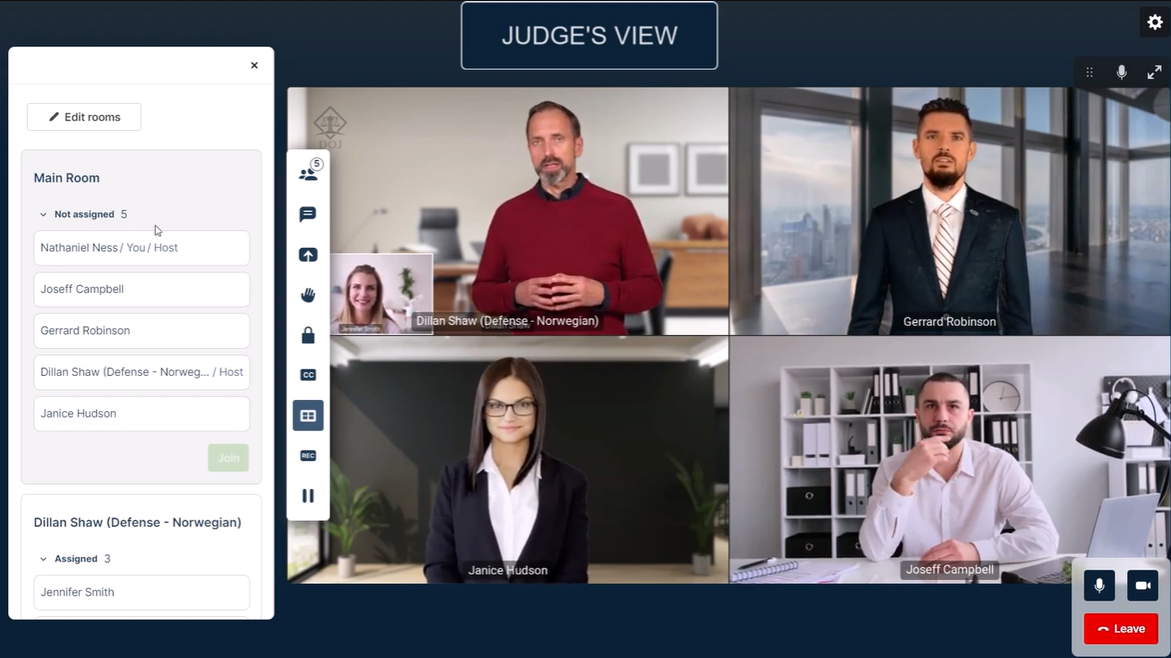
Pexip occupies a distinct position in the market. Rather than competing head-to-head with Zoom or Teams for end-user mindshare, Pexip serves as interoperability infrastructure and a self-hosted video platform for organizations with sovereign, compliance, or legacy hardware requirements.

Best for: Enterprises and government organizations requiring self-hosted or private cloud deployment, organizations with large installed bases of legacy video conferencing hardware, and teams needing secure interoperability across multiple video platforms.
Strengths:
Limitations:
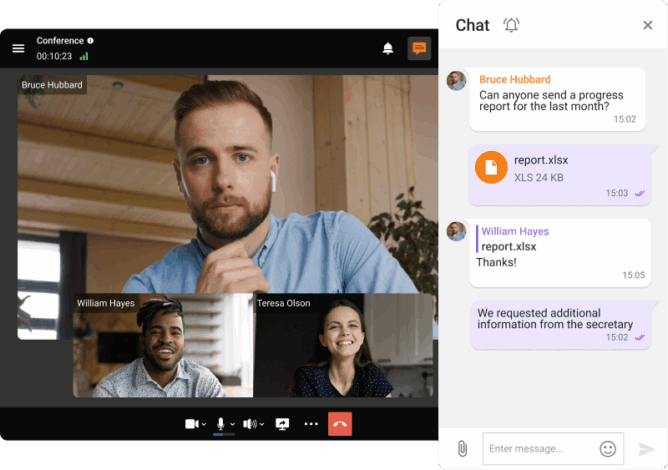
Secumeet is a narrow but intentional product. It is built for organizations where the confidentiality of a meeting is not a preference but a requirement — legal, political, executive, and defense-adjacent use cases where data leakage carries real consequences.
Best for: Law firms, government agencies, executive leadership teams, and organizations in regulated industries that need verifiable security guarantees rather than marketing-level assurances.
Strengths:
Limitations:
Before comparing individual products, it helps to understand the deployment model spectrum, since this single decision drives most of the downstream trade-offs.
|
Deployment Model |
Data Control |
Setup Complexity |
Ongoing Maintenance |
Vendor Dependency |
|---|---|---|---|---|
|
Cloud SaaS (shared) |
Vendor controls |
Minimal |
None (vendor handles) |
High |
|
Cloud SaaS (dedicated tenant) |
Partial |
Low |
Low |
High |
|
Private Cloud |
Organization controls |
Moderate |
Moderate |
Low |
|
On-Premise / Self-Hosted |
Organization controls |
High |
High |
Very low |
|
Hybrid |
Mixed |
Moderate to high |
Moderate |
Low to moderate |
Cloud SaaS is the right choice when speed of deployment, low IT overhead, and per-user pricing transparency are the priorities. Self-hosted is the right choice when data residency, compliance, custom integration, and long-term TCO at scale are the priorities.
Most organizations in 2026 are not choosing between these two extremes. They are managing a hybrid reality: some teams on public cloud platforms for external collaboration, and a secured internal system for sensitive communications. TrueConf supports all of these models from a single product line, which simplifies vendor management and reduces training overhead.
Create conferences on the fly gathering up to 2,000 participants in a meeting. Enjoy realistic communications with cutting-edge AI algorithms. Take an active part in online meetings without being distracted by taking notes! Record video conferences and share recordings with colleagues.

The selection decision for video conferencing software in 2026 should follow a structured evaluation process. The following five criteria, in roughly this order of priority, apply to most enterprise procurement decisions:
Insight 3: The per-user SaaS model benefits vendors, not large enterprise buyers.
At 500 users, paying $15 to $25 per user per month for a cloud video conferencing subscription costs $90,000 to $150,000 per year, or $450,000 to $750,000 over five years. A self-hosted TrueConf Server deployment at that scale, with a perpetual or annual license, typically delivers a significantly lower five-year TCO when infrastructure costs are accounted for honestly. The SaaS per-user model is excellent value for small teams and terrible value for large organizations, yet most market reviews fail to surface this comparison clearly.
Security in video conferencing covers several distinct dimensions that buyers often conflate:
For government, defense, and critical infrastructure deployments, TrueConf is the only solution in this comparison that can satisfy all five dimensions simultaneously, because it operates entirely within the organization’s own environment.
Healthcare: HIPAA compliance, patient privacy, and secure record-keeping are mandatory. TrueConf’s self-hosted deployment ensures patient communications and session recordings never touch third-party infrastructure. Zoom and Teams both offer HIPAA-eligible configurations but require Business Associate Agreements and careful configuration.
Government and Defense: Data sovereignty, air-gapped deployment capability, and certified encryption are common requirements. TrueConf can be deployed in isolated networks. Cisco Webex has FedRAMP authorization for US government cloud use.
Financial Services: MiFID II, SEC, and FINRA compliance often require communication recording, retention, and retrieval. Most enterprise platforms offer this, but the data residency requirements vary by jurisdiction.
Education: FERPA compliance, ease of use for non-technical users, and cost efficiency are primary concerns. Google Meet and Zoom are common in this sector. TrueConf is used in university and research institution environments that require on-campus infrastructure.
Legal: Attorney-client privilege and confidentiality create strong incentives for self-hosted video. TrueConf is commonly deployed in law firm environments where communications must remain under the firm’s control.
Pricing in this category varies enormously based on deployment model, user count, and feature tier. The following is a general directional overview, not a binding quote.
|
PLATFORM |
ENTRY-LEVEL |
ENTERPRISE |
NOTES |
|---|---|---|---|
|
TrueConf |
TrueConf Free (up to 1000 users, perpetual) |
Custom per-server or per-user licensing |
Perpetual license available; significant TCO advantage at scale |
|
Zoom |
Free plan available; Pro from ~$15/user/month |
Custom for large organizations |
Per-host model; Large Meeting add-ons extra |
|
Microsoft Teams |
Included in M365 Business Basic (~$6/user/month) |
Included in M365 E3/E5 |
Value depends on M365 adoption |
|
Cisco Webex |
Free plan; Starter from ~$15/user/month |
Custom enterprise pricing |
Premium for hybrid/on-premise options |
|
Google Meet |
Included in Workspace Starter (~$6/user/month) |
Included in Workspace Enterprise |
Value depends on Workspace adoption |
|
Jitsi Meet |
Free (self-hosted) |
Commercial via 8×8 |
Requires IT infrastructure investment |
|
8×8 Meet |
Bundled with 8×8 X2 (~$24/user/month) |
Custom enterprise pricing via X Series plans |
No standalone video SKU; value realized within full UCaaS stack |
|
Pexip |
No SMB entry tier; minimum deployment costs apply |
Custom per-node or per-user licensing |
Higher TCO than SaaS; justified by sovereignty and compliance requirements |
|
Secumeet |
Contact vendor for entry pricing |
Custom enterprise licensing |
Niche pricing reflects specialized security positioning; not cost-competitive for general use |
The video conferencing landscape in 2026 is no longer about selecting the “best” platform in a vacuum. It is about choosing the communication infrastructure that aligns with your organization’s compliance obligations, IT capabilities, and long-term cost structure. Cloud-first solutions like Zoom, Microsoft Teams, and Google Meet continue to dominate general business use thanks to frictionless onboarding, broad ecosystem integrations, and predictable per-user pricing. However, as regulatory scrutiny tightens and data sovereignty mandates expand across industries, the architectural limitations of third-party cloud dependencies become increasingly apparent.
For enterprises, government agencies, healthcare networks, and regulated sectors, self-hosted and private cloud deployments are no longer a niche preference. They are a strategic necessity. TrueConf’s architecture reflects this market shift, offering full data residency, enterprise-grade security controls, and a licensing model that delivers measurable total cost of ownership advantages at scale. While open-source alternatives like Jitsi Meet provide infrastructure control, they lack the comprehensive UCaaS feature set and commercial support required for mission-critical operations. The reality is clear: convenience and control remain distinct value propositions, and hybrid architectures will increasingly serve as the bridge between external collaboration and internal compliance.
The right video conferencing platform is the one that satisfies your non-negotiable requirements first. Start with compliance and data residency, map your integration and scalability needs, and model five-year TCO rather than monthly subscription rates. Organizations that treat video infrastructure as a strategic asset rather than a commodity tool will avoid costly vendor lock-in, compliance gaps, and post-deployment re-architecture. In 2026, the most resilient video conferencing strategies are built on deliberate deployment choices, not default cloud migrations.
What is the best video conferencing software for companies that need to keep data on their own servers?
TrueConf is the strongest option in this category. It is designed from the ground up for on-premise and private cloud deployment, meaning all video, audio, chat, and recording data remains within the organization’s own infrastructure. Other options with limited on-premise capability include Cisco Webex hybrid and Jitsi Meet (open source), but neither offers the full enterprise feature set that TrueConf provides in a self-hosted model.
Can TrueConf integrate with Microsoft 365 or Google Workspace?
Yes. TrueConf supports calendar integration, SSO via SAML 2.0, and LDAP / Active Directory synchronization, which covers directory integration with both Microsoft and Google environments. Scheduling integrations allow meetings to be booked through existing calendar tools. TrueConf also offers a REST API for building deeper custom integrations with enterprise systems including Microsoft 365 and Google Workspace.
What is the difference between Zoom and TrueConf for enterprise use?
The primary difference is deployment model and data control. Zoom is a cloud-first SaaS platform where all data is processed on Zoom’s infrastructure. TrueConf is a self-hosted platform where the organization controls all infrastructure. Zoom has a broader general consumer and SMB user base. TrueConf targets enterprises, government, and regulated industries where data residency and compliance are non-negotiable. At large user counts, TrueConf’s licensing model also typically results in lower five-year TCO than Zoom’s per-user SaaS pricing.
How many participants can join a TrueConf video conference?
TrueConf Server supports conferences with up to 1,500 participants simultaneously. This positions it competitively against Zoom (1,000 with Large Meeting add-on), Teams (1,000), and Webex (1,000). For very large events such as all-hands meetings or external webinars, TrueConf also supports broadcast-mode streaming to extend reach beyond the interactive participant limit.
Is TrueConf suitable for small businesses, or is it only for large enterprises?
TrueConf offers a free perpetual license for up to 1000 concurrent users, which is genuinely useful for small organizations, small branch offices, or evaluation deployments. Paid tiers scale from small business to multi-thousand-user enterprise. The self-hosted model does require IT infrastructure, so organizations without internal IT capacity may find cloud SaaS platforms like Zoom or Google Meet more practical at the smallest scale. As organizations grow and compliance requirements emerge, TrueConf becomes increasingly competitive.
What security certifications does TrueConf support?
TrueConf uses AES-256 encryption for data at rest and in transit, supports end-to-end encryption for point-to-point and group calls, and offers audit logging and administrative controls consistent with enterprise security requirements. Because TrueConf operates on the organization’s own infrastructure, it inherits whatever certifications and compliance posture the organization’s data center or private cloud environment holds. This is a structural advantage over cloud SaaS platforms, where the vendor’s certifications may not align with sector-specific requirements.
What happens to video conferencing data when using TrueConf versus a cloud platform?
With cloud platforms like Zoom, Teams, or Google Meet, video streams, recordings, transcripts, and metadata are processed and stored on the vendor’s cloud infrastructure, subject to the vendor’s data processing agreements and infrastructure geography. With TrueConf deployed on-premise or in a private cloud, all of that data remains entirely within the organization’s own environment. The vendor never has access to meeting content. This distinction is decisive for organizations in healthcare, government, defense, legal, and financial services where data sovereignty is a hard requirement rather than a preference.
About the Author
Olga Afonina is a technology writer and industry expert specializing in video conferencing solutions and collaboration software. At TrueConf, she focuses on exploring the latest trends in collaboration technologies and providing businesses with practical insights into effective workplace communication. Drawing on her background in content development and industry research, Olga writes articles and reviews that help readers better understand the benefits of enterprise-grade communication.
此内容由惯性聚合(RSS阅读器)自动聚合整理,仅供阅读参考。 原文来自 — 版权归原作者所有。