








Lots of people have been chopping up their infrastructures into small single purpose slices known as microservices. Cloud functions, or serverless functions if you like your buzzwords served hot, lets the rest of us easily use the same kind of architecture for everyday tasks.
In this post, we'll make a tiny, tiny service that relays a message to Slack every time someone either creates, updates or deletes a blog post in a Sanity Content Studio. Sanity is a “backend as a service” that allows you to easily structure your content and get a graph-based realtime API instantly. It's pretty neat, and you can read about setting up a simple react-driven blog on it here.
There are multiple services that offer easy-to-set-up serverless functions out there. The free dyno on Heroku can be used, as well as stdlib and AWS lambda. But today, we're gonna use Webtask.io by Auth0 as our serverless function provider. They all work pretty much the same though. You'll get an URL you can send HTTP-requests to, which runs a function that takes this request and a callback as it’s parameters. It doesn't have a persistent state (unless you connect it to some sort of database or session provider) and is geared towards doing one thing.
If you have the wt command line interface (npm i -g wt-cli), run to deploy this script on your own Webtask-account:
You can also copy-paste the code into the online editor at webtask.io/make.
Make sure that the node dependencies (axios and @sanity/client) are installed. If you need to add these manually, do so by clicking the wrench button 🔧 and choose npm modules.

Go to the Slack custom integration configuration page and click Incoming Webhooks and Add configuration. Customize it as you want and remember to push the save button when you're done. Copy the webhook URL (looks like this: https://hooks.slack.com/services/<code>/<code>/<code>).
In your webtask editor ($ wt editor or webtask.io/make, add the webhook as a secret key. Find the wrench icon and choose secrets in the menu. Give the new key the name SLACK_WEBHOOK_URL and the webhook as the value. Now webtask knows where to send the update messages.
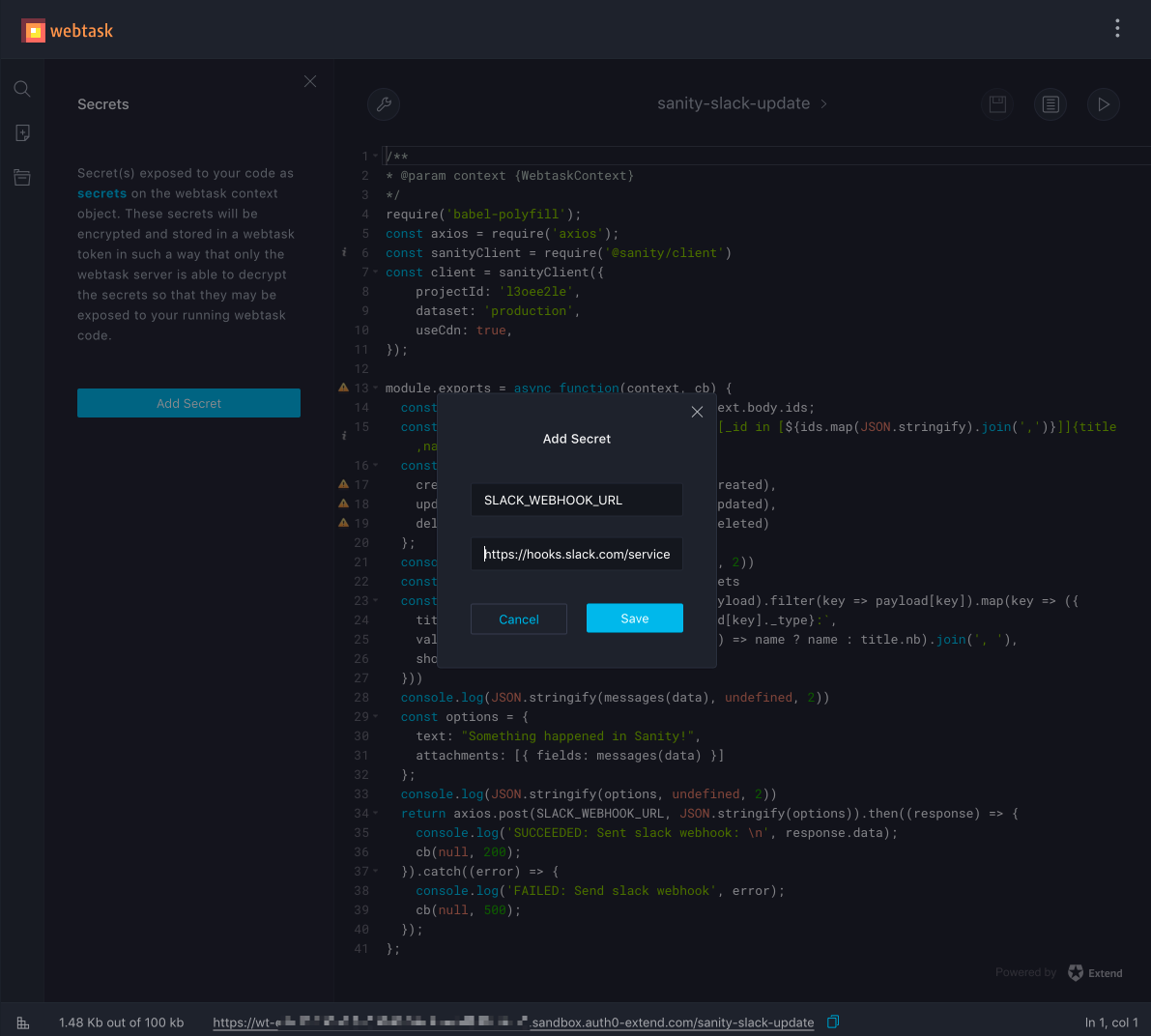
And yeah, do keep your webhook URLs as secrets. If someone gets a hold of them, they'll be able to flood your Slack channels with spam messages.
Copy the webtask-URL printed at the bottom line of the editor page (should look like https://wt-<SECRET CODE>.sandbox.auth0-extend.com/<SCRIPT NAME>) and run sanity hook create name-of-your-choosing. Choose the dataset you want reporting on, and paste in your webtask-URL when prompted.

Check out the script on Github. You can easily customize it by either setting more parameters in the filter query (if you only want updates on a certain type etc), or by tweaking the messaging formatting. If you are curious about Sanity, check out the documentation.
Good luck serverlessin'!
此内容由惯性聚合(RSS阅读器)自动聚合整理,仅供阅读参考。 原文来自 — 版权归原作者所有。