










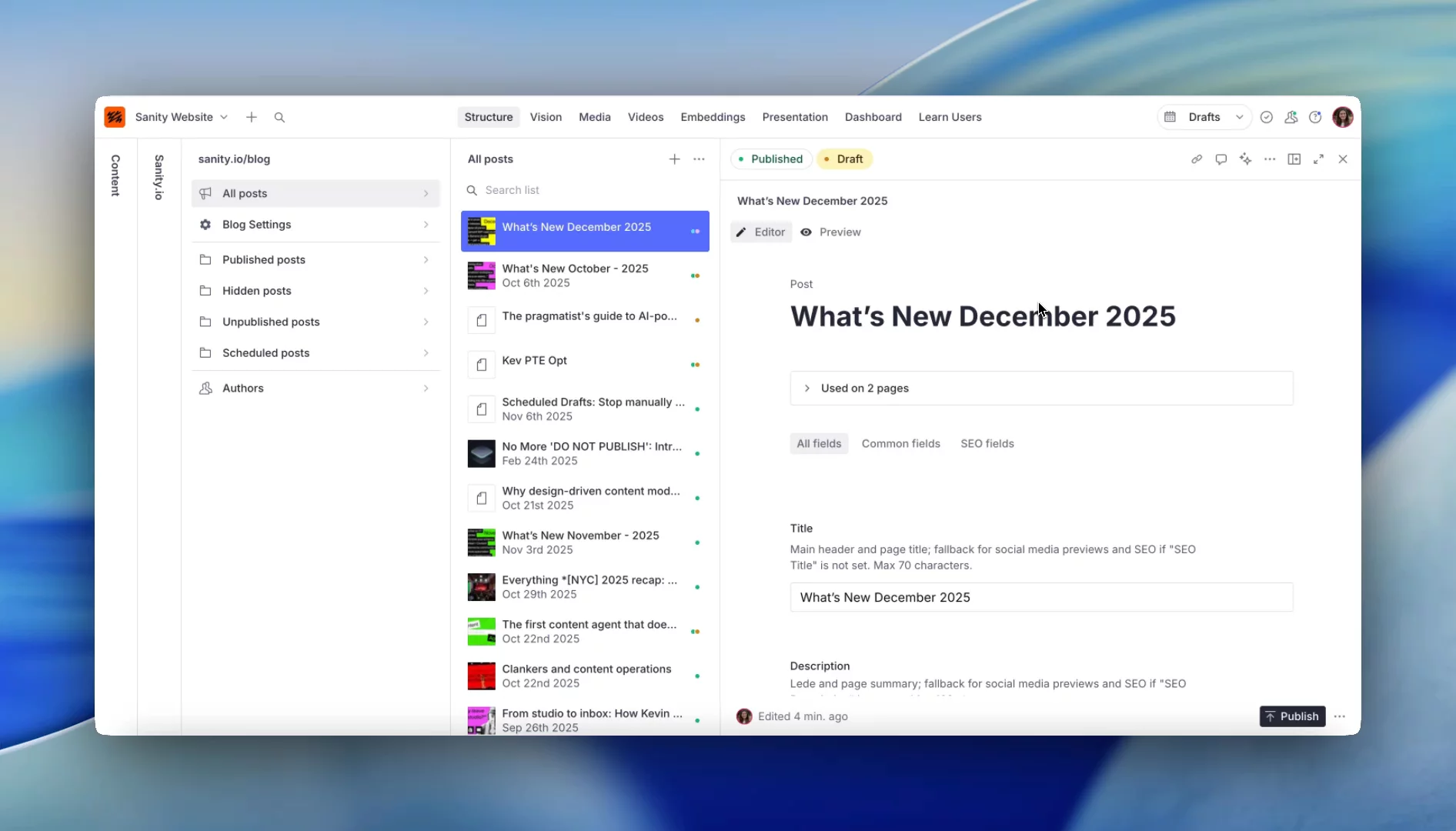
What used to be several clicks is now one click to hide/show panes in the Studio. When viewing a specific document in full-screen mode, you can still easily navigate between other documents by following the breadcrumbs. Shout-out to Rita for this small but mighty feature.
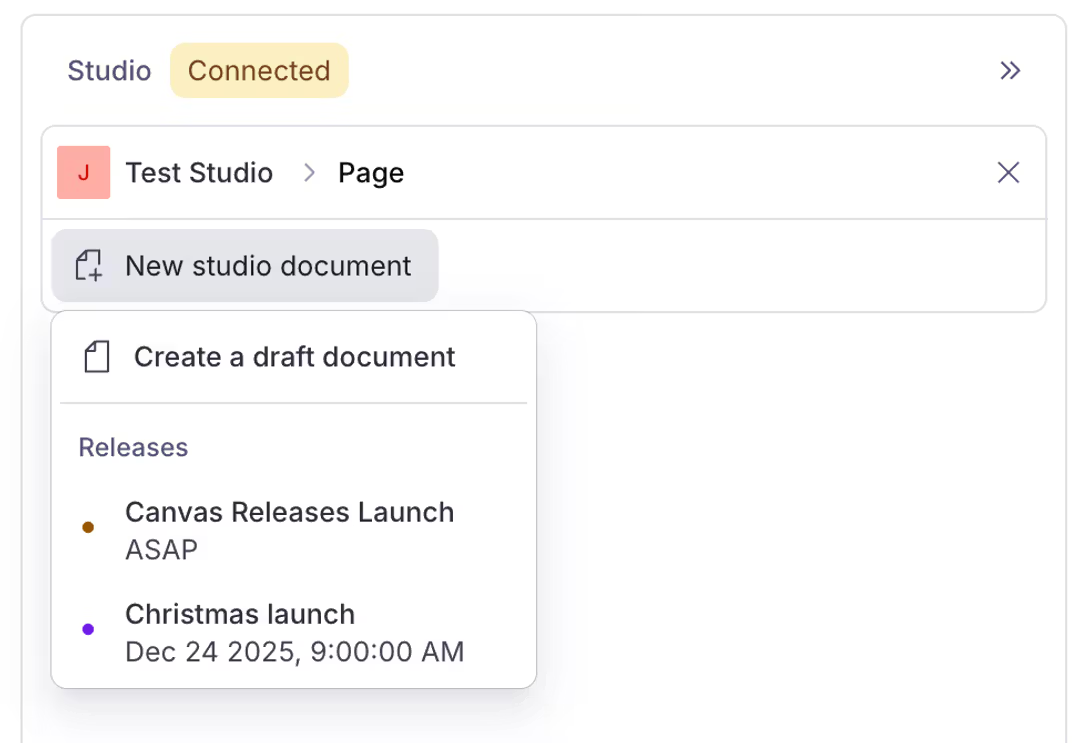
The connection to Studio is now way simpler. Choose to connect to a draft (like I did for this post) or connect to a release when coordinating with your team. Either way, it's as simple as:
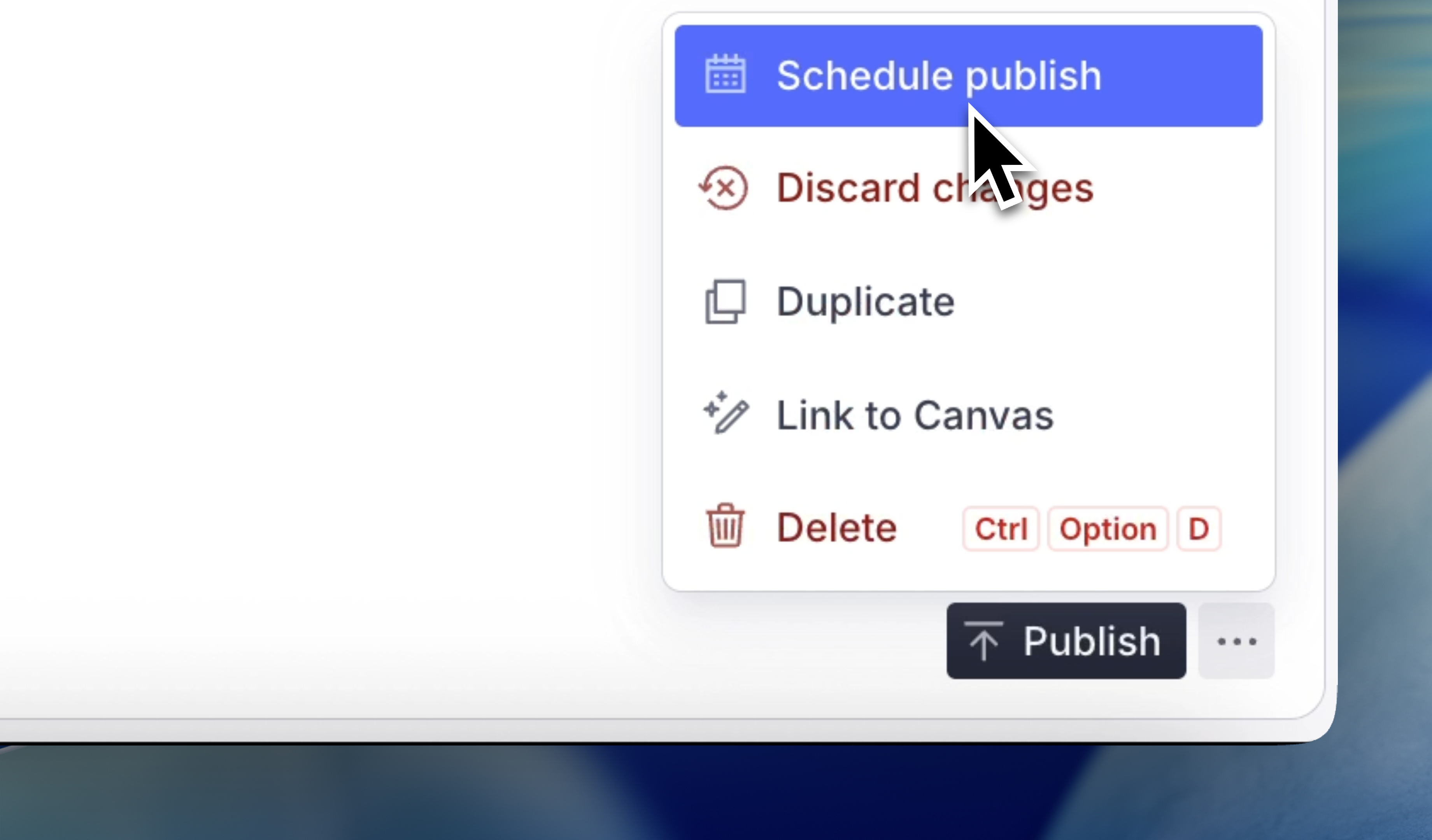
If I've planned my time right (which I obviously always do 👀), I've written this post a couple of days before it needs to go out. Instead of blocking out calendar time to manually publish on go-live day, I now use Scheduled Drafts to schedule it the moment I'm done writing. Perfect for deadlines happening when I'm OOO but I want to stay consistent without having to log on.
With this launch, Content Releases has been moved as an add-on on Enterprise plans, while Scheduled Drafts are available on all paid plans.
This also deprecates the old Scheduled Publishing plugin.
Learn more about all of this at the end of this blog post.
Want more info on Scheduled Drafts vs Content Releases? Read Even's blog post or watch this 90-second explainer by John.
-> and getting → (and more)The new typography plugin transforms your typing in real-time. Type -- get —, type (c) get ©, type (tm) get ™, and many more:
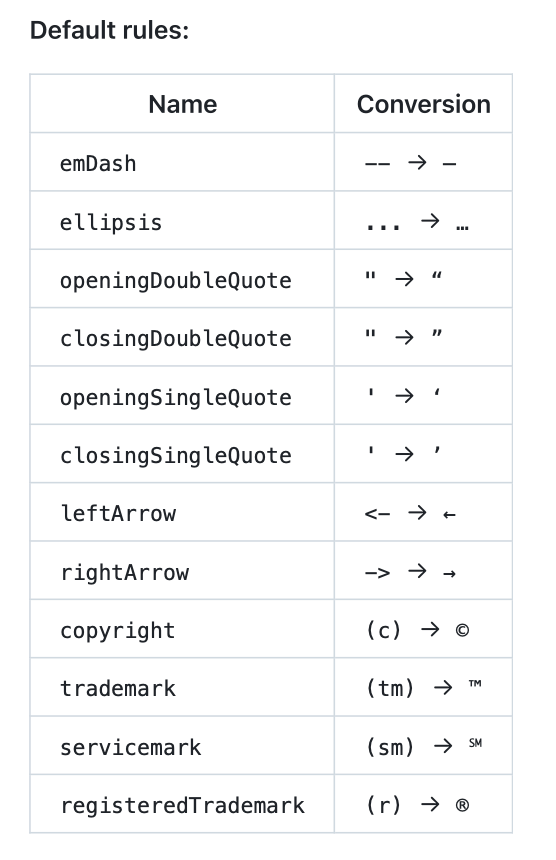
This is enabled by default in Canvas, but if you want to use this in your own Studio, check out the README on how you can configure this to your liking.
Oh, and the emojis I've used in this write-up? Type :favourite-emoji to get them—mine being ✨️
“I wish there was a repo we could clone to use some of those server actions, plugins etc. Any word on getting some new templates from Kevin soon? That would be insanely beneficial!”
You asked, Kevin delivered. Our swag store code is now yours, go and explore:
🌏 Multi-language and multi-currency support
🔔 System notification management and monitoring using the Sanity SDK app
🔍 Sync products to Algolia, create marketing campaigns, or send campaign emails (with Klaviyo)—all automated with Sanity Functions
And much more!
This isn't a "clone and ship" template. It's a reference implementation showing real patterns we use in production. While in SF, I caught up with Kevin to discuss how to approach this repo to get the most value.
“Sanity has given the eCommerce team the ability to plan and preview content ahead of time, while automation through Shopify Flow ensures consistency across product launches.”
Read the complete case study on how Commerce UI created a site that looks minimalistic but, under the hood, is a highly engineered system handling complex operations.
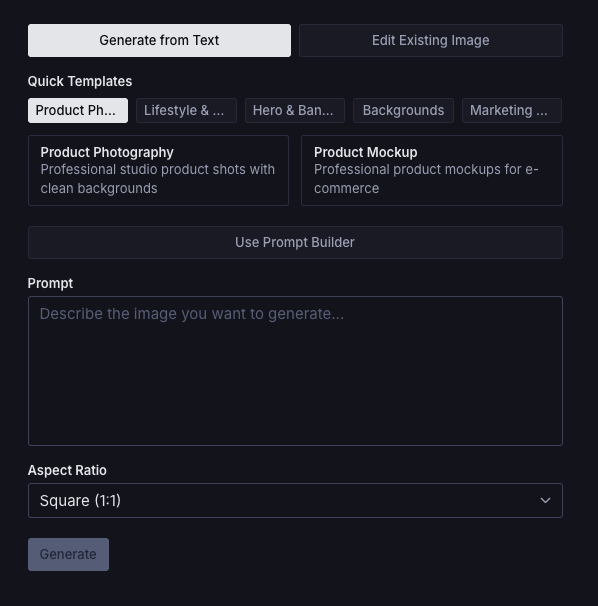
Content isn't complete without good imagery. Nick Jensen's "Gemini AI Image Generator" (using Nano Banana pro) generates images directly in your Studio. Text-to-image, image-to-image editing, or batch generate 2-10 images in one request.
Setup is, in his words, "ridiculously simple":
Install the package > add to your config > create an API route > drop in your Gemini API key. Find it in your Studio, next to the image picker.
Check out his blog post for inspiration on use cases and see the built-in power features like multiple aspect ratios and prompt templates to get you going.
That's December! Questions, feedback, or want to share what you're building to get a chance to be featured here?
Find me in our Discord Community 👋
此内容由惯性聚合(RSS阅读器)自动聚合整理,仅供阅读参考。 原文来自 — 版权归原作者所有。