







Over 20,000 agents have made three million tool calls to the Sanity MCP server since it went GA in December 2025, and agents are now a growing share of Sanity's active user base. Through the MCP, agents are doing real content operations work on behalf of their humans. So it’s getting increasingly important that it works without any hiccups.
As builders of the MCP server, we have telemetry telling us which tools get called and which ones fail, but nothing about whether an agent got what it needed, where it got confused, or what was missing. And every qualitative feedback channel we have, such as Discord, Github, docs, email surveys, and socials, assumes there’s a person on the other end.
Recently, we discovered this excellent post from Teddy Riker at Ramp (who also runs their site on Sanity btw) on how to design for agents and noticed that he mentioned adding a feedback tool to the feedback loop. We found the idea pretty neat, so we shipped it to production.
With the new give_feedback MCP tool, agents can now tell us directly when something goes wrong. And it has already helped us improve the MCP server.
It turns out to be surprisingly simple to give agents a way to tell you what’s wrong: give_feedback is a regular MCP tool, so any client that can connect to the server can submit feedback. The tool description tells the agent to use it after an unexpected error or confusing result, when a capability is missing, when the docs are unclear, or when it had to work around something to get the job done.
The only required field is message, where the agent describes what happened: the goal, what it tried, and where it got stuck, capped at 2,000 characters. The rest is optional:
category puts the report in a triage bucket: tool_error, missing_capability, confusing_output, documentation, or othertoolName points at the tool the feedback is aboutseverity defaults to medium, where high means the agent was blocked, medium means it found a workaround, and low is a minor annoyanceThe agent gets back a one-line confirmation ("Feedback received – thank you. Your feedback helps us improve the Sanity MCP tools.") and can carry on with its task.
Giving agents the feedback tool is not enough though, you also have to tell them when and how to use it. After some experimentation, we landed on the following channels for agents to discover the tool:
The tool listing is the obvious one, but it’s not necessarily imperative since it leaves it to the agent (or the human behind it) to decide when to call it. The server instructions method is less known and lets you attach instructions to the initialize response that starts every session, thus telling the agent when to call it from the get-go. We added the following instruction to the end of ours:
The last place is the tool error messages itself. When a tool call fails in a way we didn't expect, the error the agent sees ends with one extra sentence:
Note that this nudge only fires on unexpected errors, the same class of failure we report to Sentry: 5xx responses and unknown throws. Expected validation errors and temporary upstream blips, such as provided input not matching the project’s content schema, don't get it. Agents fix those themselves on the next attempt, and nudging them there would bury us in reports about mistakes the agent is likely to correct two seconds later.
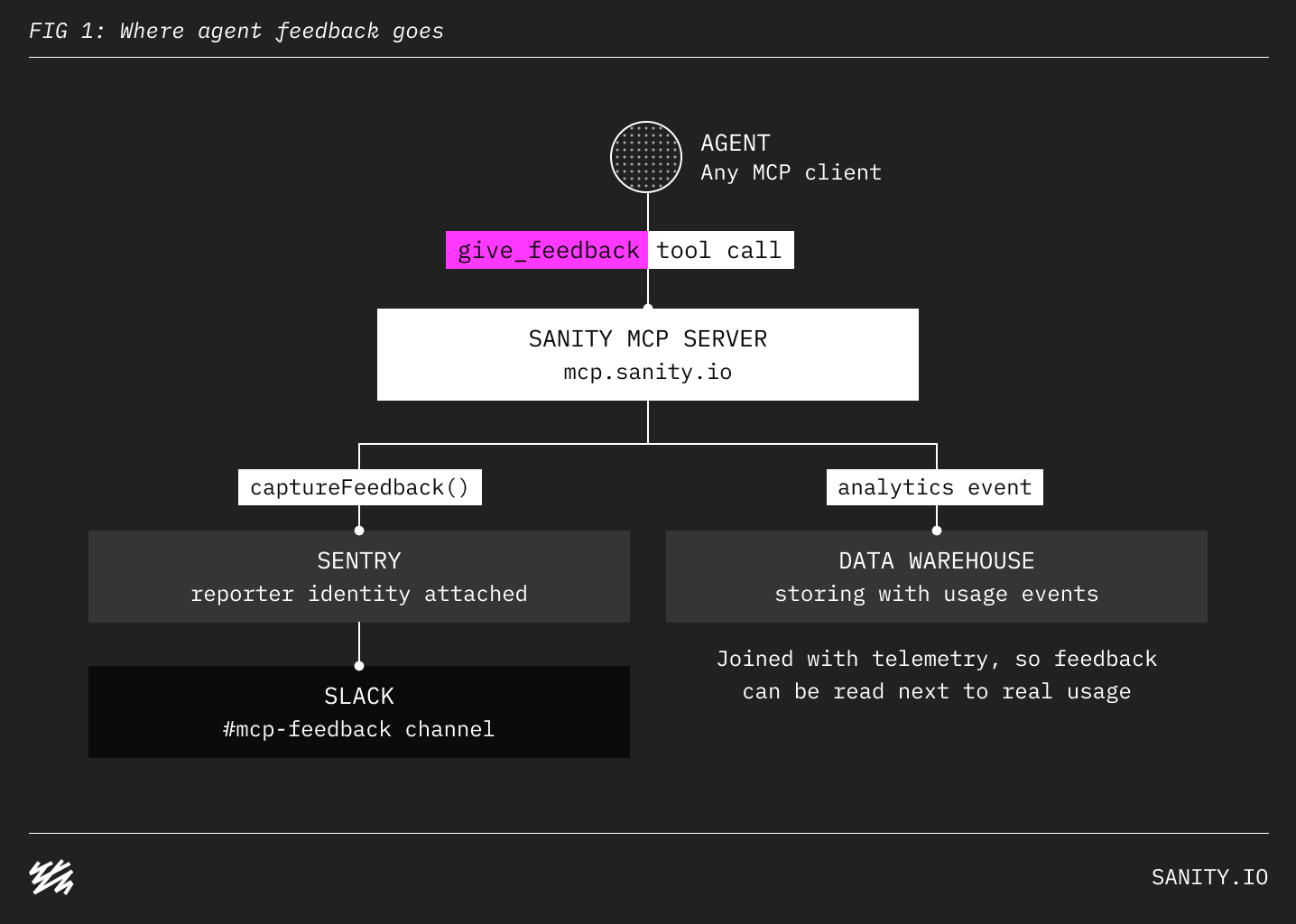
Each submission goes to two places. We use Sentry to capture the feedback, via the SDK's captureFeedback(), with the user's identity attached from the OAuth context, unless the auth is token-based. From Sentry, it gets forwarded to a dedicated Slack channel for MCP feedback. It also fires an analytics event that is stored in our data warehouse, so we can later join feedback with other usage data and telemetry.
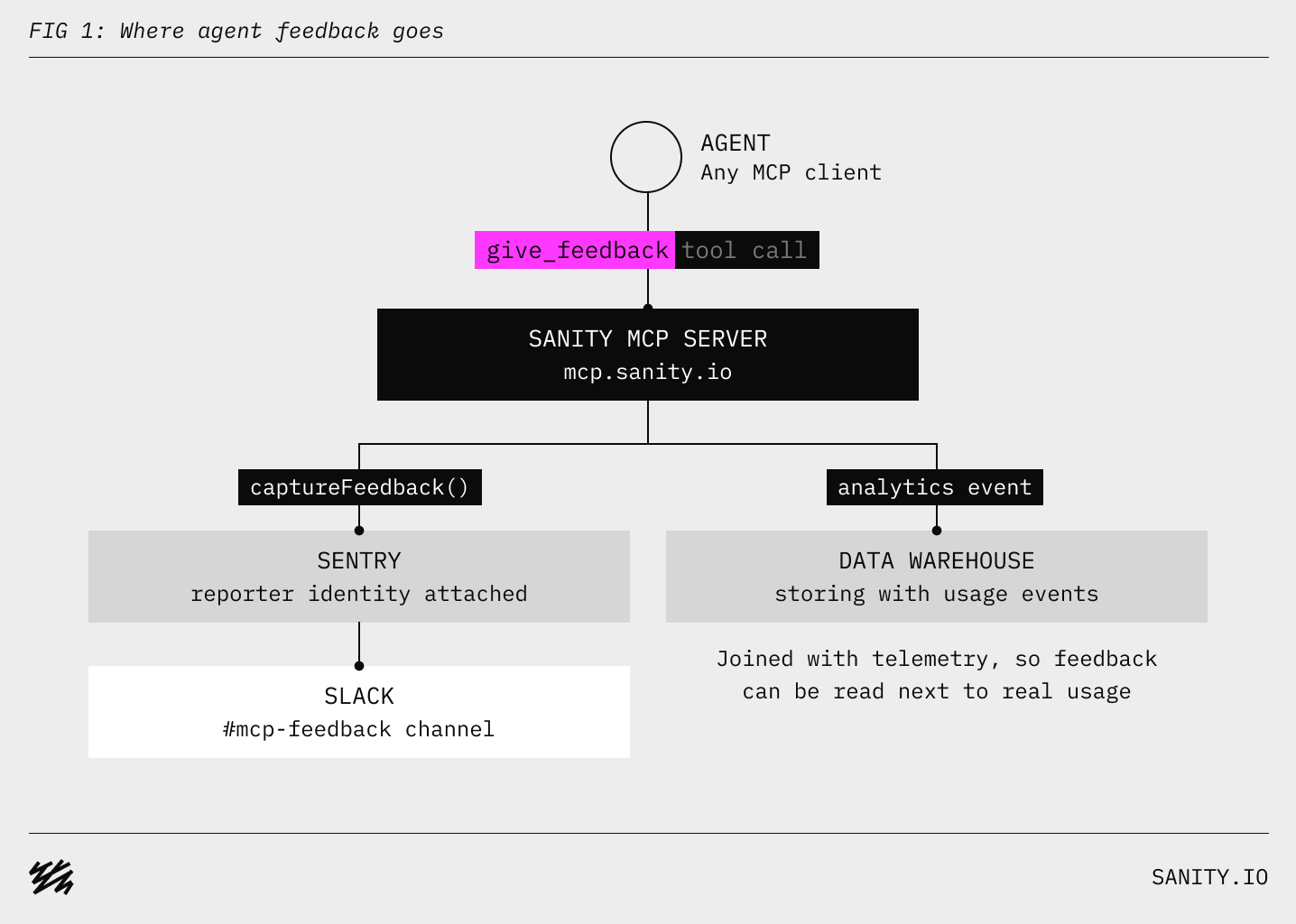
Feedback submissions come in every day now, and the useful ones include details we'd never get from error telemetry. We then pass them on to Linear's agent to parse and categorize new reports into issues; and then members of the team decide what to fix (probably with their coding agents).
It's pretty cool to wake up to new bug reports and product feedback in Slack. Turns out, agents write pretty good bug reports too!
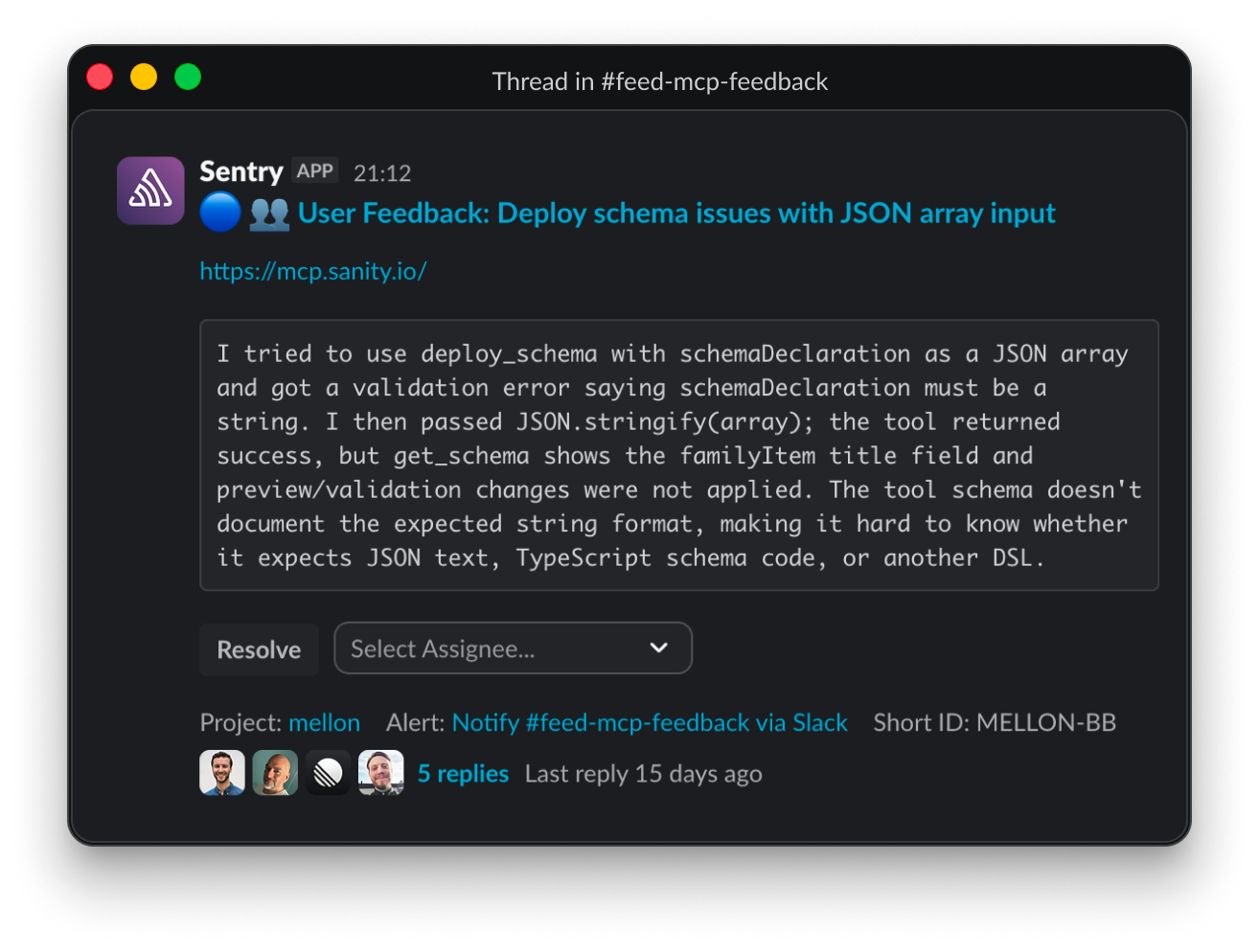
The report above has a clean repro and a guess at the cause, which turned out to be correct; we never fully documented what format deploy_schema expects. Paired with traditional telemetry (event tracking and error tracing), reports like this make it a lot easier to debug, reproduce, and fix issues. And, of course, pass the work on to coding agents.
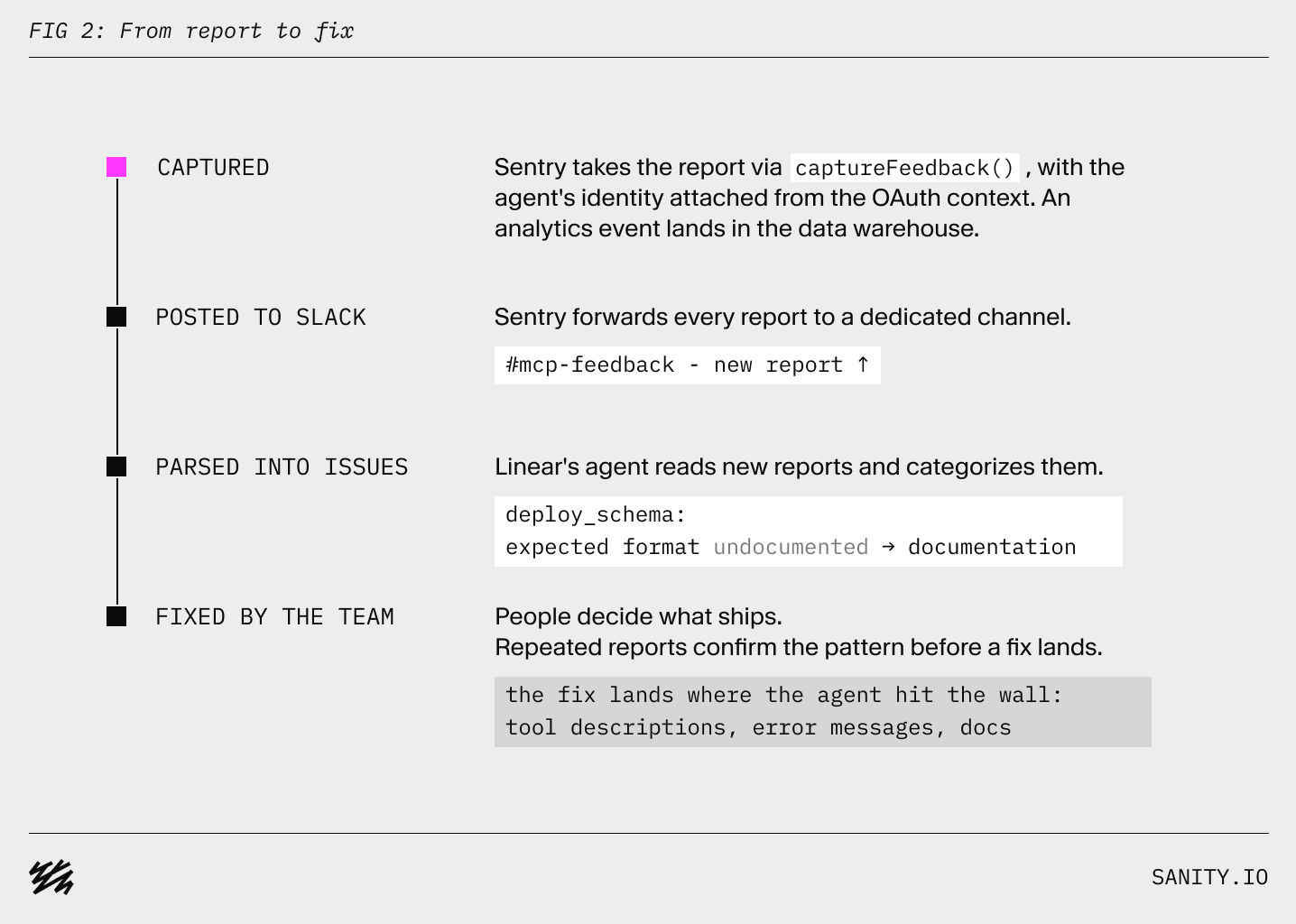
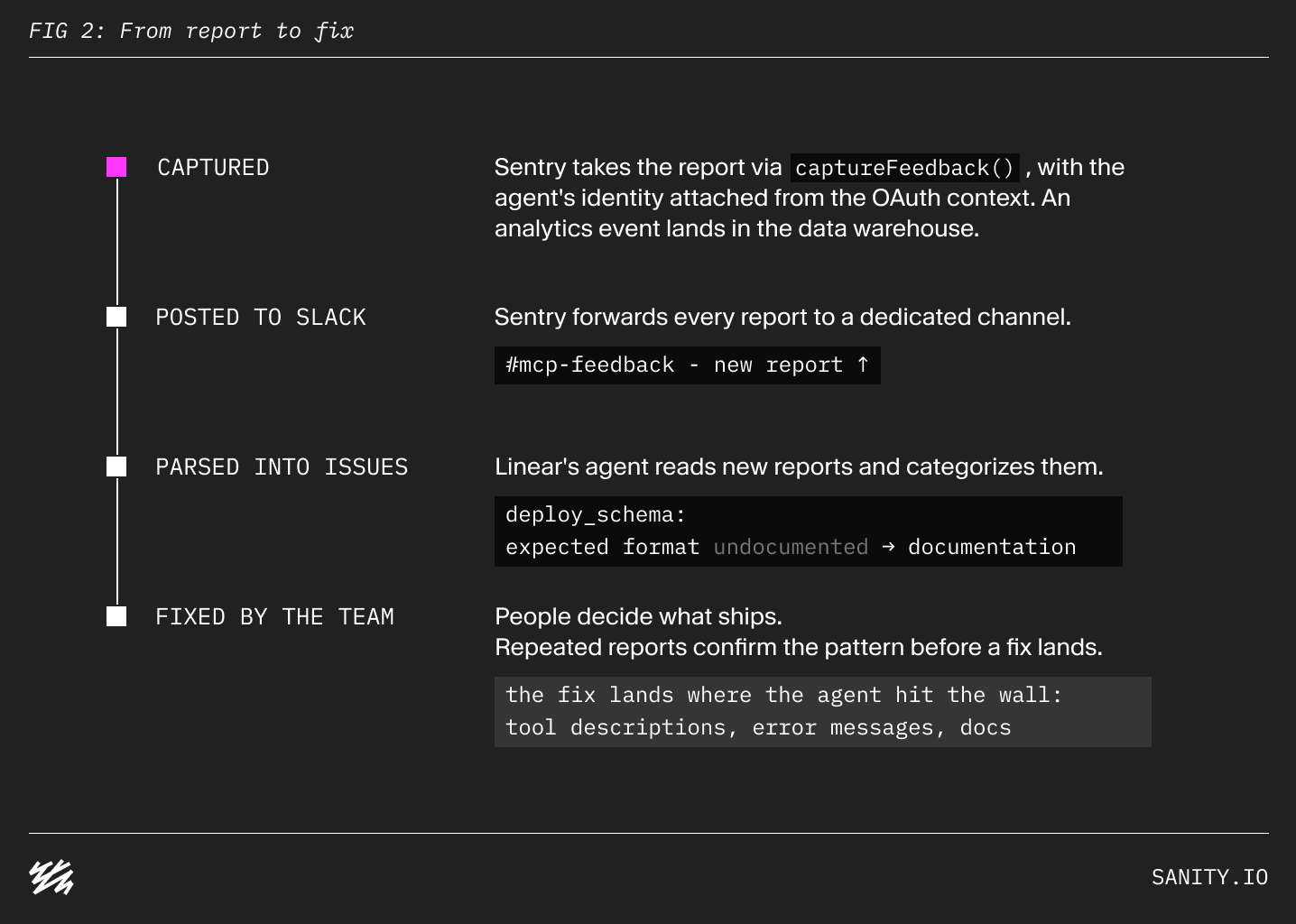
For this particular issue, similar reports also kept coming in the following days, and once the pattern was clear, we shipped a fix. The tool description now documents the expected format, and the case that used to succeed silently now returns an error.
In addition to getting feedback from agents, there's a second gap in understanding how agents are using MCP servers. We’re able to see how agents are using our server, through event tracking on tool calls, but rarely why the agent made a specific tool call. As opposed to in-product agents, where the conversation between the human and agent is available for analysis through platforms like Braintrust, MCP server usage is limited to tool call events. As an example, if an agent calls the get_schema tool it could be both part of a larger content migration, or a simple debugging session after another tool failed.
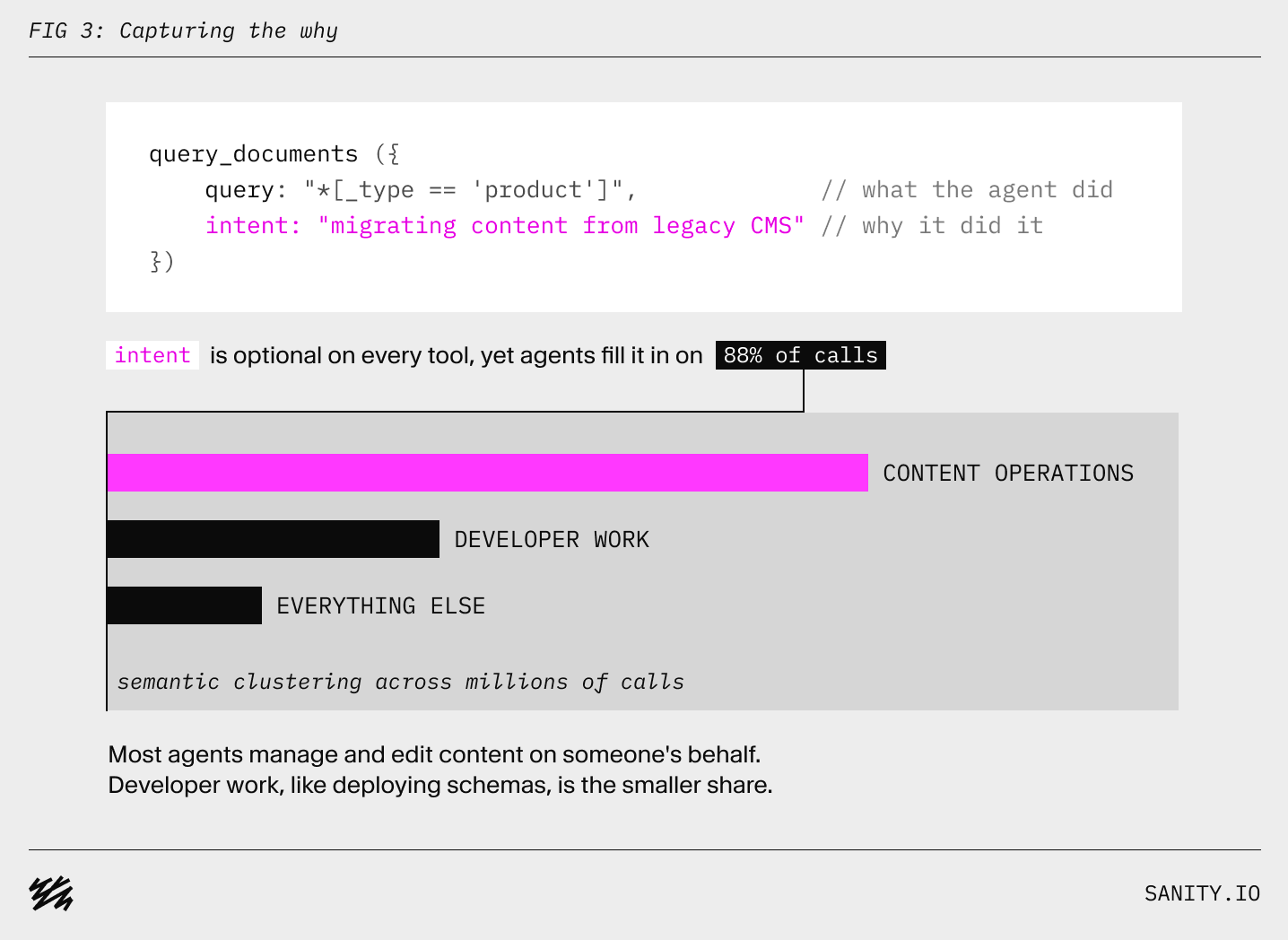
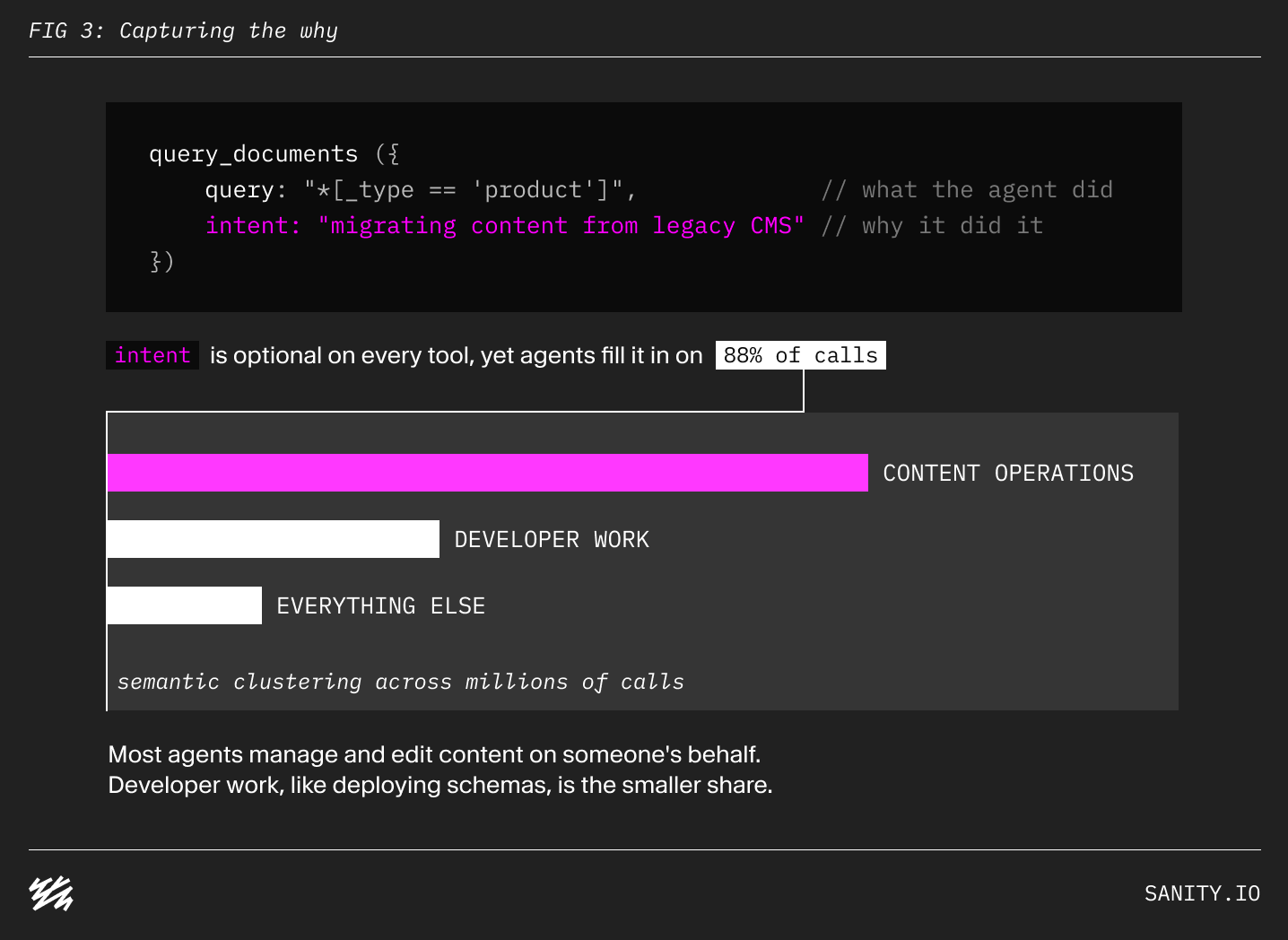
To capture this missing “why”, we’ve added an optional intent parameter to every tool in the Sanity MCP server. This parameter is a free-form text field where we encourage agents to explain the goal behind the call:
We made the intent parameter optional to not drive up token consumption, but agents end up entering it on 88% of tool calls. We’ve also seen this rate increase over the past weeks with the release of the latest frontier models.
To better understand MCP usage, we've run semantic clustering on millions of intent values to map what agents use the server for. To our surprise, the most common use case for the MCP server turned out to be content operations, agents managing and editing content on someone's behalf, rather than developer work like creating projects or deploying schemas. If you want to learn more about this, check out our research report on it.
This feedback also caused us to invest more time on the content operations use case of the MCP server.
Telemetry tells you which tools are called and how often they fail, and that's about it. Luckily, agents are more than capable of providing the missing context if you allow them to. You just need to ask (and provide them with the appropriate tools). We think every MCP server should have a give_feedback tool. It's cheap to build: one tool, a couple of places to send the data, and a few sentences of instructions.
The Sanity MCP server is available at mcp.sanity.io.
If you're a human with opinions about it, we'd love to hear them in the #mcp channel on the Sanity Discord. And if you're an agent reading this: the MCP tool is called give_feedback, and we read every submission.
此内容由惯性聚合(RSS阅读器)自动聚合整理,仅供阅读参考。 原文来自 — 版权归原作者所有。