







One of the advantages with using Sanity as a headless CMS is that it allows a team to work more cross-disciplinary. After the two minute installation, a developer and an editor can sit together and create the editorial interface, and have the fields and the modell pop up on the screen, ready for work. The content is available through the API instantly, and can be queried.
We don't believe in a one-size-fits-all approach to design, but we're pretty certain that the success of a design process relies on everyone’s understanding of the problem to be solved. And that involves experimentation, mocking up and working together from different angels. In this post we want to demonstrate an small example of how that could be done with Sanity, Sketch and InVision’s Craft plugin (you should go ahead and install that right away).
Learn how to get started with Sanity
Install the Vision-plugin for your Studio by running sanity install @sanity/vision in your terminal. You'll now have a new icon in your left sidebar and by clicking it you'll get to a tool where you can author and test queries in our Graph-based Query Language (GROQ).

Let's say we want to design our new listing of blog entries. We then need a title, an author with name and photo, and the publishing date. Something like this, coming from our own blog:
If you successfully got the content you wanted in the right panel, you can go ahead and push the copy button up to the center. It will copy the URL of the same query.

Start with drawing some placeholder boxes and texts.

In the Craft-plugin bar, click the button for “data” and go to the JSON tab. Paste in the URL you copied from Vision.
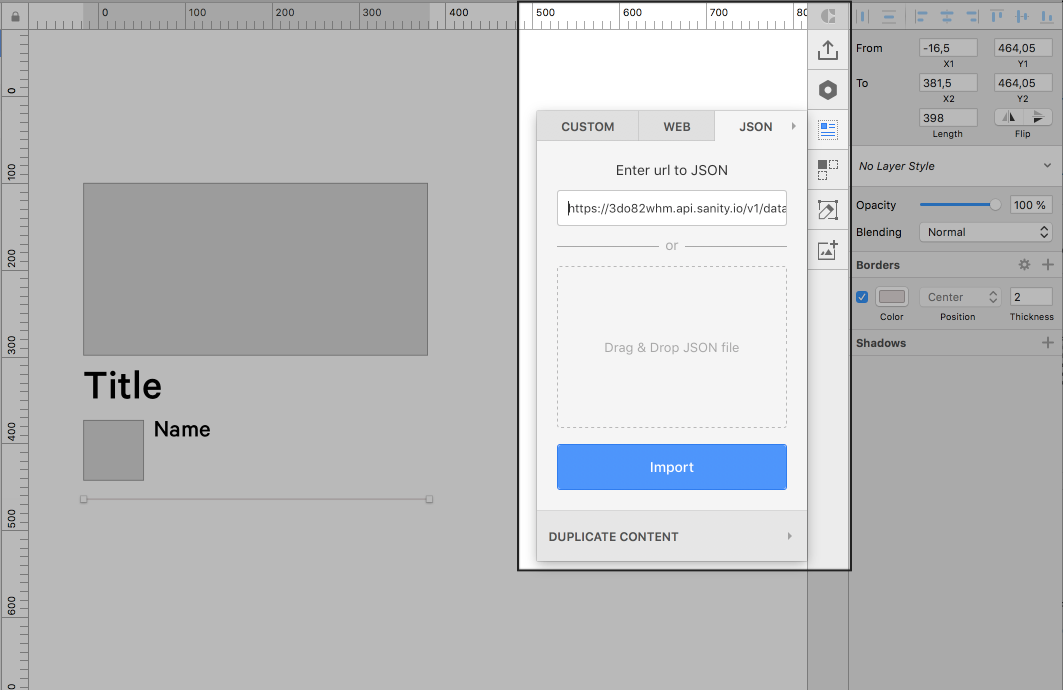
After you push “Import” you'll get a list where you can expand “results” to see the list of content you just fetched from Sanity.

If you select a placeholder, and then a label in this data list, you'l notice that the content is applied to the placeholder. And almost certainly, it will break your intended design. That is probably a good thing.
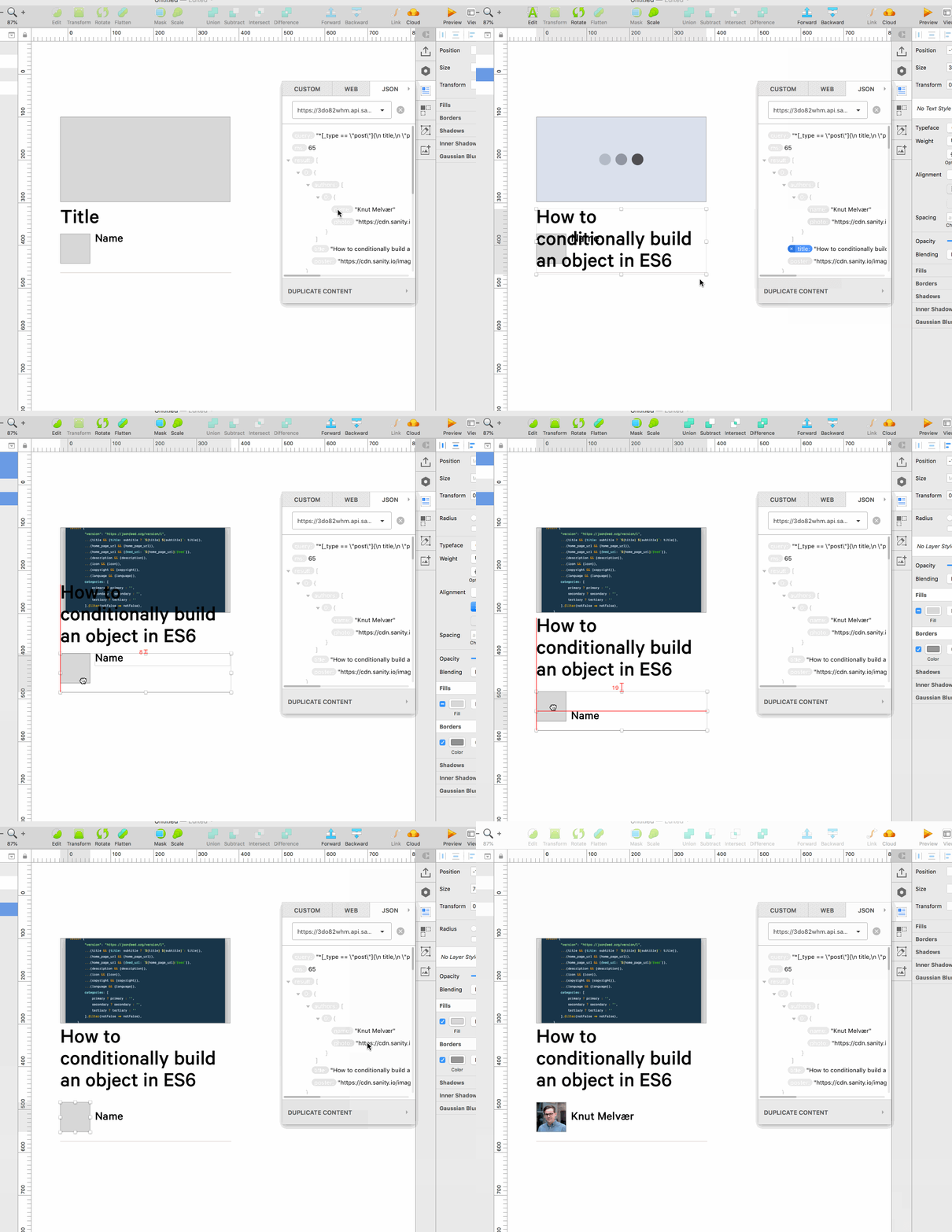
And now for the exciting part. Select all your layers on the artboard, and push the “Duplicate content” button in the Craft pane, put in some numbers in “count” and “gutter”.

If I now zoom out, we'll see I have a list of duplicated placeholders, but filled with the different blog posts automatically. As you can see, there is some breakage in my initial design. But now I know I have to think about how long titles can be, and discuss with my team how to approach it. Perhaps we need some character limits on titles? Perhaps a warning in the Studio if a title goes over a certain number of characters, or perhaps I can use this content and adapt the layout for it.

---
This was a pretty basic example of how you can use structured content and Sanity’s API in design workflows. We're sure there are many other ways of doing this. There are even examples of people using Sanity to publish books, exporting the content into InDesign via XML. If you invent a way to use Sanity for design prototyping, we'd love to hear all about it in our community slack.
此内容由惯性聚合(RSS阅读器)自动聚合整理,仅供阅读参考。 原文来自 — 版权归原作者所有。