








Today we're announcing two releases that are massive upgrades to the Sanity experience. They've been in the works for quite some time, and we can't wait to hear what you think!
Our new Roles system provides out-of-the-box features to control access within the Sanity Studio. It has a new set of default roles that cover most of the use cases for content control. And we're releasing a new version of Sanity Studio that has built-in detection of a user's role, automatically controlling access and actions a user can take with specific content.
We're also making our improved management interface (sanity.io/manage) available for all Sanity customers by default. Since we launched this interface in early access, the team has continued to enhance existing functionality to provide better project management capabilities, deeper visibility into content access, and more granular reporting. Activity Feed is another great feature we launched today that helps you see all user actions inside Sanity for improved security and compliance.
We think the new Roles system and management experience will make it easier to onboard, use, and manage your Sanity projects, whether you are a small business or a large enterprise.
With our new Roles system, you can specify which resources a user has access to and which actions they can take inside the Sanity Studio. Want to prevent certain users from publishing? Now you can set that up easily.

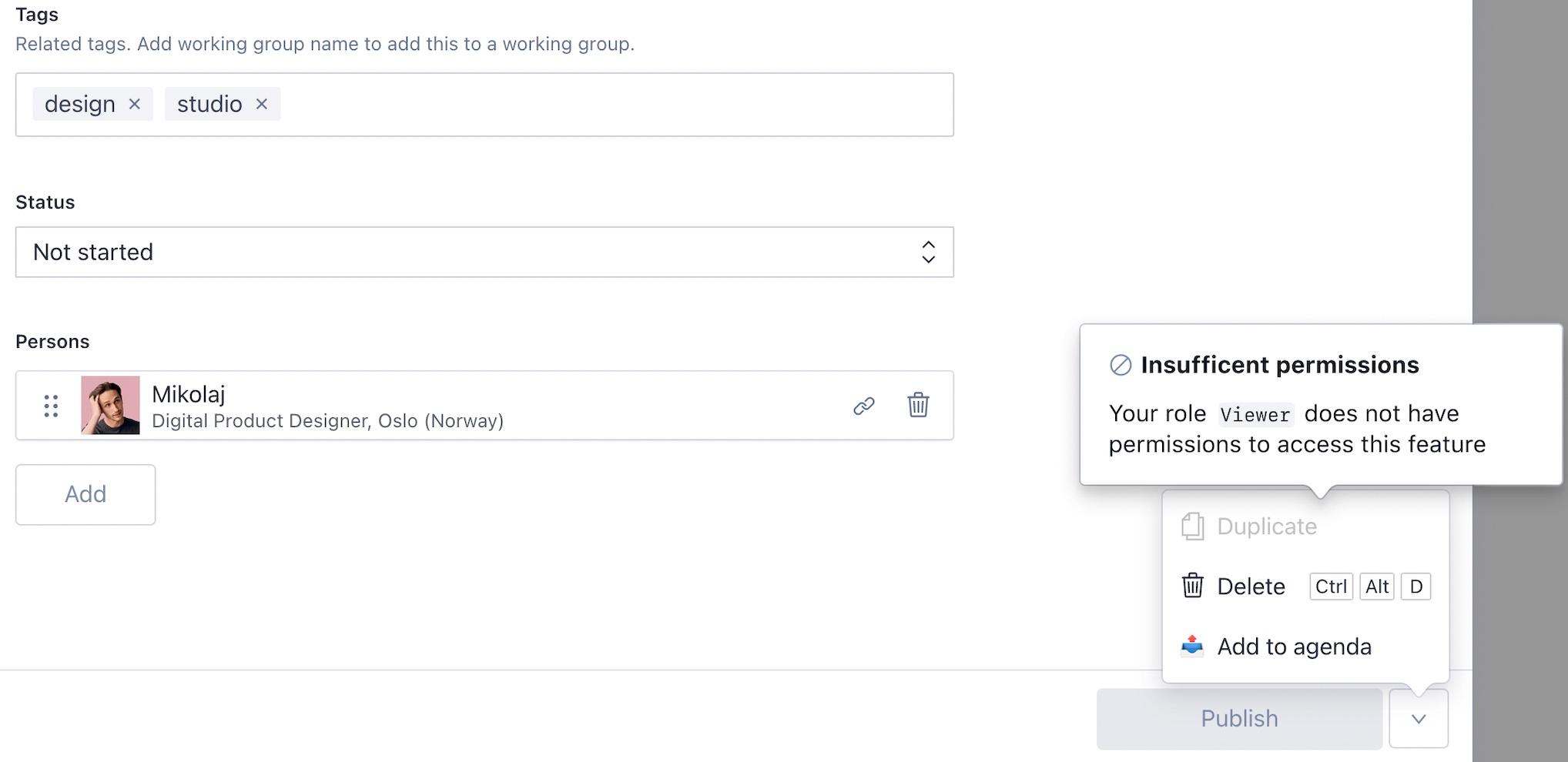
The following default roles are available, depending on your project's plan:
Enterprise customers can create additional custom roles as before, but now you can specify if they are assignable to humans or bots and it is much easier to update and configure roles using the defaults we provide.
Check out our documentation for more information about Roles.
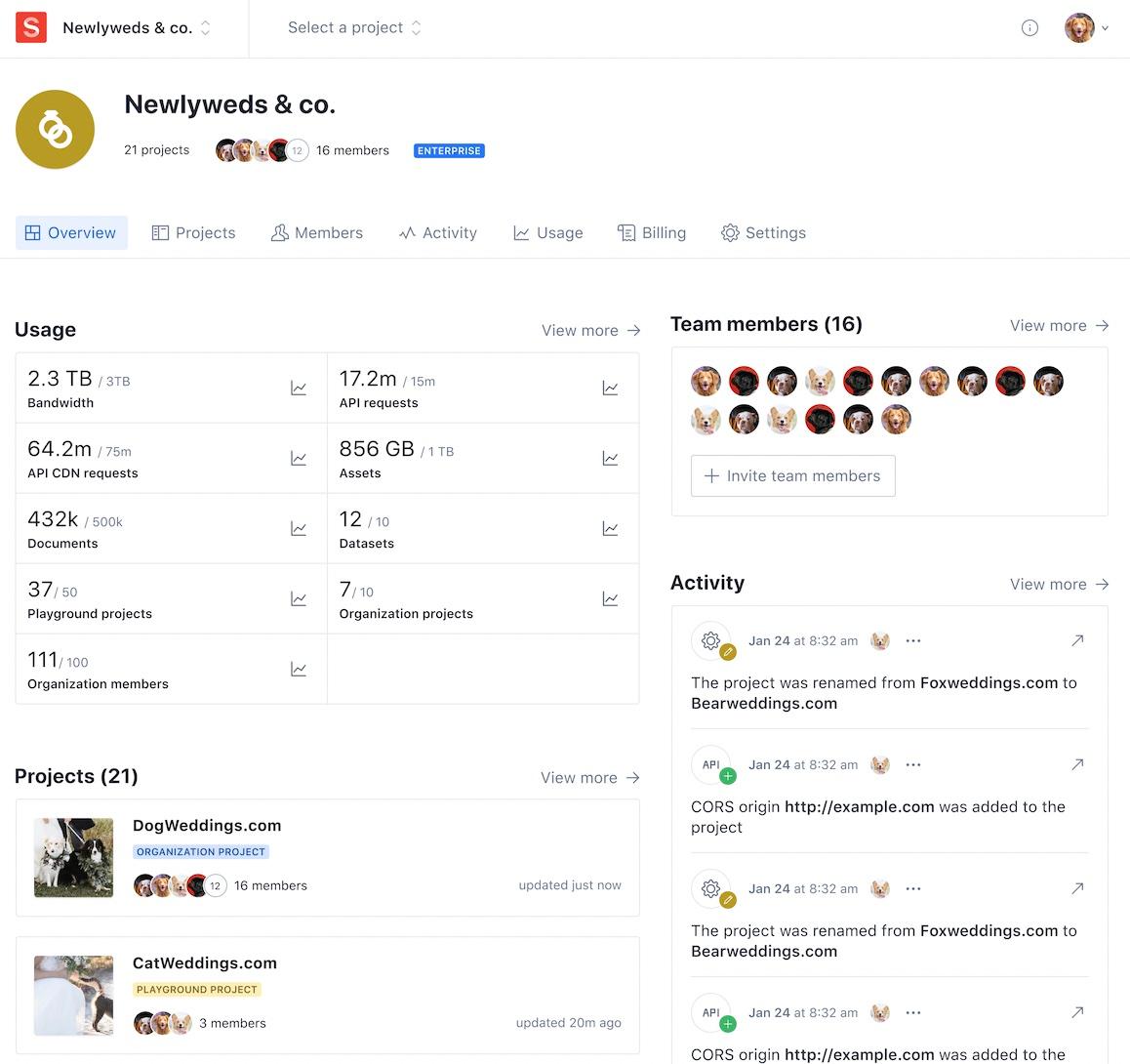
Our Manage interface was one of the first things Sanity shipped at launch, and we've been working to overhaul it for some time. After an early access period with feedback and discussions with many of you, the new interface is now available to everyone by default! It addresses many of the common concerns we heard related to administering projects and understanding usage. To build the management interface we used our own UI tookit, Sanity-UI, giving it a uniform look across Studio interfaces.
We now do a better job of surfacing key project and organization information so you can quickly find and navigate to what you're looking for:
The pricing plans we launched today are available on a newly introduced Plans tab for better organization and more intuitive navigation in the Manage interface:

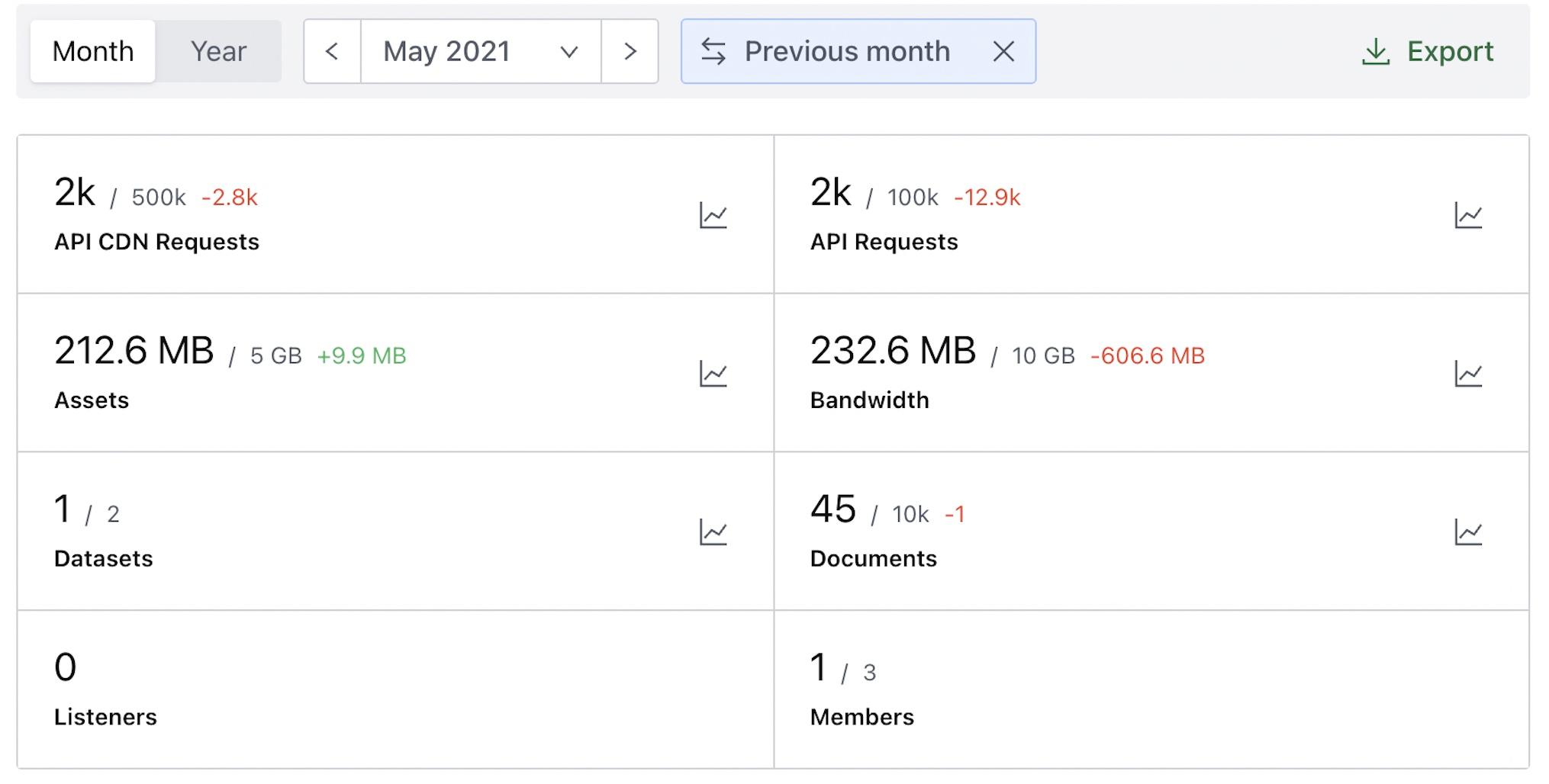
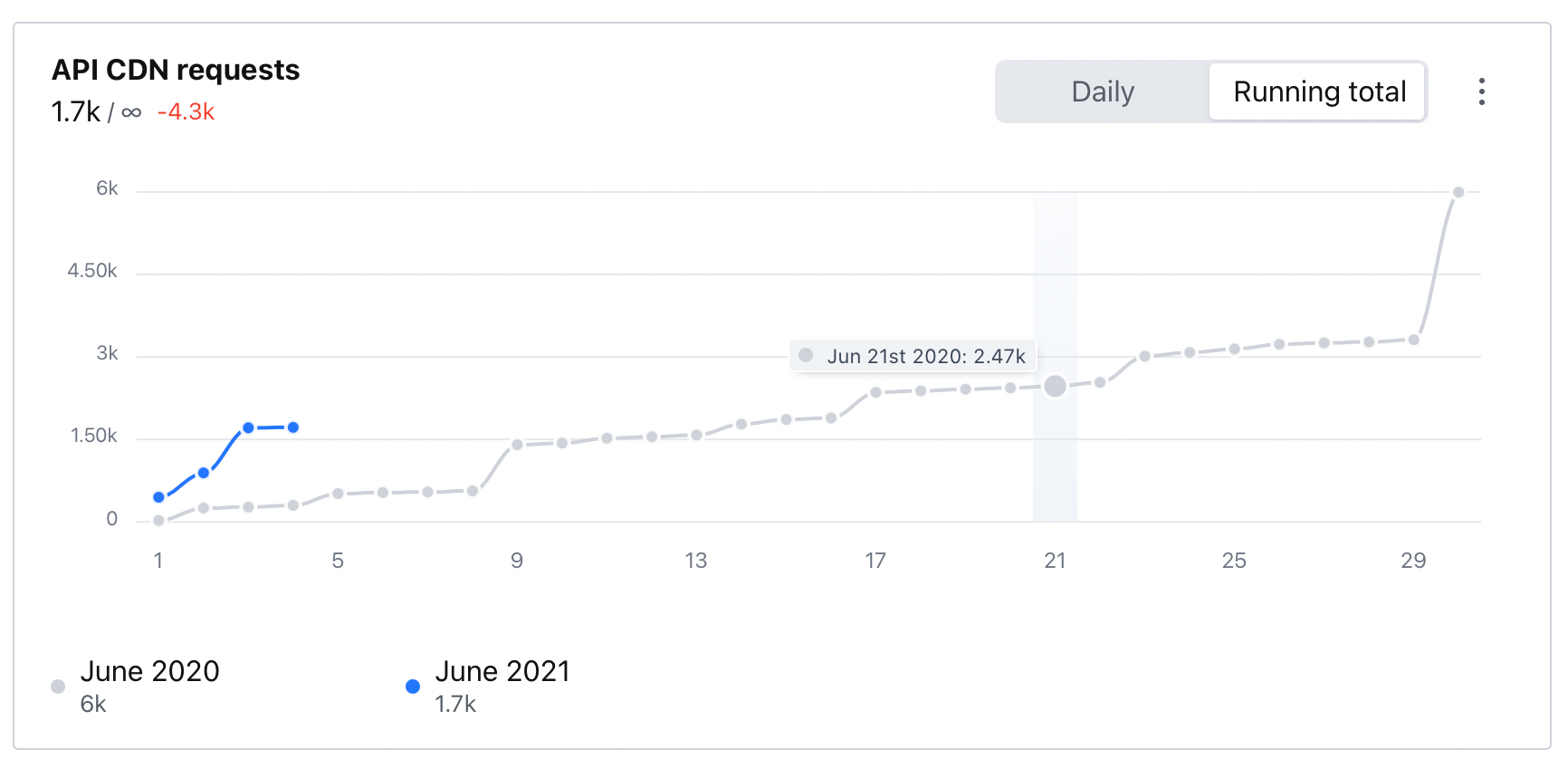
And we've improved reporting for billing and quota usage, including new charts that let you quickly explore the historical usage of your projects. If you prefer, you can export all that data so you can analyze in other systems and dashboards.

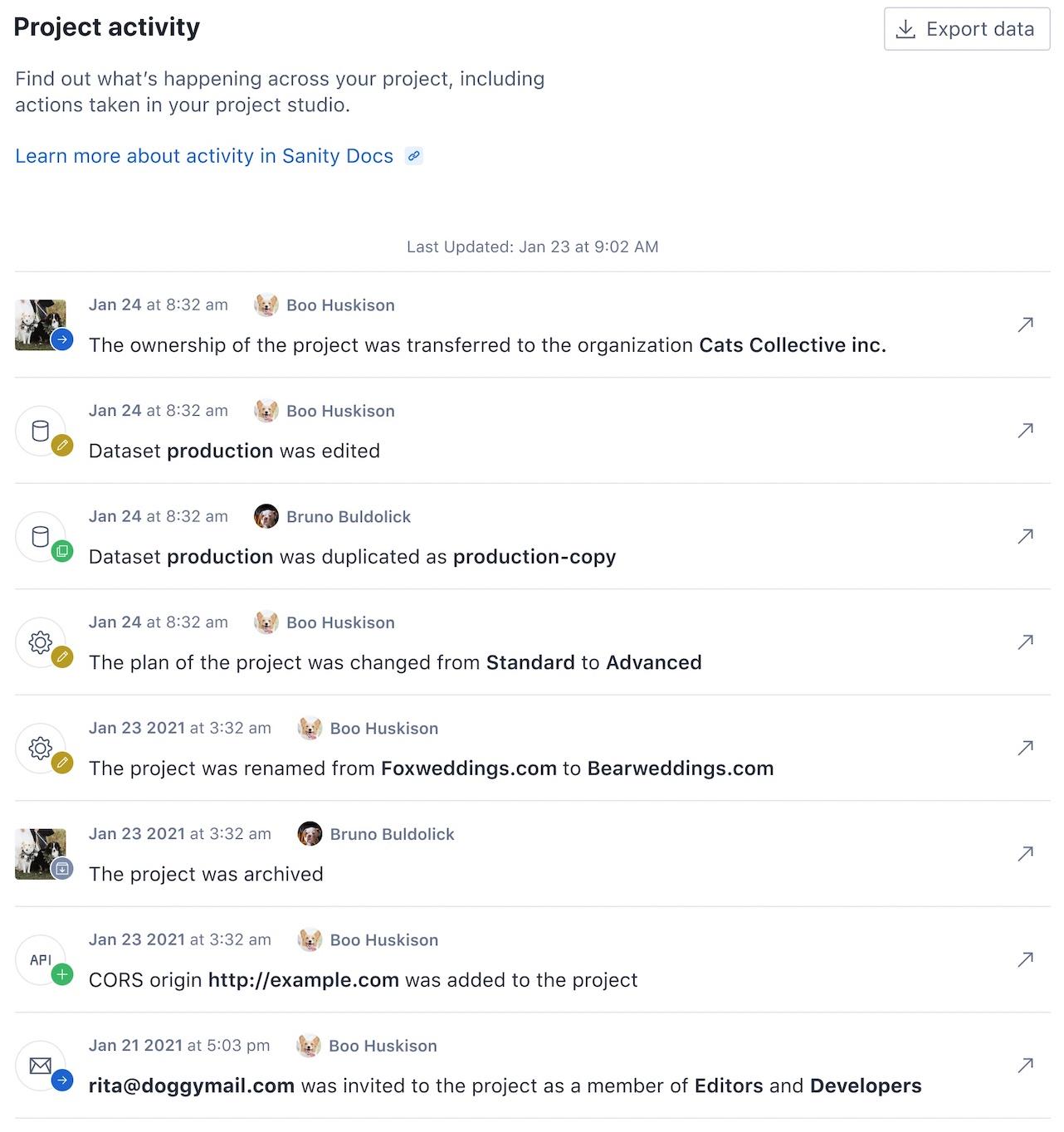
The Activity Feed surfaces all actions taken by all users within Sanity, at the project or organization levels. It provides better visibility to activities within projects, acting as a collaboration surface for teams of Sanity users. The Activity Feed is also important for security and compliance since administrator visibility helps limit dangerous changes made accidentally (or on purpose). Project administrators can disable the feed within a specific project, in case there are sensitive documents that should not be visible to anyone in the project. Activity Feed is available on the Business and Enterprise plans (read about our new plans).
We're continuing to improve Sanity across the management interface, Sanity Studio, and Content Lake. We aim to make it easy for developers, administrators, and editors alike to manage their content, and are excited to share more details soon. If you have any feedback, please join our Slack community and post in the #ideas-and-feedback channel.
此内容由惯性聚合(RSS阅读器)自动聚合整理,仅供阅读参考。 原文来自 — 版权归原作者所有。