



Learn how to retrieve structured case law data from Google Scholar using SerpApi's Google Scholar Case Law API, including case details, citations, court information, docket numbers, and decision timelines.

• 5 min read
Legal research often requires navigating large collections of court decisions and understanding how cases relate to one another. Google Scholar Case Law API provides structured access to case law data from Google Scholar, making it easier to retrieve case details, citations, court information, and decision timelines. In this guide, we'll explore how to use the API and the data it returns.

All data extracted from Case Law can be found in the case_results key of the response. There, we can find case_id, which is the unique identifier associated with the case in Google Case, title and name of the case.
The name of the court that heard and issued the decision in the case is in court_name, and dates hold the dates of when there were updates on the case, such as when it was "Argued" and "Decided", which can be useful to calculate court efficiency, or historical trends for specific types of cases.
Additionally, the response includes short_citations with the abbreviated names of legal citations used to refer to the case.
It also has case_numbers, with the docket_numbers with id, and link.
Finally, we have more information, such as cert, first_page, last_page, cited_cases, with case_link and serpapi_case_link, citations, variations with defendant, citation, and more.
Now that we know the value we can extract from Google Scholar Case Law API, let's see how to sign up for a SerpApi account to be able to scrape all this information.
First, we need to create a SerpApi account. SerpApi has a Free tier that offers up to 250 searches per month.
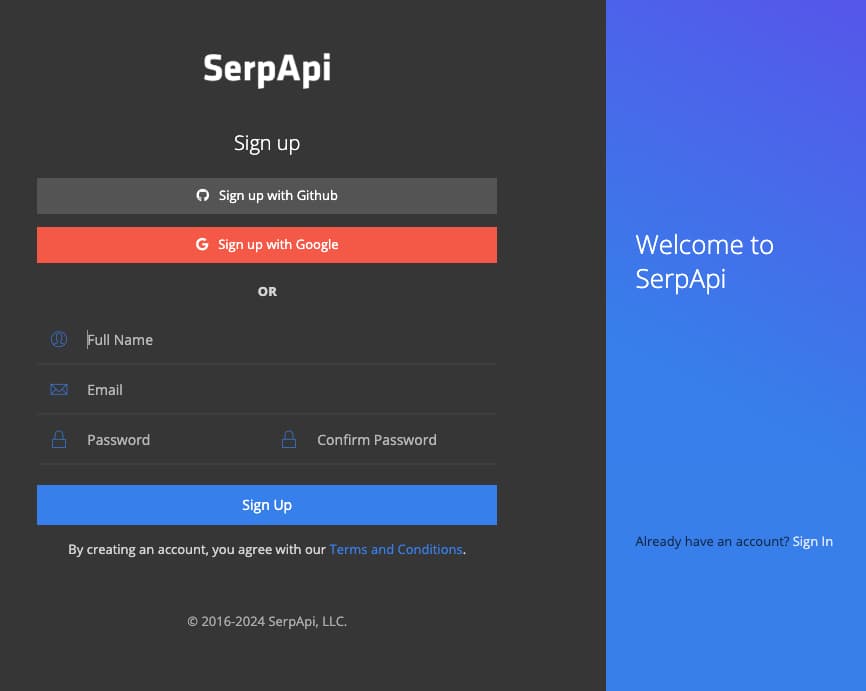
Let's head to the sign-up page to create an account. Provide a valid email and a valid phone number in order to access your account's dashboard.
Now that we have an account, we can sign in and use SerpApi's Playground technology to explore all the information we can get from Google Scholar Case Law API.
For this example, we're scraping Google Scholar Case Law (engine: google_scholar_case_law) for a case whose id is 9865046035680961820 (case_id: 9865046035680961820). This is a good case example because it has all values this engine can scrape.
Let's see how that looks like:

As we can see, there's a lot of data that can be scraped using Google Scholar Case Law, such as: case_results, case_id, title, name, court_name, cert, first_page, last_page, dates with position, date and type, short_citations, case_numbers with link and docket_numbers, cited_cases with case_link and citations with case_name, variations and defendant.
Exploring SerpApi's vast diversity of Search APIs using Playground is a lot of fun, but to get the most out of SerpApi's services it's best to use the results from Search Engines directly in your application programmatically.
In order to send requests to SerpApi, we will need your unique secret API key that can be copied right from your dashboard:
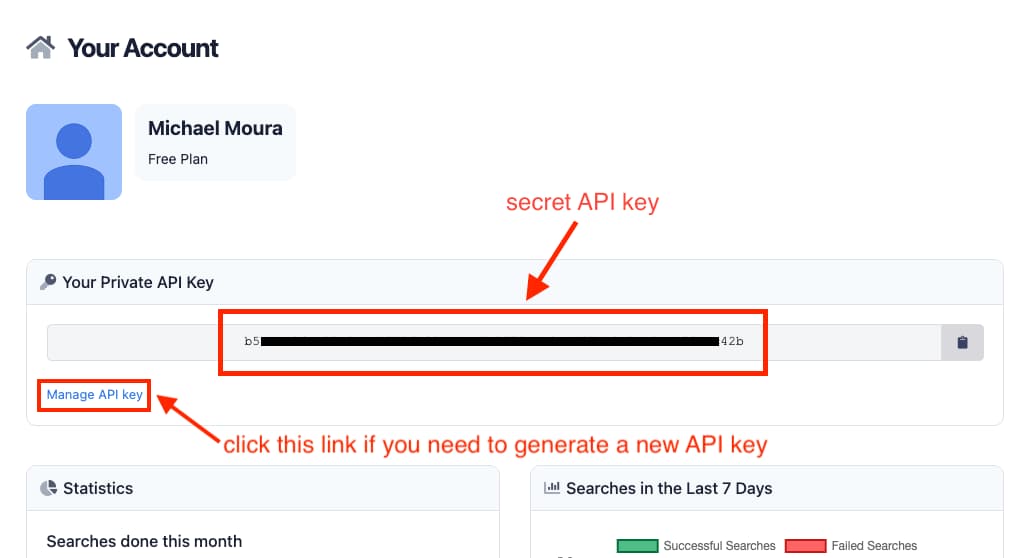
Your API key is unique to you and you should never share it anywhere to avoid other people using your account, but in case you accidentally expose your API key, you can easily generate a new one from the Manage API key page (if you generate a new API key, don't forget to update your application code with the newly generated API key).
Check out the documentation for SerpApi libraries based on the programming language you use:
To demonstrate how simple it is to use SerpApi in your code, here's all you'd need to do to retrieve Google Scholar Case Law API results from your application using the Ruby language, as you can also see in SerpApi's Google Scholar Case Law API documentation page:
require "serpapi"

client = SerpApi::Client.new(
  engine: "google_scholar_case_law",
  case_id: "16467529232954480884",
  api_key: "YOUR_SECRET_API_KEY"
)

results = client.search
case_results = results[:case_results]
That's all there is to it. Integrating SerpApi is extremely simple and straightforward. You can explore how to use all other Search Engine APIs offered by SerpApi at our documentation page, and play around with each of them using SerpApi's Playground feature.
Have fun! 😃
Google Scholar Case Law API makes it easy to retrieve structured information about court decisions, including case details, court information, docket numbers, decision dates, and cited cases. This data can be used to build legal research tools, analytics platforms, citation networks, and AI-powered applications that rely on legal precedent data.
In this guide, we explored the information available through Google Scholar Case Law API, how to test requests using SerpApi's Playground, and how to integrate the API into your own application with just a few lines of code. Whether you're building a legal research platform or analyzing relationships between court decisions, Google Scholar Case Law API provides a simple way to access and work with case law data at scale.
Do you want to see what else can be done with Google Scholar? Check out this amazing blog post covering how to use SerpApi's Google Scholar API Results:
How to Scrape Google Scholar Results
For every academic researcher, student, Google Scholar is a goldmine of scholarly articles, research papers, academic publications, journal articles, theses, and conference proceedings. Scraping Google Scholar can provide you with data for your research projects, citation analysis - identify influential works and understand the impact of the research, literature reviews,
 SerpApiAndy L

此内容由惯性聚合(RSS阅读器)自动聚合整理,仅供阅读参考。 原文来自 — 版权归原作者所有。