








AI and software professionals often miss valuable conferences, meetups, and webinars because relevant events are scattered across dozens of websites. Instead of manually searching and comparing listings every week, an AI agent can continuously discover events that match your interests, location, and schedule, and then even add them directly to your calendar.
In this tutorial, we'll build an AI-powered Event Discovery Agent using SerpApi MCP and Claude that takes care of discovery and recommendation. You'll be able to give the agent instructions, using which it will discover events and produce a clean markdown report with recommended events.
Follow along and by the end, you'll have built a personalized AI event concierge.
The goal is to be able to ask Claude:
Find upcoming AI conferences, meetups, and webinars.

My preferences:
- Located within an hour from San Francisco
- Interested in AI agents, MCP, RAG, and developer tools
- Budget under $500
- Prefer in-person events
- Within the next 90 days

Generate a Markdown report and provide Google Calendar links.
Claude will use SerpApi MCP to search Google events and gather structured event data. Then, it will rank events by relevance, create calendar links and generate a final markdown report.
Example output we aim to see:
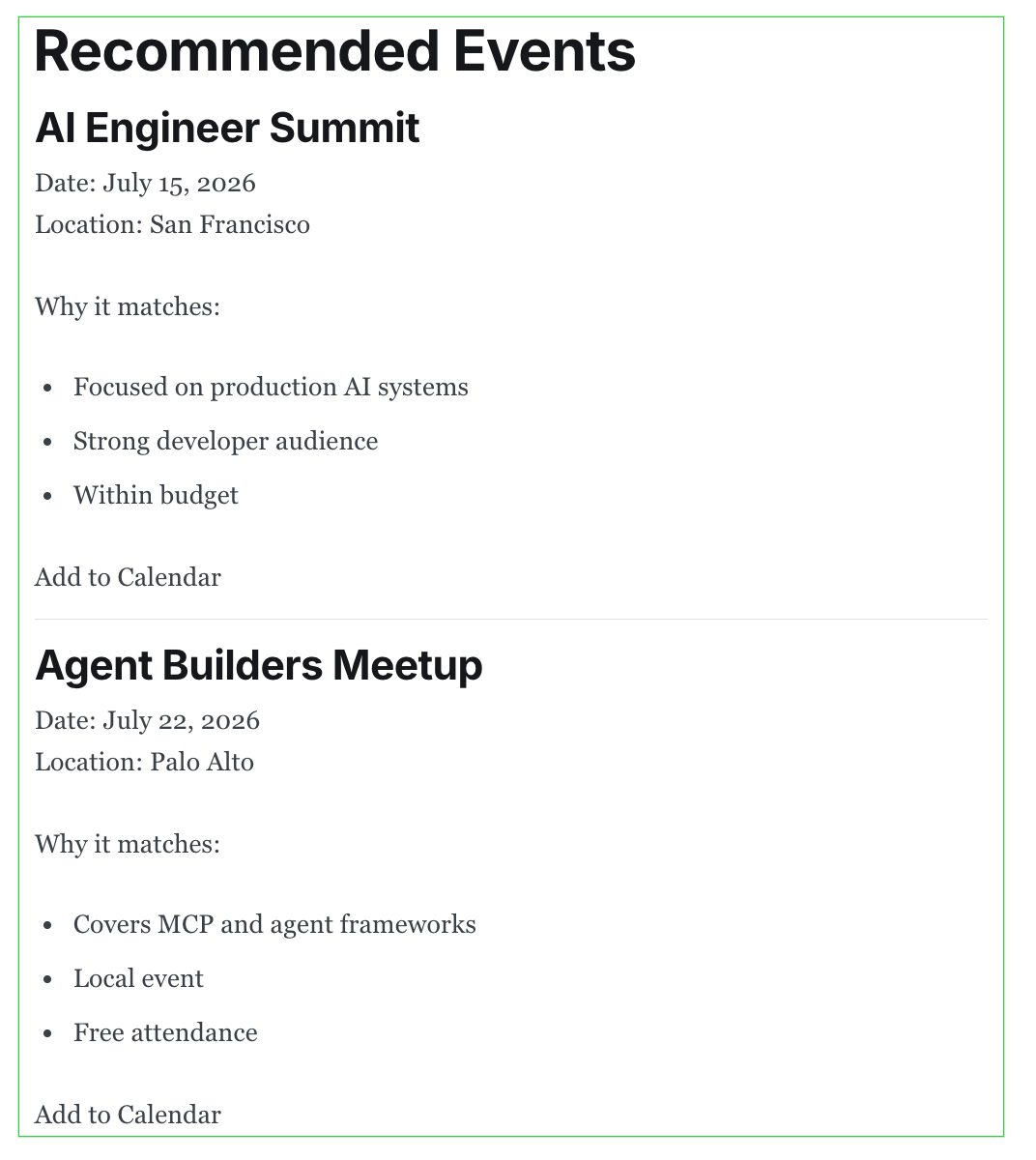
For this tutorial, we're going to use SerpApi's Google Events API.
To begin scraping data, create a free account on serpapi.com. You'll receive 250 free search credits each month to explore the API. Get your SerpApi API key here: https://serpapi.com/manage-api-key
💡
You'll need to create an account with Claude in case you don't have one yet. You can do that here: https://claude.ai/login
To access Claude Code, you'll need a Claude Pro, Max, or Team subscription OR you can pay per usage via Claude API.
Install Claude Code:
npm install -g @anthropic-ai/claude-codeVerify the installation:
claude --versionYou should see the installed version printed in your terminal.
SerpApi's MCP server allows AI assistants to perform live searches using your SerpApi subscription without requiring custom tool implementation. Claude Code can connect to external MCP Servers like SerpApi's to perform searches.
We'll add the SerpApi MCP server to Claude Code:
claude mcp add --transport http serpapi https://mcp.serpapi.com/YOUR_SERPAPI_API_KEY/mcpOnce configured, Claude Code can access SerpApi tools directly.
Run the following command in your terminal:
claude mcp listYou should see output similar to:
Configured MCP servers:

✓ serpapi
  URL: https://serpapi.com/...
  Status: Connected
If the serpapi server appears in the list, Claude Code has successfully detected the MCP server and can use SerpApi tools during your session. If you don't see the server listed, double-check your MCP configuration and API key, then rerun the setup command.
💡
If you need to remove an incorrectly configured serpapi MCP server, use this command to remove it before rerunning the setup command: claude mcp remove serpapi
Create a workspace for the project:
mkdir event-discovery-agent
cd event-discovery-agent
We'll store generated reports here.
For example:
event-discovery-agent/
├── events.md
└── prompts.md
The events.md file will be generated by Claude.
Here, we provide instructions describing the events we want. This step is important because we're not just searching. We're defining decision criteria.
Think of this as the equivalent of giving requirements to a human assistant.
Without requirements:
Find AI events.With requirements:
Find AI events focused on developers,
exclude expensive conferences,
prioritize in-person networking opportunities.
The second prompt produces dramatically better results.
Let's create a file called prompts.md in the event-discovery-agent/ directory and add a detailed prompt there:
Use SerpApi MCP to find upcoming conferences, meetups, and webinars related to AI agents, MCP, RAG, and developer tooling.

Requirements:
- Within 100 miles of San Francisco
- Budget under $500
- Next 90 days
- Prefer in-person events

Create a file called events.md.

For each event include:
- Event title
- Date
- Location
- Event URL
- Why it matches my interests
- Google Calendar link
This prompt is the agent's operating instructions.
Head over to the event-discovery-agent/ directory and run:
claudeThe first time you run it, Claude Code will prompt you to log in. Once you're logged in, you'll see an interactive prompt similar to:
>You can now chat with Claude Code directly. By default, Claude Code will have access to all files in the event-discovery-agent/ directory.
Now simply give Claude Code the prompt:
Read prompts.md and complete the task.Claude will follow the instructions in prompts.md and the final output file events.md (with a curated list of events) will be created in the same directory once Claude finishes.
💡
Claude may ask you to confirm if it can perform certain searches. In that case, you must respond with yes so it can complete the task successfully.
A software script works great to filter events by date or location. But the agent can evaluate relevance.
For example, suppose an event description contains:
Enterprise AI
Agent Frameworks
RAG Systems
MCP Integrations
Claude can recognize that the event strongly matches the user's interests.
Another event may contain:
Academic Research
AI neural network Theory
Graduate Student Workshop
Even if it technically matches the keyword "AI", Claude may determine that it is less relevant for a software engineer.
The agent thinks about:
This reasoning step is what makes the output valuable. Rather than simply listing events, Claude also explains why each one was selected. This is another place where AI adds value beyond simple search results..
Once events have been evaluated, Claude ranks them. Rather than dumping twenty search results into a report, the agent highlights the most useful opportunities first. This makes the final report feel curated rather than generated.
For each event, Claude generates a Google Calendar URL. These URLs contain all event information such as event title, date/time, location etc. When users click the link, Google Calendar opens with a pre-filled event draft. The event can be added to your schedule in one click.
Claude created an events.md file after multiple SerpApi requests.
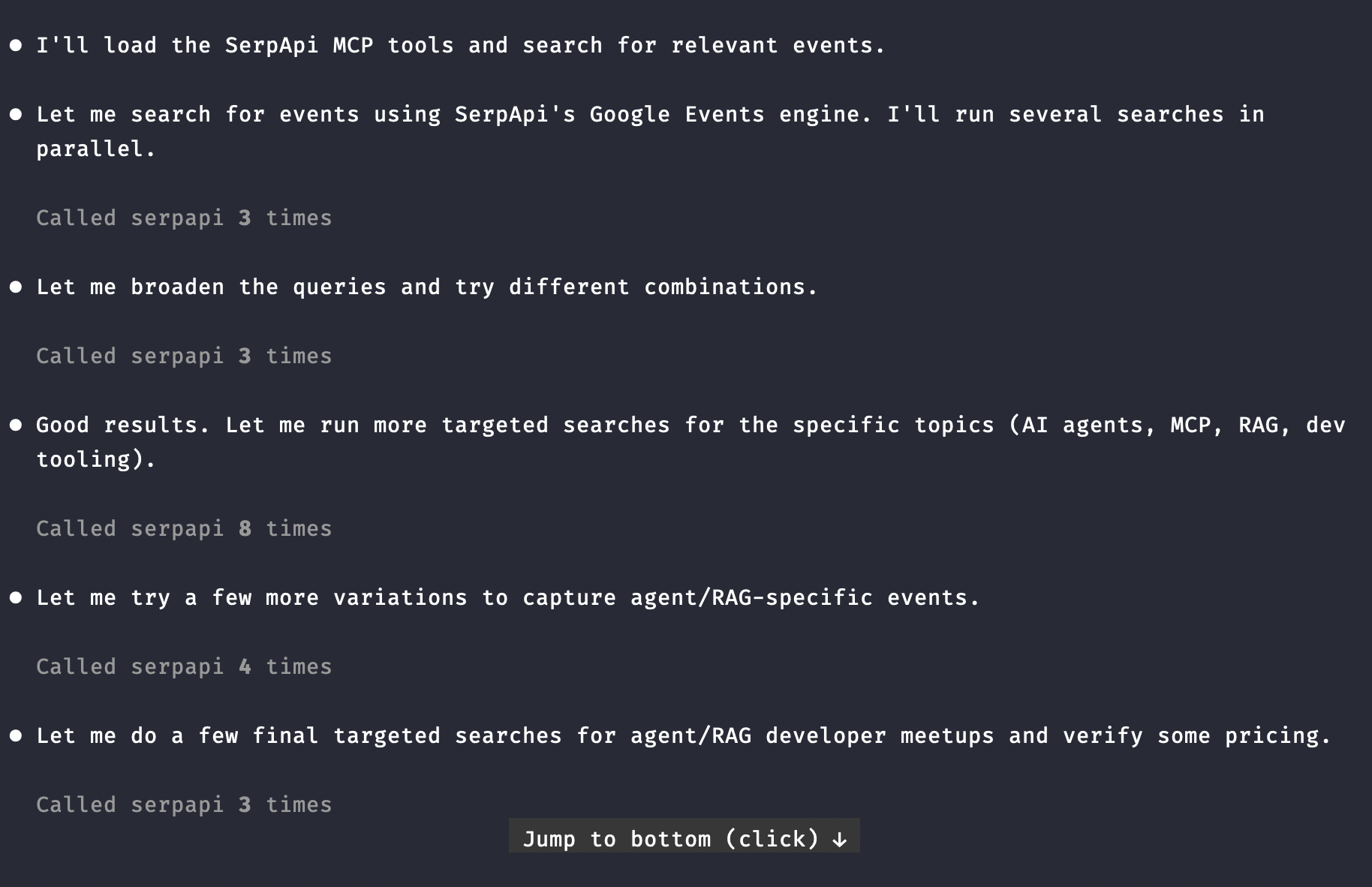
Here's the final result in events.md at the end of Claude's research:
events.mdUpcoming AI / Developer Events near San Francisco
Search focus: AI agents, MCP, RAG, and developer tooling
Filters applied: within ~100 miles of San Francisco · budget under $500 · next 90 days (Jul 14 – Oct 12, 2026) · in-person preferred
Source: SerpApi Google Events engine (searched 2026-07-14), with ticket pricing spot-checked via web search.
Note on budget: meetups below are free or low-cost. For the multi-day conferences, ticket tiers vary — I've flagged which ones can stay under $500 (early-bird / expo tiers) and which typically exceed it. Always confirm the current price on the registration page before booking.
✅ Best matches (in-person, near SF, next 90 days, likely under $500)1. Data for AI: One AI, Every Data Model
2. 19th San Jose Hardware Meetup — AI/ML in Lab Automation
3. API World 2026 (with AI TechWorld)
⚠️ Strong topic match, but tickets typically exceed $500
These are excellent for AI agents / RAG / dev-tooling content and are in-person near SF within the window, but standard passes generally run above the $500 budget. Listed for awareness — check for free expo passes, community/scholarship tickets, or day passes that might fit.
4. GenAI Summit SF 2026 (co-located with AGI Summit — "The Rise of Agentic Intelligence")
5. The AI Conference 2026
6. Salesforce Dreamforce 2026
Notes & tips
Sources: SerpApi Google Events, API World, GenAI Summit (Eventbrite), The AI Conference.
Because Claude Code can create files directly, the output becomes a reusable artifact rather than a temporary chat response. Every week or month, you can rerun the workflow and generate an updated report.
In this project, we used Claude Code and SerpApi MCP to build an AI-powered Event Discovery Agent. Through a single prompt, Claude was able to discover conferences and meetups using SerpApi, evaluate each event against user-defined preferences, generate Google Calendar links, and compile the results into a clean Markdown report.
I hope you found this useful. If you have any questions, feel free to reach out at contact@serpapi.com.
Build an AI Agent with the Claude Agent SDK (Tutorial 2026)
Learn how to build an AI agent programmatically using Claude Agent SDK. See how to create a connect it to a custom function or MCP.
 SerpApiHilman Ramadhan

Top 5 Practical Use Cases for SerpApi MCP Server in AI Agents
SerpApi MCP gives AI agents unified access to live search across multiple engines, returning structured JSON. Agents can use it for competitor analysis, trend tracking, customer support, product monitoring, and multi-agent workflows—enabling real-time, data-driven insights without custom APIs.
 SerpApiJames Collins
Introducing SerpApi’s Claude Code Plugin
A native Claude Code plugin that gives Claude direct access to Google, Amazon, Walmart, and 100+ other search engines via the SerpApi REST API — no server or SDK required.
 SerpApiJames Collins
此内容由惯性聚合(RSS阅读器)自动聚合整理,仅供阅读参考。 原文来自 — 版权归原作者所有。