








Datadog Cloud SIEM helps customers protect their cloud environment and SaaS applications against threats with built-in threat detection rules, interactive dashboards, workflow blueprints, and in-depth support resources. These capabilities provide valuable insights into your security posture, so you can respond promptly to emerging threats. In order to generate these insights, Cloud SIEM analyzes log data, which users can start sending to Datadog by enabling one of our out-of-the-box integrations.
Today we’re excited to introduce Content Packs, a centralized hub for accessing integration content in Datadog Cloud SIEM. By making these integrations easier to discover and utilize, Content Packs streamline the process of configuring log sources for Datadog Cloud SIEM so you can start monitoring your environment for security issues more quickly.
In this post, we’ll show you how to:
Explore and activate Content Packs
Use Content Packs to access key insights into your security logs
Users can configure log sources for Cloud SIEM using the Datadog API or by installing the appropriate integration(s) for their environment directly from our integration library. These integrations ingest, normalize, and enrich log data and third-party security alerts for threat detection and incident investigation in Datadog.
With our Content Packs Explorer, instead of wading through more than 1,000 integrations, you can view and filter a curated list of integrations that are particularly useful for Cloud SIEM. Each tile summarizes what is available in the Content Pack and guides you through steps to enable that integration.

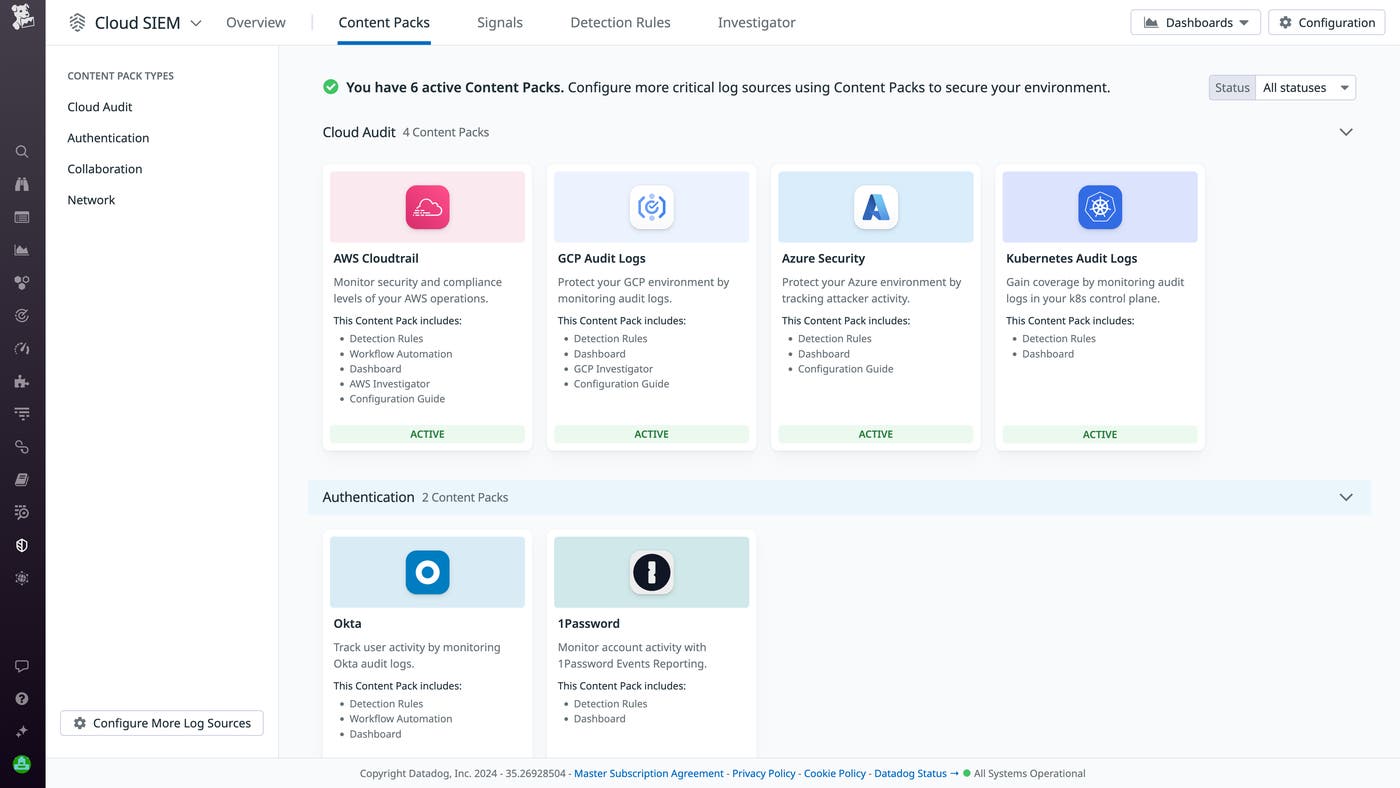
From the gallery, you can use a slider to activate or deactivate any of our nine initial Content Packs, which we’ve grouped into four categories:
Cloud Audit: Protect your cloud environment using the control plane logs from AWS Cloudtrail, GCP Audit Logs, Azure Security, and Kubernetes Audit Logs.
Authentication: Monitor user and account activity via authentication logs from Okta and 1Password.
Collaboration: Optimize and monitor key events via collaboration tools like Google Workspace and Microsoft 365.
Network: Enhance security across web apps with Cloudflare.
Once you activate a Content Pack and start ingesting logs, you’ll be able to access metrics and helpful resources specific to that integration. Content Packs feature several widgets that consolidate key security insights in one place, including:
Threat Detection
Interactive Dashboards
Investigator
Workflow Automation

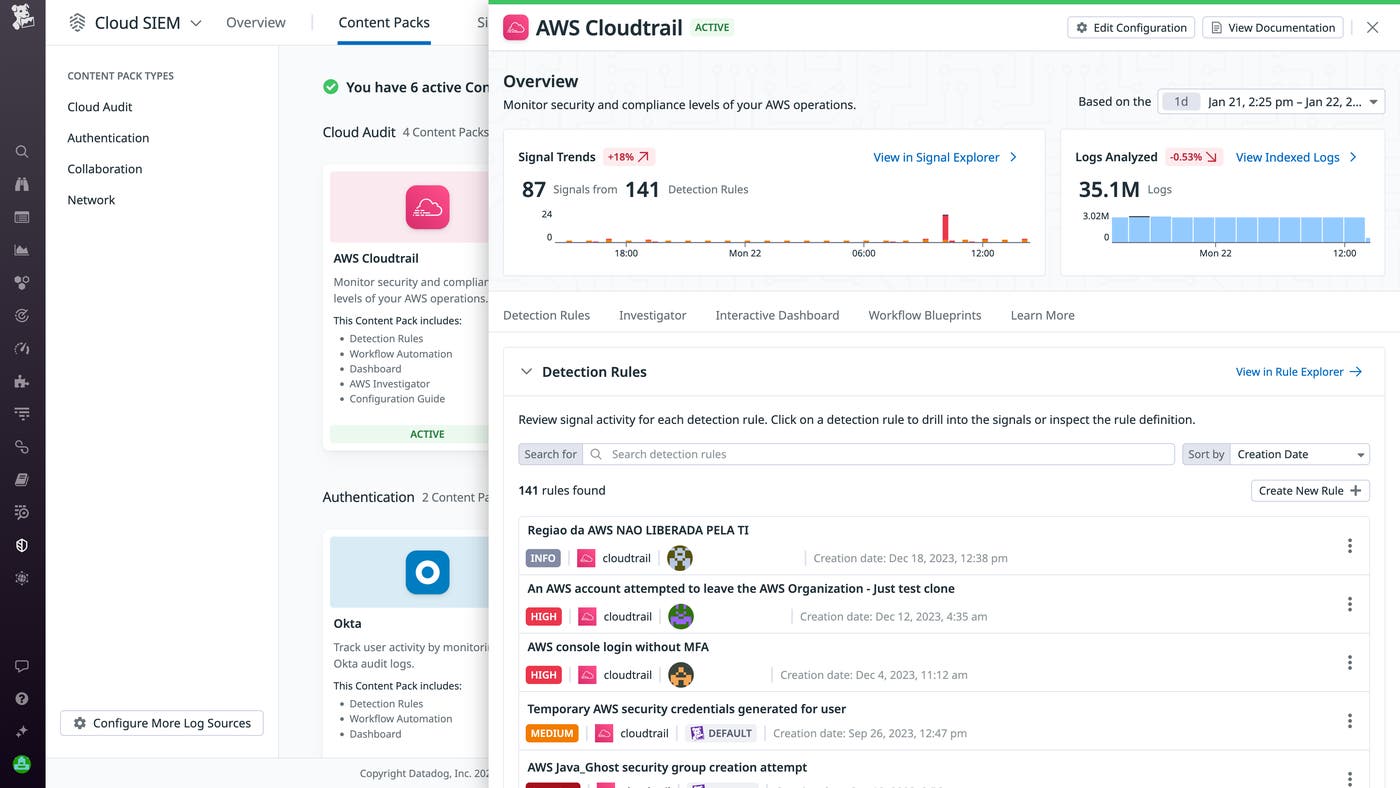
The Threat Detection section of each Content Pack automatically surfaces potential threats based on ready-to-use threat detection rules that are applied to all of the security logs you ingest. In this widget, you can quickly understand your security coverage by seeing all the detection rules running for your environment. You can focus your view by sorting these rules by rule name, date created, or highest severity. In addition, selecting the Signals Trends toggle shows the distribution of low, medium, and high signals over time.

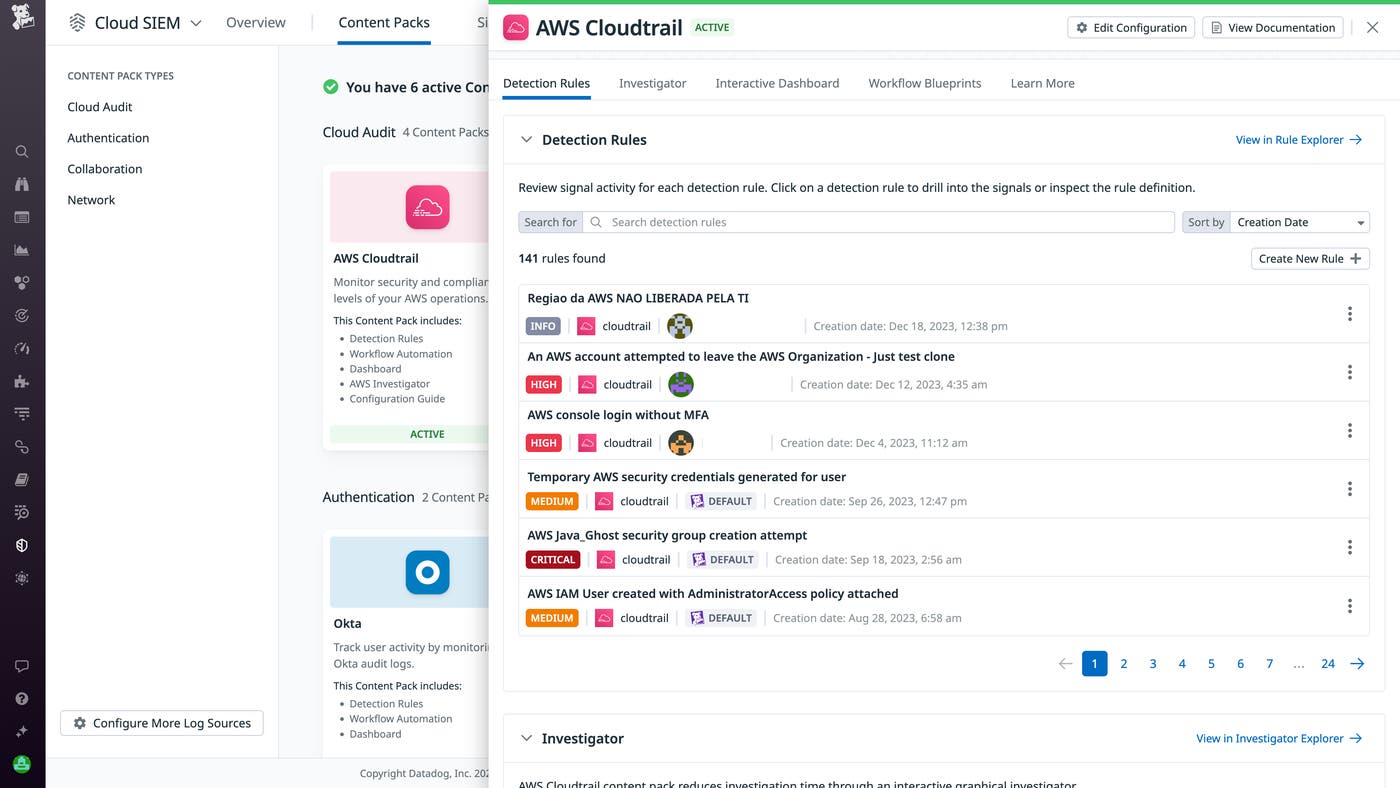
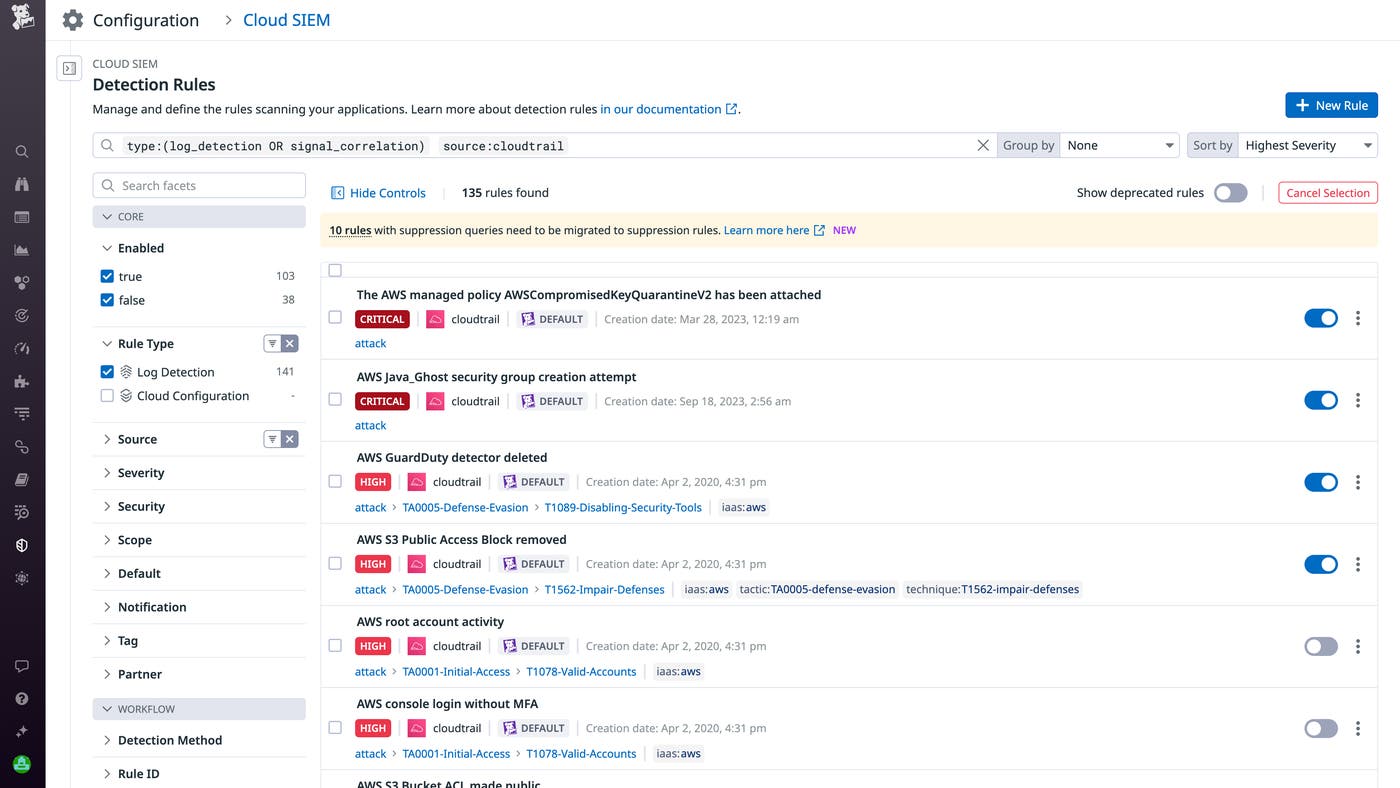
To explore your detection coverage in greater depth, simply click “View in Rule Explorer” to see more detail or customize your detection rules.

The Interactive Dashboards widget gives you an at-a-glance view of critical information about your security logs in real time. Use the Trends toggle to see log activity broken down by accounts and services, or toggle to Log Volume to see your total number of incoming logs over time, which can help you spot unexpected spikes in activity.

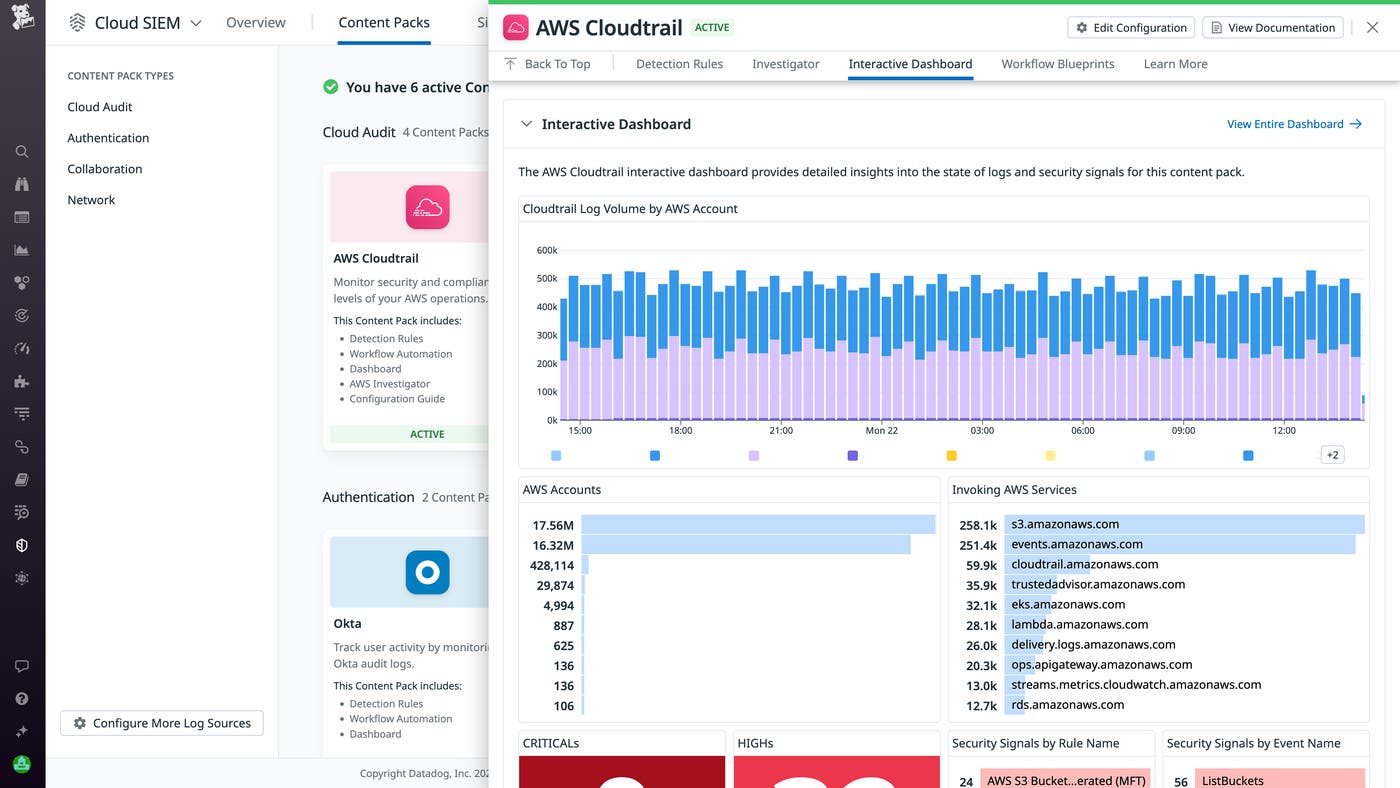
To investigate key log trends in more detail, click “View Entire Dashboard” to navigate to the out-of-the-box dashboard for the integration you’re viewing.
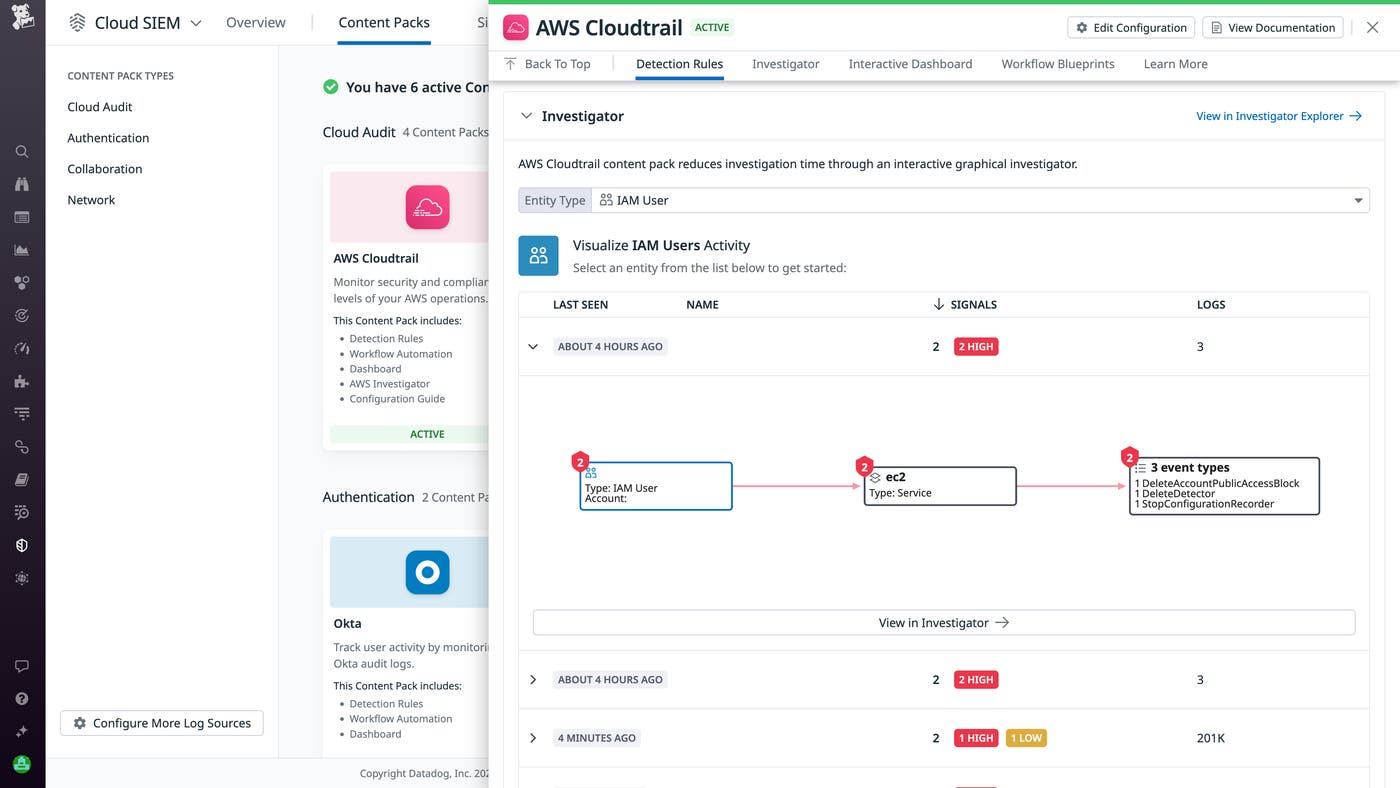
The Investigator widgets helps you understand the root cause of suspicious activity using log visualizations to gain security insights that span across your complex cloud environment. To dig deeper into the underlying triggers of any questionable activity, you can quickly navigate to the Cloud SIEM Investigator page, where you can access more visualizations and see greater detail about each log.

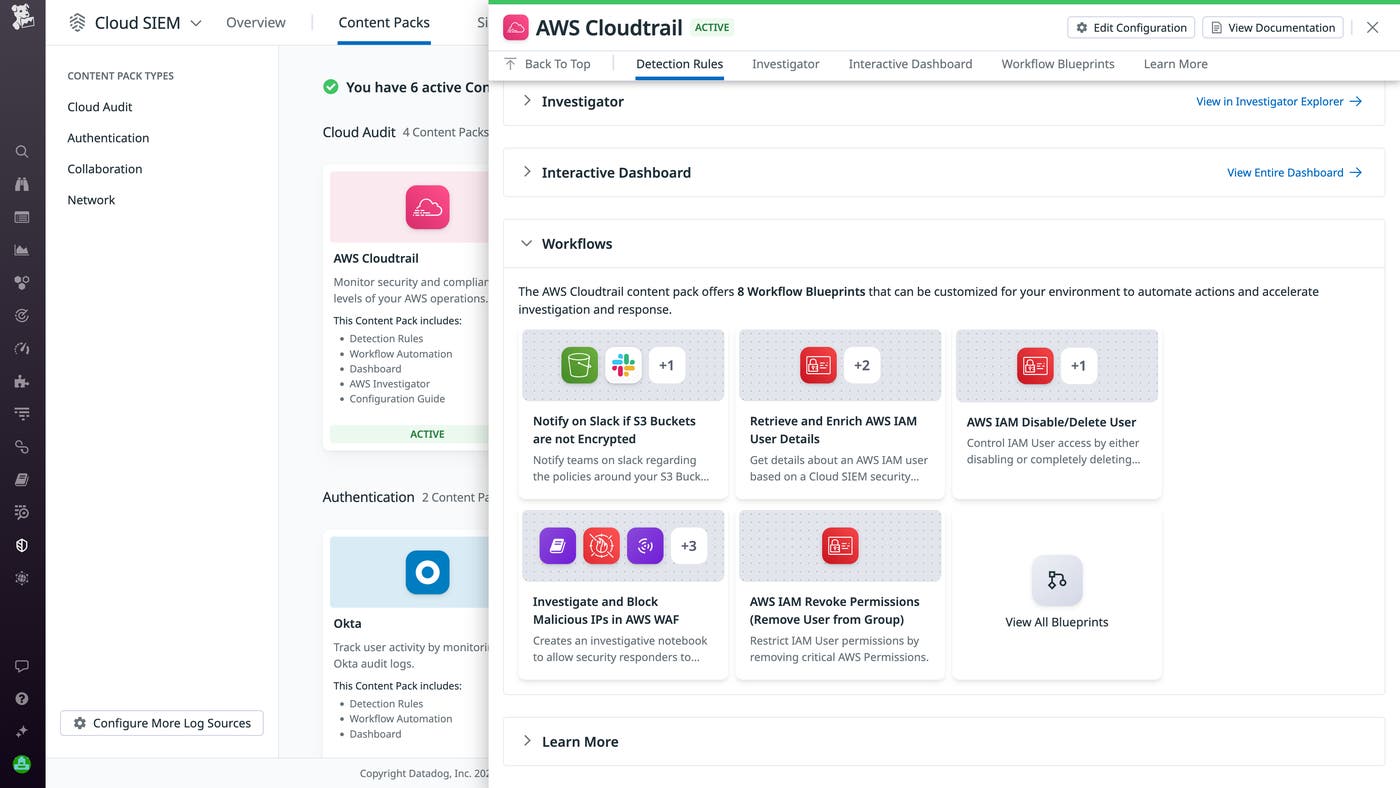
Datadog Workflow Automation enables you to automate routine tasks for triaging, investigating, and remediating incidents. The Workflow Automation widget in Content Packs provides a curated collection of out-of-the-box security workflow blueprints specific to the integration you’re exploring.

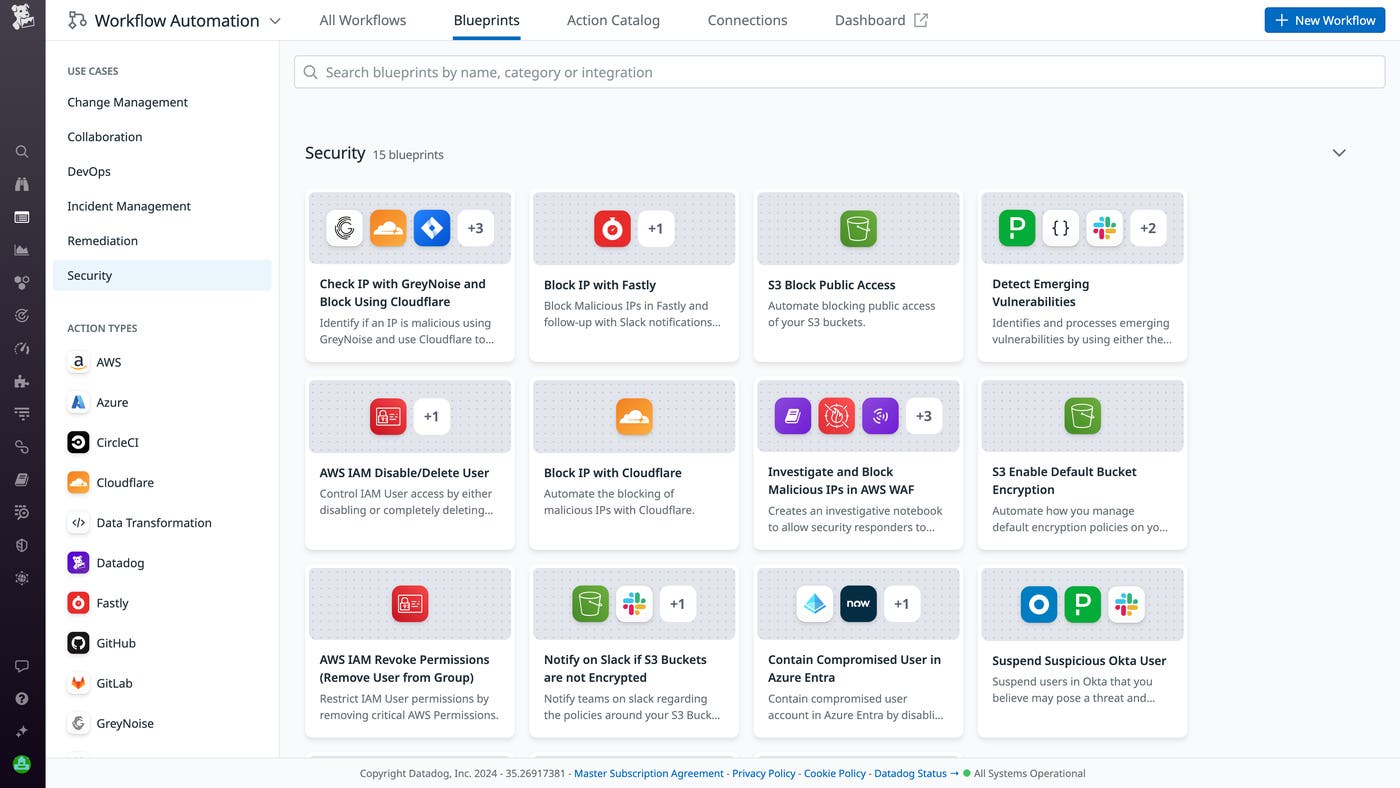
Alternatively, you can navigate directly to Workflow Automation to build workflows that support custom use cases, with the ability to choose from more than 500 out-of-the-box actions to incorporate into a custom workflow.

In the Dive Deeper section of each Content Pack, you can learn more about key topics relating to that integration. For example, in the AWS CloudTrail Content Pack, you can find resources on best practices for monitoring AWS CloudTrail logs, our State of AWS Security industry report, a blog post about how to use the Investigator for AWS, and more.

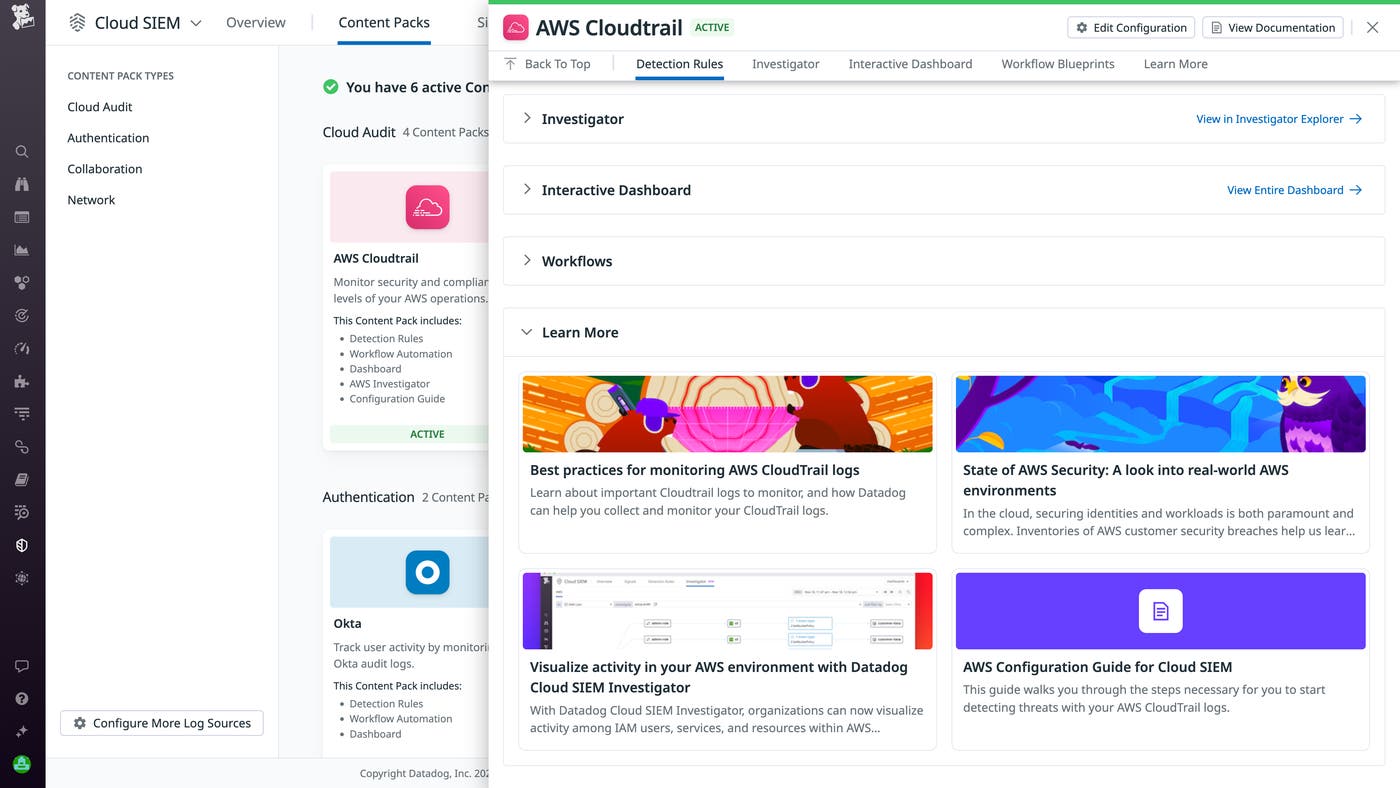
Cloud SIEM Content Packs help you quickly and easily send logs to Datadog Cloud SIEM by installing integrations. Once you activate a Content Pack, you can access key insights into threats, log activity, and other metrics, helping you direct your focus when identifying what issues to investigate further. With valuable security data and helpful content easily accessible, you can start responding to issues and generating ROI from your SIEM more quickly.
Check out our documentation to get started with Cloud SIEM, activate Content Packs, or keep up with our rapidly growing library of Content Packs in our documentation library. There, you can view all of the latest Content Packs for:
If you’re new to Datadog, sign up for a 14-day free trial.
此内容由惯性聚合(RSS阅读器)自动聚合整理,仅供阅读参考。 原文来自 — 版权归原作者所有。