







As organizations grow, monitoring requires coordination between numerous teams with both distinct and interconnected responsibilities. Navigating these interdependencies can be complex, and with hundreds of teams and potentially thousands of users, complexity escalates as each user creates monitors. Alert noise and unfocused notifications can overwhelm even the most experienced teams, while other teams can quickly become lost when an issue arises without an effective method for searching and accessing monitors.
Given these challenges, how can you maintain the quality of your monitors as your organization scales? In this blog post, we’ll discuss how Datadog can help align the interests of various teams within a transparent framework to:
Make meaningful, targeted, and actionable alerts
Control who edits monitors
Maintain best practices across teams with tag policies
Each user has a unique use case and context within their team’s setting. But alerts can affect components owned by many different teams, which requires a unified experience for managing them.
Datadog Teams helps organize your monitors and enable efficient responses to alerts across all your teams. The Teams page provides a consolidated view of all your teams’ monitors and incidents, acting as a team landing page where all members can rely on the same source of truth and refer to this singular view when questions arise.
In the past, users often set up redundant alerts within and across teams, leading to widespread alert fatigue and complicating collaboration. Now, you can tag and filter monitors by Teams to isolate a specific team’s monitors that are relevant to you.
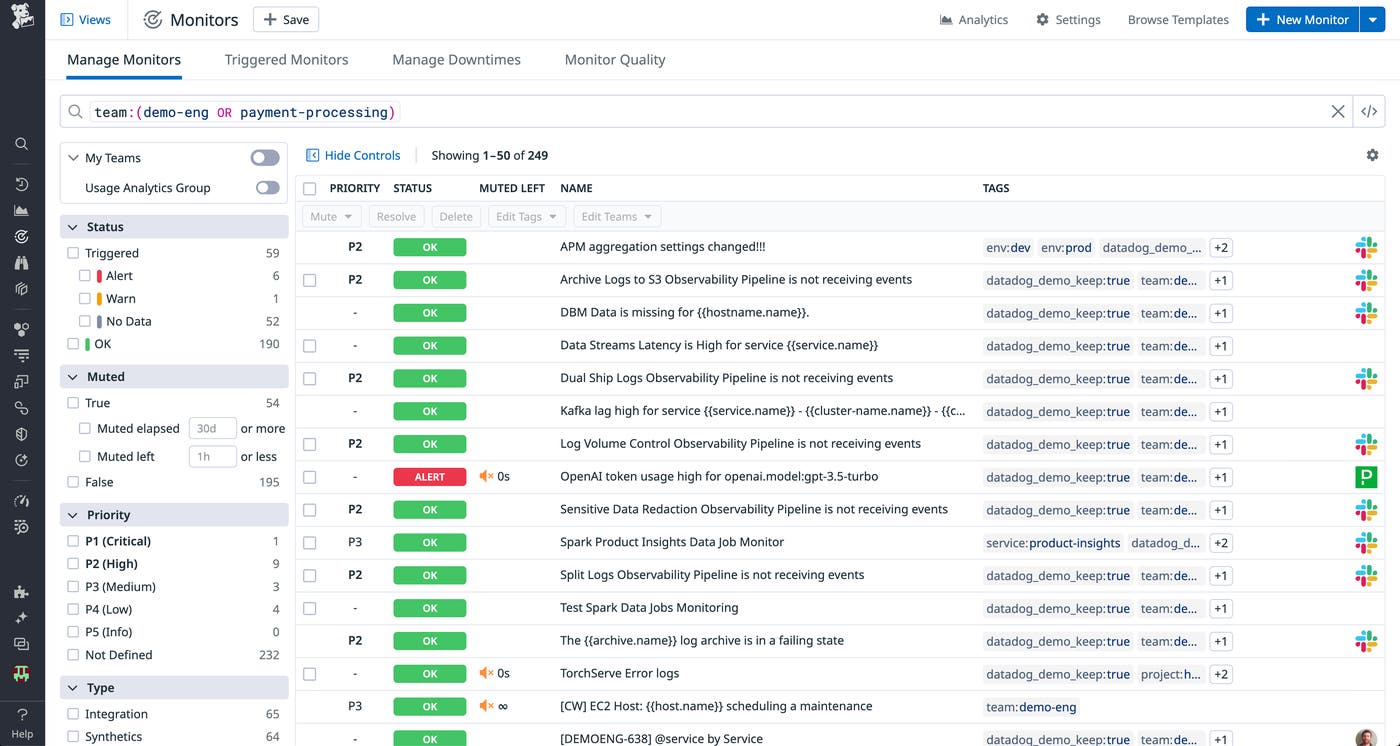
Teams also helps centralize notification management with team handles, enabling you to configure notification channels—such as Microsoft Teams, Slack, PagerDuty, or email—at the team level to easily manage how your team is notified. This ensures that your monitors consistently notify your team through the most effective channels, eliminating confusion about alert ownership and improving mean time to resolution (MTTR).
With a growing number of teams, it becomes challenging to track who has access to which resources and subsequently more difficult to maintain control and accountability. As a team lead owning some critical monitors, you don’t want users from another team to be able to update your monitors. This could lead to potential accidental edits and collisions.
In a multi-team environment, the access permissions for each monitor must be granular enough to assign precise permissions. Some users, teams, or roles may only require read-only access, while others need write access. Additionally, as teams expand or new teams are formed, managing and assigning the correct permissions to each member is also challenging. This can result in over- or under-permissioning, both of which can hinder productivity and security.
To address those use cases, Datadog users can now assign permissions based on multiple attributes (roles, teams, and users) instead of solely roles with the new access control system, which replaces the previous RBAC behavior.
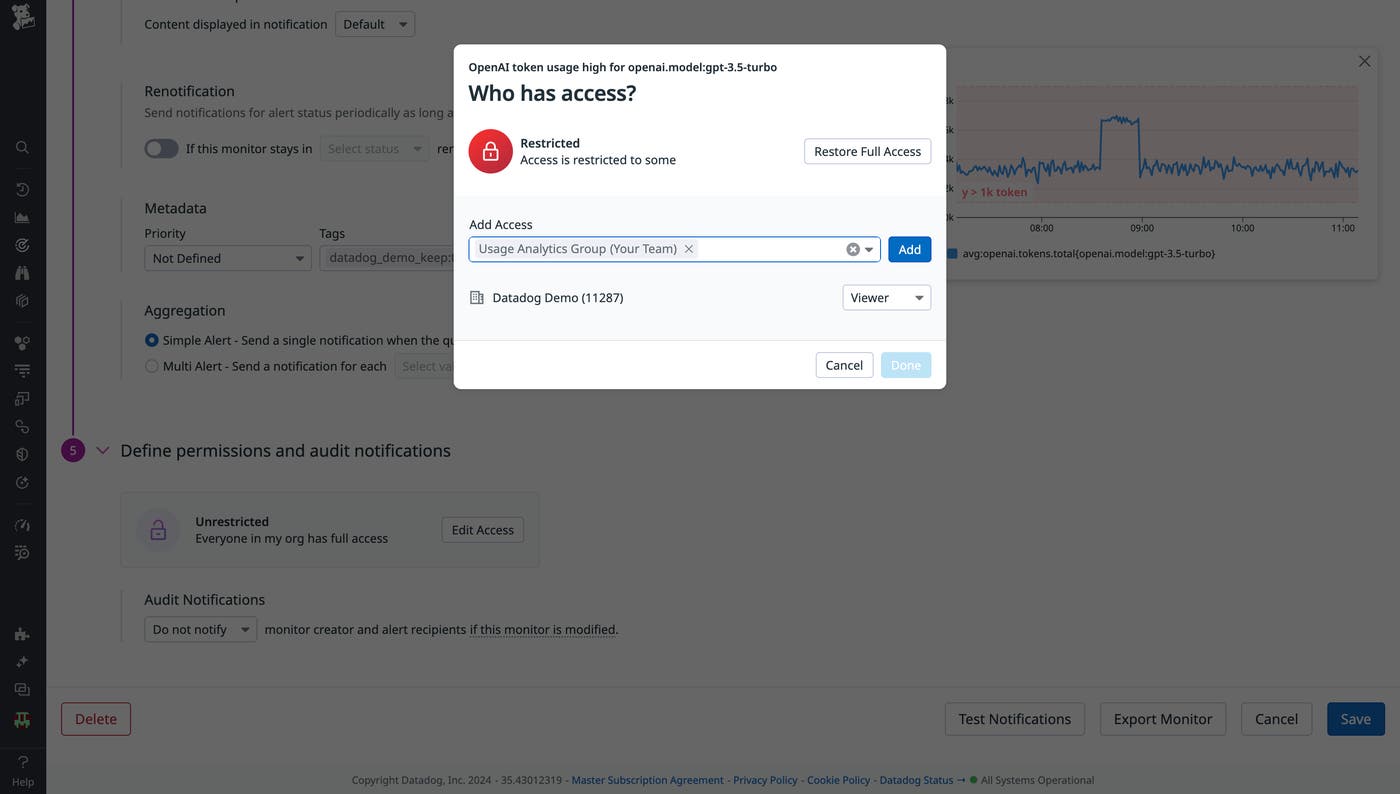
This feature allows you to assign specific permissions for finer-grained actions, such as read and write access. This provides more granular control over who can access and modify your team monitors, preventing unwanted changes. And with Datadog Teams, changes in team membership only require updating members in Teams instead of each monitor.
Follow our documentation if you’d like to know how to set up the new access control system.
While tagging and access control are crucial for effectively managing your monitors, maintaining these practices over time—especially with new users—can become a challenge in itself.
Tag policies help address this challenge by enabling administrators to create and automatically enforce tag rules that require users to apply certain tag keys or values when they create a monitor
To use this feature, navigate to the Monitor Settings page and define tag keys that you want to enforce, such as “team”, “service”, or “env”. You can allow any tag value with the “*”, or specify a list of values you want to require for users.
One tag we recommend requiring via a tag policy is the “team” tag. By making this tag mandatory, your monitors will be more meaningful and secure.
Tag policies help admins enforce tagging best practices within their teams, but admins often need broader visibility into the quality of their team’s monitoring setup. The Datadog Monitor Quality feature allows you to see all the misconfigured monitors of your organization based on predefined criteria. You can also take action on those monitors straight from the page instead of visiting each individual monitor.
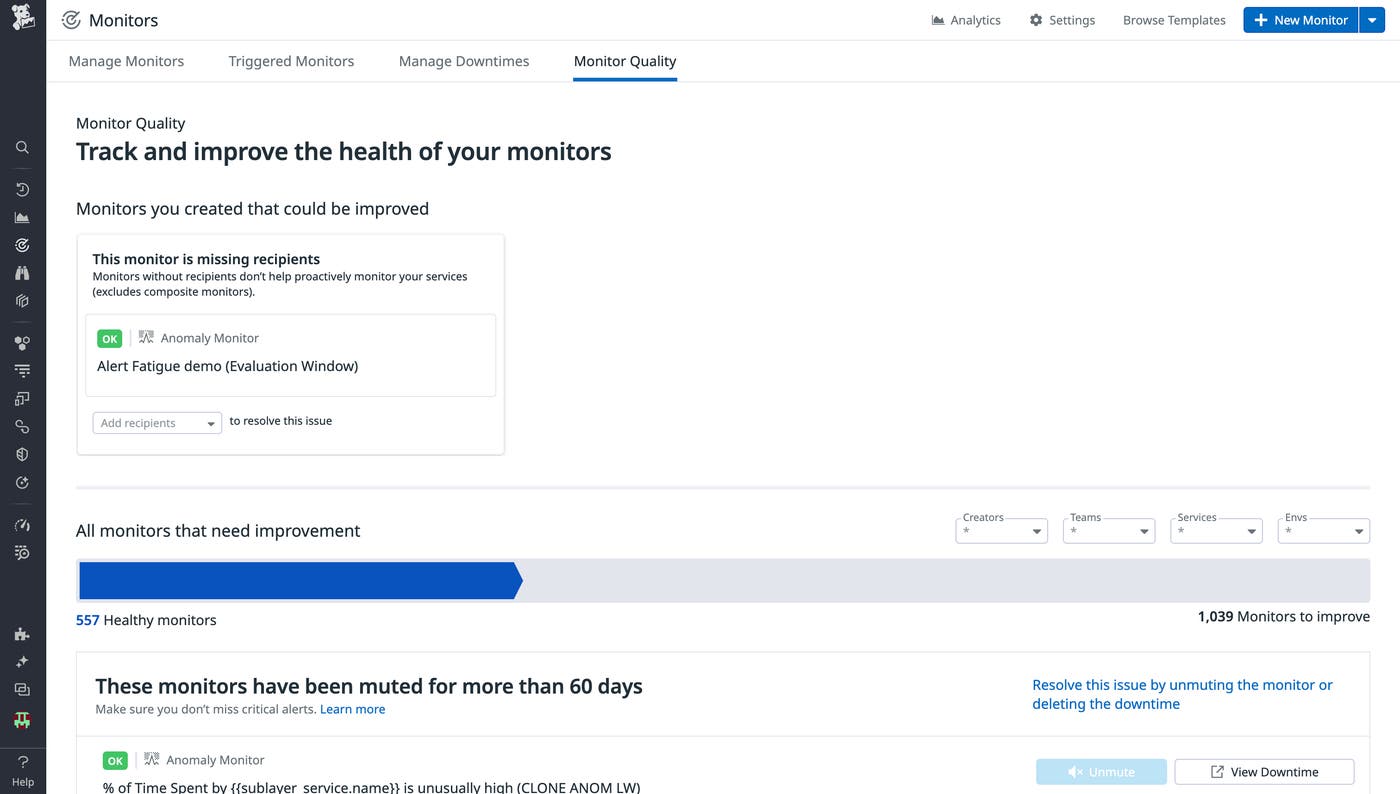
With Datadog Teams, you can manage your monitors more efficiently across teams as your organization scales. Tagging and centralizing your monitors ensures alerts are meaningful, targeted, and actionable, while granular access control and tag policies help create effective best practices that uphold monitor quality.
For more information on Datadog Teams, check out our documentation. And if you’re new to Datadog, get started with a 14-day free trial.
此内容由惯性聚合(RSS阅读器)自动聚合整理,仅供阅读参考。 原文来自 — 版权归原作者所有。