惯性聚合 高效追踪和阅读你感兴趣的博客、新闻、科技资讯
阅读原文 在惯性聚合中打开

推荐订阅源

OSCHINA 社区最新新闻
OSCHINA 社区最新新闻
The Cloudflare Blog
有赞技术团队
有赞技术团队
H
Help Net Security
V
Visual Studio Blog
F
Fortinet All Blogs
Apple Machine Learning Research
博客园 - 司徒正美
G
Google Developers Blog
Google DeepMind News
腾讯CDC
H
Hackread – Cybersecurity News, Data Breaches, AI and More
Stack Overflow Blog
Stack Overflow Blog
I
InfoQ
奇客Solidot–传递最新科技情报
奇客Solidot–传递最新科技情报
L
LangChain Blog
N
Netflix TechBlog - Medium
罗磊的独立博客
The GitHub Blog
The GitHub Blog
云风的 BLOG
云风的 BLOG
Hugging Face - Blog
Hugging Face - Blog
A
About on SuperTechFans
aimingoo的专栏
aimingoo的专栏
Recent Announcements

Runpod Blog.

DeepSeek V4 in the wild, and how to run it on Runpod New Runpod datacenter now live: AP-IN-1 Track GPU spend across your team with Cost Centers The GPU supply supercycle is here. Here’s what AI builders need to know. Community Spotlight: One-click AI image and video generation on Runpod with SwarmUI | Runpod Blog Community Spotlight: LoRA Pilot Data Prep to Inference Introducing the Runpod Assistant: Manage Your Cloud GPU Resources with Natural Language OpenAI's Parameter Golf: Train the Best Language Model That Fits in 16MB on Runpod LLM inference optimization: techniques that actually reduce latency and cost Pruna P-Video and Vidu Q3 public endpoints now available on Runpod Runpod brand spelling guide Quickstart - Runpod Documentation The AI market looks nothing like the narrative Training StyleGAN3 with Vision-Aided GAN on Runpod KoboldAI – The Other Roleplay Front End, And Why You May Want to Use It How to Connect Cursor to LLM Pods on Runpod for Seamless AI Dev Community Spotlight: How AnonAI Scaled Its Private Chatbot Platform with Runpod Prompt Scheduling with Disco Diffusion on Runpod Runpod's Latest Innovation: Dockerless CLI for Streamlined AI Development Run Your Own AI from Your iPhone Using Runpod Introducing Flash: Run GPU workloads on Runpod Serverless: No Docker required Use Claude Code with your own model on Runpod: No Anthropic account required Avoid Errors by Selecting the Proper Resources for Your Pod What hackers built on Runpod at TreeHacks 2026 Easily Back Up and Restore Your Pod with Cloud Sync + Backblaze B2 The Complete Guide to GPU Requirements for LLM Fine-Tuning AI Guides, Tutorials & GPU Infrastructure Insights | Runpod Your first Claude Code project within Runpod: a complete setup guide 10 billion Serverless requests and counting Building for resilience: Runpod’s response to the AWS us-east-1 outage
Using OpenPose to Annotate Poses Within Stable Diffusion
Brendan McKeag · 2023-04-03 · via Runpod Blog.

Describing poses in a text prompt, other than the most basic notation, can often feel like an exercise in frustration. "Sitting in an office chair" isn't too hard to work with, but when it comes to accurately describing things like raising arms in certain directions and proportions, leg positioning, and so on, it becomes an untenable task and you might sit there generating poses over and over and relying on RNG to finally get something close to what you want.

Fortunately, there is a way to annotate a pose in Stable Diffusion in a way that it will understand, through the magic of OpenPose. Here's how to get it set up in a fresh Runpod instance.

Installation

Go to the Extensions tab, click Available, and then "Load From." This will load the list of plugins available. Search for "3D Openpose" and click "Install." ControlNet should already be installed as a dependency, but if it is not, do the same if it is not already.
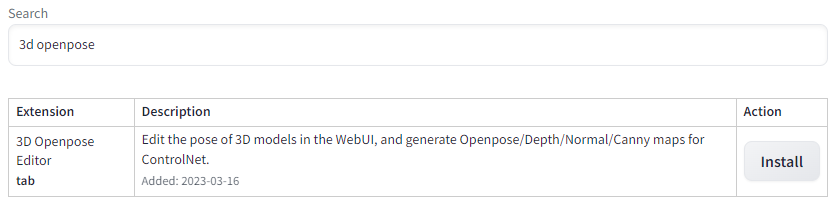
Extension search results showing the 3D Openpose Editor extension with an Install button

Then go back to the "Installed" tab and click "Apply and Restart UI." If you get a "Bad Gateway" and are unable to access your instance after this, go back to your Pod List and stop and restart the pod, and then restart Stable Diffusion.
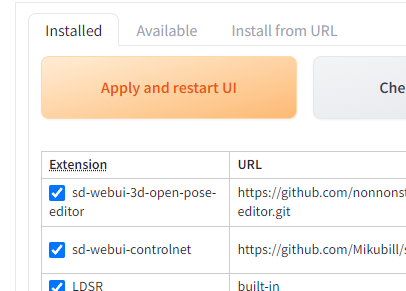
Installed extensions list with sd-webui-3d-open-pose-editor and sd-webui-controlnet checked

You will now have a 3D OpenPose tab available, with a 3D editor that allows you to control how your subject will be posed. The editor, while powerful and full-featured to the point where you can even alter the proportion and size of body parts, is also a bit finicky in moving limbs around. If I just need to do some simple pose editing and don't need need that higher functionality, I will use one of the myriad of 3D posers online - posemy.art has an in my opinion easier to use editor, along with a ton of pre-made poses to import.

Save an image of the pose you want to use (you can use a real-life photo if you prefer) and then under File -> Detect from Image, upload the pose, and then click Generate. Note that the editor will often lack depth information on how the subject is posed, so it will do its best to extrapolate on what it's given. You'll generally have the best results with a 3/4th angle pose to give it as much help as possible.  
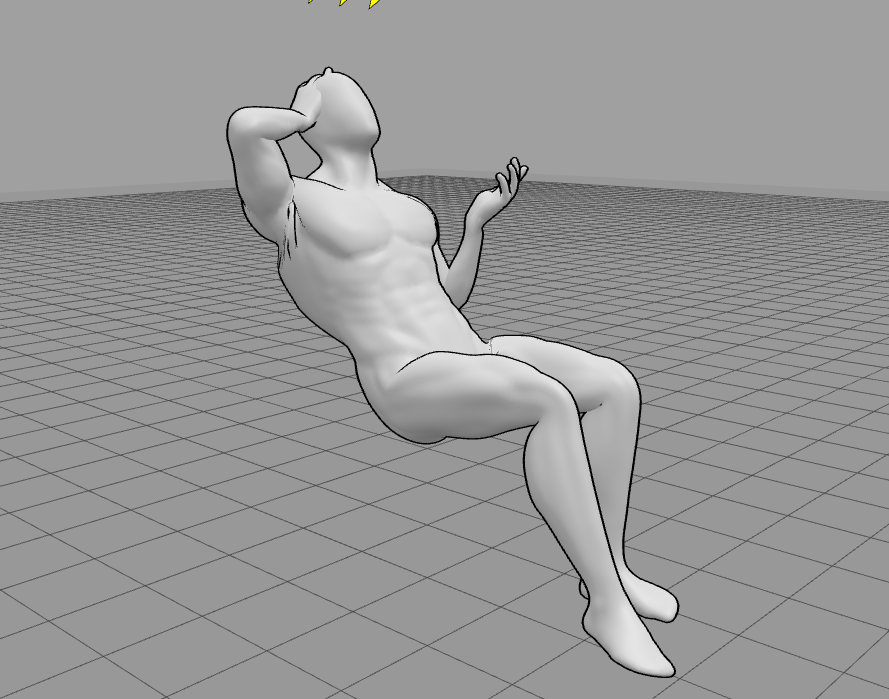
Gray 3D mannequin posed reclining with one hand behind its head in the 3D Openpose Editor

Click Generate, and then set the Control Model number to 0 and send to your preferred module (in this case, we'll use txt2img)
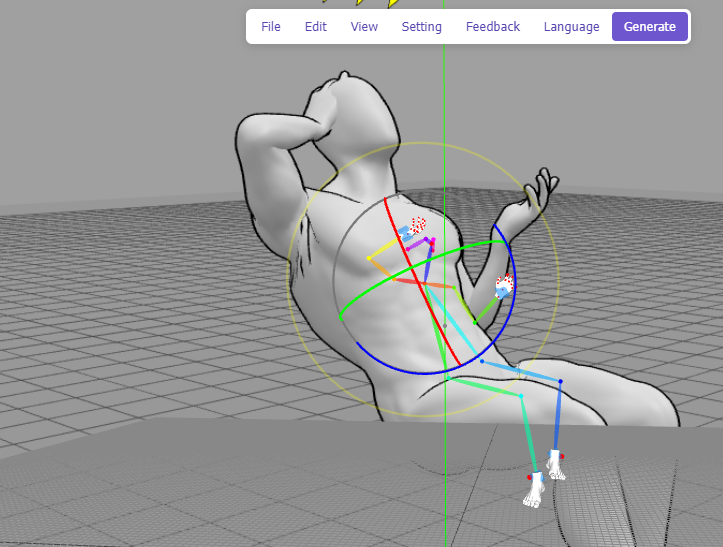
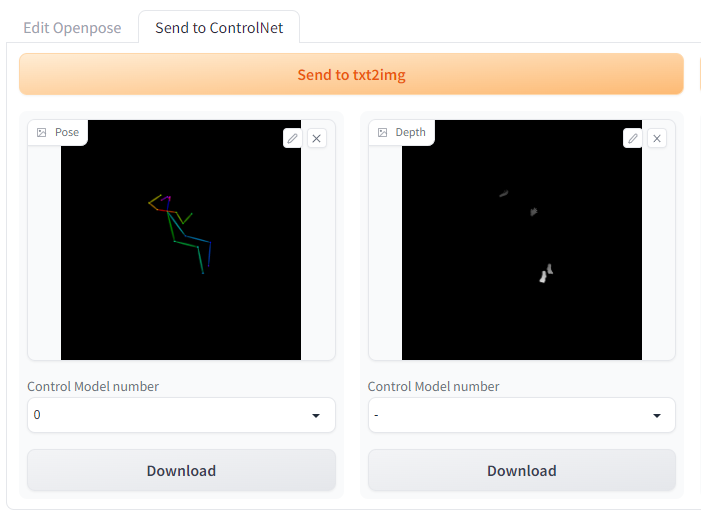
3D Openpose Editor showing colored skeleton controls overlaid on the posed mannequin

Send to ControlNet panel with generated pose and depth map previews and Download buttons

Under ControlNet, click "Enable" and then be sure to set the control_openpose model. Note that Stable Diffusion will use the level of zoom present in the pose, so zooming in closer to the image will result in the subject being closer in the image. By default, the weight will be set to 1, which should ensure pretty accurate adherence to the pose.
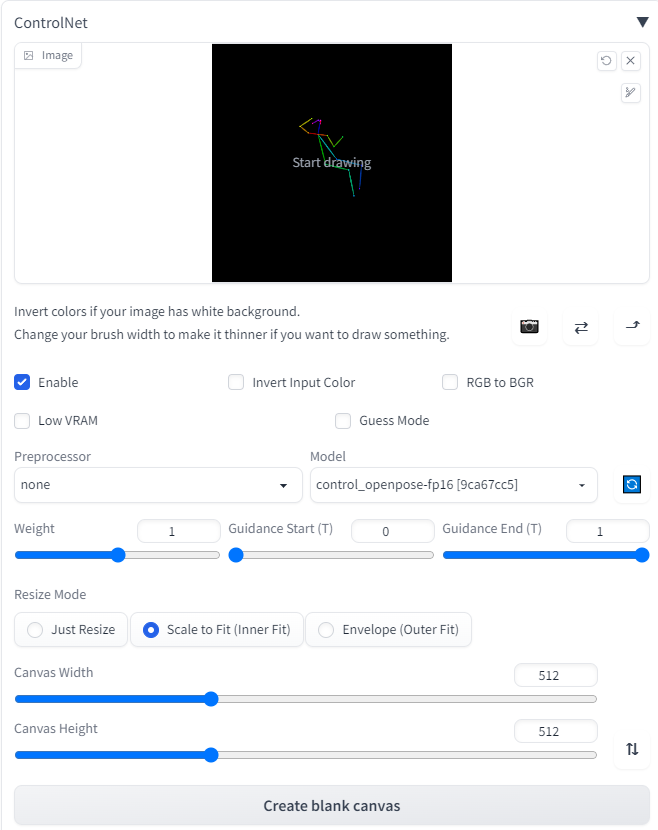
ControlNet settings with an OpenPose skeleton loaded and the control_openpose-fp16 model selected

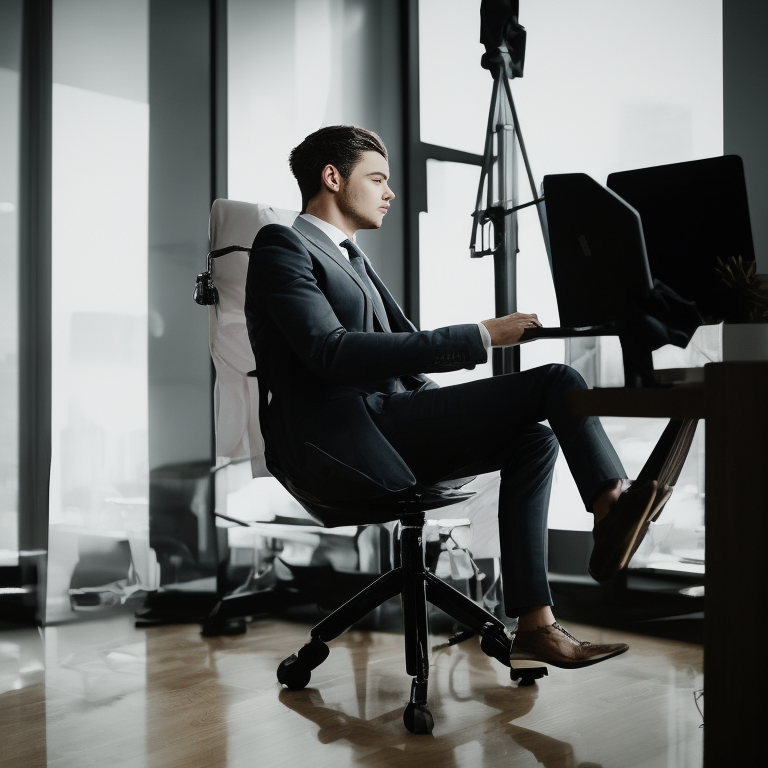
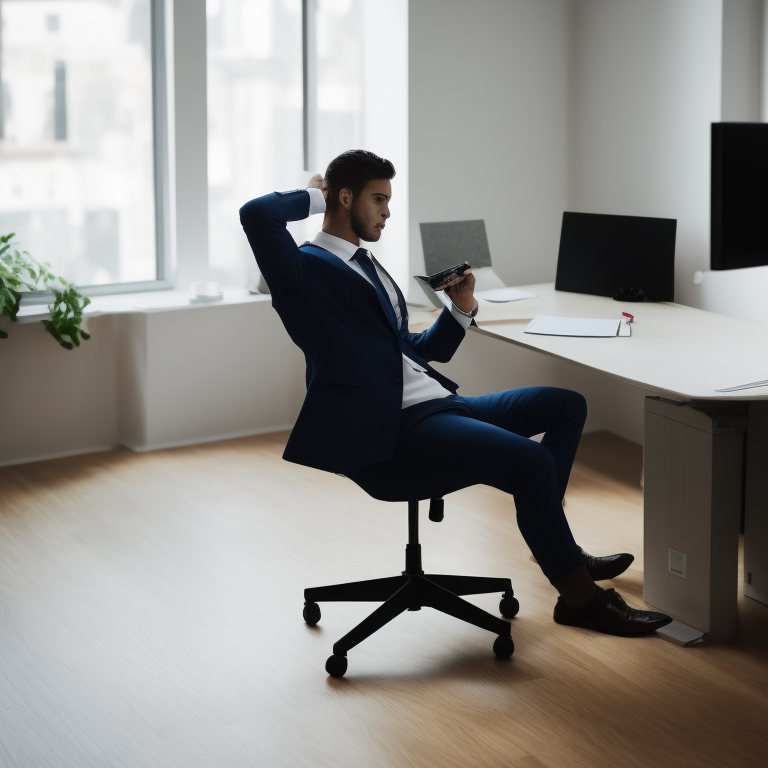
However, much like the CFG scale, weight is a tradeoff between matching the input and introducing artifacts. Using the prompt "full-body, a young man sitting in an office chair, instagram, softbox with flash, computers in background, suit and tie, office setting" along with the following weights will give you examples like this (pay special attention to the arms):

Off:
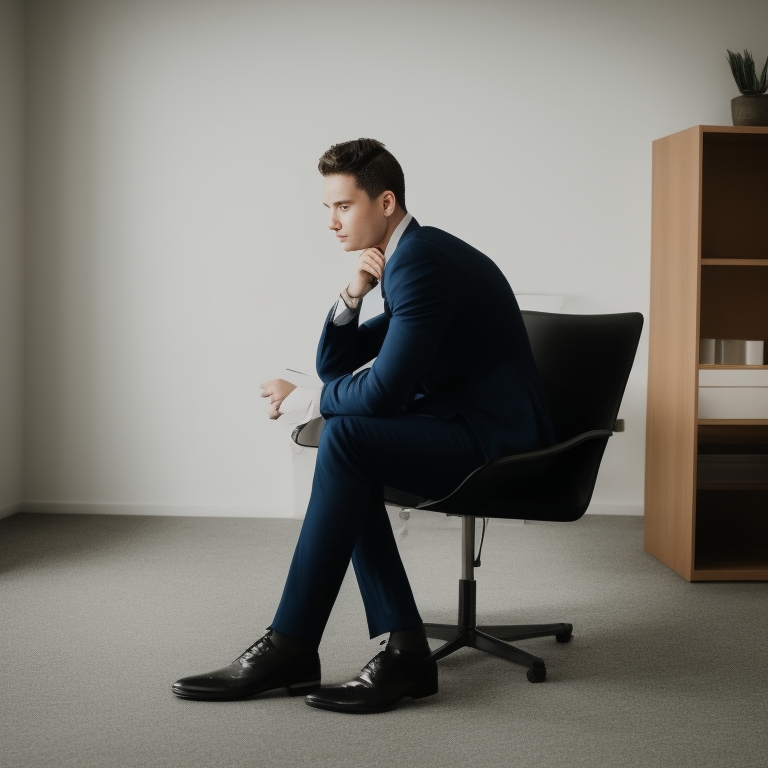
AI-generated image of a man in a suit seated in an office chair with a hand raised to his head

0.25:

AI-generated image of a man seated in an office chair at a desk facing a computer monitor

0.5:

AI-generated image of a man working at a desk in an office chair beside large windows

1.0:

AI-generated image of a man leaning back in an office chair with a hand behind his head

Need further guidance on how to pose subjects in Stable Diffusion? Drop by and check out our artist community on our Discord!

Author profile: Brendan McKeag