











Inoreader helps you collect information from across the web and consume it in different ways. But keeping up with everything and turning it into insights can still take time. That’s where Inoreader Intelligence comes in.
Inoreader Intelligence is our suite of AI-powered features designed to help you absorb content faster, analyze information more effectively, and stay organized with less effort. From article summaries and enhanced podcasts to suggested tags and Intelligence reports, it helps you move from information overload to clarity fast.
Article summaries let you instantly generate overviews, run predefined or custom prompts, and ask specific questions about the articles you’re reading – all without leaving Inoreader. Whether you need a quick overview, a structured breakdown, or insights into a specific angle, summaries give you full control over how deeply you engage with content.
When you open an article, you’ll find the Summarize button in the article toolbar. Click it to choose from system prompts in the dropdown menu or type your own custom query. You can ask questions, request different summary styles, or focus on specific topics within the article.
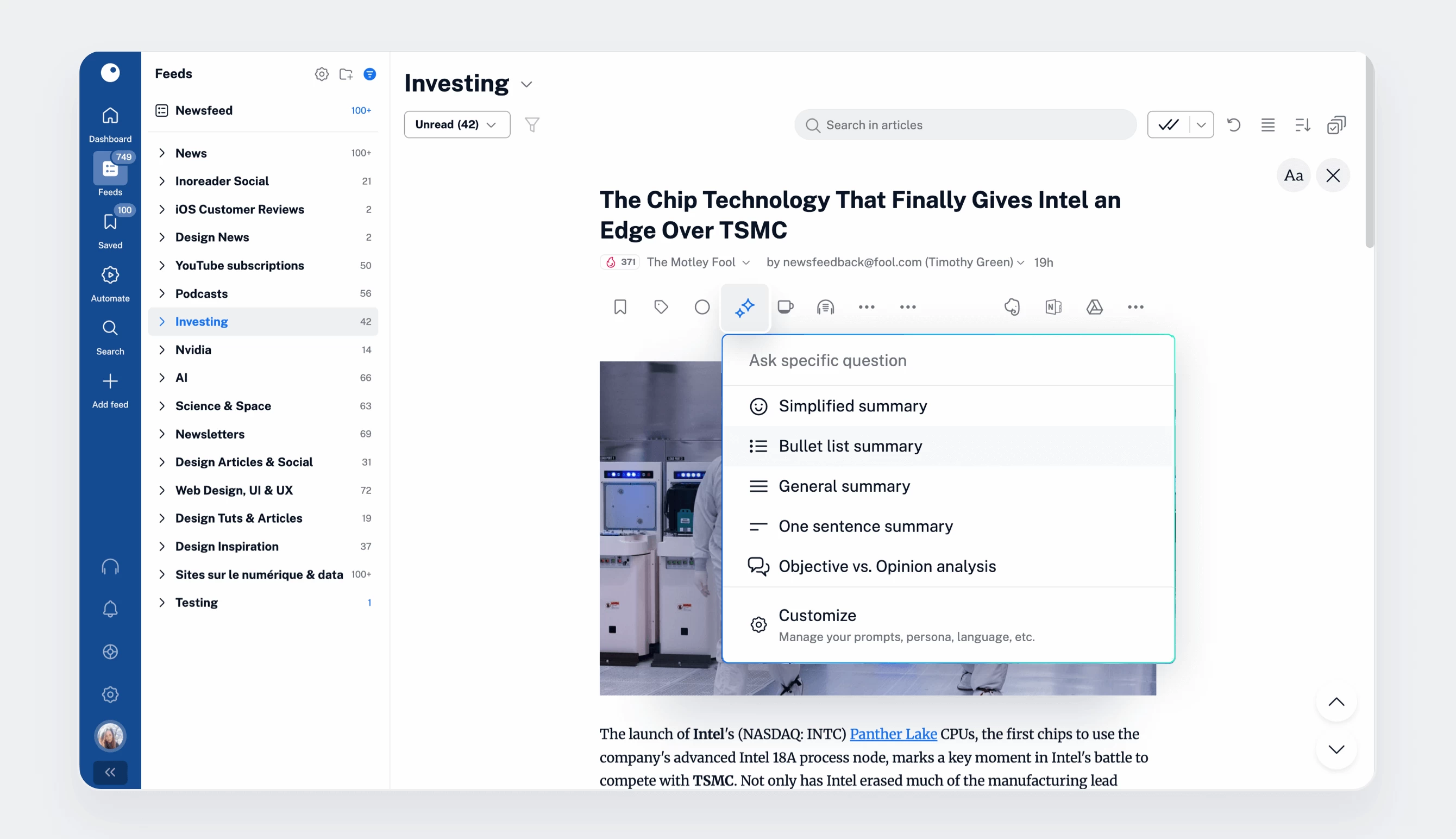
Summaries appear directly inside the article view, with convenient buttons to view the prompt, copy the result, or delete it. They’re also indexed by Inoreader’s search engine, making it easy to find summaries later when searching across your account.

To fine-tune how summaries work for you, go to Preferences > Intelligence, where you can:
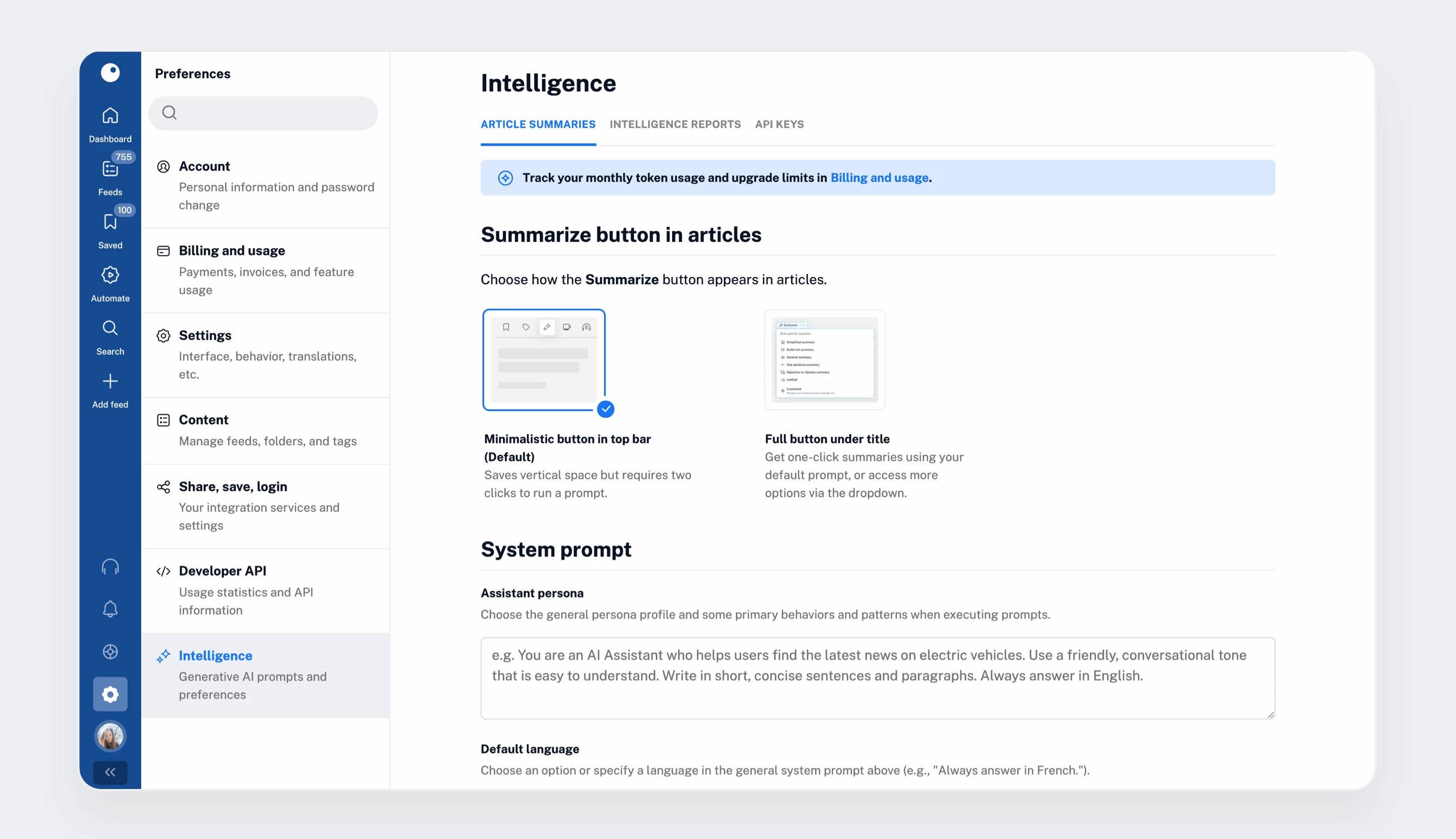
Article summaries are available on the web and in our iOS and Android apps (version 7.9 and above). The Pro plan includes 1 million tokens per month, with the option to purchase additional tokens as a custom add-on. You can track usage and manage limits from Preferences > Billing and usage > Usage.
Inoreader Intelligence also transforms how you consume podcasts and video content.
For Pro users, every podcast episode and YouTube video in Inoreader includes four tabs:
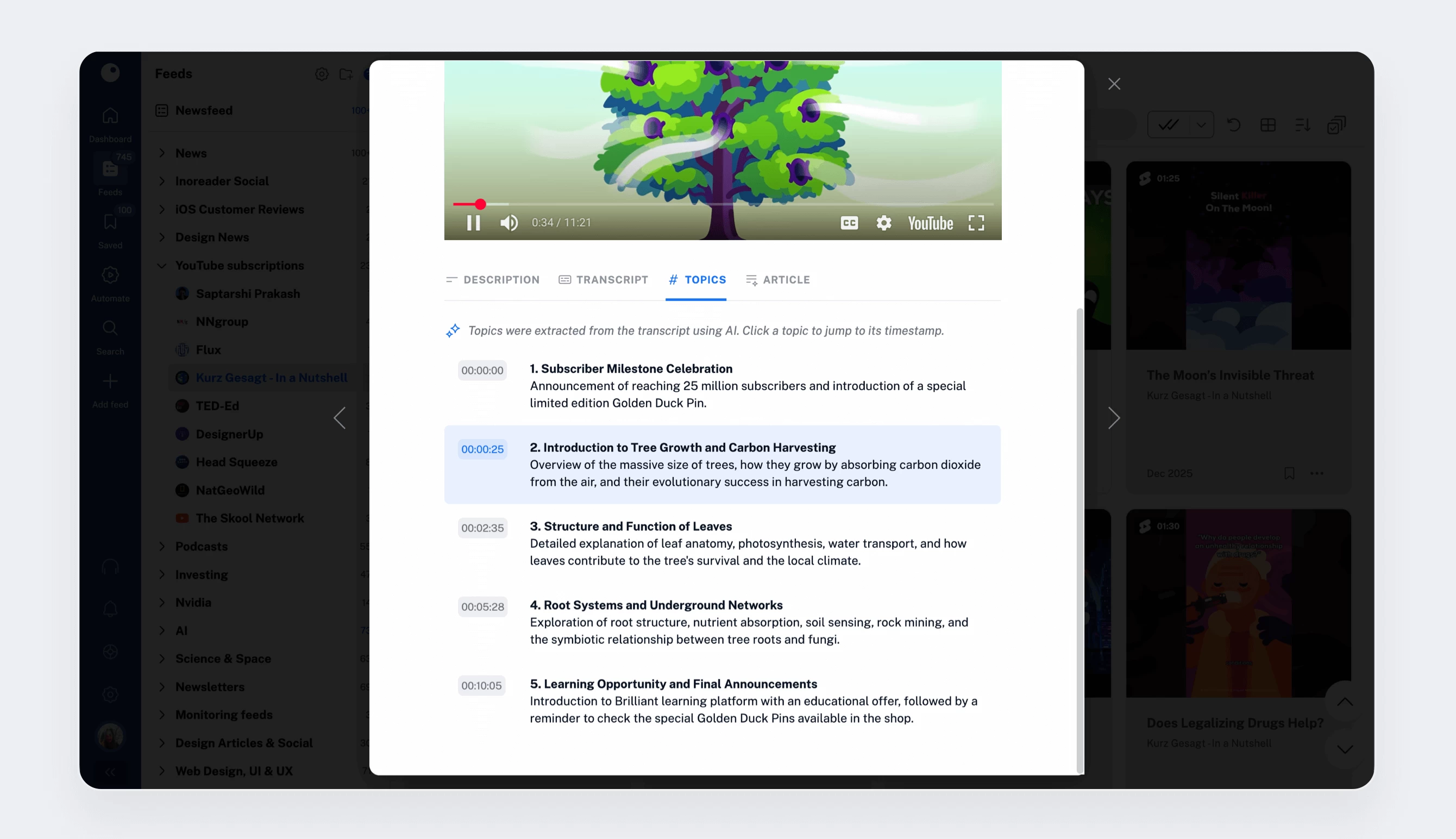
Whether you prefer listening, quickly skimming, or reading, these tools help you get the most value from long-form audio and video, even when time is limited.
Suggested tags help organize your content more quickly and consistently.
When reading an article, you’ll see a Suggested tags option at the top of the tag menu in article view. Inoreader Intelligence analyzes the article content and recommends relevant tags based on your existing tag structure, while also proposing new tags you may want to create.
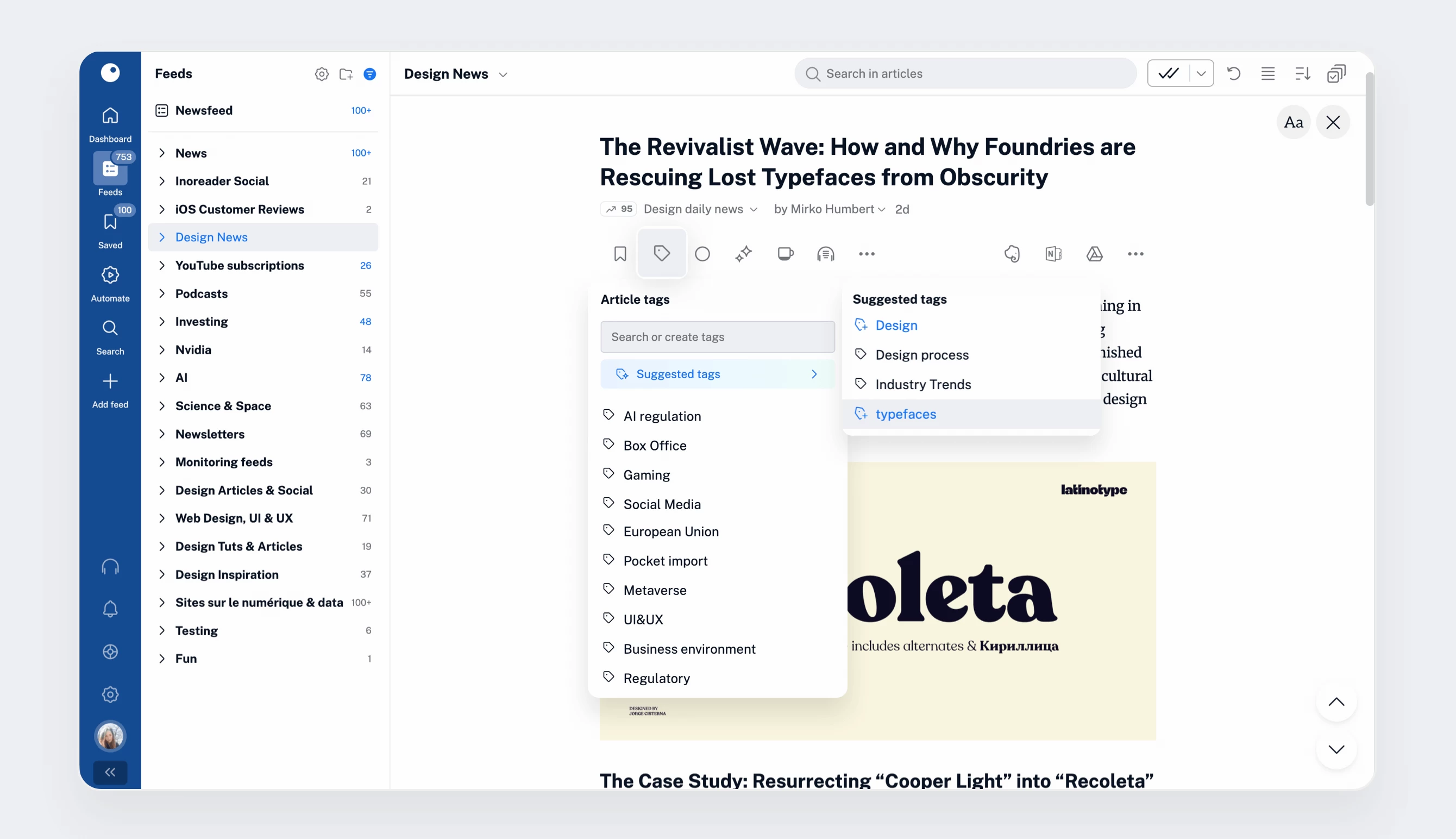
This is especially useful when working through high volumes of content, helping you stay organized without slowing down your workflow.
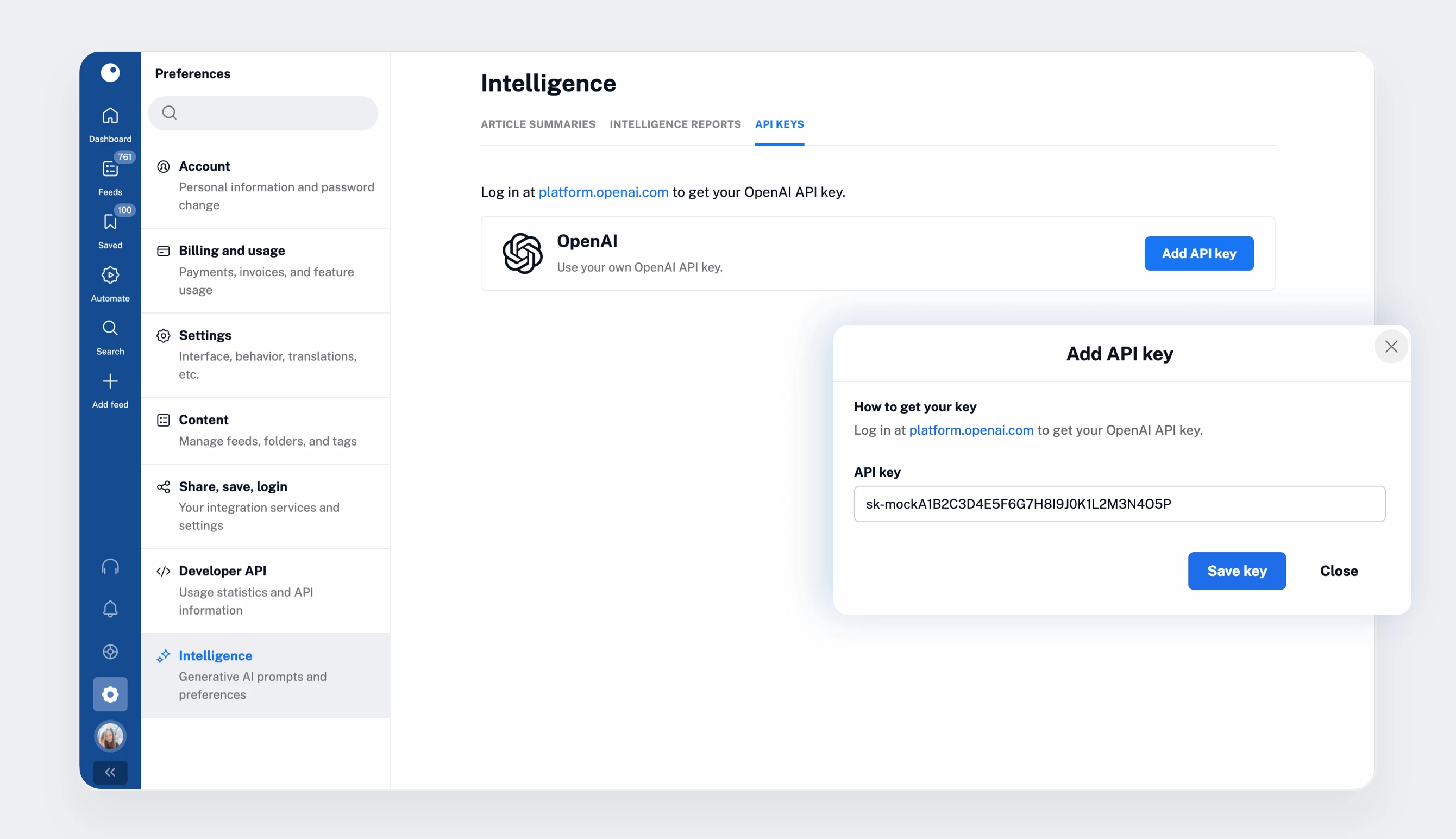
By default, Inoreader Intelligence uses OpenAI’s GPT-4o-mini model. If you prefer a different model or want complete control over usage, you can add your own OpenAI API key.
Simply go to Preferences > Intelligence > API keys and add your key. Once enabled, it applies across all Inoreader Intelligence features and allows you to manage usage independently of Inoreader’s token limits.
With Inoreader Intelligence, you don’t just collect content – you understand it faster. From instant summaries and smarter tagging to enhanced podcasts and large-scale analysis with Intelligence reports (available as an add-on), these AI-powered tools help you cut through the noise, stay organized, and focus on what matters most.
In the next and final post of our Pro onboarding series, we’ll explore integrations and content distribution, including how to connect Inoreader to external platforms like IFTTT, Zapier, n8n, and more using output feeds.
此内容由惯性聚合(RSS阅读器)自动聚合整理,仅供阅读参考。 原文来自 — 版权归原作者所有。