

惯性聚合 高效追踪和阅读你感兴趣的博客、新闻、科技资讯
阅读原文 在惯性聚合中打开

推荐订阅源

N
Netflix TechBlog - Medium
Blog — PlanetScale
Blog — PlanetScale
Google DeepMind News
freeCodeCamp Programming Tutorials: Python, JavaScript, Git & More
F
Fortinet All Blogs
奇客Solidot–传递最新科技情报
奇客Solidot–传递最新科技情报
Stack Overflow Blog
Stack Overflow Blog
人人都是产品经理
人人都是产品经理
H
Hackread – Cybersecurity News, Data Breaches, AI and More
L
LangChain Blog
Microsoft Security Blog
Apple Machine Learning Research
Y
Y Combinator Blog
阮一峰的网络日志
阮一峰的网络日志
博客园_首页
IT之家
IT之家
V
V2EX
C
Check Point Blog
MongoDB | Blog
MongoDB | Blog
Last Week in AI
Last Week in AI
B
Blog
J
Java Code Geeks
大猫的无限游戏
大猫的无限游戏
雷峰网
雷峰网

Inoreader blog

Introducing mentions, redesigned search and smarter monitoring feeds A better way to keep up with newsletters Inoreader Q2 highlights: More control, less friction Sign in with passkeys A cleaner top bar and quicker access to key features Introducing shared feature pools for Inoreader Teams Choose your AI platform for Intelligence features Inoreader Q1 highlights: Upgrades to Teams and automated insights Automated Intelligence reports for insights delivered to you Introducing new collaboration features for Inoreader Teams Connect tools and distribute content Get insights with Inoreader Intelligence
New combined filter quotas
Rada Raitche · 2026-04-07 · via Inoreader blog

Apr 7, 2026 | News

New combined filter quotas

Filters are one of Inoreader’s most powerful tools for reducing noise. They automatically hide irrelevant content the moment it arrives, so you can focus only on what matters without manually skimming through every article.

We’ve updated how filter quotas work. Instead of having separate limits for content (30) and duplicate filters (10), Pro users now get 50 filters total per account.

This means:

  • More filters overall
  • No fixed limits per filter type
  • Greater flexibility in how you organize and clean your feeds

For example, you can now use more keyword-based content filters, more duplicate filters, or any mix that fits your workflow.

When to use which?

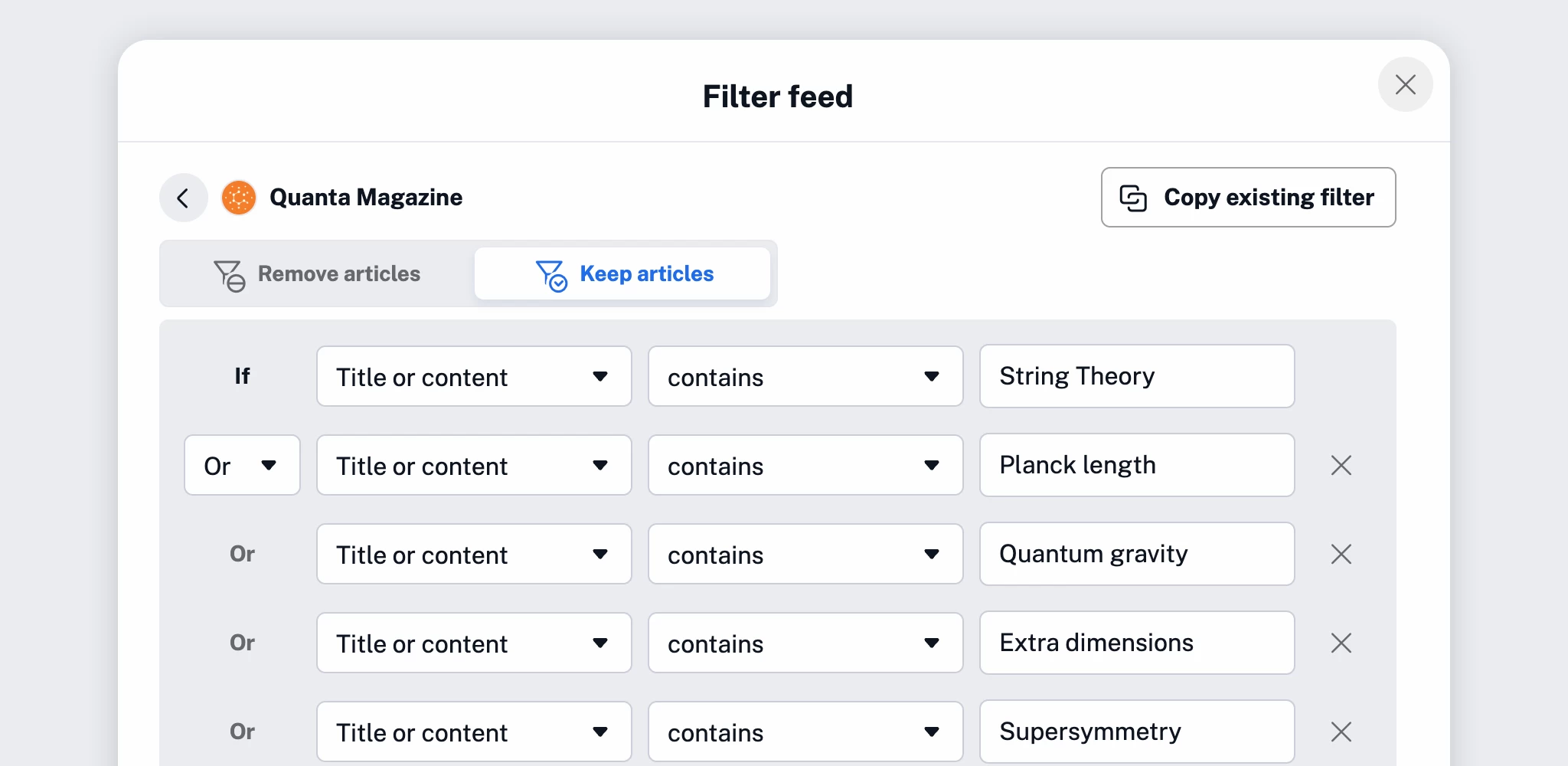
Content filters help you control what appears in your feeds based on specific criteria, such as keywords, phrases, authors, or other article properties.
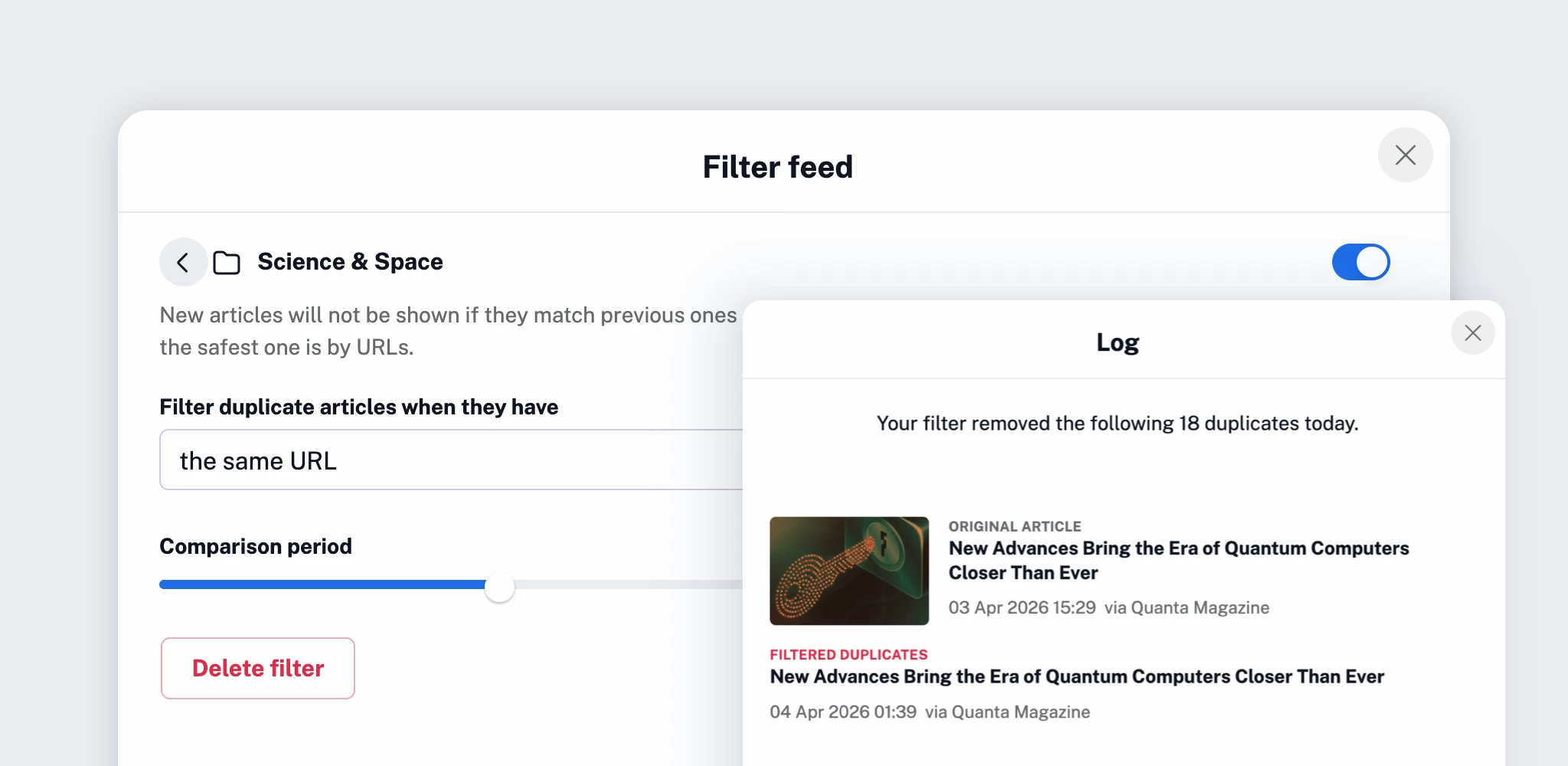
Duplicate filters automatically detect and remove repeated content. They’re especially useful when following multiple sources that publish the same or very similar articles.
Usage & availability

Filters are a Pro feature. With this update, Pro users can use up to 50 filters in total, allocated however they prefer.

Existing filters remain unchanged and count toward your new total quota.

You can track your usage anytime in Preferences > Billing and usage, and if needed, add more filters as a custom add-on.

Haven’t tried filters yet?

Start using filters to clean up your feeds automatically and stay focused on what matters most. With more flexibility and higher limits, you have even greater control over what reaches your reading list.