







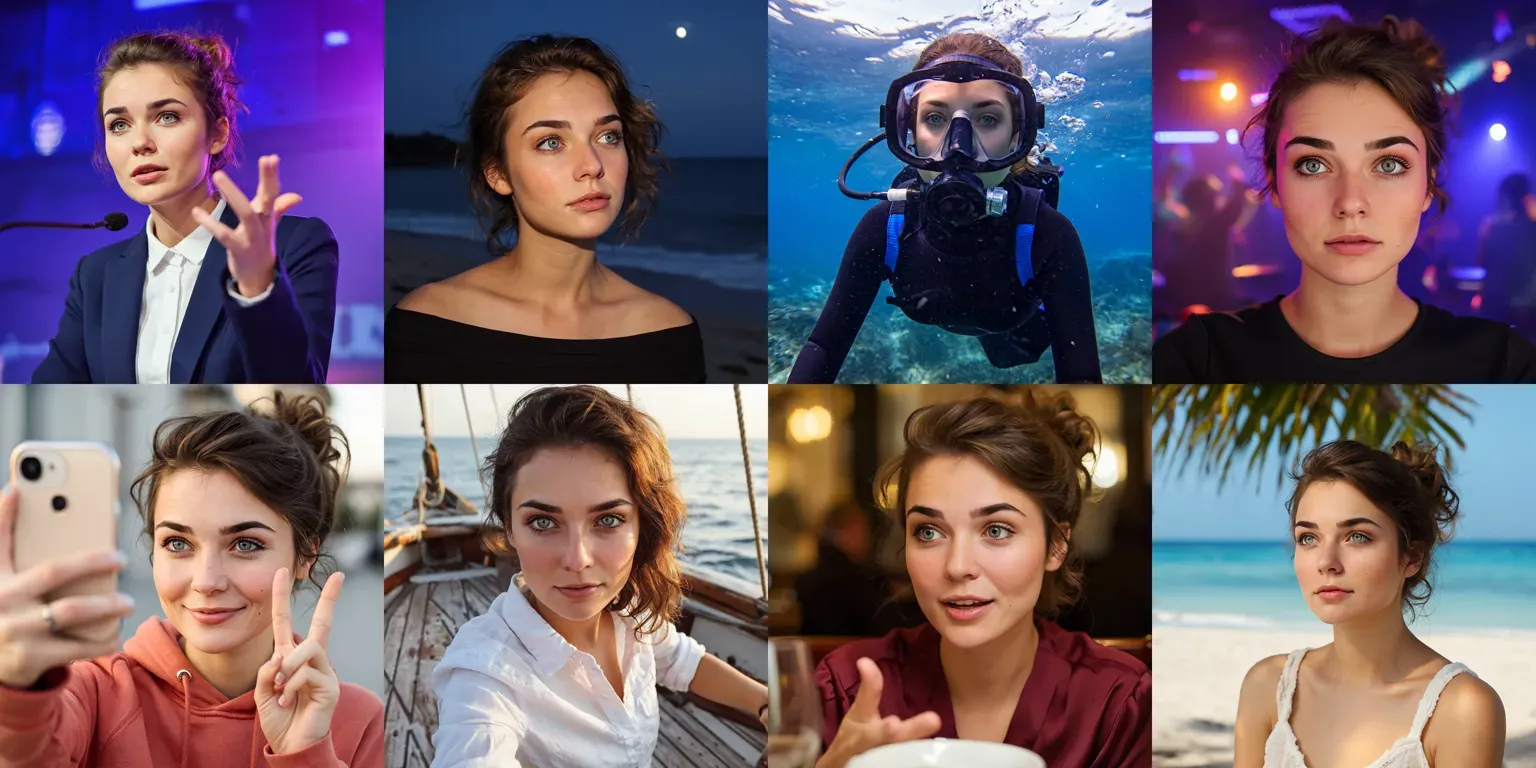
Until recently, the best way to generate images of a consistent character was from a trained lora. You would need to create a dataset of images and then train a FLUX lora on them.
If you want to go back further, you might remember having to use a ComfyUI workflow. A workflow that would combine SDXL, controlnets, IPAdapters and some non-commercial face landmark models. Things have got remarkably simpler.
Today we have a choice of state of the art image models that can do this accurately from a single reference. In this blog post we’ll highlight which models can do this, and which is best depending on your needs.
she is wearing a pink t-shirt with the text “Replicate” on it
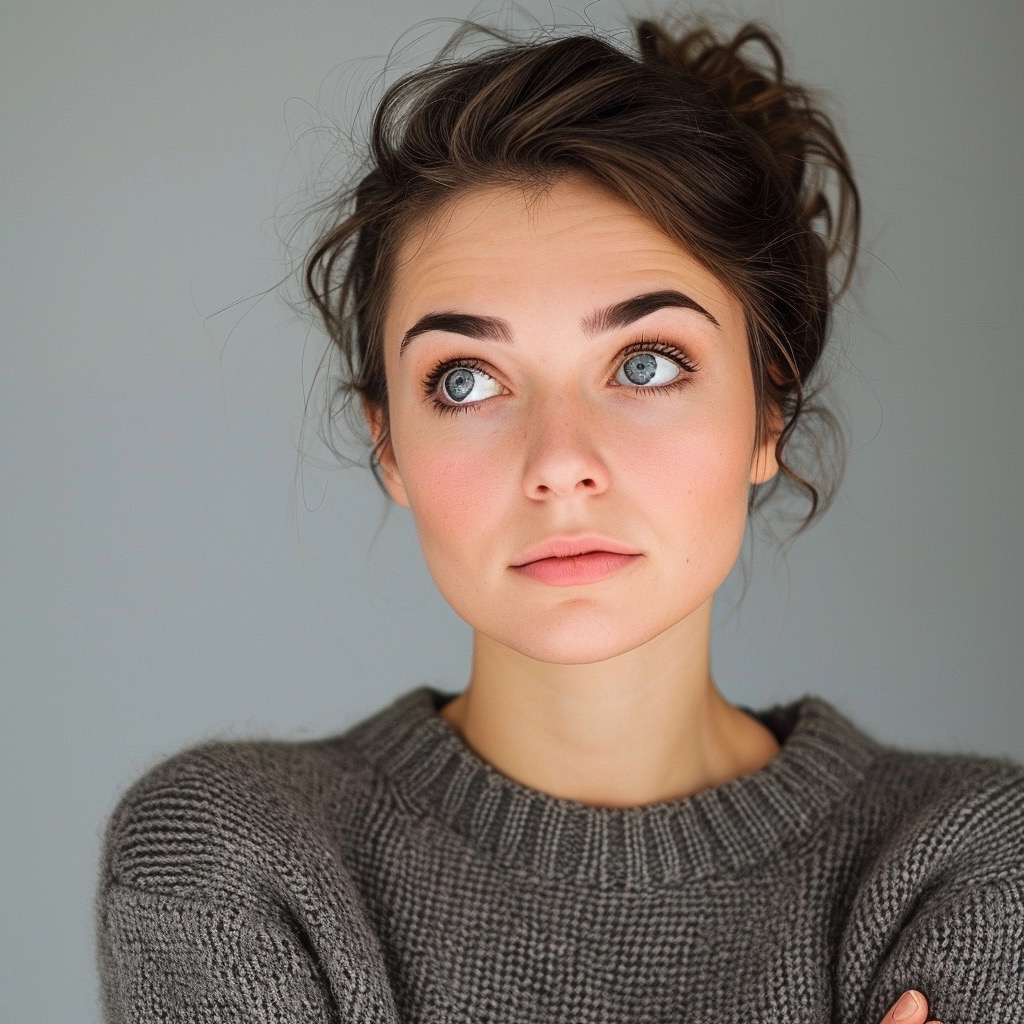
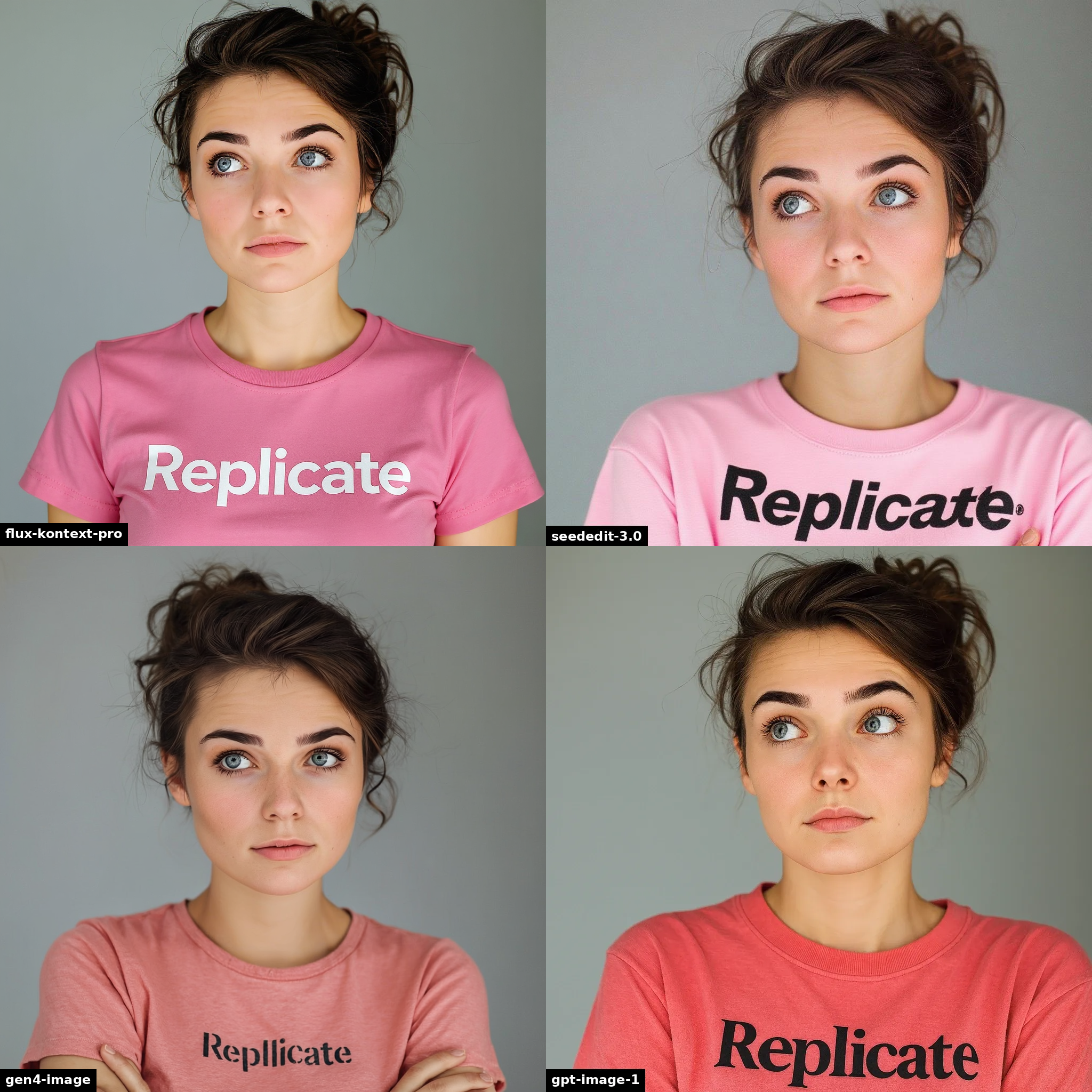
“she is wearing a pink t-shirt with the text “Replicate” on it”
As of July 2025, there are four models on Replicate that can create a realistic and accurate output from a single reference. In order of release:
Since this blog post was written, two new models have also been released:
FLUX.1 Kontext comes in a few different flavors: pro, max and dev. Dev is an open source version of kontext, which is more controllable and fine-tunable, but isn’t as powerful as pro.
To help write this blog post, I put together a little Replicate model to make it easy to compare outputs. Here is our comparison model, it runs FLUX.1 Kontext, SeedEdit 3.0, gpt-image-1 and Runway’s Gen-4 in parallel: fofr/compare-character-consistency.
(Did you know that anyone can create and push models to Replicate?)
First, the essentials: speed and cost. The table below shows the price and speed of each model. The price of gpt-image-1 depends on the output quality you choose (low, medium, high). The price of Gen-4 Image depends on whether you choose 720p or 1080p resolution.
In summary though, gpt-image-1 is the slowest and most expensive model, and Kontext Dev is the cheapest and fastest. The tradeoffs are in quality, and we’ll look at that in more detail below.
| Model | Price (per image) | Speed | Date |
|---|---|---|---|
| OpenAI gpt-image-1 | $0.04–$0.17 | 16s–59s | April 2025 |
| Runway Gen-4 Image | $0.05–$0.08 | 20s–27s | April 2025 |
| Black Forest Labs FLUX.1 Kontext Pro | $0.04 | 5s | May 2025 |
| Black Forest Labs FLUX.1 Kontext Max | $0.08 | 7s | May 2025 |
| Black Forest Labs FLUX.1 Kontext Dev | $0.025 | 4s | May 2025 |
| Bytedance SeedEdit 3 | $0.03 | 13s | July 2025 |
Let’s compare how well each model preserves a character’s identity.
In the following comparisons, we are using gpt-image-1 with the high quality and high fidelity settings. We stick with FLUX.1 Kontext Pro as the best compromise between quality and speed. And we use Gen-4 Image at 1080p.
Below are a varied set of examples, showing the strengths and weaknesses of each model, all focusing on photographic outputs.
In these two examples, we can see the strengths of Gen-4 coming through. The composition is the most compelling, and the character is the most accurate.
she is playing the piano
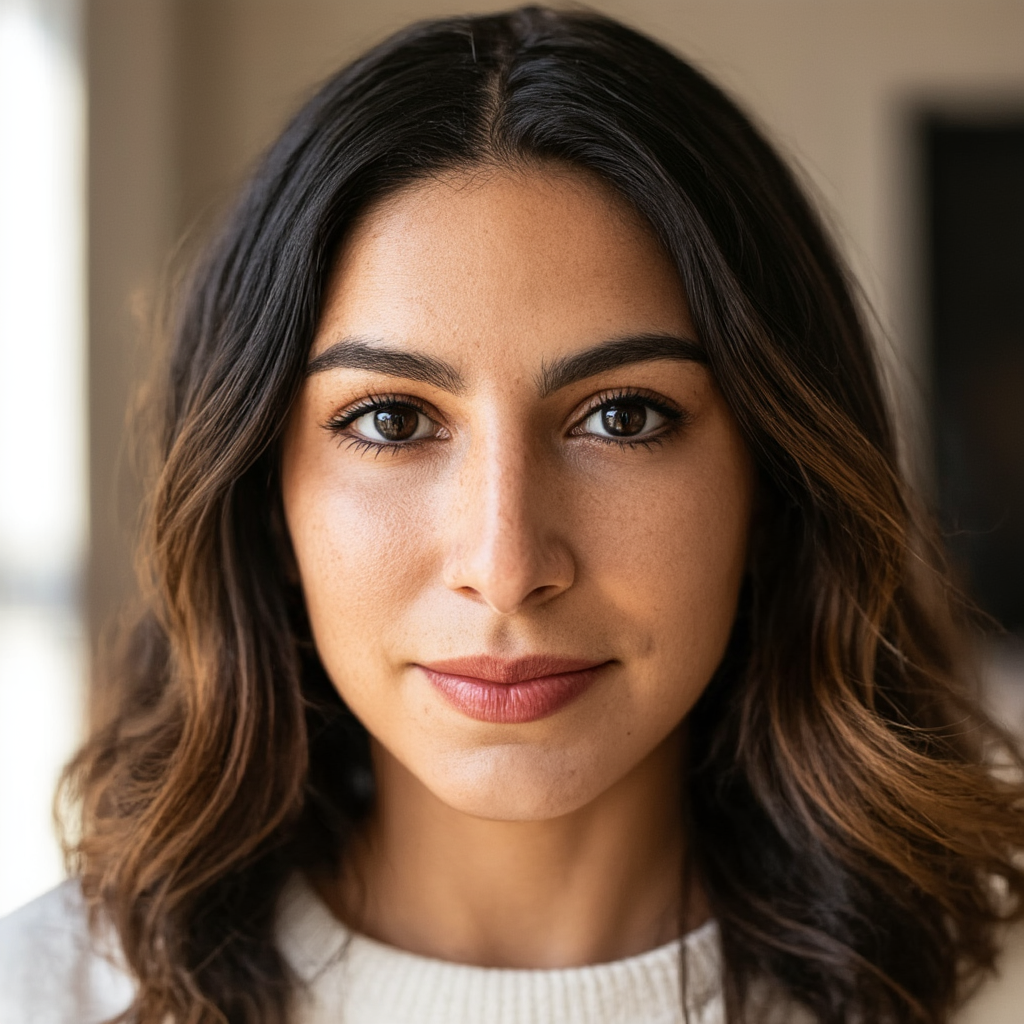

“she is playing the piano”
he is playing the guitar

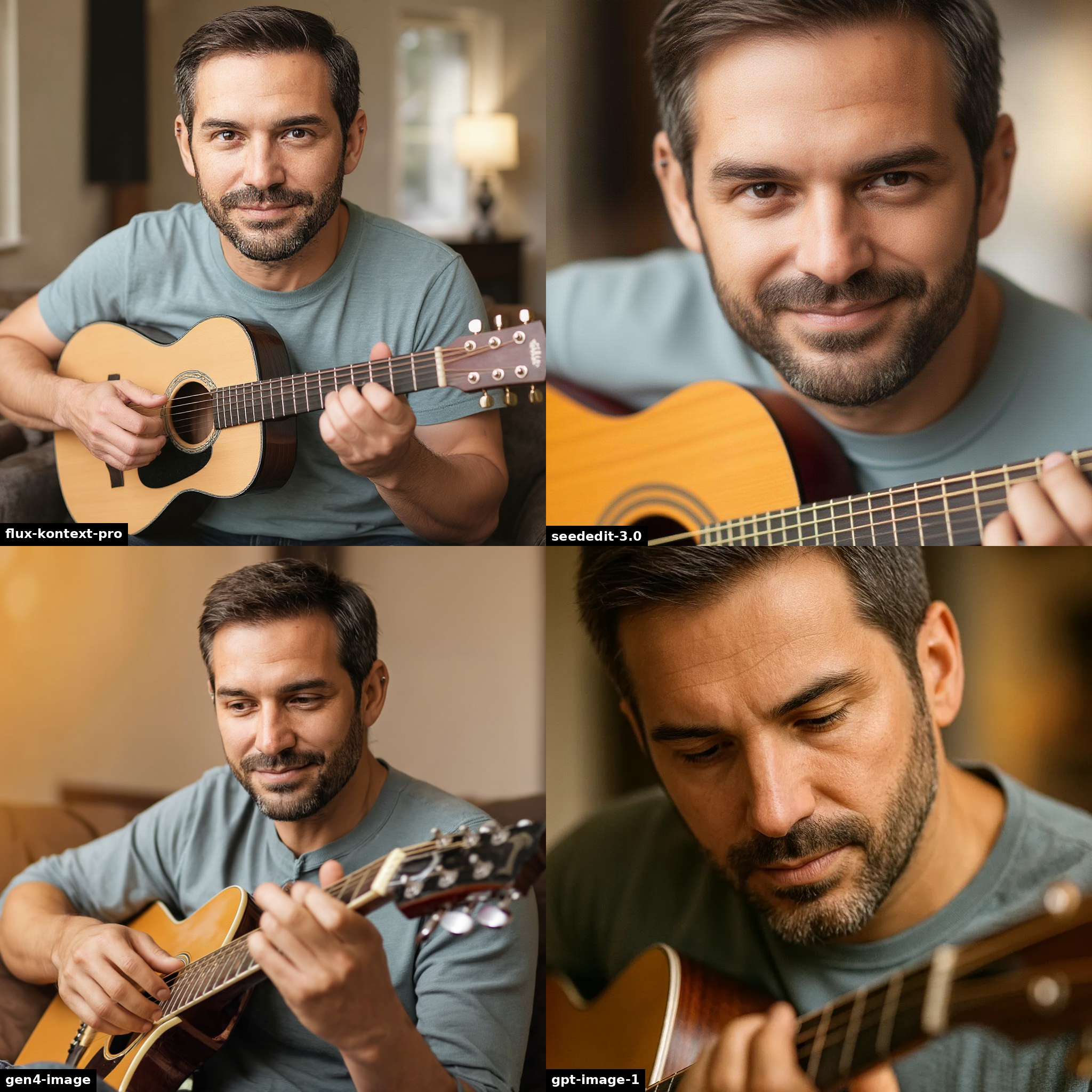
“he is playing the guitar”
If you want to keep most of the original composition, and change just a small part of the scene, all models handle this well.
remove the glass of drink

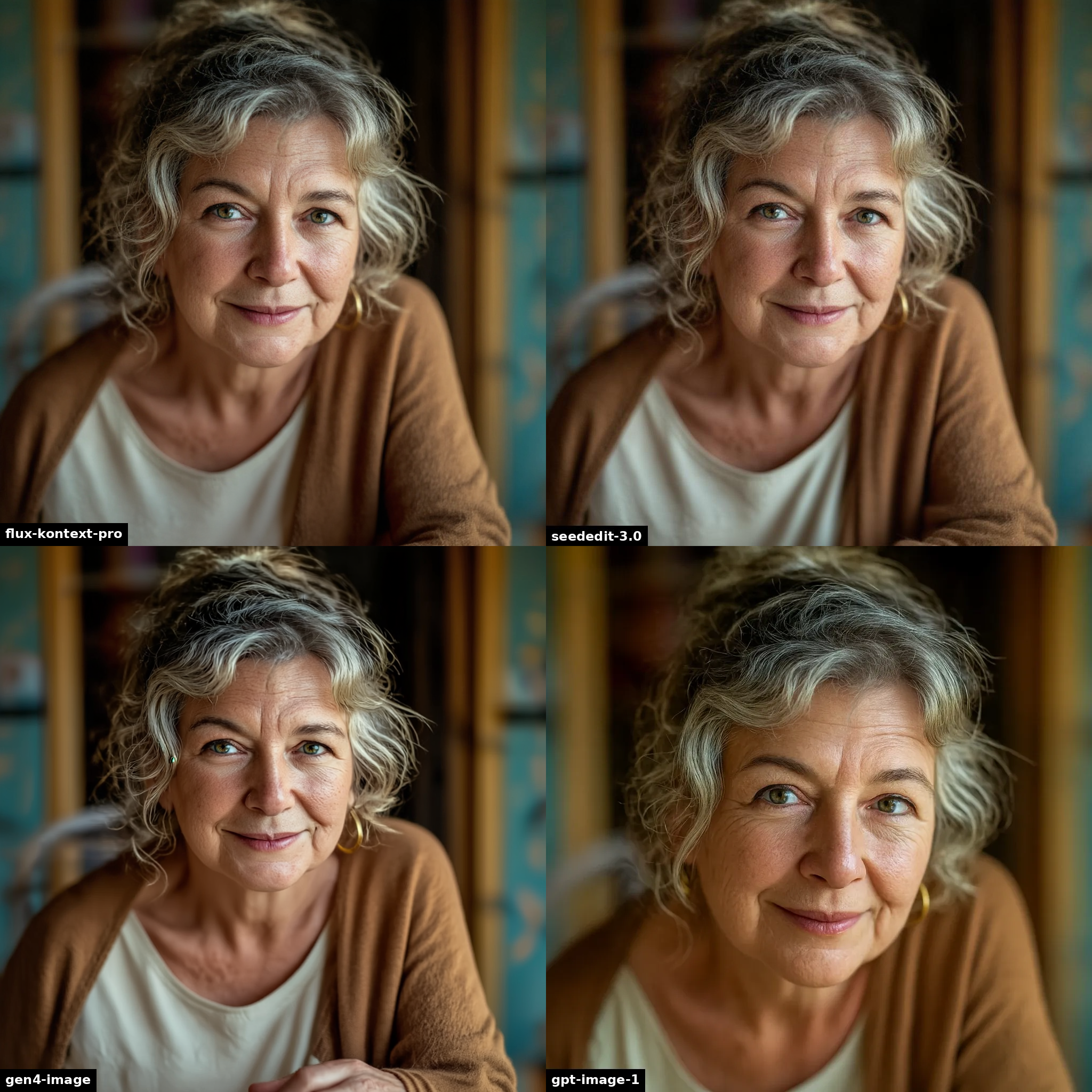
“remove the glass of drink”
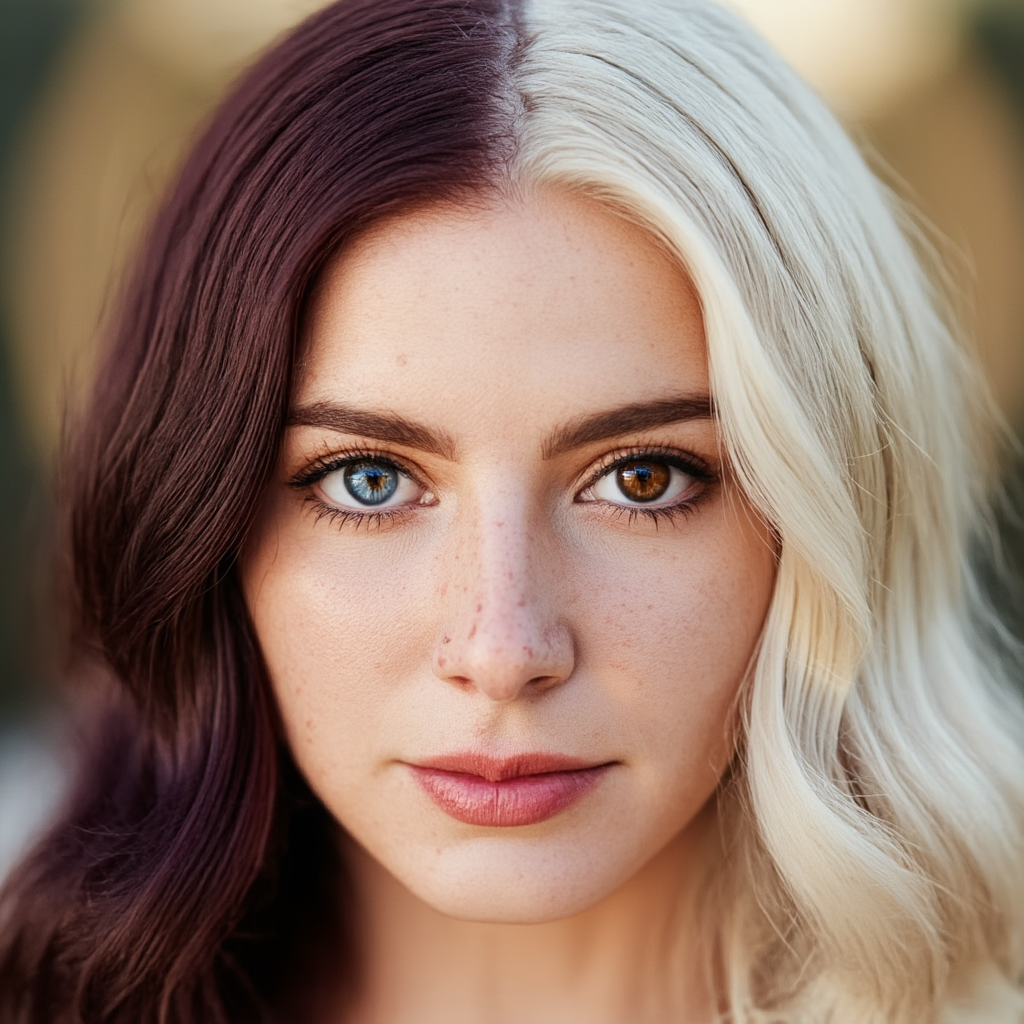
A more challenging comparison, here is a character with heterochromia and hair with two colors, as well as some facial marks.
We can see that every model is capable of handling the hair and eyes. (Some needed a few retries to get this right.)
a half-length portrait photo of her in a summer forest
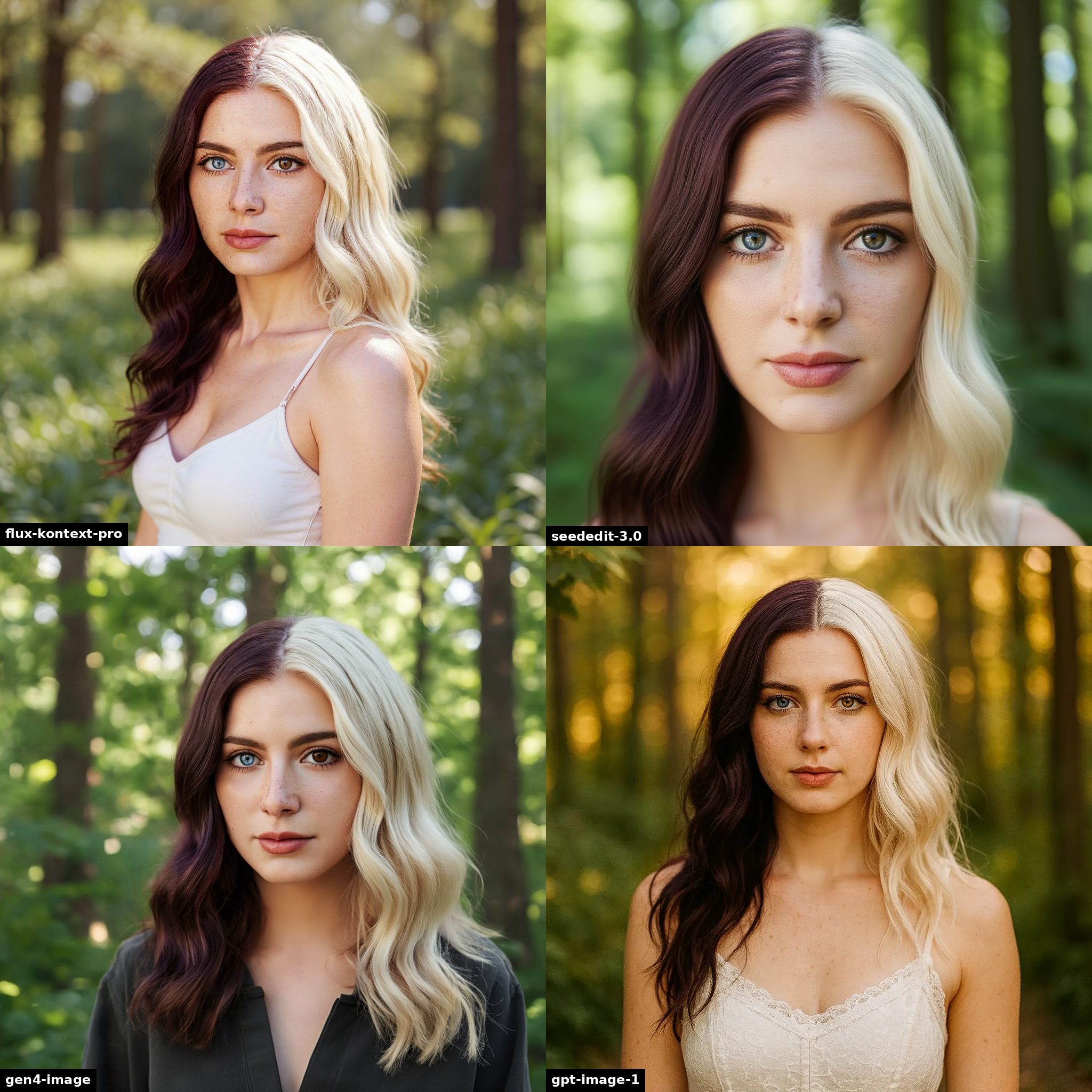
“a half-length portrait photo of her in a summer forest”
Rather than keeping everything consistent, let’s try to keep the same person but change some things.
It’s a bit of a mixed bag here, only SeedEdit 3 and gpt-image-1 can handle the clean-shaven request. But gpt-image-1 is also a completely different person, so that’s probably the worst result.
remove his beard, put him in a raincoat, it is raining
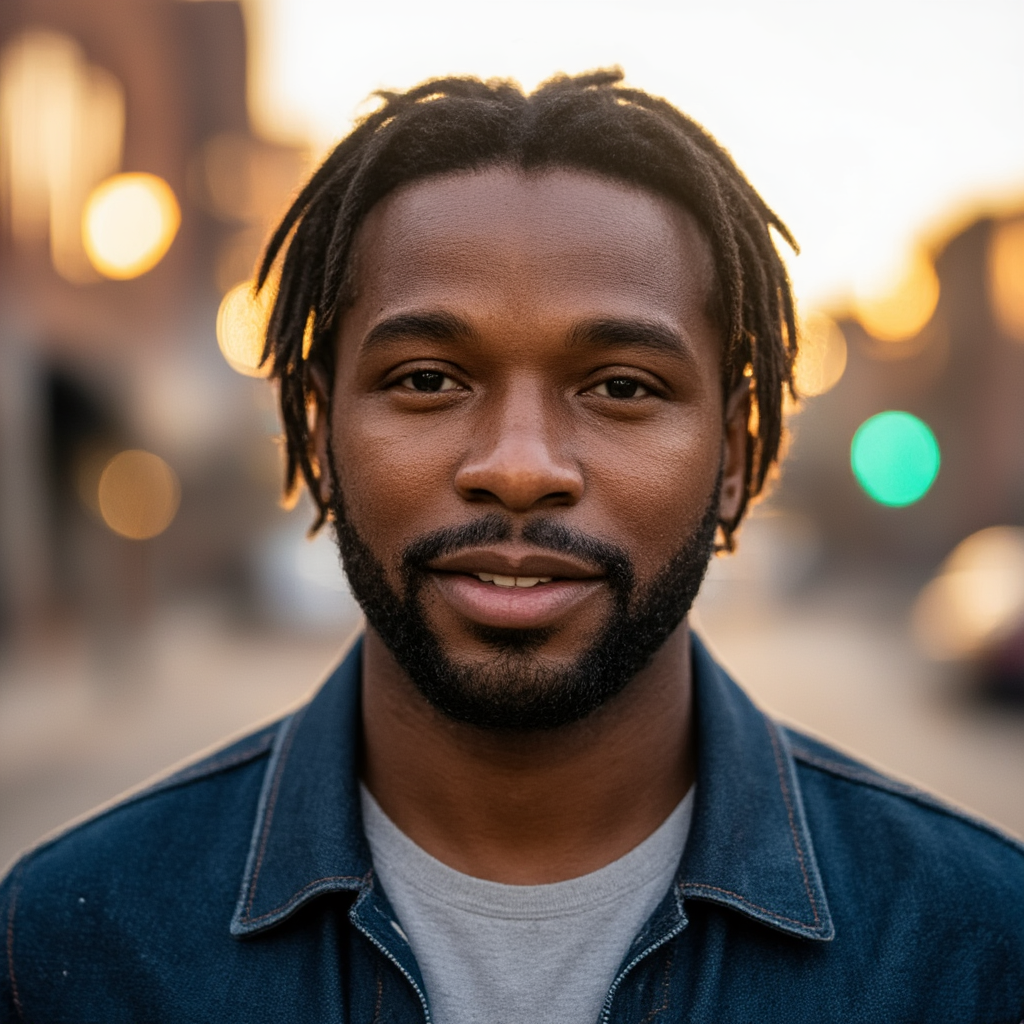
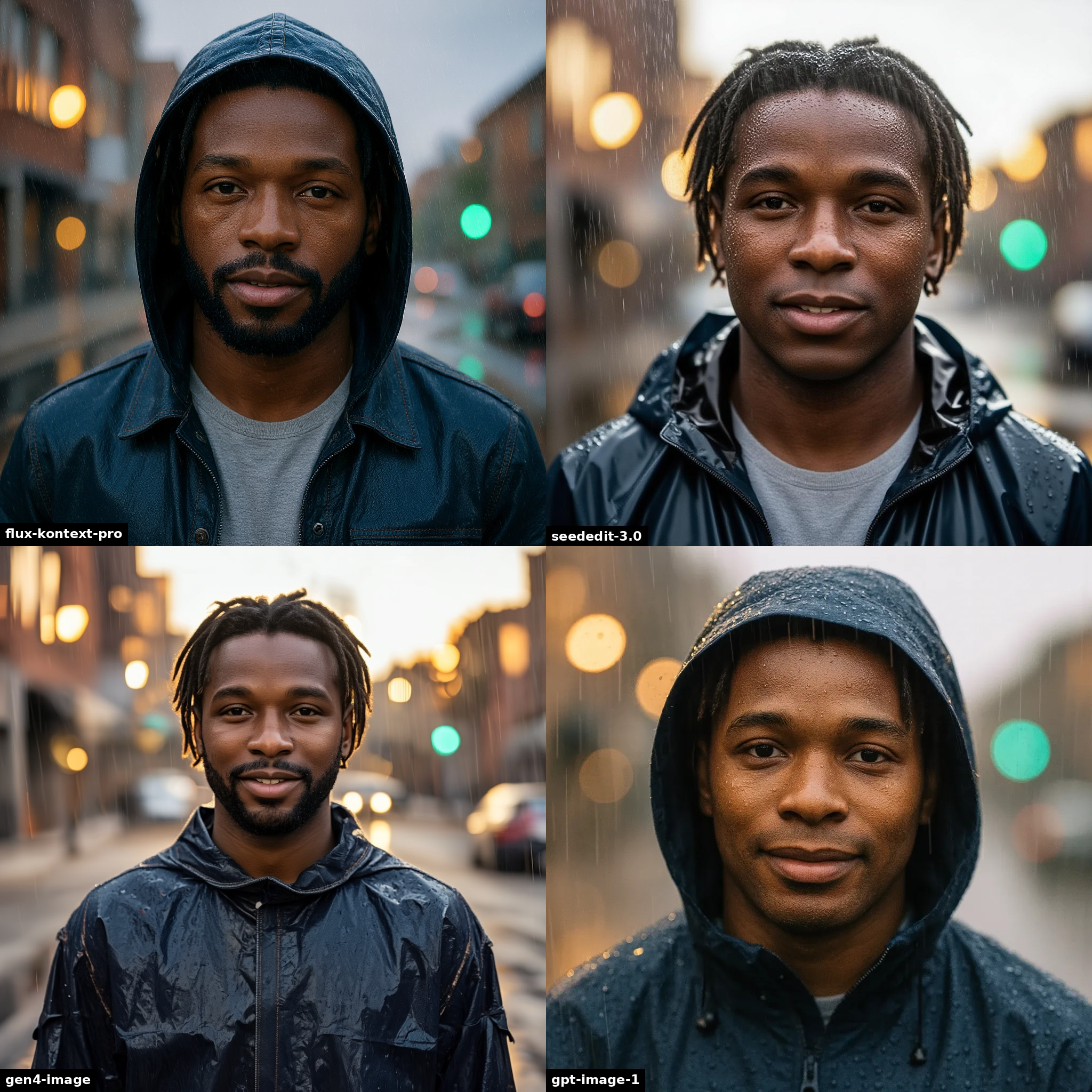
“remove his beard, put him in a raincoat, it is raining”
Here we try a character with many distinct tattoos to see how well each model handles them. None are perfect, with Gen-4 and gpt-image-1 maintaining the neck tattoos the best.
he is a chef cooking a meal in a restaurant kitchen


“he is a chef cooking a meal in a restaurant kitchen”
In these examples, we are looking to transform the character into something else, or show them in a different style. A good model will perform the transformation while maintaining the character’s identity.
With these simple style changes, we can see quickly that Gen-4 should not be used for these stylistic tasks.
restyle this person as anime
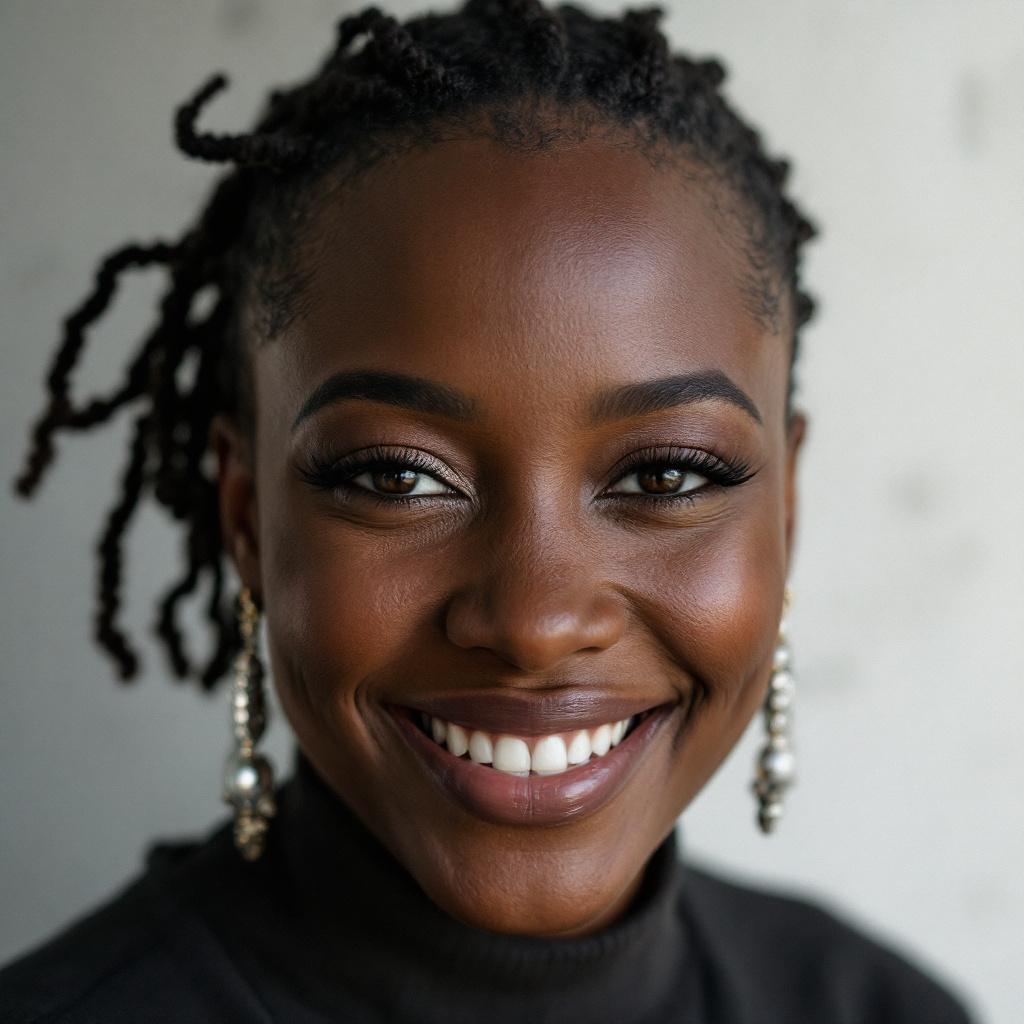
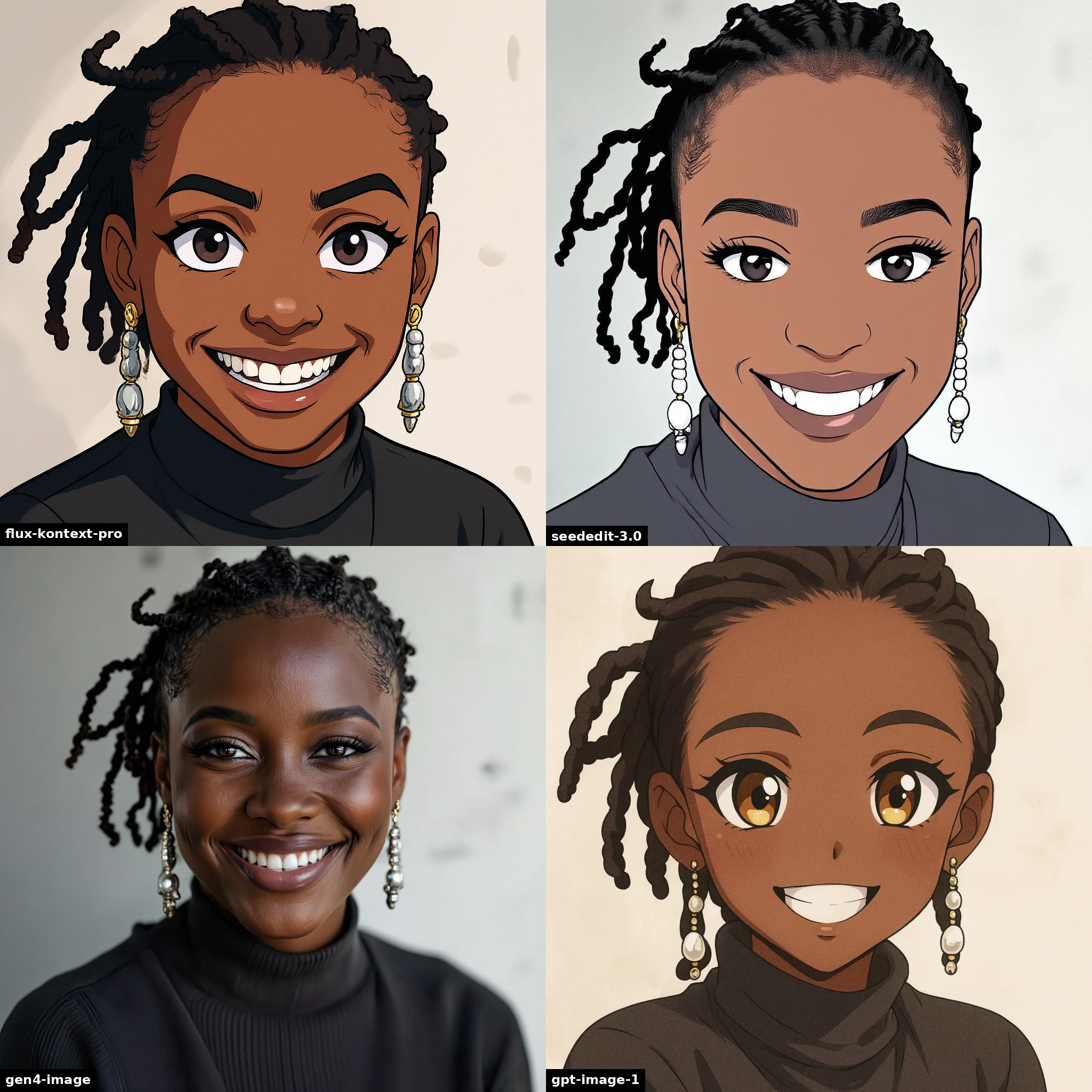
“restyle this person as anime”
make this a watercolor painting
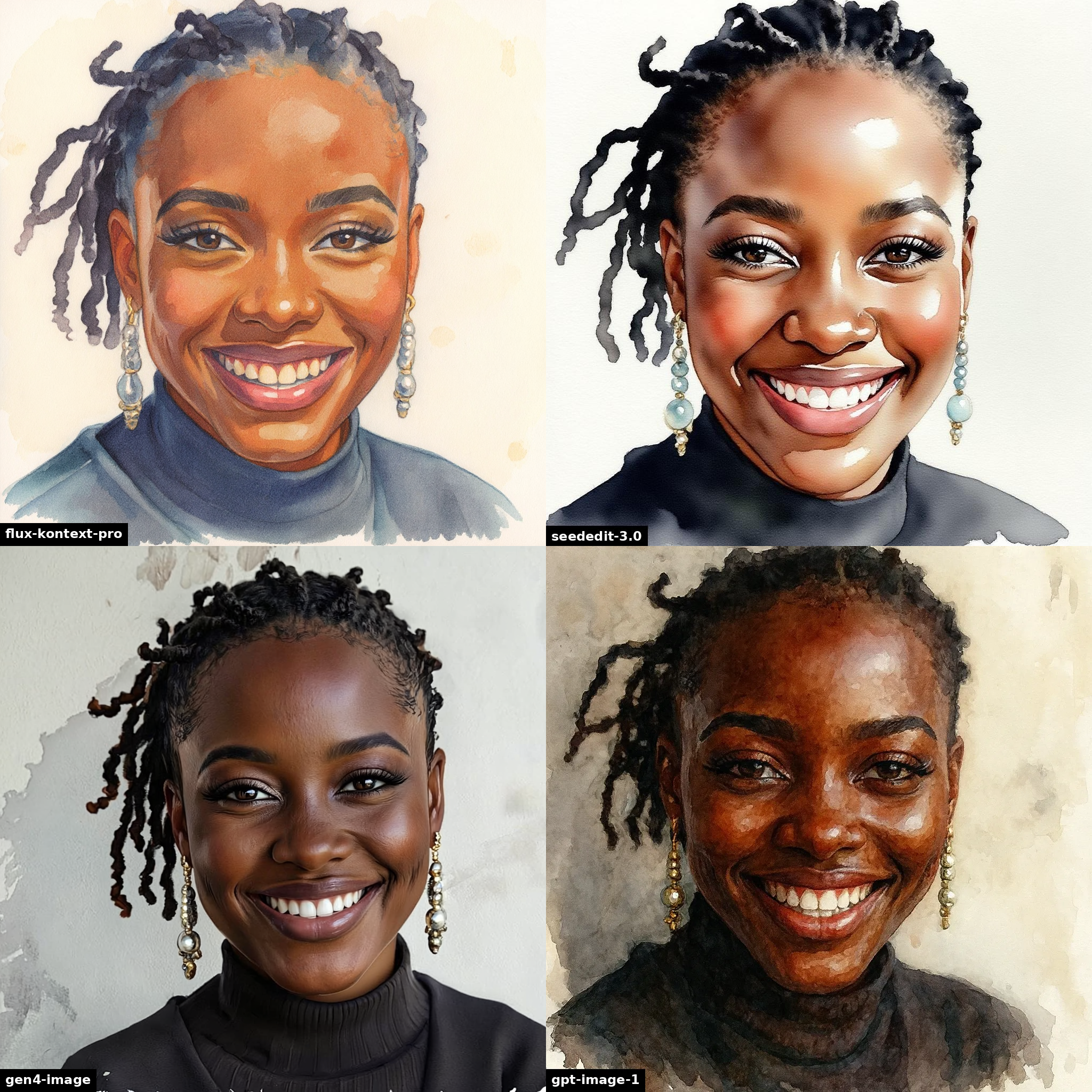
“make this a watercolor painting”
It’s halloween. We turn her into a witch, and him into an ogre, and someone else into a blue na’vi from Pandora. Gen-4 does the best witch output, but also the least convincing ogre.
make her a witch

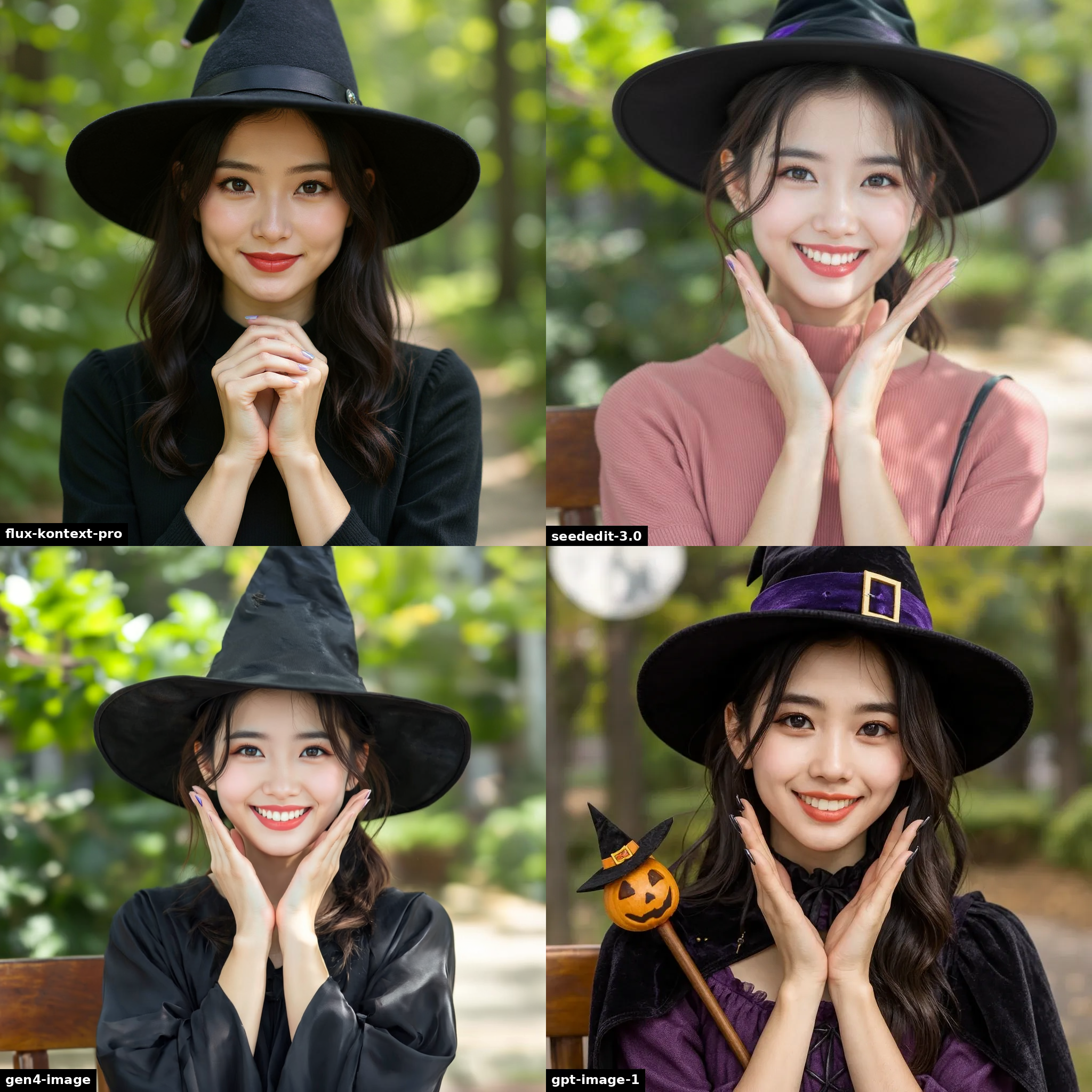
“make her a witch”
turn him into a green skinned ogre

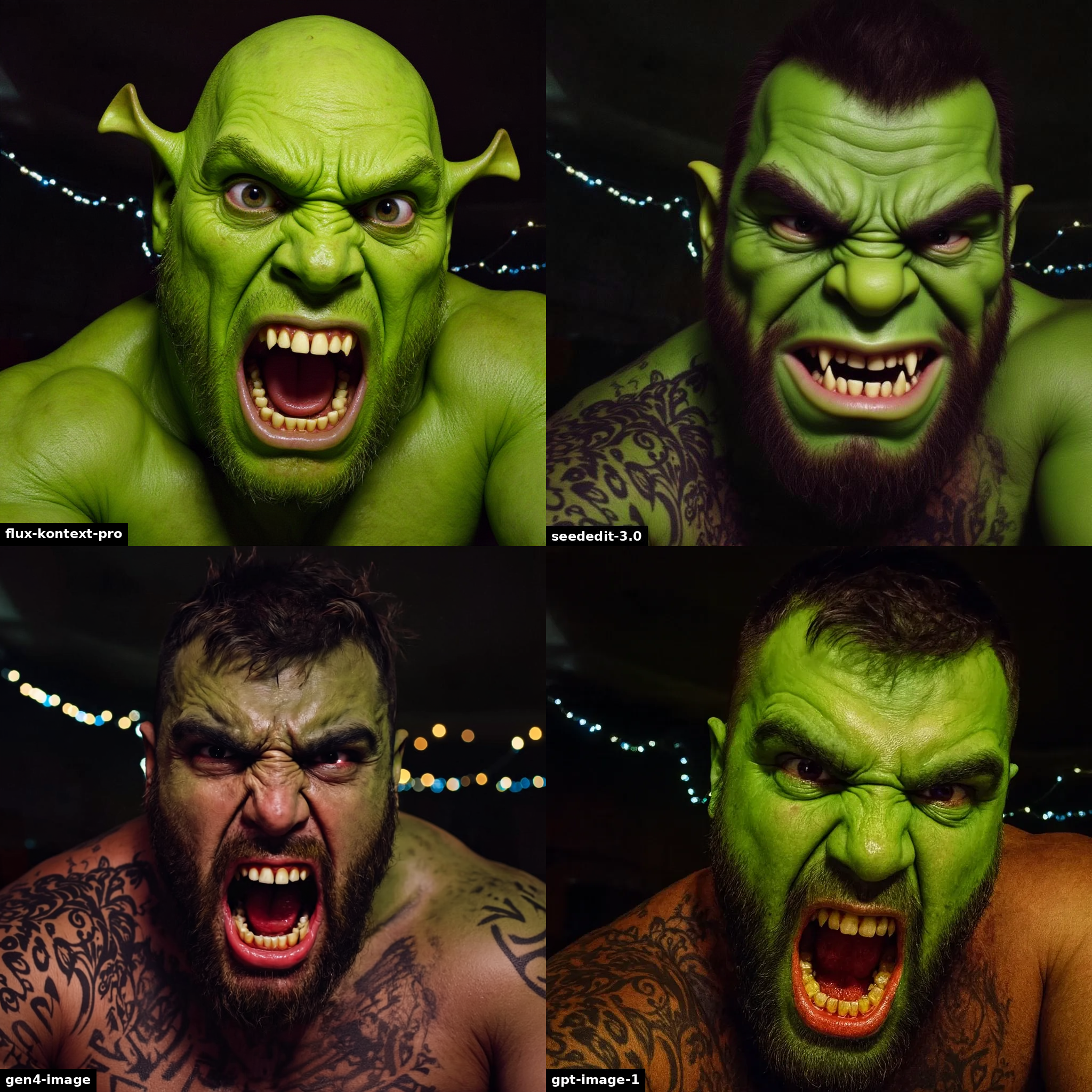
“turn him into a green skinned ogre”
For this example, Kontext Pro didn’t want to create an image of a blue na’vi from Pandora, we’re showing Kontext Dev instead.
turn him into a blue na’vi from pandora (avatar)

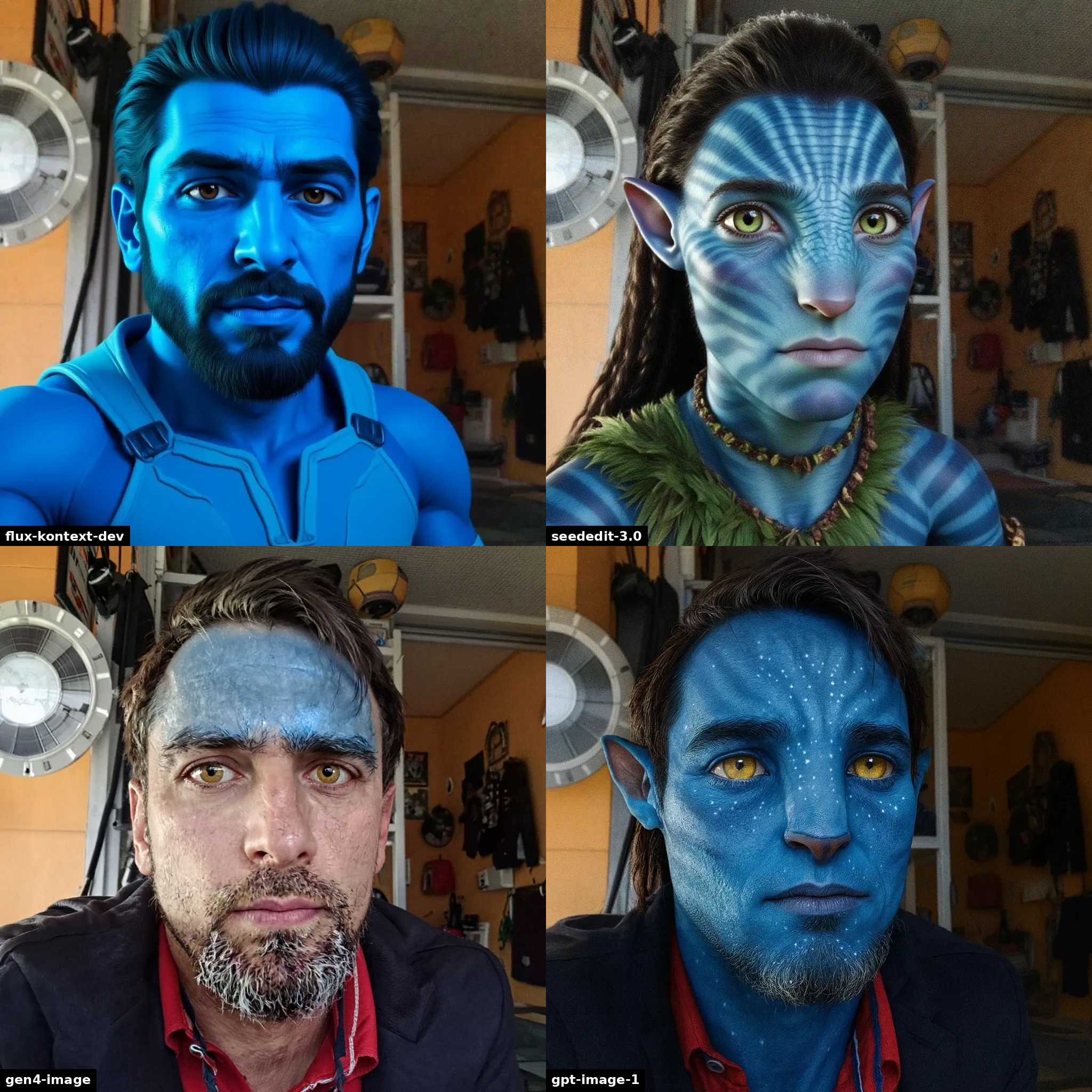
“turn him into a blue na’vi from pandora (avatar)“
Overall, we found that:
For photos you should start with Runway’s Gen-4 Image model. If you need faster or cheaper outputs, then Kontext Pro is the next best option. If you get some outputs from Gen-4 that aren’t coherent, you can always put them through Kontext Pro to fix them.
For more creative tasks, and complete character transformations, try Kontext Pro first. If the task is more complex, and if you can afford it, you should also try gpt-image-1. SeedEdit 3 is a good cheap alternative if you can’t afford gpt-image-1 and kontext isn’t working for you. Do not use Gen-4 for stylistic tasks.
That’s it for now, but stay tuned for more models, comparisons and experiments. Until then, try something new at replicate.com/explore, and follow us on X to see what we’re up to.
此内容由惯性聚合(RSS阅读器)自动聚合整理,仅供阅读参考。 原文来自 — 版权归原作者所有。