


惯性聚合 高效追踪和阅读你感兴趣的博客、新闻、科技资讯
阅读原文 在惯性聚合中打开

推荐订阅源

宝玉的分享
宝玉的分享
Recent Commits to openclaw:main
钛媒体:引领未来商业与生活新知
钛媒体:引领未来商业与生活新知
T
Tailwind CSS Blog
Cyber Security Advisories - MS-ISAC
罗磊的独立博客
V
Visual Studio Blog
爱范儿
爱范儿
H
Help Net Security
J
Java Code Geeks
I
InfoQ
Recent Announcements
H
Hackread – Cybersecurity News, Data Breaches, AI and More
Recorded Future
Recorded Future
Jina AI
Jina AI
Microsoft Security Blog
WordPress大学
WordPress大学
GbyAI
GbyAI
freeCodeCamp Programming Tutorials: Python, JavaScript, Git & More
CTFtime.org: upcoming CTF events
Y
Y Combinator Blog
Google DeepMind News
Scott Helme
Scott Helme
S
SegmentFault 最新的问题
S
Securelist
L
LINUX DO - 热门话题
Cyberwarzone
Cyberwarzone
C
Cisco Blogs
Simon Willison's Weblog
G
Google Developers Blog
酷 壳 – CoolShell
酷 壳 – CoolShell
博客园 - 叶小钗
T
The Blog of Author Tim Ferriss
博客园_首页
B
Blog
F
Fortinet All Blogs
AWS News Blog
AWS News Blog
V
Vulnerabilities – Threatpost
S
Secure Thoughts
cs.AI updates on arXiv.org
Forbes - Security
Forbes - Security
S
Security @ Cisco Blogs
T
Threat Research - Cisco Blogs
OSCHINA 社区最新新闻
OSCHINA 社区最新新闻
S
Schneier on Security
Project Zero
Project Zero
Martin Fowler
Martin Fowler
C
Cybersecurity and Infrastructure Security Agency CISA
N
Netflix TechBlog - Medium
N
News and Events Feed by Topic

Replicate's blog

How to make remarkable videos with Seedance 2.0 – Replicate blog How to prompt Seedream 5.0 – Replicate blog Recraft V4: image generation with design taste – Replicate blog Run Isaac 0.1 on Replicate – Replicate blog Run FLUX.2 on Replicate – Replicate blog How to prompt Nano Banana Pro – Replicate blog Retro Diffusion's pixel art models are now on Replicate – Replicate blog Replicate is joining Cloudflare – Replicate blog Extract text from documents and images with Datalab Marker and OCR – Replicate blog How to prompt Veo 3.1 – Replicate blog IBM's Granite 4.0 is now on Replicate – Replicate blog Which image editing model should I use? – Replicate blog Introducing our new search API – Replicate blog Torch compile caching for inference speed – Replicate blog Announcing Replicate's remote MCP server – Replicate blog How to prompt Veo 3 with images – Replicate blog Open source video is back – Replicate blog Generate consistent characters – Replicate blog Bria is now on Replicate – Replicate blog How we optimized FLUX.1 Kontext [dev] – Replicate blog Compare AI video models – Replicate blog The FLUX.1 Kontext hackathon – Replicate blog How to prompt Veo 3 for the best results – Replicate blog Get the most from Google Veo 3 – Replicate blog FLUX.1 Kontext from the community – Replicate blog Use FLUX.1 Kontext to edit images with words – Replicate blog Run OpenAI’s latest models on Replicate – Replicate blog NVIDIA H100 GPUs are here – Replicate blog Run 30,000+ LoRAs on Hugging Face with Replicate – Replicate blog Ideogram 3.0 on Replicate – Replicate blog Run MiniMax Speech-02 models with an API – Replicate blog Easel AI is now on Replicate – Replicate blog Stylized video with Wan2.1 – Replicate blog Creative roundup: avatars, lightsabers, and LoRA tricks – Replicate blog Wan2.1: generate videos with an API – Replicate blog Wan2.1 parameter sweep – Replicate blog You can now fine-tune open-source video models – Replicate blog Generate short videos with the Replicate playground – Replicate blog AI video is having its Stable Diffusion moment – Replicate blog FLUX fine-tunes are now fast – Replicate blog FLUX.1 Tools – Control and steerability for FLUX – Replicate blog NVIDIA L40S GPUs are here – Replicate blog Ideogram v2 is an outstanding new inpainting model – Replicate blog Stable Diffusion 3.5 is here – Replicate blog FLUX is fast and it's open source – Replicate blog FLUX1.1 [pro] is here – Replicate blog Using synthetic training data to improve Flux finetunes – Replicate blog Fine-tune FLUX.1 with an API – Replicate blog Fine-tune FLUX.1 to create images of yourself – Replicate blog Replicate Intelligence #12 – Replicate blog Replicate Intelligence #11 – Replicate blog Fine-tune FLUX.1 with your own images – Replicate blog Replicate Intelligence #10 – Replicate blog FLUX.1: First Impressions – Replicate blog Replicate Intelligence #9 – Replicate blog Run FLUX with an API – Replicate blog Replicate Intelligence #8 – Replicate blog Run Meta Llama 3.1 405B with an API – Replicate blog Replicate Intelligence #7 – Replicate blog Replicate Intelligence #6 – Replicate blog Replicate Intelligence #5 – Replicate blog How to get the best results from Stable Diffusion 3 – Replicate blog Run Stable Diffusion 3 on your Apple Silicon Mac – Replicate blog Push a custom version of Stable Diffusion 3 – Replicate blog Replicate Intelligence #4 – Replicate blog Run Stable Diffusion 3 on your own machine with ComfyUI – Replicate blog H100s are coming to Replicate – Replicate blog Run Stable Diffusion 3 with an API – Replicate blog Replicate Intelligence #3 – Replicate blog Replicate Intelligence #2 – Replicate blog Replicate Intelligence #1 – Replicate blog Shared network vulnerability disclosure – Replicate blog Run Snowflake Arctic with an API – Replicate blog Run Meta Llama 3 with an API – Replicate blog Run Code Llama 70B with an API – Replicate blog How to create an AI narrator for your life – Replicate blog Clone your voice using open-source models – Replicate blog Businesses are building on open-source AI – Replicate blog How to run Yi chat models with an API – Replicate blog Scaffold Replicate apps with one command – Replicate blog Using open-source models for faster and cheaper text embeddings – Replicate blog Generate music from chord progressions and text prompts with MusicGen-Chord – Replicate blog Generate images in one second on your Mac using a latent consistency model – Replicate blog How to use retrieval augmented generation with ChromaDB and Mistral – Replicate blog Fine-tune MusicGen to generate music in any style – Replicate blog Jet-setting with Llama 2 + Grammars – Replicate blog How to run Mistral 7B with an API – Replicate blog Make smooth AI generated videos with AnimateDiff and an interpolator – Replicate blog Fine-tuned models now boot in less than one second – Replicate blog Painting with words: a history of text-to-image AI – Replicate blog We're cutting our prices in half – Replicate blog A guide to prompting Llama 2 – Replicate blog Streaming output for language models – Replicate blog Fine-tune SDXL with your own images – Replicate blog Run Llama 2 with an API – Replicate blog Run SDXL with an API – Replicate blog A comprehensive guide to running Llama 2 locally – Replicate blog Fine-tune Llama 2 on Replicate – Replicate blog What happened with Llama 2 in the last 24 hours? 🦙 – Replicate blog Make any large language model a better poet – Replicate blog
Generate incredible images with Google's Imagen 4 – Replicate blog
2025-05-22 · via Replicate's blog

Google’s latest flagship image model, Imagen 4, is now available for you to run on Replicate. This is a preview release, so it might change, but it’s already showing off some impressive capabilities for creating high-quality images.
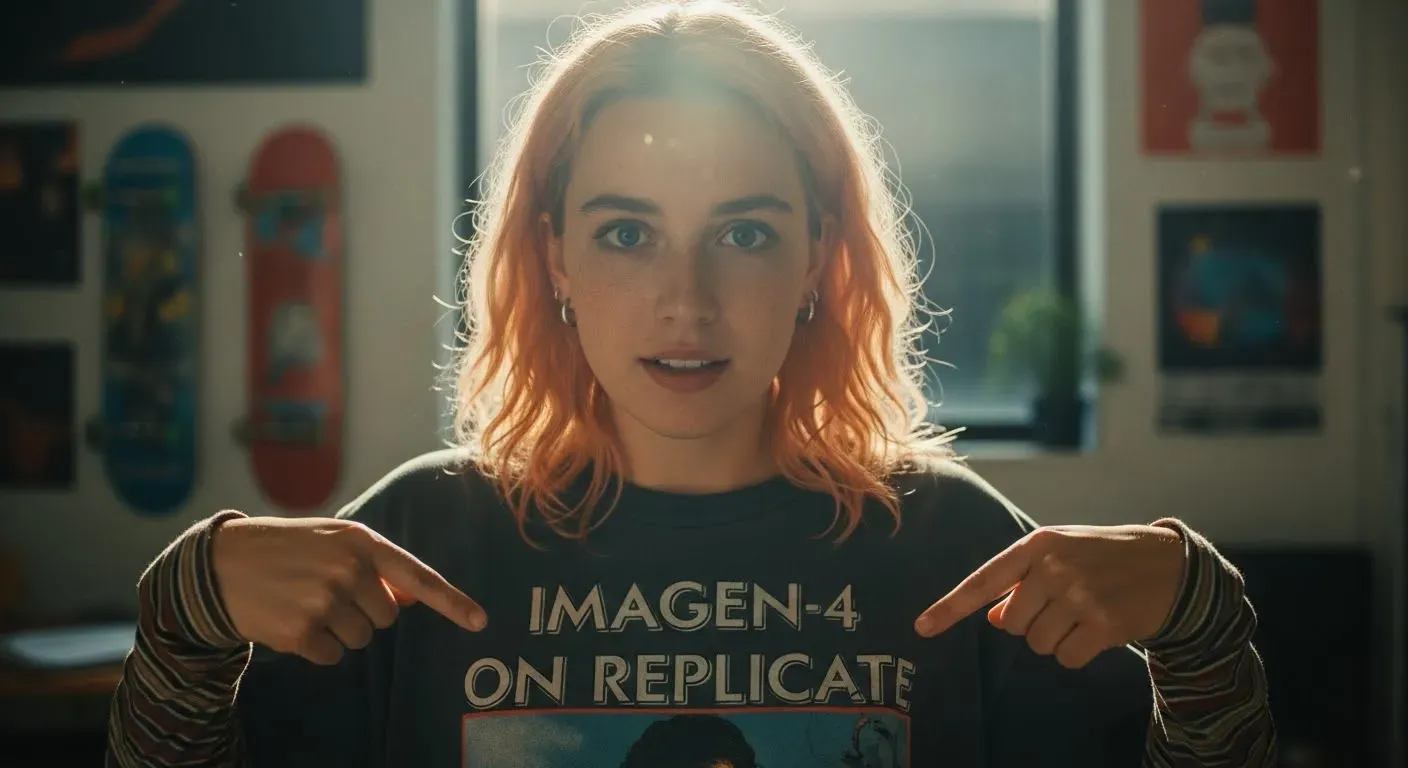
Imagen 4 example output

What is Imagen 4?

Imagen 4 is Google DeepMind’s most advanced image generation model yet, designed to help you bring your creative visions to life. It excels at producing photorealistic images with sharp clarity and has made significant strides in rendering text accurately.

Key features include:

  • Fine detail rendering: Imagen 4 captures intricate details beautifully, whether it’s the texture of fabric, tiny water droplets, or the softness of animal fur.
  • Style versatility: The model is adept at generating images in a wide range of styles, from hyperrealistic photographs to abstract art and illustrations.
  • Typography improvements: Text rendering is much better, making it great for things like greeting cards, posters, or even comics where clear text is essential.

Running Imagen 4 on Replicate

Let’s say you want to create an image announcing Imagen 4’s arrival. Here’s an example using the Replicate Python client.

First grab your API token from the Replicate website.

Install the Replicate Python client:

Set your API token:

Now you can run Imagen 4:

And here’s the kind of output you’d get:
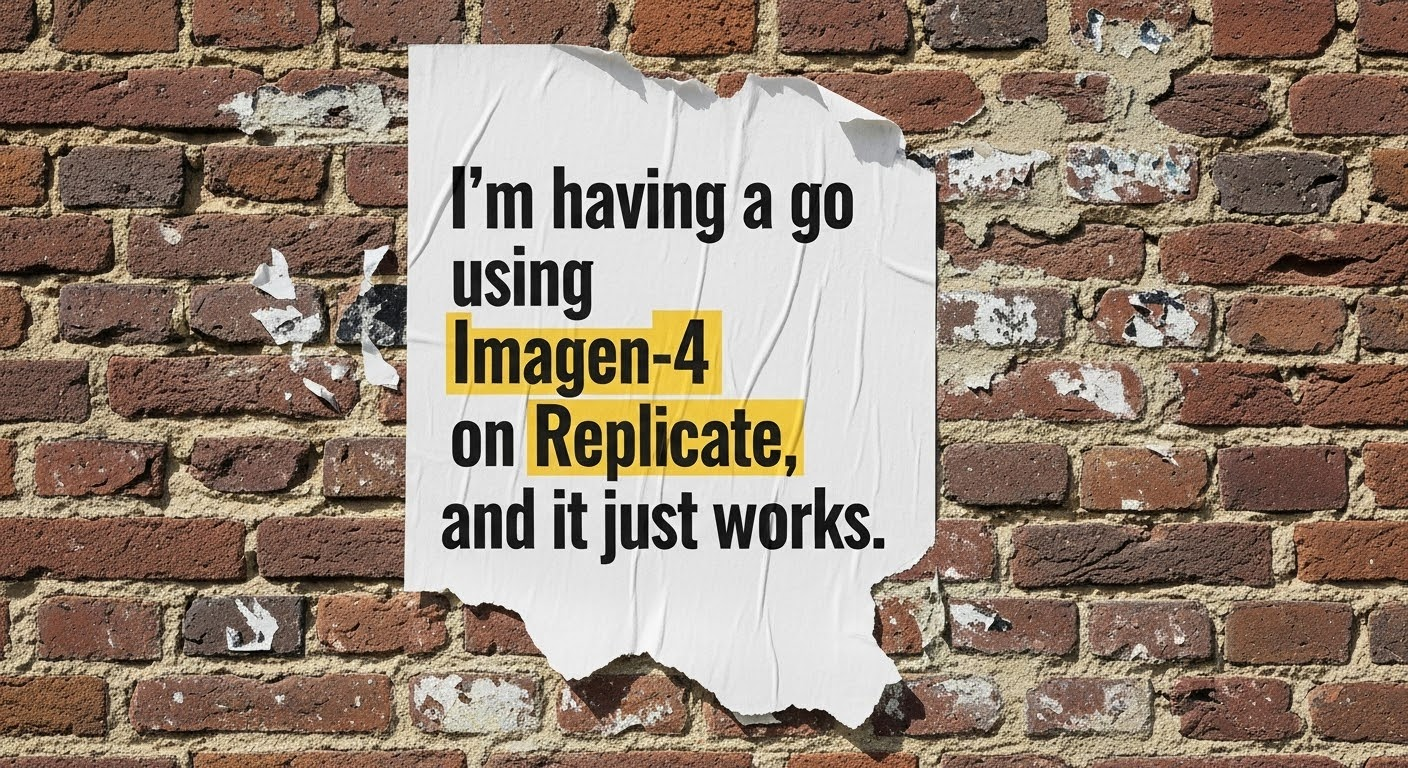
Imagen 4 example output using the given prompt

You can also run Imagen 4 using the Replicate JavaScript client or any other HTTP client. Check out the API page on Replicate.

What to Expect (It’s a Preview)

Since Imagen 4 is currently a preview model, keep a few things in mind:

  • Subject to change: The model’s behavior or features might change.
  • Potential queues: Depending on demand, you might experience some wait times.

Google DeepMind has also highlighted that for best results, precise and detailed prompts are key. Specify subjects, environments, artistic styles, and compositional elements.

Imagen 4 really excels when you give it a detailed prompt, here are some examples to get you started:

You might want to try using a language model like Claude Sonnet 3.7 or OpenAI’s GPT-4.1 to enhance your prompt.

Here are some example prompts to get you started:

Sumi-e Dragon: “This single-panel splash page is rendered in a traditional Sumi-e ink wash style, emphasizing stark contrasts between deep blacks and untouched whites, conveying a sense of serene power and ancient wisdom. A majestic Eastern dragon, its serpentine body coiling gracefully, rests atop a mist-shrouded mountain peak. The dragon’s scales are suggested by varying ink densities and delicate brushstrokes, its long whiskers flowing in the implied wind. Wisps of cloud curl around the mountain’s base, created by skillful gradations of ink, giving the impression of both immense height and ethereal presence. The dragon’s head is held high, its eyes—mere dots of intense black—fixed on a distant horizon, exuding a calm, watchful aura. Sparse, sharp lines suggest the jagged rocks of the mountain summit, contrasting with the smooth, fluid lines of the dragon’s form. The overall composition is balanced and contemplative, capturing a moment of quiet strength amidst the vastness of nature, with the dragon appearing as a timeless guardian of the mountain.”
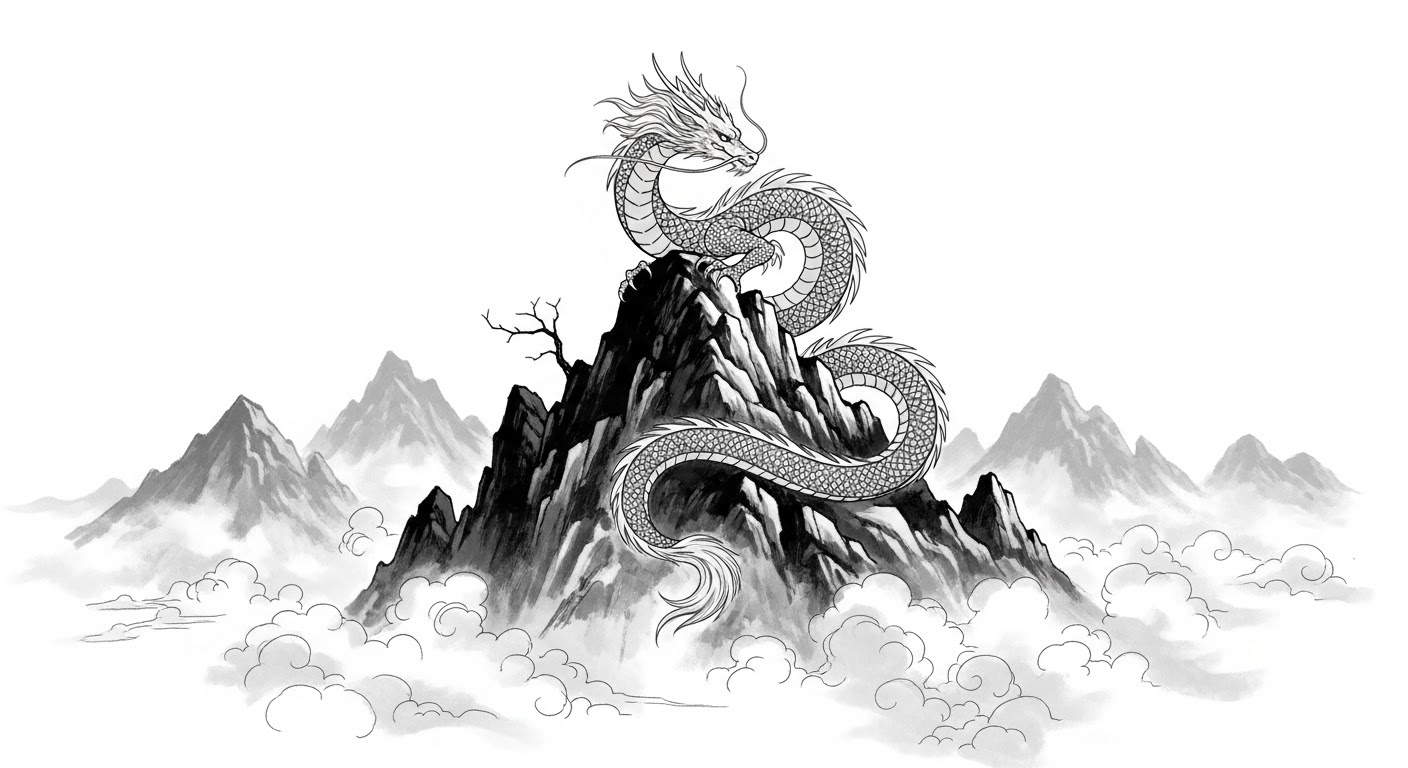
Imagen 4 example output using the given prompt

Hong Kong Diner Scene: “Atmospheric narrative illustration depicting a young woman with dark hair styled with a single star clip, eating dumplings at a small round table in a bustling, late-night eatery reminiscent of a vintage Hong Kong diner. The style blends clean linework with textured color fields, evoking a sense of place and story. The mood is intimate contentment amidst vibrant surroundings. Soft, warm overhead lighting from unseen hanging lamps casts gentle highlights on her face and the porcelain plate of dumplings, creating soft-edged shadows on the tiled tabletop and floor. The background features detailed elements like wall menus with stylized illustrations, a retro wall clock, steam rising from a soup bowl, and glimpses of other patrons blurred slightly for depth. The woman, viewed from a slightly high angle, crouches slightly on her chair, intensely focused on her food, rendered with expressive linework defining her pose and features. The color palette mixes muted teal wall tiles and green chairs with pops of warm yellow in her top, pink trousers, red chili oil dish, and ambient light, creating a cozy yet lively feel. Subtle paper texture or digital grain is visible throughout. Focus is sharp on the character and her immediate table setting.”
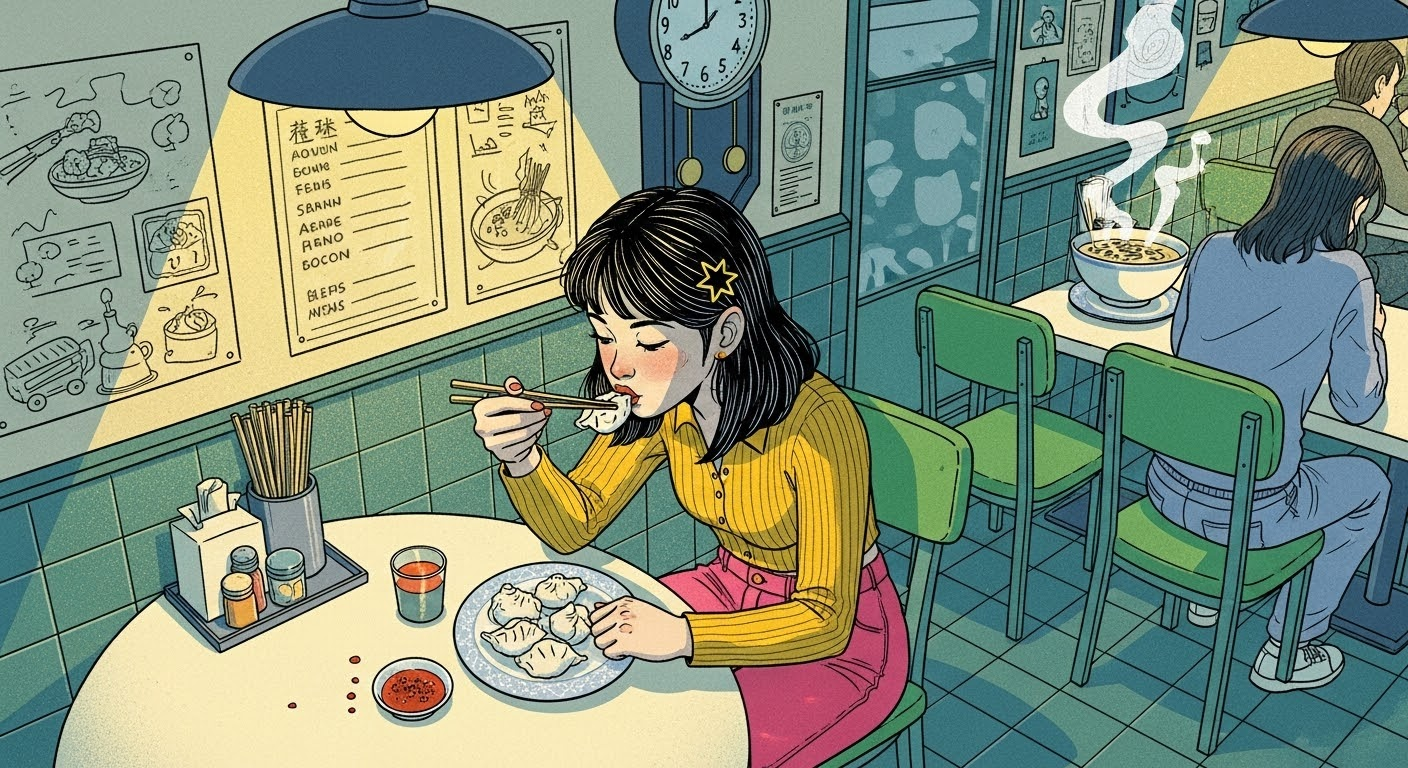
Imagen 4 example output using the given prompt

Whimsical Landscape: “Whimsical landscape illustration depicting rolling green hills under a soft pink sky, where one of the hills subtly takes the form of a colossal, peacefully sleeping giant covered in grassy turf. The style uses simple, expressive linework and visibly textured color fills, resembling colored pencil, pastel, or textured gouache applied in broad strokes. The mood is gentle folklore, peaceful slumber, and hidden magic within nature. The giant’s form is gentle, suggested by the contours of the hill, perhaps with simple linework indicating a closed eye or a relaxed hand forming a smaller mound. Small, stylized houses or trees might dot the landscape for scale. Soft, rounded clouds drift in the pink sky, possibly with simple, sleepy faces drawn on them. Lighting is flat and diffused, like a soft morning or late afternoon, with simple, textured block shadows cast by hills. Composition is a wide, panoramic view emphasizing the undulating landscape and the hidden giant. The color palette is soft and slightly muted: various greens and earthy tones for the hills, pastel pinks and lavenders for the sky. The visible texture within the color areas is paramount to the style.”
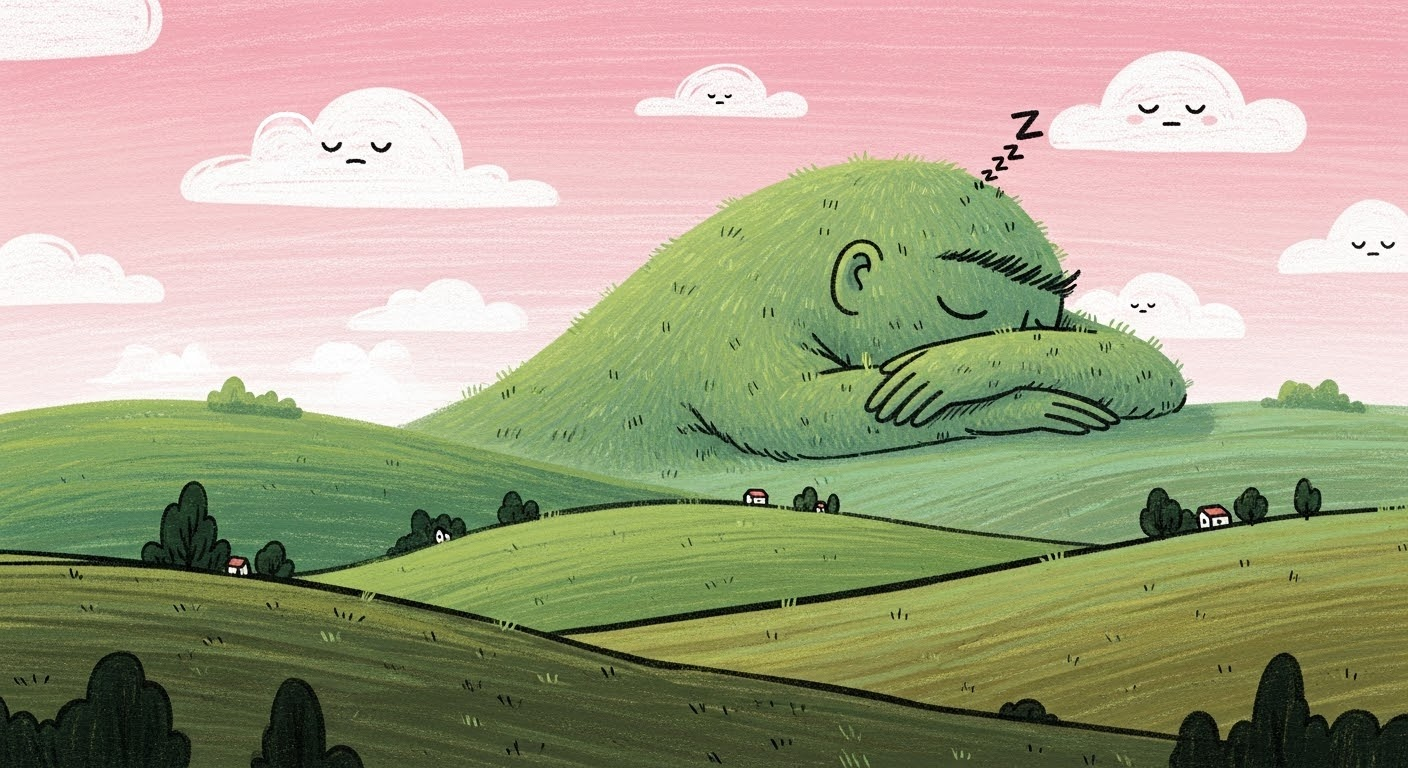
Imagen 4 example output using the given prompt

Safety Built-In

Imagen 4 includes safety measures such as filtering and data labeling to minimize the generation of harmful content. It also uses SynthID technology, which embeds an invisible digital watermark to help identify AI-generated images.

Imagen 4 Ultra, Veo 3 and Lyria 2

We’re hard at work, working with Google to bring you all of Google’s latest AI models. We expect to bring you Imagen 4 Ultra and Veo 3 soon.

Meanwhile you can already try out Google’s latest music generation model, Lyria 2.

Keep up to speed

We’re excited to see what you create with Imagen 4. Give it a try, and share your creations.