

惯性聚合 高效追踪和阅读你感兴趣的博客、新闻、科技资讯
阅读原文 在惯性聚合中打开

推荐订阅源

Cloudbric
Cloudbric
酷 壳 – CoolShell
酷 壳 – CoolShell
人人都是产品经理
人人都是产品经理
G
Google Developers Blog
美团技术团队
MongoDB | Blog
MongoDB | Blog
博客园 - 聂微东
博客园 - Franky
罗磊的独立博客
雷峰网
雷峰网
F
Fortinet All Blogs
Stack Overflow Blog
Stack Overflow Blog
T
The Blog of Author Tim Ferriss
宝玉的分享
宝玉的分享
H
Help Net Security
Vercel News
Vercel News
Last Week in AI
Last Week in AI
Microsoft Security Blog
B
Blog
Microsoft Azure Blog
OSCHINA 社区最新新闻
OSCHINA 社区最新新闻
博客园 - 叶小钗
Apple Machine Learning Research
L
LangChain Blog
量子位
F
Full Disclosure
Hugging Face - Blog
Hugging Face - Blog
C
Check Point Blog
WordPress大学
WordPress大学
IT之家
IT之家
让小产品的独立变现更简单 - ezindie.com
CTFtime.org: upcoming CTF events
Recorded Future
Recorded Future
D
Docker
T
Tailwind CSS Blog
博客园 - 司徒正美
博客园 - 三生石上(FineUI控件)
freeCodeCamp Programming Tutorials: Python, JavaScript, Git & More
Blog — PlanetScale
Blog — PlanetScale
阮一峰的网络日志
阮一峰的网络日志
GbyAI
GbyAI
Y
Y Combinator Blog
月光博客
月光博客
aimingoo的专栏
aimingoo的专栏
奇客Solidot–传递最新科技情报
奇客Solidot–传递最新科技情报
Jina AI
Jina AI
Recent Announcements
V
Visual Studio Blog
The Cloudflare Blog
P
Proofpoint News Feed

Open Design Blog

Open Design 0.15.1 — Sharper Vision, Longer Flow Open Design 0.15.0: cost less, ship faster Claude PPT Skills: How to Make a Slide Deck with Your Coding Agent codex-ppt-skill: Image-Forward PPT Decks with a Coding Agent frontend-slides: Make Web Slides with a Coding Agent dashiAI-ppt-skill: Editable Presentations From a Coding Agent guizang-ppt-skill: Editorial HTML Decks with a Coding Agent Marp: The Markdown Presentation Tool (and How to Export to PowerPoint) ppt-master: Editable PowerPoint From Any Document, Built by an Agent reveal.js: Themes, Export & How It Compares to the Alternatives Slidev: Themes, Examples & How to Export to PowerPoint Open Design 0.14.0: the inspiration time machine Open Design AI Workshop is coming to Shanghai Open Design 0.13.0: stay in flow Best AI Design Agents in 2026: An Honest, Tested Guide Best AI Prototyping Tools in 2026: An Honest, Tested Guide Best AI Design Tools in 2026: An Honest, Tested Guide Best Bolt.new Alternatives in 2026: An Honest Comparison Best Design-to-Code Tools in 2026: An Honest, Tested Guide Best Figma Alternatives in 2026: An Honest, Tested Guide How to Use Claude Code for Frontend Design (2026 Guide) Best Lovable Alternatives in 2026: An Honest Comparison Best v0 Alternatives in 2026: An Honest Comparison Open Design is coming to Osaka / Kyoto Open Design 0.12.0: your brand is a design system Vibe Design Tools: An Honest Guide to What Works Vibe Design vs Vibe Coding: Where They Split and Why It Matters What Is Vibe Design? The 2026 Guide to Designing by Intent Open Design 0.11.0: the Bazaar Open Design 0.10.0: the all-in-one design workspace Open Design 0.9.0: design for everyone The open-source alternative to Figma Open Design 0.8.0: everything is a plugin The layout layer the canvas used to hide How to port a Figma workflow into an Open Design plugin BYOK reality check: 5 things that break in Open Design today The open-source alternative to Claude Design 31 skills, 72 systems: how the Open Design library works BYOK design workflow: run Claude, Codex, or Qwen on your own key Why we built Open Design as a skill layer, not a product
Vibe Design with Google Stitch: What It Nails, Where It Traps You
Open Design · 2026-06-18 · via Open Design Blog

← Back to Blog

Google coined the term "vibe design" with Stitch — and Stitch is genuinely good. Here's the honest hands-on: what it nails, the lock-in the demos don't show you, and when owning the loop beats the convenience.

June 18, 2026 8 min read Guides
Vibe Design with Google Stitch: What It Nails, Where It Traps You

When Google introduced “vibe design,” it did it with a product: Stitch, its AI tool that turns a prompt into a UI. That’s worth sitting with — the term you searched for was, in large part, a Google launch. So the honest question isn’t “what is vibe design” in the abstract; it’s “is Google’s version the one you should build on?” I put Stitch through the same real briefs I run every vibe design tool against, and the answer is a genuine it’s very good, and here’s exactly where it stops being yours.

I’ll be upfront: we build Open Design, which sits on the open end of this same space. So read the comparison with that in mind — but the praise below is real, because pretending Stitch is bad would just cost you my credibility.

What Stitch actually is

Stitch is Google’s prompt-to-UI tool. You describe a screen — or speak it, via its Voice Canvas — and it generates a clean, surprisingly coherent interface you can iterate on in natural language. It exports toward Figma and toward front-end code, and at the time of writing it’s free inside Google Labs. In the taxonomy from our vibe design tools roundup, it’s the strongest of the “big-platform AI” entries: fast, polished, and backed by Google’s models.

What it nails

Credit where it’s due — Stitch is the tool I’d hand someone who’s never vibe designed before:

  • Prompt-to-UI quality. The first screen is genuinely usable, not the lorem-ipsum soup early AI mockups gave you. Google’s models show.
  • Speed and price. Idea to credible screen in under a minute, for free. For exploring direction, that’s hard to beat.
  • Voice Canvas. Talking a UI into existence sounds gimmicky until you’ve reshaped a layout hands-free while thinking out loud. It’s the most novel thing here.
  • Export paths exist. It doesn’t pretend the mockup is the end — it hands off toward Figma and code, which already puts it ahead of the tools that strand you at the picture.

If your job today is “show me a direction for this screen,” Stitch is a great answer. I mean that.

Where it traps you

Here’s the part the launch demos skip — and the part that decides whether you build on it. Every Stitch trap is a variant of the same thing: the convenience assumes you stay inside Google’s walls.

  • The handoff is an export, not a pipeline. “Export to Figma/code” sounds like ownership, but it’s a one-way dump — you get an artifact, not a living link. Regenerate in Stitch and your downstream edits don’t come along. (Why that gap bites is the whole story in vibe design vs vibe coding.)
  • Your design system isn’t the source of truth — Google’s model is. Stitch generates from its own sense of good design, not from your tokens and components. Across screens, that’s how design drift creeps in: each output is plausible, none are pinned to your system.
  • It’s a Google surface. Roadmap, pricing, data, and availability are Google’s call. “Free in Labs” is a wonderful sentence with a short shelf life, and building a team workflow on a Labs product is a bet on someone else’s quarter.

None of this makes Stitch bad. It makes it Google’s — which is fine until the moment you need the output, the workflow, or the design system to be yours.
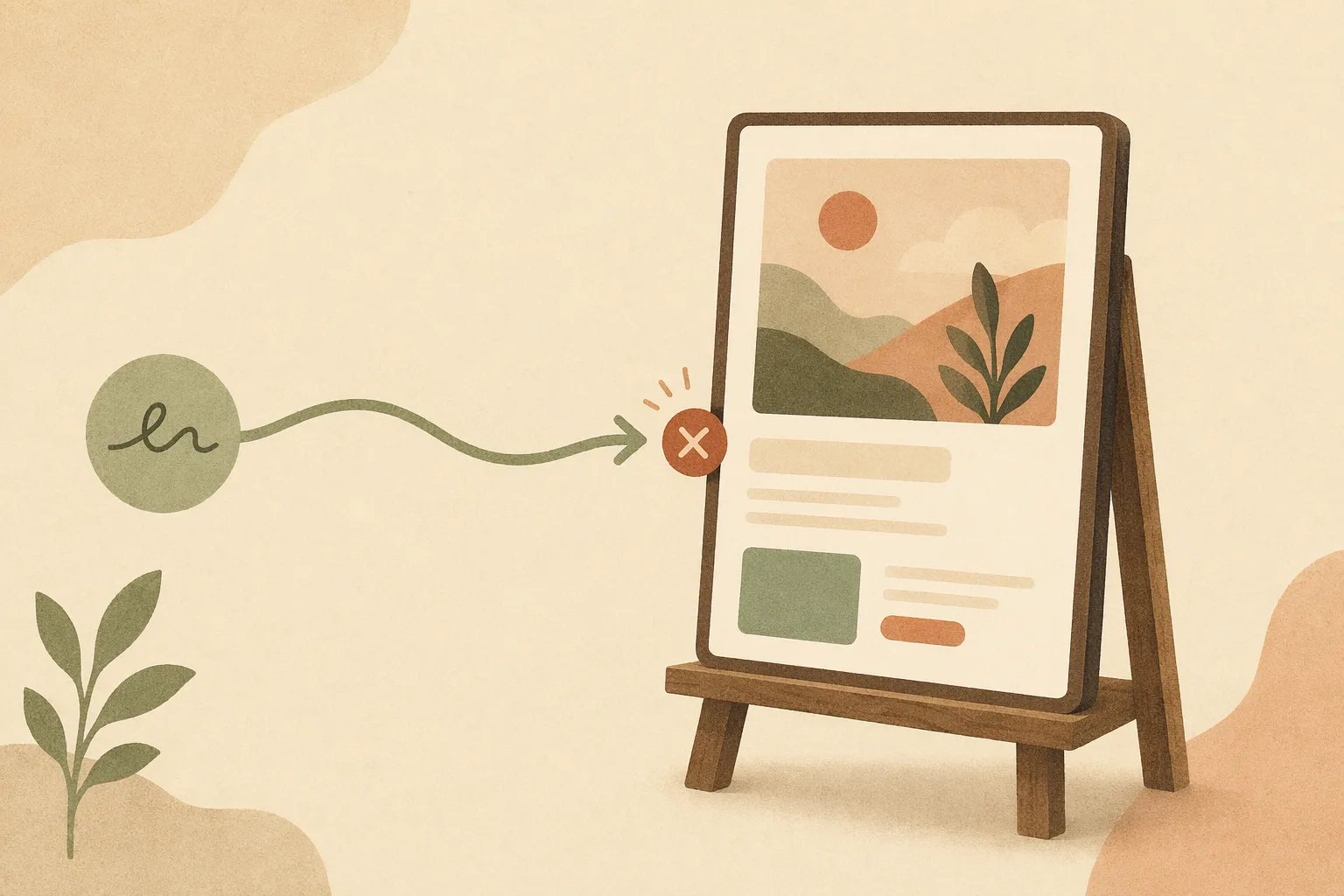
A warm editorial study plate depicting a prompt-to-UI generation tool with an export arrow leaving a walled enclosure, drawn as connected engineering diagrams
Stitch's export is a one-way door out of Google's walls — an artifact, not a living link back to your system.

Stitch vs the open path

So when does the convenience win, and when does ownership? The call I’d make:

Reach for Stitch when you’re exploring, prototyping, or learning vibe design; when the output is a direction to react to, not a system to maintain; when “free and fast inside Google” is exactly the trade you want. It’s a superb sketchpad.

Reach for the open path when the output has to become a product you own — wired to your design system, living in files you can diff and keep, driven by the agent and pipeline you already run. That’s the bet Open Design makes: instead of exporting out of a walled tool, the design system is a portable DESIGN.md that both the design and the code obey, so the vibe survives from prompt to shipped without a one-way door in the middle.

It’s not Stitch or nothing. Plenty of teams will sketch in Stitch and own the build elsewhere — that’s a perfectly good workflow, as long as you know which half each tool is doing.

How to use Stitch well

If you do reach for it, get the most out of it without getting stuck:

  • Use it for direction, not for the system. Generate options, pick one, then rebuild against your real design system instead of treating the export as final.
  • Paste your constraints into the prompt. It won’t read your token file, so feed it your palette, spacing, and component language by hand to fight drift.
  • Treat the export as a starting point. The Figma/code output is a draft to own and refactor, not a deliverable to ship.

FAQ

Is Google Stitch free? At the time of writing it’s free inside Google Labs. Labs availability and pricing are Google’s to change, so don’t build a long-term team workflow on the assumption it stays free.

Can Stitch export to Figma? Yes — Stitch exports toward Figma and front-end code. Treat it as a one-way handoff, though: regenerating in Stitch won’t carry your downstream edits back.

Is Stitch the same as vibe design? Google popularized “vibe design” with Stitch, but the idea is bigger than one tool — see what is vibe design. Stitch is one (very good) implementation of the big-platform kind.

Stitch vs Open Design? Stitch is a fast, free, walled sketchpad from Google; Open Design is an open, agent-native way to own the whole loop in portable files. Different bets — sketch vs ship-and-own.

The takeaway

Google made “vibe design” a household term by shipping Stitch, and Stitch earns the attention — it’s the best free on-ramp to designing by intent you’ll find. Just see the walls clearly: the export is a one-way door, your design system isn’t the source of truth, and the roadmap is Google’s. Use it to explore, brilliantly. When the work has to become something you own and ship, that’s where Open Design picks up — your agent, your files, no door out of someone else’s product.

Next step

Download the desktop build

Take the open-source design workspace for a spin, inspect the release notes on GitHub, or join our Discord for live community feedback.