








If you’ve been anywhere near a server procurement conversation lately, you already know the punchline: memory prices have gone through the roof. Since 2023, enterprise DDR5 RDIMM costs have surged through the roof, driven largely by manufacturers shifting production capacity toward High Bandwidth Memory for AI GPUs. A high-density virtualization node has more than doubled in price and memory alone accounts for over 95% of the Bill of Materials. I’ve started calling it the “RAMpocalypse,” and it’s real.
This is exactly why Memory Tiering matters, and why the improvements we’re shipping in VCF 9.1 are such a big deal. Let me walk you through what’s new.
What Is Memory Tiering?
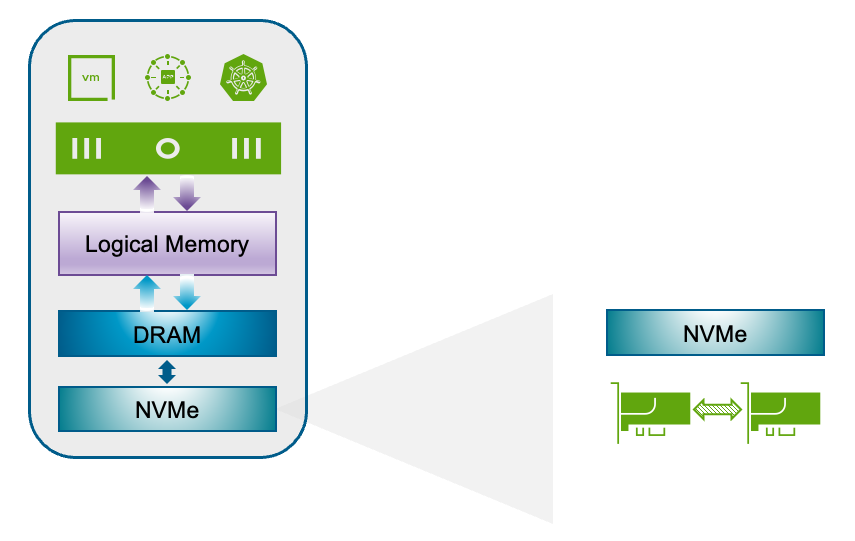
For those of you who haven’t explored this yet, Memory Tiering allows ESX hosts to use NVMe devices as a secondary memory tier alongside traditional DRAM. VMs consume what we call “logical memory”, which is the unified pool that spans both tiers (DRAM and NVMe); and the hypervisor intelligently classifies memory pages as hot, or cold. Hot pages stay in fast DRAM; cold pages migrate to NVMe. The whole process is transparent to your applications.
The result? Up to 4x more available memory per host, 2x better VM consolidation, 20–30% improved CPU efficiency (because your processors are no longer starved for memory), and up to 40% lower TCO. That’s not marketing fluff — those are the numbers customers are seeing in production.
What’s New in VCF 9.1
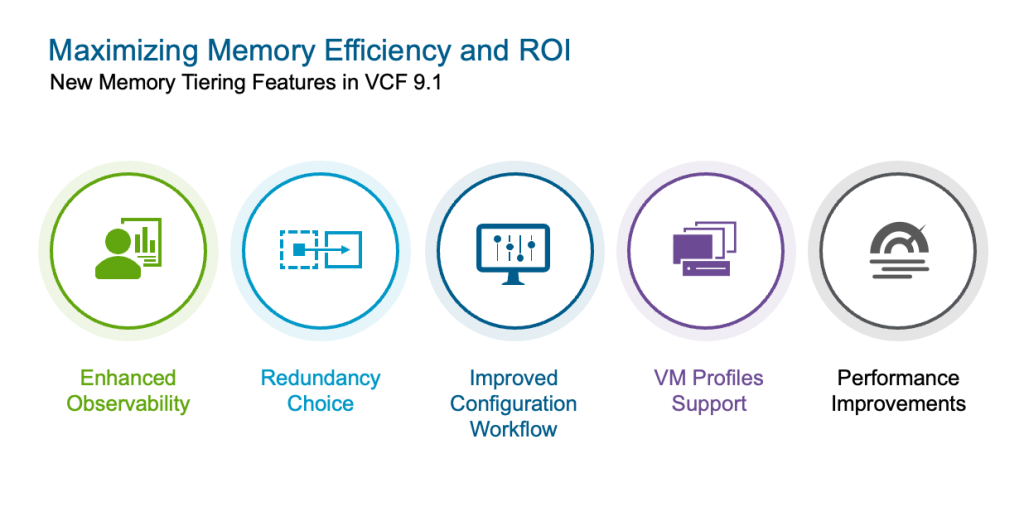
VCF 9.1 brings five major improvements to Memory Tiering, and each one addresses real-world feedback we’ve been hearing since the 9.0 release.
Performance Improvements
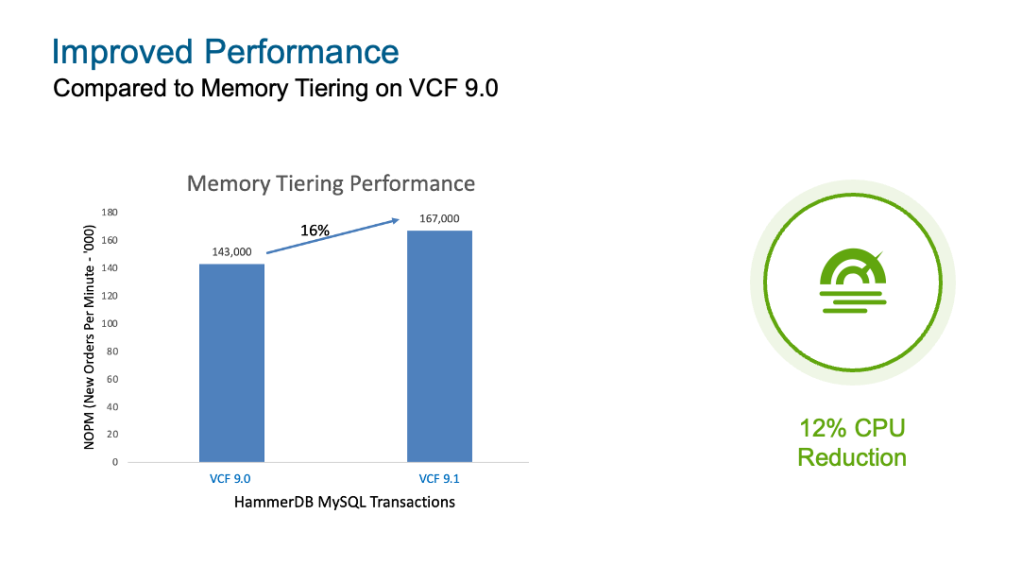
Let’s start with the one everyone wants to know about. Compared to Memory Tiering on VCF 9.0, we’re seeing up to 16% performance gains in database workloads measured with HammerDB, along with a 12% CPU reduction in VMmark benchmarks. These aren’t theoretical, they come from optimizations in how the hypervisor manages page classification and tier movement. If you were on the fence about enabling Memory Tiering because of performance concerns, this is your sign to take another look.
Software NVMe Mirroring
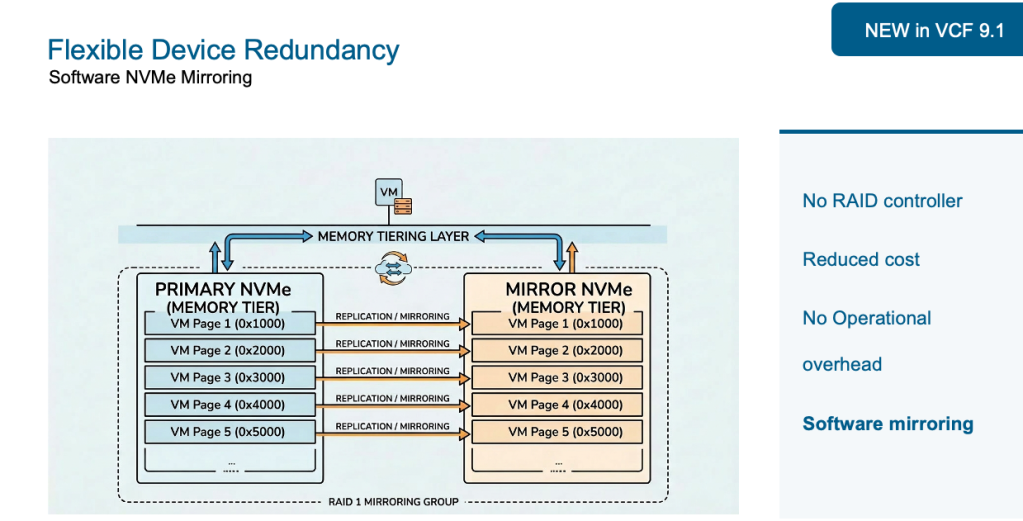
This one is a game changer. In VCF 9.0, the only way to get redundancy for your NVMe tier was through hardware-based RAID. Your options were either a Tri-Mode controller, or Intel VROC. That meant additional cost for controllers, operational overhead for firmware and driver management, and potential compatibility headaches with vSAN if you were sharing controllers.
VCF 9.1 introduces software-based NVMe mirroring built directly into vSphere. No RAID controller required. No extra procurement, which means lower cost. No operational overhead required for configuration, installation, FW/drivers, etc. The hypervisor handles mirroring natively, giving it full control over memory page distribution across devices. This is the kind of simplicity customers have been asking for, and it’s here.
Simplified Configuration
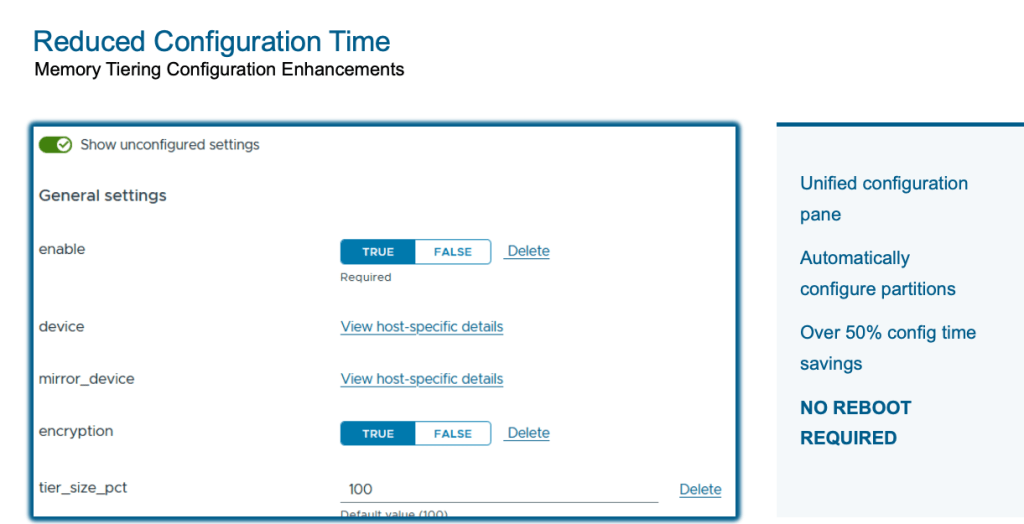
Configuring Memory Tiering in 9.0 involved separate steps for NVMe partition creation and feature enablement. That changes in 9.1. We’ve collapsed the entire workflow into a single unified configuration pane using vSphere Configuration Profiles. NVMe disk partitions are now created automatically (no more manual ESXCLI commands or PowerShell scripts, though you still can if that’s your thing). And here’s the best part: the configuration no longer requires a host reboot. Just maintenance mode. The net result is over 50% reduction in configuration time. Easy enough, right?
Enhanced Observability
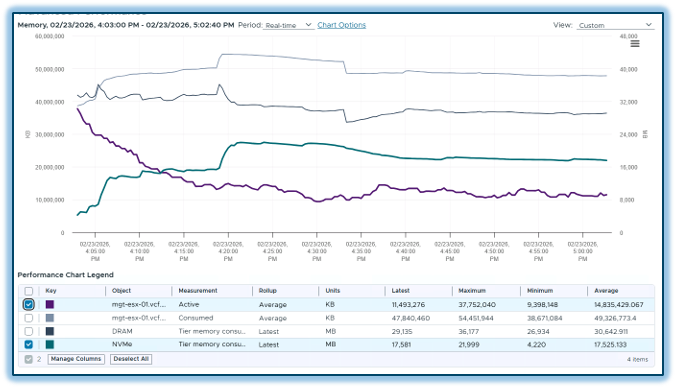
You can’t optimize what you can’t see, and VCF 9.1 delivers significantly better visibility into your Memory Tiering environment. In vCenter, new summary cards at both the host and cluster level show configuration state, tier breakdowns, consumed memory per tier, and consumed versus active comparisons. You also get a full tiering device list with health status details.
Post-deployment, you can monitor bandwidth and latencies for both memory tiers, and even drill down to see tier bandwidth utilization at an individual VM level. This gives you the performance visibility you need to validate that Memory Tiering is working as expected for your specific workloads.
On the VCF Operations side, there is a dedicated Memory Tiering dashboard, and perhaps my favorite addition, a “What-If” analysis tool. This lets you model what would happen if you turned Memory Tiering on based on your environment, and what your cost savings would look like. It’s a fantastic way to build the business case before you even flip the switch.
VM Profile Support
In VCF 9.0, certain VM profiles couldn’t power on when Memory Tiering was enabled on a host. That restriction is completely gone in 9.1. Security VMs, low-latency VMs, fault-tolerant VMs, among others can all power on now. While some of these profiles still won’t participate in tiering directly, you no longer need to maintain separate hosts just to accommodate these type of VMs.
And one more thing, nested virtualization is now fully supported with Memory Tiering. If you’re running nested VMs in your lab environment, they’ll participate in tiering just like any other workload.
The Bottom Line
Let’s bring this home with the business case. Memory Tiering in VCF 9.1 delivers up to 40% lower TCO through better VM consolidation ratios and increased resource consumption. Those underutilized CPUs you’ve been paying for? You can finally put them to work.
Don’t worry if you’re not sure where to start, the new What-If analysis in VCF Operations makes it straightforward to assess your environment and quantify the savings before committing. Memory Tiering is production-ready, it’s shipping now, and it fundamentally changes the economics of memory in virtualized environments.
For more details, visit brcm.tech/vcf-memory-tiering
Subscribe to get the latest posts sent to your email.
此内容由惯性聚合(RSS阅读器)自动聚合整理,仅供阅读参考。 原文来自 — 版权归原作者所有。