








Llama 2 is the latest Large Language Model (LLM) from Meta AI. It is in many respects a groundbreaking release. First, Llama 2 is open access — meaning it is not closed behind an API and it's licensing allows almost anyone to use it and fine-tune new models on top of it. Second, Llama 2 is breaking records, scoring new benchmarks against all other "open access" models [1].
On this page you can find the latest best practices to using Llama 2. This is a living page and it will be regularly updated as we discover more.
Start using Pinecone for free
Pinecone is the developer-favorite vector database that's fast and easy to use at any scale.
We will begin at the beginning. How can we use Llama 2? The most flexible approach we can find is using Hugging Face Transformers. In the following examples we will be loading the largest of the Llama 2 models that has been fine-tuned for chat — the Llama-2-70b-chat-hf model. Nonetheless, the same methodology can be applied to use any of the Llama 2 models.
Before we can do anything we must request access to Llama 2 models. We begin by filling an access form on Meta's website. You can expect your application to be approved fairly quickly (most report within an hour).
After some time you should receive an email stating you have been approved. Once you have this, head over to the Hugging Face model card for whichever model you'd like to use. You can find the model cards by navigating to "https://huggingface.co/<model_id>". A few of the model IDs currently accessible are:
The top of the model card should show another license to be accepted. It's important to note that the email used on Meta's access form must be the same as that used on your Hugging Face account — otherwise your application will be rejected.
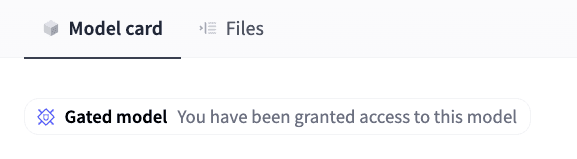
Access granted for gated model on Hugging Face
After some more waiting you should find a message on the model card stating "You have been granted access to this model". This message means we have access, but there is one last step.
To download the models from Hugging Face we must authenticate ourselves. We can do this by heading to our Hugging Face Settings > Access Tokens > New token and creating a new Read token. We must copy this access token to place into our code later.
Once we've completed these steps, we're ready to jump into the code.
Llama 2 is a rarity in open access models in that we can use the model as a conversational agent almost out of the box. A significant level of LLM performance is required to do this and this ability is usually reserved for closed-access LLMs like OpenAI's GPT-4.
Before we get started we should talk about system requirements. Llama 70B is a big model. We will load the model in the most optimal way currently possible but it still requires at least 35GB of GPU memory. That rules out almost everything except an A100 GPU which includes 40GB in the base model.
If you, like most people, are not able to source an A100 with a snap of your fingers — you can replicate the process with the 13B parameter version of Llama 2 (with just 15GB of GPU memory). Results will be less impressive but still good.
With all of that out of the way, let's begin.
All of the code we will be working through can be found here.
We begin with `pip install` for all of the libraries we need to use.
!pip install -qU \
    transformers==4.31.0 \
    accelerate==0.21.0 \
    einops==0.6.1 \
    langchain==0.0.240 \
    xformers==0.0.20 \
    bitsandbytes==0.41.0
Before initializing the model itself we need to create two config objects. The first of those is our quantization config object bnb_config. This object enables us to quantize our model, allowing us to fit it onto a single A100 GPU — without quantization we would actually need ~7 A100s.
import torch
import transformers

# set quantization configuration to load large model with less GPU memory
# this requires the `bitsandbytes` library
bnb_config = transformers.BitsAndBytesConfig(
    load_in_4bit=True,
    bnb_4bit_quant_type='nf4',
    bnb_4bit_use_double_quant=True,
    bnb_4bit_compute_dtype=torch.bfloat16
)
The next configuration object uses the model configuration from Hugging Face itself to set different model parameters. To download this we first set our Hugging Face authentication key that we created earlier, then initialize the model_config using the model_id.
model_id = 'meta-llama/Llama-2-70b-chat-hf'

# begin initializing HF items, need auth token for these
hf_auth = '<YOUR_API_KEY>'
model_config = transformers.AutoConfig.from_pretrained(
    model_id,
    use_auth_token=hf_auth
)
We then download and initialize the model:
# initialize the model
model = transformers.AutoModelForCausalLM.from_pretrained(
    model_id,
    trust_remote_code=True,
    config=model_config,
    quantization_config=bnb_config,
    device_map='auto',
    use_auth_token=hf_auth
)
model.eval()
With that we're almost there but we're missing one step — the translation from human-readable plaintext to LLM-readable tokens. We perform this translation using a tokenizer. To initialize the Llama 2 tokenizer we do:
tokenizer = transformers.AutoTokenizer.from_pretrained(
    model_id,
    use_auth_token=hf_auth
)
Now we're ready to initialize the Hugging Face pipeline which will perform the full process from tokenization to text generation.
generate_text = transformers.pipeline(
    model=model, tokenizer=tokenizer,
    return_full_text=True,  # langchain expects the full text
    task='text-generation',
    # we pass model parameters here too
    temperature=0.0,  # 'randomness' of outputs, 0.0 is the min and 1.0 the max
    max_new_tokens=512,  # mex number of tokens to generate in the output
    repetition_penalty=1.1  # without this output begins repeating
)
With that complete we're ready to begin implementing the model as a conversational agent using LangChain.
With our Hugging Face pipeline initialized we can load in into LangChain like so:
from langchain.llms import HuggingFacePipeline

llm = HuggingFacePipeline(pipeline=generate_text)
Using llm we can now use Llama 2 with LangChain's advanced tooling such as agents, chains, and callbacks. We'll need to initialize a conversational agent which requires a few things, such as conversational `memory`, access to `tools`, and an `llm` (which we have already initialized).
We create our `memory` and `tools` like so:
from langchain.memory import ConversationBufferWindowMemory
from langchain.agents import load_tools

memory = ConversationBufferWindowMemory(
    memory_key="chat_history", k=5, return_messages=True, output_key="output"
)
tools = load_tools(["llm-math"], llm=llm)
With those ready, we initialize our conversational agent.
from langchain.agents import initialize_agent

# initialize agent
agent = initialize_agent(
    agent="chat-conversational-react-description",
    tools=tools,
    llm=llm,
    verbose=True,
    early_stopping_method="generate",
    memory=memory
)The Llama 2 chat model was fine-tuned for chat using a specific structure for prompts. This structure relied on four special tokens:
<s>: the beginning of the entire sequence.<<SYS>>\n: the beginning of the system message.\n<</SYS>>\n\n: the end of the system message.[INST]: the beginning of some instructions.[/INST]With that in mind we would typically structure chat messages like so:
<s>[INST] <<SYS>>
You are a helpful, respectful and honest assistant. Always do...

If you are unsure about an answer, truthfully say "I don't know"
<</SYS>>

How many Llamas are we from skynet? [/INST]
During testing we actually found a slightly different structure to work. Which looks more like:
<<SYS>>
You are a helpful, respectful and honest assistant. Always do...

If you are unsure about an answer, truthfully say "I don't know"
<</SYS>>

[INST] Remember you are an assistant [/INST] User: How many Llamas are we from skynet?
Although this worked for us, we would suggest first trying the recommended structure from the Llama 2 paper.
To get the agent working we need it to output JSON format responses reliably. For this to work we encourage the use of JSON in the prompt and give several examples of how to do it — something we call few-shot prompting.
# special tokens used by llama 2 chat
B_INST, E_INST = "[INST]", "[/INST]"
B_SYS, E_SYS = "<<SYS>>\n", "\n<</SYS>>\n\n"

# create the system message
sys_msg = "<s>" + B_SYS + """Assistant is a expert JSON builder designed to assist with a wide range of tasks.

Assistant is able to respond to the User and use tools using JSON strings that contain "action" and "action_input" parameters.

All of Assistant's communication is performed using this JSON format.

Assistant can also use tools by responding to the user with tool use instructions in the same "action" and "action_input" JSON format. Tools available to Assistant are:

- "Calculator": Useful for when you need to answer questions about math.
  - To use the calculator tool, Assistant should write like so:
    ```json
    {{"action": "Calculator",
      "action_input": "sqrt(4)"}}
    ```

Here are some previous conversations between the Assistant and User:

User: Hey how are you today?
Assistant: ```json
{{"action": "Final Answer",
 "action_input": "I'm good thanks, how are you?"}}
```
User: I'm great, what is the square root of 4?
Assistant: ```json
{{"action": "Calculator",
 "action_input": "sqrt(4)"}}
```
User: 2.0
Assistant: ```json
{{"action": "Final Answer",
 "action_input": "It looks like the answer is 2!"}}
```
User: Thanks could you tell me what 4 to the power of 2 is?
Assistant: ```json
{{"action": "Calculator",
 "action_input": "4**2"}}
```
User: 16.0
Assistant: ```json
{{"action": "Final Answer",
 "action_input": "It looks like the answer is 16!"}}
```

Here is the latest conversation between Assistant and User.""" + E_SYS
new_prompt = agent.agent.create_prompt(
    system_message=sys_msg,
    tools=tools
)
agent.agent.llm_chain.prompt = new_prompt
After setting our new system message we can move on to the prompt template for user messages.
In our tests we found the system message worked for encouraging the use of JSON responses but only for one or two interactions. Beyond this, Llama 2 chat seemed to forget about the JSON format.
This "forgetfulness" problem was mentioned in the Llama 2 paper.
In a dialogue setup, some instructions should apply for all the conversation turns, e.g., to respond succinctly, or to “act as” some public figure. When we provided such instructions to Llama 2-Chat, the subsequent response should always respect the constraint. However, our initial RLHF models tended to forget the initial instruction after a few turns of dialogue [1]
The authors found that they could improve this by adding instructions to each user message. We tried the same by added a brief reminder of the JSON format like so:
instruction = B_INST + " Respond to the following in JSON with 'action' and 'action_input' values " + E_INST
human_msg = instruction + "\nUser: {input}"

agent.agent.llm_chain.prompt.messages[2].prompt.template = human_msg
With that our agent should reliably produce agent-friendly JSON outputs. We can see this in the following queries:
In[26]:
agent("hey how are you today?")Out[26]:
[1m> Entering new AgentExecutor chain...[0m
[32;1m[1;3m
Assistant: ```json
{"action": "Final Answer",
"action_input": "I'm good thanks, how are you?"}
```[0m
[1m> Finished chain.[0m
Out[26]:
{'input': 'hey how are you today?',
 'chat_history': [],
 'output': "I'm good thanks, how are you?"}
In[30]:
agent("what is 4 to the power of 2.1?")Out[30]:
[1m> Entering new AgentExecutor chain...[0m
[32;1m[1;3m
Assistant: ```json
{"action": "Calculator",
"action_input": "4**2.1"}
```[0m
Observation: [36;1m[1;3mAnswer: 18.37917367995256[0m
Thought:[32;1m[1;3m
AI:
Assistant: ```json
{"action": "Final Answer",
"action_input": "It looks like the answer is 18.37917367995256!"}
```[0m
[1m> Finished chain.[0m
Out[30]:
{'input': 'what is 4 to the power of 2.1?',
 'chat_history': [HumanMessage(content='hey how are you today?', additional_kwargs={}, example=False),
  AIMessage(content="I'm good thanks, how are you?", additional_kwargs={}, example=False)],
 'output': 'It looks like the answer is 18.37917367995256!'}
In[31]:
agent("can you multiply that by 3?")Out[31]:
[1m> Entering new AgentExecutor chain...[0m
[32;1m[1;3m
Assistant: ```json
{"action": "Calculator",
"action_input": "18.37917367995256 * 3"}
```[0m
Observation: [36;1m[1;3mAnswer: 55.13752103985769[0m
Thought:Out[31]:
/usr/local/lib/python3.10/dist-packages/transformers/pipelines/base.py:1083: UserWarning: You seem to be using the pipelines sequentially on GPU. In order to maximize efficiency please use a dataset
  warnings.warn(
Out[31]:
[32;1m[1;3m
AI:
Assistant: ```json
{"action": "Final Answer",
"action_input": "It looks like the answer is 55.13752103985769!"}
```[0m
[1m> Finished chain.[0m
Out[31]:
{'input': 'can you multiply that by 3?',
 'chat_history': [HumanMessage(content='hey how are you today?', additional_kwargs={}, example=False),
  AIMessage(content="I'm good thanks, how are you?", additional_kwargs={}, example=False),
  HumanMessage(content='what is 4 to the power of 2.1?', additional_kwargs={}, example=False),
  AIMessage(content='It looks like the answer is 18.37917367995256!', additional_kwargs={}, example=False)],
 'output': 'It looks like the answer is 55.13752103985769!'}
We get reliable results and thanks to quantization all of this is manageable within 38GB of GPU memory.
Llama 2 is the latest in a string of advances in a more open AI ecosystem. The models themselves are impressive. Yet, the real impact is likely to come from what the community does with them. In the coming weeks and months we will see a flurry of innovation and new fine-tuned models thanks to the open access nature of these models from Meta AI.
[1] H. Touvron, L. Martin, K. Stone, et. al., Llama 2: Open Foundation and Fine-Tuned Chat Models (2023), Meta AI
此内容由惯性聚合(RSS阅读器)自动聚合整理,仅供阅读参考。 原文来自 — 版权归原作者所有。